10 Best Cloud Storage for Videos in 2026
There are many benefits to backing up your videos. It helps free up local storage space and ensures you don’t lose your files. Naturally, some cloud services are better than others for video files. To help you sift through the options, we’re dropping the nine best cloud storage for videos.


Written by Dan Ginn (Writer)
Reviewed by Valentina Bravo (Managing Editor)
Facts checked by Igor Kurtz (Fact-checking editor)
Last Updated:
All our content is written fully by humans; we do not publish AI writing. Learn more here.
Key Takeaways: These Are the Best Cloud Storage Services for Videos
- pCloud — A provider that offers excellent video playback and file management features.
- Sync.com — The top choice for industry-leading privacy and security features.
- Internxt — Cheap lifetime plans with expandable storage for ever-growing video collections.
- Proton Drive — A privacy-first option with blazing-fast speeds and Swiss jurisdiction compliance.
- Google Drive — The provider with the best video storage options for collaboration and remote work.
- Icedrive — A service with a beautiful user interface that’s very easy to use.
- MEGA — A service with a very generous free storage plan and solid communication tools.
- IDrive — The best option for hybrid backup and videographers using a NAS device.
- Box — A great solution for businesses that require unlimited storage space and collaboration tools.
- Jottacloud — A provider with unlimited storage for personal users at a very affordable price.
Facts & Expert Analysis About Video Cloud Storage:
- Media playback: To ensure a smooth workflow, we recommend using services with the best video playback features so you don’t need to download videos and watch them in a third-party app.
- File-size limits: Some services restrict the file sizes that you can upload. Since videos tend to be larger, use a service with few or no restrictions.
- Speeds: It’s common to see a slight drop in upload and download speeds when working with large file types like videos. If speed is crucial, choose a service that remains consistently fast even with larger files.
Whether they’re for professional or personal use, your video files hold a lot of value in the digital era. That’s why it’s important to back them up using a cloud storage solution. However, picking the right provider is a challenge in itself. To lessen the burden, we’re sharing our selection of the best cloud storage for videos.
When deciding on a cloud storage solution for videos, consider whether you need simple file access (cloud storage), complete system replication (online backup) or the hybrid approach of a personal cloud storage device. Each method offers different benefits for video creators, with cloud storage excelling in accessibility and sharing, while backup solutions provide more thorough protection of your entire video workflow.
Many of the best cloud storage services can be useful for video backup. However, some lack the necessary features for backing up large, high-resolution video files. For that reason, we created this selection of cloud storage options that cater specifically to video creators and consumers.
-
06/25/2022 Facts checked
Updated Sync.com’s plans and pricing information.
-
07/31/2022 Facts checked
Updated to reflect an increase in IDrive’s free plan to 10GB of storage.
-
05/23/2023 Facts checked
We updated this to remove IDrive’s discontinued free plan and add its new free 30-day trial.
-
12/08/2023 Facts checked
Updated MEGA’s price offerings.
-
11/15/2023 Facts checked
We updated IDrive’s pricing and added its free plan.
-
03/29/2024 Facts checked
Updated to reflect changes in Icedrive’s pricing plans and storage offers
-
05/10/2024 Facts checked
Added new YouTube video roundup.
-
08/31/2024 Facts checked
Added video reviews for cloud storage providers in the list.
-
02/05/2025 Facts checked
This article was updated to cover more features in pCloud as well as general features to look out for in cloud storage providers.
-
03/26/2025 Facts checked
We rewrote this article to include an updated list of cloud services and more video-focused features.
-
04/26/2025 Facts checked
We updated this article with more details about each provider and features to look for in cloud storage for video.
-
07/15/2025 Facts checked
This article was updated with more tips on what to look for in cloud storage for video and additional information on the providers, with particular focus on Icedrive.
-
08/18/2025 Facts checked
Added a fresh video review of MEGA Cloud Storage
-
08/18/2025 Facts checked
Added a fresh video review of MEGA Cloud Storage
-
09/24/2025 Facts checked
We updated the article to reflect Icedrive’s new pricing structure.
-
09/29/2025 Facts checked
We expanded our coverage of Google Drive’s video-editing and AI-based features.
-
12/16/2025 Facts checked
This article was updated with more information about MEGA’s features and what to look for in video cloud storage.
Optimize Your Video Storage Strategy for Large Files and Professional Workflows:
 200GB$2.65 / month(All Plans)
 $1 / month(All Plans)
 2TB$4.17 / month(All Plans)
 1TB – 5TB$4.92 / month(All Plans)
 200GB – 3TB$1 / month(All Plans)
 100GB – 30TB$1.67 / month(All Plans)
 2TB – 5TB$9.99 / month(All Plans)
 1TB – 5TB$1 / month(All Plans)
 100GB – 6TB$1.67 / month(All Plans)
 30GB – 5TB$7 / month(All Plans)
 Unlimited GB$17.50 / month(All Plans)
 10GB – 20TB$0.50 / month(All Plans)
 50GB – 12TB$0.99 / month(All Plans)
 100GB – 10TB$0.83 / month(All Plans)
 100GB – 30TB$1.67 / month(All Plans)
 3TB – 100TB$9.78 / month(All Plans)
 Unlimited GB$4.17 / month(All Plans)
 2TB – 3TB$12 / month(All Plans)
 1GB – 100GB$1.50 / month(All Plans)
 1TB – 2TB$8.33 / month(All Plans)
 500GB – 2TB$7.08 / month(All Plans)
 10GB – 1TB$1.67 / month(All Plans)
 500GB – 2TB$2.99 / month(All Plans)
 100GB – 5TB$6.90 / month(All Plans)
 1TB$8.25 / month(All Plans)
 10GB – 500GB$5.83 / month(All Plans)
 200GB – 3TB$1.38 / month(All Plans)
 2TB$3 / month(All Plans)
 1TB – 4TB$8.33 / month(All Plans)
 100GB – 5TB$1.67 / month(All Plans)
 150GB – 10TB$1.25 / month(All Plans)
 100GB – 1TB$7.49 / month(All Plans)
 50GB – 1TB$3 / month(All Plans)
 50GB – 1TB$5.83 / month(All Plans)
 500GB – 2TB$5 / month(All Plans)
 100GB – 10TB$0.93 / month(All Plans)
 250GB – 4TB$30.44 / month(All Plans)
Video files present unique challenges that basic cloud storage can’t handle — massive file sizes, slow uploads and the need for high-quality playback and collaboration features.
10,000+ Trust Our Free Cloud Storage Tips. Join Today!

- Demystify cloud storage terminology and key concepts in plain language
- Discover easy-to-implement techniques to securely backup and sync your data across devices
- Learn money-saving strategies to optimize your cloud storage costs and usage
For optimal video-editing workflows, consider implementing a hybrid access pattern using services like IDrive that support both local and cloud storage seamlessly. This approach keeps current projects on fast local storage for editing, automatically backs up completed segments to the cloud and maintains proxy files locally while archiving full-resolution assets to the cloud.
Such a system gives you the speed benefits of local storage for active work while leveraging cloud storage’s advantages for backup, collaboration and long-term archiving, all while minimizing expensive local SSD requirements for large 4K+ video libraries.
The nine services covered in this article each tackle these video-specific demands differently, from unlimited storage and advanced media players to zero-knowledge encryption and seamless editing software integration.
Cloudwards’ Choice: pCloud
 Cloudwards’ Choice: pCloud
I use pCloud to back up videos for my YouTube channel. The zero-knowledge encryption gives me peace of mind knowing that they’ll remain truly private, and the native media player is excellent for reviewing my videos in their best quality. pCloud is perfect for video sharing, making it easy to gather feedback from my colleagues.
What Makes the Best Cloud Storage for Video?
Our criteria for finding the best cloud storage for video files differs slightly compared to other cloud storage use cases. This is mainly because video files are much larger than other file types, such as documents and photos.
File versioning is particularly important for video projects, as it allows you to revert to previous edits or versions without losing work, especially during collaborative editing.
Advanced video cloud storage platforms can automatically generate low-resolution proxy files of your original high-resolution videos, enabling smooth editing and collaboration workflows even on limited-bandwidth connections.
Some providers also implement delta sync technology specifically optimized for video files, which uploads only the changed portions of edited videos rather than the entire file, significantly reducing upload times for post-production workflows.
Professional-grade cloud storage platforms support specialized video codecs including ProRes, H.265/HEVC and AV1, enabling videographers to store and stream raw footage without format compatibility issues.
Some services offer features specific to video files. For example, some have video transcription capabilities, which can be invaluable for content creators who need to create subtitles or extract text from their video content.
Advanced providers may include basic video-editing capabilities directly in the interface, allowing users to trim, crop or add filters to videos without downloading them first. Others may offer video-transcoding APIs that automatically convert uploaded videos to different formats and resolutions, enabling compatibility across various devices without manual conversion.
Developer-friendly video cloud storage services provide robust API endpoints that enable programmatic video uploading, transcoding and delivery integration with custom applications or content management systems.
For video professionals collaborating with clients, time-based access controls allow you to grant temporary access to high-value video content that automatically expires after a specified period, enhancing intellectual property protection.
Enterprise-grade video storage solutions often include CDN integration that distributes your video content across global edge servers, dramatically improving streaming performance and reducing buffering for viewers worldwide.
Enterprise solutions also often incorporate automatic storage tiering, which identifies rarely accessed footage and moves it to cost-effective cold storage while keeping frequently used clips readily available.
Cold storage costs significantly less than active storage (sometimes 70%-80% cheaper) and is ideal for completed projects, raw footage or older productions you rarely access but need to preserve. While retrieval times are slower — typically several hours versus instant access with hot storage — the dramatic cost savings make it an excellent strategy for managing large video libraries economically over time.
Advanced video storage solutions also implement content-aware deduplication that identifies identical segments across multiple video files, reducing storage requirements for projects that reuse footage or contain similar sequences.
For mission-critical video assets, multi-region redundancy ensures your content is simultaneously stored in geographically separate data centers, providing exceptional disaster recovery capabilities against regional outages or natural disasters.
When evaluating cloud storage providers for video content, consider their egress fee structure, as downloading large video files frequently can incur substantial bandwidth charges that might exceed the base subscription cost.
Below are a few other categories we kept in mind when compiling this list:
- Storage space: The best services must offer enough cloud storage space so that users don’t quickly eat up all their storage capacity.
- Speed: Because videos take longer to upload and download, the service must have impressive upload and download speeds.
- Privacy: We favor services that offer zero-knowledge encryption to ensure that your video content remains truly private.
- Video playback: Being able to view video files as soon as they arrive in your online storage is important. We gave bonus points to providers that don’t compress video quality.
- Secure sharing: We value services that simplify file sharing and offer plenty of controls so that users can share videos securely.
What Are the 9 Best Cloud Storage for Video?
The best cloud storage for video are pCloud, Sync.com and Icedrive. You’ll notice a lot of overlap in the features that our recommended services offer. Despite that, each service has its own way of implementing features for video files, and some do it better than others. Below is a selection of the top features from each of the cloud storage providers.
| Provider: | Playback | Playback Speed | Picture-in-Picture | Compression | Video Backup | File-Size Limit | Client Encryption | Video Features |
|---|---|---|---|---|---|---|---|---|
| In-browser player & native mobile player | 50% to 200% | None | Unlimited | Paid add-on | Cheap lifetime plans with up to 10TB of storage | ||
| In-browser player & native mobile player | 50% to 150% | None | Unlimited | All plans, even free | 6TB storage on individual plans, unlimited storage on Teams plans | ||
| In-browser player & native mobile player | 50% to 150% | None | 5GB (mobile) 20GB (desktop) 40GB (web) | All plans, even free | Cheap lifetime plans with large amounts of storage | ||
| In-browser player & native mobile player | 50% to 150% | None | Unlimited | All plans, even free | Swiss privacy, client-side encryption, mobile video backup | ||
| In-browser player & native mobile player | 20% to 200% | None | 5TB | No | Automated subtitles, rewind & fast forward | ||
| In-browser player & native mobile player | 50% to 400%* | None | Unlimited | Paid plans only | Cheap lifetime plans with expandable storage | ||
| In-browser player & native mobile player | 50% to 200% | None | Unlimited | All plans, even free | Native exposure, contrast & saturation tools | ||
 | In-browser player | No | None | Unlimited | All plans, even free | 100TB storage plans with cheap two-year deals | ||
 | No native media player | No | None | 250GB to 500GB** | No | Unlimited storage space (Business plans only) | ||
 | In-browser player & native mobile player | 50% to 150% | None | 50TB | Yes | Unlimited storage space |
**Depends on your plan
1. pCloud — Best Cloud Storage for Video


On top of traditional cloud storage, pCloud offers useful features for videos. With no file-size limits, you can even upload long-form video content like movies. pCloud doesn’t compress video quality, but it does give you the option to do so. You can also watch your videos within pCloud on the desktop, web or mobile app versions.
For content creators working with large video files, pCloud offers customizable bandwidth-throttling options, allowing you to adjust upload and download speeds to balance network performance with your other online activities.
pCloud also offers comprehensive codec support for professional video formats such as ProRes, H.265/HEVC and AV1, which is great for creative professionals working with high-bitrate footage.
In addition, pCloud’s Kodi integration is particularly valuable for videographers who need to stream their work to clients or for personal viewing, allowing you to access and stream your entire video library directly from your cloud storage to any Kodi-enabled device.
Client-side encryption is available, but it comes at an extra cost. When sharing, you can add passwords to files, which is especially useful for sensitive content. You can also limit how many times people can download a video. However, it’s not the best for collaboration, as users can’t leave comments or feedback on video content.
pCloud Hands-On Testing
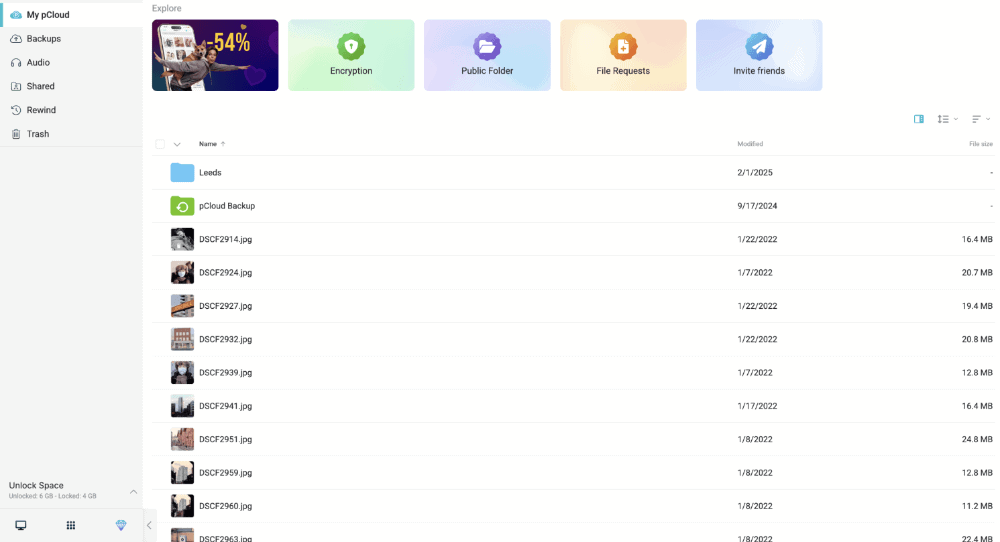
pCloud’s user interface makes it easy to create a file management system for your videos. You can organize files in folders and subfolders, plus name them accordingly. In our testing, the platform had decent speeds and placed minimal strain on our CPU when uploading and downloading files.
pCloud Speed Test Results
| First Try | Second Try | Average |
|---|---|---|---|
| Upload | 00:07:02.000 | 0:07:10 | 0:07:06 |
| Download | 0:06:50 | 0:06:53 | 0:06:52 |
pCloud Pricing & Value
pCloud offers 10GB of free space for your files. The paid plans are among the most affordable, especially for the 2TB plan. Its best-value cloud storage plans take the form of lifetime plans. You can pay a one-time fee for 10TB of storage, which is extremely affordable if you use the service over many years.
You can learn more about pCloud by reading our in-depth pCloud review.
- 10GB
- 500GB
- 2TB
More plans
- 10TB
- + FREE Encryption
- 2TB
- + FREE Encryption
- 10TB
- Price per user (minimum 3)
- 1TB
- Price per user (minimum 3)
- 2TB
- Encryption for pCloud Drive
2. Sync.com — Best Cloud Storage for User Privacy


Sync.com has useful video playback features. It offers picture-in-picture viewing, allowing you to access other apps while watching your video. You can also change the playback speed to slow a video down or speed it up. There’s no file compression either, so you can watch videos in full quality.
When it comes to privacy, the platform has the upper hand over most services. Unlike pCloud, it doesn’t charge extra for zero-knowledge encryption, which is also available on the free plan. In addition, Sync.com maintains its zero-knowledge encryption even when collaborating through Microsoft Office Online, ensuring your video projects remain private while enabling real-time collaboration.
You can even set expiration dates on shared links, limit downloads and add passwords; however, these features are available only on the paid plans.
Professional videographers working with clients in regulated industries will appreciate Sync.com’s comprehensive compliance certifications. Beyond HIPAA compliance (mentioned elsewhere), Sync.com maintains SOC 2 Type II compliance and follows PIPEDA guidelines.
Complying with these regulations can be crucial when handling video projects for financial services, healthcare organizations or government agencies. These certifications provide legal protection and can be a selling point when bidding on contracts requiring stringent data handling protocols.
The service also offers advanced team file-sharing controls, allowing administrators to enforce mandatory password protection and expiry dates for all shared video content across their organization. This is particularly valuable for production companies and video studios focused on protecting client footage and maintaining confidentiality when sharing work-in-progress edits.
Professional videographers will appreciate the custom branding options available on the 6TB plan, allowing you to maintain your brand identity when sharing videos with clients. This feature transforms ordinary file sharing into a more professional presentation experience, displaying your company logo and colors when clients access your shared video content.
Sync.com Hands-On Testing
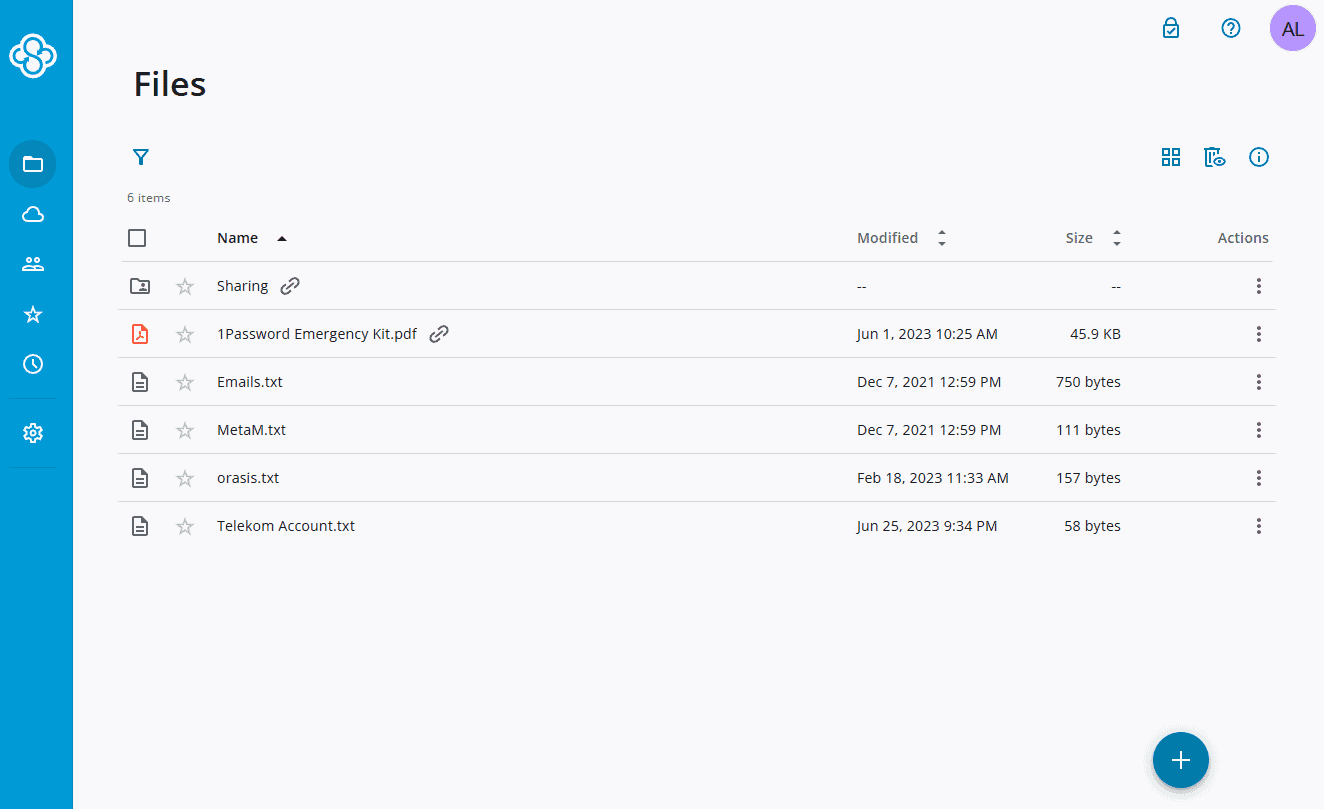
Although it’s simple to navigate, the user interface is slightly dated and could benefit from an upgrade. Sync.com’s upload and download speeds are also on the slower side, making it the slowest provider in this selection. That said, we value the platform’s simplicity — the process of uploading, managing and sharing files is extremely straightforward.
Sync.com Speed Test Results
| First Try | Second Try | Average |
|---|---|---|---|
| Upload | 0:10:20 | 0:09:47 | 0:10:04 |
| Download | 0:15:17 | 0:14:55 | 0:15:06 |
Sync.com Pricing & Value
Sync.com is great because you get top-tier privacy at the best price on the market. It comes in cheaper than most competitors, which we think is a good trade-off for its slow speeds. The 6TB plan offers excellent value at just $11.67 per month on annual billing — for most people, that should be more than enough to back up your video files.
Check out our Sync.com review to learn why the platform often ranks highly among cloud storage providers.
- 5GB
- 2TB
More plans
- 6TB
- per user, per month, billed annually
- 1TB
- Priced per user (3 users minimum)
- Unlimited GB
- Minimum 100 users, custom requirements, account manager, training options
3. Internxt — Cheap Lifetime Cloud Storage for Video

Internxt is a bit of a dark horse in this ranking, as it’s a newer provider that’s still lacking some basic video features, such as automatic video backup. However, Internxt’s 5TB lifetime plan is by far the cheapest way to get a large amount of cloud storage long term — perfect for storing an ever-expanding video library.
In terms of video features, Internxt has native video playback on mobile and a decent media player in its web panel. You can change the playback speed and play the video in picture-in-picture mode.
Internxt also offers WebDAV support, making it possible to connect your video storage to compatible third-party applications without using the native apps. In addition, unlike most cloud providers, Internxt uses open-source apps, allowing tech-savvy users to verify the security of the software handling their video content.
Though the 5GB file-size limit is quite restrictive, the web version ups this to 40GB, and Internxt is actively working to increase these limits in the near future.
Internxt is pioneering post-quantum cryptography protection for your video files, making it one of the few providers designing security features that can withstand potential future attacks from quantum computers. This forward-thinking approach ensures your video content remains secure even as computing technology evolves, providing extra peace of mind for videographers archiving valuable footage for the long term.
Internxt Hands-On Testing
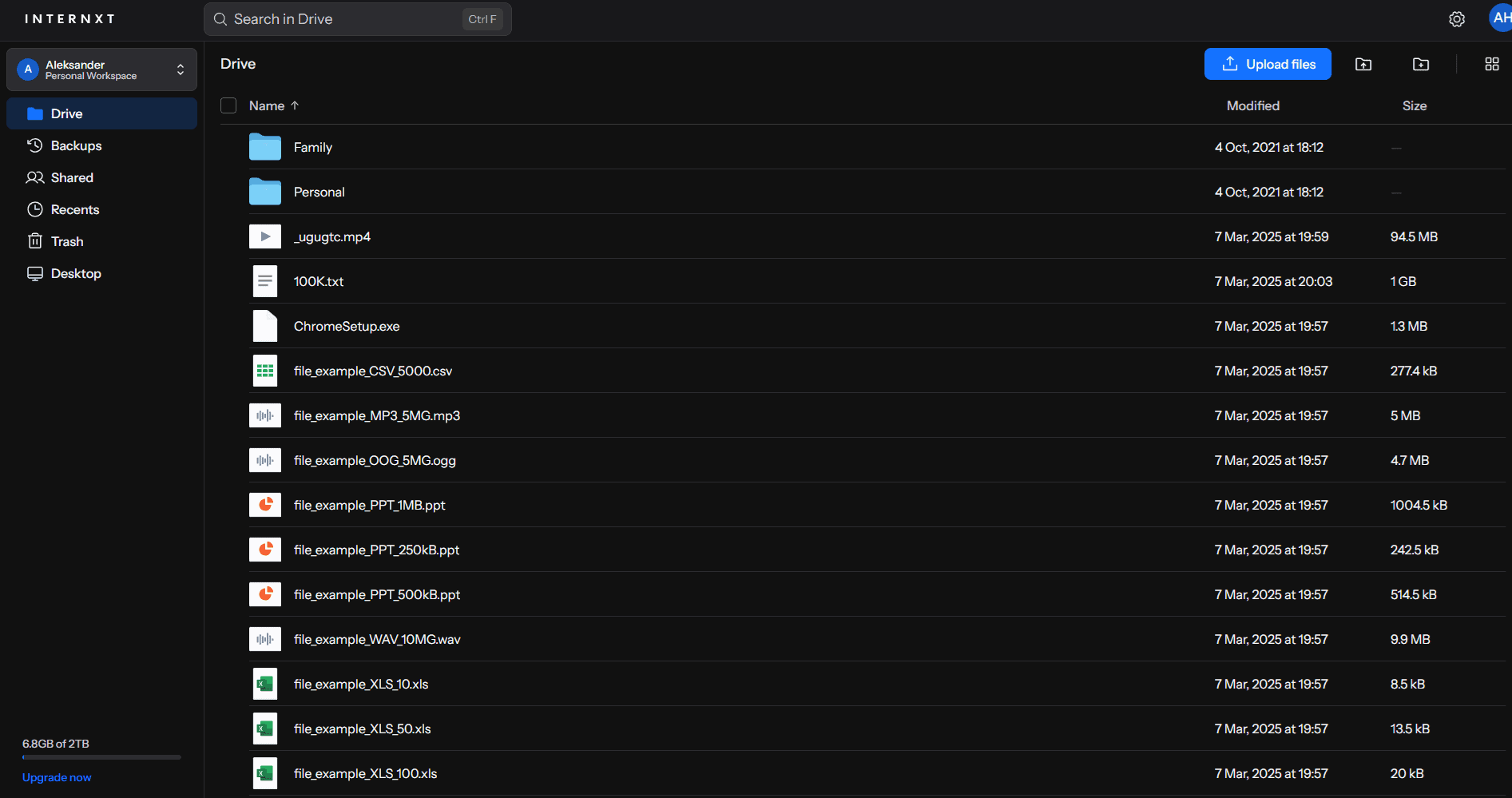
and the mobile app offering user-friendly experiences.
Internxt’s web and mobile apps are easy to use and well designed, if a bit standard. On mobile you can upload photos and videos directly from the camera roll, or take a picture directly through the Internxt app. The desktop app takes the same minimalist approach that Sync.com does, housing itself in the “hidden icons” area of your taskbar on Windows.
In terms of speed, Internxt is decently fast. It can’t compete with speed demons like pCloud, Icedrive or IDrive, but it’s faster than, for example, Sync.com.
Internxt Speed Test Results
| First Try | Second Try | Average |
|---|---|---|---|
| Upload | 0:07:57 | 0:08:05 | 0:08:01 |
| Download | 0:09:26 | 0:09:30 | 0:09:28 |
Internxt Pricing & Value
As mentioned at the start of this section, Internxt has some very affordable plans, especially if you’re looking for a lot of storage for the long term. The largest plan comes with 5TB and costs $4.92 per month if you pay yearly, or a one-time fee of $600.
- 1GB
- Post-quantum encryption Zero-knowledge encryption Two-factor authentication Backup your computer Password-protected file sharing Encrypted VPN Antivirus
- 1TB
- Everything in Essential plus; Cleaner Invite, share & collaborate File versioning (coming soon) Cleaner
- 3TB
More plans
- Everything in Premium plus CLI & WebDav support NAS & Rclone support Meet Mail (coming soon)
- 5TB
- Annual Price is per user
- 1TB
- Annual Price is per user
- 2TB
4. Proton Drive — Best Privacy-First Video Storage
![Video thumbnail for the video: I Tested Proton Drive to See If It's as Private as It Claims [2024 REVIEW]](https://img.youtube.com/vi/XWmsFdm-VLg/maxresdefault.jpg)
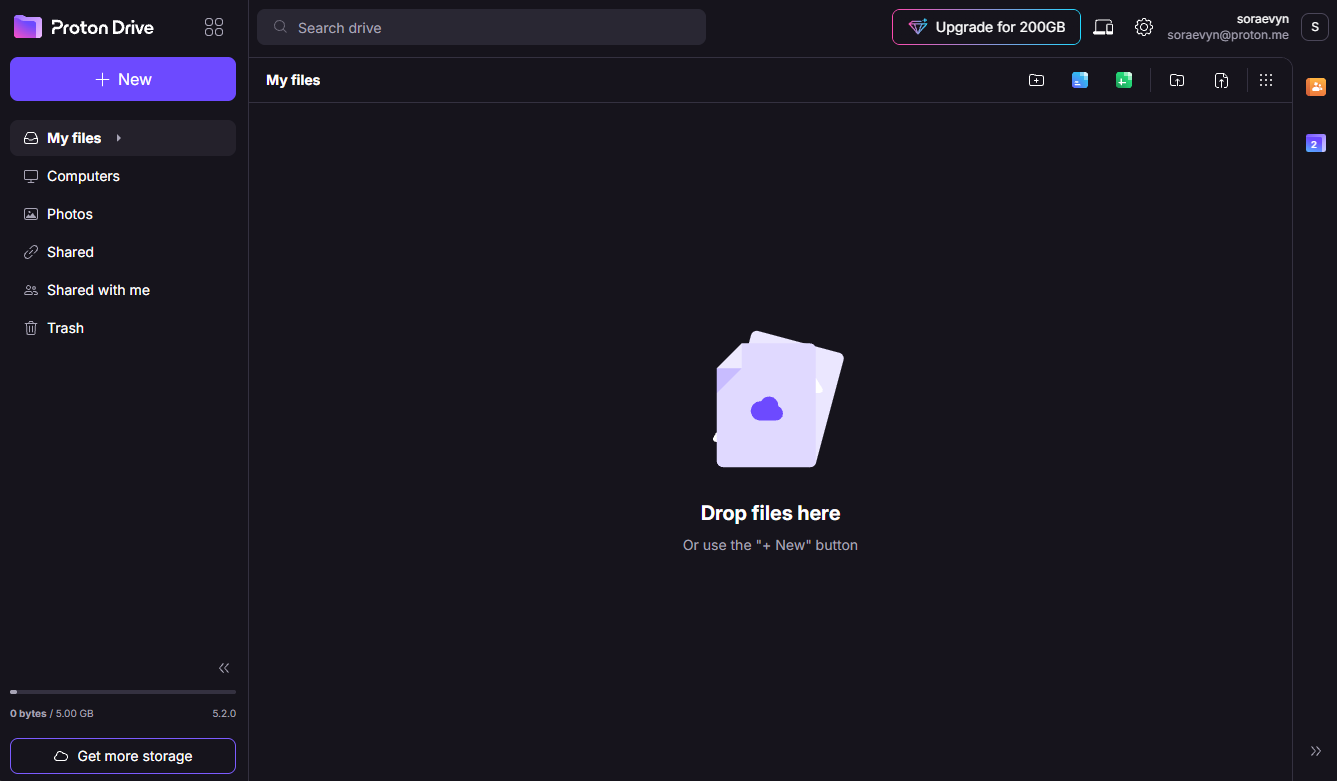
Proton Drive is an excellent choice for videographers who prioritize privacy above all else. Based in Switzerland and built by the team behind ProtonMail, it offers true client-side encryption on all plans. The native video player works well, and the mobile app’s automatic video backup can disable battery-saving settings for consistent uploads.
Proton Drive Hands-On Testing
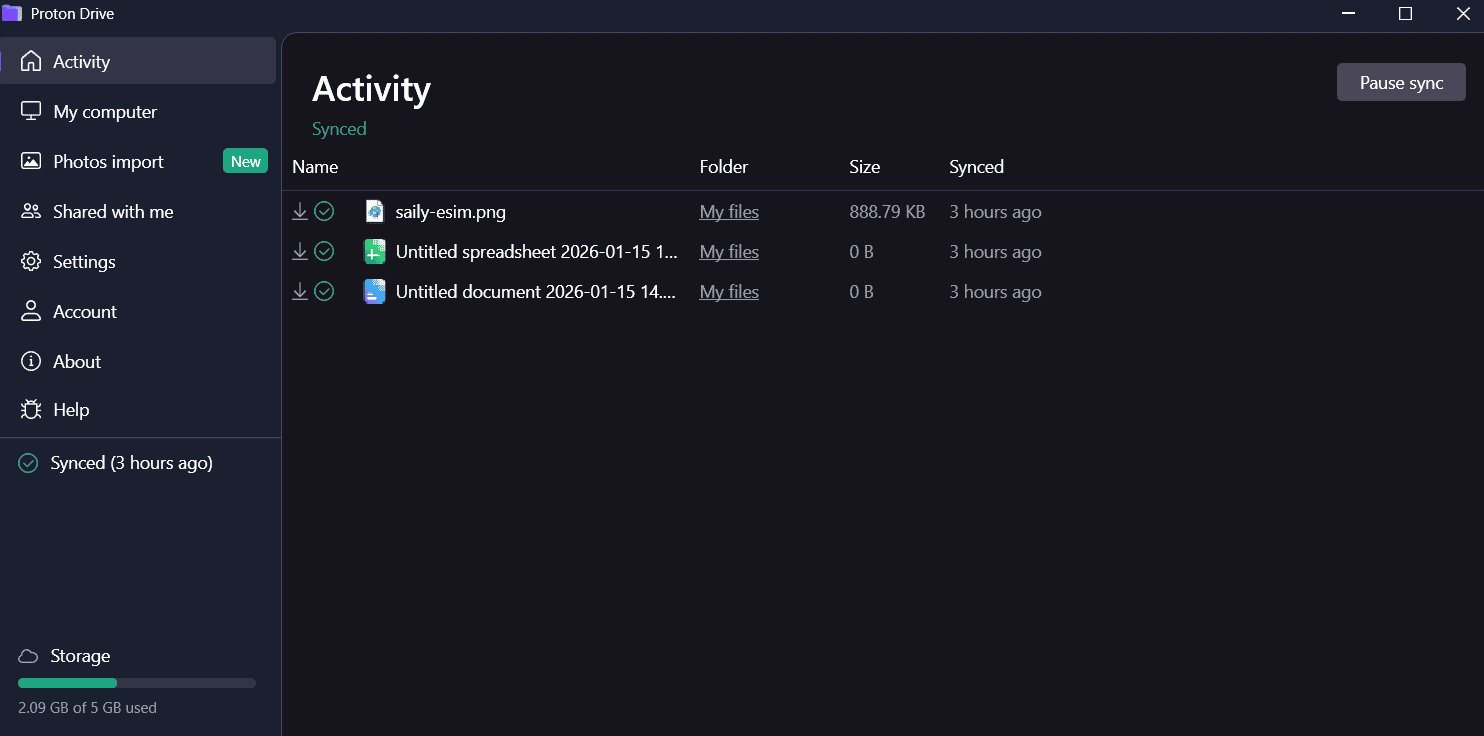
secure uploads and easy playback.
However, Proton Drive’s storage limits are a significant drawback for content creators. Compared to pCloud or Icedrive, it offers less capacity at a higher cost per gigabyte, making it difficult to archive large amounts of raw 4K footage. Sharing permissions are also limited to basic “editor” or “viewer” roles, with no option to prevent downloads.
For privacy-conscious filmmakers working with smaller video libraries or sensitive unreleased footage, Proton Drive is hard to beat. Those with massive storage needs should look elsewhere.
In our speed tests, Proton Drive delivered very fast results: a 5 GB test folder uploaded in just 07:15 and downloaded in 07:11, an approximately 81% improvement over 2022 performance. The service handled our 100,000-file stress test without issue, uploading everything in alphabetical order with smooth scrolling and no hangs.
Proton Drive Speed Test Results:
| First Try | Second Try | Average |
|---|---|---|---|
| Upload | 0:07:17 | 0:07:13 | 0:07:15 |
| Download | 0:07:06 | 0:07:16 | 0:07:11 |
Proton Drive Pricing & Value
Proton Drive’s plans start at $3.99 per month for 200GB, scaling up to 3TB on the Proton Family bundle for $23.99 monthly, which is highly competitive for privacy-focused users. A free 5GB plan is available to test the service.
- 5GB
- 200GB
- 500GB
More plans
- 2TB
- 3TB
- per user
- 1TB
- per user, minimum of 2 users
- 1TB
- 1TB
5. Google Drive — Best Cloud Storage for Collaboration


Google Drive is a top choice for collaboration. Users can leave comments and feedback on videos, making it easier to work together remotely. Picture-in-picture viewing is also available, and you can change the playback quality and speed.
Furthermore, Google Drive’s built-in video player has an excellent design that even supports captions, including automated subtitle generation, which can save you significant time when preparing videos for accessibility or different language markets.
Google Drive leverages AI-powered frame-accurate video indexing that creates searchable metadata for visual content within videos, allowing users to locate specific scenes or elements without manually reviewing footage.
The platform displays thumbnail previews when hovering over the video progress bar. This makes it easier to navigate to specific scenes within longer videos and is useful for editing and reviewing video content.
Users can also edit videos directly in their browser using Google Vids without downloading the files. This seamless integration enables quick trimming, combining clips and adding text overlays to videos stored in Drive and streamlining the video-editing workflow.
Automatic video transcoding optimizes playback across different devices and connection speeds, which is a significant advantage when sharing video content with clients or team members using various hardware setups. This behind-the-scenes conversion ensures your videos play smoothly regardless of where they’re being viewed, such as on a smartphone with limited bandwidth or a desktop with a high-speed connection.
For Android users, Google Drive has enhanced its mobile video playback experience with a redesigned video player, offering improved controls and a more intuitive interface for watching videos on the go.
It has also updated the document-scanning experience on Android with an improved interface that makes it easier to capture, edit and organize physical documents and convert them into searchable PDFs. This feature is useful for videographers who need to digitize release forms, scripts or storyboards.
Video engagement insights are available as well, which allow you to track how viewers interact with your shared videos. You can see metrics on who watched your videos and for how long, which is invaluable for content creators analyzing audience retention.
The robust video API also enables programmatic access to upload, manage and process video content through custom applications, which is ideal for organizations building video-centric platforms.
Google Drive supports differential uploads as well. When you make changes to large video files, only the modified portions are uploaded instead of the entire file. This significantly reduces upload times for edited videos, making it an excellent choice for videographers who frequently make small edits to large video files.
In addition, Google Drive’s integration with Gemini AI allows you to quickly understand video content without watching the entire file. The AI can summarize key points, extract important moments and even answer questions about the video content, saving significant time when working with large video libraries.
For users who frequently work with video documentation, Google Drive also generates PDF summary cards that provide quick overviews of document content without requiring you to open the full file. Gemini provides in-depth responses when querying large PDFs as well, which is useful for video creators who work with lengthy scripts, shot lists or technical documentation.
Google Drive’s globally distributed data center locations ensure fast access to your video files regardless of where you or your team members are located. This worldwide infrastructure minimizes latency when streaming or downloading video content, providing consistent performance for international production teams or when sharing content with clients across different geographic regions.
However, Google Drive isn’t our number-one choice because it lacks client-side zero-knowledge encryption. Google also admits to scanning files, but it states that this is just to ensure users aren’t breaking the law or violating the terms and conditions. You can modify user permissions, but you can’t password-protect files or limit downloads.
Google Drive Hands-On Testing
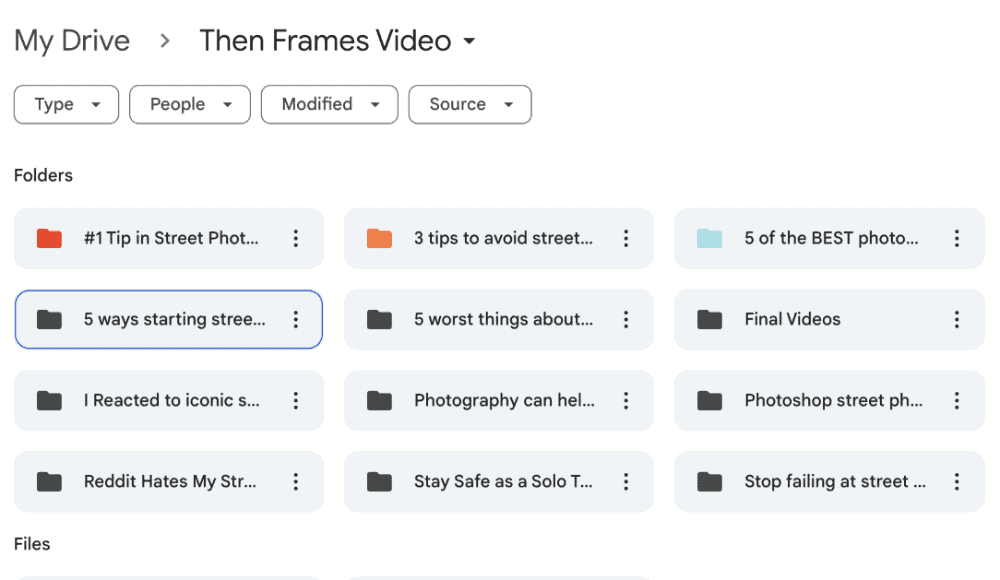
Part of Google Drive’s appeal is its ease of use. It’s built for all experience levels, and sharing files and setting permissions take just a few clicks. It’s also worth installing the Google Photos app, which uses your Drive’s storage space. You can automatically upload videos and enhance security by activating access through facial recognition.
Google Drive Speed Test Results
| First Try | Second Try | Average |
|---|---|---|---|
| Upload | 0:07:05 | 0:07:25 | 0:07:15 |
| Download | 0:07:16 | 0:07:19 | 0:07:18 |
Google Drive Pricing & Value
Google’s pricing is similar to pCloud’s. You can grab 2TB of storage for $8.33 when you pay annually. There are no lifetime plans, though. If you use a Pixel 5 or earlier, you can get unlimited photo storage and unlimited space for videos. There are no free trials, but you can use the free 15GB account to see if it’s for you.
For more details on the available plans and to learn why Google Drive is excellent for remote teams, check out our Google Drive review.
- Free plan
- 15GB
- 100GB
- *The plan is “hidden.” To find the 200GB plan, you need to be subscribed to one of the other plans, upgrade or downgrade to the 200GB through your account’s settings.
- 200GB
More plans
- 2TB
- 2TB
- 5TB
- 10TB
- 20TB
- 30TB
6. Icedrive — Best Video Cloud Storage for Speed

and accessing them in the dedicated tab.
![Video thumbnail for the video: Ultimate Icedrive Review [2024 Pros and Cons Revealed]](https://img.youtube.com/vi/iVGsDxYVV-Y/maxresdefault.jpg)
Icedrive is a fan favorite for those who favor design. Its beautiful user interface offers simple navigation and excellent video organization. You can favorite your files and access them quickly via the “favorites” tab in the left-hand menu. It’s also possible to play videos at their highest quality and change the playback speed, but there’s no picture-in-picture mode.
The platform has many of the privacy and security features we look for in cloud storage. You can add files to a separate encrypted folder, but this feature is available only on paid plans. You’ll also need to bump up to a paid plan if you want to add passwords, download limits and expiration dates to shared files.
In early 2025, Icedrive enhanced its sync functionality with a background monitor system (IceMon) that tracks changes in video files and folders even when the app isn’t running. When you reopen the app, these changes are automatically synced, ensuring your video projects remain up to date across all devices without requiring you to manually initiate sync processes.
Icedrive also recently added a cloud defrag feature, accessible from the tools section in the avatar menu, that helps optimize storage space and potentially improve access speeds for your video files.
Icedrive supports WebDAV protocol as well, giving videographers the flexibility to connect their cloud storage directly with third-party video-editing applications that support this standard. This ensures smoother workflows between your editing suite and cloud storage, allowing you to access and save project files without constantly downloading and re-uploading large video assets.
In addition to WebDAV protocol support, Icedrive offers NAS sync support, which runs every eight hours. Videographers who use network-attached storage devices for their large video collections can use this feature to make sure those files are securely backed up to the cloud.
For iOS users, Icedrive has improved its “save to Icedrive” feature with a more intuitive user experience and detailed information messages, making it easier to transfer video files directly from other apps to your cloud storage.
Icedrive also maintains strict GDPR compliance, which is especially important for European users storing potentially sensitive video content.
Icedrive Hands-On Testing
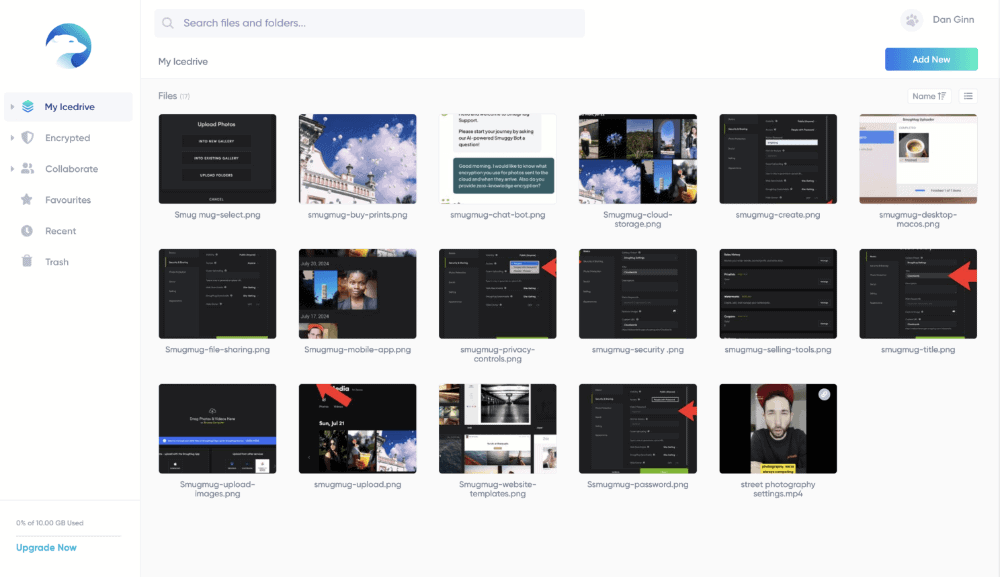
As far as the speed goes, Icedrive is one of the quickest. That’s also true for file syncing, as we could instantly access our uploaded videos on multiple devices. Our main issue lies with the desktop apps, which require you to download multiple programs to use them. We encountered too many error messages compared to other providers.
Icedrive Speed Test Results
| First Try | Second Try | Average |
|---|---|---|---|
| Upload | 0:07:12 | 0:07:06 | 0:07:09 |
| Download | 0:07:11 | 0:07:41 | 0:07:26 |
Icedrive Pricing & Value
Icedrive offers several payment options, including one-off fees for the lifetime plan. For recurring payments, you’ll find the best value on the Pro III plan, where you’ll enjoy 3TB of storage for around $9.92 bucks a month (when you pay annually). It has a 14-day money-back guarantee, or you can trial the service through its 10GB free plan.
For more details, check out our extensive Icedrive review.
- 10GB
- 1TB
- 3TB
More plans
- 5TB
- 2TB
- Additional 1TB storage for users who purchased the Lifetime Plan
- 1TB
- Additional 5TB storage for users who purchased the Lifetime Plan
- 5TB
7. MEGA — Best Free Cloud Storage for Video


The most “mega” thing about MEGA is its free plan. For 12 months, you can get 30GB of storage, which should be enough to store plenty of SD video and a decent amount of HD video. There are no file-size restrictions either, so as long as you have enough storage capacity, you’re good to go.
MEGA has significantly upgraded all Pro plans’ storage and transfer limits: Pro Lite now offers 750GB storage and 1TB transfer, Pro I provides 3TB for both storage and transfer, Pro II includes 10TB of each, and Pro III offers an impressive 20TB of both storage and transfer, making it one of the most generous providers for video storage.
MEGA now includes S4, its S3-compatible object storage platform, with all Pro plans as well. This feature allows videographers to use industry-standard tools like Rclone, Restic or MSP360 to automate video backups and manage large media files through familiar S3 APIs.
The provider also recently introduced advanced media organization tools specifically designed for video content. The system automatically extracts technical metadata from video files (resolution, codec, frame rate, etc.) and creates smart filters that let you quickly identify all videos using specific settings.
This is valuable when searching for footage shot with particular specifications, or when preparing delivery packages that must meet certain technical requirements. The feature works entirely client-side, maintaining MEGA’s zero-knowledge encryption while providing organizational benefits typically found only in dedicated media asset management systems.
All MEGA Pro plans also include MEGA Pass, a secure password manager with zero-knowledge encryption. While not directly video-related, this integrated tool helps content creators maintain secure access to their various production platforms and accounts, streamlining workflow when managing multiple video hosting services.
Professional videographers can make great use of MEGA’s chat tools. You can invite clients to discuss a project, and all messages are protected with end-to-end encryption. Your files remain private thanks to its zero-knowledge encryption, and you get advanced security features plus two-factor authentication on all accounts.
MEGA goes above and beyond with integrated end-to-end encrypted video call functionality as well, allowing teams to discuss video projects while viewing the content directly within the platform. Video professionals can rest assured that they can discuss sensitive projects with clients or team members while maintaining the same high level of privacy their files receive.
Plus, the new Transfer.it service is designed for effortless file transfers without end-to-end encryption. Unlike MEGA’s standard file sharing, Transfer.it offers better browser compatibility for recipients and eliminates file size limits, making it useful when sharing large video files with clients who may struggle with encrypted downloads.
The enterprise offering includes customizable DRM solutions that prevent unauthorized copying or distribution of sensitive video content through encryption, watermarking and playback restrictions.
MEGA has expanded its global data center infrastructure to 13 locations worldwide, including new facilities in Japan to better serve the Asia-Pacific region. This expansion results in faster upload and download speeds for video files, especially beneficial for international teams collaborating on video projects.
MEGA Hands-On Testing
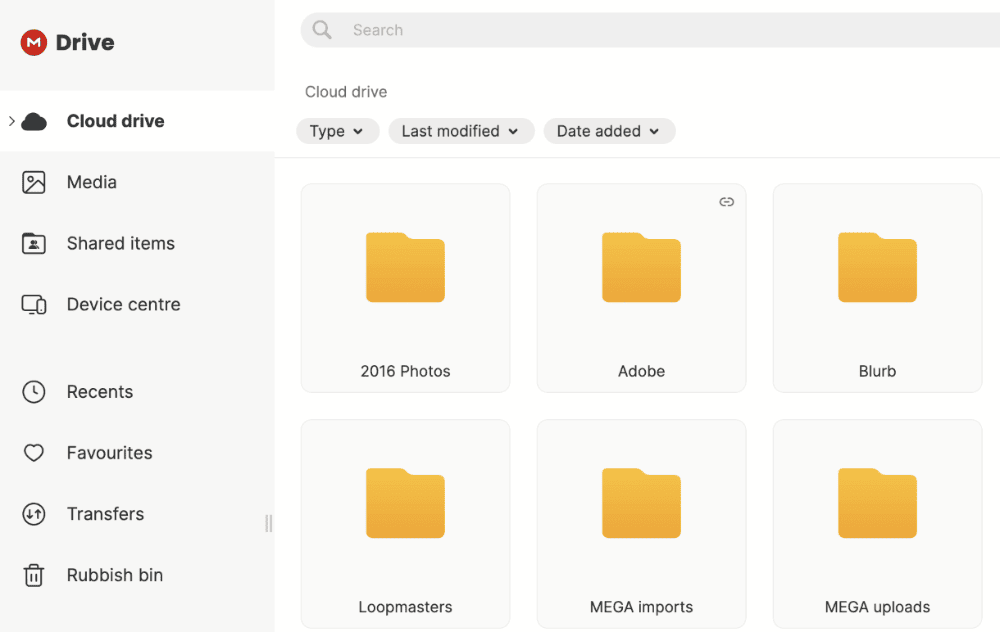
still slightly dated compared to our favorites.
MEGA’s web app has gotten an upgrade in recent iterations, and its design now aligns better with current standards. It works well, and you can jump between light and dark mode if you wish. You can host video calls inside the platform, and the call quality is good and reliable. Standard functions like uploading files are straightforward.
MEGA also supports hidden files and folders, providing videographers with an extra layer of privacy for sensitive or unreleased content. This feature is particularly valuable for professionals working on confidential video projects or managing pre-release footage.
MEGA Speed Test Results
| First Try | Second Try | Average |
|---|---|---|---|
| Upload | 0:07:16 | 0:07:24 | 0:07:20 |
| Download | 0:08:14 | 0:08:02 | 0:08:08 |
MEGA Pricing & Value
MEGA’s 3TB plan is slightly more expensive compared to providers like Sync.com and Google Drive. Its 10TB and 20TB plans offer lots of value, especially for professional videographers working with lots of files. You can get the best option for the equivalent of roughly $1.60 per terabyte on monthly plans, which is fantastic value. Try the free plan first to see if it’s right for you.
For more information, be sure to check out our detailed MEGA review.
- 20GB
- File transfer: 3TB (Monthly plan) 36TB (yearly plan)
- 3TB
- File transfer: 10TB (monthly plan), 120TB (yearly plan)
- 10TB
More plans
- File transfer: 20TB (monthly plan) 240TB (yearly plan)
- 20TB
- Price per user (minimum 3) 3TB Transfer quota
- 100TB
8. IDrive — Best Hybrid Solution for Videos
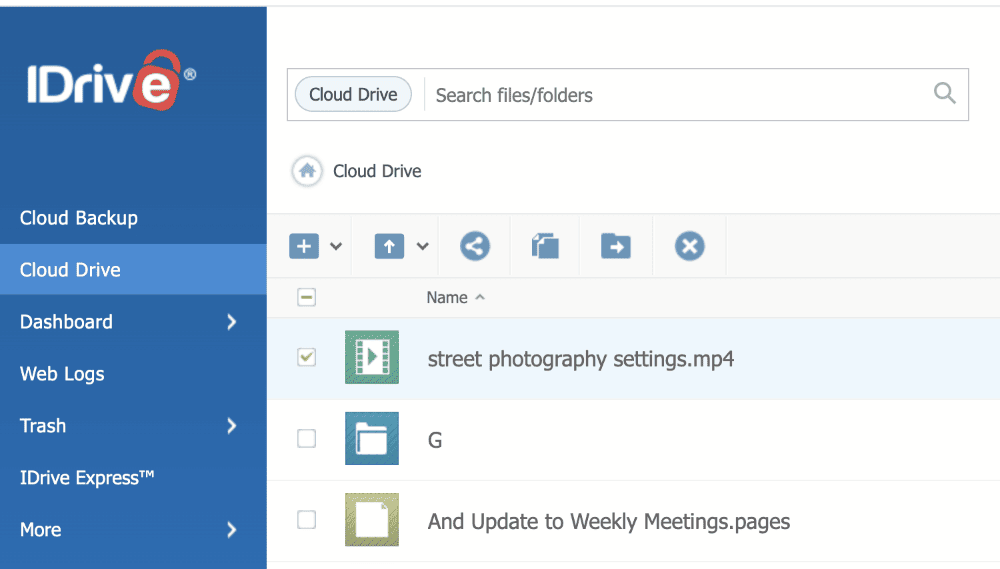

You can use IDrive as traditional cloud storage or as a full backup solution for your entire computer. The former works like any other cloud storage service, allowing you to back up files to the cloud when you have an internet connection. You can also back up a NAS device and access your video content on multiple devices.
IDrive’s real-time backup feature ensures that new video content is immediately protected as soon as it’s created. Rather than waiting for scheduled backups, this automatic protection safeguards your footage the moment it’s transferred from your camera or saved from your editing software.
Beyond standard hybrid backup features, IDrive offers configurable hybrid cloud orchestration that enables enterprises to maintain frequently accessed video assets on-premises while seamlessly tiering older content to cloud storage.
IDrive’s enterprise plans feature LTO tape integration options for video production houses requiring both cloud accessibility and industry-standard archival backups that comply with insurance requirements for high-value productions.
It’s important to note that while IDrive does offer zero-knowledge encryption, it’s turned off by default. You must activate it when you create your account; you won’t be able to change it once your account is live. You can also use 2FA on your account and add passwords when sharing videos.
IDrive Hands-On Testing
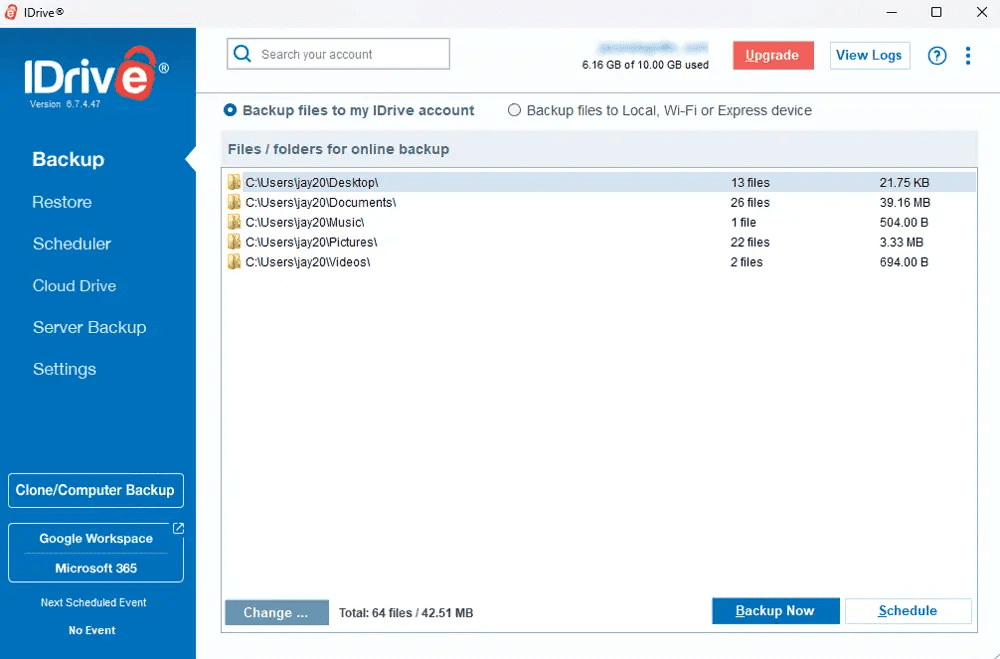
may experience a steeper learning curve.
IDrive boasts very fast upload and download speeds, along with minimal CPU usage. This is impressive for what’s predominantly an online backup solution.
IDrive has dramatically improved its performance in recent years, making it now one of the fastest cloud storage options for video content. This performance boost is particularly beneficial when backing up large video collections or retrieving archived footage for new projects.
For example, intelligent storage tiering automatically moves rarely accessed video projects to cold storage at reduced costs while maintaining immediate availability for active productions.
Using the platform is simple enough, though the macOS desktop app lacks some backup functionality, like server and clone backups.
IDrive Speed Test Results
| First Try | Second Try | Average |
|---|---|---|---|
| Upload | 0:06:43 | 0:06:40 | 0:06:42 |
| Download | 0:07:11 | 0:07:03 | 0:07:07 |
IDrive Pricing & Value
You’ll find very good value on IDrive’s plans, especially when you pay long-term. There are plenty of storage options too, scaling right up to 100TB. You can get 5TB for just $6.22 per month if you sign up for the two-year commitment. You can even get a free trial with 10GB, which you can use to try out the service.
For more details on its plans, take a look at our IDrive review and learn how you can use it for both online and cloud backup.
- No credit card required.
- 10GB
- One user.
- 100GB
- One user, multiple computers. Plans starting from 5TB up to 100TB. Big discount for first-time signup.
- 5TB
More plans
- 5 computers, 5 users. Starting at 5TB up to 500TB. Big discount for first-time signup.
- 5TB
- Monthly Plan storage starts at 1.25TB up to 50TB Unlimited users, multiple computers and servers. NAS devices. 250GB storage. Starting at 250GB up to 50TB. Large discount for first-time signup.
- 250GB
- 5TB
9. Box — Best Business Cloud Storage for Videos
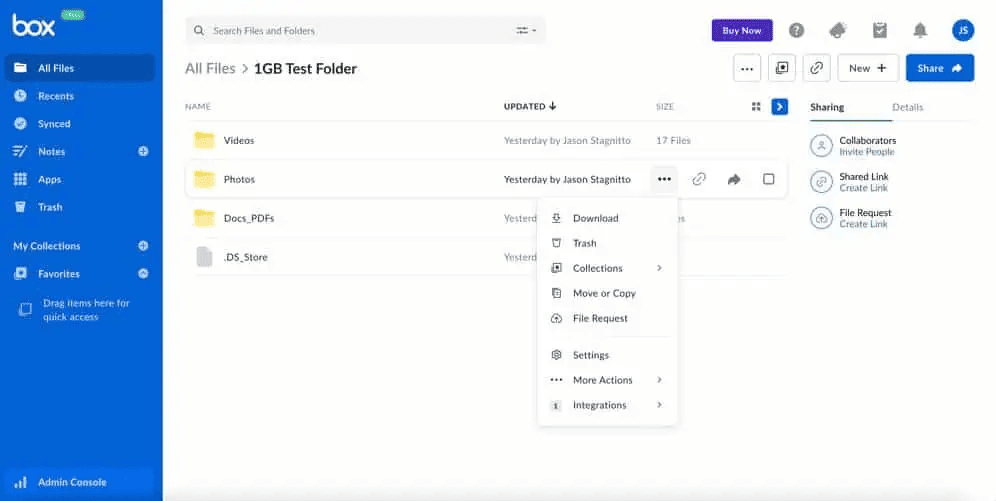

Box is a go-to option for digital agencies specializing in video. The Business plans each offer unlimited storage space, and you can upload file sizes of up to 150GB, depending on your plan. For businesses that need to formalize approvals on video projects, Box includes e-signature features that streamline the sign-off process.
Box’s enterprise plans offer native CDN (content delivery network) integration, which dramatically improves video streaming performance for globally distributed viewers. This feature is valuable for companies distributing promotional videos, training materials or webinars to international audiences, as content is cached at edge servers worldwide, reducing buffering and load times by up to 60% compared to standard cloud storage distribution.
For collaboration, users can comment on and sign off on documents, and even discuss ideas in a remote digital whiteboard. Box also excels with its extensive third-party integrations, allowing seamless workflows with apps like Microsoft 365, Google Workspace and Adobe Creative Cloud, which is perfect for video production teams.
In addition, Box’s sharing and security are among the best in the industry. You can set granular permissions and add password protection. What’s more, all the business plans have two-factor authentication (2FA) and the option to activate single sign-on so users can log in with company credentials. Sadly, there’s no zero-knowledge encryption on the privacy front.
Box Hands-On Testing

and Box supports a range of file types.
Box takes a modern approach to software design, opting for a minimalist look with many features hidden in dropdown menus. You can favorite certain files and quickly access them in the “my collections” tab. Compared to the other options, Box was slightly slower when uploading and downloading, but its general impact on CPU was low.
Box Speed Test Results
| First Try | Second Try | Average |
|---|---|---|---|
| Upload | 0:07:48 | 0:08:06 | 0:07:57 |
| Download | 0:07:58 | 0:08:18 | 0:08:08 |
Box Pricing & Value
Keep in mind that all business accounts require a minimum of three users. The Business Plus plan offers the best price-to-feature ratio, where you’ll pay $25 per user per month on annual billing. Given that there are no storage limits (like you’ll find on Dropbox’s equivalent plan), this is certainly good value.
Box’s enterprise plans include storage class analysis that evaluates video access patterns to recommend optimal storage configurations, potentially reducing costs by up to 40% for organizations with large video archives.
If you do go with Box, you may find our how to use Box guide useful, as well as our full Box for Business review. You can try a 14-day free trial of Box before committing.
- Single user
- 10GB
- Single user
- 100GB
- Price per user, minimum of three users
- 100GB
More plans
- Users: No limit
- Unlimited GB
- Users: No limit
- Unlimited GB
- Users: No limit
- Unlimited GB
- Price shown is for one user; minimum 3 users
- Unlimited GB
10. Jottacloud — Best Personal Service for Unlimited Storage

Jottacloud offers what the other services don’t: unlimited storage for personal users. There are no file-size restrictions for uploads, and it doesn’t compress video quality. You can change the playback speed, but you can’t change the playback quality or leave comments.
Nevertheless, the service could improve its security and privacy. There are no granular sharing permissions, download limits or password protection options. It doesn’t offer zero-knowledge encryption, either. On the plus side, Jottacloud’s data centers are based in Norway, a nation known for its user-focused privacy regulations.
Jottacloud Hands-On Testing

would make it much smoother to navigate.
The main aspect to know about Jottacloud is that its speeds start to slow down once you use 5TB of storage. The speeds can become painfully slow for heavy users.
For example, if you’re in the 20TB region, you’ll notice upload speeds of 0.5 Mbps, which can significantly impact workflow when handling large video projects.
That aside, Jottacloud functions well, and its UI mirrors that of our favorite cloud storage providers.
Jottacloud Speed Test Results
| First Try | Second Try | Average |
|---|---|---|---|
| Upload | 0:08:23 | 0:08:31 | 0:08:27 |
| Download | 0:07:43 | 0:07:12 | 0:07:28 |
Jottacloud Pricing & Value
We can’t complain about Jottacloud’s pricing. Getting unlimited storage space for around $11.99 a month (when you pay annually) is superb value. The 5GB free plan isn’t the best, but that’s not why we’re recommending this platform.
- 1 User
- 5GB
- 1 User, Upload speed gradually reduced after 5TB
- Unlimited GB
- 5 users
- 1TB
More plans
- 5 users (2 months free)
- 5TB
- 1 user
- 10TB
- 1 user
- 20TB
- 2 Users
- 1TB
- 10 Users (2 months free)
- 1TB
- Unlimited Users (2 months free)
- 1TB
The Best Free Cloud Storage for Video: TeraBox
If maximizing free storage space is your main motivation, TeraBox is your best option as it offers 1TB of free storage. However, the service comes with some catches: it limits video playback to 480p and file upload sizes to 4GB, as well as peppering you with ads through all its applications.
This may be good enough for archiving SD and HD files, but it will limit your ability to upload 4K files and the ads are incredibly annoying if you want to manage your files.
How Do I Share Large Video Files Online?
To share large video files online, you can use cloud storage services that offer file sharing features with direct links or collaboration tools. If you’re totally new to the concept of sharing files, then below are some steps for sharing videos with other users.
- Check the size of the file and ensure you have enough cloud storage space available.
- Upload the file to your selected cloud storage provider.
- If possible, create a password for the file and set any desired download limits.
- Some services may have a “share” tab or “link” symbol. Select one of these to share the file.
- Set the granular permissions. These tend to be labeled “view,” “comment” and “edit.”
- Copy the link and send it to another user. Alternatively, you can add their email address to send the link to their inbox.
Final Thoughts
It should now be much easier to choose the best cloud storage for videos. Remember, pCloud is our favorite option as it has the best balance of privacy, cost and useful features for video. If you need more storage and collaboration features, then we recommend Google Drive for personal storage and Box for creative businesses.
The reality is that any provider in this lineup is a good option. Have a think about what matters the most to you and select a service that best aligns with your needs. If you also manage lots of photos, including RAW files, then check out our best cloud storage for photos article.
Which service will you choose? Is there a cloud service that we should have included? What software do you use for your video-editing workflow? Let us know in the comments. Thanks for reading.
FAQ: Best Video Storage Solutions
pCloud is the best cloud storage for videos due to its excellent built-in media player, along with its strong privacy and security features.
Cloud storage is the best type of storage to back up videos as it makes sharing and accessibility much easier. A physical backup is still a good solution that can offer better privacy and ease of use for standard users.
Yes, you can store videos in your cloud storage. It’s best to choose a service that doesn’t limit file sizes and offers plenty of storage capacity.