Best Cloud Storage for Multiple Users in 2026: Best Team Plans & Collaboration Features
Many virtual projects need multiple users to be successful. Cloud storage offers a way to share and collaborate on documents personally and professionally. To help you decide which is the right provider for your project’s needs, we list the best cloud storage for multiple users.


Written by Jason Stagnitto (Writer, Script Writer, Course Writer)
Reviewed by Valentina Bravo (Managing Editor)
Facts checked by Jasna Mishevska (Lead Fact-Checking Editor)
Last Updated:
All our content is written fully by humans; we do not publish AI writing. Learn more here.
Key Takeaways: What Is the Best Cloud Storage for Multiple Users?
- Sync for Teams — The best cloud storage for many users with great file sharing features, user and role management, strong security and excellent privacy.
- pCloud — pCloud has two ways to support multiple users. Its Lifetime cloud storage plans are great for families or smaller teams of five or fewer. pCloud Business supports multiple users and includes pCloud Crypto.
- Box Business — Box Business is an excellent choice, especially if you want reassurance about storage, as most of its business plans have unlimited storage space.
- Proton Drive — A privacy-focused option with real-time document collaboration via Proton Docs, though permissions are limited to editor or viewer roles.
- Internxt — An affordable open-source option with zero-knowledge encryption, though it struggles with syncing reliability and lacks collaboration features.
- Box Business — Box Business is an excellent choice, especially if you want reassurance about storage, as most of its business plans have unlimited storage space.
- Dropbox Business — Dropbox Business is a highly collaborative cloud storage option with a robust app market and many native apps.
- Google Drive — Google Drive is a cloud storage solution that includes popular Google apps like Docs and Sheets. If you don’t need user management and just want to collaborate, it’s a great option.

Working with others in a virtual setting is much more commonplace now than it was in the past. Cloud storage provides a convenient way to store, share and work on documents collaboratively, no matter where you are. To help you choose the right provider, we’ve compiled a list of the best cloud storage for multiple users.
Projects with multiple users come in all shapes and sizes, comprising professional teams and personal groups. The right cloud storage helps keep teams connected and in touch with project documents. Fortunately, the following list contains many top options, as we cover in our best cloud storage article. Read on to see which cloud storage solution best meets your team’s needs.
-
06/25/2022 Facts checked
Updated Sync.com’s plans and pricing information.
-
01/29/2024 Facts checked
This article was rewritten to include a revised provider list, updated features and current pricing.
-
03/29/2025 Facts checked
We updated to article to rearrange the provider list.
Find The Right Multi-User Cloud Storage Solution for Your Team’s Needs:
 200GB$2.65 / month(All Plans)
 (All Plans)
 2TB$4.17 / month(All Plans)
 1TB – 5TB$4.92 / month(All Plans)
 200GB – 3TB$1 / month(All Plans)
 100GB – 30TB$1.67 / month(All Plans)
 2TB – 5TB$9.99 / month(All Plans)
 1TB – 5TB$1 / month(All Plans)
 100GB – 6TB$1.67 / month(All Plans)
 30GB – 5TB$7 / month(All Plans)
 Unlimited GB$17.50 / month(All Plans)
 10GB – 20TB$0.50 / month(All Plans)
 50GB – 12TB$0.99 / month(All Plans)
 100GB – 10TB$0.83 / month(All Plans)
 100GB – 30TB$1.67 / month(All Plans)
 3TB – 100TB$9.78 / month(All Plans)
 Unlimited GB$4.17 / month(All Plans)
 2TB – 3TB$12 / month(All Plans)
 1TB – 2TB$8.33 / month(All Plans)
 500GB – 2TB$7.08 / month(All Plans)
 10GB – 1TB$1.67 / month(All Plans)
 500GB – 2TB$2.99 / month(All Plans)
 100GB – 5TB$6.90 / month(All Plans)
 1TB$8.25 / month(All Plans)
 10GB – 500GB$5.83 / month(All Plans)
 200GB – 3TB$1.38 / month(All Plans)
 2TB$3 / month(All Plans)
 1TB – 4TB$8.33 / month(All Plans)
 100GB – 5TB$1.67 / month(All Plans)
 150GB – 10TB$1.25 / month(All Plans)
 100GB – 1TB$7.49 / month(All Plans)
 50GB – 1TB$3 / month(All Plans)
 50GB – 1TB$5.83 / month(All Plans)
 500GB – 2TB$5 / month(All Plans)
 100GB – 10TB$0.93 / month(All Plans)
 250GB – 4TB$30.44 / month(All Plans)
Team cloud storage affects everyone’s daily workflow and productivity, and you need to know what collaboration features and user management tools you’re getting before committing. In this article we’ll discuss the key features to look for when choosing a multi-user cloud storage service and how to evaluate which provider offers the best value for your team size and budget, so keep scrolling.
Cloudwards Editor’s Choice
Sync for Teams is our top choice as it has most of the features users need from a cloud storage provider. Sharing is a breeze, especially when it’s done with other Sync.com members. User management is easy, and file versioning is generous. Additionally, Sync for Teams has zero-knowledge encryption for an entire account, keeping your data safe from prying eyes.
10,000+ Trust Our Free Cloud Storage Tips. Join Today!

- Demystify cloud storage terminology and key concepts in plain language
- Discover easy-to-implement techniques to securely backup and sync your data across devices
- Learn money-saving strategies to optimize your cloud storage costs and usage
How Do You Choose the Best Cloud Storage for Multiple Users?
Team collaboration is the most important feature we look for in cloud storage that supports multiple users. The ability to work on project documents together, either individually or in real time, is the main point of having multiple users in a cloud storage service.
Since there will be more than one user, tools that help manage, add or remove users are important considerations. You also want plenty of file sharing options as teams or groups will send documents to each other.
Security and privacy are also critical in keeping documents safe and ensuring that only authorized users have access to folders and files. Most cloud storage providers use the same security protocols. However, privacy varies between them — some are doing it very well, and others are watching everything you do.
What Are the Top 7 Best Cloud Storage Services For Multiple Users?
Sync for Teams is the best option for multiple users of different sizes. It has great cloud features, strong security and excellent privacy. Other notable cloud storage solutions include pCloud, Proton Drive, Internxt, Box Business, Dropbox and Google Drive. Read on to see how they stack up.
1. Sync for Teams — Best Cloud Storage for Multiple Users

Sync for Teams has a nice combination of user management and file sharing features to meet the needs of smaller groups or larger professional teams. You can add new members or edit current collaborators from a dedicated “users” tab. If you need certain members to have specific roles, the “role editor” feature lets you customize each team member’s access level.
Sharing files is the primary way to collaborate with Sync for Teams. When sharing files between members, you can invite them directly or create a shareable link.
If you need to invite people from outside your team, a link is the way to go, although you can join a shared folder without an account. You can also include added protections like requiring a password or setting an expiration date for the shareable link.
Sync for Teams has few external app integrations, mainly due to its stringent security. However, it does support integration with some Microsoft 365 products, namely the Microsoft Office apps. You can create, edit and work on Word, Excel or PowerPoint documents from your account.
Sync for Teams Hands-On Testing
It’s easy to navigate your account using the Sync for Teams web interface, which is uncluttered and focuses mainly on your data. Highlighting files pulls up additional menu options, such as sharing.
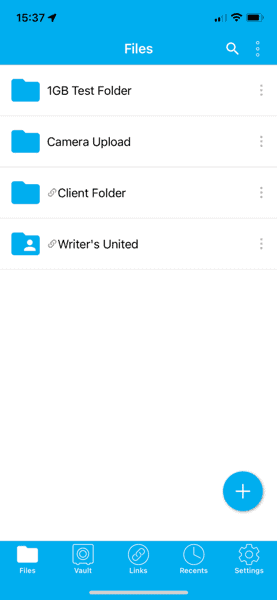
The desktop app for Windows or Mac isn’t its strong suit since it’s primarily a sync folder with few options. However, the mobile app for iOS and Android is an excellent extension of your account, enabling you to play music and videos from your devices.
Notes From the Lab: Sync for Teams Security Analysis
private encryption that protects your entire account.
Security and privacy are two areas in which Sync for Teams excels. It uses AES 256-bit encryption to protect your data while at rest on its servers. This encryption protects against brute-force attacks that repeatedly attempt to guess your login credentials or encryption keys.
Sync for Teams secures your data transfers with TLS/SSL encryption, protecting against man-in-the-middle attacks that try to intercept your data.
What Is Sync for Teams’ Pricing & Value?

Sync for Teams doesn’t have a free plan. However, it does have a 30-day free trial for its Pro Teams+ Unlimited plan, and any premium paid plan comes with a 30-day money-back guarantee. If you opt for Pro Teams+ Unlimited, you get unlimited storage that costs $15 per user per month when billed annually. Find out more in our Sync for Teams review.
- price per user per month, billed annually; minimum 3 users
- 1TB
- Price per user; minimum 3 users
- Unlimited GB
- Minimum 100 users
- Unlimited GB
2. pCloud

pCloud has a lot of flexibility in sharing folders and files with other team members. You can invite other pCloud users to a folder or create a shared link for it. For files, you can use a shared link. Other features include password protection or setting an expiration date. Additionally, you can create a public shared folder, which can host a static web page or produce direct links to files.
If you opt for the Business plan, you can utilize pCloud’s dedicated tab designed for user management. One tab lets you review the users while also displaying the actions taken by different team members. Its “teams” tab enables you to set up and manage users and teams. Managers can determine the storage allotment for a given user.
pCloud Hands-On Testing
pCloud is an easy cloud storage service to use, whether you’re interacting through the web interface, the desktop app or the mobile app. Downloading the Windows, Mac or Linux desktop app installs a virtual drive on your computer. A virtual drive gives you access to your files without taking up hard disk space.
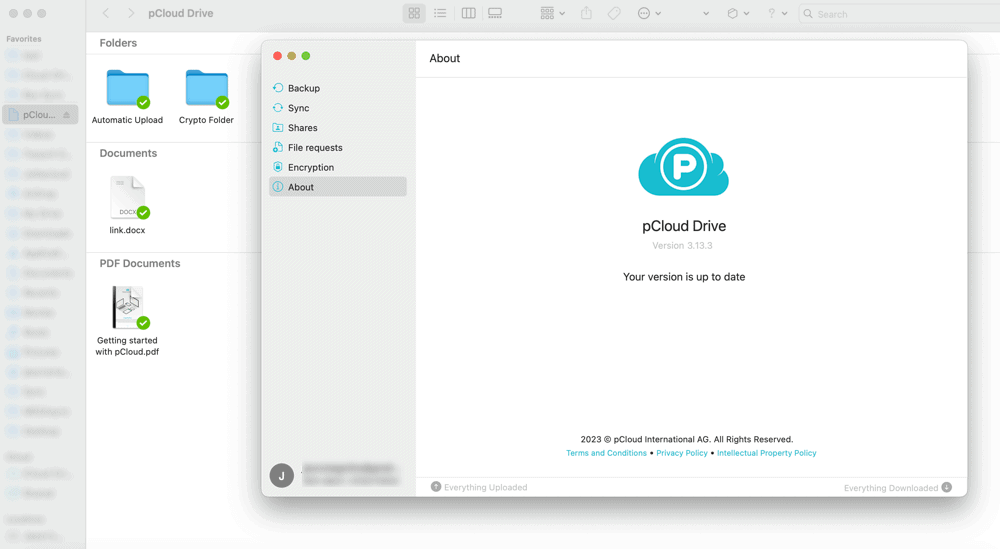
your hard disk while still letting you work with your data.
Notes From the Lab: pCloud Security Analysis
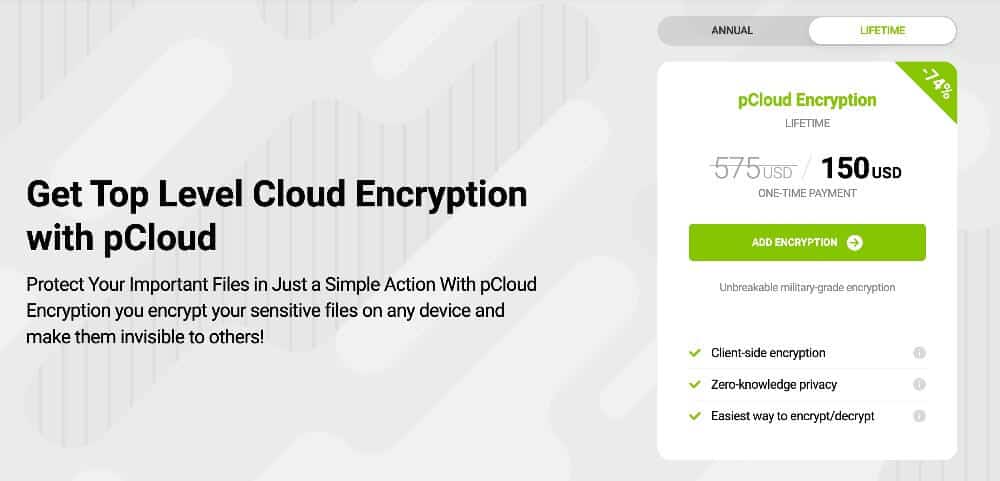
it is a paid add-on unless you opt to purchase a Business plan.
Users who want to use the encrypted folder that comes with each account must purchase the pCloud Crypto paid add-on. If you choose a Business plan, then pCloud Crypto is included. Data you store in the Crypto folder is protected by zero-knowledge encryption. Since only you have the password, no one else can access it.
What Is pCloud’s Pricing & Value?

Both include pCloud Crypto in the subscription.
pCloud has two options for those who need to support multiple users: a Family Lifetime plan or a Business plan. The Family Lifetime plan has a one-time payment and can support up to five users, with storage amounts of 2TB or 10TB. A 2TB plan costs $595, and 10TB requires a single payment of $1499.
The other option is a pCloud Business plan. pCloud Business costs $7.99 per user per month, paid annually, with 1TB per user. On an annual plan, Business Pro costs $15.98 per user per month and has 2TB per user. Check out our pCloud Lifetime article, pCloud pricing guide and pCloud review to learn more.
- 10GB
- 500GB
- 2TB
More plans
- 10TB
- + FREE Encryption
- 2TB
- + FREE Encryption
- 10TB
- Price per user (minimum 3)
- 1TB
- Price per user (minimum 3)
- 2TB
- Encryption for pCloud Drive
3. Proton Drive
![Video thumbnail for the video: I Tested Proton Drive to See If It's as Private as It Claims [2024 REVIEW]](https://img.youtube.com/vi/XWmsFdm-VLg/maxresdefault.jpg)
Proton Drive is a strong choice for privacy-conscious teams that want real-time collaboration without sacrificing security. Its Proton Docs and Sheets apps let multiple users edit documents simultaneously, similar to Google Workspace. In our sync testing, Proton Drive performed excellently. Two users edited the same line of text, both changes were merged successfully with no conflicts.
The service passed our stress test without issue, uploading files in alphabetical order with smooth folder scrolling and no hangs. Sharing is straightforward with password protection and expiry dates available, though permissions are strictly binary. You can only assign editor or viewer roles, lacking the granular controls found in Dropbox or Box.
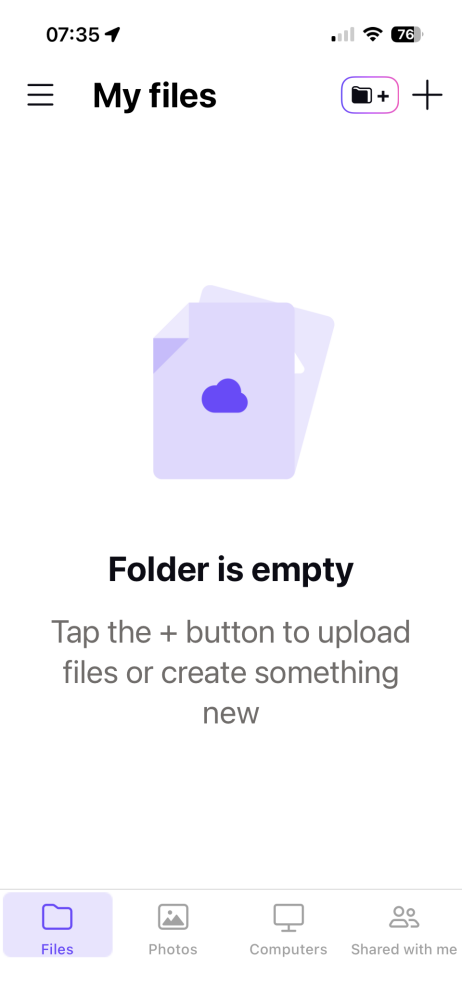
lets you access your full account on the go.
Proton Drive Hands-On Testing
Proton Drive delivers a surprisingly polished experience across all platforms. The web interface has a modern, visually clear design with intuitive navigation. The desktop app runs stable with low CPU usage during syncing. The mobile app is well-organized for photos and videos and includes an option to disable battery saving for consistent uploads.
Notes From the Lab: Proton Drive Security Analysis
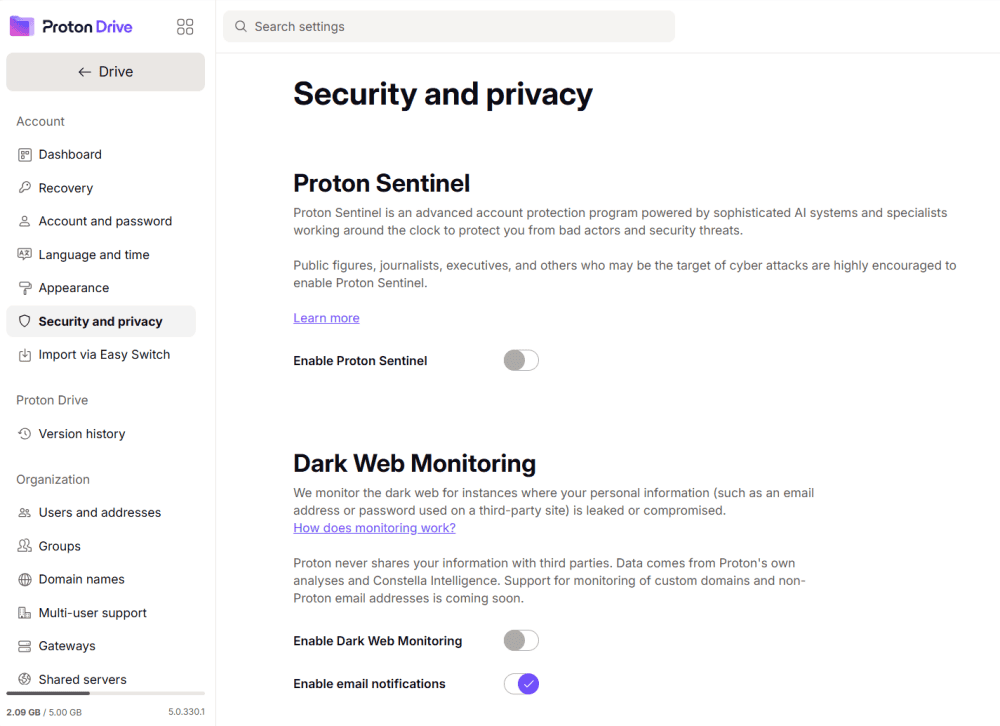
Proton Drive protects your files with end-to-end encryption before they leave your device. The zero-knowledge model ensures that even Proton cannot read your data. You can also enable two-factor authentication for added account security.
What Is Proton Drive’s Pricing & Value?
Proton Drive offers affordable plans with storage ranging from 200GB to 3TB, bundled with Proton’s encrypted email and calendar services.
Proton Drive doesn’t have a dedicated business plan with user management tools, making it better suited for smaller teams or privacy-focused groups. Plans start at $3.99 per month for 200GB when billed annually. Find out more in our Proton Drive review.
- 5GB
- 200GB
- 500GB
More plans
- 2TB
- 3TB
- per user
- 1TB
- per user, minimum of 2 users
- 1TB
- 1TB
4. Internxt

Internxt stands out as a privacy-focused, open-source alternative for teams that value transparency and security above all else. The service uses zero-knowledge encryption, meaning your data is encrypted before it leaves your device and only you hold the keys. For teams handling sensitive documents, this level of protection is a significant advantage over mainstream providers.
Sharing files is straightforward with password protection and expiry dates available for links. The open-source codebase allows security-conscious organizations to audit the platform themselves. Pricing is highly competitive, starting at just $1 per month for substantial storage, making it one of the most affordable encrypted options on the market.
However, teams should be aware of some limitations. Our stress test revealed sync reliability issues, with the service struggling on larger files and complex folder structures. Real-time collaboration tools like document editing aren’t available, so Internxt works best for teams that primarily need secure file storage and sharing rather than simultaneous editing.
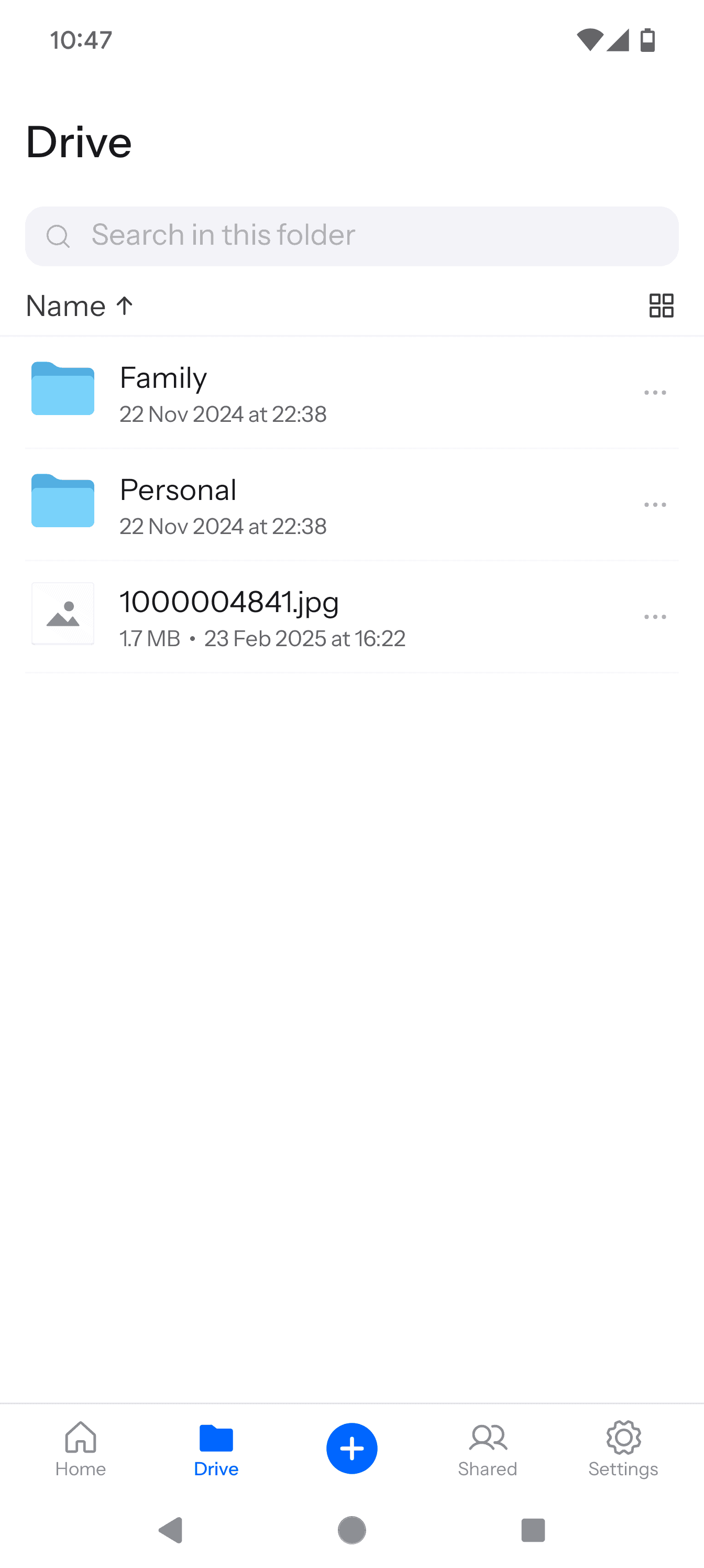
more like an extension of the web interface.
Internxt Hands-On Testing
The web interface provides access to your encrypted files with a clean layout. The desktop and mobile apps offer remote access to your storage, though the feature set is more limited compared to competitors. Teams with straightforward storage needs will find it functional, while those requiring advanced sync or collaboration may find it limiting.
Notes From the Lab: Internxt Security Analysis
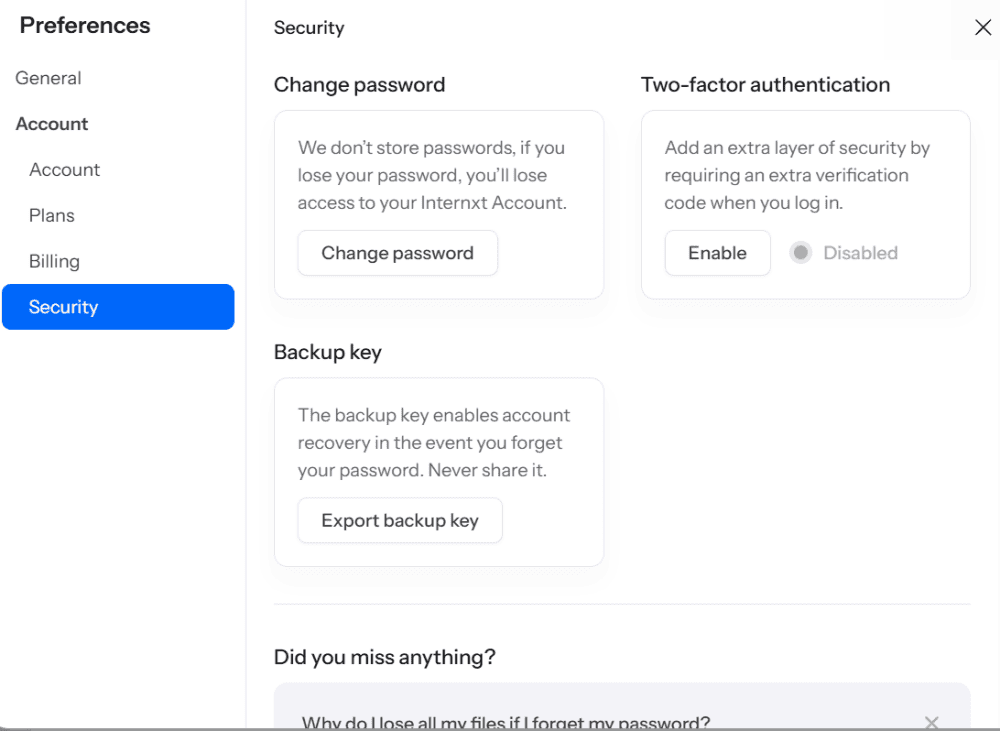
architecture for strong privacy protection.
Internxt uses client-side encryption with zero-knowledge architecture, ensuring maximum privacy protection for your team’s files.
The open-source nature of Internxt adds an extra layer of trust, as the community can verify security claims. For teams in regulated industries or those with strict privacy requirements, this transparency is valuable.
What Is Internxt’s Pricing & Value?
Internxt offers some of the most competitive pricing in the encrypted storage space, making enterprise-grade security accessible to smaller teams and budgets.
Plans start at $1.67 per month for 1TB when billed annually, scaling up to 5TB for larger needs. While the service lacks dedicated team management tools, the combination of strong encryption, open-source transparency and low cost makes it worth considering for privacy-first teams with basic collaboration needs. Find out more in our Internxt review.
- 1GB
- Post-quantum encryption Zero-knowledge encryption Two-factor authentication Backup your computer Password-protected file sharing Encrypted VPN Antivirus
- 1TB
- Everything in Essential plus; Cleaner Invite, share & collaborate File versioning (coming soon) Cleaner
- 3TB
More plans
- Everything in Premium plus CLI & WebDav support NAS & Rclone support Meet Mail (coming soon)
- 5TB
- Annual Price is per user
- 1TB
- Annual Price is per user
- 2TB
5. Box Business

Box Business is one of the best options available if you have multiple users who need collaboration tools. It integrates with Google Workspace and Microsoft 365 productivity apps. Additionally, Box.com has a marketplace that boasts over 1500 external app connections, including popular choices like Slack and Zoom.
Box Business has several native apps that come with every account. One great example is Box Notes. Box Notes is a web-based word processing app that lets you collaborate in real time virtually. Another option is Box Canvas, which functions like a virtual whiteboard and also supports real-time collaboration.
Box Business Hands-On Testing
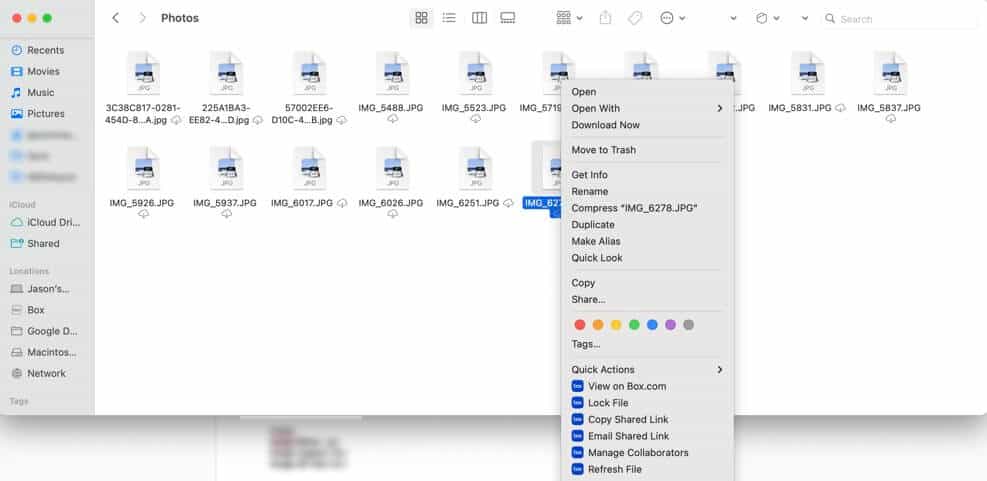
The Box web interface has several menu options and information, giving you control over your folders and files. Selecting any of them opens a “sidebar” menu on the right side with detailed information and additional options like sharing.
The desktop app for Mac, Windows or Linux and the mobile app for iOS and Android are well made, providing additional ways to interact with your account.
Notes From the Lab: Box Business Security Analysis
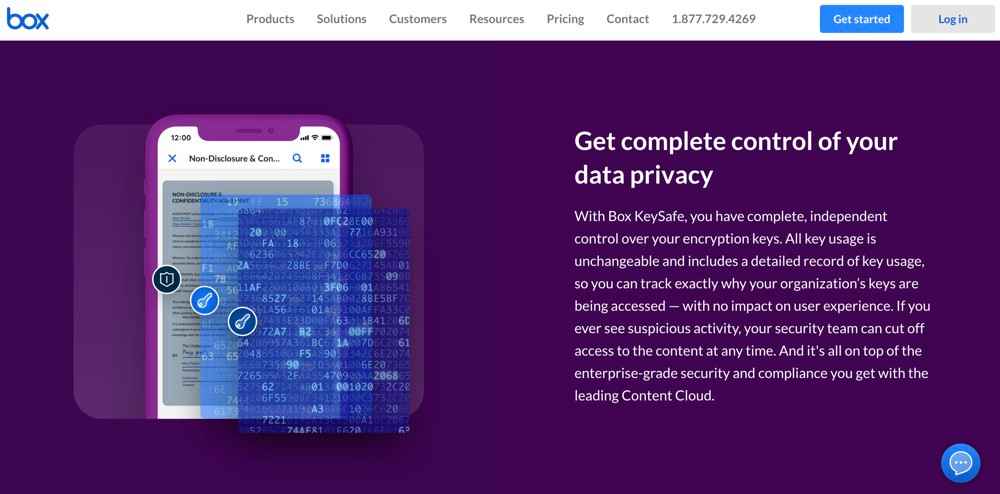
control of your encryption keys with Box KeySafe.
Box.com keeps your account secure using AES 256-bit encryption and TLS/SSL encryption protocols. Additionally, you can enable two-factor authentication, which adds a second step to the login process. Two-factor authentication keeps your account secure if your login credentials become compromised.
What Is Box Business’ Pricing & Value?

capacity as they come with unlimited storage.
Most of Box’s business plans come with unlimited storage, so you’ll never have to worry about running out of storage space. None of the Box Business plans are free. However, they do come with a 14-day free trial. A paid Box Business Plus plan costs $25 per user per month, paid annually. For more information, check out our Box Business review.

- Single user
- 10GB
- Single user
- 100GB
- Price per user, minimum of three users
- 100GB
More plans
- Users: No limit
- Unlimited GB
- Users: No limit
- Unlimited GB
- Users: No limit
- Unlimited GB
- Price shown is for one user; minimum 3 users
- Unlimited GB
6. Dropbox Business
![Video thumbnail for the video: Should You Still Use Dropbox in 2024? [Updated Review]](https://img.youtube.com/vi/bwy8HZ1Uvnk/maxresdefault.jpg)
Dropbox is a great option for small businesses or teams that want great file syncing, making it one of the best cloud storage with sync. Using the desktop app, you can designate files to remain in the cloud, which frees up hard drive space. Dropbox supports selective sync, letting you decide what folders and files get synced with your account.
Collaboration is another strong feature of Dropbox. It supports connections to Google Workspace and Microsoft 365 and has a dedicated app market. Like Box Notes, Dropbox Paper is a native app that supports easy sharing and real-time collaboration with other team members.
Dropbox Business Hands-On Testing
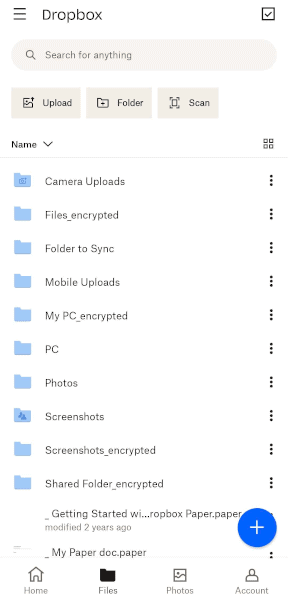
Like most cloud storage services, Dropbox uses a left sidebar for navigation, putting your data front and center in its web interface. However, the “home” page doesn’t display your files — it only shows what Dropbox thinks you want to see. It’s a minor inconvenience and one of the only drawbacks of accessing your account on the web.
Notes From the Lab: Dropbox Business Security Analysis

it doesn’t have zero-knowledge encryption yet.
Dropbox handles the security of your account well enough with AES 256-bit encryption, TLS/SSL encryption protocols and two-factor authentication. Dropbox recently purchased Boxcryptor, which is a third-party provider offering zero-knowledge encryption.
Although no date has been announced as of this article, private encryption should be coming to Dropbox Business customers.
What Is Dropbox Business’ Pricing & Value?

plans can run on the expensive side.
Dropbox Business doesn’t have a free plan, although you can take most of its selections for a trial run of 30 days.
Paying for a Business plan isn’t the most affordable option. The Business plan costs per user per month when billed annually and shares a pool of of data. We cover pricing in our Dropbox pricing article and discuss more details in our Dropbox Business review.

- 2GB
- minimum 3 users
- 5TB
- Price per user
- 3TB
More plans
- Price per user, 30-day free trial (minimum 3 users)
- 9TB
- Price & storage per user, 30-day free trial. (minimum 3 users)
- 15TB
- minimum 1 user
- 3TB
1-month plan
- minimum 3 users
7. Google Drive

Google Drive focuses on making collaboration easy for multiple users, as it is one of the best cloud storage for collaboration. A free plan gives you access to Google’s popular apps, including Google Docs, Sheets and Slides.
You can work with others online in real time using any of these apps, making collaboration simple. Comments and suggested edits keep communications flowing among team members.
Sharing is fast and easy with Google Drive. You can share folders and files with others that show up in a dedicated “shared with me” tab on your account. When sharing, you can add others directly or create a link. However, if you want to include additional protections, Google Drive doesn’t offer that capability.
Google Drive Hands-On Testing
Google Drive is one of the easier cloud storage services to use as it doesn’t have many of the bells and whistles that some of its competitors offer. The web interface focuses on giving you easy access to your content by providing the tools and information needed to work with your documents.
The desktop app available on Windows, Mac or Linux is little more than an added sync folder on your account. However, the sync folder works well and allows you to use your device to work on your files. The mobile app, found in the iOS or Google Play store, mirrors the look and functionality of the web interface.
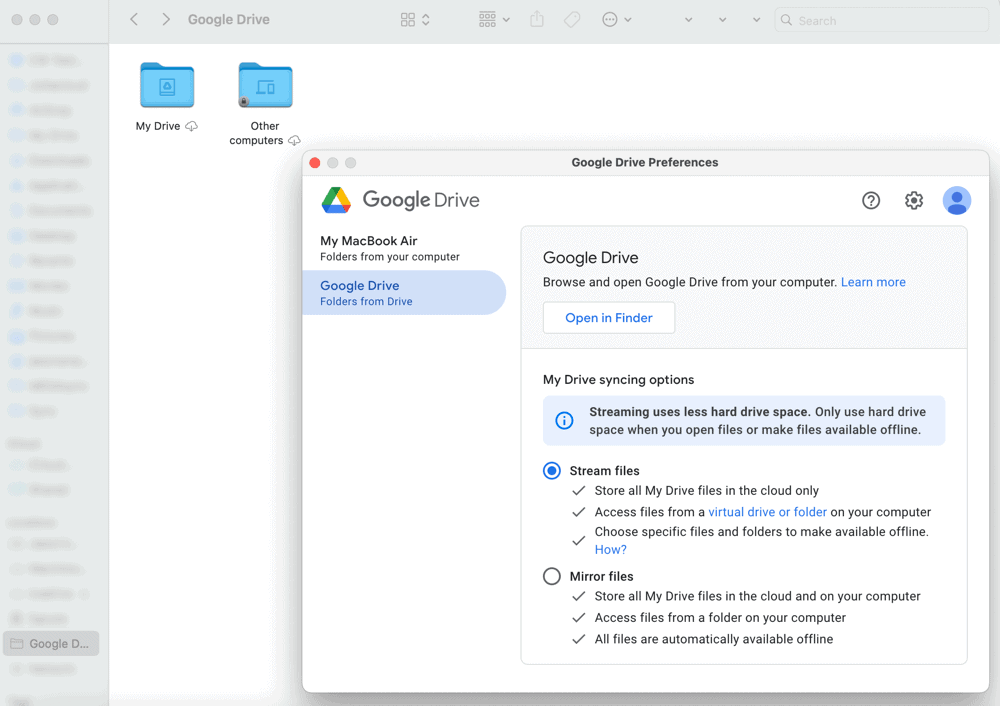
in the cloud or to keep a copy of them on your device.
Notes From the Lab: Google Drive Security Analysis

place to keep your data protected.
Google Drive is a secure service that uses AES 256-bit encryption and TLS/SSL encryption protocols to protect your data while at rest and in transit. You can enable two-factor authentication, which is done through your Google account, not Google Drive. Despite the strong security, privacy is a weak spot with this provider. Google collects data on you, as explained in its privacy policy.
What Is Google Drive’s Pricing & Value?

from the 15GB free storage account.
If you want to start collaborating with multiple users, all you need is a free plan with 15GB of storage space. Upgrading to a Google One account gives you more storage and added features. The Basic plan has 100GB of cloud storage for $19.99 annually. We cover more details in our Google Drive review.
- Free plan
- 15GB
- 100GB
- *The plan is “hidden.” To find the 200GB plan, you need to be subscribed to one of the other plans, upgrade or downgrade to the 200GB through your account’s settings.
- 200GB
More plans
- 2TB
- 2TB
- 5TB
- 10TB
- 20TB
- 30TB
Final Thoughts
Cloud storage is a great way for users to work together on projects, regardless of location. Sync for Teams is the best overall option with great features, affordable prices and strong privacy. Other top choices are pCloud, Proton Drive, Internxt, Box Business, Dropbox Business and Google Drive.
Do you use any of these cloud storage services? Did we miss a great cloud storage service that supports numerous users? Let us know in the comments section below. Thanks for reading our article.
FAQ: Best Cloud Storage for Multiple Users
Yes. Most cloud storage providers have plans that support more than one user. However, very few offer free plans that support multiple users.
Sync for Teams is the best choice for cloud storage that supports multiple users. It has great cloud features, user management tools, strong security and privacy.
Google Drive and Microsoft OneDrive protect your data using the same security protocols. These include AES 256-bit encryption to protect data at rest and TLS/SSL encryption protocols to secure data transfers.