CrashPlan vs Backblaze: Deciding Between Unlimited Cloud Backup Services in 2026
Although both CrashPlan and Backblaze offer unlimited storage for a relatively low cost, there are significant differences to their approach to online backup. Keep reading to find out which backup service is right for you.


Written by Aleksander Hougen (Chief Editor)
Reviewed by Aleksandar Kochovski (Writer)
Last Updated:
All our content is written fully by humans; we do not publish AI writing. Learn more here.
Choosing between Backblaze and CrashPlan is less about which service is better and more about what you’re backing up. For personal files on a single device, Backblaze is ideal. If you’re backing up work data that needs more advanced controls, CrashPlan is better suited.
If you’re deciding between the two, your choice mainly depends on whether you’re backing up personal or business data. In this CrashPlan vs. Backblaze comparison, I’ll break down their pricing, features, security and ease of use to help you decide which cloud backup service is the better fit.
-
05/23/2022
Updated comparison with new speed tests, features and pricing information.
-
07/22/2026 Facts checked
We updated this comparison to reflect CrashPlan’s shift towards business users, revised pricing and plan information, refreshed our speed tests results and fact-checked key features and support options.
Backblaze vs CrashPlan: Which Should You Choose?
Choose Backblaze if you want an affordable, hands-off backup service for a personal computer. It offers unlimited backup space for one device and requires minimal setup.
Choose CrashPlan if you need cloud backup for work. It provides more advanced features, including customizable retention policies, centralized management and business-focused controls.
10,000+ Trust Our Free Cloud Storage Tips. Join Today!
- Demystify cloud storage terminology and key concepts in plain language
- Discover easy-to-implement techniques to securely backup and sync your data across devices
- Learn money-saving strategies to optimize your cloud storage costs and usage
For most home users, Backblaze is the better choice thanks to its simplicity and automatic backup processes. Businesses that need more control and administrative features should consider CrashPlan instead.
Backblaze vs CrashPlan: Which Is Better for Home Users?
Backblaze is the clear winner for home users. It was built with individuals in mind, and its automatic backup process makes it easy to protect your files without spending time configuring settings or managing backup schedules.
CrashPlan can still back up personal devices, but its business-first approach makes it harder to justify for most consumers. Unless you specifically need its advanced retention policies or backup controls, Backblaze is a simpler and more affordable option.
Backblaze vs CrashPlan: Which Is Better for Businesses?
CrashPlan is the better option for businesses that need more control over how data is backed up and retained. Features like customizable retention policies and centralized management make it a better fit for teams and organizations with more complex backup requirements.
Backblaze is excellent for personal use, but it lacks many of the administrative and business-focused tools that companies may need. Small businesses with straightforward backup needs may find it suitable, but most organizations will benefit more from CrashPlan’s business-oriented feature set.
CrashPlan vs Backblaze: Unlimited Storage Compared
To decide which service is better, we’ve structured this CrashPlan vs Backblaze comparison into eight rounds, each focused on a specific criterion from our cloud backup reviews. Each round awards one point, which means one of our competitors needs to win five rounds to secure the overall victory.
- 1
- :
- :
- :
- :
- :
- :
- :
- 2
- :
- :
- :
- :
- :
- :
- :
1. What Features Do CrashPlan and Backblaze Offer?
Although both services offer subscription plans for business users, Backblaze is primarily focused on providing a simple backup solution for individuals, whereas CrashPlan’s entire focus is on business backup. This results in CrashPlan having a much richer feature set than Backblaze, even if the latter still does well for what it’s trying to be.
Device & Backup Types
Both services offer unlimited cloud storage, but each individual license covers only a single device. For CrashPlan, these devices can be either desktop machines or servers, whereas Backblaze supports only regular computers.
Neither service offers true mobile-device backups, although both provide mobile apps that let you view and access your backed-up files. As of late 2025, CrashPlan no longer supports backing up NAS devices, network shares or Windows mapped drives, and Backblaze Personal Backup has never supported NAS backups. External USB and FireWire drives are still supported by both services when connected directly to your computer.
You can also back up any external hard drive connected to your device using either online backup service. This is good, as many other backup solutions — such as Degoo (read our Degoo review) — won’t recognize external hard drives at all.
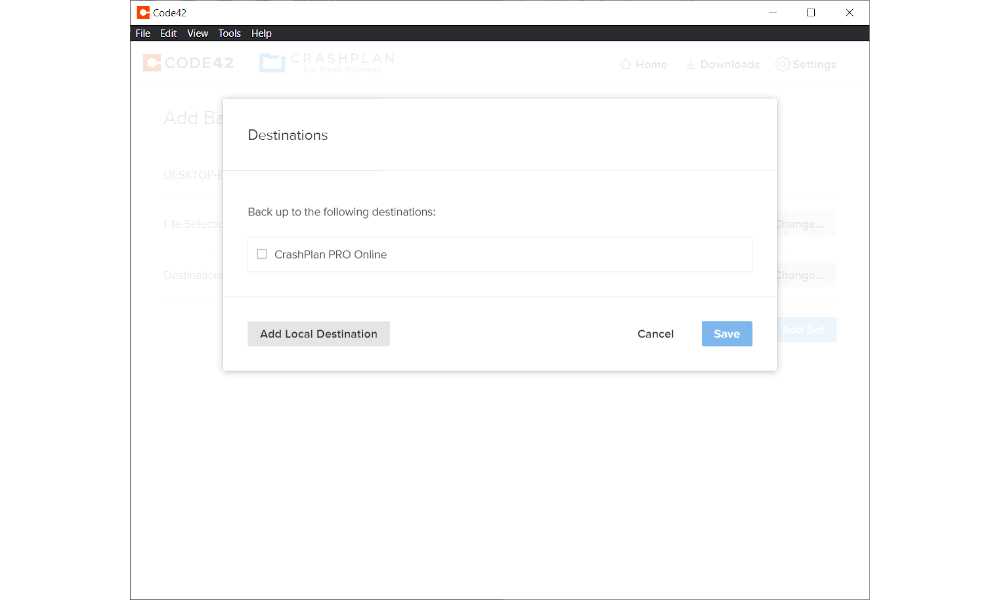
If you don’t like the idea of relying entirely on the off-site backup servers, CrashPlan includes support for hybrid backups, meaning you can store your data simultaneously on a local device and on cloud storage.
Backup & Recovery Settings
If you want to create a complete clone of your hard drive through disk imaging, neither service will have what you’re looking for. If disk imaging and hard drive cloning is important to you, check out other services like IDrive (read our IDrive review) instead. You can also read our IDrive vs Backblaze comparison to learn how the two services compare.
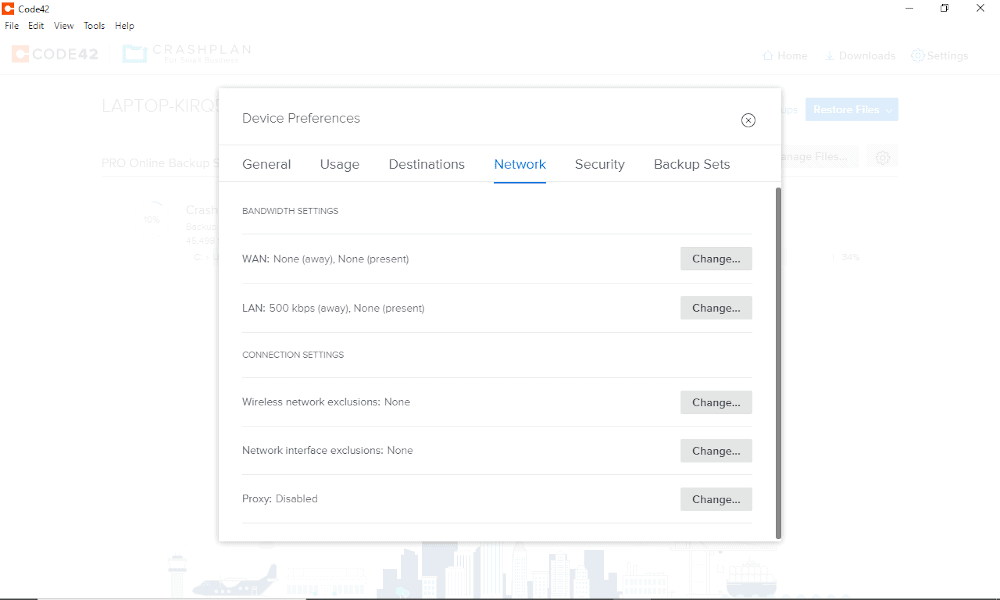
In terms of backup scheduling, the two services are pretty similar. Both support continuous, incremental and scheduled backups. Throttling and block-level file copying are also included in both, which will save you a lot of bandwidth by uploading only the parts of your files that have changed, rather than the whole thing.
If you routinely perform large restore operations that take up a huge amount of time and bandwidth, Backblaze offers a courier recovery service to get around this problem.
Instead of downloading a massive zipped file, you can instead have the service ship you a physical external hard drive (with up to 8TB of space) containing your data. This is one area where Backblaze has an edge over CrashPlan, as the latter doesn’t offer this kind of service at all.
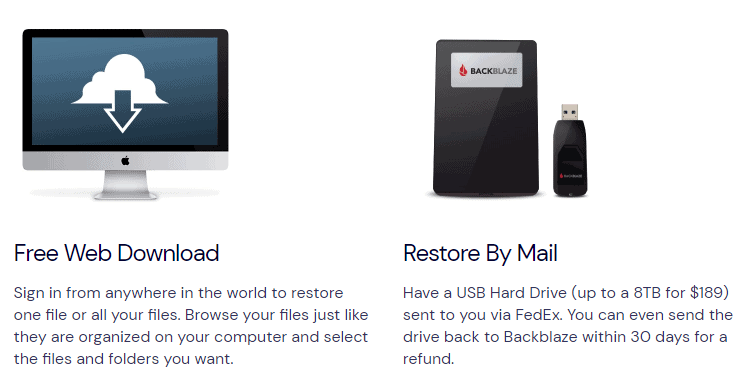
Another advantage of Backblaze is its use of multithreading. CrashPlan doesn’t include this feature, which in theory should make Backblaze quite a bit faster at uploading and downloading your data from the server. We’ll see whether or not this bears out in our speed round.
File Versioning & Retention
File versioning is another big difference between the two backup providers. CrashPlan retains backed-up files indefinitely as long as they remain on your device and your subscription is active. However, deleted files are only retained for 90 days on the Essential and Professional plans. If you need unlimited deleted-file retention, you’ll have to opt for one of CrashPlan’s Enterprise offerings.
However, Backblaze limits versioning to 30 days by default, which you can extend to a full year for an extra $2 per month, or forever for that same $2 plus $0.005 per GB of files older than one year.
Managing Users & Groups
CrashPlan is far superior when it comes to user and group management. This isn’t terribly surprising, since the software is designed entirely for business use (and tops our list of the best online backup for business), instead of the dual approach of Backblaze.
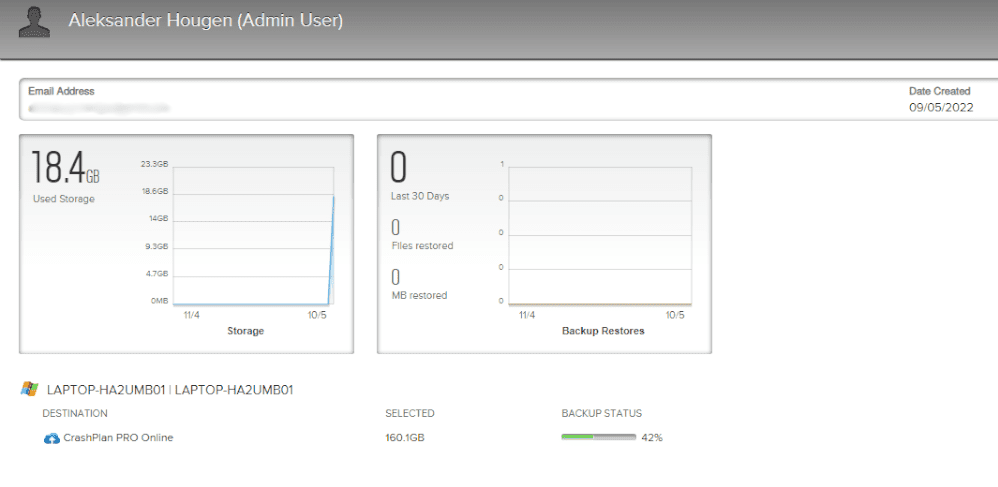
Although Backblaze does include some rudimentary user and group controls, CrashPlan goes further by giving you more in-depth control and the ability to import users in bulk.
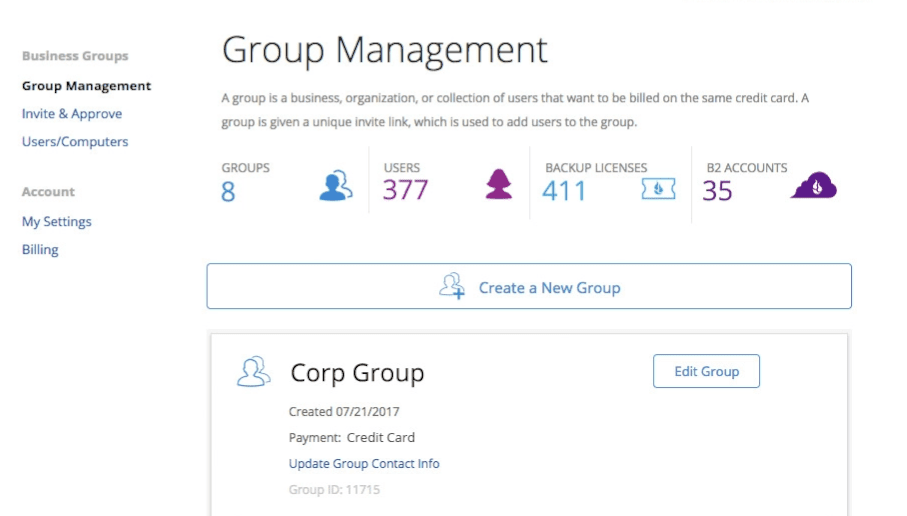
Backblaze also comes with some miscellaneous features, including file sharing and the ability to inherit backup states across devices. Another unusual feature is the “find my computer” function, which lets you locate your device in case it’s lost or stolen.
Despite these extra features, we have to give this one to CrashPlan, largely due to its superior versioning, more extensive user management and support for hybrid backup.
| Features |  |  |
|---|---|---|
| Unlimited GB$7.88 / month(All Plans) | 200GB - Unlimited GB$2.99 / month(All Plans) | |
| Review | Review | |
| Backup Scheduler | ||
| Continuous Backup | ||
| Incremental Backup | ||
| Image-Based Backup | ||
| External Drive Backup | ||
| NAS Backup | ||
| Server Backup | ||
| Hybrid Backup | ||
| Mobile Device Backup | ||
| Unlimited Backup | ||
| Unlimited Devices | ||
| Speed Throttling | ||
| Block-Level File Copying | ||
| Multithreaded Backup | ||
| Courier Recovery Service | ||
| Browser Access | ||
| Mobile App Access | ||
| Versioning | ||
| Deleted File Retention | 30 days | 30 Days |
| Private Encryption | ||
| At-Rest Encryption | ||
| In-Transit Encryption | ||
| Encryption Protocol | AES 128-bit | AES 256-bit |
| Two-Factor Authentication | ||
| Hardened Data Centers | ||
| Proxy Server Settings | ||
| HIPPA Compliant | ||
| 24/7 Support | ||
| Live Chat Support | ||
| Telephone Support | ||
| Email Support | ||
| User Forum | ||
| Knowledgebase | ||
| File Sharing | ||
| Device Sync | ||
| Free Trial | 15 |
2. How Much Do CrashPlan and Backblaze Cost?
Many cloud backup providers have complicated pricing structures, but Backblaze keeps things simple with a single unlimited backup plan for personal users. CrashPlan’s pricing is slightly more complex because it now offers multiple plans aimed at different types of customers.
Unlimited Backup Storage
Backblaze offers one unlimited cloud backup plan for a single computer, with monthly, annual and two-year billing options available. The service is designed for individuals who want straightforward, unlimited backup without having to compare multiple tiers or features.
CrashPlan offers two plans. Essential includes 200GB of cloud storage for users with smaller backup needs, while Professional provides unlimited cloud backup and additional business-focused features. Since this comparison focuses on unlimited backup, CrashPlan Professional is the most comparable plan to Backblaze.
For Backblaze, the subscription will run you $9 per month, $99 per year or $189 for two years.
- Unlimited GB
CrashPlan Essential starts at $2.99 per month for 200GB of storage, while CrashPlan Professional with unlimited storage can cost as little as $6.58 per month (two-year plan).
- Storage & price is per user Up to 2 devices per user 30-Day Deleted File Retention
- 200GB
- Price is per user Up to 2 devices per user 90-Day Deleted File Retention
- Unlimited GB
- Price is per user Unlimited Deleted File Retention
- Unlimited GB
CrashPlan also offers enterprise solutions with custom pricing for larger organizations, meaning you’ll need to contact its sales team for a quote.
Backblaze remains the more affordable and straightforward option for most home users. CrashPlan Professional is competitively priced for businesses, but you’ll be paying for backup controls and administrative features that many individuals simply won’t need.
Courier Recovery & Free Trials
Besides the subscription cost itself, Backblaze offers a courier recovery service that lets you restore your data using a physical hard drive instead of downloading it over the internet.
The service costs $189 for restores of up to 8TB. You can either keep the drive or return it to Backblaze within 30 days for a full refund, making it a convenient option if you need to recover a large amount of data quickly.
When it comes to free trials, Backblaze offers a 15-day free trial of its unlimited backup service. CrashPlan offers a 14-day free trial for its endpoint backup plans.
With all of this in mind, the pricing round goes to Backblaze. Its unlimited backup plan is more affordable and easier to understand for most consumers. CrashPlan offers good value for businesses, but its feature set and pricing structure make it less compelling for personal use. If you’d like more details on its subscription model, check out our Backblaze pricing guide.
3. How Fast Are CrashPlan and Backblaze?
Backup speed is important because it determines how quickly your files are protected and how long you’ll have to wait if you ever need to restore them. While your initial backup will always take the longest, faster upload and download speeds can make a noticeable difference when backing up large amounts of data.
To test the speed of each service, we uploaded and downloaded a 5GB folder containing videos, images and text files. All tests were performed on a 1 Gbps connection throttled to 100 Mbps for both uploads and downloads to ensure consistent results.
| Upload/Download: | First attempt | Second attempt | Average |
|---|---|---|---|
| Backblaze Upload | 0:13:14 | 0:13:10 | 0:13:12 |
| CrashPlan Upload | 0:19:20 | 0:19:13 | 0:19:17 |
| Backblaze Download | 0:7:21 | 0:08:03 | 0:07:42 |
| CrashPlan Download | 0:07:47 | 0:07:27 | 0:07:37 |
Backblaze delivered noticeably faster upload speeds in our testing, averaging just over 13 minutes to upload our 5GB test folder. CrashPlan took a little over 19 minutes on average, making it around six minutes slower.
Download performance was much closer. Both services restored the same data in under eight minutes, with CrashPlan holding a very slight advantage that most users are unlikely to notice in real-world use.
This round goes to Backblaze. Its faster upload speeds mkae it the better choice if you’re backing up large amounts of data and want to get your initial backup completed more quickly.
4. How Easy Are CrashPlan and Backblaze to Use?
Both of the online backup solutions we’re looking at are easy to use, but for different reasons. Where Backblaze is designed with simplicity as the obvious top priority, CrashPlan contains far more features and as such is more complex. However, Backblaze looks and feels incredibly dated, and some features are needlessly cumbersome.
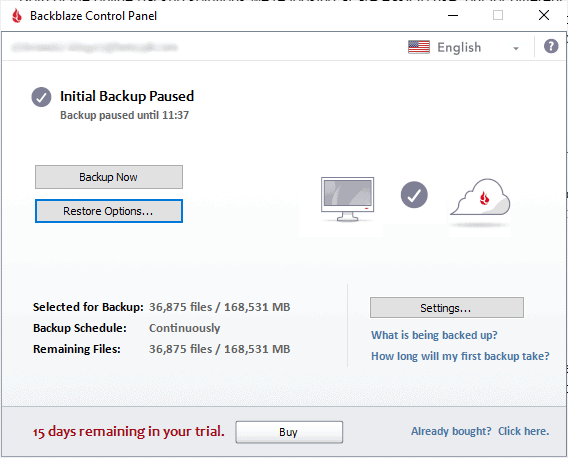
Backblaze vs CrashPlan Clients
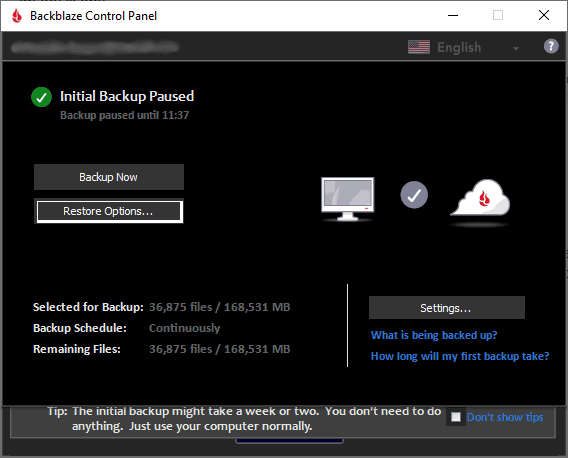
Starting with Backblaze, the entire client is contained in just two panels. A main window shows your backup and its status, and a basic settings panel lets you adjust things like throttling, backup schedules and file exclusions.
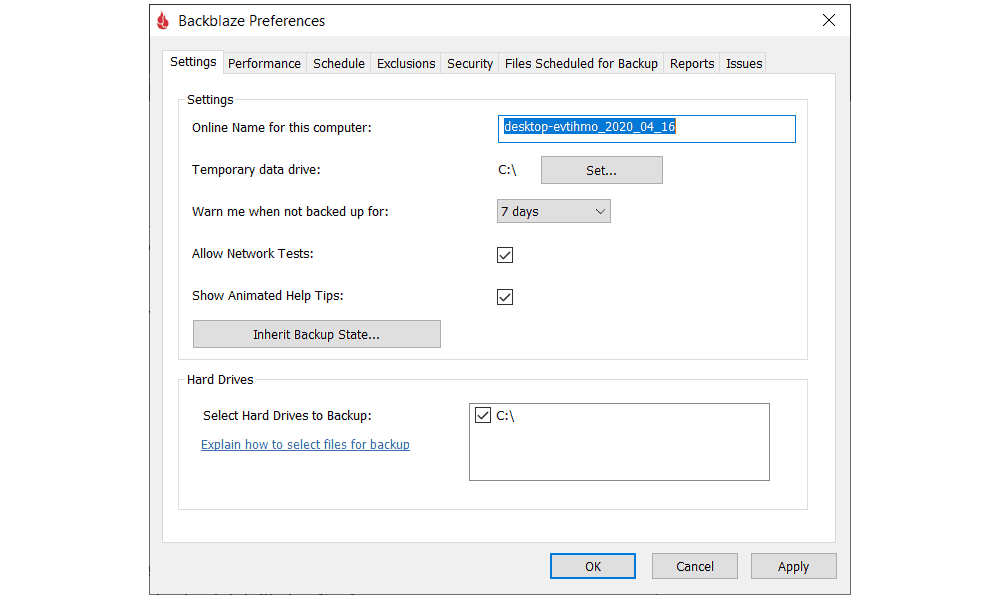
The application certainly isn’t winning any awards for design. It looks even worse if you have dark mode enabled in Windows, and there’s no way to override this without changing the setting for your entire system.
CrashPlan, as we already mentioned, is quite a bit more complicated. That doesn’t necessarily mean it’s difficult to use, but there’s definitely more effort involved in learning where everything is and how to effectively utilize the backup software. Instead of a single options menu, there are global device preferences and individual menus for each backup set.
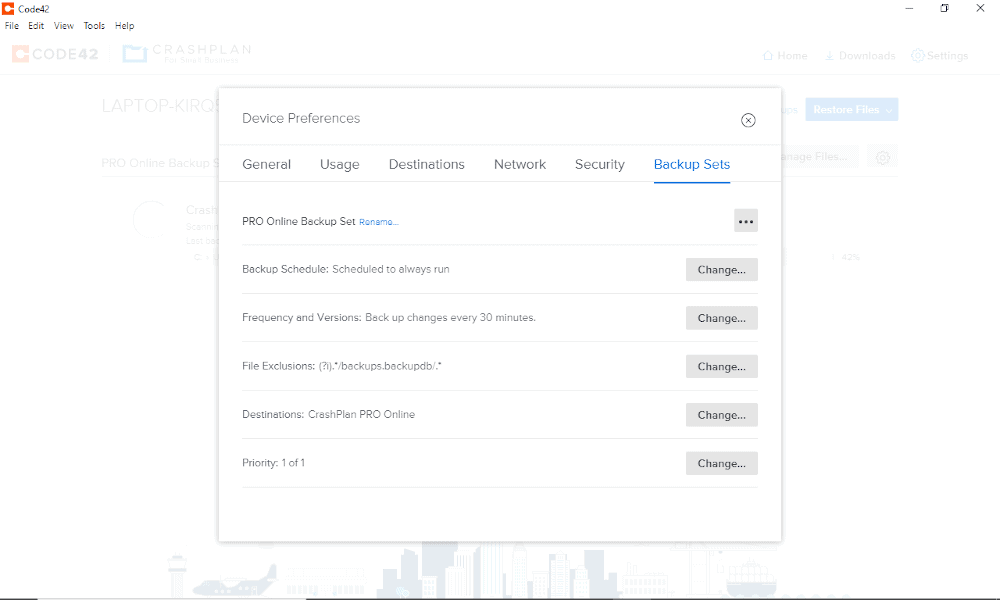
This is great for flexibility, and is something that Backblaze is sorely lacking, but it does increase the complexity of the software. CrashPlan’s interface also looks like it was designed in the last two decades, which isn’t something we can say for Backblaze.
Backblaze also feels pretty clunky the moment you move past setting up a simple backup. As we’ll get to in the next round, excluding files can be a painfully long process, and to restore your backup you have to use a web browser or download a separate application that looks just as ancient and performs terribly to boot.
Web Dashboards & Mobile Backups
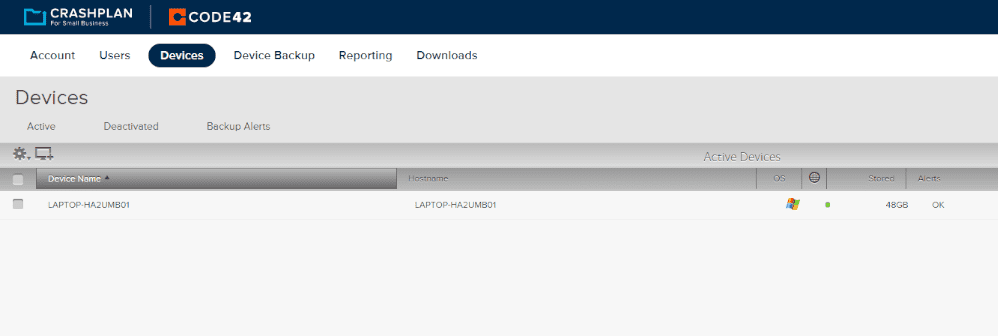
Both providers have a web dashboard in addition to the desktop client. For Backblaze, this is pretty basic. It exists mostly to facilitate restore operations and to let you change your account settings, but not much else. Meanwhile, CrashPlan’s web dashboard is incredibly in depth, and thus quite complex, containing all the same features as the desktop client.
Although neither service lets you perform mobile backups, they do have mobile apps for both iOS and Android that give you remote access to your data. These are both pretty bare-bones, consisting of a list of your devices and their stored data, which you can download and manage from the app.
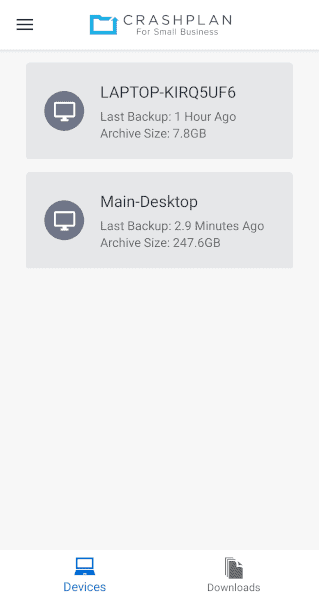
At the end of the day, these are two very different pieces of software designed for different types of users. Although CrashPlan is more complex, that’s largely by design and it also looks and feels a whole lot better than Backblaze does.
That said, Backblaze’s simplicity can be its main selling point if all you need is a basic backup solution. Because of this, we’re calling this round a tie, which brings the score to 3-2 in Backblaze’s favor.
5. How Does Backup and File Recovery Work for Both Services?
If all you’re looking for is a way to back up all the data on your device at once, Backblaze does this very well. However, if you want to be a bit more selective about which files you upload to the off-site backup server, then managing this with Backblaze is a big hassle.
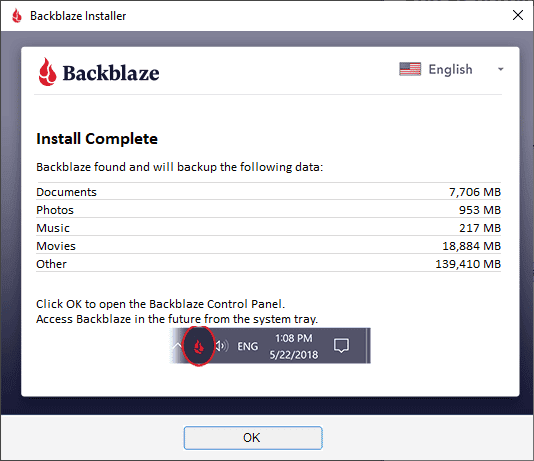
Setting Up a Backup
With Backblaze, instead of choosing the files you want to back up, you’ll need to do it in reverse and list everything you don’t want to back up in the file exclusions list.
Because of this, those who like to have as much control as possible over the process may find Backblaze quite frustrating to use. Furthermore, if you only want to back up specific folders, it can take a long time to exclude everything else.
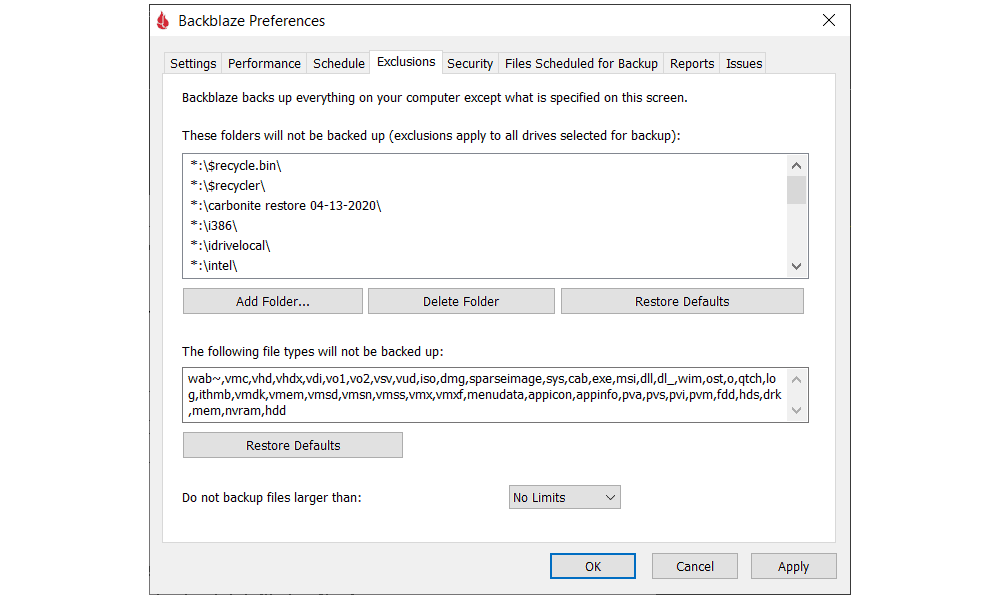
Meanwhile, CrashPlan gives you way more control over the whole process. You can create multiple backup sets that contain different files, and you can adjust the settings for each of these sets individually. For example, you can set them up with different priority levels, destinations, schedules and throttling limits.
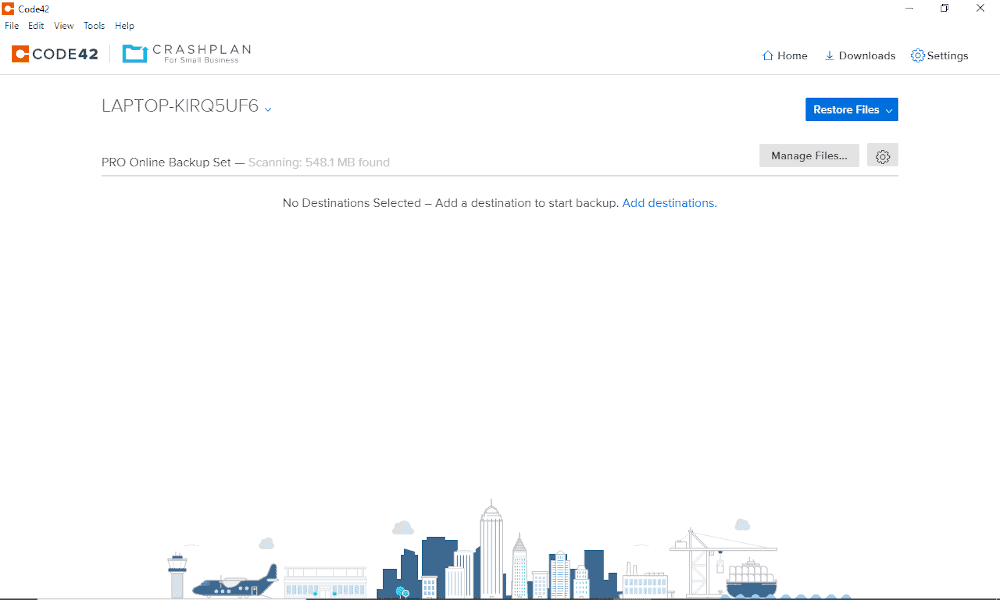
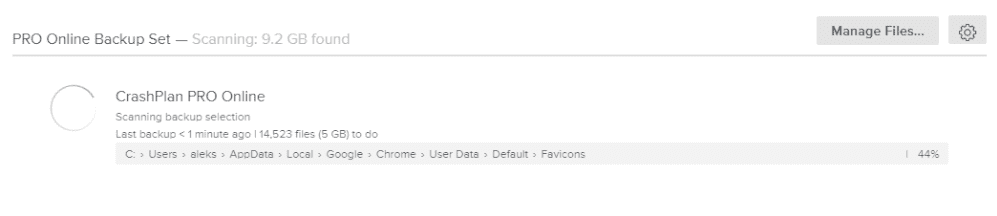
CrashPlan also gives you a lot more information about your backup while it’s running, including what data is currently being uploaded, how much time is left and a proper progress bar. Backblaze is a lot more vague about this; it doesn’t tell you how much time it expects to take, nor does it show a progress bar.
File Restoration
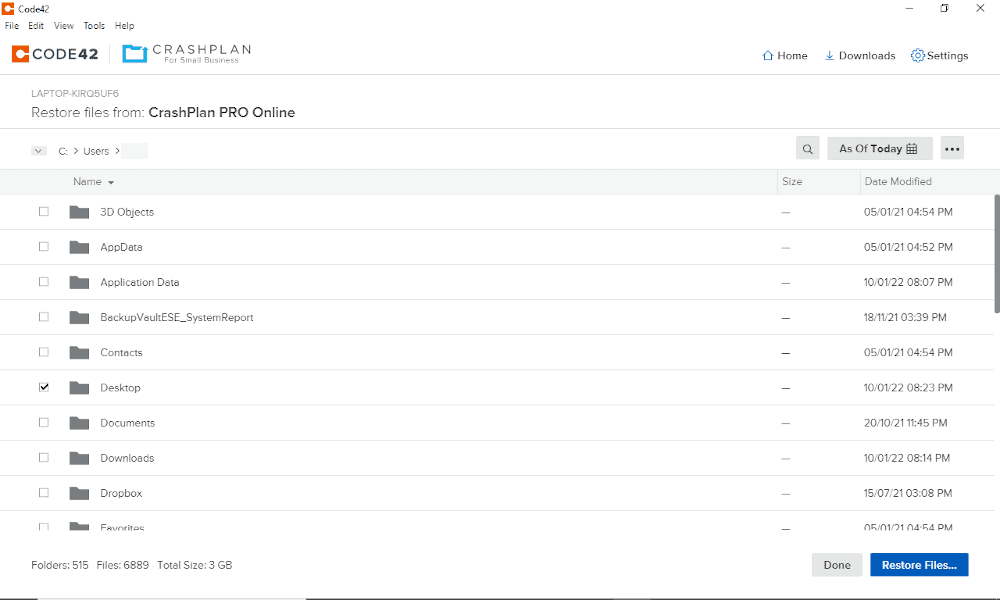
Backing up your files is only half the equation; good online backup also needs to make it convenient and easy to restore your files. CrashPlan does this, as all you need to restore your backup is click a button and wait for the files to appear in whatever location you’ve designated.
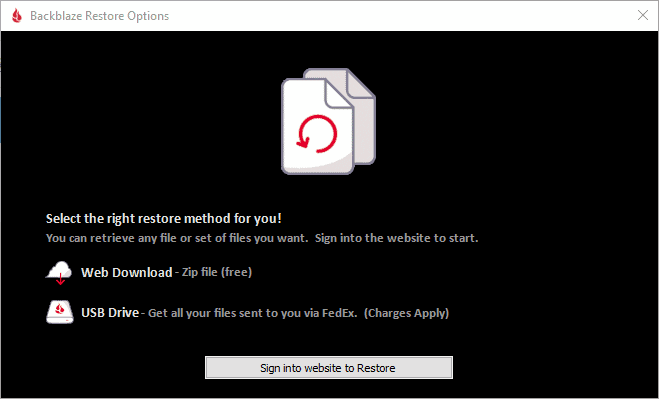
Restoring your online backup data with Backblaze, on the other hand, is inconvenient and clunky. To start the restore process, you need to sign in to the web panel and hand over your private key (more on that later) before downloading through the browser. You can opt to use a separate restore app, but it’s incredibly unresponsive and laggy.
As you can probably guess, CrashPlan easily wins this round, bringing the score back to a tie at 3-3 as we proceed to the sixth round, focused on data security.
6. How Secure Are CrashPlan and Backblaze?
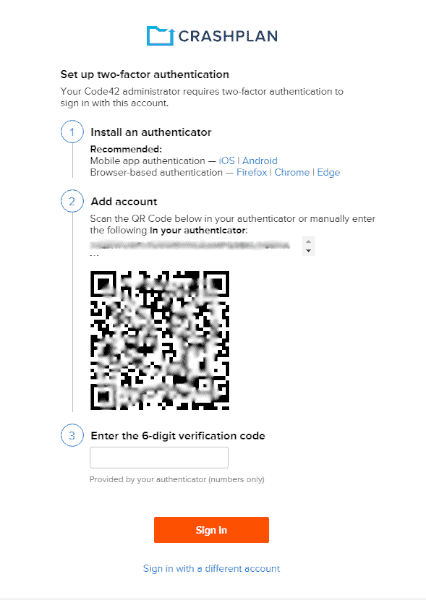
Both backup solutions offer excellent encryption and data center security, as well as two-factor authentication. As for data center security, both providers harden their servers against all kinds of potential failures, including natural disasters, fires and physical break-ins.
In terms of encryption protocols, both providers use AES 256-bit for files on their servers and SSL/TLS while files are in transit, protecting users from man-in-the-middle attacks.
Two-factor authentication is simple to activate on either service, and provides additional security, so cybercriminals won’t be able to access your files simply by cracking your password.
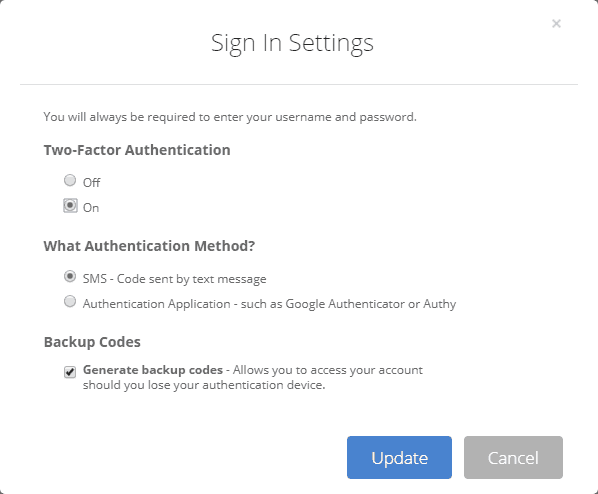
What this means is that it’s almost impossible to declare a clear winner in this round. At the end of the day, you can trust both providers to keep your data secure from outside access. Whether or not that’s true for internal access is something we’ll look at in the next round, which means that we still have a tie on our hands with only two rounds to go.
7. How Do CrashPlan and Backblaze Protect Your Privacy?
When it comes to privacy, there’s really only one thing that matters, and that’s zero-knowledge encryption — also known as private encryption or end-to-end encryption. This means only you have access to the key that can decrypt your files, protecting them from “legitimate” access from the company itself or the authorities.
Unfortunately, neither service really offers this, at least not in a way that isn’t fundamentally flawed. CrashPlan used to, but ditched the option a few years back. Backblaze advertises zero-knowledge encryption, but its implementation is less than ideal.
That’s because — like we mentioned earlier — in order to restore your backup, you’ll have to hand the supposedly private key over to Backblaze to decrypt your files for you, rather than performing this yourself locally on your device.
This means that while your files are safe from any and all access initially, it’s theoretically possible for Backblaze to access your backed-up data once you’ve recovered it at least once.
Backblaze claims that it flushes these encryption keys immediately, but we’d prefer not to have to take a company at its word, and the idea behind zero-knowledge encryption is that you don’t have to.
Server Locations
Backblaze’s servers are located in the U.S. and the Netherlands. The former has terrible online privacy laws, and the latter isn’t that much better. This means it’s probably not a service you should use if you’re concerned about the authorities gaining access to your files.
That said, CrashPlan also uses servers hosted in the U.S. It does have a few servers in other locations like Australia, Ireland, the Netherlands and Singapore, but you can’t choose the location yourself — you are assigned one based on your location when you initiate your backup.
Examples of the U.S. government’s willingness to violate digital privacy have come in many forms over the years, including PRISM, the Patriot Act and the Five Eyes network.
Privacy Policies & Regulatory Compliance
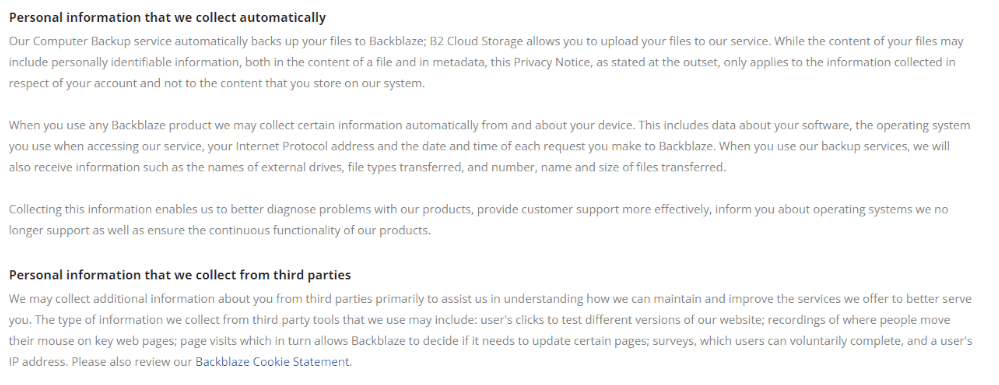
As for each service’s privacy policy, things are pretty similar. Like most backup providers, they both collect various metadata on users, including your name, email address, physical address and billing information. They also collect some anonymized data, such as your IP address, hardware signatures and usage statistics.
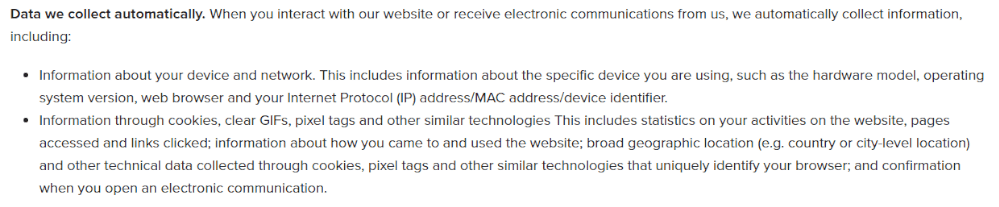
As mentioned, this is all pretty standard, and both cloud backup providers claim that they never sell this information to advertisers. They state that they will only share it with trusted third-party partners or with the authorities if they are compelled to do so by law.
Both services comply with GDPR, but only CrashPlan includes HIPAA compliance, provided you sign a business associate agreement with CrashPlan.
Once again, there’s not much separating the two services. That said, although Backblaze’s private encryption stops being zero knowledge the moment you restore your data, at least it’s halfway there, which is more than CrashPlan can say.
Backblaze also lets the user choose between data centers, which despite the lack of options is still better than the automatic assignment you get with CrashPlan.
For these reasons, we think Backblaze manages to squeak out a win in this round, although it’s still nowhere near top of class if you’re a privacy-minded consumer looking for a zero-knowledge backup provider. Backblaze now takes the lead with a score of 5-4 with just one round to go.
8. What Support Options Are Available?
We’ll finish by taking a look at each service’s customer support, which is CrashPlan’s last chance to secure at least a tie. Both of our competitors are excellent in this regard, offering support by email and chat, as well as extensive knowledgebases.
We tested the responsiveness of each service’s customer support by sending them an inquiry by email, and we got good results with both. Backblaze responded within a day, but CrashPlan exceeded our expectations and got back to us within just two hours.
Opening times for the chat support are similar for both services. CrashPlan’s support is open from 8 a.m. to 5 p.m. PST. Backblaze’s support is available in two windows: from 9 a.m. to 12 p.m. PST, and 1 p.m. to 5 p.m. PST.
CrashPlan offers support via email tickets and live chat for all customers. Phone support is reserved for Enterprise customers, making it less accessible for individuals and small businesses than it once was.
Because of its excellent response time by email and the additional phone support option, CrashPlan wins this round, which leaves us with the somewhat disappointing result of a tie and a final score of 5-5.
The Verdict: Should You Choose Backblaze or CrashPlan?
Both Backblaze and CrashPlan are excellent cloud backup solutions, but they now cater to very different audiences. Backblaze is the better choice for most home users with its affordable pricing and hands-off backup experience. CrashPlan is better suited to businesses that need more advanced backup and retention features.
Ultimately, your choice comes down to what you’re backing up. If you want unlimited cloud backup for a personal computer, Backblaze is the easy recommendation. If you need business-focused backup tools and greater administrative control, CrashPlan is well worth considering.
What did you think of this Backblaze vs CrashPlan comparison? Do you agree with our recommendations, or is there a feature or use case that makes one service a better fit for you? Let us know in the comments, and thank you for reading.
FAQ
CrashPlan Home was discontinued in 2017 when Code42 shifted its cloud backup business toward business and enterprise customers. CrashPlan later became an independent company in 2022.
Backblaze, like other unlimited backup services such as Carbonite, is able to offer a lot of storage for cheap because the vast majority of its users will use less storage than they pay for.
Yes, Backblaze uses private (or end-to-end) encryption. However, in order to recover your backup, you’ll have to hand the encryption key over to Backblaze, which means it’s no longer completely private.
CrashPlan became an independent company in 2022 after spinning out from Code42. It remains headquartered in Minneapolis, Minnesota.