Proton Drive vs Google Drive
Proton Drive and Google Drive appear similar at first glance, but my real-world testing reveals a different picture. Read on to see who wins in my comparison of Proton Drive vs Google Drive.


Written by Aleksandar Kochovski (Writer)
Reviewed by Valentina Bravo (Managing Editor)
Facts checked by Eugenie Tiu (Editorial Assistant)
Last Updated:
All our content is written fully by humans; we do not publish AI writing. Learn more here.
Key Takeaways: Proton Drive vs Google Drive
- The main difference between Proton Drive and Google Drive is privacy; while Proton Drive is centered on user privacy, Google’s business revolves around processing and selling user data.
- If you need client-side encryption and complete protection for your online activity, go with Proton Drive.
- If you want maximum convenience and online productivity, Google Drive is the better option.
Facts & Expert Analysis About Google Drive & Proton Drive:
- Security and encryption: Although both services encrypt your files, Google Drive retains the keys needed to decrypt them, which means it can scan your stored content.
- Ecosystem integration: Google Drive is at the center of the Google Workspace ecosystem, while Proton Drive is part of the larger Proton suite of privacy apps.
- Jurisdiction and privacy: Proton Drive abides by the EU’s GDPR and is incorporated in Switzerland, which has some of the strictest privacy laws in the world.
Google Drive is the most popular cloud storage service in the world. However, despite its broad appeal, many people look for alternatives to avoid its parent company’s privacy invasions and data collection. Proton Drive has positioned itself as a privacy-first alternative to Google Drive. This matchup between Proton Drive vs Google Drive examines which one comes out on top.
Read on to find out how this battle plays out, or check out our article on the best cloud storage for more options.
Cloudwards’ Choice: Proton Drive Is the Winner
 Cloudwards’ Choice: Proton Drive Is the Winner
The winner for me is Proton Drive, mostly due to its commitment to privacy and implementation of client-side encryption. I consider it among the best alternatives to Google Drive thanks to its integration with the rest of the Proton privacy suite and its document-editing capabilities.
Which Is Better: Proton Drive vs Google Drive?
Although Proton Drive and Google Drive are similar on paper, with both forming the central part of a larger app suite, in reality they are very different products. For more details, read our detailed Proton Drive review and Google Drive review.
Who Is Proton Drive For?
- Privacy-minded users: Proton Drive uses end-to-end encryption to ensure that only you can access your files — not even Proton can decrypt them, as the keys remain on your device.
- Students: Although Proton Drive offers relatively little storage space, its document-editing and basic sharing functions are more than enough for individual and group schoolwork.
- Researchers: Proton Drive’s airtight privacy is key for researchers, and its document-editing capabilities allow them to collaborate and make changes on the fly if needed.
Who Is Google Drive For?
- Freelancers: Google Drive’s productivity suite can be a powerful and free asset for freelance workers who do not require maximum privacy.
- Students: Google Drive is great for schoolwork thanks to its generous free plan, document-editing capabilities and detailed file-sharing options.
- Users on a budget: With 15GB of free storage and no limits on features, Google Drive is a good option if you don’t want to spend much on cloud storage.
How We Tested Proton Drive and Google Drive: Our Detailed Comparison Methodology
We test the services we review in a detailed process lasting around a week, which includes both real-world use and technical testing.
10,000+ Trust Our Free Cloud Storage Tips. Join Today!

- Demystify cloud storage terminology and key concepts in plain language
- Discover easy-to-implement techniques to securely backup and sync your data across devices
- Learn money-saving strategies to optimize your cloud storage costs and usage
- Ease of use: During the testing period, we use the services in our day-to-day tasks to see how they function in the real world.
- Speed: We upload and download a 5GB test folder, first over a capped 300 Mbps connection representative of an average connection, and then over an uncapped 1 Gbps connection.
- Stress test: We attempt to sync 100,000 small files to see if large file loads cause the app to crash or misbehave.
- Sync tests: We attempt to edit the same file on multiple computers to assess sync behavior, and we test for block-level sync and deduplication by editing large files and measuring upload times for the edits.
- Encryption: We use network inspection software to see if the service encrypts files before sending them to its servers.
Proton Drive or Google Drive: Comparison at a Glance
| Features |  |  |
|---|---|---|
| 200GB – 3TB$1 / month(All Plans) | 100GB – 30TB$1.67 / month(All Plans) | |
| Review | Review | |
| Sync Folder | ||
| Block-Level Sync | ||
| Selective Sync | ||
| Bandwidth management | ||
| Sync Any Folder | ||
| File Link Sharing | ||
| Link Passwords | ||
| Link Expiry Dates | ||
| Folder Sharing | ||
| Folder Permissions | ||
| Link Download Limits | ||
| Upload Links | ||
| File Previews | ||
| Edit Files | ||
| In-App Collaboration | ||
| Office Online | ||
| Google Docs | ||
| Notes App | ||
| Media Playback | ||
| Mobile Apps | ||
| Deleted File Retention | ||
| Versioning | ||
| WebDAV | ||
| At-Rest Encryption | ||
| In-Transit Encryption | ||
| Encryption Protocol | ECC Curve25519 | TLS |
| Client-Side Encryption | ||
| Two-Factor Authentication | ||
| Server Location | EU | US |
| 24/7 Support | ||
| Live Chat Support | ||
| Telephone Support | ||
| Email Support | ||
| User Forum | ||
| Knowledgebase | ||
| Free Plan |
Real-World Testing Scenarios
Here’s how Proton Drive and Google Drive compare in a few real-world testing scenarios, including freelance work, sensitive document storage, and cross-platform collaboration.
Proton Drive vs Google Drive: Similarities
Proton Drive and Google Drive’s main similarities stem from their integration into their respective ecosystems.
Collaboration Tools
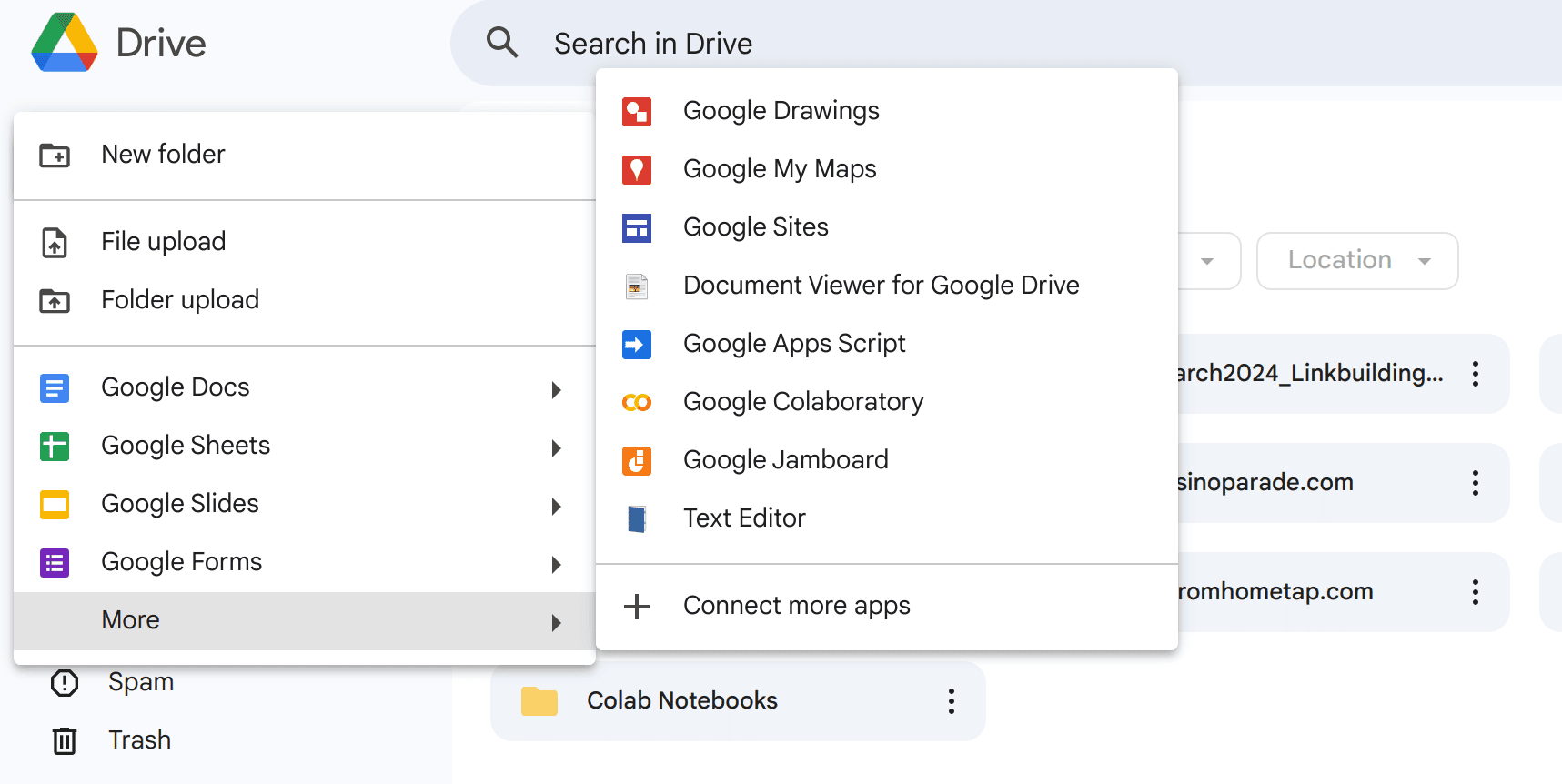
Proton Drive and Google Drive both offer document-editing tools that allow you to add other users to collaborate on files. However, Proton Drive offers editing only for text and spreadsheet files, while Google Drive can also handle presentations.
Cross-Platform Support
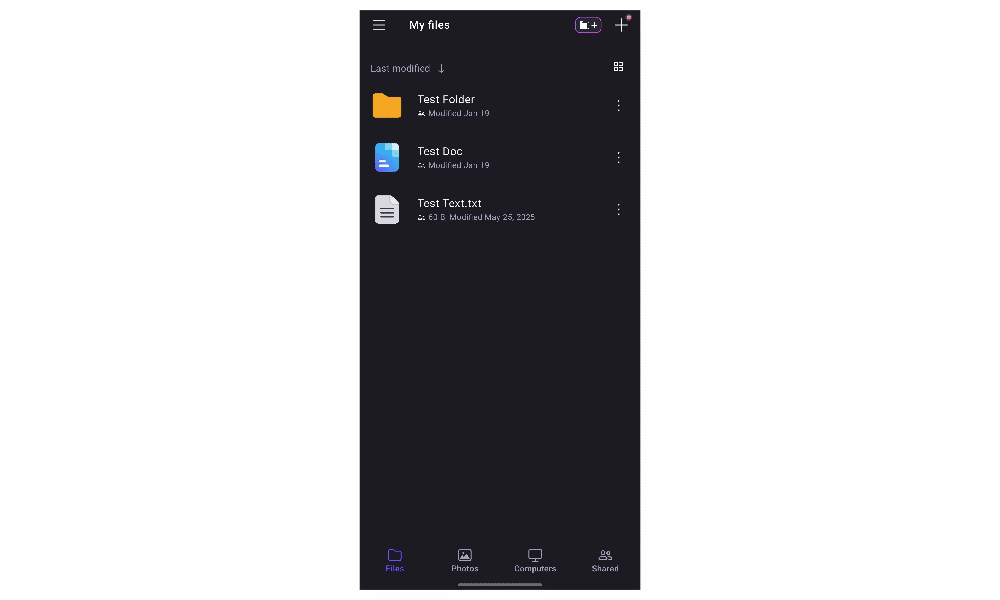
Both services have apps for Windows, Mac, Android and iOS but lack native Linux support. Google Drive has the advantage of being the default cloud storage and backup app on Android, though I personally find Proton Drive’s photo backup to be far better because of its superior customization.
Proton Drive vs Google Drive: Differences
The key differences between Google Drive and Proton Drive relate to privacy and how each platform implements basic functions.
File Sharing & Permissions
Proton Drive positions itself as a private Google Drive substitute, and the differences in their file-sharing features reflect this.
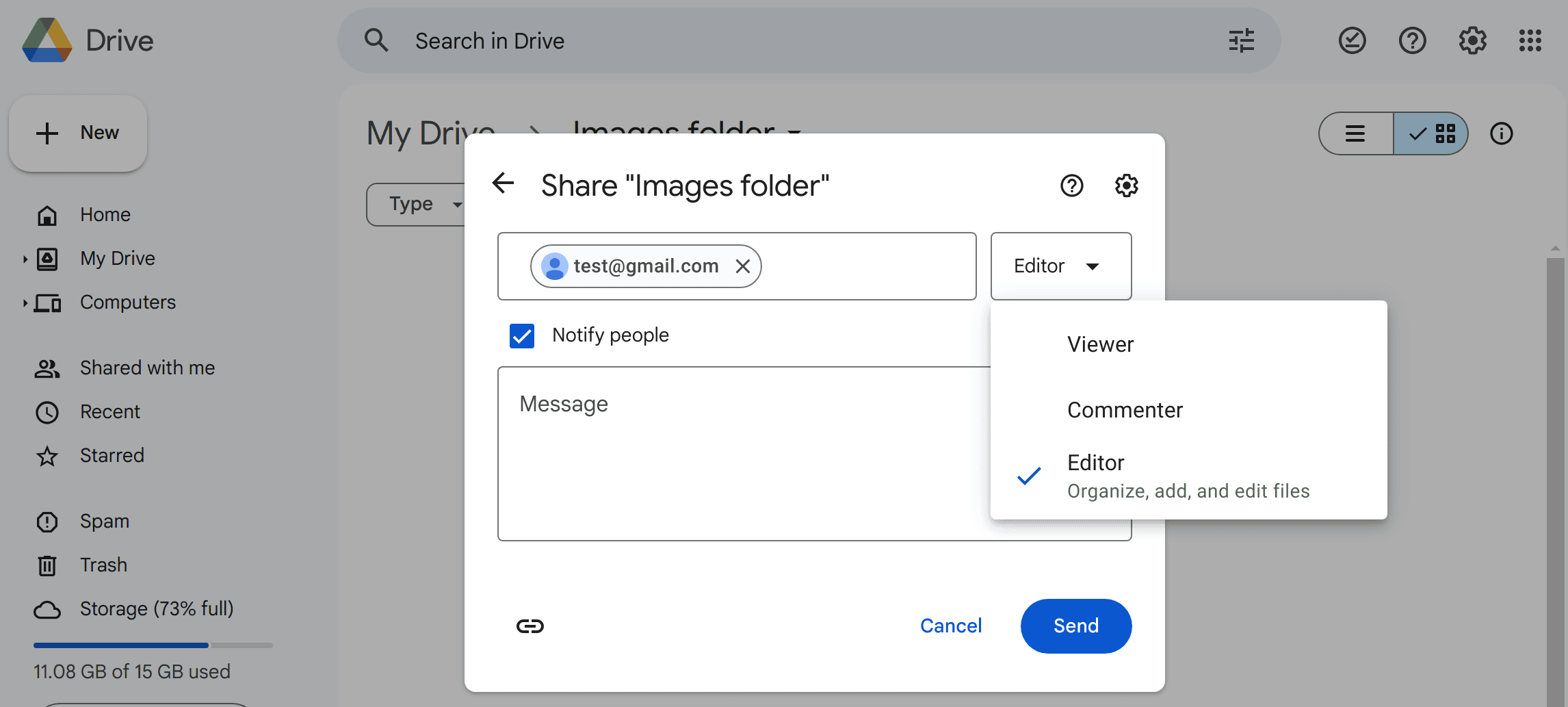
Both Proton Drive and Google Drive let you set others as a viewer or editor, but Google Drive takes it a step further by also providing commenter permissions. However, Proton Drive lets you set passwords and expiration dates for shared files, while Google Drive does not.
Proton Drive’s but also less secure.
Free Plans, Pricing & Storage Value
Proton Drive offers 5GB of free storage, but Google Drive beats it with 15GB for free. In addition, Proton Drive’s paid plans go up to just 2TB, while Google Drive offers up to 30TB.
- Free plan
- 15GB
- 100GB
- *The plan is “hidden.” To find the 200GB plan, you need to be subscribed to one of the other plans, upgrade or downgrade to the 200GB through your account’s settings.
- 200GB
More plans
- 2TB
- 2TB
- 5TB
- 10TB
- 20TB
- 30TB
Proton Drive is more expensive per gigabyte, though that’s understandable considering its 500GB and 2TB plans bundle all Proton services.
- 5GB
- 200GB
- 500GB
More plans
- 2TB
- 3TB
- per user
- 1TB
- per user, minimum of 2 users
- 1TB
- 1TB
Interface & Ease of Use
Proton Drive offers a full-featured syncing app on desktop. I found it very easy and intuitive to use, and I rank it among my favorites. Google Drive’s syncing feature is a bit less intuitive, partly because it’s anchored to the task bar.

The Verdict: Why We Think Proton Drive Wins Overall
Proton Drive offers much more in the way of privacy, and its bundle offer provides an all-in-one suite for protecting your online life. For these reasons, I consider it the winner in this head-to-head. Proton Drive is not without its faults, though, especially if you need more than 2TB of storage. Try Proton Drive’s free plan to get a feel for what it offers.
Which service is your favorite? What has your experience with Google Drive or Proton Drive been like? Drop your thoughts in the comments below. As always, thank you for reading.
If You Want to Consider Other Services, Check Out…
If neither Google Drive nor Proton Drive fits your needs, try one of these services.



- 1
- :
- :
- :
- :
- 2
- :
- :
- :
- :
- 3
- :
- :
- :
- :
- 4
- :
- :
- :
- :
- 5
- :
- :
- :
- :





FAQ: Proton Drive or Google Drive
Proton Drive is better than Google Drive if privacy is your main concern, though Google Drive offers more storage.
Yes, it is worth switching from Google to Proton if you don’t need a large amount of storage.
The main downside of Proton Mail is the lack of support from third-party clients like Outlook.