Beginner’s Guide: What Is Roku and How Does It Work?
If you've wondered, "What is Roku," then this beginner's guide is for you. In this article, we explain everything, from how Rokus work to the various devices and their prices.


Written by Sandra Pattison (Editor, Writer)
Reviewed by Aleksander Hougen (Chief Editor)
Last Updated:
All our content is written fully by humans; we do not publish AI writing. Learn more here.
Roku is a streaming platform available through streaming players and Roku-powered TVs that lets you access free and paid streaming apps, live TV channels and on-demand content. It offers a simple way to watch services like Netflix, Disney+, Prime Video and The Roku Channel without requiring a cable subscription or a separate streaming service from Roku itself.
In this guide, I’ll explain how Roku works, how much it costs and which Roku devices are available in 2026. I’ll also cover whether Roku is worth buying if you already own a smart TV, what you can watch on Roku and which device is best for different types of users.
Quick Guide: Roku Streaming Devices
Note: Roku devices, pricing, apps and free channels vary by country. This guide focuses primarily on the U.S. Roku lineup and services. Some streaming apps (such as Hulu), The Roku Channel content and device prices may not be available or may differ in your region.
| Feature | Roku Streaming Stick | Roku Streaming Stick Plus | Roku Streaming Stick 4K | Roku Ultra | Roku Streambar SE |
|---|---|---|---|---|---|
| Price | $29.99 | $39.99 | $49.99 | $99.99 | $99.99 |
| Maximum Resolution | HD (1080p) | 4K | 4K | 4K | 4K |
| HDR Support | No | HDR10 | Dolby Vision & HDR10+ | Dolby Vision & HDR10+ | HDR10 |
| WiFi / Ethernet | WiFi | WiFi | WiFi | WiFi 6 + Ethernet | WiFi |
| Included Remote | Roku Voice Remote | Roku Voice Remote | Roku Voice Remote | Roku Voice Remote Pro 2 | Roku Voice Remote |
| Best For | HD TVs and budget-conscious users | Affordable 4K streaming | Premium 4K streaming | Home theater enthusiasts | Users who want better TV sound and streaming in one device |
Roku TV Guide: What is Roku?
Roku is basically a device that can stream shows, movies and music straight to your TV. The streaming device gives you access to a wide range of TV channels and streaming channels, making Roku cost-effective and an easy way to watch what you want, when you want.
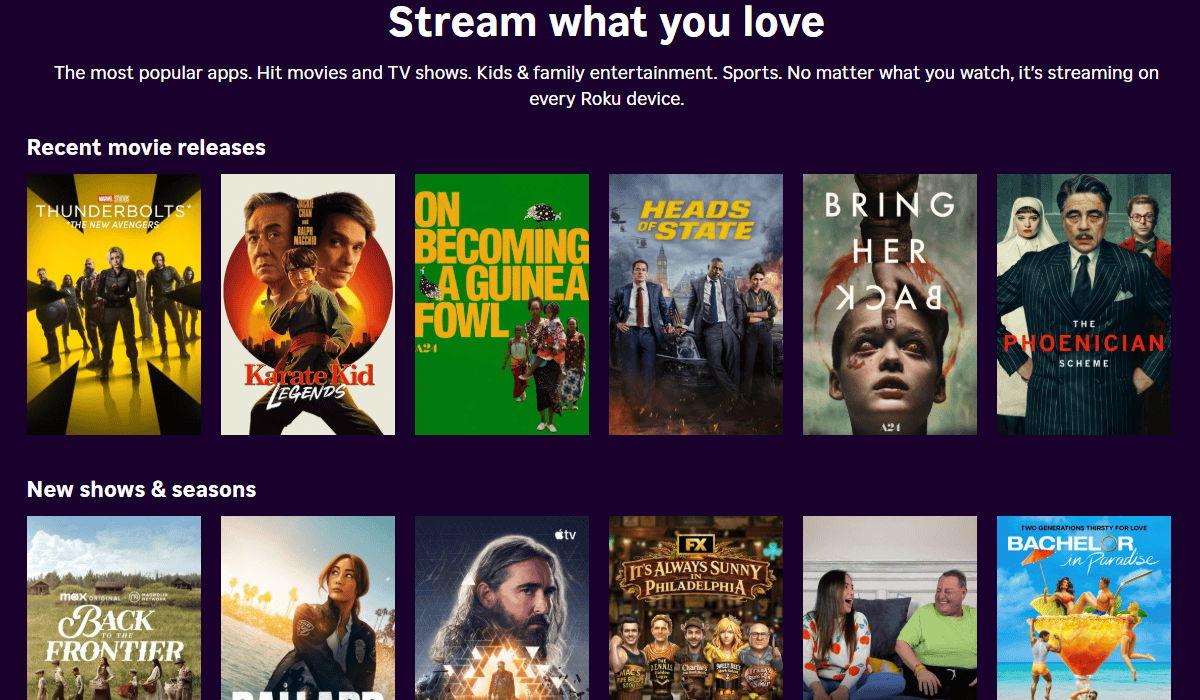
You can stream anything from the latest movies to your favorite series, or even live TV. In fact, there are thousands of movies and TV episodes to choose from, as well as sports, news, kids’ TV and music channels.
All of that content is spread across both free and paid channels, allowing you to subscribe to individual services or cut the cord completely. Plus, if you already subscribe to services such as Netflix, Disney+ or Amazon Prime Video, you can access all of those on a Roku, giving you an all-in-one home theater.
There’s also The Roku Channel, which is free and gives you access to a dynamic selection of shows, movies, children’s entertainment and more.
Read our Roku pricing guide to learn more about how much it all costs.
How Does Roku Work?
Rokus are simple to set up — all they require is power, an HDMI port to display it on your TV and an internet connection (wireless, unless your Roku can connect with Ethernet). The brand continues to innovate on this form factor, as seen with the announcement of smaller stick models designed to fit easily behind wall-mounted TVs without blocking adjacent ports.
That simplicity can make some basic functions less intuitive, though. Most Roku players don’t behave exactly like a TV when you press the power button, so shutting one down isn’t always obvious. Our guide explains how to turn off a Roku depending on the model you own.
Once you’ve got your initial setup sorted, all you need to do is create your Roku account and search for what you want to watch.
Roku makes that easy, too, with a search function that allows you to find content by actor, title or even director. Just hit “search” and Roku does the hard work for you.
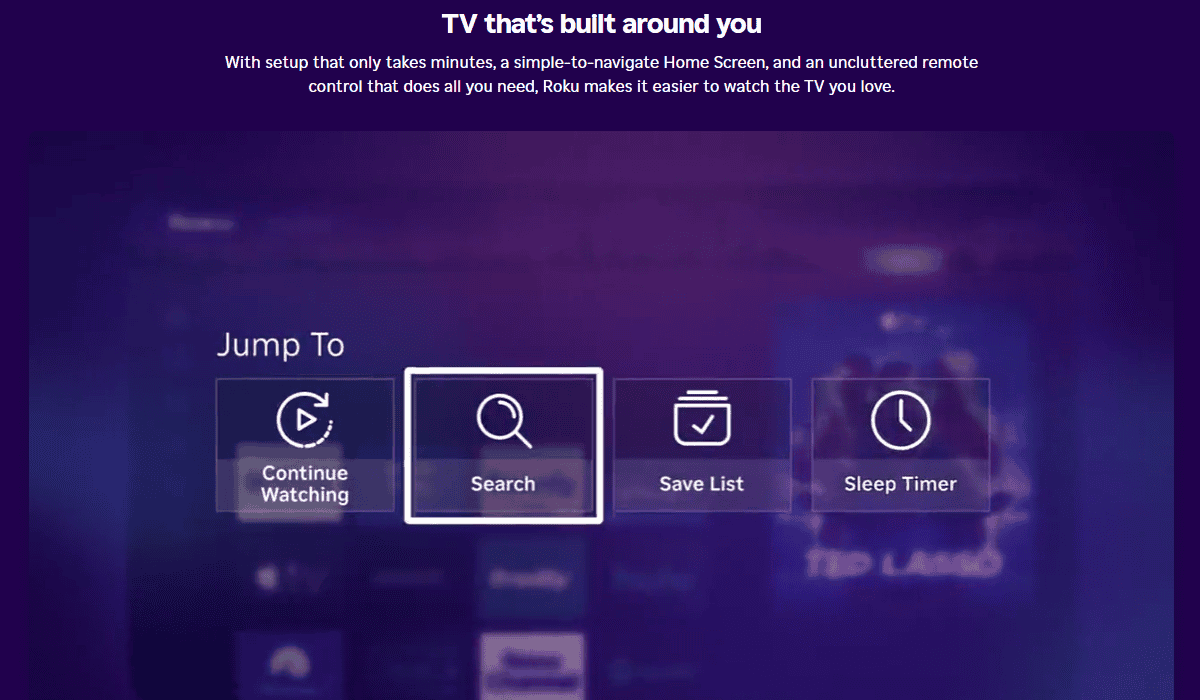
There’s more, though. Roku will not only tell you what channels you can watch the chosen content on, but also the cost (if any) for each option. Once you know which channels and services are your favorites, you can easily add them to your home screen for easy access and subscription management (see our guide on how to add channels to Roku).
Roku devices aren’t just for watching TV channels and streaming movies, though. You can also cast to Roku.
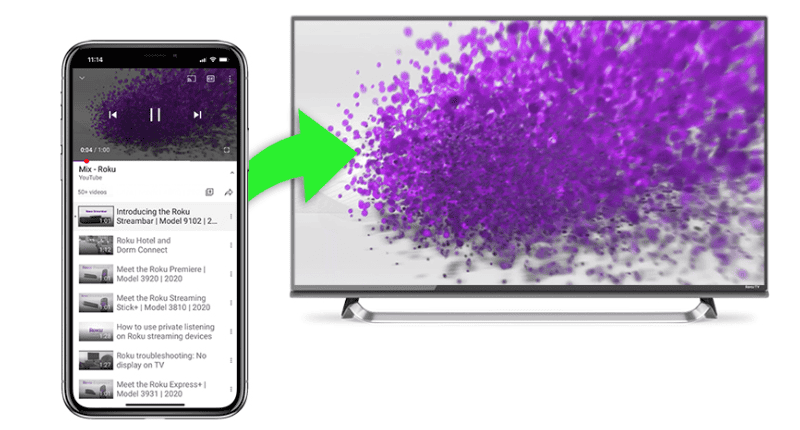
Let’s say you’re flicking through YouTube or Netflix on your mobile device, but you want to display it on the big screen. You can click the casting icon to launch it on your Roku. You just need to make sure your mobile device and Roku are connected to the same network and have the same channel or service app installed.
Read our full guide on how to cast to Roku from iOS, Android and Windows 10.
Plus, you can display your own photos, videos and songs. Some Rokus allow local playback via USB. If you want to show them straight from your mobile, you’ll need to install the free Roku mobile app. From there, you can use the “play on Roku” feature.
You can also access some Google services on Roku, though there’s no dedicated Google Play app. See our guide on how to use Google Play on Roku for the available workarounds.
Screen mirroring is also possible, but only with compatible Android and Windows devices. If you have any issues, you can turn to the troubleshooting guide or Roku support.
One thing you don’t need to worry about, though, is updating your device, as software updates are automatic. The updates are completely free, but scammers will make you think you need to pay for them. Read our Roku scams guide to learn more.
Which Roku Device Should You Buy?
The best Roku device for you depends on your TV and the features you’re looking for.
- Roku Streaming Stick: Best for HD TVs and budget-conscious users who want an affordable way to start streaming.
- Roku Streaming Stick Plus: Best for users looking for an affordable 4K streaming upgrade without paying for premium features.
- Roku Streaming Stick 4K: Best for users who want Dolby Vision support and stronger wireless performance for a better 4K streaming experience.
- Roku Ultra: Best for users who want the fastest Roku device, complete with WiFi 6, Ethernet connectivity and premium audio and video support.
- Roku Streambar SE: Best for users who want both 4K streaming and improved TV sound in a single device.
What Makes the Roku Ultra Stand Out?
The Roku Ultra is Roku’s most powerful streaming player and is designed for users who want the best possible streaming experience. It supports WiFi 6 and Ethernet connectivity for faster, more reliable performance, along with Dolby Vision, HDR10+ and Dolby Atmos for premium picture and sound quality.
It also includes USB playback for local media files and comes with the rechargeable Voice Remote Pro 2, which features backlit buttons, hands-free voice controls and a lost remote finder. If you’re building a home theater setup or simply want Roku’s top-of-the-line streaming device, the Roku Ultra is the best option in the current lineup.
Is Roku Free, or Is There a Monthly Fee?
Yes, Roku is free to use once you’ve purchased your streaming device or Roku TV. There’s no mandatory Roku subscription or monthly equipment fee.
However, some of the content you watch may require a separate subscription or one-time payment. For example, services like Netflix, Disney+ and Max charge their own monthly fees, while some movies and TV shows are available to rent or purchase. Roku also offers premium subscriptions through The Roku Channel that can be added separately.
You can stream plenty of free content on Roku, including movies, TV shows and live channels available through The Roku Channel, without paying anything beyond the cost of your device.
How Much Does Roku Cost?
Roku devices are relatively affordable, with prices starting at $29.99 for the Roku Streaming Stick and going up to $99.99 for premium devices like the Roku Ultra and Roku Streambar SE. Roku-powered TVs are also available at a wide range of price points, depending on the screen size and features you choose.
The right Roku device for you will depend on your TV and the features you want. For example, if you have an HD TV, the Roku Streaming Stick is an inexpensive option that offers everything you need to start streaming. If you own a 4K TV, spending a little more on the Streaming Stick Plus or Streaming Stick 4K may be worthwhile.
Premium options, such as the Roku Ultra and Streambar SE, offer additional features like improved performance, enhanced picture and sound quality, and more advanced remote controls for users who want a more complete home entertainment setup.
Do You Need Roku if You Have a Smart TV?
Not necessarily. Most smart TVs already come with popular streaming apps like Netflix, Disney+ and YouTube built in.
That said, a Roku player may still be worth considering if you prefer a simpler interface, want access to a broader selection of streaming apps or are unhappy with your TV’s built-in software. Roku devices can also offer faster performance and longer software support than some smart TV platforms, especially on older or budget TVs.
If you’re happy with your smart TV’s operating system, you probably don’t need a separate Roku device. However, if you want a more streamlined streaming experience, Roku remains one of the easiest platforms to use.
What Roku Accessories Are Available?
Roku offers a range of accessories, including remote controls, speakers and audio devices that can enhance your streaming experience.
Roku currently groups its remotes into two families: the Roku Simple Remote and the Roku Voice Remote. The Simple Remote includes shortcut buttons for popular streaming services and basic navigation controls, while the Voice Remote family adds features like voice commands, TV power and volume controls.
For users who want the most advanced remote, Roku’s premium Voice Remote Pro 2 includes a rechargeable battery, backlit buttons, hands-free voice controls, a lost remote finder and a customizable Quick Launch button that lets you open your favorite app or feature with a single press.
Every Roku streaming player includes a compatible remote, but you can also purchase Roku remotes separately if your device supports them.
Roku also sells audio accessories, including Roku TV Wireless Speakers and the Roku Wireless Subwoofer, which are designed to improve your TV’s sound. Compatibility varies by device, so it’s worth checking Roku’s specifications before purchasing any accessories.
Roku Guide and Instructions
To give you a better look at Roku’s features and what you can watch on your device, we’ll give a breakdown on each section. Through this, you’ll see just how much is possible with Roku as your primary entertainment system.
What Features Does Roku TV Offer?
Roku TV offers numerous features packed into compact devices, with specific capabilities depending on your chosen model. Roku’s main features include the following:
- A small and portable device
- Easy setup and a user-friendly interface
- A customizable home page
- Ability to stream in HD, 4K Ultra HD, HDR and even Dolby Vision
- Voice search
- A headphone jack for private listening
- WiFi connectivity (some include an Ethernet port, too)
- Bluetooth connectivity
- Local playback ability
- Remote finder
- Extra accessories (available separately)
Aside from the main features, there are also some extras. For instance, you can now use voice search or control your Roku device — or multiple devices — through Google Assistant or Amazon Alexa. You can also use the free Roku app for voice search, as well as access pretty much everything else on your device. It can also double as a second remote.
As we previously stated, the Roku searches through different apps and tells you where you can watch your desired content and whether it’s free or paid. Plus, Roku has something called “my feed,” which allows you to follow a show or series and get notifications when new episodes are released.
Roku’s private listening is great for noisy situations or when you don’t want to disturb others. It’s only available if you have the Enhanced Voice remote — that is, unless you put the mobile app to good use. Connect your headphones to the remote or your phone and you’re good to go. The Roku app also accommodates wireless headphones.
What Can You Watch on Roku?
Roku gives you access to thousands of streaming apps and channels, including free content, subscription-based services, live local TV channels and movie rentals. However, what’s available may vary by country, as some apps and channels are region-specific. You can read our geoblocking guide for more information on that, as well as use one of our best VPN for Roku picks to bypass the restrictions.
Here’s a quick look at the types of content you can watch on Roku:
| Content Type | What You Can Watch | Examples |
|---|---|---|
| Free Content | Movies, TV shows and live channels at no additional cost | The Roku Channel |
| Subscription Services | Popular streaming platforms that require their own subscription | Netflix, Disney+, Hulu, Max, Prime Video, Apple TV+ |
| Free Live TV | News, sports, entertainment and lifestyle channels | The Roku Channel’s 500+ free live TV channels |
| Live TV Services | Cable alternatives that offer live TV streaming | fuboTV, Sling TV and YouTube TV |
| Rentals & Purchases | Movies and TV shows available to rent or buy | Apple TV, Fandango at Home and Prime Video |
One of Roku’s biggest advantages is The Roku Channel, which offers hundreds of free movies and TV shows alongside more than 500 live TV channels. The service is ad-supported, but you don’t need a separate subscription to start watching.
Depending on your region, you may also have access to thousands of additional streaming apps through Roku’s channel store.
What Subscriptions Can You Get on Roku?
Subscriptions you can watch on Roku include channels like ESPN or Showtime, which require paid subscriptions (learn more in our guide on how to watch ESPN on Roku). You can also subscribe to streaming services including Apple TV, Amazon Prime Video, Hulu, Sling TV and Netflix on Roku. This is on top of the huge number of Roku channels available, allowing you to keep all your Roku subscriptions in one place.
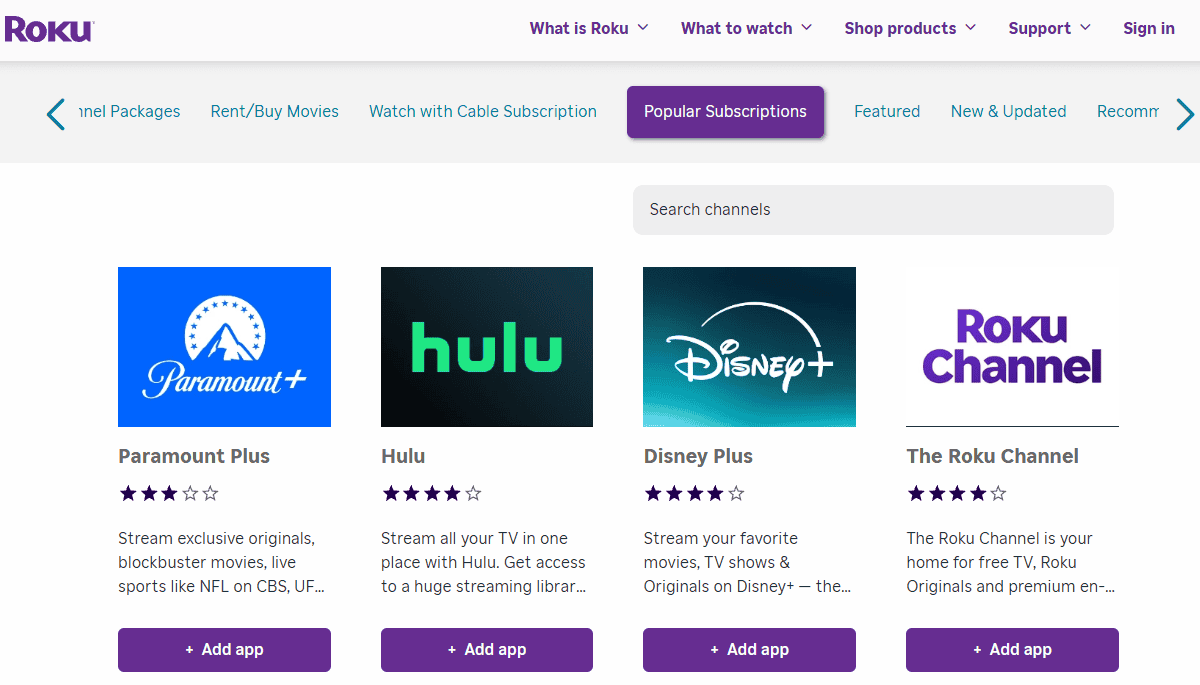
Roku makes it easy to manage your subscriptions, too. You can link a payment method to your account and easily purchase a subscription via the Roku Channel Store, or cancel subscriptions and free trials.
Roku’s customizable home screen makes it easy to organize your subscriptions, too. Plus, if you search for a particular show or movie, your device will search through each app to see if it’s already included.
Can Roku Replace Cable?
Yes, Roku can replace cable for many users. It gives you access to free live TV channels, subscription-based live TV services and on-demand streaming apps without requiring cable equipment or rental fees.
Through The Roku Channel, you can watch more than 500 free live TV channels covering news, entertainment and sports. If you want a cable-like experience, services such as YouTube TV, Sling TV and fuboTV offer live TV packages that include sports and local channels for a monthly subscription fee.
Whether Roku can fully replace cable will depend on the content you watch. For example, local channel availability varies by service and location, and some sports content may require a separate subscription. However, if you’re looking to cut the cord, Roku makes it easy to combine free and paid streaming services without paying equipment rental fees.
Final Thoughts: How Does Roku Work?
Roku connects to your TV and internet connection, giving you access to free and paid streaming apps through a simple home-screen interface. Roku players plug into an HDMI port, while Roku TVs have the platform built in.
Roku is worth considering if you want an easy-to-use streaming platform with broad app support and several hardware options. However, if you’re already happy with your smart TV’s interface, app selection and performance, you may not need a separate Roku device.
Do you use a Roku player or Roku TV? Which model do you have, and how has your experience been? Let us know in the comments below, and thank you for reading.
- The simple answer is yes. Your Roku device needs to be connected to the internet in order to access streaming content. If your Roku model has a USB connection, you can play videos from a USB drive without the internet, but you won’t have access to any TV channels or streaming channels like Netflix.
- Roku allows you to add both free and paid channels to your Roku account. Simply find the channel you want and add it -- paid channels will prompt you for payment. New channels are then added to your library for easy access. Channels can include streaming services and stand-alone channels.
- Roku's current lineup includes the Roku Streaming Stick, Streaming Stick Plus, Streaming Stick 4K, Roku Ultra and Roku Streambar SE. The Roku Ultra is Roku's most powerful streaming player, while the Streambar SE combines 4K streaming with improved TV audio in a single device.
- No, you don't need a Roku TV to use Roku. All you need is any TV with an HDMI connection to connect your Roku Player.