Better Than Dropbox: Alternatives for 2026:
Dropbox is a decent cloud storage service, but other options are available if it’s not right for you. In this article, I go over Dropbox alternatives that offer comparable collaboration tools, better security or more storage space.



Written by Rebecca White (Writer)
Reviewed by Kate Hawkins (Editor, Writer)
Facts checked by Simona Ivanovski (Fact-Checker, Formatter)
Last Updated:
All our content is written fully by humans; we do not publish AI writing. Learn more here.
Key Takeaways: These Are the Best Dropbox Alternatives
- Sync.com — Best alternative to Dropbox, with better security and privacy features. Try 5GB for free, or get its 1TB Pro Teams Standard annual plan for $6 per month.
- pCloud — Fast cloud storage service with an advanced integrated media viewer for photos and videos. Try pCloud’s 10GB free plan or get a 2TB Premium Plus annual plan for $8.33 per month.
- Tresorit — Privacy-focused cloud storage for businesses that require GDPR adherence. Try its 1TB annual plan for $11.99 per month, or test out the 3GB free plan.
- Internxt — Open-source cloud storage with lifetime deals for long-term storage. Try the 1GB free plan or get 1TB of annual storage for $1.67 per month.
- Proton Drive — End-to-end encrypted cloud storage with native Docs and Sheets collaboration. Try the 5GB free plan or get 200GB for $3.99 per month.
- Google Drive — Seamless collaboration controls and Google integrations. Try out the 15GB free storage plan.
- OneDrive — Microsoft-integrated cloud storage for Windows users. Try the 5GB free plan or get a 1TB annual plan for $8.33 per month.
- Box — Business-focused cloud storage with professional features. Get unlimited storage for $15 per user per month with a business account.
- Icedrive — Feature-light cloud storage with strong security features. Get 10GB for free, or get a 1TB annual plan for $4.92 per month.
Facts & Expert Analysis About Cloud Storage Services Like Dropbox:
- Strong security and privacy: Although Dropbox is generally secure, it has had data leaks and it also doesn’t offer client-side encryption, like some other services on this list.
- Collaboration and file-sharing: One of Dropbox’s best features is its collaboration tools. The alternatives I’ve picked offer comparable real-time collaboration options or advanced sharing options.
- Productivity integrations: Being able to access work suite apps from your cloud storage can tighten your workflow. Like Dropbox, most of these alternatives have Office 365 or Google Docs compatibility.

Dropbox is a popular cloud storage service. However, it has limited free space, its prices are increasing, and there are growing concerns about its security and privacy — learn more about the pros and cons in the full Dropbox review.
I’ve put together a list of Dropbox alternatives that provide more storage space, better security and more affordable pricing. Many of these list options also rank in our best cloud storage services list, from privacy-first cloud storage providers like Sync.com, to productivity powerhouses like Google Drive. Read on to discover the best alternatives to Dropbox.
-
07/14/2021 Facts checked
Cloudwards updated the list by removing Amazon Drive and Koofr, and adding iCloud. Updated list format and brought each provider’s features up to date.
-
06/25/2022 Facts checked
Updated Sync.com’s plans and pricing.
-
07/31/2022 Facts checked
Article updated to reflect an increase in IDrive’s free plan to 10GB of storage.
-
05/23/2023 Facts checked
Updated to remove IDrive’s discontinued free plan and add its new free 30-day trial.
-
12/07/2023 Facts checked
Updated MEGA’s price offerings.
-
02/26/2024 Facts checked
We updated IDrive’s plans and pricing.
-
03/13/2024 Facts checked
We rewrote this article to change and update information on the Dropbox alternative recommendations, as well as provide an easier-to-read format.
-
08/20/2024 Facts checked
We updated the article to include information on the removal of IDrive’s free plan.
-
08/31/2024 Facts checked
Added video reviews for cloud storage providers in the list.
-
03/02/2025 Facts checked
We updated our recommended providers with more key information about their offerings.
-
05/13/2025 Facts checked
We updated this article’s rankings based on fresh provider reviews.
-
05/20/2025 Facts checked
We added more details for several providers, including pCloud, Tresorit, OneDrive and Google Drive.
-
05/29/2025 Facts checked
Adjusted the provider list to add Internxt to our top 10.
-
06/17/2025 Facts checked
Added brand new Internxt video review.
-
08/18/2025 Facts checked
Added a fresh video review of MEGA Cloud Storage
-
08/20/2025 Facts checked
We updated our Icedrive section with the provider’s latest features and offerings.
-
02/05/2026 Facts checked
We rewrote this guide to refresh our list of alternatives, also updating feature sets and pricing.
Dropbox Pros & Cons: Why You Need a Secure Alternative
 200GB$2.65 / month(All Plans)
 (All Plans)
 2TB$4.17 / month(All Plans)
 1TB – 5TB$4.92 / month(All Plans)
 200GB – 3TB$1 / month(All Plans)
 100GB – 30TB$1.67 / month(All Plans)
 2TB – 5TB$9.99 / month(All Plans)
 1TB – 5TB$1 / month(All Plans)
 100GB – 6TB$1.67 / month(All Plans)
 30GB – 5TB$7 / month(All Plans)
 Unlimited GB$17.50 / month(All Plans)
 10GB – 20TB$0.50 / month(All Plans)
 50GB – 12TB$0.99 / month(All Plans)
 100GB – 10TB$0.83 / month(All Plans)
 100GB – 30TB$1.67 / month(All Plans)
 3TB – 100TB$9.78 / month(All Plans)
 Unlimited GB$4.17 / month(All Plans)
 2TB – 3TB$12 / month(All Plans)
 1TB – 2TB$8.33 / month(All Plans)
 500GB – 2TB$7.08 / month(All Plans)
 10GB – 1TB$1.67 / month(All Plans)
 500GB – 2TB$2.99 / month(All Plans)
 100GB – 5TB$6.90 / month(All Plans)
 1TB$8.25 / month(All Plans)
 10GB – 500GB$5.83 / month(All Plans)
 200GB – 3TB$1.38 / month(All Plans)
 2TB$3 / month(All Plans)
 1TB – 4TB$8.33 / month(All Plans)
 100GB – 5TB$1.67 / month(All Plans)
 150GB – 10TB$1.25 / month(All Plans)
 100GB – 1TB$7.49 / month(All Plans)
 50GB – 1TB$3 / month(All Plans)
 50GB – 1TB$5.83 / month(All Plans)
 500GB – 2TB$5 / month(All Plans)
 100GB – 10TB$0.93 / month(All Plans)
 250GB – 4TB$30.44 / month(All Plans)
While Dropbox offers solid integration with productivity and collaboration tools, you may want to consider Dropbox alternatives for several reasons, such as Dropbox’s very limited free plan, somewhat expensive pricing and valid privacy concerns. You can find out more in our Dropbox review and our Dropbox Business review for more details.
Cloudwards’ Choice: Sync.com
 Cloudwards’ Choice: Sync.com
If I had to pick just one alternative to Dropbox, it would be Sync.com. Its commitment to privacy and its use of client-side encryption goes a long way toward giving users peace of mind with their data.
Plus, it offers affordable pricing, Microsoft 365-integration, and advanced file sharing — though its collaboration does have some limitations. You can try Sync.com at no cost with its 5GB free plan.
The Best Dropbox Alternatives Compared at a Glance
| Service: | Free Storage | Best Annual Price | Server Locations | E2E Security | Collaboration | Advanced Sharing | Security |
|---|---|---|---|---|---|---|---|
| 5GB | $6 per month (one-year plan) for 1TB | Canada | | Proprietary | | AES 256-bit |
| 10GB | $8.33 per month (one-year plan) for 2TB | U.S. (Texas), EU (Luxembourg) | * | Proprietary | | AES 256-bit at rest, TLS/SSL in transit |
 | 3GB | $11.99 per month (one-year plan) for 1TB | Ireland (default), Switzerland, Germany, France, U.S. (East & West), U.K., Netherlands, Canada, Singapore, UAE (Dubai), Brazil | | Proprietary | | AES 256-bit |
| 1GB | $1.67 per month (one-year plan) for 1TB | EU | | No | | Kyber-512 |
| price id=”67506-0-0-gb”] | price id=”67506-1-1-m”] for 200GB | EU, Switzerland | | Proton Docs/Sheets | AES 256-bit | |
| 15GB | $8.33 per month (one-year plan) for 2TB | Worldwide | | Google Workspace | | AES 256-bit |
| 5GB | $8.33 per month (one-year plan) for 1TB | Worldwide | | Microsoft Office | | AES 256-bit |
 | 10GB | $15 per month (one-year plan) for Unlimited GB | Worldwide | | Proprietary | | AES 256-bit |
| 10GB | $4.92 per month (one-year plan) for 1TB | U.K., Germany, U.S. | | No | | Twofish 256-bit |
1. Sync.com — Best Secure Dropbox Alternative
Sync.com is my top choice for a secure alternative to Dropbox. Unlike Dropbox, it applies client-side encryption across all of your storage — ranking top in our most secure cloud storage list. Collaboration is often difficult with encrypted cloud storage, but Sync.com offers Microsoft 365 integration while maintaining zero-knowledge encryption on all plans.
10,000+ Trust Our Free Cloud Storage Tips. Join Today!

- Demystify cloud storage terminology and key concepts in plain language
- Discover easy-to-implement techniques to securely backup and sync your data across devices
- Learn money-saving strategies to optimize your cloud storage costs and usage
It also supports secure file sharing and collaboration among teams, with the option to set custom link permissions, expiration dates and passwords.
Sync.com Hands-On Testing
Sync.com has easy-to-use apps for Windows, macOS, iOS and Android. I found it easy to sync files with the Windows desktop app. Unfortunately, it doesn’t have native Linux compatibility, but I was able to manually upload files to the desktop client on my Linux machine.
Notes From the Lab: Sync.com Speed Test Results (5GB)
| First Test | Second Test | Average |
|---|---|---|---|
| Upload | 09:43 | 09:51 | 09:47 |
| Download | 11:48 | 12:04 | 11:56 |
We follow the same speed-testing procedure for all cloud storage services: transferring a 5GB test folder over a connection throttled to 100 Mbps. While Sync.com’s connection was stable, its upload speeds were on the slow side, and its download speeds were even worse.
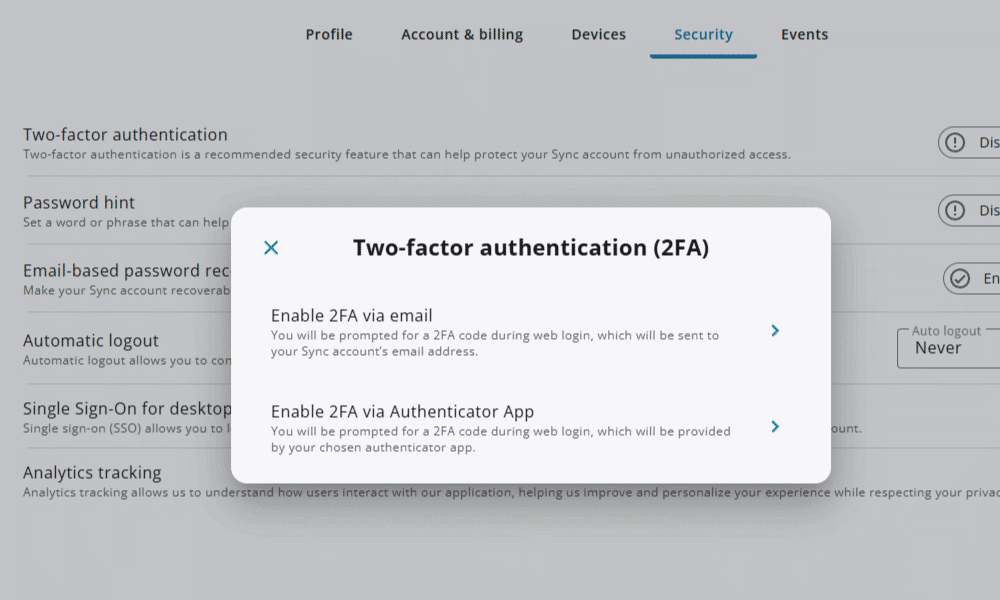
Notes From the Lab: Sync.com Security Analysis
| Encryption Type | Protocols Used |
|---|---|
| Encryption at rest | AES-256 |
| Encryption in transit | TLS/SSL |
Sync.com Pricing & Value
If you feel limited by Dropbox’s 2GB free plan and you’re specifically looking for free accounts, Sync.com isn’t a much better option. You get only 5GB free, which won’t allow you to store many additional files.
Luckily, Sync.com’s premium plans offer great value, with an option to get 1TB of storage on the Pro Teams Standard plan for $6 per month with an annual plan. Read our full Sync.com review to learn more about the service.
- 5GB
- 2TB
More plans
- 6TB
- per user, per month, billed annually
- 1TB
- Priced per user (3 users minimum)
- Unlimited GB
- Minimum 100 users, custom requirements, account manager, training options
2. pCloud — Best Cloud Storage Provider for Media Files

pCloud is a good Dropbox alternative for users who store images, videos or audio files. It’s one of the best cloud storage options for multimedia, with a built-in media player that allows you to create playlists of audio files and listen to them straight from your storage space. You can also perform basic image editing with pCloud’s photo alteration tools, from cropping to color alterations. It also has a backup service that can help with file recovery.
However, pCloud falls short with its lack of productivity tools. You won’t be able to edit text files saved to your pCloud storage, which means you’ll have to download and reupload any text files to which you want to make changes.
Another small downside is the extra price of its client-side encryption. pCloud offers full client-side encryption only as a separate add-on, which costs $49.99 per year.
pCloud Hands-On Testing
In addition to its browser client, pCloud offers apps for Windows, macOS, Linux, iOS and Android. All of its apps are easy to use and have a similar file upload system to Dropbox. I was able to switch from Dropbox to Sync.com without too much of a learning curve.
Notes From the Lab: pCloud Speed Test Results (5GB)
| First Test | Second Test | Average |
|---|---|---|---|
| Upload | 07:02 | 07:10 | 07:06 |
| Download | 06:50 | 06:53 | 06:52 |
pCloud performed very well during speed testing and is one of the fastest services on this list. However, it did have higher CPU usage than expected, and the speeds weren’t as stable as I’d like, which may mean delays for large files.
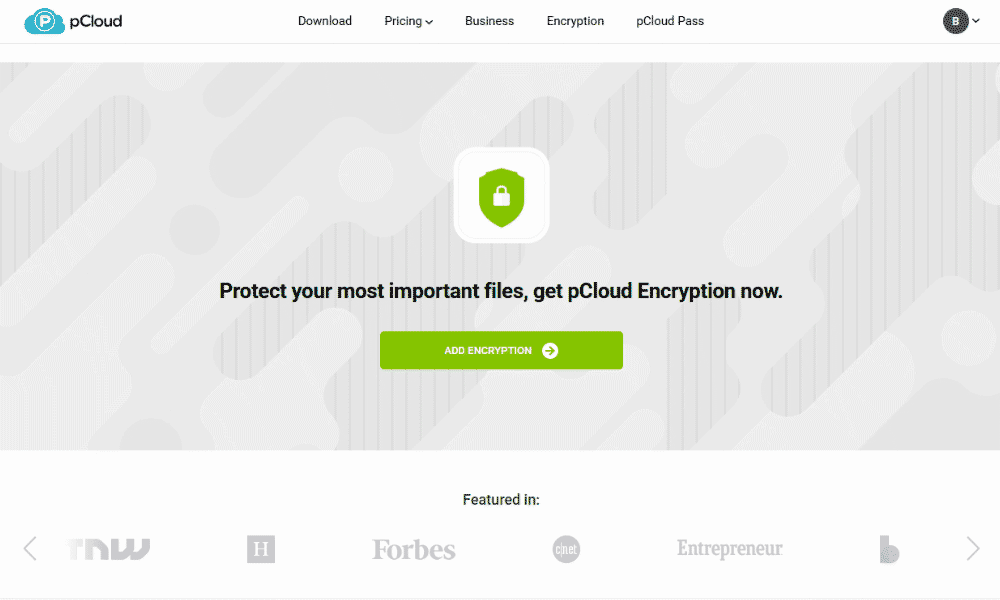
Notes From the Lab: pCloud Security Analysis
| Encryption Type | Protocols Used |
|---|---|
| Encryption at rest | AES-256 |
| Encryption in transit | TLS/SSL |
pCloud Pricing & Value
pCloud’s free plan is very generous, with up to 10GB of storage space available. The full 10GB is accessible only after you complete certain tasks, though, such as referring others to the service.
Its premium options offer great value, with the 2TB annual plan going for $8.33 per month. You can also lock in lifetime cloud storage, including 2TB for a $399 one-time payment. Learn more about what we think of the service in our pCloud review.
- 10GB
- 500GB
- 2TB
More plans
- 10TB
- + FREE Encryption
- 2TB
- + FREE Encryption
- 10TB
- Price per user (minimum 3)
- 1TB
- Price per user (minimum 3)
- 2TB
- Encryption for pCloud Drive
3. Tresorit — Best Privacy-Focused Storage Provider

Tresorit is a privacy-focused, secure storage alternative to Dropbox, especially for businesses that need HIPAA or GDPR adherence. With a business account, you get access to eSign, a secure file-signing service, as well as the email encryption add-on. While eSign is limited to 16 free signatures per month, the email encryption allows you to encrypt your Gmail or Outlook inbox for more secure file sharing.
One of the major downsides of Tresorit is the price. Its personal and business plans cost more than those of other cloud storage providers. With only 3GB of free storage and a 14-day free trial, it’s also not a service you can try out for very long before running out of space or time.
Tresorit Hands-On Testing
Tresorit has apps for Windows, macOS, iOS and Android. I found the mobile apps to be slightly superior overall, as they include a basic note-taking function that’s missing from the desktop version.
Notes From the Lab: Tresorit Speed Test Results (5GB)
| First Test | Second Test | Average |
|---|---|---|---|
| Upload | 07:46 | 07:44 | 07:45 |
| Download | 07:44 | 07:48 | 07:46 |
Tresorit had favorable results during testing, though the testing team had issues with speed stability, and the software used a moderate amount of CPU.
Notes From the Lab: Tresorit Security Analysis

| Encryption Type | Protocols Used |
|---|---|
| Encryption at rest | AES-256 |
| Encryption in transit | TLS/SSL |
Tresorit Pricing & Value
Tresorit is one of the more expensive providers on this list, at $11.99 per month for a Personal Professional 1TB annual plan.
Its business plans, which include eSign and data residency options, start at $19 per user per month, each user getting 1TB. Luckily plans come with a 14-day free trial. Find out more about the provider’s features in our Tresorit review.
- 50GB
- Price per user (billed annually), Storage per user, User count: 3+
- 1TB
- 3+ room managers, 15 contributors, unlimited viewers, unlimited data rooms, 15GB max file size & more.
- 6TB
More plans
- 500MB file-size limit, Maximum 2 devices
- 3GB
- Price per user (billed annually), Storage per user, User count : 1
- 2TB
- 1TB
- 4TB
- 1 room manager, 5 contributors, unlimited viewers, unlimited data rooms, 10GB max file size & more.
- 4TB
- Custom room managers and contributors, unlimited viewers, unlimited data rooms, custom storage, 20GB max file size & more.
- Price per user (billed annually), Storage per user, User count : 50+
4. Internxt — Best Open-Source Dropbox Alternative

With its open-source software, Internxt is a great alternative to Dropbox if you want your cloud storage service to be more transparent. Anyone can analyze the code for security failures, so Internxt’s claims regarding its tight security are well founded. It also offers post-quantum encryption and zero-knowledge encryption on all plans.
Internxt’s free plan is more restrictive than Dropbox’s, with only 1GB of free storage. This may be an issue if you’re veering away from Dropbox because of its limited free plan — though Internxt has low introductory prices.
Internxt Hands-On Testing
Internxt is a solid cloud storage provider for compatibility, as it can be installed on Windows, macOS, iOS and Android. In my testing, I also found its apps to be easy to use.
Notes From the Lab: Internxt Speed Test Results (5GB)
| First Test | Second Test | Average |
|---|---|---|---|
| Upload | 07:57 | 08:05 | 08:01 |
| Download | 09:26 | 09:30 | 09:28 |
Internxt’s upload speeds were passable: only a minute slower than pCloud and on par with Tresorit. However, downloading file updates to my device took quite a long time with the Windows desktop app. In addition, it took almost 10 minutes to download a 5GB file, which indicates that you may experience bottlenecks in your workflow.
Notes From the Lab: Internxt Security Analysis
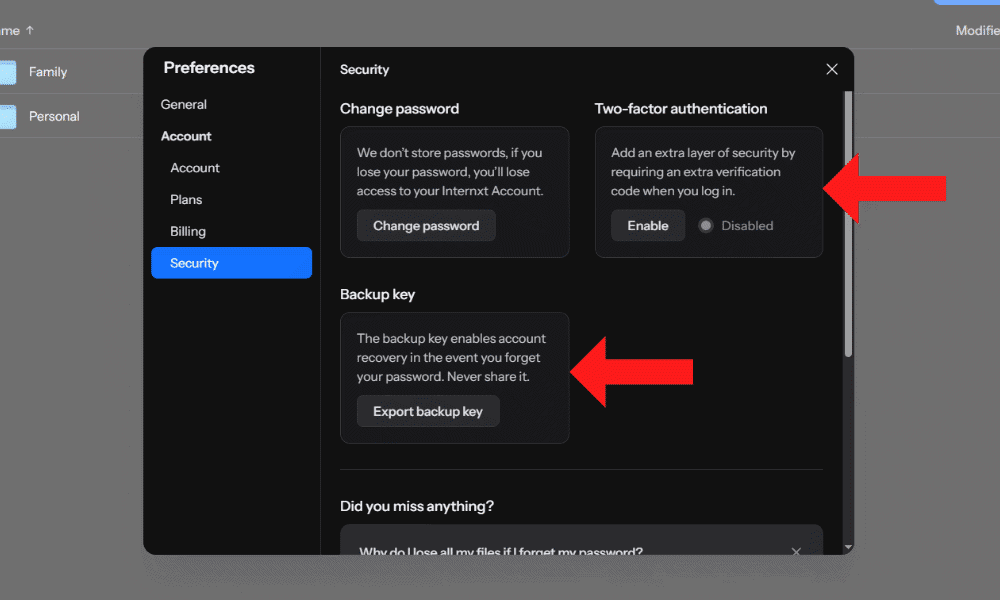
post-quantum encryption, and a backup key for security.
| Encryption Type | Protocols Used |
|---|---|
| Encryption at rest | Kyber-512/AES-256 |
| Encryption in transit | TLS/SSL |
Internxt Pricing & Value
Internxt has very affordable pricing. The 1TB annual plan goes for $1.67 per month for the first year, giving you a cheap introduction to the service. The price then increases upon renewal to $11 per month for the annual plan.
It also offers lifetime cloud storage, including 1TB for a $300 one-time payment. Learn more about the provider in our Internxt review.
- 1GB
- Post-quantum encryption Zero-knowledge encryption Two-factor authentication Backup your computer Password-protected file sharing Encrypted VPN Antivirus
- 1TB
- Everything in Essential plus; Cleaner Invite, share & collaborate File versioning (coming soon) Cleaner
- 3TB
More plans
- Everything in Premium plus CLI & WebDav support NAS & Rclone support Meet Mail (coming soon)
- 5TB
- Annual Price is per user
- 1TB
- Annual Price is per user
- 2TB
5. Proton Drive — Best Encrypted Collaboration Alternative
![Video thumbnail for the video: I Tested Proton Drive to See If It's as Private as It Claims [2024 REVIEW]](https://img.youtube.com/vi/XWmsFdm-VLg/maxresdefault.jpg)
Proton Drive is an excellent Dropbox alternative for users who want real-time collaboration without sacrificing privacy. Unlike most encrypted cloud storage providers, Proton Drive now includes native Proton Docs and Sheets editors that support simultaneous editing, a rare feature for an end-to-end encrypted service.
While sharing options include password protection and expiry dates, the permissions are limited to editor or viewer roles with no option to prevent downloads. The free plan also restricts file versioning to 10 versions or 7 days, which may be limiting for some workflows.
Proton Drive Hands-On Testing
Proton Drive has apps for Windows, macOS, iOS and Android. I found the desktop and web interfaces polished and easy to navigate. The mobile app stands out with excellent photo organization, including dedicated tabs for RAW files, Bursts and Live Photos.
Notes From the Lab: Proton Drive Speed Test Results (5GB)
| First Test | Second Test | Average |
|---|---|---|---|
| Upload | 07:17 | 07:13 | 07:15 |
| Download | 07:06 | 07:16 | 07:11 |
Proton Drive delivered extremely fast and stable speeds during testing, with an average upload of 07:15 and download of 07:11. The service maintained consistent performance with low CPU usage, averaging 25MB/s and peaking at 33MB/s. In our stress test, Proton Drive handled all uploads smoothly in alphabetical order with no hangs or performance issues.
Proton Drive Pricing & Value
Proton Drive offers a free plan with 5GB of storage. Paid plans start at just $3.99 per month for 200GB on an annual subscription, making it one of the most affordable encrypted storage options available. Learn more in our full Proton Drive review.
- 5GB
- 200GB
- 500GB
More plans
- 2TB
- 3TB
- per user
- 1TB
- per user, minimum of 2 users
- 1TB
- 1TB
6. Google Drive — Best Productivity Cloud Storage Provider

Google Drive is the best alternative for Dropbox users who need productivity apps such as a word processor, as it comes fully integrated as part of Google Workspace. It’s one of the few cloud storage services on this list that offers real-time collaboration, especially for non-business accounts.
As a bonus, Google Drive offers 15GB of free storage, representing the most generous free plan on this list. This comes at the cost of lower security, though, as Google doesn’t include client-side encryption with any of its storage options. Although your files may be secure on Drive, Google does have a worrying history of data breaches.
Google Drive Hands-On Testing
Google Drive is supported on Windows, macOS, iOS and Android, making it a decent choice if you need to replace Dropbox for transferring files between devices. The only issue I had was with photos: While I was able to upload them manually to Google Drive, I had to go through Google Photos to enable automatic uploads.
Notes From the Lab: Google Drive Speed Test Results (5GB)
| First Test | Second Test | Average |
|---|---|---|---|
| Upload | 07:02 | 06:55 | 06:59 |
| Download | 07:10 | 07:13 | 07:12 |
Google Drive has very good speeds and is only slightly slower than pCloud. It stayed consistent during uploads and downloads, with minimal CPU usage.
Notes From the Lab: Google Drive Security Analysis
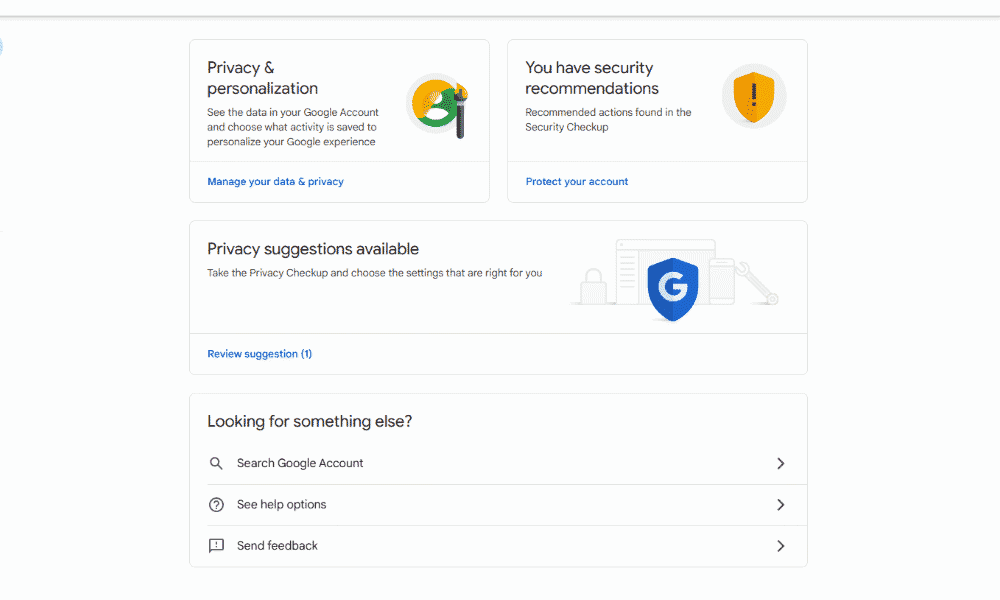
based on your account.
| Encryption Type | Protocols Used |
|---|---|
| Encryption at rest | AES-256 |
| Encryption in transit | TLS/SSL |
Google Drive Pricing & Value
Google Drive’s best value is its 15GB free plan. Premium plans can be on the pricier side or have inconvenient storage capacities. The 2TB paid annual plan costs $8.33 per month, with plans going up to 30TB. Read more about the service in our Google Drive review.
- Free plan
- 15GB
- 100GB
- *The plan is “hidden.” To find the 200GB plan, you need to be subscribed to one of the other plans, upgrade or downgrade to the 200GB through your account’s settings.
- 200GB
More plans
- 2TB
- 2TB
- 5TB
- 10TB
- 20TB
- 30TB
7. OneDrive — Best Dropbox Alternative for Microsoft Users

OneDrive is a great Dropbox alternative for Microsoft Office users who want cloud storage space integrated into their Windows devices. Its native integration with the Office suite is convenient, and you can manage and edit Office files from your data storage.
Like with Google Drive, privacy is a concern with OneDrive. It lacks client-side encryption, and Microsoft has a similar history of tracking user data. Although your stored files may be safe, it’s always worth being aware of what you’re saving to your cloud storage.
OneDrive Hands-On Testing
OneDrive’s best integration is with Windows, and I like that it lets you save Office files straight to your cloud storage. You can also use it on macOS, iOS and Android. In addition, you can upload photos straight to OneDrive rather than having to use a different app, giving it a leg up on Google Drive. The web interface is easy to use, also.
Notes From the Lab: OneDrive Speed Test Results (5GB)
| First Test | Second Test | Average |
|---|---|---|---|
| Upload | 07:12 | 07:27 | 07:20 |
| Download | 07:16 | 07:20 | 07:18 |
OneDrive has decent speeds that were only around half a minute slower during testing than pCloud, the fastest option on this list.
Notes From the Lab: OneDrive Security Analysis
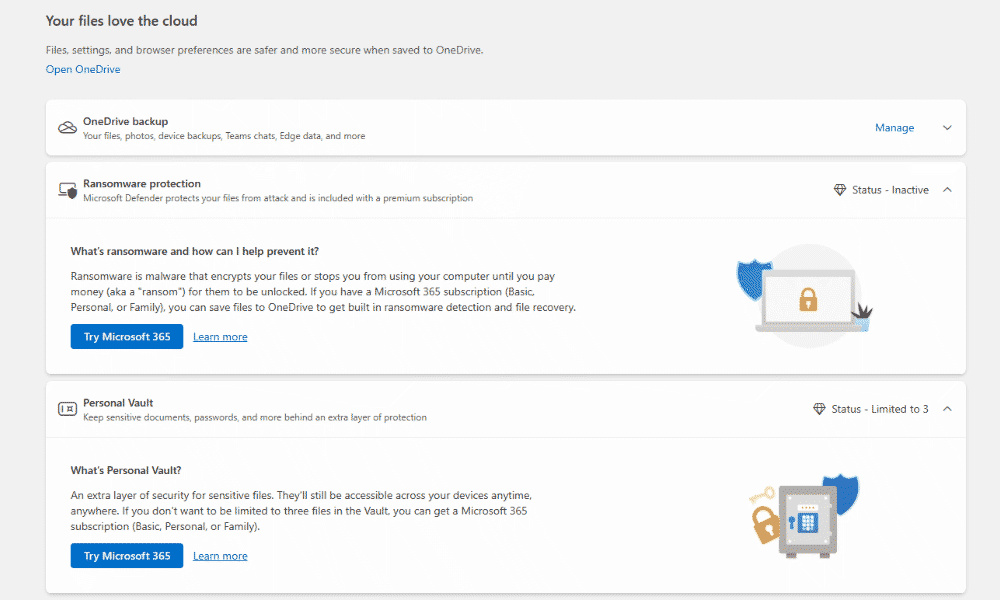
| Encryption Type | Protocols Used |
|---|---|
| Encryption at rest | AES-256 |
| Encryption in transit | TLS/SSL |
OneDrive Pricing & Value
In addition to offering a 5GB free plan, OneDrive is an affordable cloud storage option, with pricing similar to that of other options on this list. If you want Office 365 integration, you’ll need the 1TB annual plan, which costs $8.33 per month. See what else we think of the service in our OneDrive review.
- For one person
- 5GB
- 100GB
- Comes with Office 365 Personal
- 1TB
More plans
- Comes with Office 365 Home
- 6TB
- Price per user
- 1TB
- 1TB
- Price per user
- 1TB
8. Box — Best Unlimited Business Cloud Storage Solution

Box is the best alternative to Dropbox for users who need unlimited storage and business tools, like e-signatures. It also has integrations with Office 365 and Google Suite for better collaboration and productivity among teams.
Sadly, client-side encryption is available only as a paid add-on called Box KeySafe. It’s also unclear how much KeySafe costs, so it could end up being an expensive add-on for what should be basic security.
Box Hands-On Testing
Box is available on Windows, macOS, iOS and Android. While the desktop app is a simple sync folder, the mobile app comes with an option to auto-upload any pictures you take. Since I take photos frequently, I found this a convenient way to stay on top of my gallery backups.
Notes From the Lab: Box Speed Test Results (5GB)
| First Test | Second Test | Average |
|---|---|---|---|
| Upload | 07:04 | 07:13 | 07:09 |
| Download | 07:47 | 07:25 | 07:36 |
While the testing team saw good speeds with Box, they did fluctuate a lot. It was only slightly slower than pCloud, but user experience may vary. The speed instability indicates that you may experience slower data transfers.
Notes From the Lab: Box Security Analysis
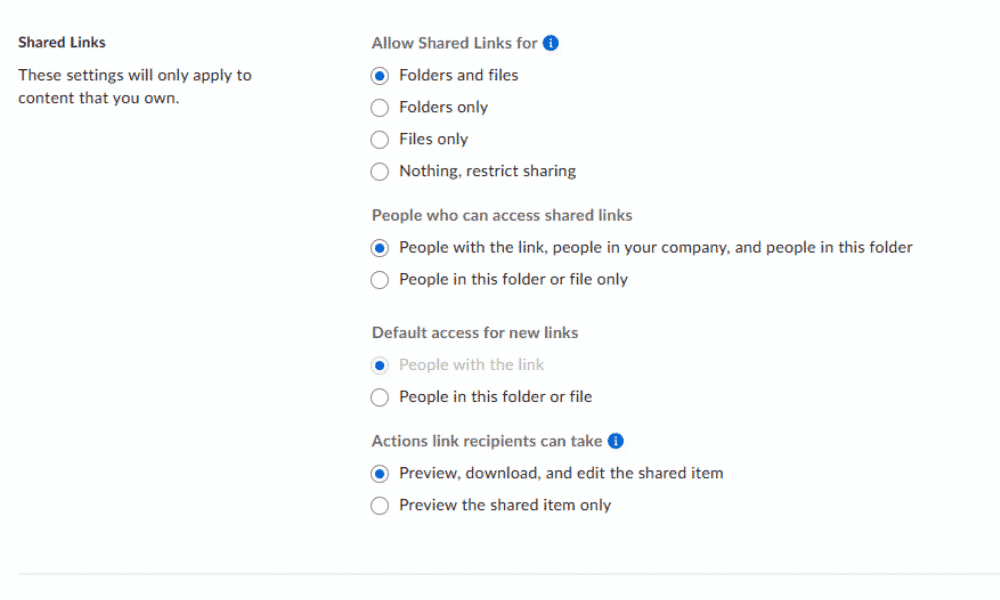
| Encryption Type | Protocols Used |
|---|---|
| Encryption at rest | AES-256 |
| Encryption in transit | TLS/SSL |
Box Pricing & Value
Although Box offers 10GB of free cloud storage, the paid plans are quite expensive — but that’s because most of them include unlimited storage. The annual Business plan costs $15 per month for unlimited data. Read more about it in our Box review.
- Single user
- 10GB
- Single user
- 100GB
- Price per user, minimum of three users
- 100GB
More plans
- Users: No limit
- Unlimited GB
- Users: No limit
- Unlimited GB
- Users: No limit
- Unlimited GB
- Price shown is for one user; minimum 3 users
- Unlimited GB
9. Icedrive — Best Lightweight Dropbox Alternative
![Video thumbnail for the video: Ultimate Icedrive Review [2024 Pros and Cons Revealed]](https://img.youtube.com/vi/iVGsDxYVV-Y/maxresdefault.jpg)
Icedrive is a lightweight alternative to Dropbox for users who have no need for anything beyond cloud storage’s key features. That doesn’t mean it skimps on security, though — it’s a secure cloud storage service, and all of its paid plans include a folder with client-side encryption. Note that the 10GB free plan provides only server-side encryption.
Icedrive’s minimalist approach to its app means that it skips out on collaboration features. While you can share files with others and leave comments, you won’t be able to edit the documents straight from your cloud storage.
Icedrive Hands-On Testing
Icedrive is compatible with Windows, macOS, iOS and Android, and it has an incredibly clean interface. I found the user experience to be very intuitive, with everything clearly labeled. It won’t be difficult to make the switch from Dropbox to Icedrive.
Notes From the Lab: Icedrive Speed Test Results (5GB)
| First Test | Second Test | Average |
|---|---|---|---|
| Upload | 12:05 | 12:18 | 12:12 |
| Download | 12:58 | 13:02 | 13:00 |
Icedrive is a disappointingly slow service, coming in dead last on this list — it’s a big change because it used to be one of the fastest cloud storage services. Both uploads and downloads took longer than 12 minutes during testing, so it may be too slow for time-sensitive files.
Notes From the Lab: Icedrive Security Analysis
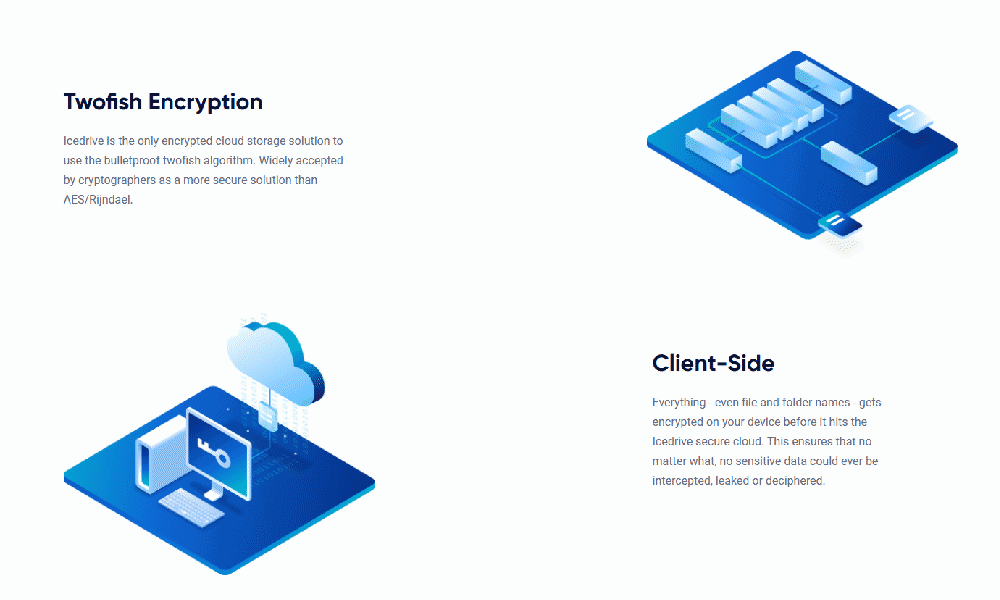
| Encryption Type | Protocols Used |
|---|---|
| Encryption at rest | Twofish 256-bit |
| Encryption in transit | TLS/SSL |
Icedrive Pricing & Value
In addition to the 10GB free plan, Icedrive offers affordable cloud storage options, at $4.92 per month for an annual 1TB plan. However, the best value lies in its lifetime plans. You can get 2TB of storage for life for $389, and you can even expand your storage limits at a later date if you run out of space. For more information, check out our Icedrive review.
- 10GB
- 1TB
- 3TB
More plans
- 5TB
- 2TB
- Additional 1TB storage for users who purchased the Lifetime Plan
- 1TB
- Additional 5TB storage for users who purchased the Lifetime Plan
- 5TB
Our Methodology: How Did We Test the Strongest Dropbox Competitors?
I tested the strongest Dropbox competitors by focusing on key areas where Dropbox falls short, such as encryption and data privacy. I also looked at storage capacity, value, advanced sharing, collaboration and file transfer speeds.
- Security and privacy: I examined the encryption algorithms each provider uses and whether they offer client-side encryption with private keys. To add to this, I combed through the data policies to make sure all user data is kept private and is not shared with third parties.
- Cloud storage space and value: I compared each provider’s plans in terms of pricing and how much storage you get to gain an understanding of which providers offer better value for users.
- Features: I determined which providers offer features like file collaboration, advanced sharing and file versioning. I also took into consideration whether collaboration functionality is proprietary or supported via integration with a third-party provider such as Google Workspace or Microsoft Office.
- Speed and performance: We ran speed tests for each provider, measuring how long it took to upload and download a 5GB folder with multiple file types. We ran the test on 100 Mbps and 1 Gbps connections and noted the results.
Final Thoughts
Picking the right provider in a sea of Dropbox alternatives comes down to what you value most in a cloud storage solution. If your main concern is security and privacy, Sync.com, is the best cloud storage service available, with a 5GB free plan and a 2TB annual plan that costs $4.80 per month.
Alternatively, if you prefer to pay just once, pCloud offers excellent lifetime plans. However, if you care more about productivity, it’s hard to beat Google Drive and OneDrive.
Have you used any of the Dropbox alternatives I explored above? What made you switch from Dropbox, and which provider did you turn to? Let me know in the comments, and thank you for reading.
FAQ: The Best Alternative to Dropbox
There are several excellent Dropbox alternatives, but if you have to pick just one, Sync.com should be your go-to thanks to its strong security and affordable pricing.
If you’re looking for feature parity, Google Drive and OneDrive offer similar collaboration features and productivity integrations, though both also have some of the drawbacks that Dropbox struggles with.
Apple’s iCloud is the equivalent of Dropbox, offering solid encryption, plenty of storage with reasonable pricing and deep OS-level integration with both macOS and iOS.u
For some users, yes, Google Drive can replace Dropbox, especially if you’re an Android user who already has a Google account. Google Drive is an excellent alternative to Dropbox, with more free storage, better collaboration tools and more affordable pricing.