Best Google Photos Alternative in 2026: Keep Your Memories Safe
Now that Google is planning to discontinue its unlimited photo storage, it might be time to consider an alternative to Google Photos. Keep reading to see our top picks.



Written by Mauricio Preuss (CEO & Co-Founder)
Reviewed by Aleksandar Kochovski (Writer)
Facts checked by Andrea Babic (Editorial Assistant)
Last Updated:
All our content is written fully by humans; we do not publish AI writing. Learn more here.
Key Takeaways: These Are The Best Google Photos Alternatives
- Sync.com — Safe storage and excellent for large files
- pCloud — Secure, with two excellent lifetime plans
- Proton Drive — Best-in-class mobile photo backup with advanced gallery organization
- Internxt — Affordable open-source option with post-quantum encryption, though it lacks auto-backup
- Icedrive — New, easy-to-use service with a lot of potential
- Amazon Prime Photos — Unlimited photo storage with Amazon Prime account
- Flickr — Great community for professional and amateur photographers
- MEGA — The most free space you can get
Facts & Expert Analysis:
- Google will end its unlimited storage support for Google Photos on June 1, 2021.
- Starting from that date, all photos and videos you upload will use your 15GB of free storage on Google.
- Our best Google Photos alternative is Sync.com because of its strong security, automatic photo uploading and no file size limit on uploading, downloading and sharing. It also has a free plan and affordable premium plans.
Google announced in November 2020 that it’s changing the way Google Photos works. Starting June 1, 2021, any new photos or videos that users upload to Google Photos will count toward the 15GB of free storage space shared by all Google apps, effectively ending Google Photos’ unlimited storage. To help you find the best alternative to Google Photos, we have made this list of other excellent photo storage services.
Until this deadline, all the pictures you have already uploaded to Google Photos will not count against your existing 15GB cap. However, if you are a prolific photographer or frequently have to add large image files, 15GB really isn’t that much storage space, especially because your Gmail, Google Docs and other Google Drive apps also take up that space.
Of course, you could purchase a Google One account, which provides plans starting at 100GB of storage for $1.99 per month and goes all the way up to 30TB of storage for $150 per month. However, if you’re looking for better photo storage options, look no further than the following eight cloud storage providers below.
-
06/25/2022 Facts checked
Updated Sync.com’s plans and pricing information.
-
04/11/2024 Facts checked
Updated to reflect changes in Icedrive’s pricing plans and storage offers.
-
09/01/2024 Facts checked
Added video reviews for cloud storage providers in the list.
-
08/18/2025 Facts checked
Added a fresh video review of MEGA Cloud Storage
-
09/09/2025 Facts checked
We updated the article to reflect Icedrive’s new pricing.
- 1
- :
- :
- :
- :
- 2
- :
- :
- :
- :
- 3
- :
- :
- :
- :
- 4
- :
- :
- :
- :
- 5
- :
- :
- :
- :
- 6
- :
- :
- :
- :
- 7
- :
- :
- :
- :
Reclaim Photo Storage Freedom Using the Best Provider for You:
 200GB$2.65 / month(All Plans)
 (All Plans)
 2TB$4.17 / month(All Plans)
 1TB – 5TB$4.92 / month(All Plans)
 200GB – 3TB$1 / month(All Plans)
 100GB – 30TB$1.67 / month(All Plans)
 2TB – 5TB$9.99 / month(All Plans)
 1TB – 5TB$1 / month(All Plans)
 100GB – 6TB$1.67 / month(All Plans)
 30GB – 5TB$7 / month(All Plans)
 Unlimited GB$17.50 / month(All Plans)
 10GB – 20TB$0.50 / month(All Plans)
 50GB – 12TB$0.99 / month(All Plans)
 100GB – 10TB$0.83 / month(All Plans)
 100GB – 30TB$1.67 / month(All Plans)
 3TB – 100TB$9.78 / month(All Plans)
 Unlimited GB$4.17 / month(All Plans)
 2TB – 3TB$12 / month(All Plans)
 1TB – 2TB$8.33 / month(All Plans)
 500GB – 2TB$7.08 / month(All Plans)
 10GB – 1TB$1.67 / month(All Plans)
 500GB – 2TB$2.99 / month(All Plans)
 100GB – 5TB$6.90 / month(All Plans)
 1TB$8.25 / month(All Plans)
 10GB – 500GB$5.83 / month(All Plans)
 200GB – 3TB$1.38 / month(All Plans)
 2TB$3 / month(All Plans)
 1TB – 4TB$8.33 / month(All Plans)
 100GB – 5TB$1.67 / month(All Plans)
 150GB – 10TB$1.25 / month(All Plans)
 100GB – 1TB$7.49 / month(All Plans)
 50GB – 1TB$3 / month(All Plans)
 50GB – 1TB$5.83 / month(All Plans)
 500GB – 2TB$5 / month(All Plans)
 100GB – 10TB$0.93 / month(All Plans)
 250GB – 4TB$30.44 / month(All Plans)
Google’s decision to end unlimited photo storage forces users into a cramped 15GB space shared with Gmail and other Google services. This storage crunch hits particularly hard for photographers and families with extensive photo libraries. The shift from unlimited to severely limited storage reveals why exploring independent photo storage alternatives has become essential, so keep reading to uncover more options.
10,000+ Trust Our Free Cloud Storage Tips. Join Today!

- Demystify cloud storage terminology and key concepts in plain language
- Discover easy-to-implement techniques to securely backup and sync your data across devices
- Learn money-saving strategies to optimize your cloud storage costs and usage
What Should You Consider When Looking for the Best Alternative to Google Photos?
When looking for the best alternative to Google Photos, the most important factors to consider are storage size (including unlimited storage options), privacy features, and affordable pricing plans. We’ve selected eight providers specifically because they cover a wide range of different user needs you may have.
So whatever your needs — from professional photographers and designers that require all the cloud storage they can get, all the way to novice users that want to store their family photo albums safely — we have you covered.
What Are the Best Alternatives to Google Photos?
The best alternatives to Google Photos include eight top-rated services that offer superior storage, privacy, and value. We will go over each one to see where it excels and how it can fall short, as well as its pricing plans and cloud storage capacities.
1. Sync.com

If you’re looking for an all-around terrific cloud storage provider that’s also safe and takes great care not to violate its users’ privacy, then look no further than Sync.com. Featuring zero-knowledge encryption, two-factor authentication and Canadian data compliance — making it safe from accessing your data through the USA Patriot Act — it tops our list of the most secure cloud storage.
Sync.com features automatic photo uploading via its Android and iOS mobile apps, and it is also available as a desktop app for Windows and macOS. It doesn’t have a limit on the size of files you can upload, download and share. That makes it a great place to keep your entire photo and video gallery. (Read our Sync.com review for more details.)
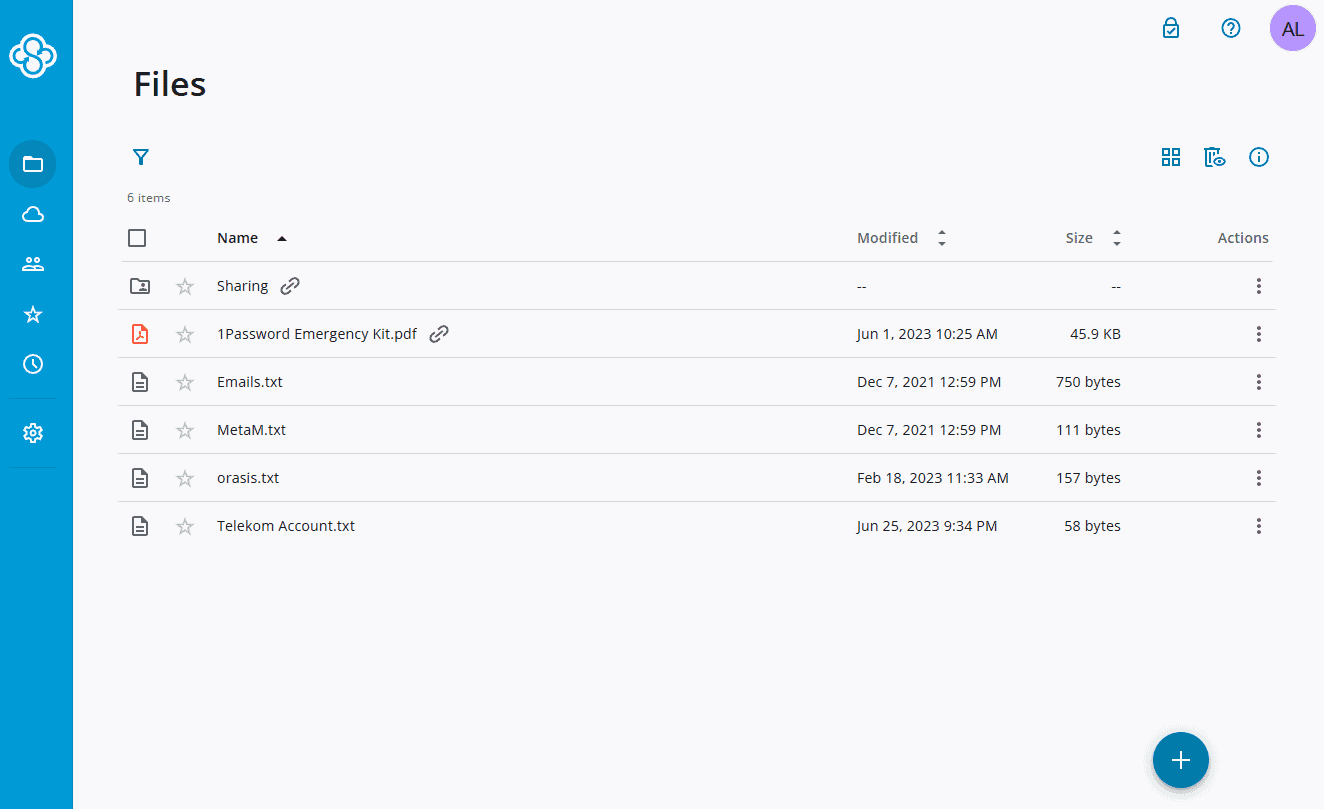
When it comes to cost, Sync.com has a lot of variety in its pricing plans. Besides a modest 5GB of storage space on the free plan, our recommendation would be the Pro Solo Basic plan, which comes with 2TB of cloud storage for $96 per year, the equivalent of $8 each month.
- 5GB
- 2TB
More plans
- 6TB
- per user, per month, billed annually
- 1TB
- Priced per user (3 users minimum)
- Unlimited GB
- Minimum 100 users, custom requirements, account manager, training options
2. pCloud

pCloud isn’t a dedicated photo storage service. However, we did include it as a Google Photos alternative because it is an excellent cloud storage provider you can use to store any content. In particular, it offers great video storage features, which is why it’s our favorite cloud storage for video. It also doesn’t limit file size, making it ideal for huge 4K and 8K videos.
pCloud is available for Windows, Linux and macOS, as well as in app form for Android and iOS devices. There’s also the option to backup your social media images, so you won’t have to worry that your Instagram and Facebook photographs and memes will get lost or buried amidst all of your other content. (Read our pCloud review for more details.)
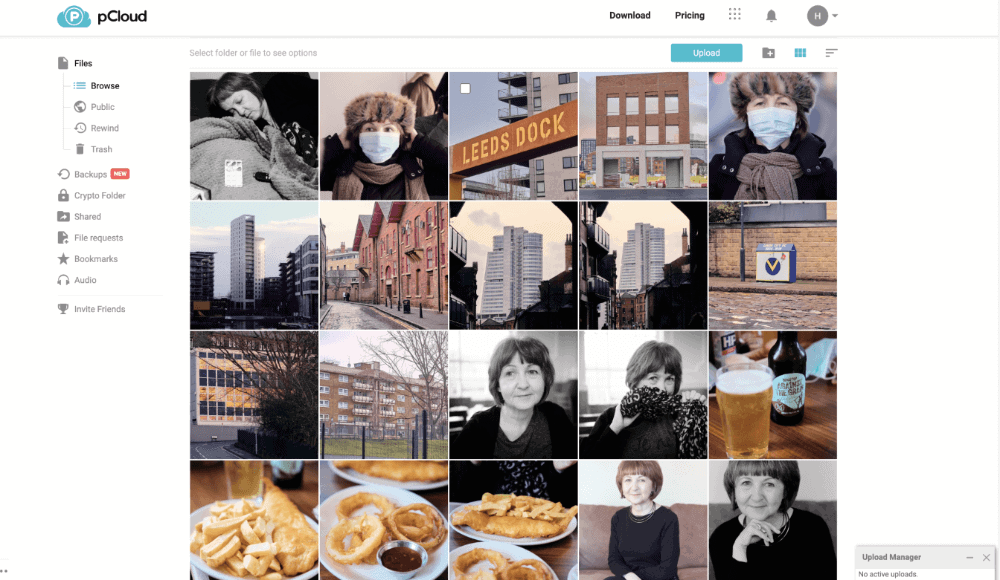
The available free plan comes with 10GB, which isn’t enough for serious photo use. For $9.99 a month — or $7.99 a month if billed annually — you get 2TB of cloud storage. There is also the option to purchase pCloud lifetime plans. These lifetime plans can save you money in the long run if you plan on using pCloud for more than three years.
- 10GB
- 500GB
- 2TB
More plans
- 10TB
- + FREE Encryption
- 2TB
- + FREE Encryption
- 10TB
- Price per user (minimum 3)
- 1TB
- Price per user (minimum 3)
- 2TB
- Encryption for pCloud Drive
3. Proton Drive
![Video thumbnail for the video: I Tested Proton Drive to See If It's as Private as It Claims [2024 REVIEW]](https://img.youtube.com/vi/XWmsFdm-VLg/maxresdefault.jpg)
If you’re looking for a Google Photos replacement that prioritizes both privacy and mobile photography, Proton Drive is a standout choice. Featuring zero-knowledge encryption and Swiss data compliance, it offers one of the most secure environments for your memories. In our 2026 stress tests, Proton Drive averaged upload times of 7:15 and stable speeds averaging 25MB/s.
Where Proton Drive truly shines is its mobile app. It has automatic photo backup that works instantly in the background, and the gallery organization is great. You have separate tabs for screenshots, videos and selfies, to name a few.
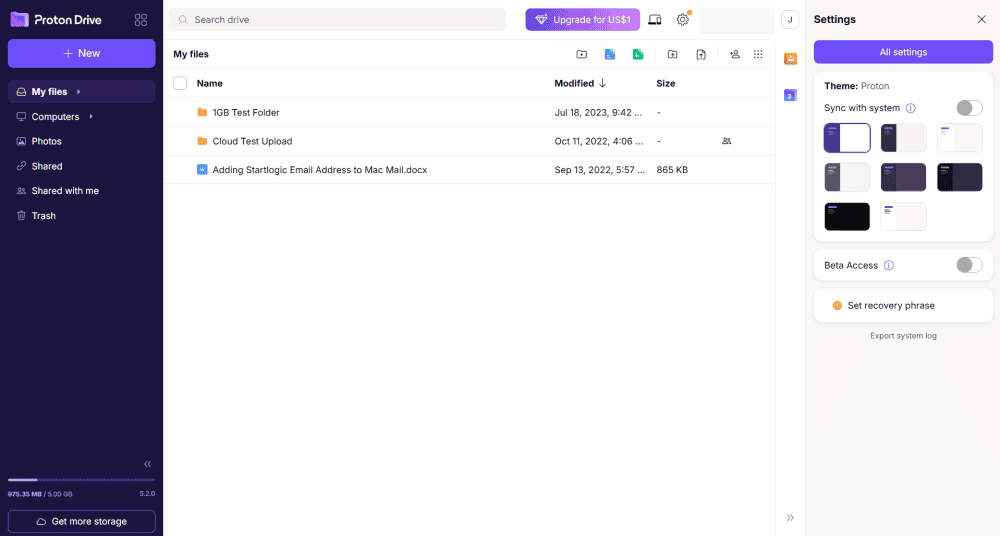
The free plan offers 5GB of storage shared across Proton’s suite of apps, while the Drive Plus plan provides 200GB for $3.99 per month. For users wanting the full Proton ecosystem, the Proton Unlimited plan offers 500GB for $12.99 per month. (Read our Proton Drive review for more details.)
- 5GB
- 200GB
- 500GB
More plans
- 2TB
- 3TB
- per user
- 1TB
- per user, minimum of 2 users
- 1TB
- 1TB
4. Internxt

Internxt offers some of the most affordable secure cloud storage on the market, making it an attractive option for budget-conscious users who want serious privacy protection. The service features cutting-edge post-quantum encryption (AES-256 with Kyber-512), zero-knowledge architecture, and is fully open-source — meaning its security claims can be independently verified. It’s also been audited by Securitum, Europe’s leading penetration testing company.
That said, if you’re specifically looking to replace Google Photos’ automatic backup workflow, Internxt isn’t the right fit. The mobile app currently lacks auto-upload functionality and advanced media organization tools. Our 2025 testing also showed that syncing can struggle with very large files or high-volume uploads. For basic, secure photo archiving at a bargain price, Internxt is hard to beat — just plan to upload your photos manually rather than relying on automatic backups.
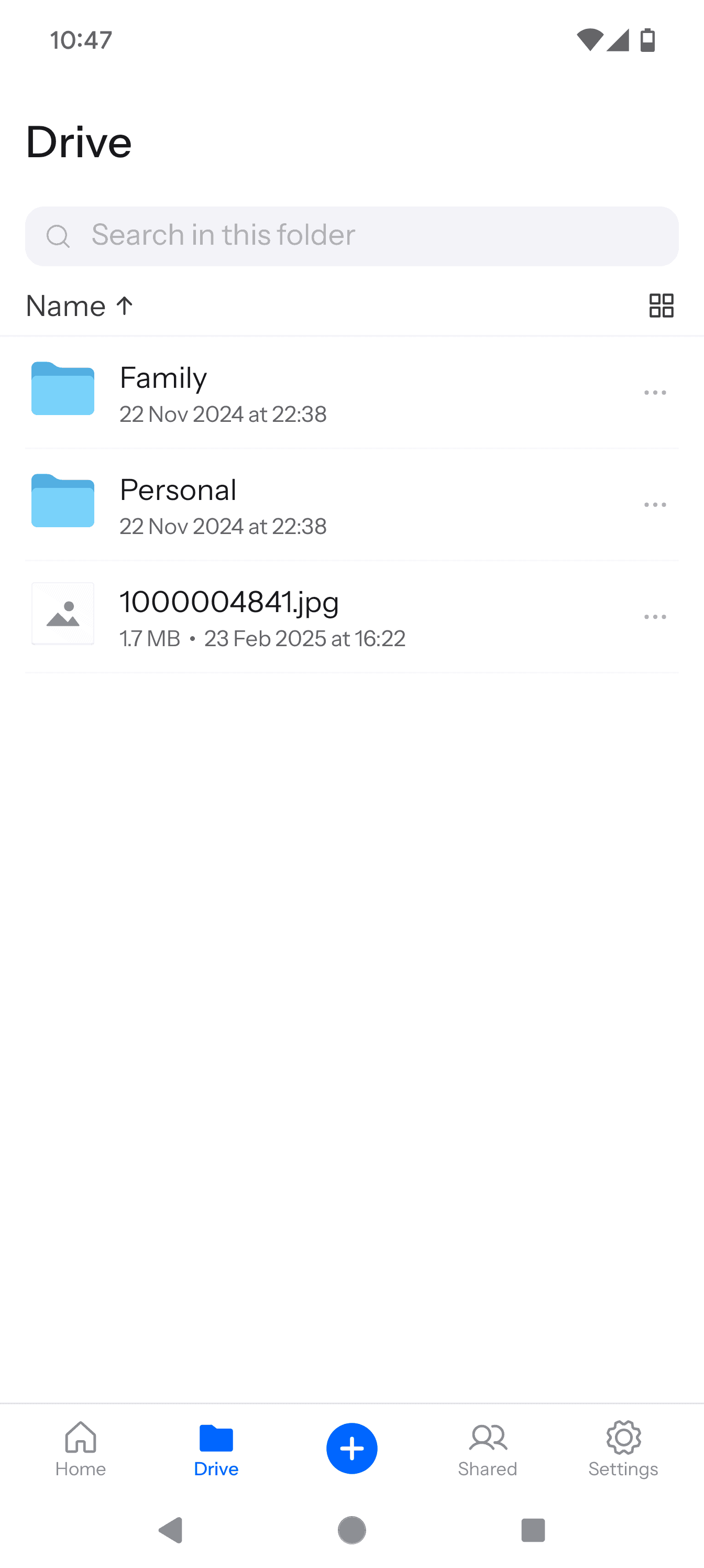
like an extension of the web rather than a dedicated app.
The real draw here is pricing: lifetime plans start at just $195 for 1TB, making it one of the cheapest long-term storage options available. First-year subscription pricing is equally compelling at around $1.67 per month for 1TB. For users who simply need a secure vault to manually upload and archive their photo collection, Internxt delivers strong value with password-protected sharing links and expiry date options. (Read our Internxt review for more details.)
- 1GB
- Post-quantum encryption Zero-knowledge encryption Two-factor authentication Backup your computer Password-protected file sharing Encrypted VPN Antivirus
- 1TB
- Everything in Essential plus; Cleaner Invite, share & collaborate File versioning (coming soon) Cleaner
- 3TB
More plans
- Everything in Premium plus CLI & WebDav support NAS & Rclone support Meet Mail (coming soon)
- 5TB
- Annual Price is per user
- 1TB
- Annual Price is per user
- 2TB
5. Icedrive
![Video thumbnail for the video: Ultimate Icedrive Review [2024 Pros and Cons Revealed]](https://img.youtube.com/vi/iVGsDxYVV-Y/maxresdefault.jpg)
Icedrive is a relative newcomer to the world of cloud storage. Thanks to its excellent privacy and security features — including zero-knowledge encryption — and a wonderful user interface, it has already made a niche for itself. While it’s lacking in some features at the moment, it is steadily improving and promises to include more tools and options in future releases.
Icedrive allows you to preview your cloud storage files, which is great for photos. You can also open and edit them in photo editing software, which will then sync up and upload to the cloud once you are done. Additionally, you can set Icedrive’s mobile app to automatically upload media files, and these files are then encrypted, though this feature is reserved for the paid plans. (Read more in our Icedrive review.)
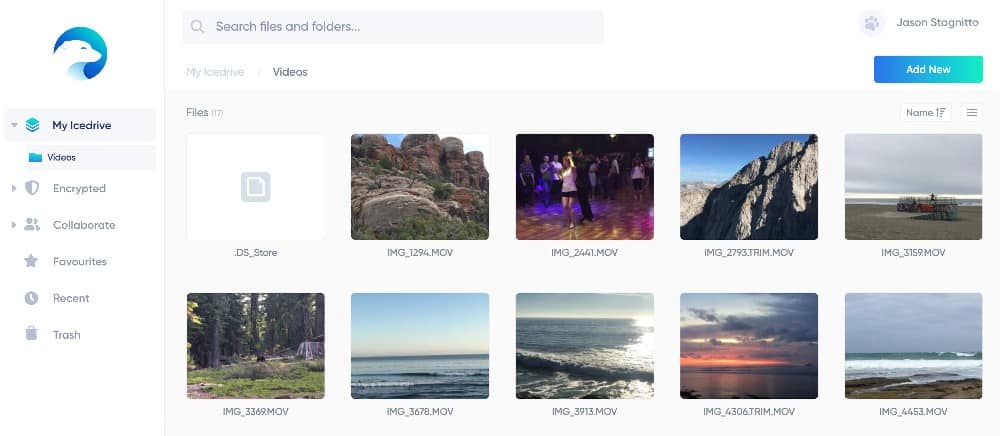
You get 10GB of free storage and 1TB for $4.92 per month (one-year plan). When you factor in Icedrive’s tight security, these are pretty good deals. If you are looking for a cheap, secure and easy-to-use Google Photos alternative, Icedrive is a great choice.
- 10GB
- 1TB
- 3TB
More plans
- 5TB
- 2TB
- Additional 1TB storage for users who purchased the Lifetime Plan
- 1TB
- Additional 5TB storage for users who purchased the Lifetime Plan
- 5TB
6. Amazon Prime Photos
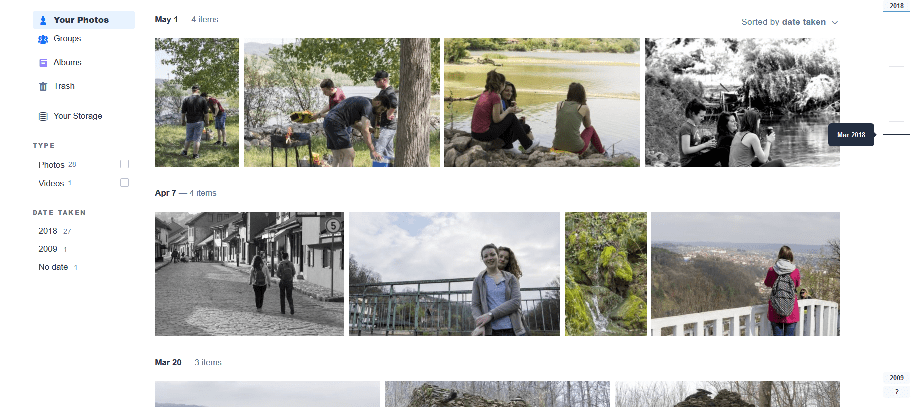
If you have an Amazon Prime account, you get unlimited cloud storage for photos (and 5GB of video storage) through Prime Photos. However, if you don’t have a Prime account, that free cloud storage is limited to 5GB.
What this means, though, is that you can have unlimited photo storage with Prime Photos for $14.99 per month (the cost of a Prime membership). Another perk is that you can share the service with five other users thanks to the “family vault” feature. You also get access to Amazon Prime Video and Prime Music.
Uploading your files to Amazon Photos is easy since you can do this through the web app, desktop app or through the iOS and Android mobile app. You can even set up the mobile apps to automatically upload every photo you take with your phone. If you’re looking for unlimited photo storage that you can share with other users, Amazon Prime Photos is a great choice.
It isn’t that good of a service for storing videos, though, since you get just 5GB for video files, and the only way to get more video space is to purchase additional storage. There’s also bad news for professional photographers — Amazon explicitly prohibits using their services for commercial purposes.
- Free plan
- 5GB
- 100GB
- 1TB
More plans
- 2TB
- 10TB
- 20TB
- 30TB
7. Flickr
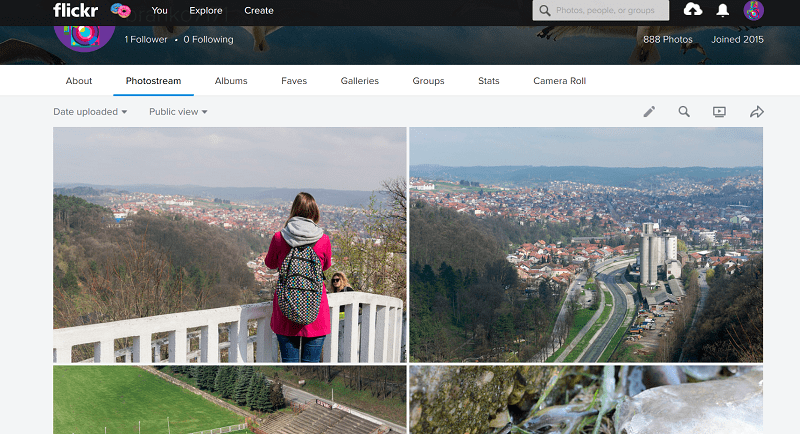
One of the oldest photo cloud services still around, Flickr is as much a free-to-use cloud storage like Google Photos as it is a place where photographers can come together to discuss, share and showcase their top images. Flickr is one of the best online storage for photos, and it can also double as a portfolio and place to organize your photos and videos into a neatly sorted gallery.
Flickr used to offer 1TB of free storage, but after getting acquired by SmugMug, that changed to a maximum of 1,000 photos and videos for free users. Images are limited to 200MB, and videos are limited to 1GB in size and three minutes in length.
For unlimited photo and video storage, you will have to subscribe to Flickr Pro. The regular monthly plan costs $7.99 per month. Besides unlimited storage, Flickr Pro membership also raises the video limit to 10 minutes and removes ads.
| Name: | Storage: | Cost: |
|---|---|---|
| Free | 1,000 Photos | Free |
| Monthly Pro Plan | Unlimited storage | $6.99 per month |
| Three-Month Pro Plan | Unlimited storage | $18.99 every three months |
| Annual Pro Plan | Unlimited storage | $59.99 billed annually |
8. MEGA

After file hosting site Megaupload famously shut down in 2012 — read our guide to what Megaupload is — its founder, Kim Dotcom, started a new cloud storage service: MEGA. With a grandiose name like MEGA, it is no wonder that this service offers so much free storage space on its free model — 20GB for every account.
Plus, you can gain bonus storage space by inviting other users and performing simple tasks, but these bonuses last only one year. (Read more details in our MEGA review.)
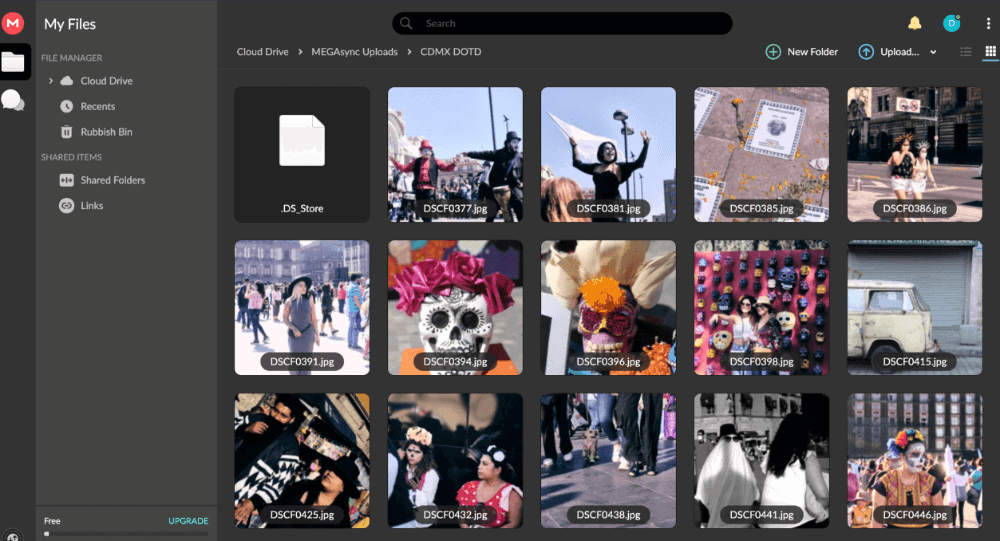
MEGA has one of the largest free service plans available, but its paid plans aren’t cheap, especially compared to the likes of Sync.com and pCloud. At €9.99 per month ($11.98 at the time of writing) for 2TB of storage, the Pro I payment plan is the best offer. However, if you really need a lot of space, storage on MEGA goes all the way to 16TB.
- 20GB
- File transfer: 3TB (Monthly plan) 36TB (yearly plan)
- 3TB
- File transfer: 10TB (monthly plan), 120TB (yearly plan)
- 10TB
More plans
- File transfer: 20TB (monthly plan) 240TB (yearly plan)
- 20TB
- Price per user (minimum 3) 3TB Transfer quota
- 100TB
Honorable Mentions: What Are Some Other Good Google Photos Alternatives?
Of course, there are other Google Photos alternatives beyond what we included in the above top-eight list. One of these is Dropbox. Its free plan is limited to just 2GB of storage space, but you can get 2TB for $9.99 a month (when billed annually). However, this isn’t that good of a deal compared to some other services on this list.
![Video thumbnail for the video: Should You Still Use Dropbox in 2024? [Updated Review]](https://img.youtube.com/vi/bwy8HZ1Uvnk/maxresdefault.jpg)
However, where Dropbox really shines is in its collaboration features and accessible interface. Plus, Dropbox for Business allows you to upload photos for commercial use, unlike Amazon Prime. (Read more details in our Dropbox Review.)
Why Did Google Photos Change Its Storage Limits?
Google Photos likely changed its storage limits as this unlimited service started needing more storage space than expected, but it’s also likely that this was always a planned strategy to convert free users into paid ones.
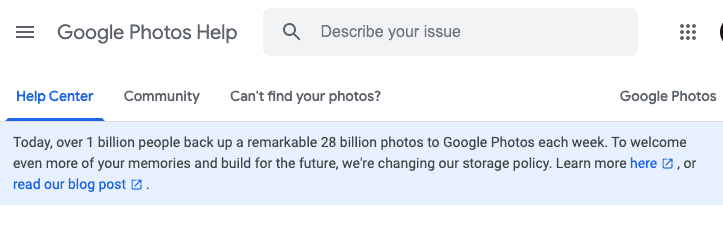
According to Google, the change was “to welcome even more of your memories and build for the future.” Currently, there are more than four trillion photos hosted on Google Photos, with 28 billion new ones added by people and enterprises every week. However, with over four trillion images, this adds up to a lot of space.
Can I Still Use Google Photos for Free?
Google Photos is still free to use. Until June 1, 2021, you can add all of your videos and photos in Google for free without using up your Google Drive storage. After that, though Google Photos will still be free to use, you may find yourself running out of storage on your Google Drive rapidly — high-resolution photos and videos take up a lot of space.
Final Thoughts
We hope that this list has helped you consider your online storage options, now that Google plans to stop providing unlimited Google Photos storage in 2021. The above services should meet any of your photo demands, whether you need a photo storage app for your high-res images and videos, or you want a free, secure account for pictures of family gatherings, vacations and going out with friends.
However, our top recommendation for an alternative to Google Photos is Sync.com, due to its strong security, automatic photo uploading and no file size limit on uploading, downloading and sharing. However, pCloud and Icedrive are also top contenders for the best alternatives to Google Photos.
If you decide to move to an alternative online storage option, we have a guide to show you how to transfer Google Photos.
What do you think about Google’s decision to no longer offer unlimited storage for Google Photos? Do you think these are the best alternatives to Google Photos, or would you like to see other cloud storage services on our list? Tell us about it in the comments. Thanks for reading!
FAQ
Google isn’t discontinuing Google Photos; it’s merely transitioning from a free, unlimited service into a free, limited one (or an unlimited, paid one).
There are many alternatives to Google Photos you can use. Our favorites include Sync.com, pCloud, Icedrive, Amazon Prime Photos, Flickr and MEGA. All of these offer both free plans as well as varied pricing plans for every user and budget.
When it comes to uploading and storing photos, we would have to give Google Photos the advantage here. However, Microsoft OneDrive has other features that make it an excellent tool for cloud storage and collaboration. You can read about its pros and cons in our extensive OneDrive review.