Sync.com Review
Sync.com is an amazing cloud storage service. Although it has some drawbacks, we still believe it’s one of the best, if not the best, cloud storage providers currently available. Read on to learn why.

— Last Updated: 2026-04-15T08:19:06+00:00 Facts checked by Igor Kurtz
Key Takeaways: What Is Sync.com & Is It Good to Use?
- Sync.com is a secure cloud storage service offering client-side encryption and an airtight privacy policy.
- It integrates with Microsoft Office to provide document editing and collaboration in a secure cloud environment.
- Sync.com’s personal plans are very affordable, and it even offers one of the cheapest unlimited cloud storage plans.
Top Use Cases for Sync.com
- Cloud storage security: Sync.com employs client-side encryption, which means files are encrypted on your device before they reach Sync.com’s servers, preventing the company from decrypting your data.
- GDPR, PIPEDA and HIPAA compliance: Sync.com holds itself to high privacy standards, adhering to the principles of privacy laws such as Canada’s PIPEDA and the EU’s GDPR. It’s even considered private enough to hold medical information per the U.S.’s HIPAA.
- Server security: In addition to encryption, Sync.com implements server security measures, storing backup copies of your files in a separate data center for redundancy and complying with SOC 3 standards by maintaining tight control over access to its server.
There’s no shortage of cloud storage services claiming to be the best. In our humble opinion, only one truly lives up to that name — Sync.com. It really has it all, from advanced file-sharing features, to document creation and editing, to online collaboration, to end-to-end encryption to keep your files safe — all at more affordable prices than most similar services.
In this Sync.com review, we’ll take a deep dive into what we believe is the best cloud storage service. There’s plenty to go over, but suffice it to say this service can fit almost anyone’s needs, whether you’re a small business owner or you just need to store some personal photos and documents or back up your work files.
If that sounds too good to be true, well, it is. The service isn’t perfect. It has some drawbacks, such as slow speeds and a lack of live chat support. However, by and large, Sync.com’s issues are minor in comparison to the benefits. Read on for all of the details.
-
06/27/2021 Facts checked
Added information about Slack and Office365 integration.
-
11/20/2021 Facts checked
Added results from new speed tests.
-
06/24/2022 Facts checked
Updated to change the “Mini” plan name to “Personal,” increase the Teams Standard price to $6 per user per month and include the new monthly plans.
-
07/26/2024 Facts checked
Added fresh video review of Sync.com
-
04/10/2025 Facts checked
We updated the article with new information about Sync.com’s offerings.
-
07/29/2025 Facts checked
We rewrote this review to reflect Sync.com’s latest improvements to its service and its web UI overhaul.
-
09/07/2025 Facts checked
We added more information about Sync.com’s features.
What Is Sync.com & Who Is It For?
Sync.com is a secure cloud platform for file storage, sharing and collaboration that protects your data with end-to-end encryption. It syncs your files across multiple devices, allowing you to access them remotely via the app or web portal. It appeals to those seeking an easy-to-use cloud storage service that offers both privacy and productivity on a budget.
10,000+ Trust Our Free Cloud Storage Tips. Join Today!

- Demystify cloud storage terminology and key concepts in plain language
- Discover easy-to-implement techniques to securely backup and sync your data across devices
- Learn money-saving strategies to optimize your cloud storage costs and usage
- Release date: 2011
- Developer: Sync.com Inc.
- Platforms: Personal computers, mobile devices, web browsers
- Operating systems: Windows, macOS, Android, iOS
- Notable features: Client-side encryption, Microsoft Office integration, advanced file sharing
- Pricing: $4.80 for 2TB per month per year
The Cloudwards Expert Opinion
 The Cloudwards Expert Opinion
As a writer, I love that Sync.com lets me create and edit documents straight from my storage. I use it to store sensitive private documents that I don’t want anyone else to see (like the sappy poetry I write), and because it’s encrypted end to end, I even trust it enough to keep password lists for my online accounts and wallets.
Sync.com Pros & Cons
Sync.com Video Review

Features: What Can Sync.com Do?
In the past, we’ve lamented Sync.com’s lack of features. Times have changed, though — the service is now one of the best secure collaboration platforms that our testing team has reviewed. Below, we’ll discuss the features that set Sync.com apart from competitors. We’ll get into security, file-sharing and sync features later on in this review.
Microsoft Office Integration
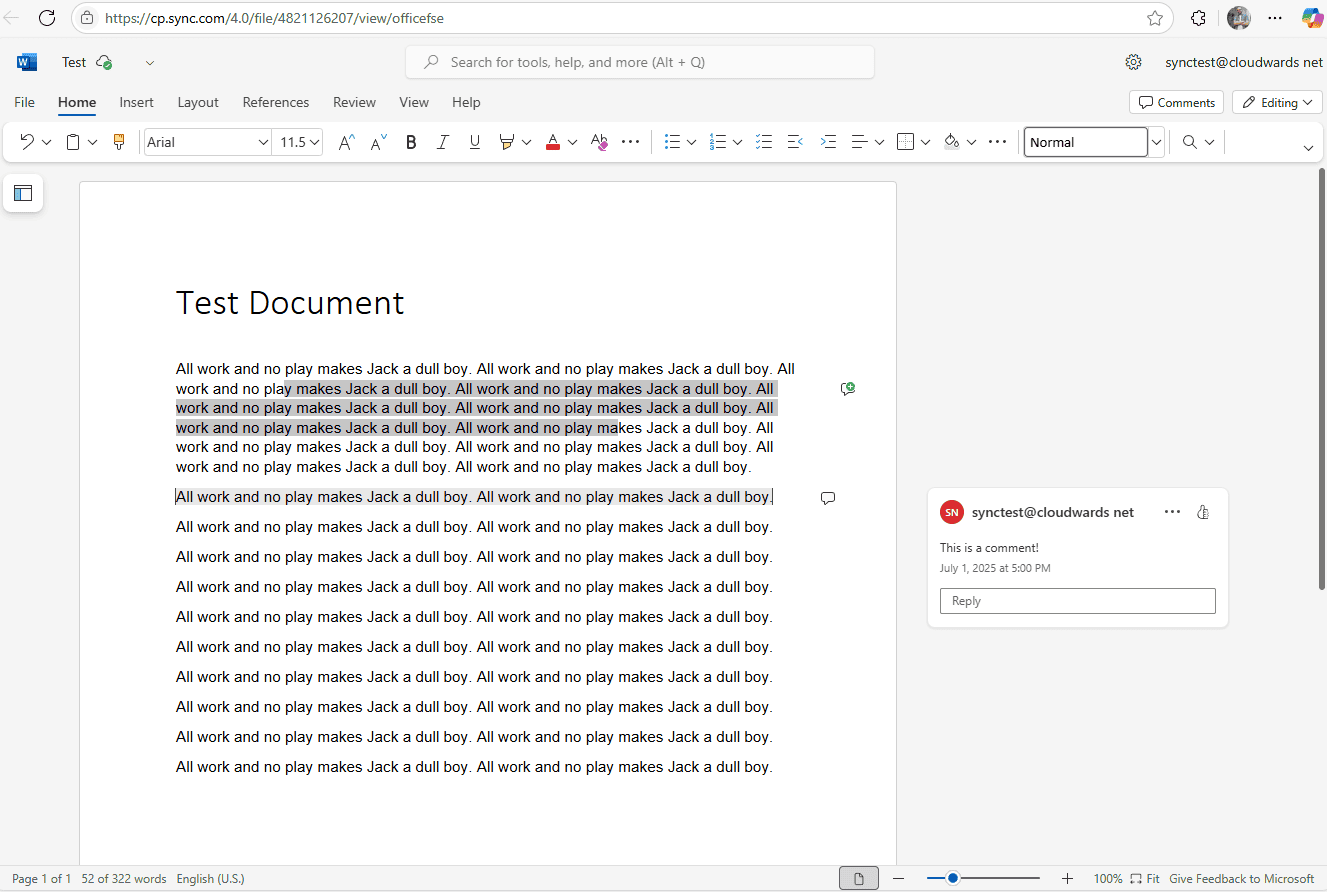
A recent addition to Sync.com’s feature set is its integration with Microsoft Office apps, specifically Word, Excel and PowerPoint. You can create and edit documents within the Sync.com web app while staying protected with client-side encryption (more on that in the “Security” section).
Although document previews are slow to open and didn’t always work for some of our testers, clicking on the “edit in Office” button reliably opened the file in Sync.com’s Office interface. Office document previews aren’t available on the free version, though — you’ll have to get a (pretty cheap) premium subscription to access this feature.
File Versioning & Deleted File Retention
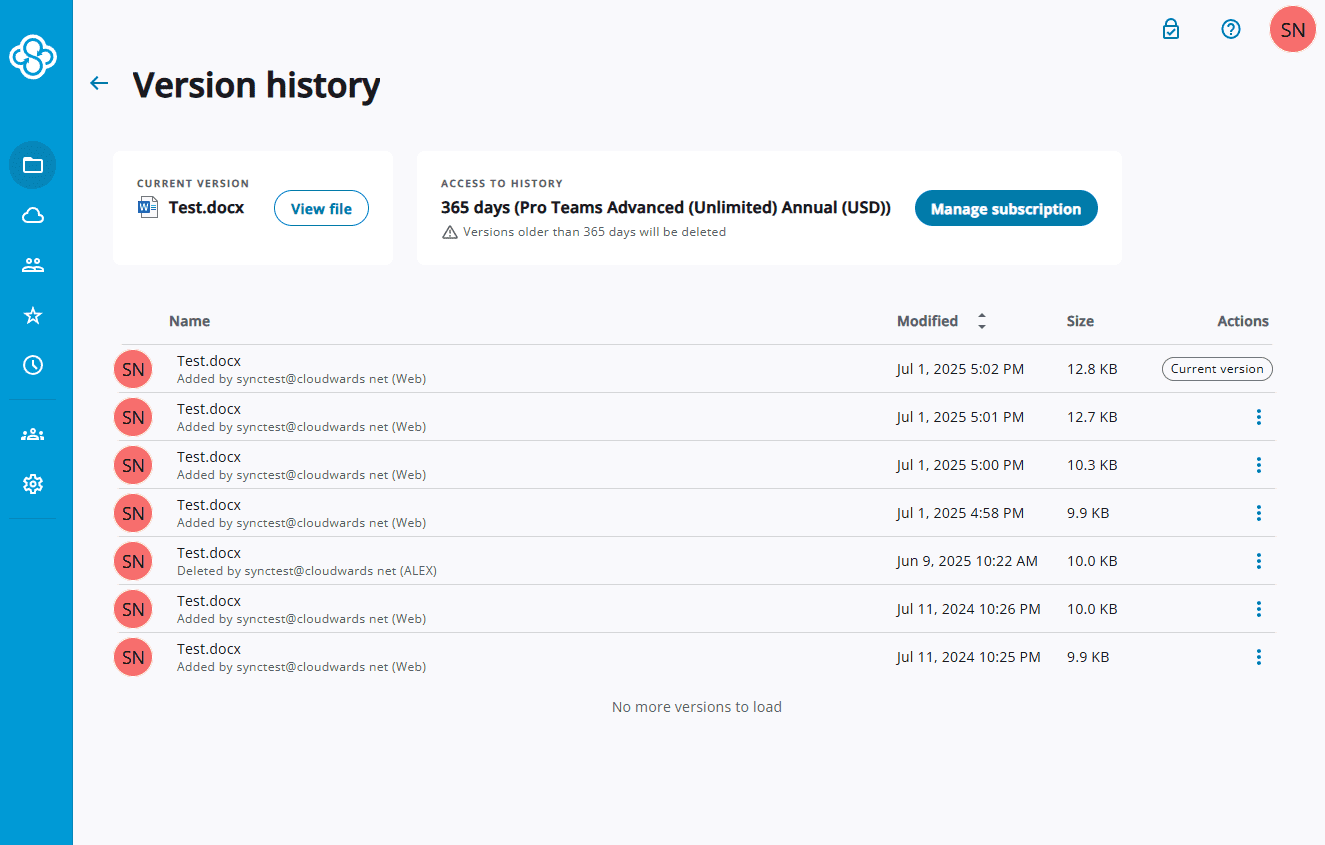
depending on your subscription.
Sync.com keeps previous versions of files, as well as deleted files, without counting them toward your storage quota. How long it keeps old versions and deleted files depends on your payment plan. Free users get 30 days of versioning, while paid users get between 180 and 365 days.
Sync.com Vault
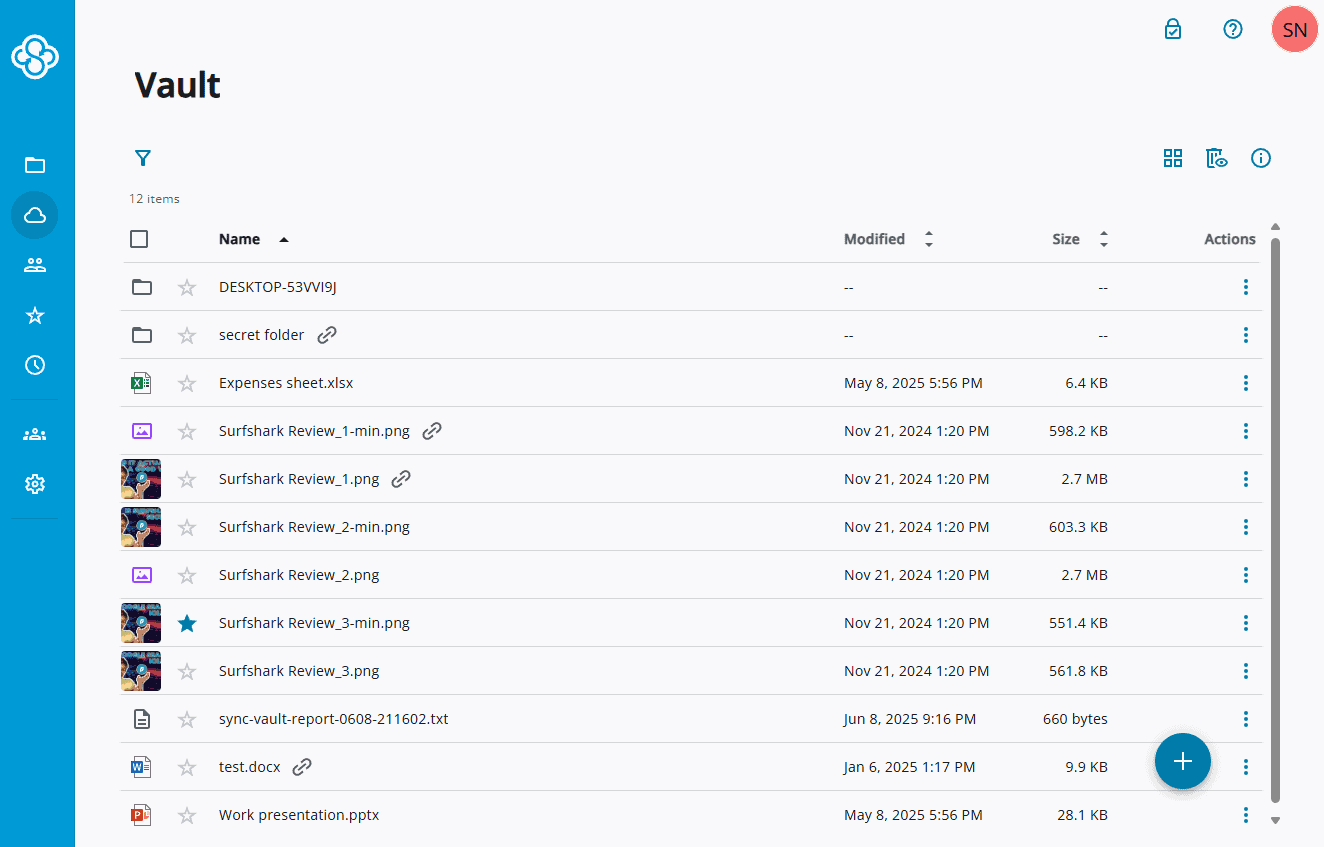
Sync.com’s “vault” feature is a separate folder accessible only via the web interface. Files stored here do not sync to your device, as this feature is meant to be used for online backup of files you rarely access.
Sync.com CloudFiles
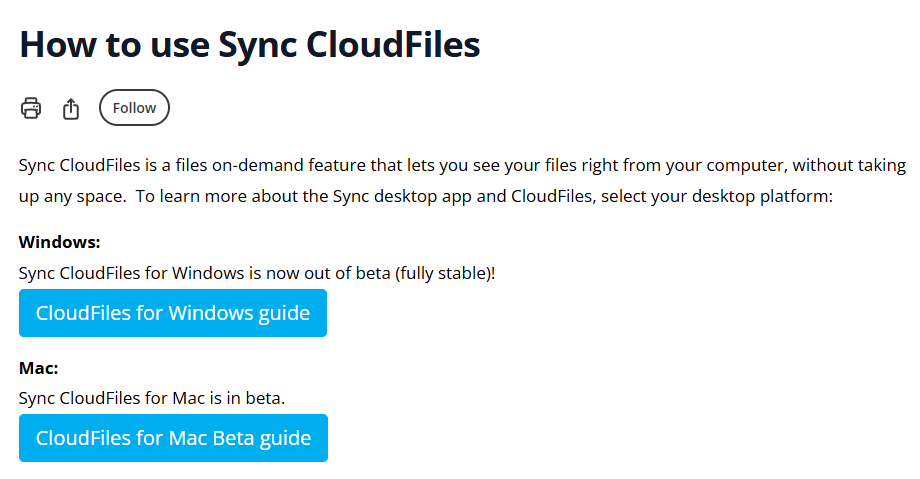
CloudFiles is a feature that lets you set files to cloud-only. This can help save storage space and speed up syncing, as you don’t need to download any files to your device initially. Icons for your cloud files will appear in your device’s sync folder and will download only after you open them.
Sync.com Features Overview
| Features |  |
|---|---|
| Sync Folder | |
| Block-Level Sync | |
| Selective Sync | |
| Bandwidth management | |
| Sync Any Folder | |
| File Link Sharing | |
| Link Passwords | |
| Link Expiry Dates | |
| Folder Sharing | |
| Folder Permissions | |
| Link Download Limits | |
| Upload Links | |
| File Previews | |
| Edit Files | |
| In-App Collaboration | |
| Office Online | |
| Google Docs | |
| Notes App | |
| Media Playback | |
| Mobile Apps | |
| Deleted File Retention | |
| Versioning | |
| WebDAV | |
| At-Rest Encryption | |
| In-Transit Encryption | |
| Encryption Protocol | AES 256-bit |
| Client-Side Encryption | |
| Two-Factor Authentication | |
| Server Location | EU |
| 24/7 Support | |
| Live Chat Support | |
| Telephone Support | |
| Email Support | |
| User Forum | |
| Knowledgebase | |
| Free Plan |
How User-Friendly Is Sync.com? Hands-On Testing
Sync.com’s apps are all fairly straightforward, which is both a positive and a negative. They’re pretty much plug-and-play, and you don’t need to set anything up after the installation process. However, advanced users might bemoan the lack of customization. Most users will appreciate the ease of use, though.
For those who want to push the service further despite these limitations, we have compiled several cloud storage guides that walk you through maximizing Sync.com’s vault features and sharing settings.
While Sync.com focuses on user-friendly graphical interfaces, power users should note that it lacks a command-line interface for automated operations, which could limit options for those seeking to incorporate the service into custom scripts or automation workflows.
Additionally, Sync.com does not support the WebDAV protocol, preventing integration with third-party applications that rely on this standard for remote file access and management.
How to Install Sync.com
Installing Sync.com is a simple process of signing up for an account and checking a few boxes in the installer, as you’ll see in the following guide.
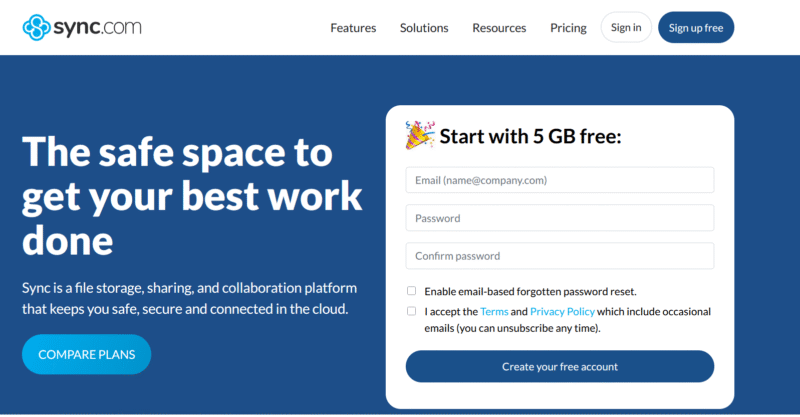
- Sign Up for a Sync.com Account
Go to Sync.com’s website and create an account. You can sign up for a 2TB paid plan for just $4.80 per month, billed yearly.
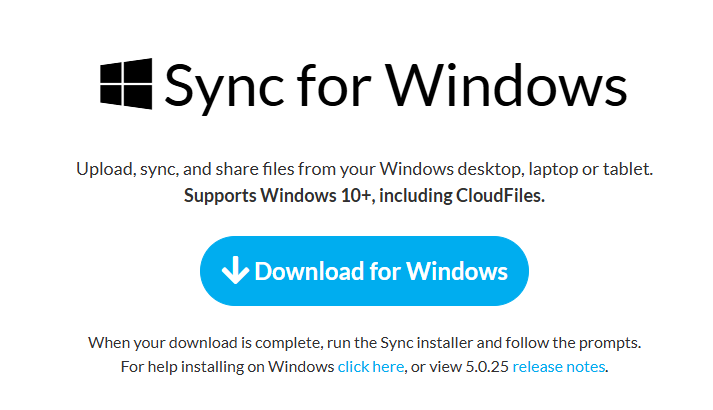
- Download the Desktop App for Your Operating System
Expand the “resources” tab at the top of the web page and then click “download.” This will take you to the download page, where you can find the app for your operating system.
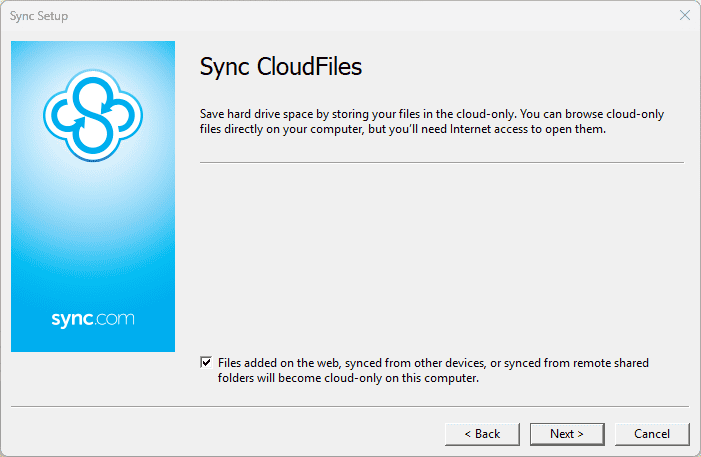
- Run the Installer and Follow the Install Wizard
Start the installation app you downloaded and enter your login details. The only other setting to configure in the installer is the option to keep your files cloud-only, which we suggest enabling.


How to Set Up & Use Sync.com
Apart from changing your login details and making some tweaks to how CloudFiles works, there’s little to set up in Sync.com’s desktop app. Using it is similarly clear-cut, thanks to the sync folder method of file synchronization.
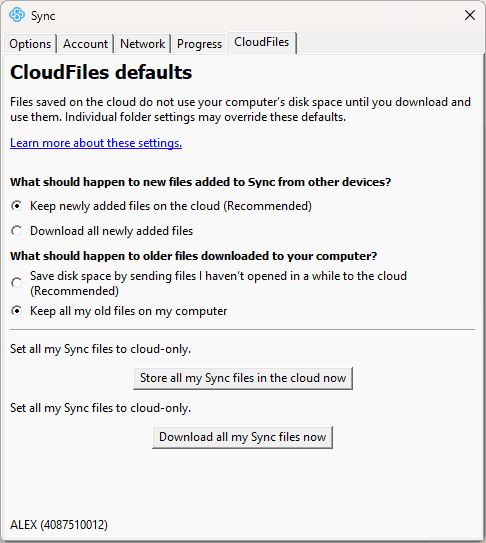
- Set Up CloudFiles
Go into the “preferences” screen in the Sync.com desktop app, where you’ll see a tab called “CloudFiles.” This tab lets you choose how the CloudFiles feature behaves, including whether it should download new files or keep them in the cloud, make rarely accessed files online-only, set all of your current non-cloud files to cloud-only, or download all of your cloud files.
- Locating Your Sync Folder
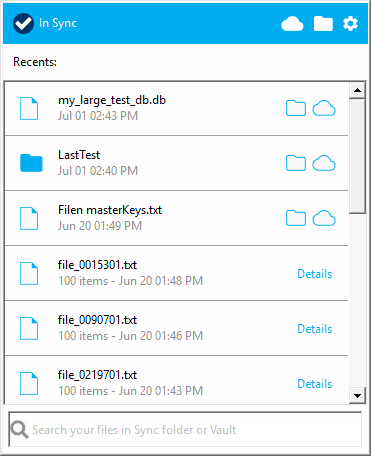
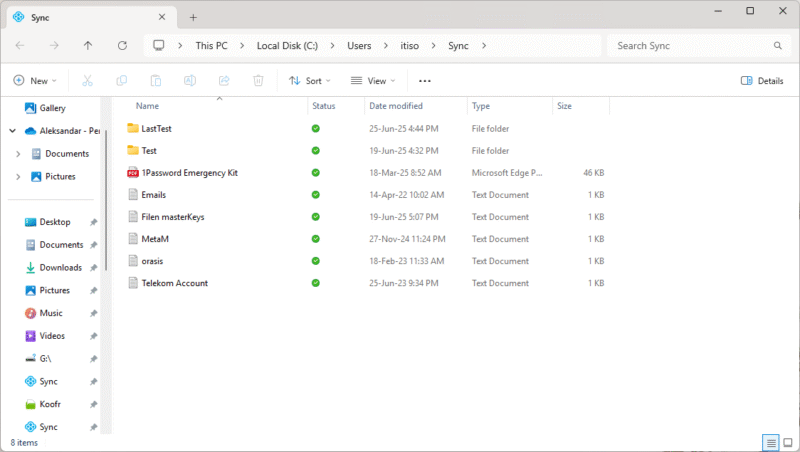
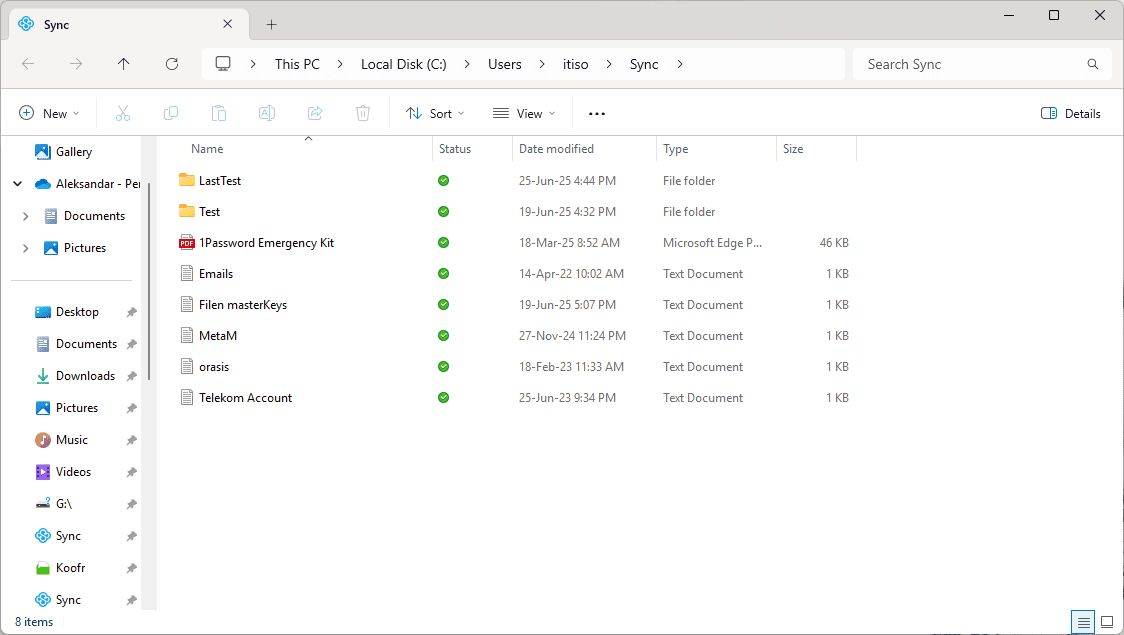
Sync.com automatically installs a sync folder on your device, and all files in this folder will be uploaded to the cloud and synced across all devices on which the app is installed. To locate it, click on the folder icon in the top-right corner of the Sync.com app.
- Upload Files to the Cloud
To upload files to Sync.com, all you need to do is drag and drop them into the sync folder, or copy and paste them there.
Sync.com on Desktop: macOS & Windows Apps
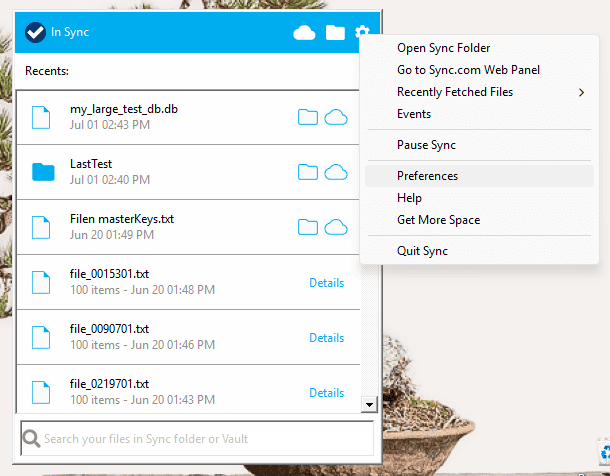
As you’re probably aware of by now, Sync.com’s desktop client is uncomplicated and requires minimal effort to use. It offers little beyond basic settings, which is great if you want an app that lets you set it and forget it. However, it can be limiting if you want more control over how your files sync.
While Sync.com does support file previews, its system struggles with certain specialized file formats including AutoCAD drawings, HEIC images and video files over 500MB, requiring users to download these files locally to view their contents.
Sync.com on Mobile: Android & iOS Apps
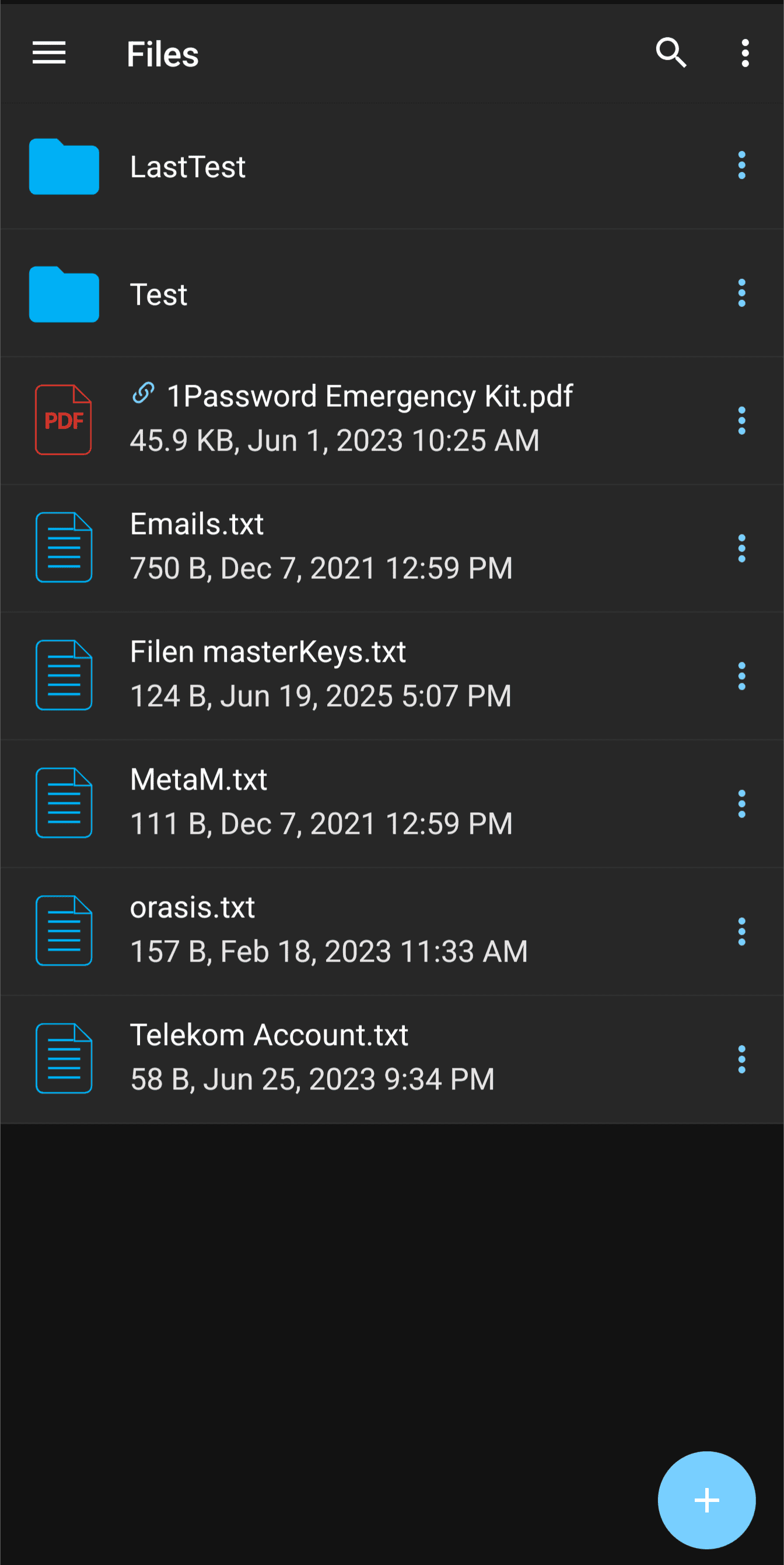
Sync.com takes a similarly minimal approach on mobile, though this is fairly standard for Android and iOS cloud storage apps. The mobile app can upload photos and videos automatically and offers some customization, including uploading only via WiFi, omitting videos and organizing your photo upload folder into subfolders.
You can also set a four-digit pin so that even if someone unlocks your smartphone, they won’t be able to access your cloud storage. The mobile app can also manage your sharing links and access your vault folder.
Sync.com Pricing: How Much Does Sync.com Cost?
For what it offers, Sync.com is a steal. Sure, there are cheaper cloud services out there, but they usually come with few features or poor security. Sync.com is the only cloud storage provider we’ve reviewed that comes with a comprehensive set of productivity and collaboration features at such a low cost.
Business users on team plans can take advantage of single sign-on (SSO) integration, which streamlines the authentication process while maintaining security. Team members can use their existing enterprise authentication credentials to access their Sync.com accounts, reducing password fatigue and simplifying account management for IT administrators.
- 5GB
- 2TB
More plans
- 6TB
- per user, per month, billed annually
- 1TB
- Priced per user (3 users minimum)
- Unlimited GB
- Minimum 100 users, custom requirements, account manager, training options
Sync.com Free Cloud Storage Plan
Sync.com’s free plan comes with some limitations. It offers only 5GB of free storage, which is enough to store documents but not enough for larger files. The free version also lacks Microsoft Office previews.
Although most advanced file-sharing options were paywalled the last time we reviewed Sync.com, it has recently made secure file sharing accessible to free users. The free version now lets you set passwords for sharing links and encrypt them end to end.
Pricing Plan Breakdown
As is usually the case with online storage services, Sync.com is more expensive on a monthly billing plan, while an annual subscription will yield significant savings. An annual subscription costs even less for the first year, but it will renew at a higher (though still discounted) price.
Speed & Performance: How Fast Is Sync.com?
If Sync.com has one weakness, it’s definitely speed. It is among the slowest cloud storage services we’ve tested, as you can see in our full comparison of the fastest cloud storage services.
Sync.com Speed Test Results
Our dedicated team of software testers runs periodic speed tests of all of the cloud storage services we review. We run these tests first over a 100 Mbps connection, which is reflective of a moderately fast connection, then over a 1 Gbps connection to see if upload and download performance improves. We use a virtual machine based in Ireland to run these tests.
The test consists of uploading and downloading a 5GB test folder twice and averaging out the results. The test folder contains a combination of small and large files so we can see if the service handles them differently or if larger or smaller files cause any slowdowns. We also monitor CPU usage for the duration of the test.
Performance & Stress Test
To test Sync.com’s performance, we run a series of tests, including a stress test where we try to upload 250,000 1KB files sorted into 100 folders. The end goal here is to see if the service will successfully upload this massive number of files, how long it takes to upload them and how the web app behaves when trying to access a folder with so many files.
How Does Sync.com Handle File Sharing & Syncing?
File sharing and syncing are two of the key features of cloud storage. The fact that Sync.com handles both of these well is a great sign. It doesn’t offer much flexibility in syncing, but we rank it as the best cloud storage for sharing thanks to its wealth of controls over how you share files.
File-Sharing Options
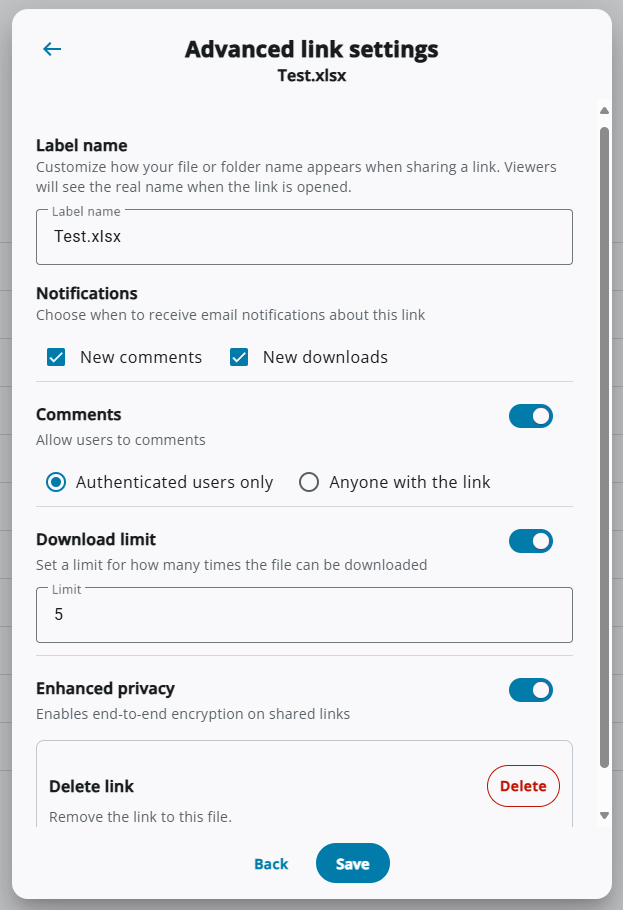
Sync.com manages to cram a ton of options into its sharing menu, which goes a long way in improving collaboration. Many of these options are geared toward secure file sharing, such as password protection, expiration dates and end-to-end encryption for sharing links, which is a relatively new addition to the service’s arsenal.
In addition to these features, you get plenty of additional control over how others can download or access your files, including setting download limits, disabling downloads entirely, allowing commenting on shared files and even receiving notifications for comments and downloads.
File-Syncing Options
The desktop sync app takes the opposite approach. It keeps it simple, allowing little control over how you sync files. You get one sync folder where you can drag and drop files, and they all sync to the cloud. You can’t choose another local folder to sync or set up custom one-way or two-way syncs.
The only customization option you have is to choose whether to use CloudFiles. We suggest keeping this feature activated, as it helps save disk space. A common pitfall of the sync folder method is that it often results in you keeping two copies of the same file on your device. Keeping your files online-only can help save a lot of space on your hard drive.
File-Syncing Test Results
Security: Is Sync.com Safe?
Secure storage is the name of the game for Sync.com. It is one of the safest services for storing sensitive files thanks to its spotless track record and the myriad security features it employs.
Has Sync Had Any Security Breaches?
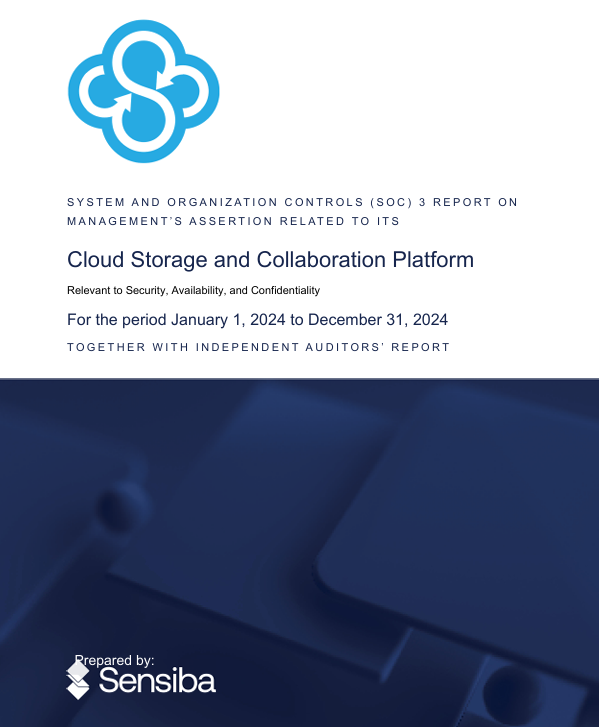
No, Sync.com hasn’t had any breaches in its security. Sensiba, an independent firm, audited its security and found no breaches for the duration of its audit, which ran for the entirety of 2024.
Sync.com Security Features
Sync.com employs several measures that maintain its commitment to keeping your data secure:
- Encryption at rest: Files are encrypted with AES-256 before leaving your device.
- Encryption in transit: TLS/SSL is used when sending files to the server.
- Data redundancy: Files are stored securely in Sync.com-owned data centers in two Canadian locations — a Cologix center serves as the primary data center, while a Cogent center hosts a clone of the former.
- Two-factor authentication and single-sign on: Logins are protected with two-factor authentication (via email or an authenticator app), with the additional option to use a single-sign-on service for team plans.
Detailed Security Analysis: Encryption & Cloud Security
| Encryption at Rest | AES-256 |
| Encryption in Transit | TLS/SSL |
Sync.com uses the industry standard AES-256 cipher to encrypt your files before sending them to its servers. This form of encryption is currently uncrackable by brute force. Communication with Sync.com servers is also encrypted with TLS/SSL to prevent interception.
Furthermore, its server architecture and systems fully comply with SOC 3 security standards, as proven by its latest audit. Access to Sync.com’s servers is heavily restricted and monitored, with personnel required to go through several layers of authentication. While nothing can fully mitigate human error, these measures go a long way toward minimizing it.
Privacy: Is Sync.com Private?
Yes, Sync.com provides top-tier privacy, mostly due to its implementation of client-side encryption across its entire platform. Its privacy policy is airtight, and it’s incorporated in Canada, which enforces strong data privacy laws.
Unlike some competitors, Sync.com’s terms of service explicitly state that users retain full ownership of all uploaded content, and the company makes no claims to license or repurpose user data even when processing it for service provision.
How Is Sync.com’s Customer Support?
Sync.com doesn’t offer many support channels. Users have access to a well-organized though not comprehensive database, plus email support. Teams Unlimited and Enterprise users also get access to phone support.
Email Support Speed & Quality
We reached out to Sync.com’s support team via their email-based ticketing system. The initial response came four days later and offered no solution — just a request for more information.
Thankfully, once we provided additional information, the support agent replied within just six hours, with a helpful step-by-step guide on how to solve the problem. They even attached a download link to a complete uninstaller for the desktop app. Despite the slow response time, this answer went a long way toward solving our issue.
Sync.com vs Other Cloud Storage Services
If you’re still on the fence about Sync.com, we compared it against some of the most popular cloud storage services to help you contextualize all of the information in this review.
Sync.com vs Dropbox
Dropbox is a great cloud storage service and one of the most widely recognized. However, while it offers excellent collaboration via both Microsoft Office and Google Workspace, it doesn’t have the best privacy and has even had security breaches in the past. Sync.com offers similar functionality while protecting your data with client-side encryption.
For more details, read our full comparison of Sync.com and Dropbox.
Sync.com vs Google Drive

Google Drive is the most popular cloud storage provider, offering an amazingly smooth online collaboration experience. Unfortunately, Google is also the world’s most notorious data hoarder. Although Sync.com isn’t quite as adept at online collaboration as Google Drive, we still recommend it as a much more private alternative.
For more details, read our full comparison of Sync.com and Google Drive.
Sync.com vs pCloud

pCloud offers some level of parity to Sync.com’s security and privacy, though with some differences. pCloud requires you to pay extra for client-side encryption, and even then you get only one encrypted folder. Plus, pCloud doesn’t integrate with any document editors, which makes Sync.com both more private and more functional than pCloud.
For more details, read our full comparison of Sync.com and pCloud.
Community Feedback: Sync.com Reviews on Reddit & Social Media
Sync.com seems to enjoy a good reputation on Reddit and other social media platforms, with most lauding its privacy. However, we did encounter reports of (unspecified) bugs, specifically with iOS, as well as the desktop app’s sync malfunctioning after updating.
We want to highlight one notable user comment: “Imagine if a mom-and-pop-shop restaurant got the funding of a massive chain – that’s how I would describe [Sync.com].” We believe this encapsulates most of our team’s feelings as well, as the provider offers the level of functionality and polish of a much more expensive service without the looming threat of a tech giant gobbling up your data.
The Verdict: Is Sync.com Worth It?
Yes, Sync.com is absolutely worth it. It’s so versatile yet so cheap that it’s hard to find a use case where another service beats it. We can’t recommend it enough for personal users — not only for its strong and proven commitment to privacy but also for its productivity, sharing and collaboration features.
While it does lag behind competitors in speed, it handled our stress test well and showed good performance under high loads. We were also able to prove its client-side encryption claims, which, coupled with Canada’s privacy laws, make for a very secure and private service.
What are your opinions on Sync.com? Have you tried the service? What’s your favorite part of using Sync.com? Have you had any issues with it? Please let us know in the comments below, and as always, thank you for reading.
FAQ: Sync Cloud Storage Review
As Sync.com is a cloud storage service, its primary purpose is to store files in the cloud, which lets you access them remotely, sync them across devices or share them with others.
Sync.com is a Canadian cloud storage service based in Toronto.
Yes, Sync.com is one of the most trustworthy cloud storage services due in part to its use of client-side encryption and its Canadian operation base, which means your data is protected by PIPEDA — Canada’s key data privacy act.
Yes, Sync.com is really unlimited, offering unlimited storage on its Teams+ Unlimited plan, as well as placing no limits on file sizes or data transfers.