Best Cloud Storage With Sync in 2026: Sync Folders, Virtual Drives & More
File synchronization is an essential feature of a cloud storage provider. However, not all cloud storage services have the best sync performance. Choosing the best cloud storage with sync means looking for the best file synchronization features with fast transfer speeds.


Written by Jason Stagnitto (Writer, Script Writer, Course Writer)
Reviewed by Aleksander Hougen (Chief Editor)
Facts checked by Vildana Bratic (Video Editor, Fact-Checking Editor)
Last Updated:
All our content is written fully by humans; we do not publish AI writing. Learn more here.
Key Takeaways: File Syncing Services
- pCloud – Excellent combination of file sync, speed, privacy and security
- Sync.com – A solid choice with great privacy and sync features.
- Proton Drive – Strong combination of privacy and collaboration with excellent sync features.
- Internxt – Zero-knowledge service with affordable prices.
- Icedrive – Stands out with its file sync due to its virtual drive for Windows.
- Dropbox – Selective sync and smart sync stand out as strong features
- MEGA – Excellent privacy and security, but a basic file sync experience.
File synchronization is one of the most important features of a cloud storage service. All cloud storage has file sync; without it, it’s just a cloud backup service. However, when it comes to cloud features, some services have better file syncing than others. In this article, we’ll explore the best cloud storage with sync options.
How a cloud storage provider implements its file synchronization features and tools directly impacts the end user’s sync experience. A sync folder is a standard way cloud storage keeps exact copies of your files updated and available. Having your files synced between your account and your device is another common sync feature.
Many of the cloud storage providers in this article also appear on our list of the best cloud storage. However, keep reading to see why they also rank well for file synchronization, in particular.
-
09/23/2021 Facts checked
Rearranged the list and added new entries, reformatted its structure and replaced the images.
-
01/25/2023 Facts checked
Rewrote this article; updated list order to reflect changes in cloud storage services.
-
08/31/2024 Facts checked
Added video reviews for cloud storage providers in the list.
-
08/18/2025 Facts checked
Added a fresh video review of MEGA Cloud Storage
Discover Which Cloud Provider Syncs With You:
 200GB$2.65 / month(All Plans)
 (All Plans)
 2TB$4.17 / month(All Plans)
 1TB – 5TB$4.92 / month(All Plans)
 200GB – 3TB$1 / month(All Plans)
 100GB – 30TB$1.67 / month(All Plans)
 2TB – 5TB$9.99 / month(All Plans)
 1TB – 5TB$1 / month(All Plans)
 100GB – 6TB$1.67 / month(All Plans)
 30GB – 5TB$7 / month(All Plans)
 Unlimited GB$17.50 / month(All Plans)
 10GB – 20TB$0.50 / month(All Plans)
 50GB – 12TB$0.99 / month(All Plans)
 100GB – 10TB$0.83 / month(All Plans)
 100GB – 30TB$1.67 / month(All Plans)
 3TB – 100TB$9.78 / month(All Plans)
 Unlimited GB$4.17 / month(All Plans)
 2TB – 3TB$12 / month(All Plans)
 1TB – 2TB$8.33 / month(All Plans)
 500GB – 2TB$7.08 / month(All Plans)
 10GB – 1TB$1.67 / month(All Plans)
 500GB – 2TB$2.99 / month(All Plans)
 100GB – 5TB$6.90 / month(All Plans)
 1TB$8.25 / month(All Plans)
 10GB – 500GB$5.83 / month(All Plans)
 200GB – 3TB$1.38 / month(All Plans)
 2TB$3 / month(All Plans)
 1TB – 4TB$8.33 / month(All Plans)
 100GB – 5TB$1.67 / month(All Plans)
 150GB – 10TB$1.25 / month(All Plans)
 100GB – 1TB$7.49 / month(All Plans)
 50GB – 1TB$3 / month(All Plans)
 50GB – 1TB$5.83 / month(All Plans)
 500GB – 2TB$5 / month(All Plans)
 100GB – 10TB$0.93 / month(All Plans)
 250GB – 4TB$30.44 / month(All Plans)
File synchronization seems like a basic expectation until sync failures cost you hours of lost work or outdated files. While all cloud storage offers sync capabilities, the technical implementation varies dramatically between providers. Features like block-level syncing, virtual drives and selective sync can mean the difference between seamless productivity and constant frustration with conflicted copies and slow updates. Read on to find out which cloud storage with sync could work for you.
10,000+ Trust Our Free Cloud Storage Tips. Join Today!

- Demystify cloud storage terminology and key concepts in plain language
- Discover easy-to-implement techniques to securely backup and sync your data across devices
- Learn money-saving strategies to optimize your cloud storage costs and usage
Top Cloud Storage Apps With Sync
- 1
- :
- :
- :
- :
- 2
- :
- :
- :
- :
- 3
- :
- :
- :
- :
- 4
- :
- :
- :
- :
- 5
- :
- :
- :
- :
- 6
- :
- :
- :
- :
- 7
- :
- :
- :
- :
- 200GB$2.65 / month(All Plans)
- (All Plans)
- 2TB$4.17 / month(All Plans)
- 1TB – 5TB$4.92 / month(All Plans)
- 200GB – 3TB$1 / month(All Plans)
- 100GB – 30TB$1.67 / month(All Plans)
- 2TB – 5TB$9.99 / month(All Plans)
- 1TB – 5TB$1 / month(All Plans)
- 100GB – 6TB$1.67 / month(All Plans)
- 30GB – 5TB$7 / month(All Plans)
- Unlimited GB$17.50 / month(All Plans)
- 10GB – 20TB$0.50 / month(All Plans)
- 50GB – 12TB$0.99 / month(All Plans)
- 100GB – 10TB$0.83 / month(All Plans)
- 100GB – 30TB$1.67 / month(All Plans)
- 3TB – 100TB$9.78 / month(All Plans)
- Unlimited GB$4.17 / month(All Plans)
- 2TB – 3TB$12 / month(All Plans)
- 1TB – 2TB$8.33 / month(All Plans)
- 500GB – 2TB$7.08 / month(All Plans)
- 10GB – 1TB$1.67 / month(All Plans)
- 500GB – 2TB$2.99 / month(All Plans)
- 100GB – 5TB$6.90 / month(All Plans)
- 1TB$8.25 / month(All Plans)
- 10GB – 500GB$5.83 / month(All Plans)
- 200GB – 3TB$1.38 / month(All Plans)
- 2TB$3 / month(All Plans)
- 1TB – 4TB$8.33 / month(All Plans)
- 100GB – 5TB$1.67 / month(All Plans)
- 150GB – 10TB$1.25 / month(All Plans)
- 100GB – 1TB$7.49 / month(All Plans)
- 50GB – 1TB$3 / month(All Plans)
- 50GB – 1TB$5.83 / month(All Plans)
- 500GB – 2TB$5 / month(All Plans)
- 100GB – 10TB$0.93 / month(All Plans)
- 250GB – 4TB$30.44 / month(All Plans)
What Makes the Best Cloud Storage With Sync?
The best cloud storage with sync should offer advanced syncing features and high speeds. It should do this without sacrificing privacy or security. Some cloud storage services offer advanced sync features, such as a virtual drive.
A virtual drive functions like a hard drive, and allows the user to store files online and free up hard disk space.
File transfer speed plays a role as well, as a slow sync service could hamper otherwise excellent features. We also consider elements like ease of use, privacy and security — the last two being reasons Google Drive didn’t make our list, despite its ability to easily sync files.
What Are the 7 Best Cloud Storage Services With Sync Features?
pCloud tops our list, combining excellent sync features that support block-level syncing with great transfer speeds, strong security and privacy. Sync.com offers top-tier zero-knowledge encryption and file sharing, though its sync features remain basic. Proton Drive brings reliable sync performance with real-time collaboration via Proton Docs, while Internxt offers budget-friendly encrypted storage.
Although not as feature-rich as pCloud, Icedrive has a number of file syncing features, including a virtual drive for Windows computers. Despite some privacy concerns, Dropbox’s file synchronization is a standout feature. MEGA rounds out our list with excellent free storage and capable but basic file sync.
1. pCloud — Free Cloud Storage With Sync

pCloud stands out as our top choice for cloud storage provider with sync, as it lets you sync any file or folder you upload or create. You can add or remove folders and customize your account with ease. Additionally, pCloud supports block-level syncing, which — combined with fast upload and download speeds — lets you stay productive while working with larger files.
Downloading pCloud Drive to a computer or mobile device keeps your files instantly synced across your account. With pCloud Drive, you have access to selective sync, giving you the flexibility to choose which files or folders to sync.
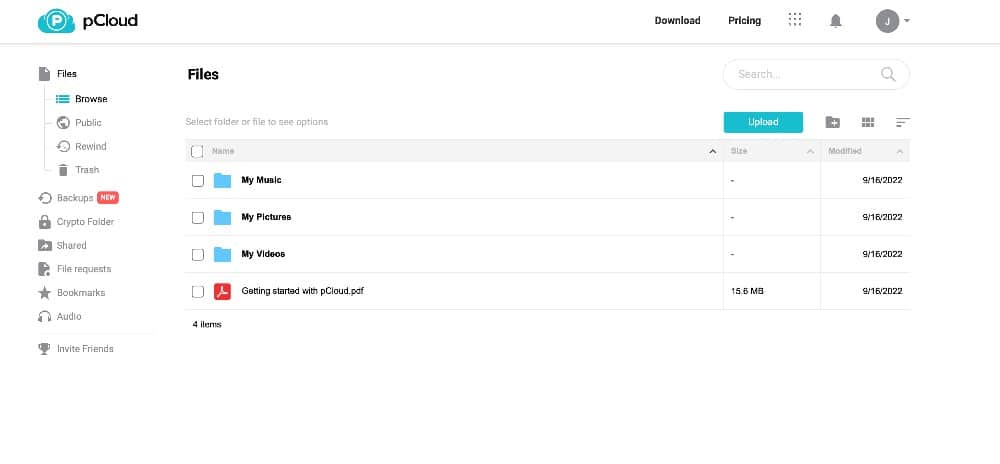
Additionally, you can enable a virtual drive through the pCloud Drive desktop app. Creating a virtual drive lets you work on files as if they were on your computer without taking up additional hard disk space.
How Strong Are pCloud’s Privacy and Security Features?
Privacy and security are excellent with pCloud, as it uses 256-bit AES encryption for data in transit. Once your data is on pCloud’s servers, your data remains protected with TLS/SSL encryption.
This level of security is fine for most files. However, if you plan to store confidential or sensitive files, you’ll want to opt for greater encryption. You might also opt for the European data centers for GDPR protections.
All accounts have a locked encrypted folder, available only when purchasing pCloud Crypto. With pCloud Crypto, accounts gain access to this folder which includes client-side and zero-knowledge encryption. pCloud Crypto does not extend to all your folders, and some paid plans still require the additional cost to unlock the encryption folder.
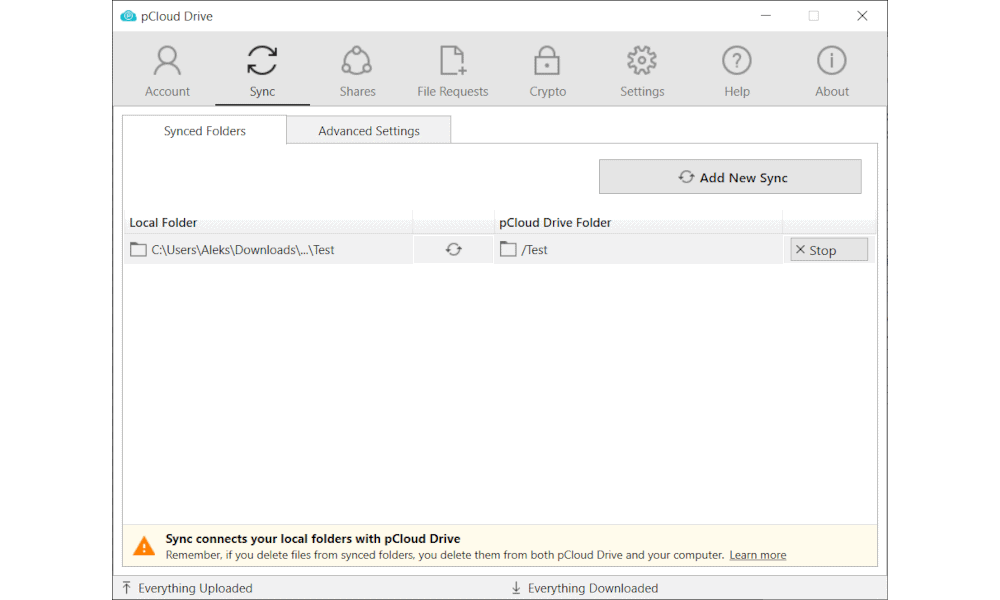
pCloud’s free plan includes 2GB of space, and you can get up to 10GB once you complete micro tasks such as downloading the desktop app or uploading a file. Paid plans with pCloud are competitive and affordable; the 2TB plan costs just per month or $99.99 per year. All paid pCloud plans have a 10-day money-back guarantee. Check out our pCloud review to learn more.
- 10GB
- 500GB
- 2TB
More plans
- 10TB
- + FREE Encryption
- 2TB
- + FREE Encryption
- 10TB
- Price per user (minimum 3)
- 1TB
- Price per user (minimum 3)
- 2TB
- Encryption for pCloud Drive
2. Sync.com — Cheapest Cloud Storage With Basic Sync Tool

Sync.com tops many of our lists as the best cloud storage service. It has solid sync features that compare well with other competitors. You can upload folders from your device to sync across your account. Additionally, any custom-created folders stay synchronized.
It offers selective sync when using the desktop app. Like other cloud storage providers on this list, selective sync on Sync.com allows you to select or deselect folders to sync with your account. You can customize your selective sync settings through the app.
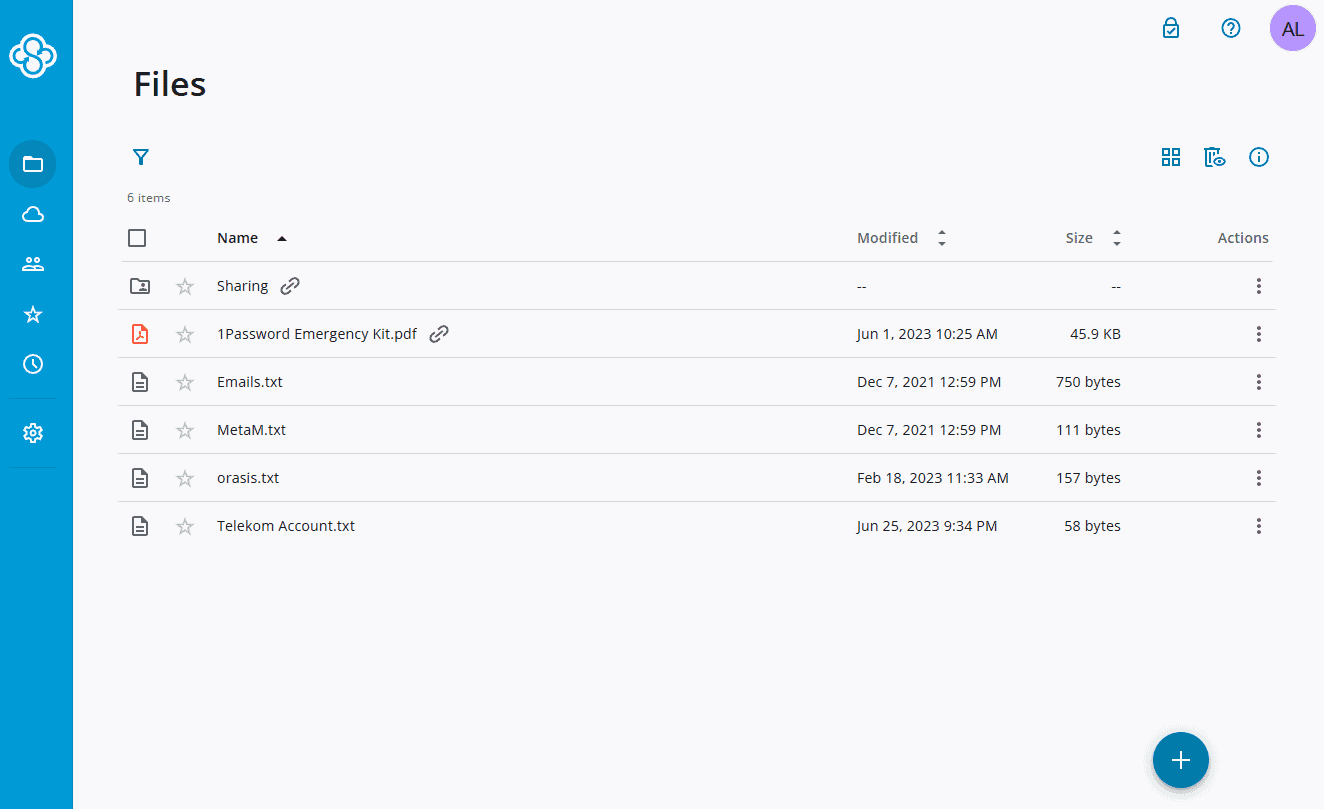
but only basic file synchronization.
Recently, they introduced a beta version of Sync CloudFiles. The feature allows you to designate specific files and folders for exclusive file storage, while still maintaining visibility in the sync folder on your computer. This frees up some space on your local device.
Sync.com does not support block-level syncing due in part to its zero-knowledge encryption, meaning it does not have access to your files. This means that even small changes to a large file require the entire file to download and upload, potentially hampering efficiency. Additionally, the service’s speeds are on the slower side, which can impact productivity working with large files.
How Does Sync.com Handle Professional File Sharing?
Sync.com is an excellent service for any user; however, there are a number of business-focused features that make it great for the workplace.
The client file portal is one such example, and it makes professional file sharing easy and efficient. It allows businesses to include their branding on the portal, adding to the professional presentation when sending business documents such as proposals or briefings.
As a feature with most of Sync.com’s business plans, the client file portal allows you to send password-protected files securely to protect customer data. Additionally, the client file portal has real-time insight and email notifications that support time-sensitive documents. A built-in file preview is offered as well.
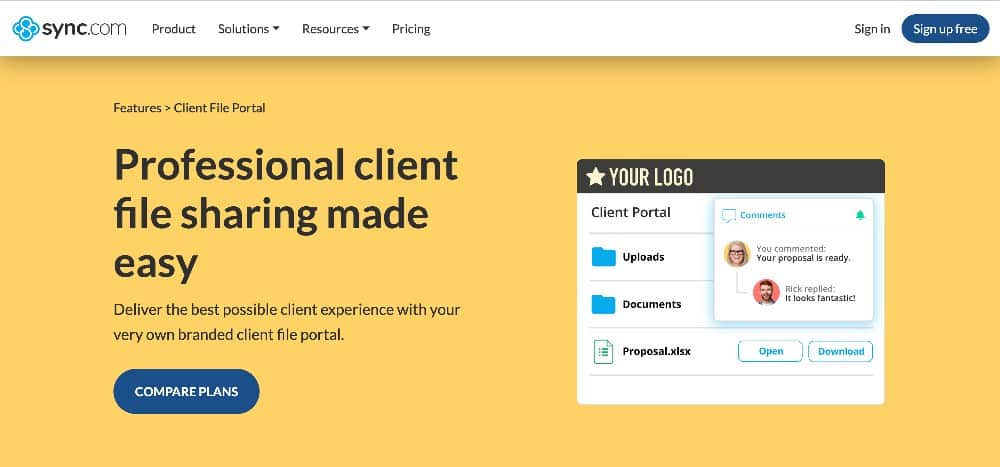
professional business documents with clients.
A free Sync.com account comes with only 5GB of storage, but Sync.com offers many affordable paid plan options. The 2TB Pro Solo Basic rings in at just $4.80 per month, billed annually. All paid plans come with a 30-day money-back guarantee. Check out our comprehensive Sync.com review to learn more.
- 5GB
- 2TB
More plans
- 6TB
- per user, per month, billed annually
- 1TB
- Priced per user (3 users minimum)
- Unlimited GB
- Minimum 100 users, custom requirements, account manager, training options
3. Proton Drive — Privacy-Focused Cloud Storage With Reliable Sync
![Video thumbnail for the video: I Tested Proton Drive to See If It's as Private as It Claims [2024 REVIEW]](https://img.youtube.com/vi/XWmsFdm-VLg/maxresdefault.jpg)
Proton Drive is a strong choice for users who prioritize privacy without sacrificing sync reliability. The service includes zero-knowledge encryption by default, meaning only you can access your files. In our stress tests, Proton Drive passed with flying colors, handling large file uploads in alphabetical order with smooth folder scrolling and no hangs or crashes.
Our 2026 speed tests recorded upload times of 07:15 and download times of 07:11, marking a massive improvement over earlier versions. The desktop app is surprisingly polished, functioning as a full application rather than a minimal dock icon, and maintains low CPU usage during sync operations.
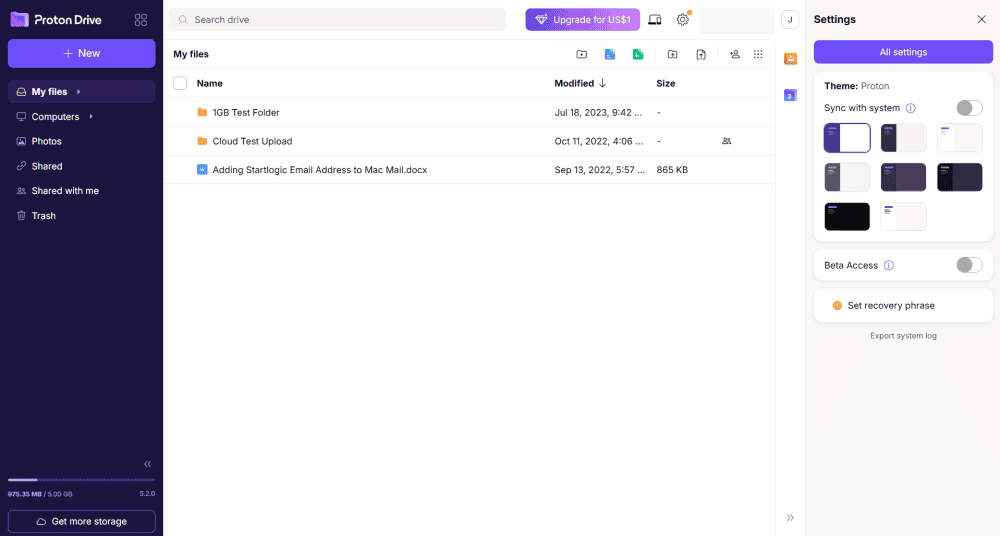
making it easy to work with your files.
Proton Drive supports two-way sync and the ability to sync any folder from your device. However, it does not offer block-level syncing or a virtual drive feature.
How Does Real-Time Collaboration Work with Proton Docs?
A major 2025 update introduced Proton Docs and Proton Sheets, bringing real-time collaboration that rivals Google Docs. Collaborating on documents happens simultaneously with no delays, making Proton Drive a viable productivity suite for teams. The document editor is closer to Dropbox Paper than Google Docs in terms of features.
The mobile app organizes uploaded photos and videos well, and includes an option to disable battery saving directly within the app to guarantee constant uploads. However, sharing permissions are limited to editor or viewer roles, with no option to prevent downloads.
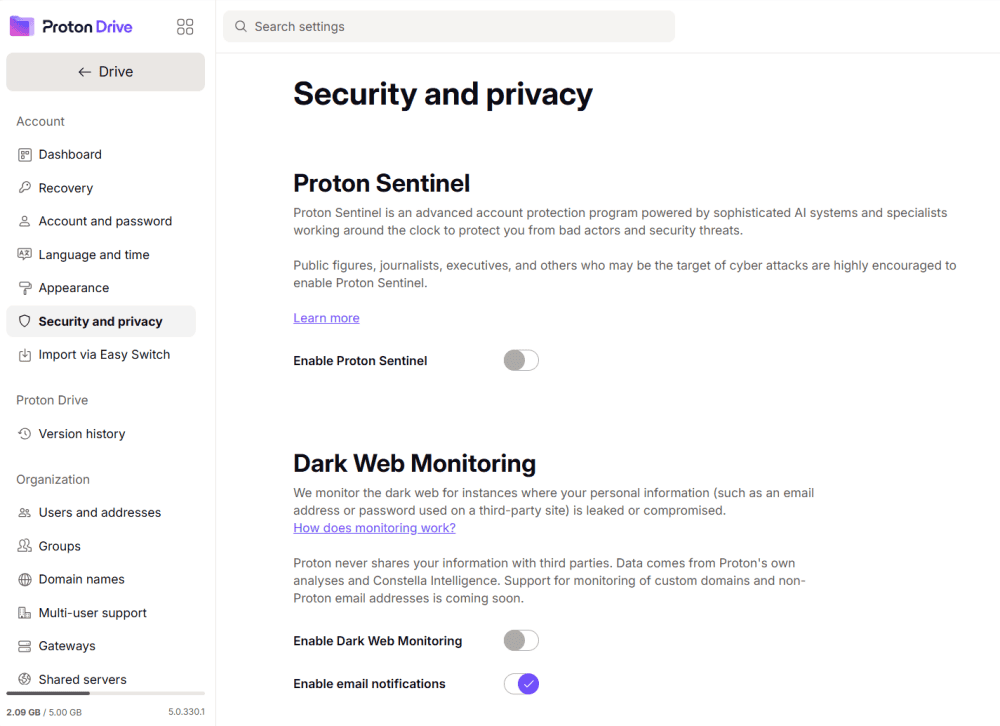
including Dark Web monitoring.
Proton Drive offers 5GB free with a Proton account. Paid plans start at $3.99 per month for 200GB, with storage bundled into Proton’s suite that includes encrypted email and calendar. Check out our Proton Drive review to learn more.
- 5GB
- 200GB
- 500GB
More plans
- 2TB
- 3TB
- per user
- 1TB
- per user, minimum of 2 users
- 1TB
- 1TB
4. Internxt — Affordable Open-Source Storage With Sync Limitations

Internxt offers zero-knowledge encryption and open-source transparency at an extremely competitive price point. In our 2026 speed tests, Internxt recorded upload times of 08:01 and download times of 09:28, a major improvement over 2023’s nearly 50-minute uploads.
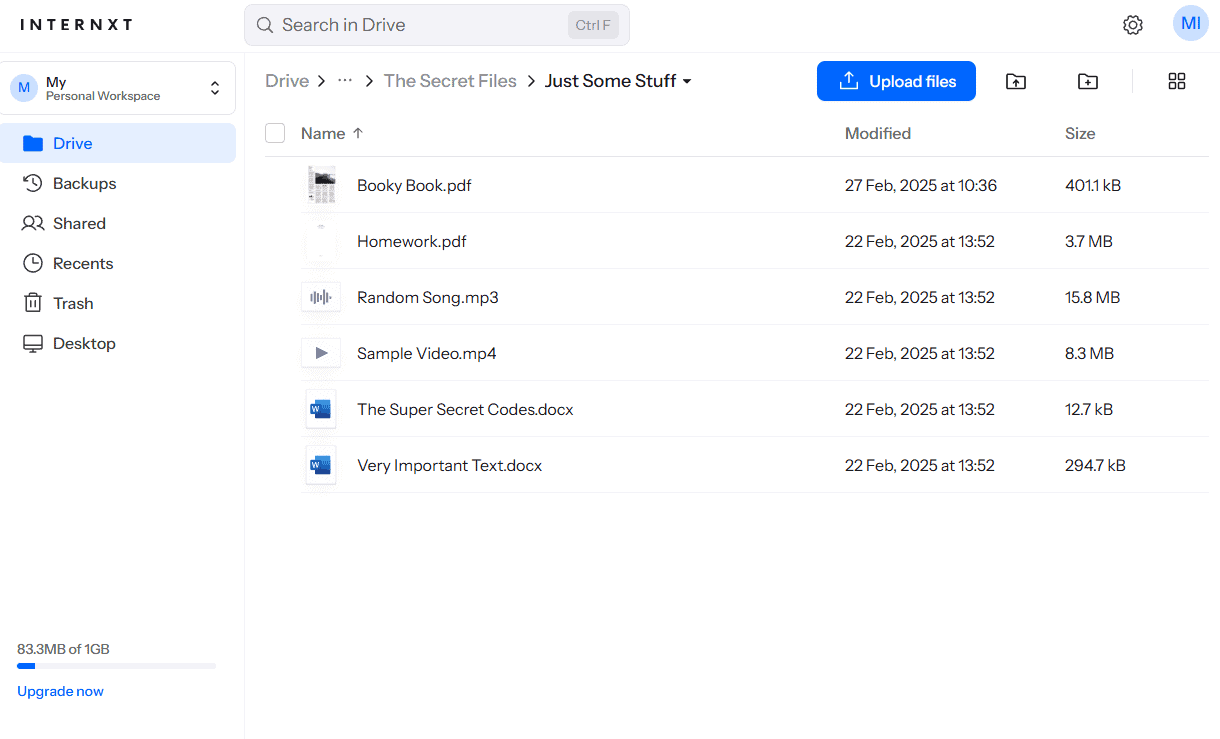
as the desktop app feels a little unpolished.
Our stress test results were concerning: syncing got stuck on one subfolder that kept re-uploading for over two hours. The desktop app doesn’t allow you to pause syncing, forcing testers to quit the app mid-sync. In the sync conflict resolution test, editing files caused the desktop app to lag severely, affecting the entire computer until the app was closed.
What Are Internxt’s Limited Sync Features?
Internxt does not support block-level syncing, nor does it have a virtual drive. The mobile app lacks auto-upload and bulk file selection, functioning more as a placeholder for remote access than a full-featured app.
Despite these limitations, Internxt’s pricing is hard to ignore. Plans start at just $20 per year for the first year for 1TB, making it one of the most affordable zero-knowledge encrypted options available. Password protection and expiry dates for shared links are supported.
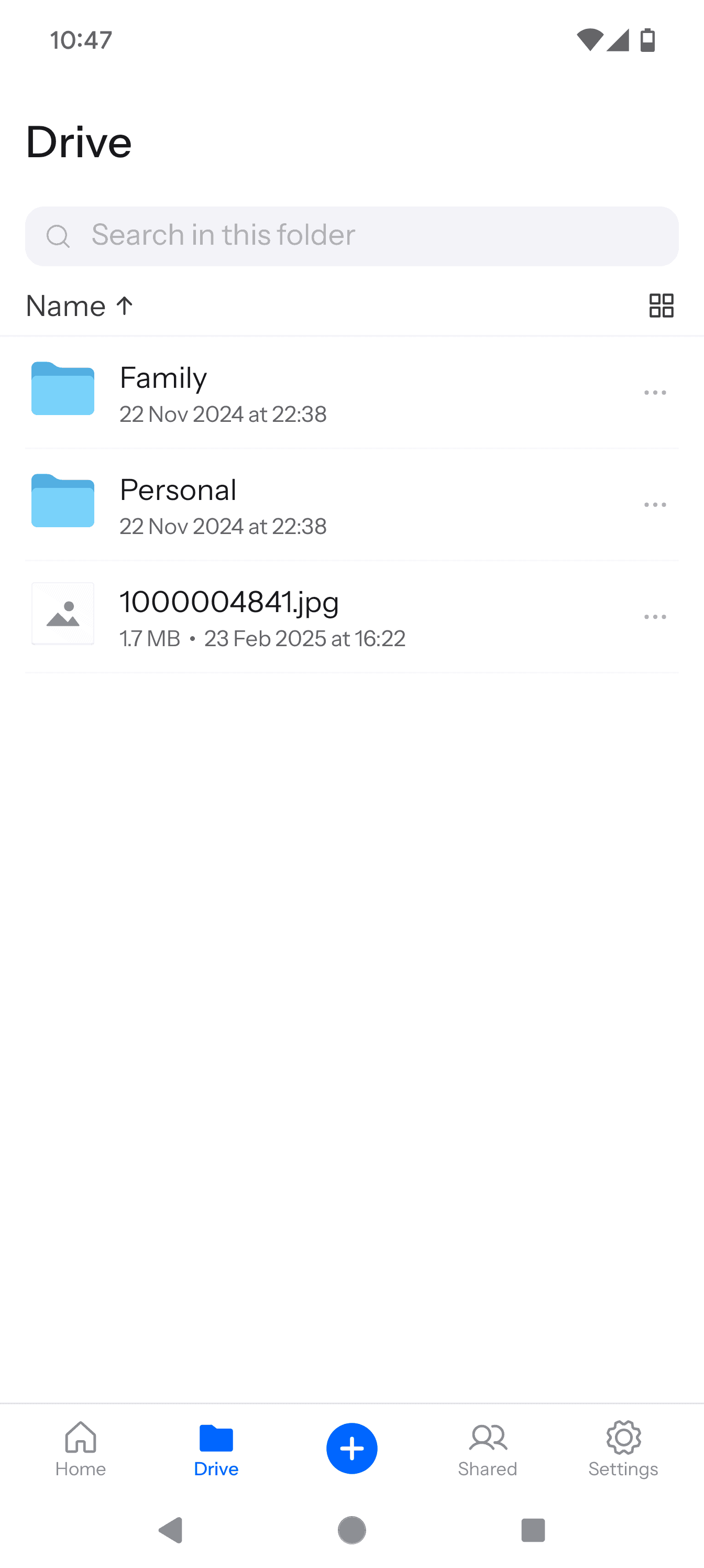
If you need basic, budget-friendly encrypted storage for smaller files and can tolerate occasional sync hiccups, Internxt may work. However, for heavy sync workloads or large file transfers, the stability issues we encountered make it difficult to recommend. Check out our Internxt review to learn more.
- 1GB
- Post-quantum encryption Zero-knowledge encryption Two-factor authentication Backup your computer Password-protected file sharing Encrypted VPN Antivirus
- 1TB
- Everything in Essential plus; Cleaner Invite, share & collaborate File versioning (coming soon) Cleaner
- 3TB
More plans
- Everything in Premium plus CLI & WebDav support NAS & Rclone support Meet Mail (coming soon)
- 5TB
- Annual Price is per user
- 1TB
- Annual Price is per user
- 2TB
5. Icedrive — Excellent File Sync with Virtual Drive for Windows
![Video thumbnail for the video: Ultimate Icedrive Review [2024 Pros and Cons Revealed]](https://img.youtube.com/vi/iVGsDxYVV-Y/maxresdefault.jpg)
Icedrive is an excellent cloud storage provider offering syncing features. Each account has a main sync folder with the option to create custom folders or sync folders from your devices. Icedrive’s file synchronization works well, as the overall upload and download speeds are very good.
However, where Icedrive really shines is with its virtual drive, or mounted cloud software. Only available for Windows, the Icedrive virtual drive simulates a real hard disk on your computer by connecting with Icedrive’s servers and giving you access to your files without occupying additional disk space.
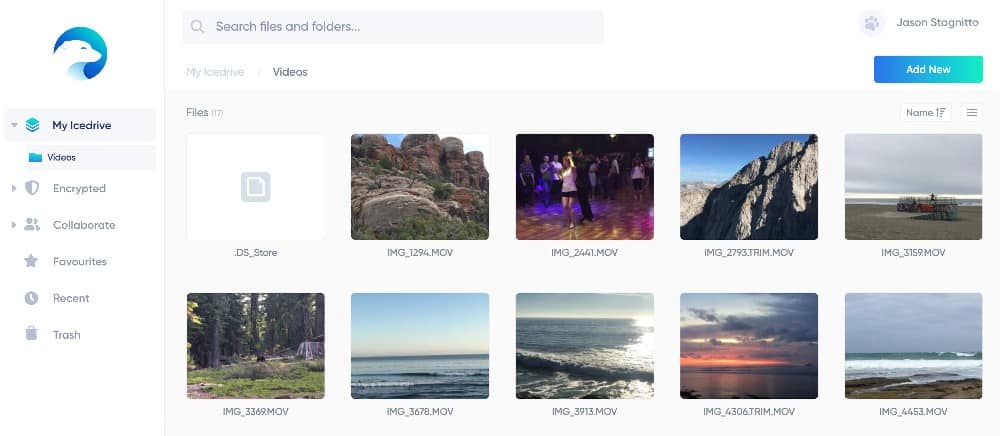
MacOS and Linux don’t support mounted cloud software. However, the Icedrive desktop app brings added functionality and customization to these platforms, making it easy to manage files and folders. The desktop app for Mac and Linux replicates the website experience, but allows users to customize concurrent uploads or downloads and change the download and edit folder paths.
How Can You Preview Your Files with Icedrive?
Icedrive’s user interface (UI) is sleek and easy to use, as it gets out of the way and lets users simply interact with their data. A noticeable element of the UI is the file preview feature. Many cloud storage providers have some version of file previews, but Icedrive’s is a step above, particularly with media files.
Videos play directly from the web browser, and you can make the video preview full-screen. Other supported file types include JPG, PDF, DOC and XLSX. Supporting many file types for preview makes it easy to identify your files without having to download them first. File preview also works on the desktop app, including full-screen video playback.

Icedrive makes it easy to get started on its free plan by offering 10GB. Other options include monthly or annual plans, including 1TB for $59 per year. Icedrive also offers lifetime plans, allowing you to pay one price upfront instead of a recurring subscription. All paid plans come with a 14-day money-back guarantee. Check out our Icedrive review to learn more.
- 10GB
- 1TB
- 3TB
More plans
- 5TB
- 2TB
- Additional 1TB storage for users who purchased the Lifetime Plan
- 1TB
- Additional 5TB storage for users who purchased the Lifetime Plan
- 5TB
6. Dropbox — Cloud Storage With Desktop Sync
![Video thumbnail for the video: Should You Still Use Dropbox in 2024? [Updated Review]](https://img.youtube.com/vi/bwy8HZ1Uvnk/maxresdefault.jpg)
Dropbox supports block-level syncing, which keeps edited documents up to date by processing only new edits for every change. Additionally, Dropbox has smart sync and selective sync. Selective sync gives the user the flexibility and control to decide which folders to sync and which to exclude. This, however, requires downloading the desktop application.
Smart sync works differently than selective sync, although the two often need clarifying. Dropbox’s smart sync lets users set files or folders to online-only access. By doing this, these items don’t take up space on a device’s hard drive. Smart sync folders and files appear in a Dropbox account, making them easily accessible.
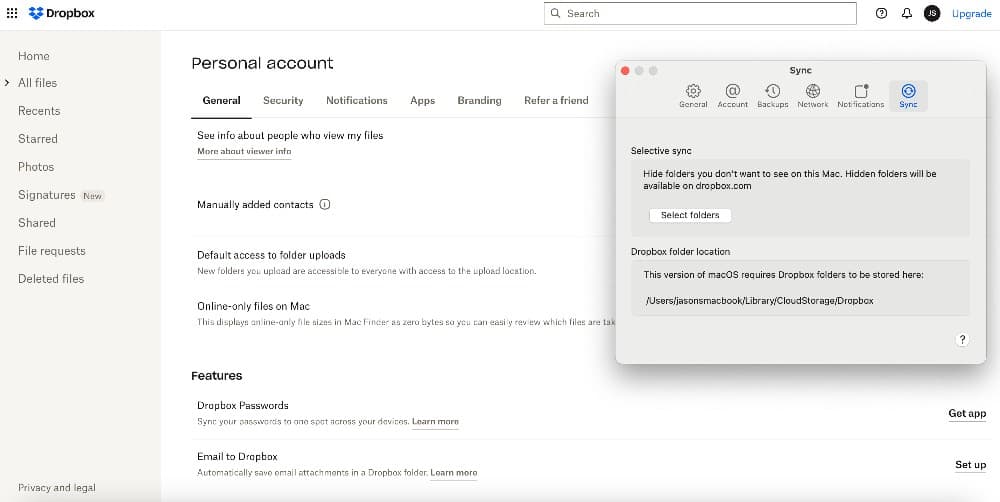
From a productivity and collaboration standpoint, Dropbox excels among its competitors due to its excellent file sharing. Of all the services on our list, its desktop sync works the best with the Dropbox folder.
How Does Dropbox Help You Stay Productive?
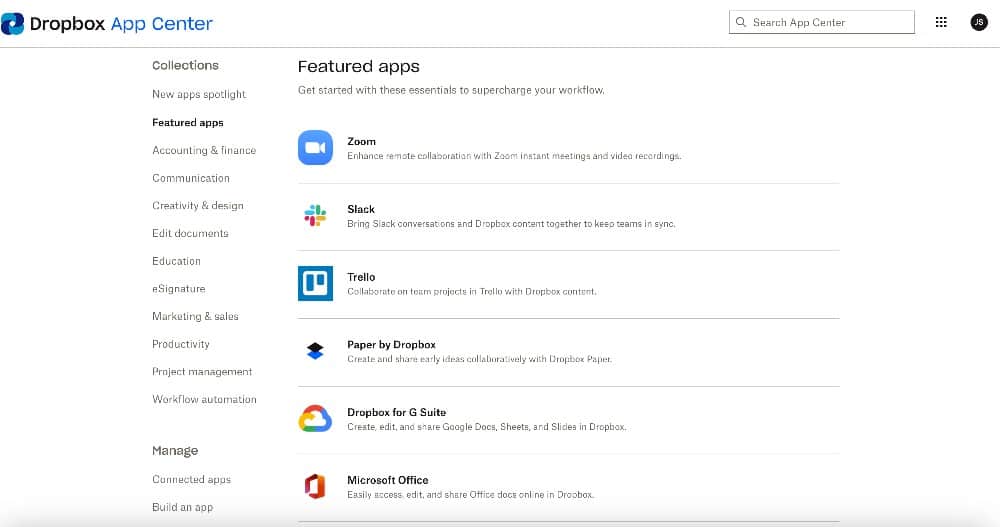
Dropbox promotes productivity and collaboration through numerous third-party app integrations, including Google Workspace and Office 365. These popular productivity suites make it easy to keep projects and teams connected, and collaboration efforts moving forward.
It also supports communication with app integrations to Slack and Zoom. Other third-party connections to Dropbox include Canva for graphic design and Adobe for PDF files.
Dropbox has native apps such as Dropbox Paper, an integrated note-taking app. “Dropbox sign” lets you prepare and sign documents, while DocSend is an advanced document-sharing feature with real-time analytics.
Another Dropbox native app, Capture, allows you to record and share screen captures or recordings, a nice feature for creating video training or sending team messages.
The free plan with Dropbox only comes with 2GB of storage. That’s enough to try the service, but it falls far short of doing any meaningful work. Dropbox offers affordable plans, such as the 2TB Plus plan at $9.99 per month when billed annually ($11.99 per month, otherwise). For a deeper dive, check out our Dropbox review.
- 1 user
- 2GB
- 1 user
- 2TB
- up to 6 users
- 2TB
More plans
- (Formerly Dropbox One) 1 user Signature requests and eSignature templates
- 3TB
- 3 users minimum
- 5TB
- 3 users minimum
7. MEGA — Excellent Free Storage Plan With Basic File Sync Features

MEGA does many things well, including file synchronization. All accounts have access to something called the main cloud drive folder. Within this folder you can create additional folders to customize your account folder and file structure. However, MEGA does not support block-level syncing.
Downloading the MEGA desktop app creates a MEGAsync folder on your computer. The MEGAsync folder is your dedicated space for syncing files and folders on your computer. The MEGA desktop app allows you to choose which folders to sync and create additional paths to local folders, meaning you can have multiple sync folders simultaneously.
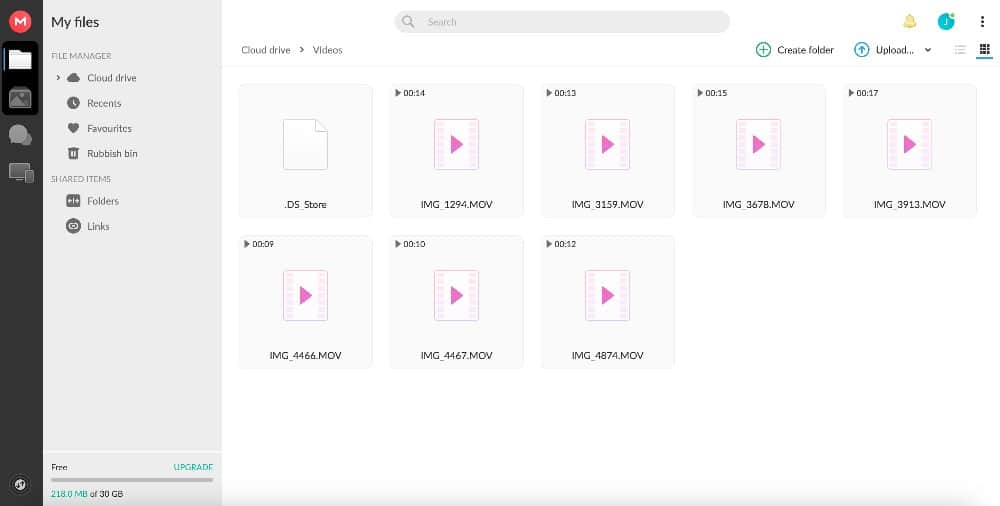
The mobile app functions as a way to access your account on the go. Your MEGAsync folder is included, and the mobile app gives you the ability to upload photos, scan documents or add new folders.
How Does MEGA Enable Effective Collaboration?
One area where MEGA could improve is in third-party app integrations. To mitigate this, MEGA allows anyone to access folders or files you share with them without the need to have a MEGA account. You won’t have real-time collaboration or document editing, but you can use MEGA to work with others on projects.
Using the MEGAdrop folder, anyone can send folders or files to your account, even without a MEGA account of their own. Any folder on your MEGA account can become a MEGAdrop folder by selecting this option from the dropdown menu.
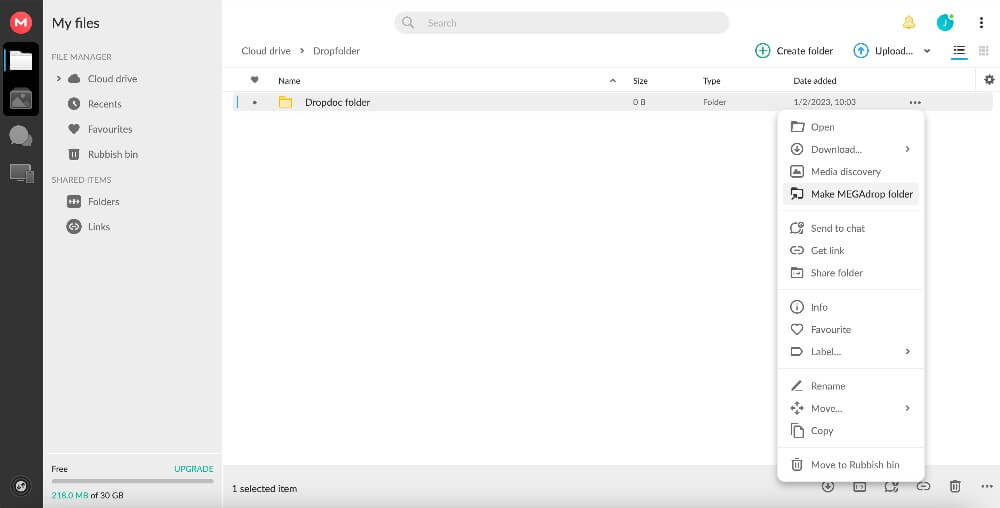
enabling the “make MEGAdrop folder” option.
MEGA offers one of the most generous free account data allotments at 20GB (with the potential to add more free space by completing a few micro-tasks). However, MEGA’s cloud storage costs are expensive compared to its competition. The 3TB plan costs $11.68 per month or $117.36 annually. Read our MEGA review for more information on this cloud storage service.
Final Thoughts: Cloud Storage With Sync
Selecting the best cloud storage with file sync is difficult, as there are many great providers to choose from. pCloud is our top option, offering excellent speeds, decent cloud storage cost and file sync customization.
Sync.com takes second place with its zero-knowledge encryption and professional file-sharing features, though sync speeds remain slower than competitors. Proton Drive impresses with stable sync performance and real-time collaboration through Proton Docs, making it ideal for privacy-conscious users. Internxt offers incredible value but failed our stress tests, making it best suited for light sync workloads.
Icedrive’s virtual drive is a stand-out feature that complements its fast upload and download speeds. Despite privacy concerns and a small free plan, Dropbox does file sync exceptionally well. MEGA rounds out our list, offering capable but basic file sync experiences with generous free storage.
How important is file sync to you? Do you use one of the cloud storage providers listed here? Which one is the best cloud storage service for syncing? Are there other cloud storage services that we missed? Let us know in the comments section below. As always, thanks for stopping by.
FAQ: Best Cloud Sync Software
For most services, cloud sync storage means storing data in a separate folder or even a virtual drive that acts like a hard drive. Freeing up disc space on your computer is a benefit of cloud storage.
Most cloud storage providers offer a free account of varying sizes. Specific to the providers in this article, Dropbox has the smallest free storage at 2GB, while MEGA offers a robust 20GB for free.
Sync.com offers 5GB on its free account plan. Using the refer-a-friend program gets you an additional 1GB for each referral.