iCloud vs Google Drive: Pricing, Storage & Features Compared
Google Drive and iCloud are similar in many respects, but each has its pros and cons. Learn which service is best for you in this iCloud vs Google Drive matchup.



Written by Aleksandar Kochovski (Writer)
Reviewed by Valentina Bravo (Managing Editor)
Facts checked by Simona Ivanovski (Fact-Checker, Formatter)
Last Updated:
All our content is written fully by humans; we do not publish AI writing. Learn more here.
Key Takeaways: Google Drive vs iCloud
- Google Drive is the better choice overall, especially if you need to work on documents and collaborate with others.
- Despite its small feature set, iCloud is more private, thanks to its advanced data protection feature.
- Both services offer similar pricing, but Google Drive will save you a few dollars with its yearly subscriptions.
Facts & Expert Analysis About Apple iCloud vs Google Drive
- Cloud storage privacy: Client-side encryption, such as iCloud’s advanced data protection, is the best way to protect your data, as it blocks the cloud provider from accessing your files.
- Online collaboration: Google Drive supports real-time collaboration on any device, while iCloud restricts it to other Apple users.
- Device support: iCloud is tightly coupled with Apple’s OS features, while Google Drive is platform agnostic and has full browser-based functionality.
Google Drive and iCloud are similar in many ways: Both are owned by giant corporations, both come preinstalled on their respective platforms and both are lacking when it comes to privacy. While neither option is the best cloud storage service available, they do have their benefits. In this article, I’ll compare iCloud vs Google Drive to determine the ultimate winner.
Cloudwards’ Choice: Google Drive Is the Winner
 Cloudwards’ Choice: Google Drive Is the Winner
Despite having worse privacy, Google Drive wins for me because it offers a broader feature set and better value for money. However, if you have multiple Apple devices, you may prefer iCloud for its tight integration into the ecosystem.
Which Is Better: Apple iCloud vs Google Drive?
Depending on your needs, you may prefer either Google Drive or iCloud for a variety of reasons.
Who Is iCloud For?
- Apple users: iCloud is firmly embedded in the Apple ecosystem, which makes it a good choice for Apple users.
- Users who prefer privacy: Thanks to its advanced data protection, iCloud is more private than Google Drive.
- Users with simple needs: iCloud is a simple service with few features, which makes it easier to use.
Who Is Google Drive For?
- Cross-platform users: Google Drive has better app support across different platforms, whereas iCloud has no Android app.
- Productivity-focused users: Google Drive lets you create and edit documents in its Workspace suite.
- Collaborative teams: Google Drive’s file-sharing features and access permissions let you collaborate with others online.
Our Detailed Comparison Methodology
As cloud storage is our key area of expertise, our tests simulate various real-world usage scenarios while also assessing speed, performance and security. We test for proper encryption, assess how the services handle sync conflicts, and conduct stress and speed tests by uploading, downloading and editing a variety of large and small files.
For an in-depth look at these services, check out our Google Drive review and our iCloud review.
10,000+ Trust Our Free Cloud Storage Tips. Join Today!

- Demystify cloud storage terminology and key concepts in plain language
- Discover easy-to-implement techniques to securely backup and sync your data across devices
- Learn money-saving strategies to optimize your cloud storage costs and usage
Google Drive vs iCloud: Comparison at a Glance
| Features |  |  |
|---|---|---|
| Sync Folder | ||
| Block-Level Sync | ||
| Selective Sync | ||
| Bandwidth management | ||
| Sync Any Folder | ||
| File Link Sharing | ||
| Link Passwords | ||
| Link Expiry Dates | ||
| Folder Sharing | ||
| Folder Permissions | ||
| Link Download Limits | ||
| Upload Links | ||
| File Previews | ||
| Edit Files | ||
| In-App Collaboration | ||
| Office Online | ||
| Google Docs | ||
| Notes App | ||
| Media Playback | ||
| Mobile Apps | ||
| Deleted File Retention | ||
| Versioning | ||
| WebDAV | ||
| At-Rest Encryption | ||
| In-Transit Encryption | ||
| Encryption Protocol | TLS | AES 128-bit |
| Client-Side Encryption | ||
| Two-Factor Authentication | ||
| Server Location | US | US |
| 24/7 Support | ||
| Live Chat Support | ||
| Telephone Support | ||
| Email Support | ||
| User Forum | ||
| Knowledgebase | ||
| Free Plan |
iCloud vs Google Drive: Similarities
iCloud and Google Drive overlap in several areas. I explore these similarities in more detail below.
Google Drive vs iCloud Storage, Pricing & Value
Google Drive and iCloud have similar pricing plans, with only a slight difference in the cost of their most practical plans, which provide 2TB of storage.
That said, they offer different packages — Google Drive gives you more functionality, while iCloud has better privacy, making it difficult to truly say that one provides objectively better value. Google Drive offers more free storage than iCloud, though, at 15GB vs iCloud’s 5GB.
| Plan Type: | | |
|---|---|---|
| Free | 15GB of Google Drive storage | 5GB of iCloud storage |
| Low-tier | 200GB for $2.50 per month, paid annually | 200GB for $2.99 per month |
| Mid-tier | 2TB for $8.33 per month, paid annually | 2TB for $9.99 per month |
| Top-tier | 10TB for $49.99 per month, paid annually | 12TB for $59.99 per month, paid annually |
Neither service wins this round because their pricing plans are fairly comparable, with only minor differences in cost and value.
iCloud vs Google Drive Security & Privacy
Neither iCloud nor Google Drive made our list of the most secure cloud storage, but Apple pulls ahead in this round thanks to its recent addition of end-to-end encryption. With its advanced data protection feature, which grants you control over your encryption keys, you can have all files encrypted on your device before they’re sent to Apple servers.
Google Drive, on the other hand, has a terrible track record for user privacy. After all, its main business is advertising, and its privacy policy allows it to scan every file you upload, making it a poor place to store sensitive documents.
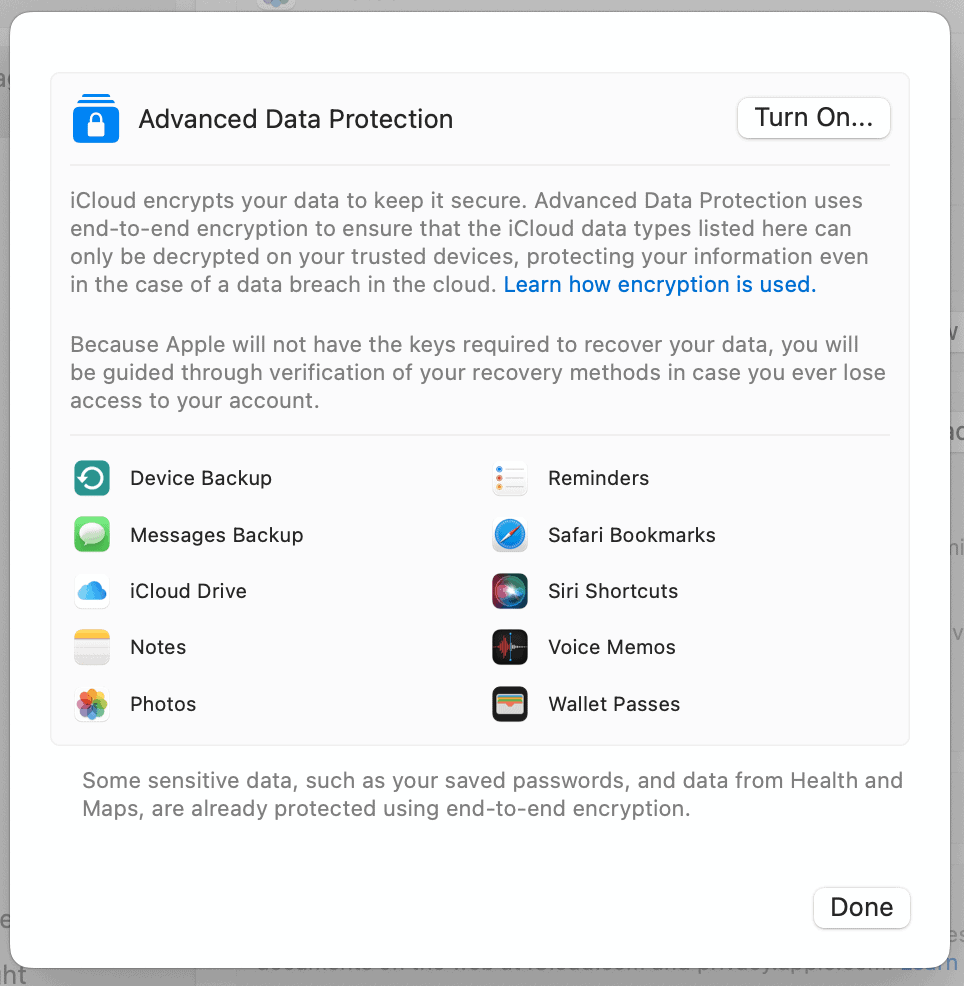
iCloud wins this round because it offers client-side, end-to-end encryption, while Google Drive is actively harmful to user privacy.
iCloud vs Google Drive Customer Support
Google Drive and iCloud offer similarly poor customer support experiences. While help documentation is plentiful, it’s difficult to even find the correct page to get in touch with a live agent. Once you do, you’ll deal with long wait times and overworked support agents.
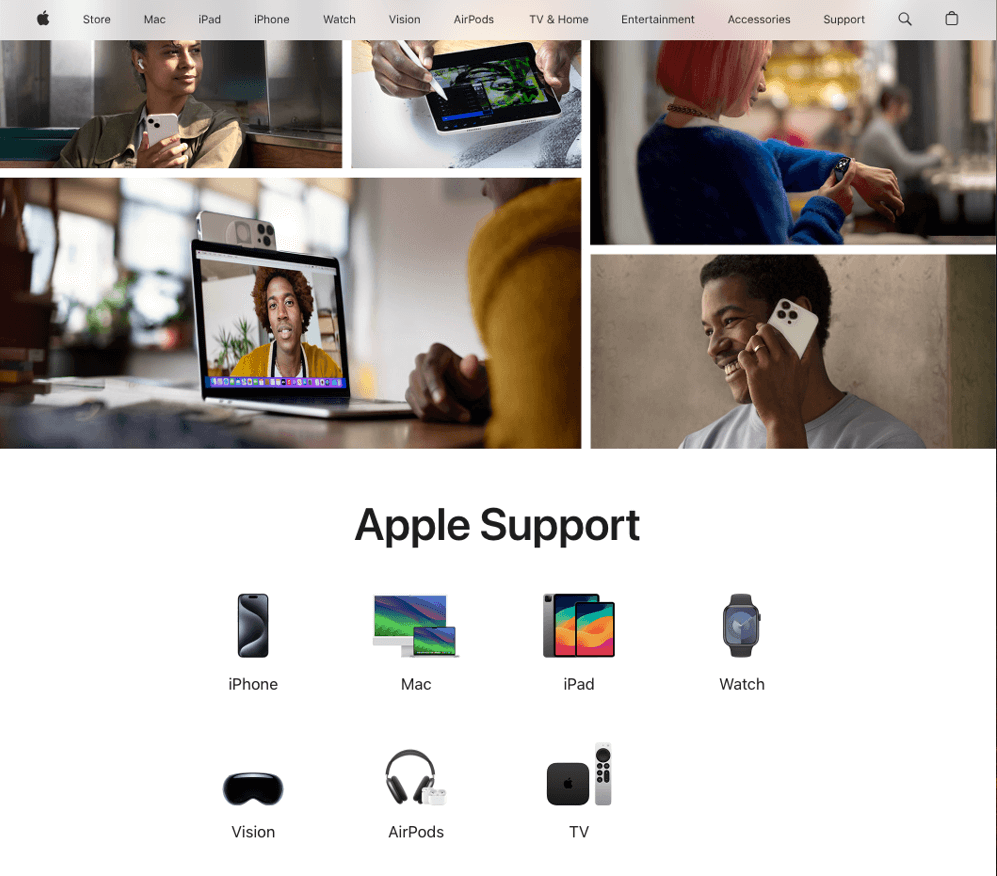
hard to get in contact with a live support agent.
Neither service wins this round because the customer support options are equally lacking. It’s too close to call a winner.
Google Drive vs iCloud: Differences
Google Drive and iCloud differ in several categories. I go over the main differences below.
Speed & Performance
| Cloud Service | Upload Speed | Download Speed |
|---|---|---|
| 0:06:59 | 0:07:12 |
| 0:11:18 | 0:08:25 |
It’s clear that Google Drive is much faster than iCloud, with the latter demonstrating one of the worst performances in our speed tests. You can see the full results of this testing in our fastest cloud storage article.
Google Drive wins this round because it has better upload and download speeds.
Features
| Feature | | |
|---|---|---|
| File sharing | Advanced | Basic |
| File versioning | 30 days or 100 versions | None |
| Deleted file retention | 30 days | 30 days |
| Document editing | Google Docs, Sheets, Slides | Apple Pages, Numbers, Keynote |
| 3rd-party integrations | Add-on store with thousands of apps | None |
Although both services offer some level of document editing through their respective app suites, Google Drive’s functionality is superior, making it one of the best cloud services for collaboration. Google Workspace gives you more freedom with formatting, and the learning curve is practically nonexistent if you’ve used Microsoft Office.
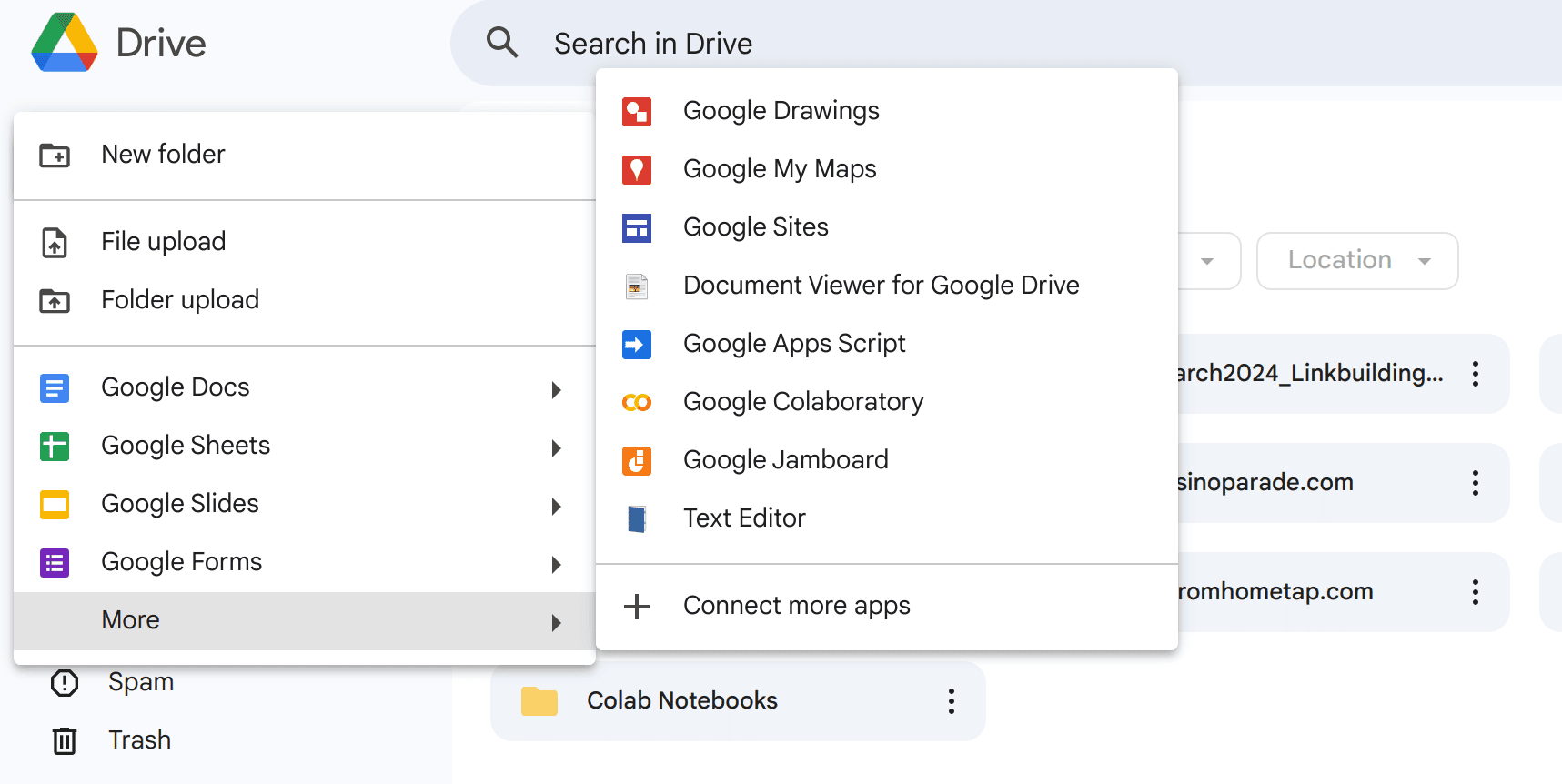
On the other hand, iCloud uses Apple’s document editors, which have more limited functionality and collaboration options. File sharing is also superior on Google Drive, which highlights its better collaboration potential. In addition, Google Drive supports third-party add-ons for features such as PDF editing and document signing.
Google Drive wins this round because it offers better document editing, sharing and collaboration, and it has an entire store of add-ons to expand its functionality.
Apps & Compatibility
Google Drive is a better choice for Android users because it is the default cloud storage for Android, much like iCloud is for iOS users. In addition, Google Drive’s desktop app offers more file-syncing options than iCloud.
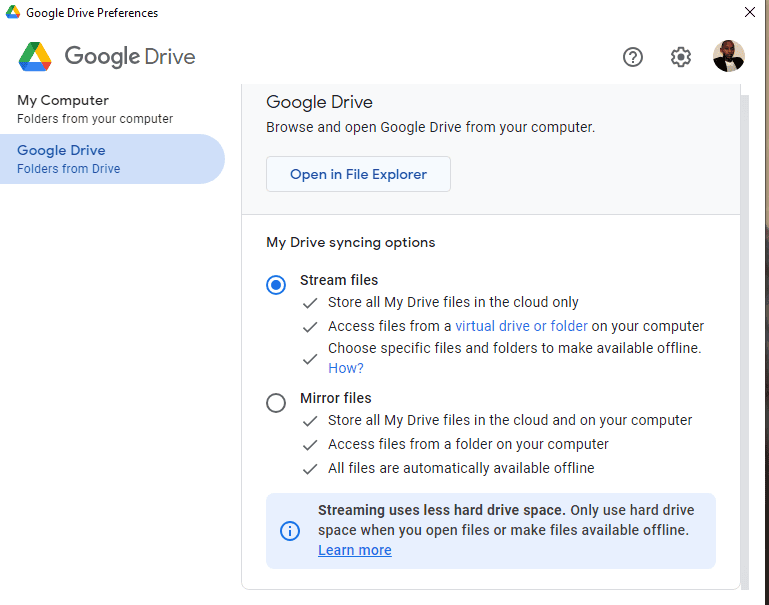
iCloud is heavily restricted to the Apple ecosystem. Although you can use the web version freely, you need to activate it on an Apple device before you can install it on Windows. Plus, it lacks an Android app.
Google Drive wins this round because of its better cross-platform support and superior desktop app.
Is Google Drive or iCloud Better for Photos?
Google Drive and iCloud are the default gallery apps for their respective mobile operating systems. As such, which one is better will depend on your OS, as they offer similar capabilities, including automatic cloud backup, AI-driven search and photo editing and sharing.
The Verdict: Why We Think Google Drive Wins Overall
Ultimately, Google Drive wins on multiple fronts, with iCloud beating it out only in the privacy category. If you value the confidentiality of your data, iCloud may be a better choice for you, but in most other cases, Google Drive is superior.
Do you agree with my conclusion? Which service would you pick as the winner: Google Drive or iCloud? Do you prefer privacy, or is Google Drive’s broad feature set just too good to pass up? Let me know in the comments below. As always, thank you for reading.
If You Want to Consider Other Services, Check Out…


- 1
- :
- :
- :
- :
- 2
- :
- :
- :
- :
- 3
- :
- :
- :
- :
- 4
- :
- :
- :
- :
- 5
- :
- :
- :
- :
- 6
- :
- :
- :
- :
- 7
- :
- :
- :
- :
- 8
- :
- :
- :
- :
- 9
- :
- :
- :
- :
- 10
- :
- :
- :
- :
- 11
- :
- :
- :
- :
- 12
- :
- :
- :
- :
- 13
- :
- :
- :
- :
- 14
- :
- :
- :
- :
- 15
- :
- :
- :
- :
- 16
- :
- :
- :
- :
- 17
- :
- :
- :
- :
- 18
- :
- :
- :
- :
- 19
- :
- :
- :
- :
- 20
- :
- :
- :
- :
- 21

- :
- :
- :
- :
- 22
- :
- :
- :
- :
- 23
- :
- :
- :
- :
- 24
- :
- :
- :
- :
- 25
- :
- :
- :
- :
- 26
- :
- :
- :
- :
- 27
- :
- :
- :
- :
- 28

- :
- :
- :
- :
- 29
- :
- :
- :
- :
- 30
- :
- :
- :
- :
- 31
- :
- :
- :
- :
- 32
- :
- :
- :
- :
- 33
- :
- :
- :
- :
- 34

- :
- :
- :
- :
- 35

- :
- :
- :
- :
- 36

- :
- :
- :
- :

























FAQ: iCloud vs Google Drive
If you value privacy over the functionality of Google Drive, then you should switch to iCloud.
No, Google Photos is not the same as Google Drive, though it does use Google Drive for storage.
No, Google Drive can’t create a full backup of your iPhone — only iCloud can.