Best Online Backup for Multiple Computers & Devices in 2026


Written by Aleksandar Kochovski (Writer)
Reviewed by Jackie Leavitt (Editor at Large)
Last Updated:
All our content is written fully by humans; we do not publish AI writing. Learn more here.
Key Takeaways: Best Online Backup for Multiple Computers
- IDrive — The best multiple-computer backup system
- pCloud — An easy-to-use online backup option with lifetime storage plans
- Internxt — An affordable open-source option with client-side encryption
- Proton Drive — A privacy-focused sync solution with zero-knowledge encryption
- Acronis Cyber Protect — A feature-rich and secure backup solution
A modern household is highly reliant on technology, so chances are you’ve got multiple computers lying around your home. Whether its family photos, home videos or important work files for your small business, you don’t want to lose all your valuable data in a hard drive crash. Finding the best online backup for multiple computers could be the solution to that problem.
Backups can get messy if you have more than one computer. Using a different account for every device will make your backups difficult to manage. However, a single-subscription solution for all of your backups can help you sort out all your cloud-based files. That’s why we’ve compiled this list of the best online backup for multiple computers.
Our number-one pick is IDrive, which straddles the line between online backup and cloud storage, and lets you back up an unlimited number of computers. It also offers zero-knowledge security.
-
08/24/2022 Facts checked
Updated IDrive’s pricing information.
-
10/27/2022 Facts checked
Updated Carbonite’s pricing information.
-
05/23/2023 Facts checked
Updated to remove IDrive’s discontinued free plan and add its new free 30-day trial.
-
02/26/2024 Facts checked
Updated IDrive’s pricing information.
-
06/29/2025 Facts checked
We adjusted the list to add pCloud as an option to backup multiple computers.
What Is the Best Online Backup for Multiple Computers?
- 1
- :
- :
- :
- :
- :
- :
- :
- 2
- 3
- 4
- 5
- :
- :
- :
- :
- :
- :
- :
- 6
- :
- :
- :
- :
- :
- :
- :

All of the entries on this list are among the best cloud backup services, so you can’t go wrong with any of them. If cloud storage is what you need instead, you can check out our best cloud storage list.
10,000+ Trust Our Free Cloud Storage Tips. Join Today!

- Demystify cloud storage terminology and key concepts in plain language
- Discover easy-to-implement techniques to securely backup and sync your data across devices
- Learn money-saving strategies to optimize your cloud storage costs and usage
Before we dive into the full list, let’s take a look at why these are the go-to services when you need to backup multiple computers.
What Makes the Best Cloud Backup for Multiple Computers?
The first thing to look for in a backup system for several computers is a plan that can backup more than one device. Unlimited device backup would be ideal, though only a handful of services offer it. These plans have to come at a decent price, too, and they have to provide enough storage space to backup all of your computers.
Cloud security is something we value greatly here at Cloudwards, so it’s imperative for us that your data is safe from prying eyes. Zero-knowledge encryption means that only you can access your files, and two-factor authentication will block any hackers from logging into your account, even if they have your password.
Speed is another deciding factor for choosing the right cloud backup provider. Backups can take a long time to complete, but you shouldn’t have to wait an eternity for them to finish uploading. The biggest factor in a service’s speed is how close you are to its servers, so a backup platform with servers around the world will provide a speedy experience for more of its users.
Of course, you shouldn’t need a computer science degree to use a cloud backup service. The platform should be thoughtfully designed with ease of use in mind. Plus, support for different operating systems, such as Linux and Mac, is always welcome.
1. IDrive

Taking the top spot on our list is IDrive, a veteran of online backup that first opened its doors in 1995. What’s truly outstanding about IDrive is its hybrid feature set, which combines the best of online backup with the file sharing and syncing features of cloud storage. You can read our full IDrive review for a complete overview of everything it has to offer.
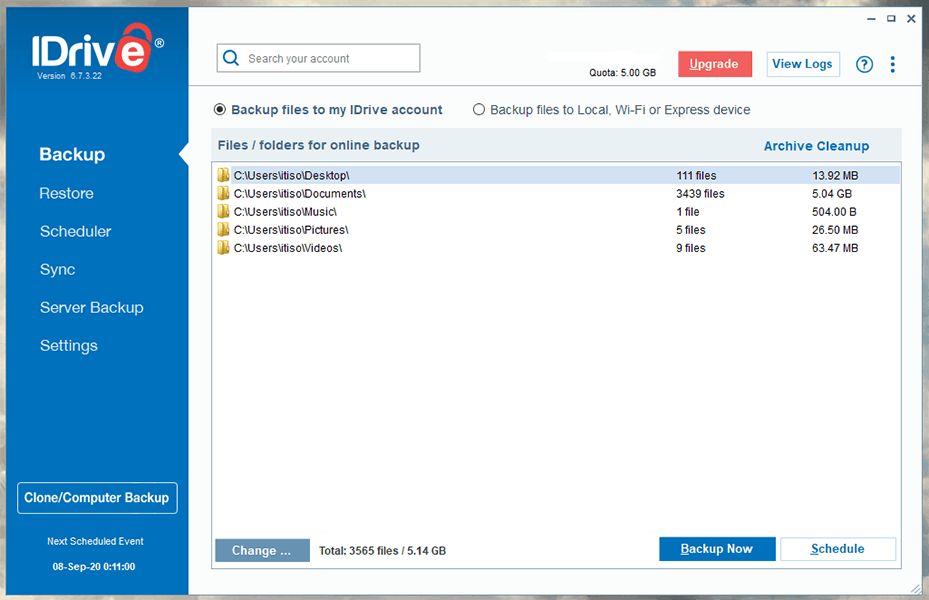
IDrive’s Personal plan comes in a variety of storage capacities and lets you backup an unlimited number of devices, including external drives. It starts from 5TB for $6.22 per month (two-year plan) and goes all the way up to 100TB. You also get an additional discount for your first year.
This is a great deal, and there are monthly options, so you can choose to pay a monthly or yearly fee for IDrive’s pricing plans, but there’s an additional discount if you pay for two years in advance.
You can give IDrive a try via its 10GB free plan before you make up your mind.
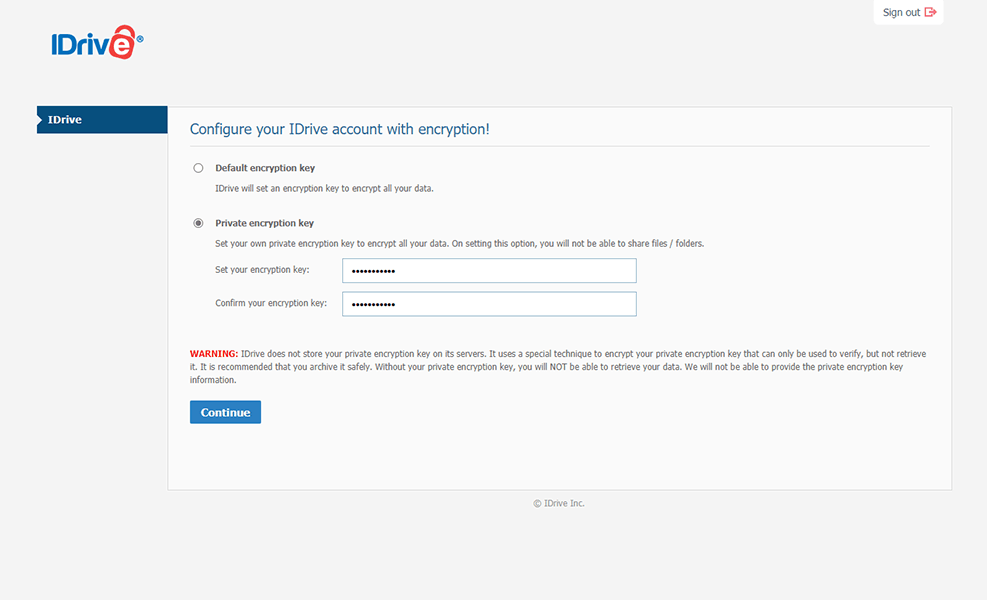
IDrive gives you the option to keep your encryption key private before making your first backup. Your data is encrypted using 256-bit AES encryption in transit and at rest. Plus, IDrive’s data centers are physically protected against fires, earthquakes and other natural disasters, as well as any nefarious intruders.
However, IDrive’s servers are in the United States, which has some pretty terrible online privacy laws, such as the Patriot Act. However, if you choose the zero-knowledge encryption option, not even Uncle Sam can view your private files. Two-factor authentication is the icing on the cake, so you can rest assured that you’re the only one who can log in to your account.
What Are Other Reasons We Like IDrive?
As we mentioned, IDrive offers a multitude of features. You’re storage space can be used for online backups and cloud storage. Data in this space can be synced across all of your devices, just like it would with a cloud storage service. You can even share your files through IDrive.
You can also make image-based backups that clone your entire system to the cloud, not just your files. IDrive even makes NAS backups and server backups, if you need that sort of thing.
There’s no need to worry if you accidentally delete a file or folder from your cloud backup. IDrive retains deleted files and 30 past versions of files indefinitely. This makes it easy to revert any accidental or unwanted changes to your backup.
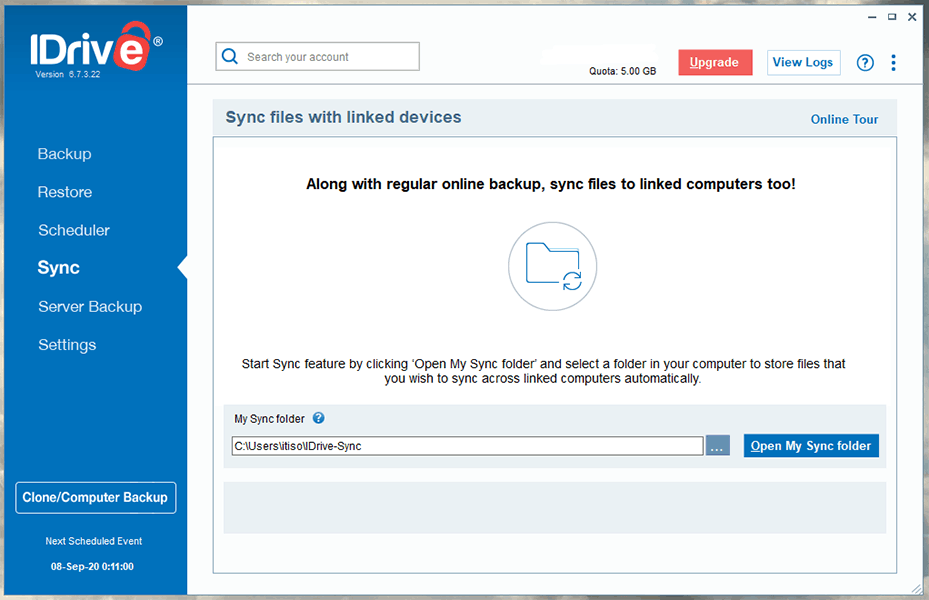
Although IDrive is a pretty fast service, speed can become an issue if you’re located far from the U.S. data centers. Luckily, block-level copying will speed up any subsequent reuploads, once the initial backup has been performed.
IDrive is relatively easy to use, considering how many features it packs into its service. It’s available for Mac and Windows, but Linux support is missing. You can still use the web interface on Linux, and it functions just like the desktop app. There’s also a mobile app that lets you backup photos and videos from your phone and manage your backups remotely.
Overall, IDrive is an excellent choice for multiple computer backups. It offers zero-knowledge security and plenty of storage at a low cost. That places it above the competition and earns it first place on our list.
- No credit card required.
- 10GB
- One user.
- 100GB
- One user, multiple computers. Plans starting from 5TB up to 100TB. Big discount for first-time signup.
- 5TB
More plans
- 5 computers, 5 users. Starting at 5TB up to 500TB. Big discount for first-time signup.
- 5TB
- Monthly Plan storage starts at 1.25TB up to 50TB Unlimited users, multiple computers and servers. NAS devices. 250GB storage. Starting at 250GB up to 50TB. Large discount for first-time signup.
- 250GB
- 5TB
2. pCloud

pCloud is primarily a cloud storage service, offering a wide variety of tools to sync, share and collaborate on files. However, it also offers pCloud Backup, a simple backup tool to protect your files and folders. There are no limits to the number of devices you protect, although your backups will count towards your storage limit.
You don’t get many options to control your backup with pCloud. All backups are continuous rather than scheduled and while you can back up any folder, you can’t create a full disk image. The lack of options is disappointing, but does mean that creating a backup is incredibly simple.
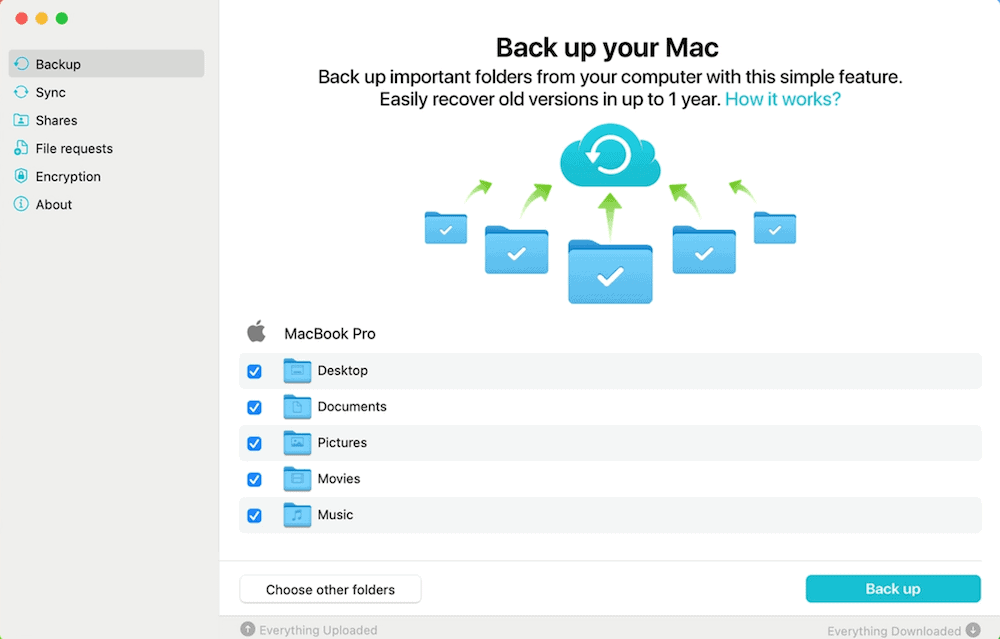
Since pCloud only offers a continuous backup where files are uploaded as soon as they change, its version history is very important. Luckily, pCloud comes with a 30-day version history. When recovering a backup, you can choose any time in the last 30 days to recover from. You can also extend this to a full year with the Extended File History add-on.
If you’re looking for security and want zero-knowledge encryption, pCloud also offers that. With the pCloud Crypto add-on you get access to an encrypted folder. This can be used to keep your most sensitive files safe from prying eyes. Although we’d like a way to apply this to a proper backup, you aren’t missing much in terms of backup features by using the pCloud Crypto folder.
However, while zero-knowledge encryption is a paid add-on, pCloud still offers plenty of security for users that don’t use it. Your data is protected with AES-256 encryption and is stored in SSAE certified data centers. You can read our full pCloud review to learn more about how it protects your privacy.
What Are Other Reasons We Like pCloud?
pCloud’s monthly and annual plans may not be the cheapest, but they’re still a good value. For example, the 2TB plan costs $9.99 per month or $99.99 per year. However, if you’re willing to spend more upfront, pCloud offers lifetime plans that are a great deal in the long run.
The 2TB lifetime plan costs $399 and there’s a 10TB plan for $1190. These plans also stack, so you can start out with 2TB and then upgrade to 4TB later by purchasing a second 2TB lifetime plan. This means you can expand your account’s storage over time to include new machines.
Overall, if you want a simple backup provider that offers affordable long-term plans, then pCloud is a good option. It’s a fast provider and works in the background to protect your data. However, it lacks advanced backup features and you can’t protect your main backup with zero-knowledge encryption.
3. Internxt

Internxt is an open-source cloud storage service that offers zero-knowledge encryption by default at a very affordable price point. Based in the EU, Internxt provides a privacy-first approach to protecting your files across multiple computers using its “sync any folder” feature. You can also schedule backups for added convenience.
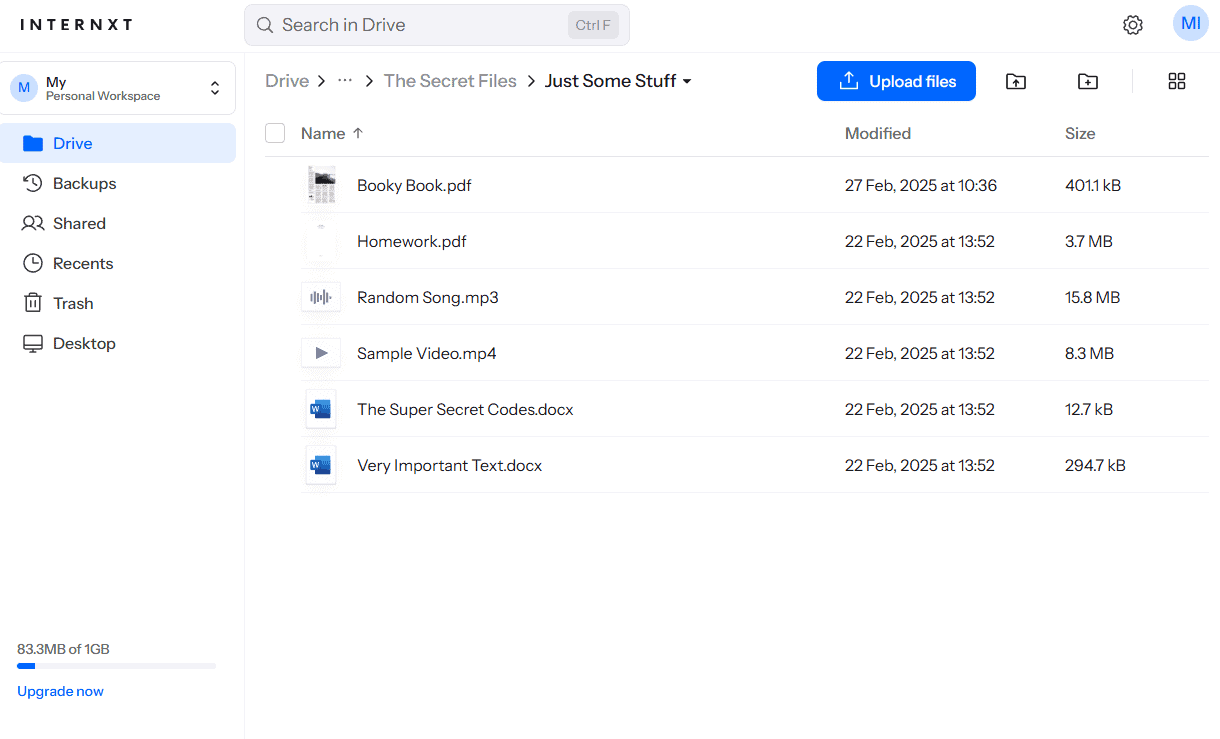
Internxt’s pricing is one of its biggest draws, with plans starting at under $1 per month for 200GB and scaling up to 10TB. This makes it an attractive option for budget-conscious users who still want strong privacy protections. The service uses client-side encryption, and file sharing supports password protection and expiry dates.
What Are Other Reasons We Like Internxt?
Internxt’s open-source codebase means its security claims can be independently verified, which is a plus for privacy enthusiasts. The service also improved significantly in speed since 2023, with our 2025 tests clocking uploads at 8 minutes 1 second on average.
However, there are some reliability concerns to be aware of. Our stress tests revealed that the desktop app can struggle with large files and zip archives, causing slowdowns and high CPU usage. If you’re backing up smaller files and documents across multiple machines, Internxt performs well, but heavy workloads may cause syncing delays. The mobile app is also limited in features compared to competitors.
Overall, Internxt is a solid choice if you want an affordable, privacy-focused service with open-source transparency. Just be mindful of its limitations with large file transfers.

- 1GB
- Post-quantum encryption Zero-knowledge encryption Two-factor authentication Backup your computer Password-protected file sharing Encrypted VPN Antivirus
- 1TB
- Everything in Essential plus; Cleaner Invite, share & collaborate File versioning (coming soon) Cleaner
- 3TB
More plans
- Everything in Premium plus CLI & WebDav support NAS & Rclone support Meet Mail (coming soon)
- 5TB
- Annual Price is per user
- 1TB
- Annual Price is per user
- 2TB
4. Proton Drive
![Video thumbnail for the video: I Tested Proton Drive to See If It's as Private as It Claims [2024 REVIEW]](https://img.youtube.com/vi/XWmsFdm-VLg/maxresdefault.jpg)
Proton Drive is a privacy-focused cloud storage service from the makers of ProtonMail. Based in Switzerland, it offers zero-knowledge encryption by default, meaning even Proton cannot access your files. It allows you to protect data across multiple computers, making it a viable option for multi-device backup.
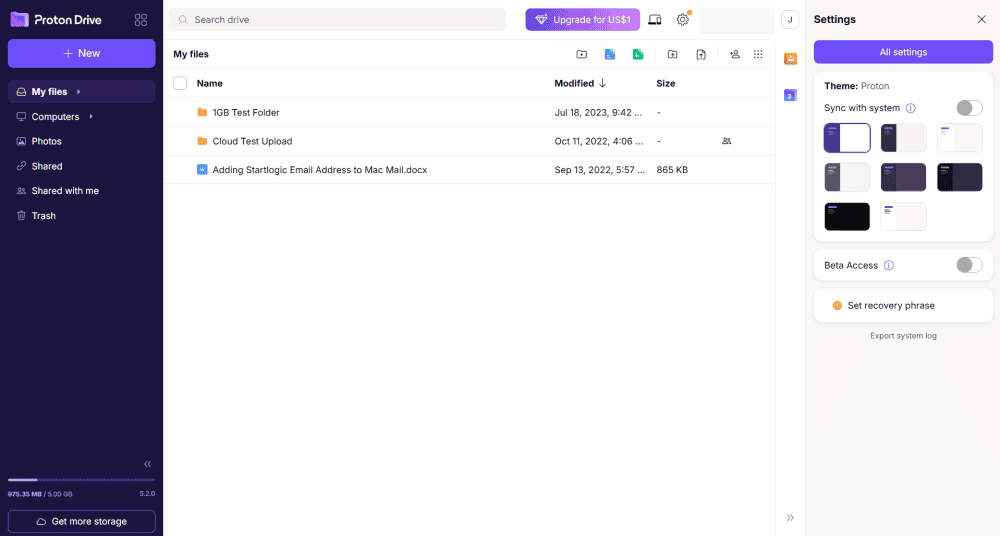
interface, but it is not a true backup service.
In our 2026 speed tests, Proton Drive uploaded a test folder in 7 minutes 15 seconds and downloaded it in 7 minutes 11 seconds. The desktop app passed our stress test with flying colors, handling thousands of files in alphabetical order with low CPU usage and no hangs. Our sync tests also came back clean, with no conflicts or duplicate files.
What Are Other Reasons We Like Proton Drive?
Proton Drive’s interface is polished across all platforms, and for some users, it could be the perfect replacement for Google Drive. The mobile app organizes photos and videos neatly and includes an option to disable battery saving to ensure constant uploads. File sharing supports password protection and expiry dates.
However, Proton Drive is a sync service, not a traditional backup solution, so you won’t find features like disk imaging or scheduled backups. Sharing permissions are also limited to “editor” or “viewer” without more granular controls. If privacy and reliable syncing are your priorities, Proton Drive is an excellent choice.

- 5GB
- 200GB
- 500GB
More plans
- 2TB
- 3TB
- per user
- 1TB
- per user, minimum of 2 users
- 1TB
- 1TB
5. Acronis Cyber Protect

Acronis has made the effort to simplify its subscription plans recently. There are now only three backup plans, which you can modify to include either three or five computers. If you purchase a Premium plan, you can add up to 5TB of extra cloud storage, as well. You have to pay extra for these upgrades, but they come at a discounted price.
The Essential plan is the cheapest option, but you can only use it to create backups locally or to an external drive. It costs $49.99 yearly for a single computer and goes up to $99.99 per year for five devices. The Advanced plan will get you 500GB of cloud storage space for $69.99 yearly or up to $119.99 per year for five devices.
The Premium plan is the most spacious and, appropriately, the most expensive of the three. The base plan costs $99.99 annually, providing 1TB of cloud storage for one computer. The prices go up to $319.99 per year for five devices and 5TB of storage. There’s also a 30-day free trial if you want to take Acronis for a spin before you subscribe.
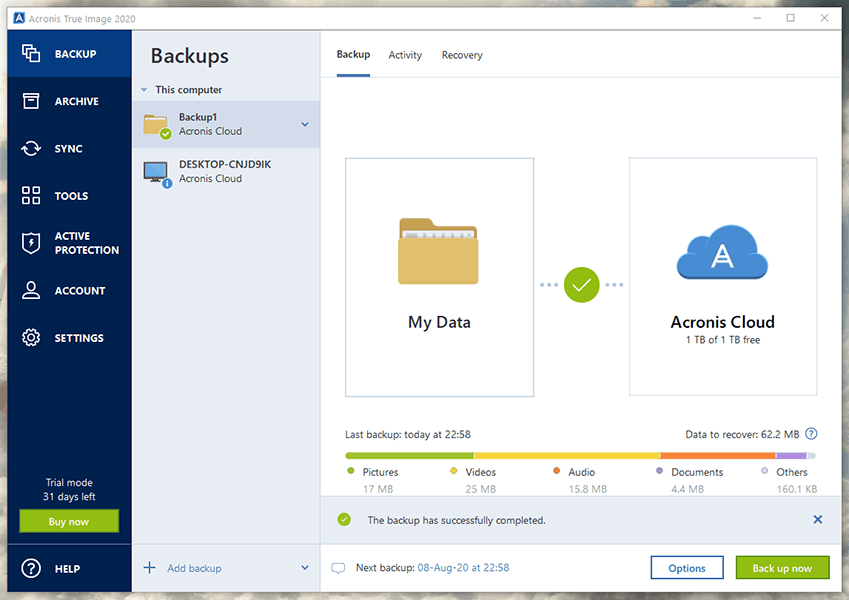
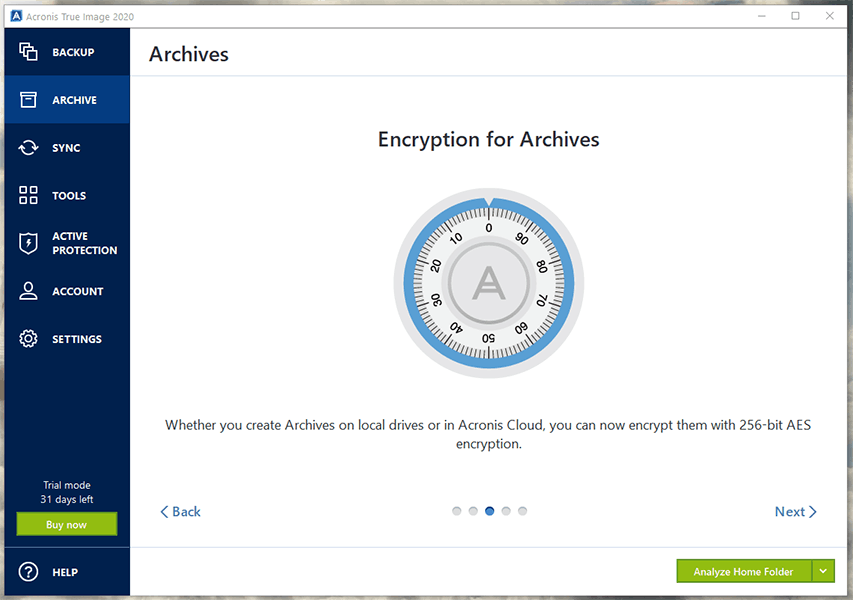
Acronis is a zero-knowledge service, employing the same industry-standard 256-bit AES encryption as its competitors. However, Acronis goes one step further by folding full-stack anti-malware software and ransomware protection into its service. According to independent testers, its antivirus solution has a 100-percent detection rate for viruses, with no false positives.
Beyond cybersecurity, Acronis ensures the physical safety of its data centers by protecting them from environmental disasters. Its 24/7 surveillance ensures that your files won’t fall prey to would-be data thieves.
What Are Other Reasons We Like Acronis Cyber Protect Home Office?
Acronis Cyber Protect Home Office offers a variety of features, some of which you probably won’t even need. On the backup side, there’s image-based, NAS, mobile, server and hybrid backup, as well as external drive backup, which pretty much covers everything you can backup.
Besides all the backup options, there are extra features galore, including cloud storage sync, local backups and even a rescue-media tool that lets you restore your system to a computer with different hardware. It also has a system cleanser that can delete sensitive information, plus a hard disk wipe option. There’s probably a kitchen sink somewhere in there, too.
Acronis’ servers cover a wide area, with data centers in the U.S., EU, Japan, Singapore and Australia. This means more widespread coverage and faster speeds for more users. Reuploads are even faster, thanks to block-level uploading.
Its desktop app organizes Acronis’ many features in a way that’s easy to use, though the design itself looks a little cluttered. You can backup by file type or select specific folders to backup. The web client lets you manage backups remotely, plus there’s an app for Android and iOS that can backup your phone or tablet.
Acronis is a standout on this list for its multitude of features and security measures that go well beyond the scope of traditional online backup. You name it, Acronis has it. Well, apart from support for unlimited computers. That’s the sole reason Acronis takes the bronze medal in this comparison.

- Flexible backups: full image to file-level Active disk cloning Universal restore and fast recovery Ransomware protection
- Flexible backups: full image to file-level Active disk cloning Universal restore and fast recovery Ransomware protection + Block viruses and malware Cloud backup and features Automatic replication of data in the cloud Microsoft 365 backups
- 50GB
- Flexible backups: full image to file-level Active disk cloning Universal restore and fast recovery Ransomware protection + Block viruses and malware Cloud backup and features Automatic replication of data in the cloud Microsoft 365 backups
- 250GB
More plans
- Flexible backups: full image to file-level Active disk cloning Universal restore and fast recovery Ransomware protection + Block viruses and malware Cloud backup and features Automatic replication of data in the cloud Microsoft 365 backups
- 500GB
- Flexible backups: full image to file-level Active disk cloning Universal restore and fast recovery Ransomware protection + Block viruses and malware Cloud backup and features Automatic replication of data in the cloud Microsoft 365 backups + Blockchain certification of files Electronic signatures on files Ability to add up to 5TB of cloud storage
- 1TB
- Flexible backups: full image to file-level Active disk cloning Universal restore and fast recovery Ransomware protection + Block viruses and malware Cloud backup and features Automatic replication of data in the cloud Microsoft 365 backups + Blockchain certification of files Electronic signatures on files Ability to add up to 5TB of cloud storage
- 5TB
5. Zoolz Home

Unlike our previous entries, Zoolz Home provides a more stripped-down experience with Amazon Web Services as its backend. However, it’s fast, secure and most importantly, it can backup up to five computers.
Zoolz’ Family plan comes with 1TB of cloud storage space and costs $39.95 per year. That’s fine for a single computer, but the Heavy plan is more appropriate for storing multiple backups. It offers 4TB of cloud storage at a yearly cost of $99.95.
Unfortunately, all of Zoolz’ plans support only five computers at most, and you can’t pay per month. Zoolz has a free trial that offers 100GB of cloud storage if you need a taste before you make up your mind.
AES 256-bit encryption protects your files when they’re on Zoolz’ servers, and the SSL protocol safeguards them in transit. Zoolz lets you create your own custom encryption key, which only you will be able to access, which makes it a zero-knowledge service. However, like the previous entries on this list, it lacks two-factor authentication.
What Are Other Reasons We Like Zoolz Home?
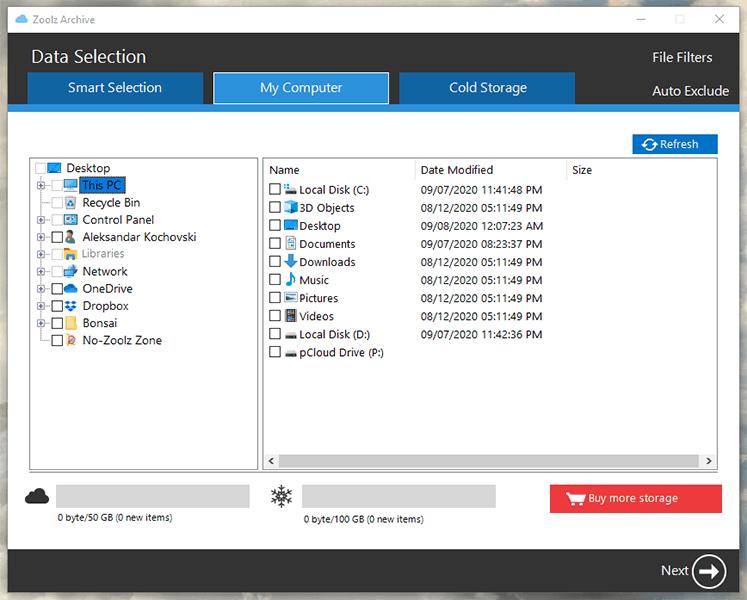
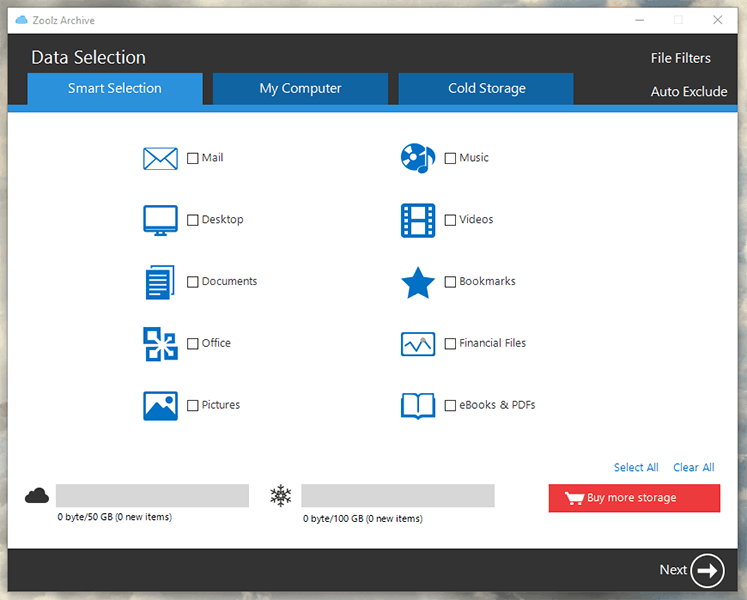
Its desktop app lets you backup by file type or by folder. It’s easy to navigate the app and there are no extra features complicating the user experience. The web client functions in much the same way as the desktop app, but there’s no mobile app to help manage your backup remotely.
Zoolz’ sister service, called BigMIND Home, offers more functionality than Zoolz, and it has its own mobile app. However, it provides only 1TB of computer backup storage, which makes it unsuitable for multiple backups.
In an early 2020 controversy, Zoolz pulled the rug from under its Lifetime customers by subscribing them to a monthly maintenance plan. The whole fiasco was quickly abated when Zoolz promised Lifetime users they wouldn’t lose access to their data, but it left a bad taste in customers’ mouths, nonetheless.
Despite being a zero-knowledge provider, Zoolz keeps your file names and directories. It also tracks your IP address and collects other personal information. This helps Zoolz improve its service, but the situation is less than ideal. That’s why Zoolz only takes the penultimate spot on our list.

- 2.5TB 5 Users & 1 Server Unlimited External Drives Access Version Control for Files Fully GDPR Compliant Fast Backup Speed File Size up to 20GB
- 3TB
- 7TB Storage Unlimited Users & Servers Unlimited External Drive Access Version Control for Files Fully GDPR Compliant Ultra Fast Backup Speed Unlimited File Size
- 7TB
- 12TB Storage Unlimited Users & Servers Unlimited External Drive Access Version Control for Files Fully GDPR Compliant Ultra Fast Backup Speed Unlimited File Size
- 12TB
More plans
- 24TB Storage Unlimited Users & Servers Unlimited External Drive Access Version Control for Files Fully GDPR Compliant Ultra Fast Backup Speed Unlimited File Size
- 24TB
- 60TB Storage Unlimited Users & Servers Unlimited External Drive Access Version Control for Files Fully GDPR Compliant Ultra Fast Backup Speed Unlimited File Size
- 60TB
Honorable Mention: Backblaze
Backblaze is a cloud backup platform laser-focused on providing you the fundamentals of online backup. It’s very cheap and provides unlimited storage. A Backblaze license costs only $6 per month per computer. You get unlimited cloud storage with no limits on file size. However, you have to purchase a separate license for each device you connect to the service.
Backblaze is nominally a zero-knowledge service because it lets you keep your encryption key. However, you can’t restore your files without giving Backblaze the key, which defeats the purpose. It uses 128-bit AES encryption instead of the 256-bit AES used by the other backup services, though both algorithms are practically uncrackable.
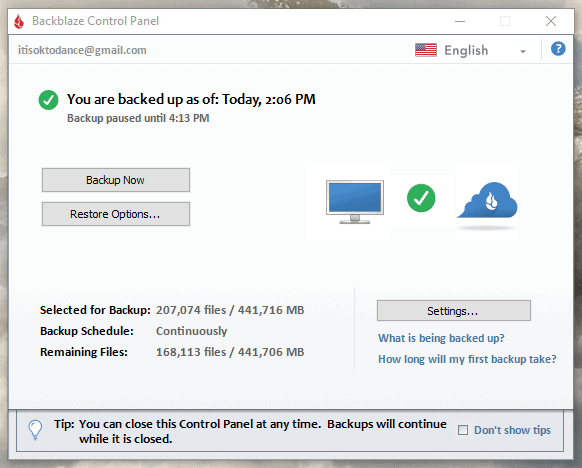
Backblaze has data centers in the U.S. and the Netherlands, so American and European users will experience faster speeds than the rest of the world. Block-level copying will help with upload speeds after the initial backup.
Unfortunately, Backblaze just can’t compare to IDrive or the other entries on this list because you have to make a separate purchase for each device to use Backblaze for multiple computers. However, if you don’t mind the separate bills, Backblaze still lets you handle multiple backups from one account.
Final Thoughts
Families and small business owners can benefit from having all of their computers backed up. The online backup services on this list can all help you avert disaster by offering a safety net in case of a hard disk or SSD crash.
The best online backup service for the job is IDrive, offering to back up an unlimited number of devices at a good price, all while having a firm handle on security.
If a simple backup service is all you need, pCloud could be the right backup provider for you. It offers flexible lifetime storage plans and plenty of cloud storage features. You can also opt for extended file versioning and zero-knowledge encryption as extras.
We’ve conducted thorough research, reviews, and comparisons of services providing free cloud storage, should you be interested in trying them out
Do you agree with our list? Did your favorite cloud backup make the cut? Let us know in the comments below. Thank you for reading.