How to Bypass MEGA Transfer Quota in 2026: Download Files Without Limits
MEGA’s transfer quota restricts the amount of data you can share in a certain time frame. You’re limited to six hours on the free plan, and premium plans have monthly or annual limits. Keep reading to discover how to bypass MEGA transfer quota restrictions.


Written by Rebecca White (Writer)
Reviewed by Kate Hawkins (Editor, Writer)
Facts checked by Eugenie Tiu (Editorial Assistant)
Last Updated:
All our content is written fully by humans; we do not publish AI writing. Learn more here.
Key Takeaways: How to Bypass MEGA Download Limits (Quick Guide)
- Sign up for a VPN, like NordVPN, to change your IP address.
- Connect to the VPN and begin your download.
- When you hit the transfer limit, switch to a new IP address using the VPN.
![Video thumbnail for the video: How to Bypass MEGA Download Limits [2024 NEW GUIDE]](https://img.youtube.com/vi/DxnKtwFA24g/maxresdefault.jpg)
Facts & Expert Analysis: Getting Around MEGA Download Limits
- Free vs premium: MEGA tracks free users by their IP address, the unique identifier tied to your connection. Once you hit the transfer quota with that IP, MEGA temporarily blocks downloads. However, MEGA tracks premium users through their account activity; the limit is tied to the subscription, not the IP address.
- Using a VPN: A VPN can assign you a new IP address, which may reset the transfer quota for free users. This works only if the new IP hasn’t already reached MEGA’s limit.
- Using download software: You can configure free download tools like JDownloader2 or Megabasterd to automatically rotate IP addresses when the connection halts.

MEGA’s download limits are a common complaint about the service, as you can be in the middle of downloading a large file and suddenly face restrictions for several hours. Even more frustrating is that MEGA doesn’t set a clear limit. Instead, it restricts transfers based on network usage, making restrictions practically unavoidable during peak hours.
There are several ways around this limit, such as by using a VPN with MEGA’s free plan, relying on a downloader or upgrading your account. In this article, I go over how to bypass MEGA transfer quota restrictions and suggest some MEGA alternatives from our list of the best cloud storage providers.
-
04/23/2024 Facts checked
Added new video guide.
-
02/24/2025 Facts checked
We updated the article with more key information about MEGA and bypassing its download limits.
-
03/17/2026 Facts checked
I updated the guides on how to use a VPN and a downloader, and included more details on Pro plan limitations.
Overview: What You Need to Know About MEGA’s Transfer Quota
MEGA applies transfer limits to both free and Pro accounts. Pro plans come with clearly defined data transfer allowances, while free accounts are subject to a dynamic limit that depends on overall network usage. MEGA also tracks transfer activity differently: Free users are monitored by their IP address, while paid users are tracked via account activity.
If you have a free account and your IP address hits the transfer allowance allotted within a six-hour window, your download will pause until the quota resets several hours later. Because free usage is tied to your IP address rather than your account, switching to a new IP using a VPN or proxy may allow you to bypass the restriction.
10,000+ Trust Our Free Cloud Storage Tips. Join Today!

- Demystify cloud storage terminology and key concepts in plain language
- Discover easy-to-implement techniques to securely backup and sync your data across devices
- Learn money-saving strategies to optimize your cloud storage costs and usage
How to Bypass Mega’s Download Limit With a VPN
If you have a free MEGA account, you can use a VPN to bypass the transfer quota. I’ll use NordVPN in this guide to show you how to reset your transfer quota.
Unfortunately, these steps won’t work if you have a paid plan with MEGA. You may even have mixed results on the free plan, as MEGA’s transfer quota is based on its network usage.
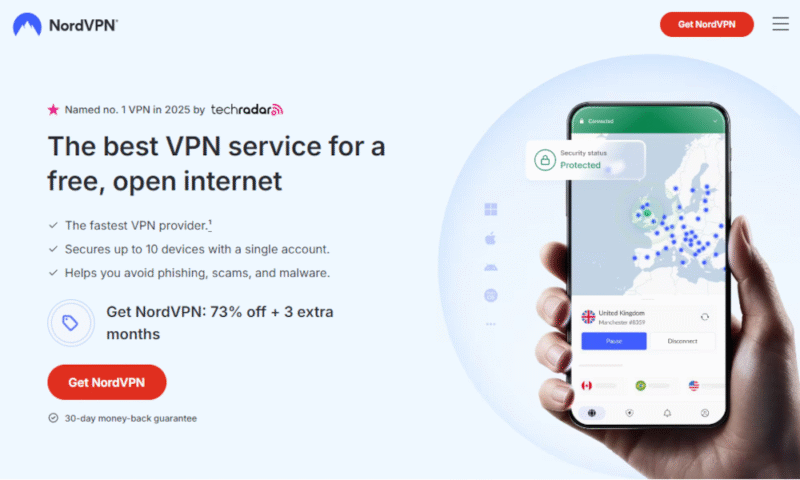
- Sign Up for NordVPN
Create an account with NordVPN or the VPN service of your choice. I recommend using a premium VPN service for the best results.
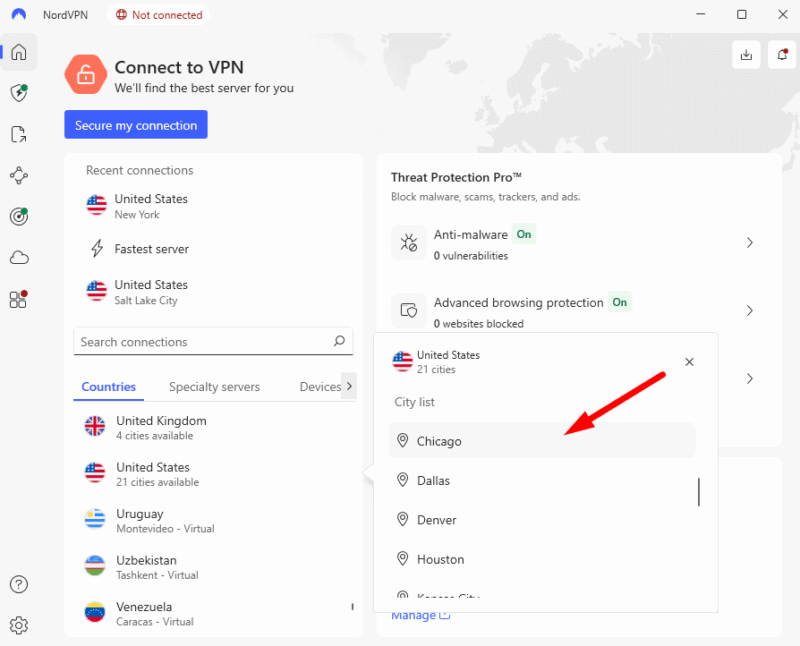
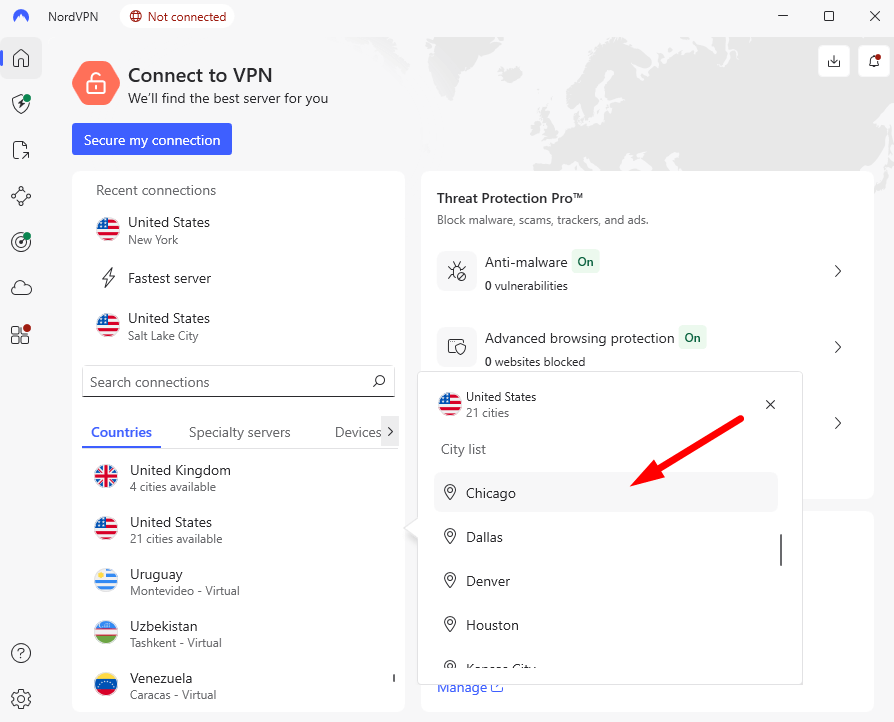
- Connect to a VPN Server
Connect to a VPN server to change your IP address. The location of the IP doesn’t matter for MEGA, but choosing one closer to your actual location will give you faster speeds.
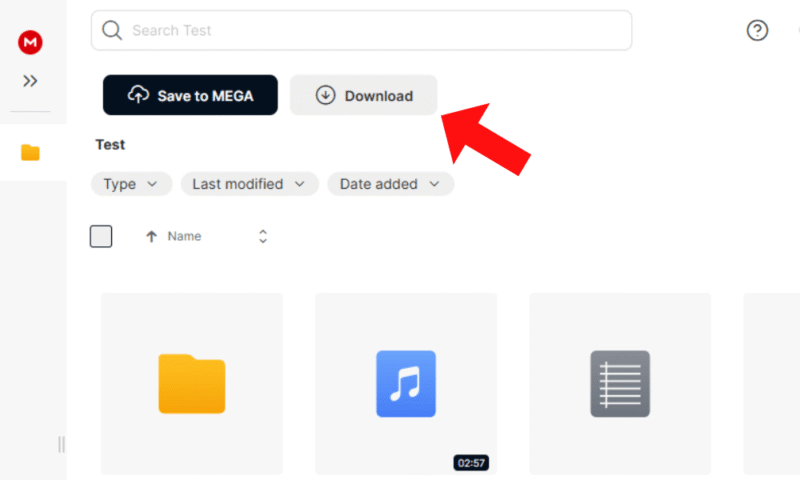
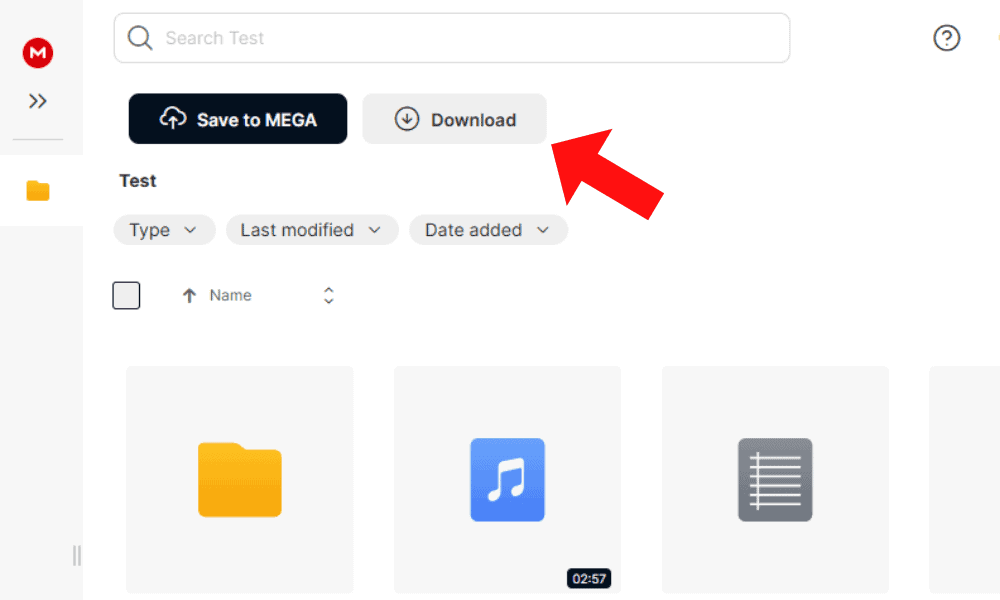
- Begin Your MEGA Download
Once the VPN has successfully connected, open the link and start your download.
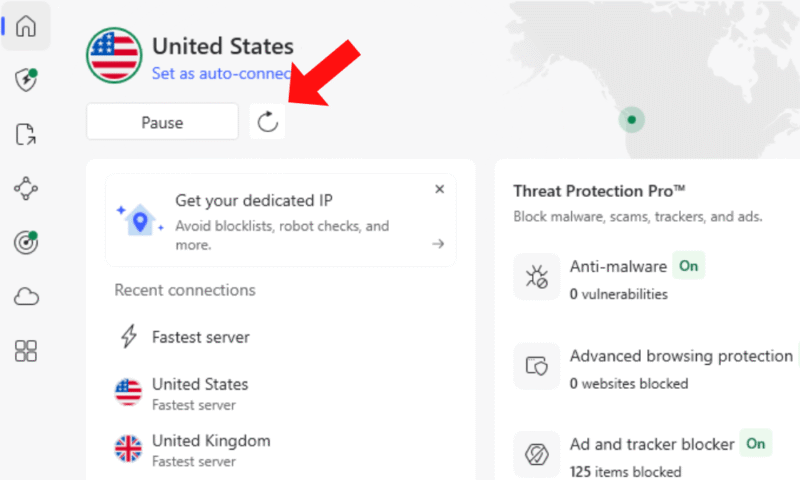
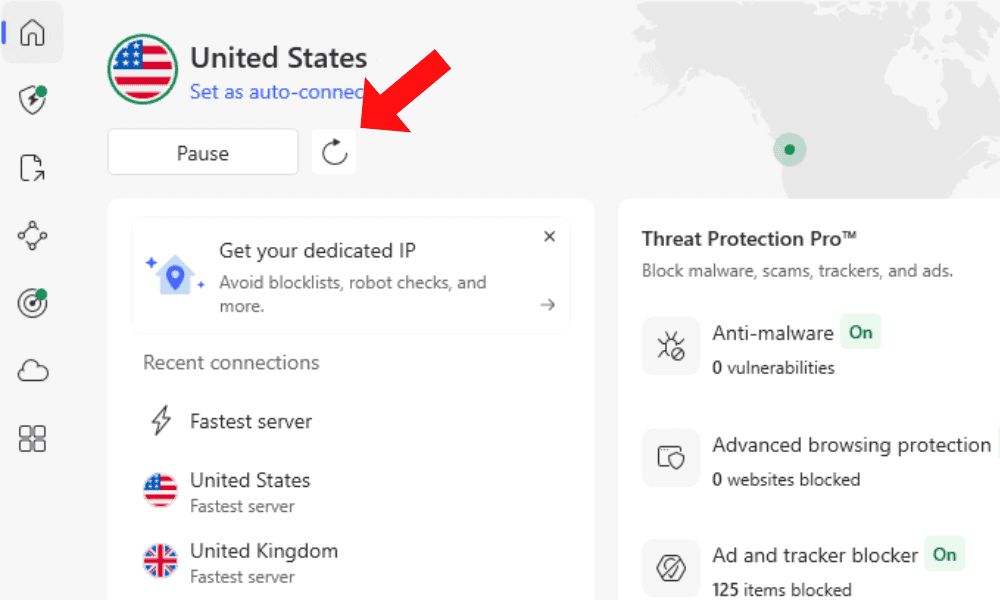
- Switch Your VPN Server
If you hit the MEGA download limit, go back to the VPN and change your IP address. If MEGA is experiencing high traffic, you may need to refresh your server several times.

Can I Use a Free VPN to Get Around the MEGA Limit?
You may have mixed results using a free VPN to get around MEGA’s transfer quota. A huge number of people have access to the IP addresses of free VPNs. There’s no guarantee that a given IP address hasn’t already reached the MEGA download limit.
MEGA is also more likely to block the IP addresses of free VPNs in an effort to prevent people from bypassing the download quota. While you may get lucky with a free VPN, there’s a very slim chance it will work.
How Do You Bypass the MEGA Download Limit With a Downloader?
A downloader with proxy tools can automatically rotate your IP address when MEGA pauses your download due to the transfer limit. Similar to a VPN, the downloader will spoof your IP address so the download can continue; however, it does require you to find working proxy addresses yourself. See our free proxy guide to learn how to do this.
Good downloader tools will also make your download more efficient and stable, minimizing the chance that you’ll need to restart the download from scratch. I’ll show you the steps in this guide using JDownloader2.
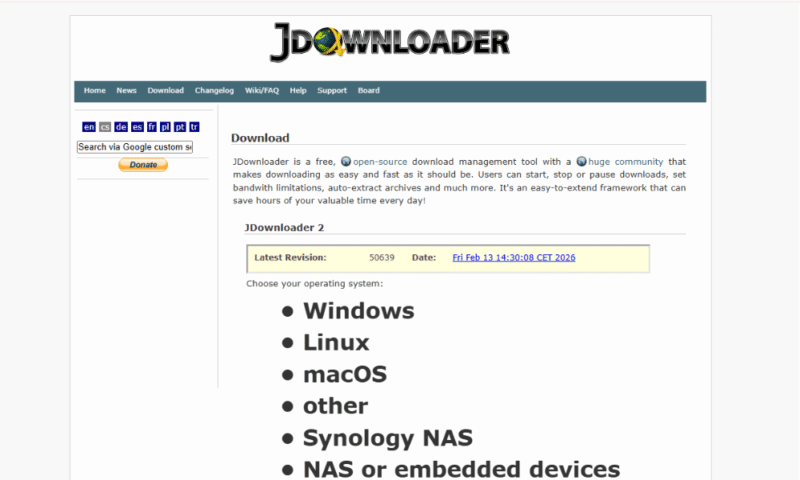
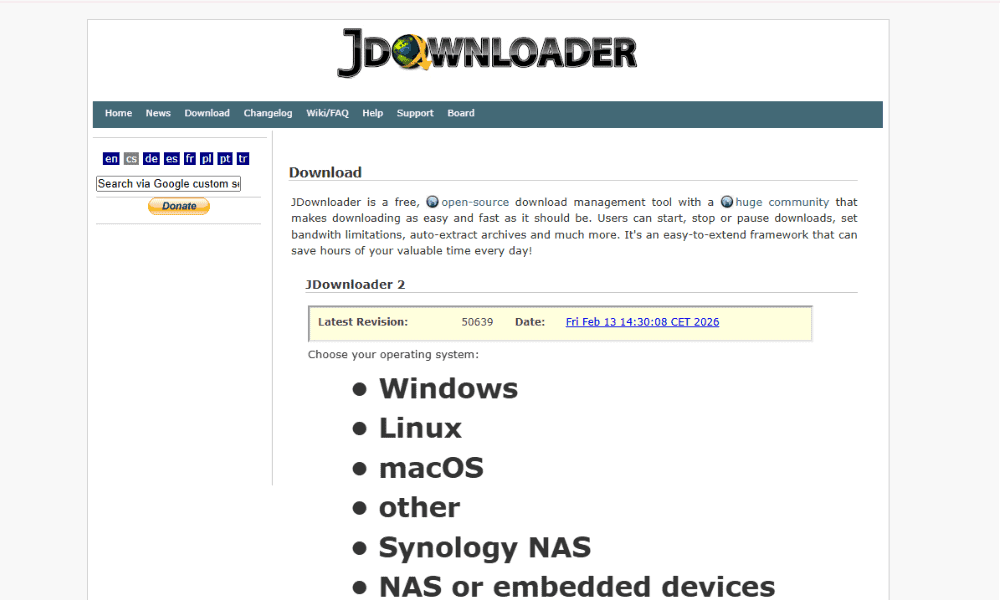
- Install JDownloader
Go to the JDownloader website and follow the steps to install the tool.
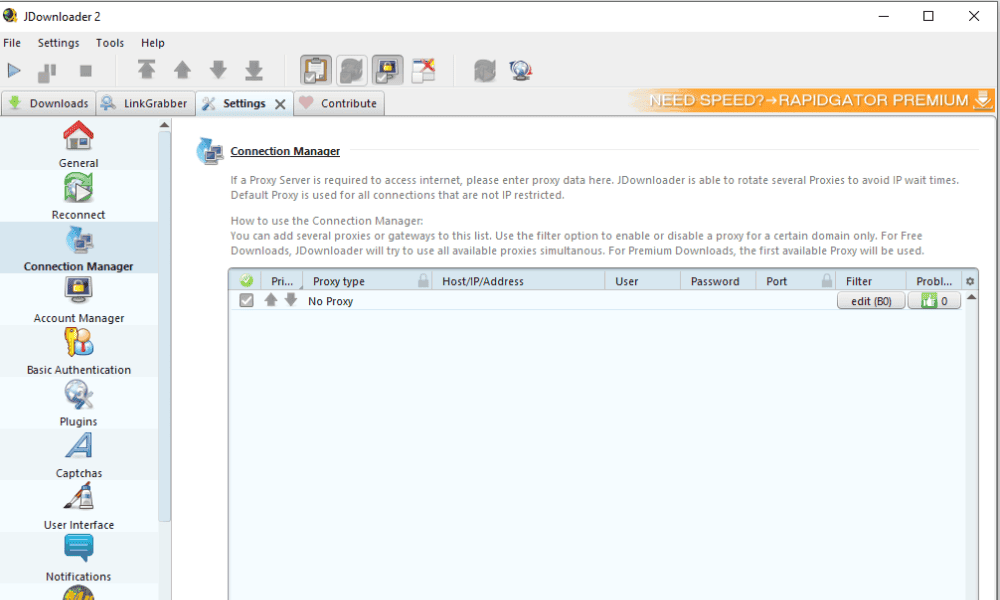
- Configure Proxies
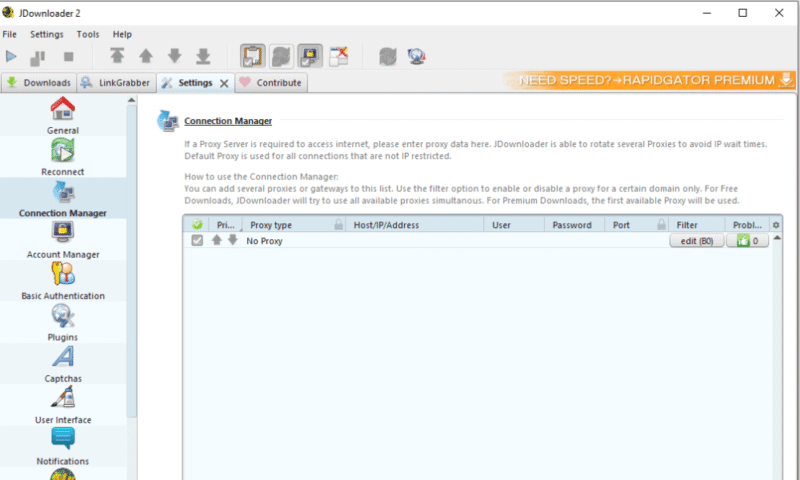
Go to “settings” > “connection manager” to add proxy addresses. Include both the IP address and the port number.
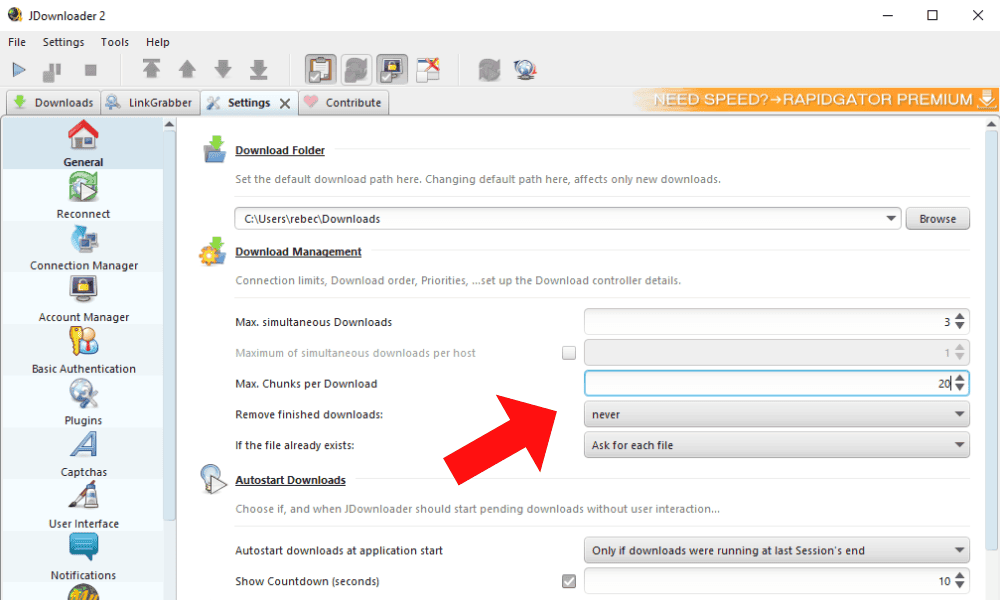
- Configure the Download Settings
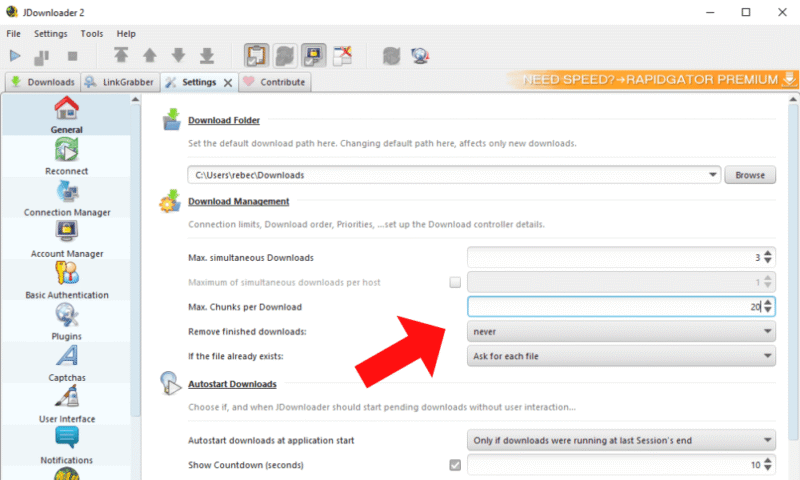
Go to “settings” > “general” to configure JDownloader. For example, you can change the number of max simultaneous downloads or max chunks per download. The higher the number of chunks, the more stable the download will be, as the large data will be split into more manageable segments. I recommend aiming for at least 20 chunks for stability.
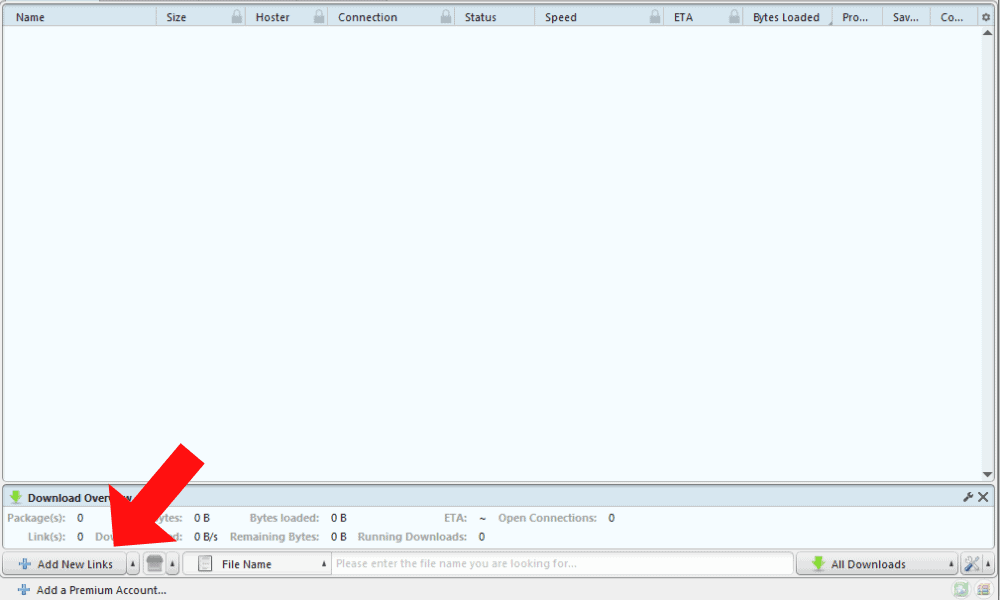
- Copy the Link
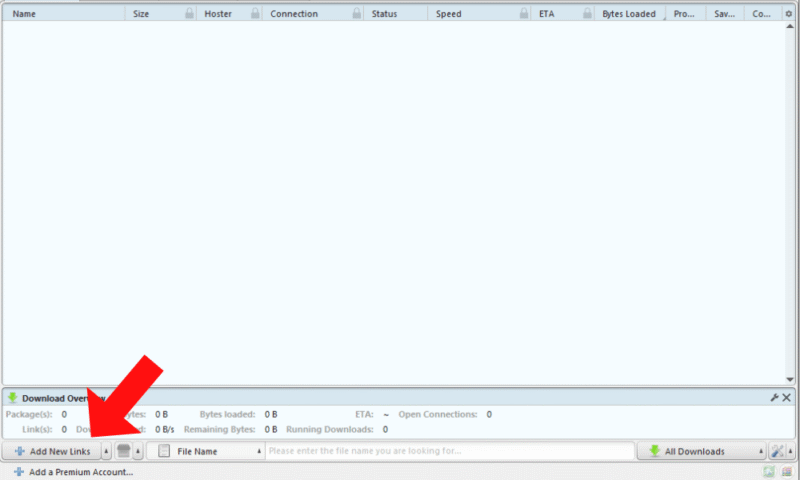
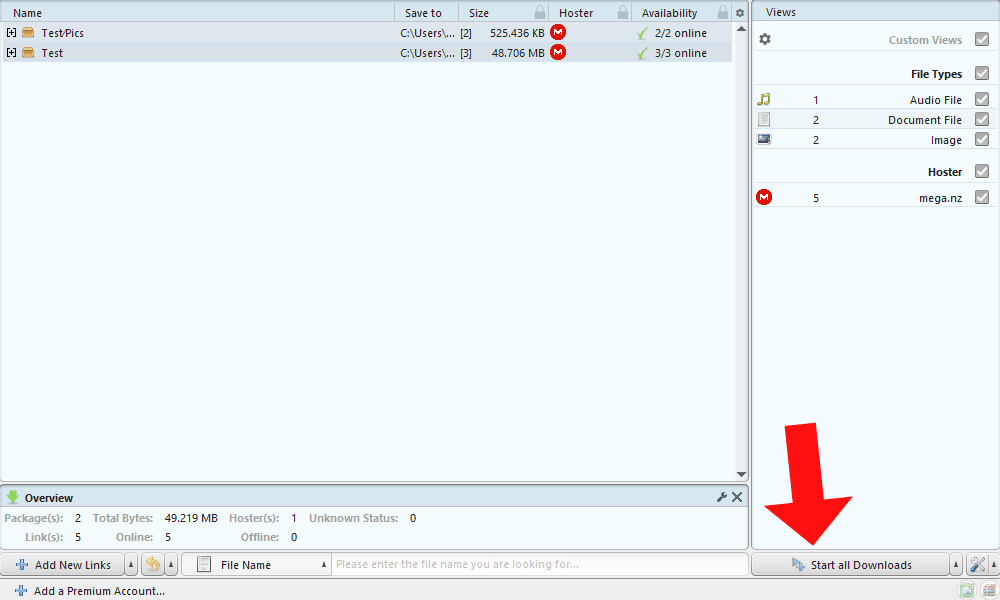
Copy the link of the MEGA file you want to download, navigate to the “downloads” tab, and click “add new links” in the bottom-left corner of the interface. The app’s LinkGrabber should automatically start the download.
- Complete the Download
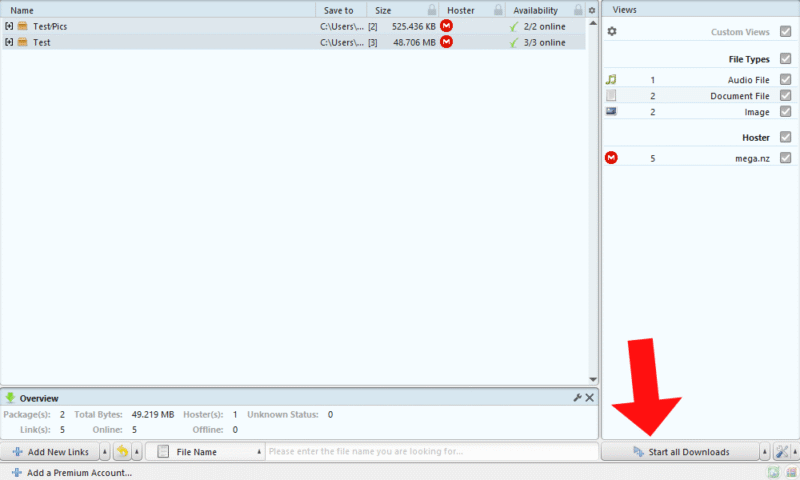
In the LinkGrabber tab, start the download by clicking the button in the bottom-right corner and wait for it to finish. JDownloader2 should automatically switch proxy servers if the download hits the MEGA transfer quota.
Alternative Methods of Getting Around the MEGA Transfer Quota
In addition to a VPN and JDownloader2, you can try MegaBasterd or use a different cloud storage service.
Alternative Method 1: MegaBasterd
The open-source tool MegaBasterd is a specialized downloader for MEGA. It allows users to bypass the bandwidth restrictions and implements proxy support, password protection and a download health monitor. The major downside of MegaBasterd is its complexity, as it has a steeper learning curve than a VPN or downloader tool. The steps below should help.
- Download MegaBasterd.
- Install Java on your device if you haven’t already.
- Unzip the downloaded file and run the MegaBasterd.bat file.
- Add your MEGA account and proxy settings.
- Paste the MEGA link into the interface to begin the download.
- Wait for the download to finish.
Alternative Method 2: Use a Different Service
If you’re frequently reaching MEGA’s transfer limits and aren’t willing to upgrade your service, it’s time to consider using a different cloud storage provider.
An option like Sync.com allows an unlimited number of transfers and downloads, so the only limit is the size of your storage. Take a look at our Sync.com review to see if it’s a better alternative to MEGA for you.
Advantages & Disadvantages of Bypassing MEGA Download Limits
Implementing strategies to bypass MEGA download limits presents several advantages and disadvantages.
Pros:
- Users can download large files or multiple files immediately.
- Users can access potentially faster download speeds, especially those with speed-throttled free MEGA accounts.
- It’s useful for one-time downloads without a paid subscription.
- Users with poor internet can access a more stable connection.
- IP spoofing comes with privacy benefits.
Cons:
- It may violate MEGA’s terms of service.
- Unverified third-party tools may contain malware and put your device at risk.
- Workarounds may not always work.
- Beginners may struggle with configurations.
- VPNs can be expensive.
Can You Increase Your MEGA Transfer Limit?
Yes, you can increase your MEGA transfer limit by upgrading your account. The transfer limit increases with progressively higher premium tiers.
| Pro Lite | 12TB |
| Pro I | 36TB |
| Pro II | 120TB |
| Pro III | 240TB |
Is Bypassing the MEGA Transfer Quota Safe & Legal?
Although bypassing MEGA’s transfer quota is legal, it may go against MEGA’s terms of use and could result in an account ban. The safety of your files may be at risk if MEGA bans your account, so consider the pros and cons of bypassing the limit before taking action.
Final Thoughts
MEGA is a reliable cloud storage service with a very generous free plan. However, the transfer quota can be frustrating if you just need to send a few files and you keep reaching the limit. Thankfully, there are some workarounds, such as using a VPN, implementing a downloader tool or switching to a different cloud storage provider.
How often do you hit MEGA’s transfer quota? Do you prefer to use a different file-sharing system? Which of the methods on this list works best for you? Let me know in the comments, and thank you for reading.
FAQ: MEGA Download Quota
To bypass a MEGA transfer quota block, you can either use a VPN if you’re a free user or upgrade your account if you’re a premium MEGA user.
A VPN is the most effective way of getting around the MEGA download limit for free users. However, it’s not a guaranteed solution, and it won’t work for premium users.
The transfer quota MEGA imposes depends on your plan type. Free users are limited to an unspecified amount of data sent within six hours. Pro plans have limits of 12TB to 240TB.
To increase your transfer speeds with MEGA, try increasing the number of connections in the “network” tab in MEGA’s desktop app. In addition, make sure there are no limits on the upload and download rate.