Best Cloud Backup for Canada in 2026


Written by Aleksander Hougen (Chief Editor)
Reviewed by Jackie Leavitt (Editor at Large)
Last Updated:
All our content is written fully by humans; we do not publish AI writing. Learn more here.
Key Takeaways: The Best Online Backup for Canada
- IDrive — The best overall cloud backup service for Canada, with a great combination of both backup and cloud storage features.
- Backblaze— The most affordable online backup for Canada, with great user management features and unlimited storage.
- pCloud — A well-rounded cloud storage service with included online backup tools.
- Proton Drive — A privacy-focused backup solution with zero-knowledge encryption and European servers.
- Internxt — Zero-knowledge cloud storage with scheduled backups and GDPR compliance.
- Acronis Cyber Protect Home Office— A great cloud backup service for Canada with flexible server locations and plenty of features.
- Carbonite— The best easy-to-use online backup for Canada with a clean desktop interface and affordable pricing.
Picking the backup service that best fits your needs can be a difficult process, given all the options available to you. Further complicating things for citizens of the Great White North is that no backup providers host their servers in Canada itself. Because of this, we’ve put together a list of the best online backup for Canada to make things easier for Canucks looking for a way to protect their files.
Online backup is the easiest and most efficient way to ensure that you’ll never lose access to your files in the event of a hard drive failure. Unlike cloud storage services, like Google Drive, backup solutions automate the process by either operating on a schedule or continuously checking your files for changes. This ensures that a copy of your files always exists somewhere on the cloud, in case you lose your local version.
Because of this, it’s much better to rely on a dedicated backup solution rather than traditional cloud storage to keep your files safe. With this in mind, let’s have a look at what makes an online backup solution good for Canadian users specifically, before diving into our top seven.
-
08/24/2022 Facts checked
Updated IDrive’s pricing information.
-
10/27/2022 Facts checked
Updated Carbonite’s prices.
-
05/23/2023 Facts checked
Updated to remove IDrive’s discontinued free plan and add its new 30-day free trial.
-
06/15/2025 Facts checked
We adjusted the provider list to account for changes to the included services.
The Best Online Backup for Canada
- 1
- :
- :
- :
- :
- :
- :
- :
- 2
- :
- :
- :
- :
- :
- :
- :
- 3
- 4
- 5
- 6
- :
- :
- :
- :
- :
- :
- :
- 7
- :
- :
- : Yes but not on Basic plan (all other plans)
- : Yes but only on Safe Backup Pro plan
- :
- :
- :




10,000+ Trust Our Free Cloud Storage Tips. Join Today!

- Demystify cloud storage terminology and key concepts in plain language
- Discover easy-to-implement techniques to securely backup and sync your data across devices
- Learn money-saving strategies to optimize your cloud storage costs and usage
What Makes the Best Cloud Backup Service for Canada?
The factors that go into making a cloud backup service great in Canada aren’t much different than for anywhere else. Generally, you want a backup provider that offers either unlimited or at least large amounts of storage space at a reasonable cost.
As for security and privacy, AES 256-bit encryption is the gold standard, and it’s even better if you can manage your own encryption key, which would make the service zero-knowledge. If you like your files to be extra secure, choosing a service with two-factor authentication is also a good idea.
Server location is another important aspect for privacy, and in the case of Canadian users, this becomes a choice between speed and privacy.
Although Canada’s PIPEDA (Personal Information Protection and Electronic Documents Act) protects against data collection, not many backup providers offer servers located in the country. This means that if you want the best performance, you’re generally stuck with data centers located in the U.S., which is a severe hit to your digital privacy.
1. IDrive: Best Online Backup for Canada

IDrive tops our list of the best online backup, in general, and this is true for Canada, as well. It comes packed with an incredible number of features.
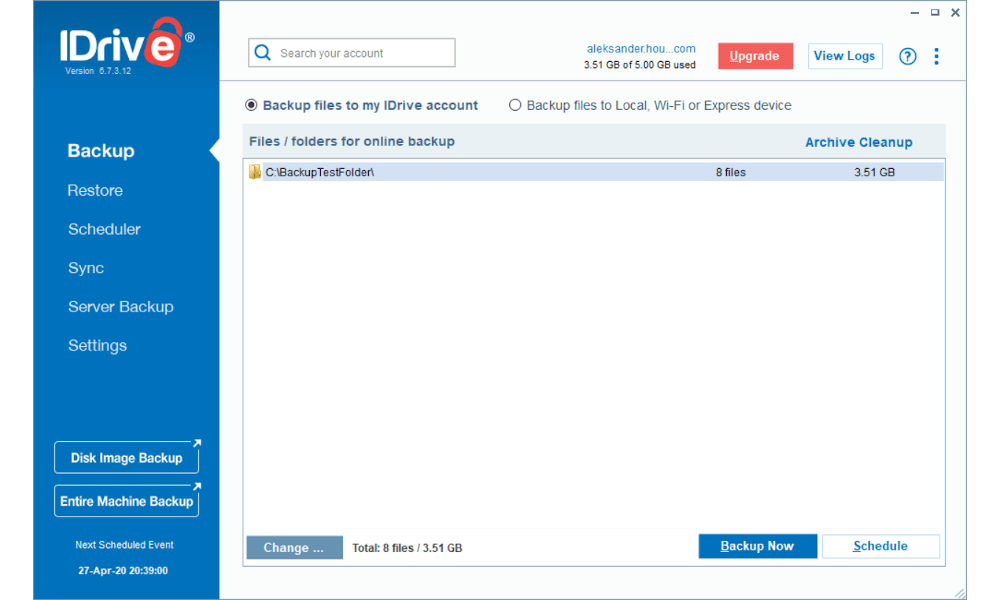
It includes everything from disk-imaging to mobile and Office 365 backups, file sharing and pretty much anything else you could want from a backup service. Despite all these features, the client is also well-designed and easy to use.
Security and privacy is all-around excellent, featuring strong encryption, two-factor authentication and hardened data centers to protect against both physical and digital threats. The one major caveat to this is that the servers are located in the U.S., which has some of the worst cloud privacy laws in the world.
On the other hand, this means that Canadian users won’t suffer slower speeds than others due to physical distance.
If you prefer a browser-based solution, IDrive’s web interface is solid, though it comes with a 2GB file size limit.
Other Reasons We Like IDrive
Although you don’t get unlimited storage space with IDrive, the plans offer between 5TB and 100TB, which is likely to be more than enough for most users. The starting plan costs $6.22 per month (two-year plan) for 5TB of storage. If this is intimidating, IDrive offers a 10GB free trial, so you can try out the service first.
The upside to the storage limits is that you can backup as many devices as you’d like. This is especially great with IDrive because you can use it to backup both desktop and mobile devices, meaning you can use the service to safeguard all of your files, regardless of what device they originate on. Read our IDrive review to learn more.
- No credit card required.
- 10GB
- One user.
- 100GB
- One user, multiple computers. Plans starting from 5TB up to 100TB. Big discount for first-time signup.
- 5TB
More plans
- 5 computers, 5 users. Starting at 5TB up to 500TB. Big discount for first-time signup.
- 5TB
- Monthly Plan storage starts at 1.25TB up to 50TB Unlimited users, multiple computers and servers. NAS devices. 250GB storage. Starting at 250GB up to 50TB. Large discount for first-time signup.
- 250GB
- 5TB
2. Backblaze

Backblaze takes the opposite approach to backups, compared to IDrive, in almost every way. Instead of limiting your storage space, Backblaze instead only lets you backup a single device per license.
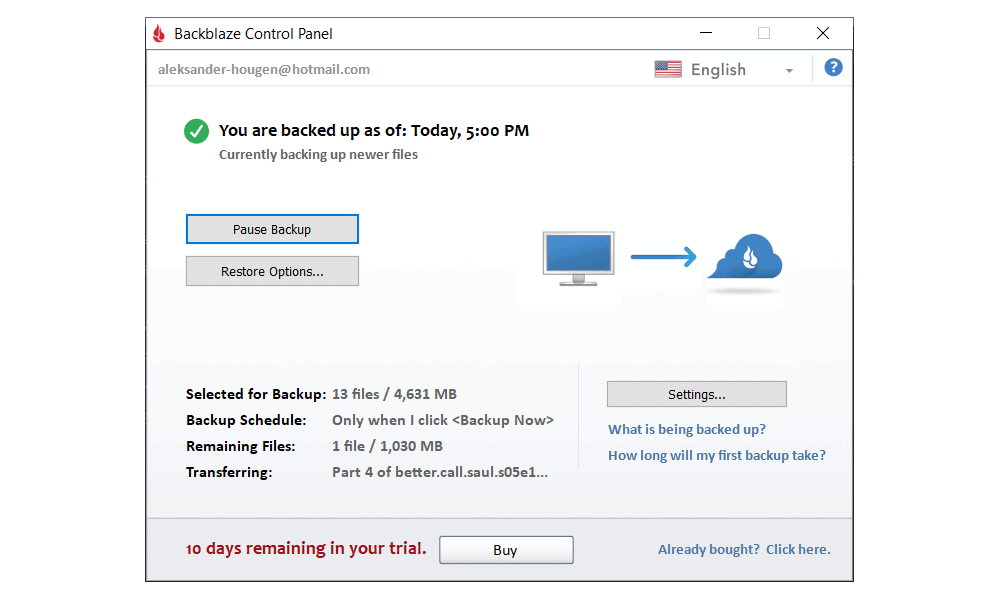
Furthermore, rather than loading up on advanced features, the service focuses on providing an incredibly simple and streamlined user experience that makes it as easy as possible to backup your files.
All you need to do to backup files with Backblaze is install the client, decide on an upload schedule and let the software handle the rest. By default, it backs up almost everything stored on your device.
This is great if that’s what you’re looking for but it can be frustrating for those who want to be a bit more selective, as you’ll need to manually exclude everything you don’t want to upload.
Security and privacy is solid, for the most part, with strong encryption, SSL/TLS, two-factor authentication and hardened data centers all part of the package.
Unfortunately the service can’t be said to be zero-knowledge, as its implementation of private encryption is flawed. This is because you need to hand over your private key to Backblaze to recover your data, meaning once you’ve done this, the company has the power to decrypt your files at will. Read our Backblaze alternatives guide for services with zero-knowledge encryption.
Other Reasons We Like Backblaze
Backblaze is one of the most affordable backup services out there. For just $6 per month you get unlimited storage space and access to all of the services features. There’s also a discount if you sign up for longer, with one or two years costing $60 and $110, respectively.
Since there’s a monthly plan, you never have to commit to too much up front. There’s also a 15-day free trial that gives you access to the full range of features with no limitations, so you can test it out before paying any money. Read our Backblaze review to learn more.
3. pCloud Backup

Although pCloud is mainly a cloud storage service, it also offers solid backup tools. The service sports a clean and simple interface that makes backing up your data a breeze. Although it’s not the most feature-rich backup service out there, you will get the extra cloud storage functionality — such as file sharing.
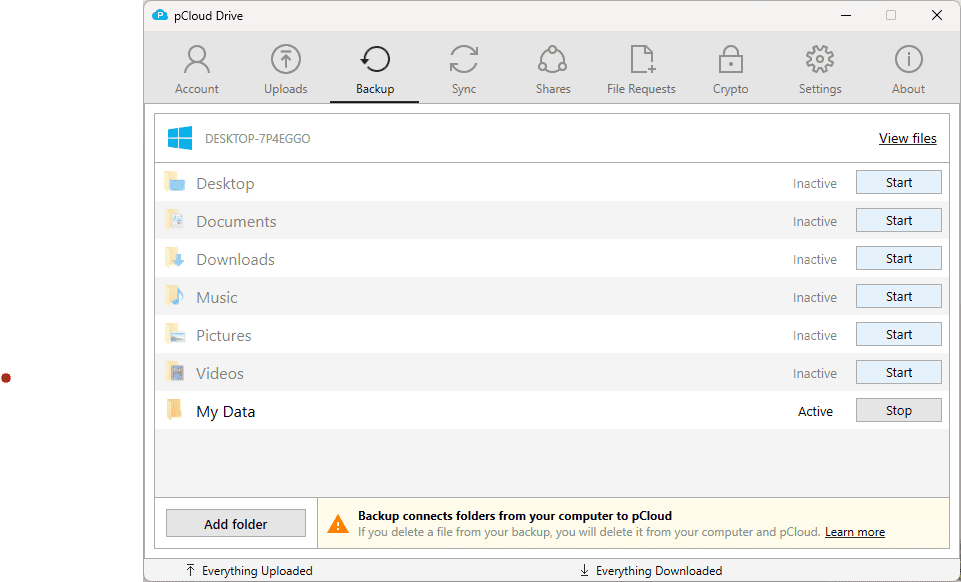
pCloud offers 30-day versioning and deleted file retention for free. You can increase this to a full year with the extended file history add-on for an extra $79 per year. Speeds are also top-notch, both for uploads and downloads.
Like all of our top picks, pCloud has excellent security and privacy. For encryption it uses AES 256-bit plus SSL/TLS is used while your files are in transit. When you create your account, pCloud gives you the choice between U.S. and EU servers. This allows Canadians to choose between server proximity and legal protection by EU laws.
Note that zero-knowledge encryption is available, but it costs an extra $49.99 per year and only covers files you put in your pCloud Crypto folder.
Other Reasons We Like pCloud Backup
pCloud doesn’t have an unlimited storage plan, but it does offer lifetime plans. For example, the 2TB plan costs $9.99 per month or a one-time payment of $399. You can also get an annual plan that costs $8.33 per month. You can also expand your lifetime plan by purchasing a new one, as the storage from multiple plans stacks.
You can backup an unlimited number of devices with all of pCloud’s plans, and you can get family and business plans if you want several people using one plan. Read our pCloud review to learn more.
4. Proton Drive
![Video thumbnail for the video: I Tested Proton Drive to See If It's as Private as It Claims [2024 REVIEW]](https://img.youtube.com/vi/XWmsFdm-VLg/maxresdefault.jpg)
Proton Drive, primarily known for cloud storage, also offers solid backup functionality, making it a compelling option for privacy-conscious Canadian users. The service allows you to sync any folder from your device to the cloud, and you can set up scheduled backups through its one-way sync options on mobile devices.
What sets Proton Drive apart is its commitment to privacy. The service offers true zero-knowledge encryption across your entire storage — not just a single folder like some competitors. For Canadians concerned about data sovereignty, Proton Drive stores data on servers located in Switzerland and Germany, both of which have strong privacy laws.
In our 2026 speed tests, Proton Drive performed admirably, delivering very stable and fast uploads with low CPU usage. The service averaged around 25MB/s on unthrottled connections, with speeds occasionally peaking at 33MB/s. This stability is a marked improvement over previous years.
Security features include AES-256 encryption, TLS/SSL for data in transit, and two-factor authentication via authenticator apps or security keys. The service is GDPR and HIPAA compliant, extending these protections to all users globally.
Other Reasons We Like Proton Drive
Beyond just backup, Proton Drive is part of the larger Proton ecosystem, which includes a VPN, password manager, encrypted email, and calendar. This makes it an excellent choice if you’re looking to move away from services like Google while maintaining similar functionality.
The mobile app excels at automatic photo and video backup with excellent organization options, including separate tabs for screenshots, selfies, portraits, panoramas, and more. You can also choose which folders to back up directly within the app for consistent uploads.
Proton Drive offers plans starting at around $3.99 per month for 200GB, with larger plans available up to 3TB. There’s also a free tier with 5GB of storage if you want to test the service before committing. Read our Proton Drive review to learn more.

- 5GB
- 200GB
- 500GB
More plans
- 2TB
- 3TB
- per user
- 1TB
- per user, minimum of 2 users
- 1TB
- 1TB
5. Internxt

Internxt is a privacy-focused cloud storage service based in Spain that offers backup functionality through its dedicated sync folder and scheduled backup options. What makes Internxt stand out is that zero-knowledge encryption is included by default across your entire storage — there’s no need to pay extra or configure a special folder like with some competitors.
For Canadian users who prioritize privacy, Internxt is a compelling choice. The service is fully GDPR compliant and extends these protections to all users globally, not just those in Europe. Data is stored on servers in the European Union, providing strong legal protection under EU privacy laws — a significant advantage for those wary of U.S. jurisdiction.
The desktop app includes flexible scheduled backup options, allowing you to set automatic backups at intervals of 1, 6, 12, or 24 hours. This set-it-and-forget-it approach ensures your files are consistently protected without requiring manual intervention.
Security is top-tier, featuring AES-256 encryption with Kyber-512 key encapsulation — a post-quantum encryption method that future-proofs your data against emerging threats. Two-factor authentication via authenticator apps adds another layer of protection, and a backup key feature ensures you can recover your account if you forget your password.
Other Reasons We Like Internxt
Internxt offers some of the most competitive pricing in the privacy-focused cloud space, including lifetime plans that provide significant long-term savings. The service also provides up to 10GB of free storage — generous enough to thoroughly test the service before committing to a paid plan.
The web interface is clean and intuitive, allowing you to preview images, videos, PDFs, and text documents directly in your browser. File sharing includes password protection, expiry dates, and permission controls for viewer or editor access, making it easy to collaborate securely.
Internxt’s unique approach to data storage breaks files into encrypted chunks and distributes them across multiple locations, adding an extra layer of redundancy and security. This decentralized architecture means no single point of failure can compromise your data.
It’s worth noting that Internxt performs best with smaller files and regular documents. If your primary backup needs involve very large files or archives, you may want to consider one of the other options on this list that specialize in high-volume transfers. Read our Internxt review to learn more.

- 1GB
- Post-quantum encryption Zero-knowledge encryption Two-factor authentication Backup your computer Password-protected file sharing Encrypted VPN Antivirus
- 1TB
- Everything in Essential plus; Cleaner Invite, share & collaborate File versioning (coming soon) Cleaner
- 3TB
More plans
- Everything in Premium plus CLI & WebDav support NAS & Rclone support Meet Mail (coming soon)
- 5TB
- Annual Price is per user
- 1TB
- Annual Price is per user
- 2TB
6. Acronis Cyber Protect

Acronis Cyber Protect is another example of online backup that offers an impressive level of functionality. You can clone your entire hard drive or upload a select number of files, as well as backup servers, mobile devices and NAS devices. There’s also a range of additional features, such as a tool to create a rescue media device, Office 365 backup, ransomware protection and more.
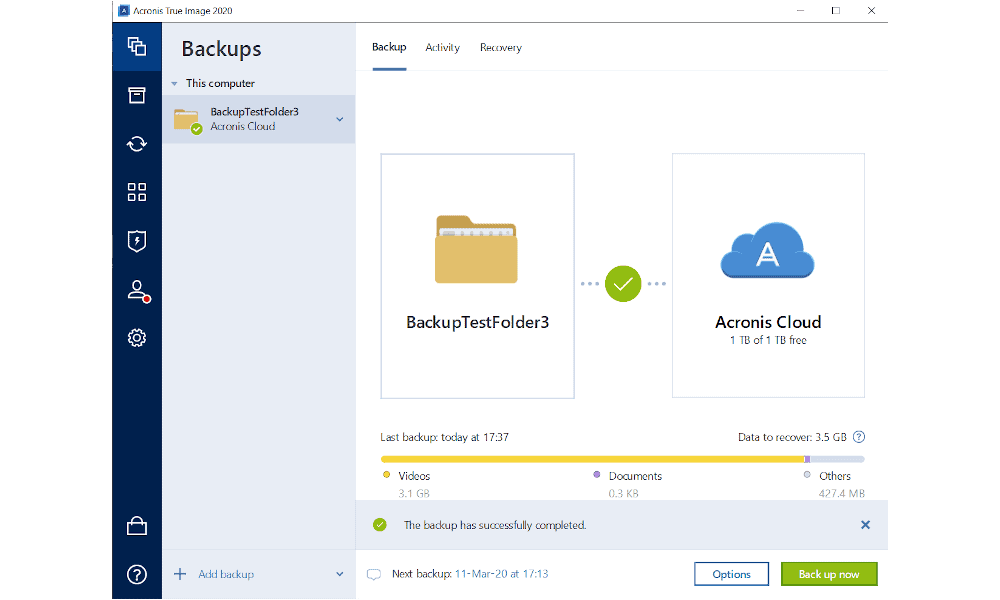
One of the most interesting parts of Acronis is that it offers a wide range of data centers. So Canadian users can choose whether they want to focus on performance by picking a storage location in the U.S., or privacy by going with something in, for example, Germany or Switzerland.
Security and privacy are all-around excellent, as Acronis offers strong zero-knowledge encryption, hardened data centers and SSL/TLS to protect your files from cybercriminals while they’re in transit. Unfortunately, there’s no two-factor authentication, but this is a minor blemish on what is otherwise a very secure backup service.
Other Reasons We Like Acronis Cyber Protect Home Office
Acronis offers a wide range of different plans with varying amounts of data storage. The cheapest option gives you 200GB of storage for $4.17 per month, or you can opt for 1TB instead for $8.33 per month. There’s also a 30-day free trial available if you want to give the service a test run.
Although this is a bit pricey compared to some of the other cloud storage options on this list, Acronis lets you backup a full clone of your hard drive, which doesn’t use any of your allotted space. In essence, this makes the service an unlimited backup solution for a single device.
There’s no free plan, but you can sign up for a generous trial that includes 1TB of storage for a full month. There’s also a “standard” subscription that lets you perform one full disk-image backup for a one-time fee rather than a recurring subscription, but this version is also severely limited in features. Read our Acronis review to learn more.
7. Carbonite

Carbonite is another example of a backup storage service that focuses on ease of use rather than offering a huge number of features. It’s missing things like disk-imaging and multithreading, as well as mobile and hybrid backups, but using Carbonite in Canada to backup every file that’s stored on your computer is still incredibly simple.
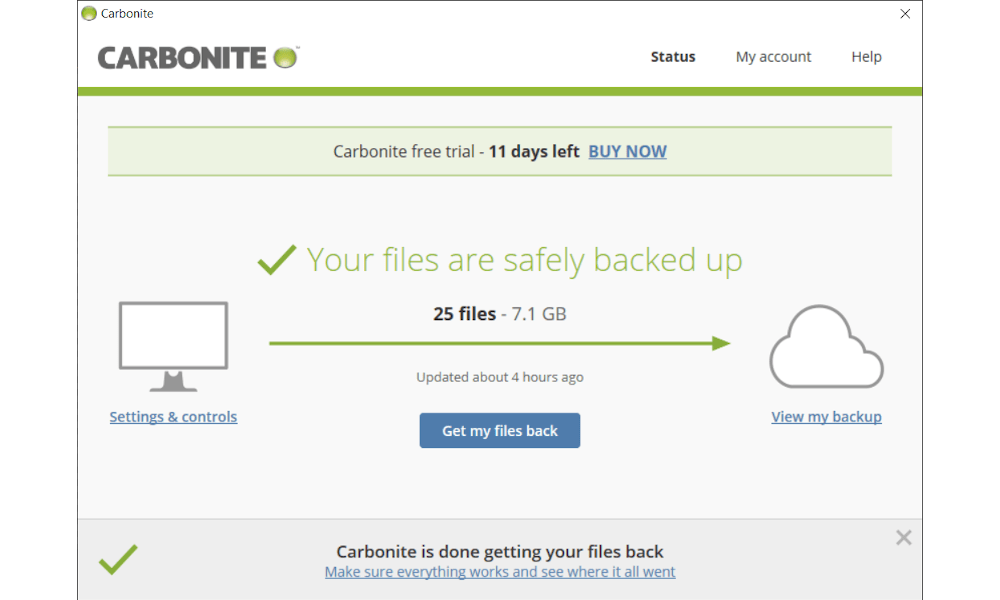
Aside from the regular client interface, Carbonite also sets up a virtual drive on your computer, which you can use to manage your online storage.
Security and privacy are top-notch, with strong AES 256-bit encryption that can be made completely private, SSL/TLS to protect files in transit and support for two-factor authentication. Unfortunately, its data centers are located in the U.S., but since you can manage your own encryption key, this is less of a privacy problem than it is for Backblaze.
Other Reasons We Like Carbonite
Carbonite offers unlimited storage for $4.20 per month with its Basic plan. Unlike Backblaze, it offers several other plans and tiers with different functionality and supported device types.
However, there are some annoying limitations to the Basic plan, such as the fact that Carbonite won’t automatically backup video files or anything exceeding the 4GB file size limit. Check out our Carbonite alternative guide for services that allow automatic video file backup.
That said, you can still backup these files, but you’ll need to manually select each file rather than just the folders they’re placed in. Beyond the Basic plan, there’s the Plus plan that adds automatic video backup as well as external hard drive support.
Finally there’s the Prime plan, which includes a very generous discount on courier recovery. This is a service where Carbonite will ship you a physical device to your location in Canada containing your files when you want to restore them, which is something you generally have to pay a hefty fee for. Carbonite Prime users only have to pay $9.99 for this, though, which is incredibly cheap. Read our Carbonite review to learn more.
Honorable Mentions: BigMIND Home
BigMIND Home is another backup solution created and managed by Zoolz. It’s an easy-to-use backup service that’s especially good for photos and videos. It includes several features specifically geared toward this purpose, including a photo gallery and the ability to stream video directly from your cloud storage.
Its security is also decent, with strong encryption and two-factor authentication. Both upload and download speeds are quite good, as well, and it supports various types of backup, including hybrid storage locations and mobile devices.
All that said, BigMIND didn’t manage to make it onto our top seven for a few different reasons. First among these is its price, which at $2.99 per month for a measly 100GB of cloud storage (or $12.99 per month for 1TB) is quite expensive.
It does offer a free plan with 1GB of storage, but this is too little space to be of much use. The service also lacks private encryption and other features like disk-imaging.
Honorable Mention: Carbonite Safe Server Backup
Although the regular Carbonite plans use servers located in the U.S. for its online storage, Canada was added as an extra option for the Safe Server plan back in 2018. This makes it another potential option if your primary concern is having your data stored in Canada itself so that you can feel reasonably safe from privacy intrusions.
Although this is great, we still can’t quite justify placing Carbonite Safe Server Backup in the top seven as it’s not that well-suited for personal users, which is the demographic we’re focusing on for this list. That’s because it’s pretty expensive at $50 per month for just 500GB of cloud storage.
Besides the difference in price and amount of data storage, there’s not a lot that differentiates this version of Carbonite from the standard one we covered above. The one notable exception to this is that you can backup 25 different devices with the same license, which includes both desktop computers and servers.
Final Thoughts: Cloud Backup Services for Canada
With this in mind, let’s have a look at what makes an online backup solution good for Canadian users specifically, before diving into our top seven. Because not many cloud backup services offer Canadian cloud storage specifically, our top picks are very similar to the ones we’d recommend for anyone, regardless of location.
That said, any of these options will serve you well, and which one you want to go for will depend on what factors you value most. However, IDrive is our number-one recommendation.
If online storage is more what you’re looking for instead, make sure to check out our list of the best cloud storage for business and best cloud storage. Canada-based Sync.com tops both lists, which should make it an easy choice for Canadians, as it’s also one of the cheapest cloud storage services.
If you’re not clear on the differences between the two, check out our guide to online backup vs cloud storage. Canadian users, in particular, will discover it’s much easier to find secure cloud storage services hosted in Canada than they will with online backup.
What did you think of our list of the best cloud backup for Canada? Did we miss one of your favorite storage services? Do you think we rated one of our picks too highly? Let us know in the comments below. Thank you for reading.
FAQ
Since most online backup solutions don’t offer any free online storage, the answer to this is also IDrive, which provides users with 10GB of free cloud storage. Because free storage is so rare for backup providers, those who are looking for free or cheap online storage are instead generally better off going for a cloud storage solution, such as Google Drive.