Best Acronis Alternatives for Data Protection & Disaster Recovery in 2026
Acronis True Image is a versatile home backup solution, but it’s not without flaws. If you’re in the market for an Acronis alternative, I present seven software solutions in this article that address Acronis’ faults.


Written by Aleksandar Kochovski (Writer)
Reviewed by Valentina Bravo (Managing Editor)
Facts checked by Goran Nikolić (Fact-checking editor)
Last Updated:
All our content is written fully by humans; we do not publish AI writing. Learn more here.
Key Takeaways: These Are the 7 Best Alternatives to Acronis
- IDrive — Versatile Acronis alternative with excellent pricing plans, fast speeds and top-notch security. Try IDrive using its 10GB free plan.
- pCloud — Cloud-based Acronis alternative, with a client-side encrypted folder and document editing. Try pCloud’s 10GB free plan.
- Backblaze — Acronis alternative with unlimited storage and simple setup. Try Backblaze’s 30-day free trial.
- Proton Drive — Privacy-focused cloud storage with zero-knowledge encryption and a polished user experience.
- Internxt — Affordable Acronis alternative with advanced security features. Try Internxt’s 1GB free plan.
- Carbonite — Secure and unlimited Acronis alternative. Try Carbonite with its 15-day free trial.
- MSP360 — Acronis alternative with flexible storage options. Try MSP360’s free version.
- CrashPlan — Acronis alternative for businesses. Try CrashPlan with its 14-day free trial.
Facts & Expert Analysis About Acronis True Image Alternatives
- Data loss prevention and disaster recovery: The best alternatives offer continuous backup or scheduling options that fit your needs, long version retention and local backup solutions to protect against data loss.
- Cloud-based solution for data protection: Client-side encryption provides the highest degree of data protection, as it prevents even the backup provider from accessing your files.
- Ransomware protection: The features that protect your data from disaster can also come in handy in the event of ransomware and other malware situations. Versioning is especially important in this respect.
Acronis True Image is a jack-of-all-trades cloud-based backup solution boasting a broad variety of features. However, for many, Acronis can be overkill, unnecessarily complex or simply too expensive — especially given the 5TB cap. If that’s the case for you, I present seven Acronis alternatives in this article that address all of its weaknesses.
I included secure encrypted software, cost-effective solutions and even a few cloud storage providers in case you miss Acronis’ cloud sync functionality. Some of them even offer unlimited storage for the data hogs out there. No matter which direction you’re leaning, one of these tools will fit your needs without the bulkiness or price tag of Acronis, and most even landed on our best online backup list.
-
03/06/2025 Facts checked
We updated this guide to reflect Acronis’ new product name, Acronis True Image.
-
05/27/2025 Facts checked
We updated this guide with new rankings based on recent provider testing.
-
02/01/2026 Facts checked
We rewrote this article to include a wider selection of services and update our reviews.
Cloudwards’ Choice: IDrive
 Cloudwards’ Choice: IDrive
My favorite Acronis alternative is IDrive — a secure, fast and cost-effective solution. Acronis is one of those services that tries to do everything, and the only competitor that comes close is IDrive.
It has a ton of backup features, including full disk imaging, server and network-attached storage (NAS) backups, and a separate space for cloud syncing. Best of all, IDrive offers all of this for a much lower price than Acronis.
What Should You Look for in Acronis Alternatives?
When comparing Acronis True Image alternatives, start by identifying what makes Acronis most useful to you. Acronis’ subscription model limits you to a fixed number of computers and assumes you will be using another service for storage instead of its own. A simple, compact backup solution with its own storage space is a much better choice for personal use.
You might also prefer a more focused service. While Acronis offers every backup feature under the sun, you may need only a few and thus end up overpaying for features you don’t use. However, never disregard security, even if you want a cheap, uncomplicated solution. Client-side encryption prevents even the service provider from accessing your files, ensuring privacy.
10,000+ Trust Our Free Cloud Storage Tips. Join Today!

- Demystify cloud storage terminology and key concepts in plain language
- Discover easy-to-implement techniques to securely backup and sync your data across devices
- Learn money-saving strategies to optimize your cloud storage costs and usage
The 8 Best Alternatives to Acronis True Image
| Service: | Free Storage | Best Price | Best For | Standout Feature | Limitation |
|---|---|---|---|---|---|
 | 10GB | $6.22 per month, 5TB | Versatility & affordability | Full disk imaging | No unlimited storage |
 | 10GB | $8.33 per month, 2TB | Document editing & security | Document editor | Limited backup features |
 | 30-day trial | $7.88 per month, unlimited storage | Unlimited storage & versioning | Unlimited versioning | Improperly implemented client-side encryption |
 | 5GB | $3.99 per month 200GB | Security & Collaboration | Document editor | Expensive |
 | 1GB | $3.33 per month, 3TB | Advanced security features | Post-quantum encryption | Only basic cloud features |
 | 15-day trial | $6 per month, unlimited storage | Unlimited storage & security | Unlimited storage | No disk image backup |
 | None | $1.67 per month | Flexible storage options | Broad device & storage support | Requires separately purchased cloud storage |
 | 14-day trial | $6.58 per user per month, unlimited storage | Business backup | Role-based access controls | Complicated setup |
Lab Data & Hands-On Testing
The following data represents the results of our speed and security testing.
Speed Test Comparison (5GB Folder)
| Service: | Upload Time | Download Time |
|---|---|---|
| 0:06:45 | 0:06:58 |
| 0:07:06 | 0:06:52 |
| 0:16:54 | 0:07:09 |
| 0:07:15 | 0:07:11 |
| 0:18:50 | 0:07:25 |
| 0:19:42 | 1:24:46 |
| 0:08:01 | 0:09:28 |
| 0:19:17 | 0:07:37 |
pCloud and IDrive are the fastest services in this comparison, with pCloud demonstrating the fastest speeds over our uncapped connection.
Backblaze, Internxt and CrashPlan are somewhere in the middle, while Carbonite is the slowest, struggling noticeably with downloads. MSP360’s speeds depend on the storage provider you pair it with.
Security & Privacy Analysis
| Provider: | Encryption Type | Client-Side Encryption | 2FA Options | Server Locations | Compliance |
|---|---|---|---|---|---|
| AES-256 | Yes | SMS, app-based, email | EU, U.S., Singapore | GDPR |
| AES-256 | Yes (single folder) | SMS, app-based, email | EU, U.S. | GDPR, DPA (Switzerland) |
| AES-256 | Yes (not zero-knowledge) | SMS, app-based, email | EU, U.S. | GDPR |
| AES-256 | Yes | SMS, app-based, email | Switzerland, Germany or Norway | GDPR, DPA (Switzerland) |
| AES-256 | Yes | SMS, app-based, email | EU | GDPR |
| AES-128 | Yes | SMS, app-based, email | EU, U.S., Australia | GDPR |
| AES-256 | Yes | SMS, app-based, email | None | GDPR |
| AES-256 | Yes | SMS, app-based, email | Global | GDPR |
Client-side encryption is the most important security feature — it lets you store your encryption keys on your device, preventing anyone else from accessing your files. Apart from CrashPlan, all the services on this list have this feature.
However, note that even though Backblaze lets you control your encryption key, it asks for it whenever you restore your files, which defeats the purpose of client-side encryption.
1. IDrive — Best Acronis Alternative

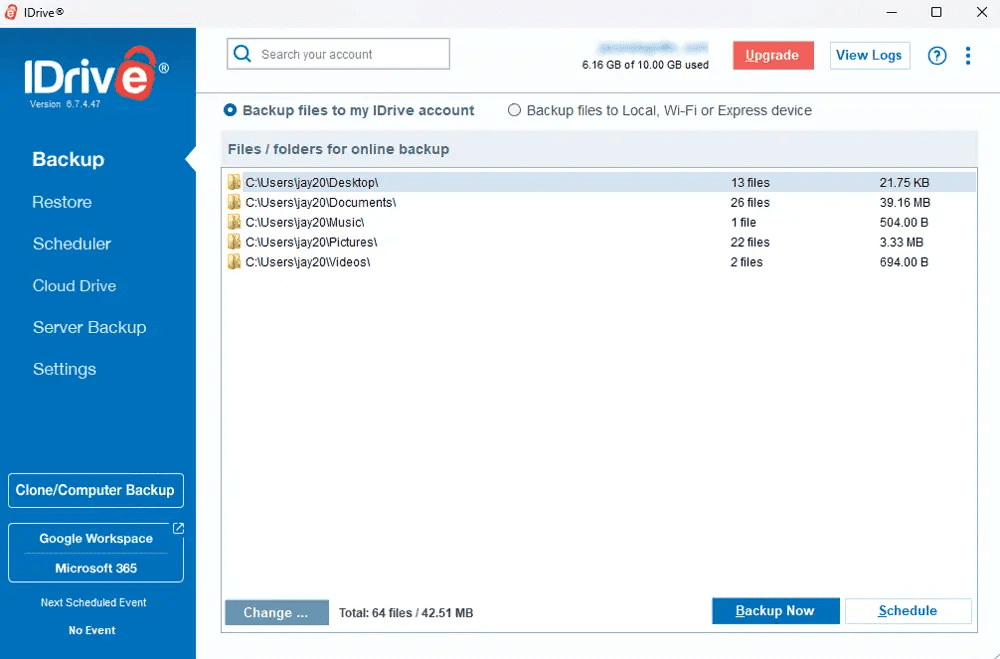
IDrive is similar to Acronis in many respects. The software offers a slew of backup features, including full disk imaging, folder or single file backup, and backups for hard drives, servers and network-attached storage (NAS) devices. You can also store backups locally, on a hard drive or on an on-premises server.
What Makes IDrive Special?
Like Acronis, IDrive offers cloud-syncing space, but in a unique way. When you purchase an IDrive plan, you really get twice the amount of storage you’re paying for. For example, if you have a 5TB plan, you get 5TB of space for your backups, plus another 5TB of cloud-syncing space.
When Should You Choose IDrive?
IDrive covers nearly all the bases as an alternative to Acronis, making it a great choice if you want a similar service with a better pricing structure and no limits on the number of backed-up devices. IDrive has a 10GB free plan, and the 5TB paid plan goes for $6.22 per month with a two-year commitment. Read our full IDrive review for more information.
- No credit card required.
- 10GB
- One user.
- 100GB
- One user, multiple computers. Plans starting from 5TB up to 100TB. Big discount for first-time signup.
- 5TB
More plans
- 5 computers, 5 users. Starting at 5TB up to 500TB. Big discount for first-time signup.
- 5TB
- Monthly Plan storage starts at 1.25TB up to 50TB Unlimited users, multiple computers and servers. NAS devices. 250GB storage. Starting at 250GB up to 50TB. Large discount for first-time signup.
- 250GB
- 5TB
2. pCloud — Acronis Alternative With Cloud Sync

pCloud is one of the top cloud storage solutions for quick access to files. The software focuses mostly on cloud sync, with backup as a secondary feature. This means backup options are slim. However, it’s secure and offers a ton of storage for cheap via its lifetime pricing plans.
What Makes pCloud Special?
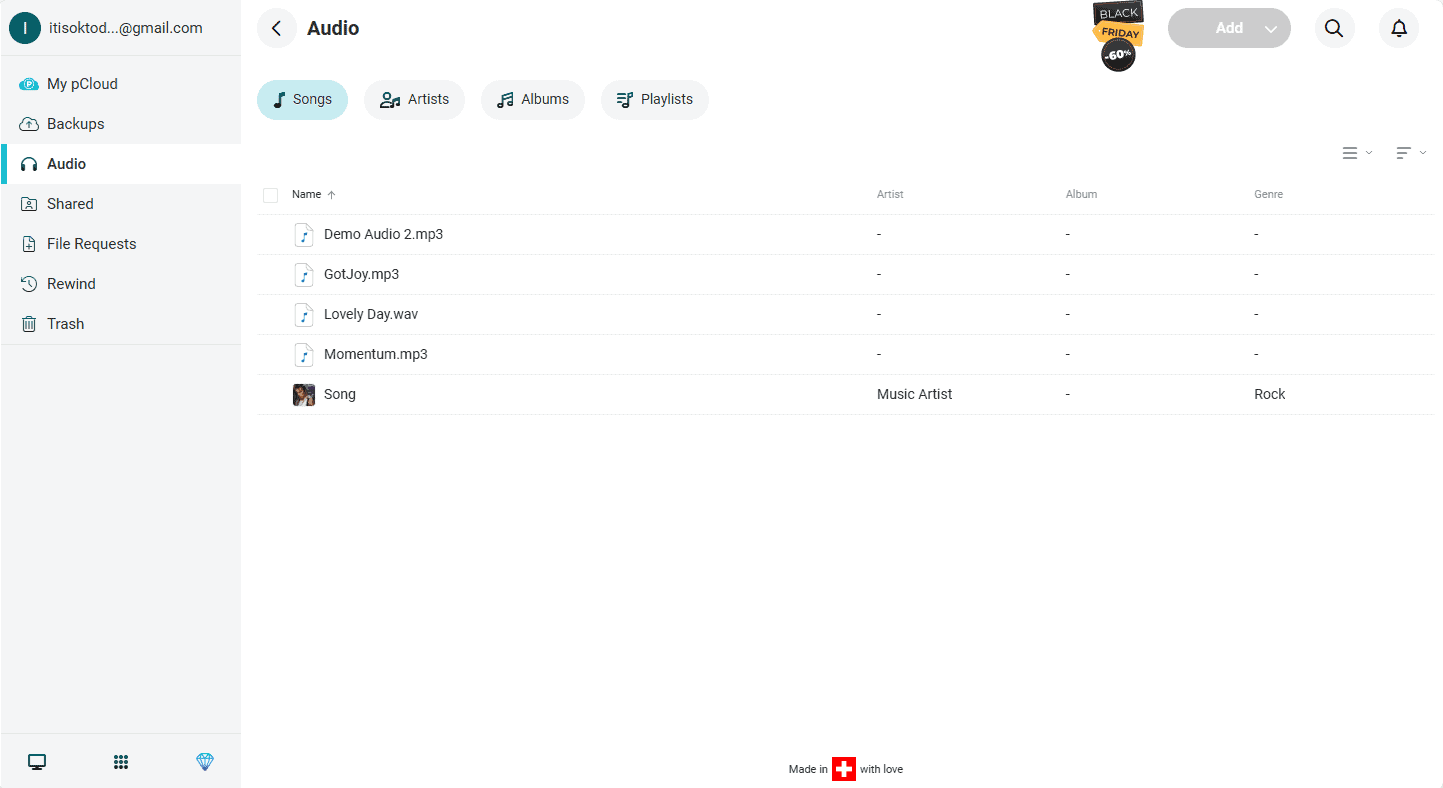
In addition to cloud backup and sync functionality, pCloud offers online document editing. You can create and edit documents online in the standard Microsoft Office formats, but using pCloud’s proprietary software. You can also collaborate on files, though I found simultaneous editing to be unreliable during testing.
When Should You Choose pCloud?
pCloud is a great choice if you don’t need much backup customization and want to access or edit backed-up files on the fly. The free version of pCloud comes with 10GB of cloud storage space. A 2TB plan costs $8.33 per month on annual billing, though you have to pay extra for client-side encryption. Read our pCloud review for more.
- 10GB
- 500GB
- 2TB
More plans
- 10TB
- + FREE Encryption
- 2TB
- + FREE Encryption
- 10TB
- Price per user (minimum 3)
- 1TB
- Price per user (minimum 3)
- 2TB
- Encryption for pCloud Drive
3. Backblaze — Acronis Backup Alternative With Unlimited Storage

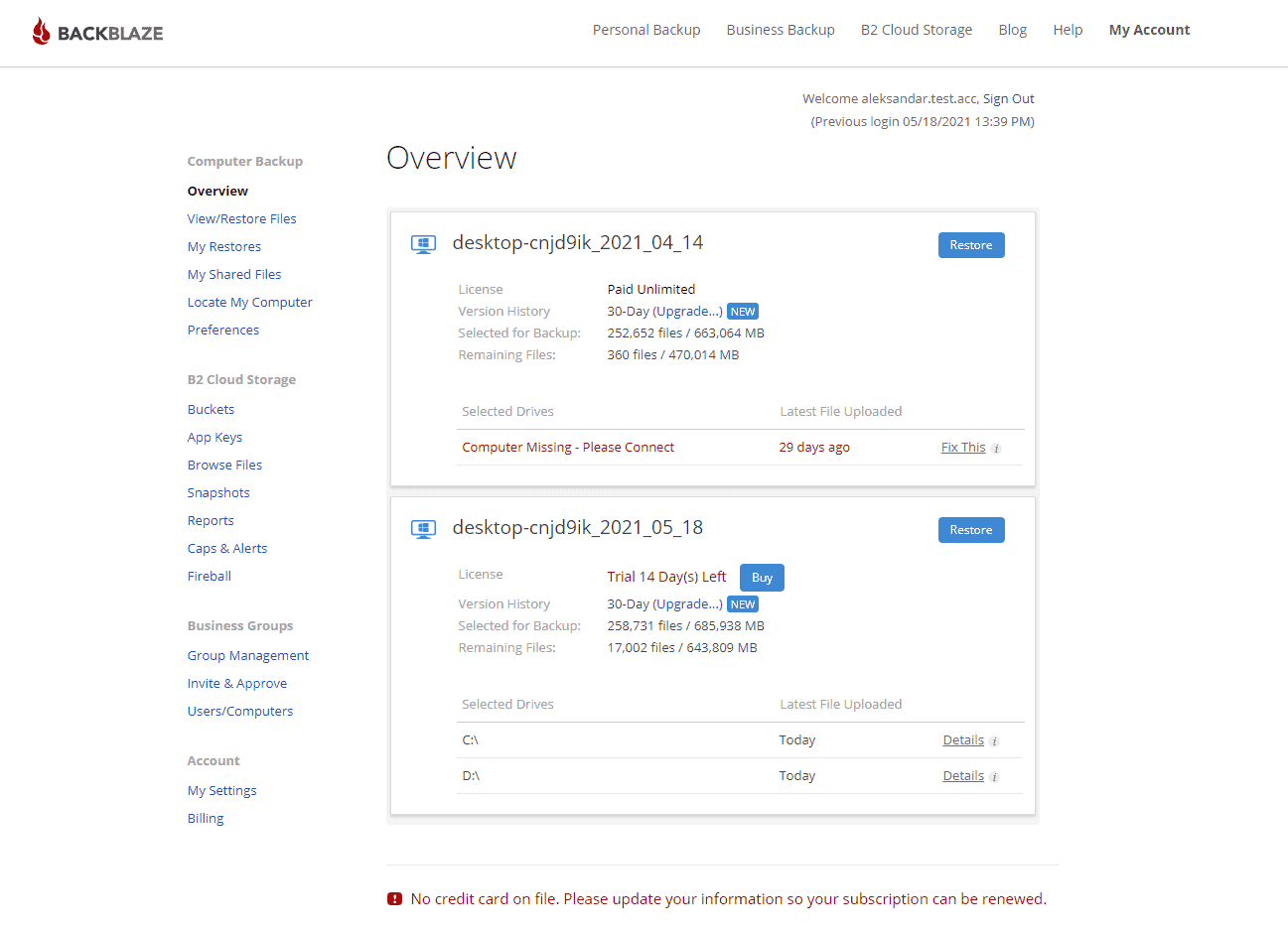
Backblaze is a backup service with unlimited storage but few backup features. It runs a continuous backup of your entire system, updating files only when they’re altered. It also has client-side encryption, though you have to give Backblaze your encryption key if you want to restore your files, which goes against the principle of zero-knowledge.
What Makes Backblaze Special?
Backblaze is exceedingly simple to use because of its straightforward design and lack of features. Its versioning is also some of the best out there, lasting up to a year or even forever if you choose to pay a small fee, making it ideal for disaster recovery.
When Should You Choose Backblaze?
Backblaze addresses three major Acronis shortcomings by offering unlimited storage and a simple user experience for a low price. It costs $7.88 per month for two years and covers one device — you have to purchase separate licenses for additional devices. Try out Backblaze with its 15-day free trial, or read our full Backblaze review for more.
- Unlimited GB
4. Proton Drive — Best Acronis Alternative With Collaboration Features
![Video thumbnail for the video: I Tested Proton Drive to See If It's as Private as It Claims [2024 REVIEW]](https://img.youtube.com/vi/XWmsFdm-VLg/maxresdefault.jpg)
If privacy and security are your primary concerns when looking for an Acronis alternative, Proton Drive is an excellent option. Unlike Acronis, which focuses on comprehensive backup features, Proton Drive prioritizes zero-knowledge encryption, meaning even Proton cannot access your files.
What Makes Proton Drive Special?
Proton Drive encrypts all your files end-to-end by default — no additional purchase required. This sets it apart from services like pCloud, where client-side encryption costs extra. The service is headquartered in Switzerland, benefiting from some of the strongest privacy laws in the world.
Proton Drive also includes its own document editor, Proton Docs and Sheets, with real-time collaboration features. Although in my testing, these were not as feature-rich as similar productivity apps from Google or Microsoft.
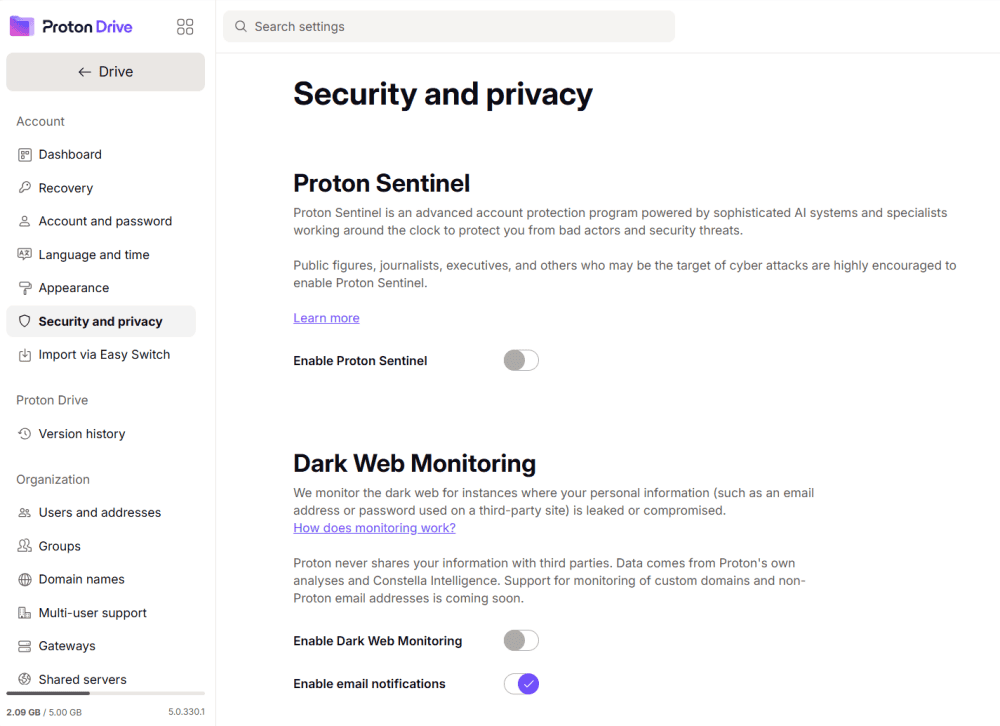
settings to choose from, like Dark Web monitoring.
When Should You Choose Proton Drive?
Proton Drive is part of the broader Proton ecosystem, which includes Proton Mail, Proton VPN, Proton Calendar, and Proton Pass. This makes it ideal for users looking to move away from Google or Microsoft entirely while maintaining strong privacy protections. Check out our Proton Drive Review for more details.
- 5GB
- 200GB
- 500GB
More plans
- 2TB
- 3TB
- per user
- 1TB
- per user, minimum of 2 users
- 1TB
- 1TB
5. Internxt — Affordable Acronis Alternative

Internxt is a cheap and secure cloud storage provider with a backup option. Rather than focusing solely on storage features, it packages its cloud storage with a VPN and antivirus software for a more comprehensive online security package. This makes it a great Acronis alternative, as it can replace Acronis’ malware protection feature.
What Makes Internxt Special?
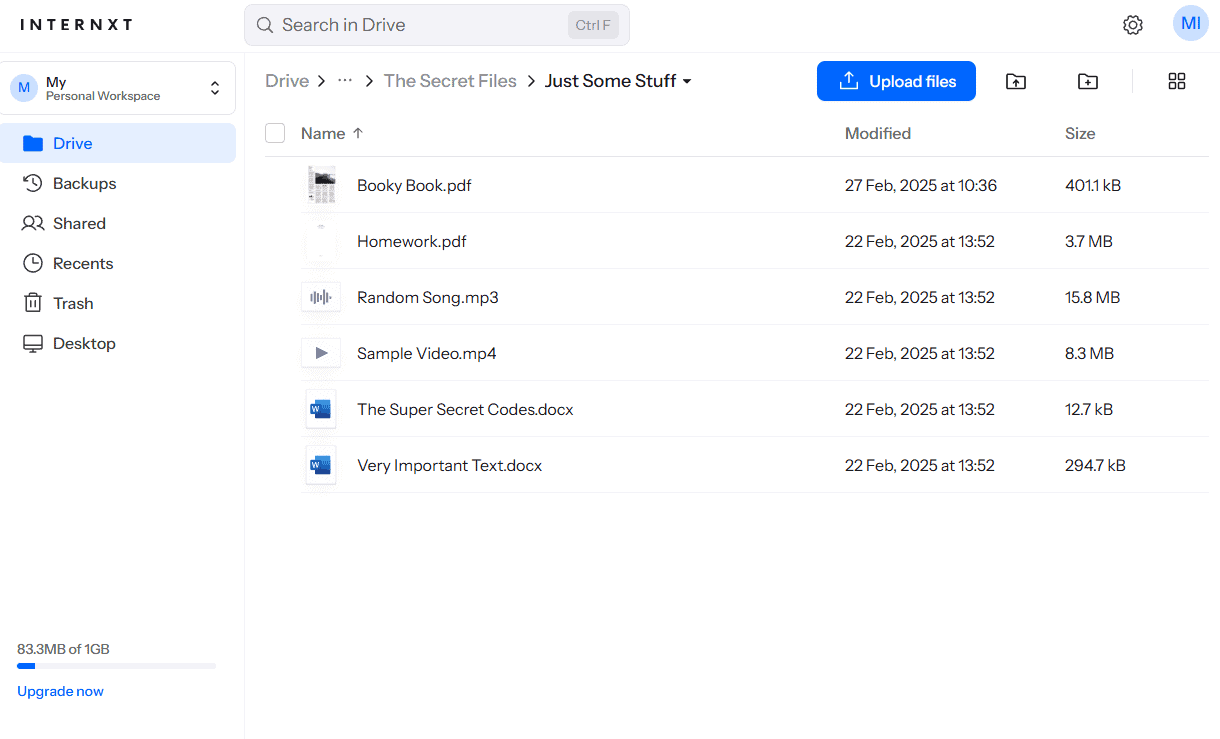
Internxt has some of the most advanced cloud security features. It’s a great choice for data protection thanks to its fully client-side encrypted storage and implementation of post-quantum encryption. The latter is meant to future-proof the service against attacks from quantum supercomputers.
When Should You Choose Internxt?
Choose Internxt if you need high security and malware protection at a low cost. Internxt’s 3TB plan costs just $3.33 per month on annual billing, or you can get a perpetual license for a one-time fee. Try it out with the 1GB free plan, or read our full Internxt review for more.
- 1GB
- Post-quantum encryption Zero-knowledge encryption Two-factor authentication Backup your computer Password-protected file sharing Encrypted VPN Antivirus
- 1TB
- Everything in Essential plus; Cleaner Invite, share & collaborate File versioning (coming soon) Cleaner
- 3TB
More plans
- Everything in Premium plus CLI & WebDav support NAS & Rclone support Meet Mail (coming soon)
- 5TB
- Annual Price is per user
- 1TB
- Annual Price is per user
- 2TB
6. Carbonite— Secure & Simple Acronis Alternative

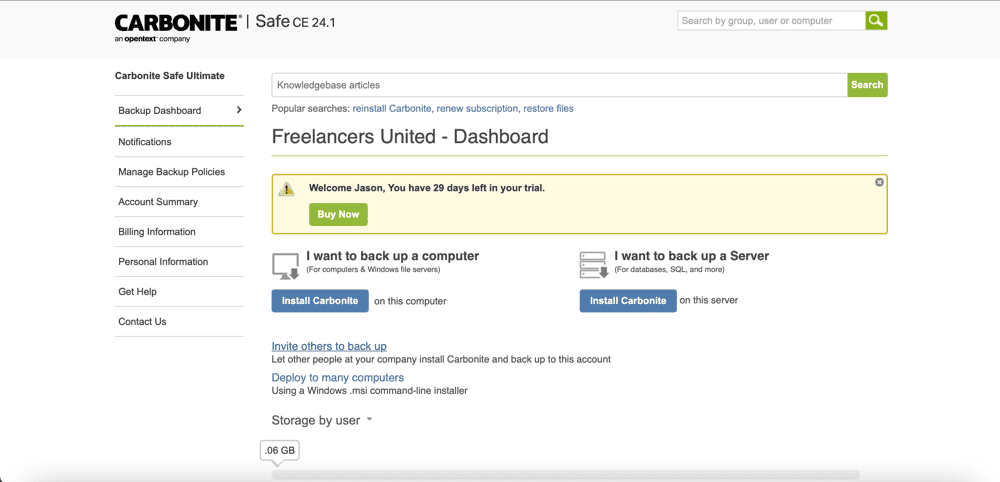
Carbonite is another unlimited cloud-based backup provider with a few slight differences from Backblaze. It lets you schedule backups instead of running them continuously, but it lacks image-based backups and has abysmal recovery speeds.
What Makes Carbonite Special?
All in all, Carbonite seems to be simply a more limited version of Backblaze. The only advantage the software provides is security, as it offers properly implemented client-side encryption. You have to activate it manually from the settings, though.
When Should You Choose Carbonite?
Choose Carbonite if you want unlimited storage and true client-side encryption, and if you don’t mind slow download speeds. The basic plan costs just $6 per computer per month on a yearly basis, and it comes with a 14-day free trial. Read our Carbonite review to learn more.
- Cheaper price with promo link
- Unlimited GB
- Unlimited GB
- Unlimited GB
More plans
- 250GB
- 500GB
- 500GB
7. MSP360 — Acronis Backup Alternative With Flexible Storage
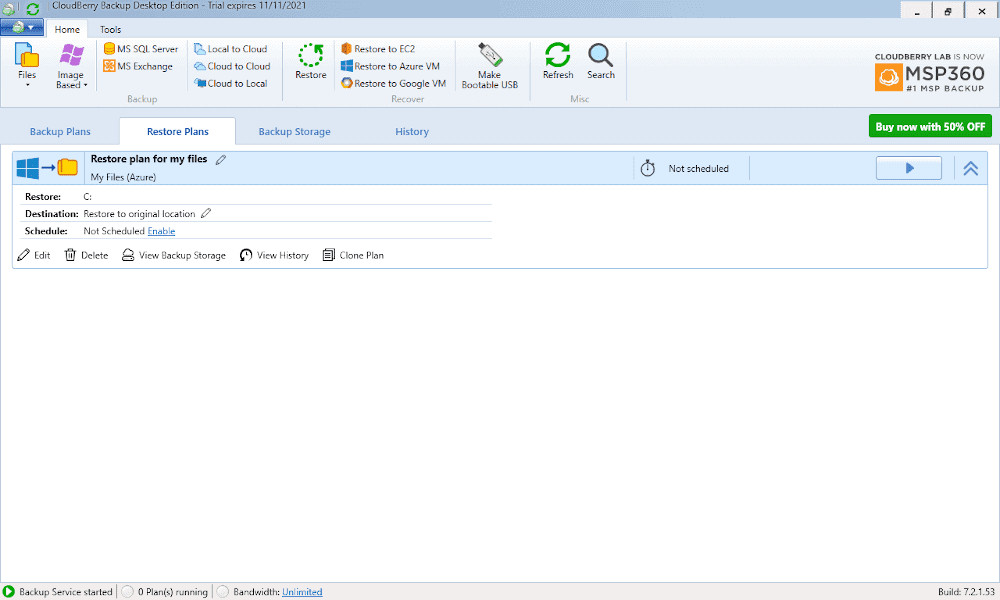
MSP360 is a unique entry on this list in that it is not a cloud-based solution — you have to purchase cloud storage from other vendors. As a personal user, you can use its backup software for free and back up either locally or to your preferred cloud service.
What Makes MSP360 Special?
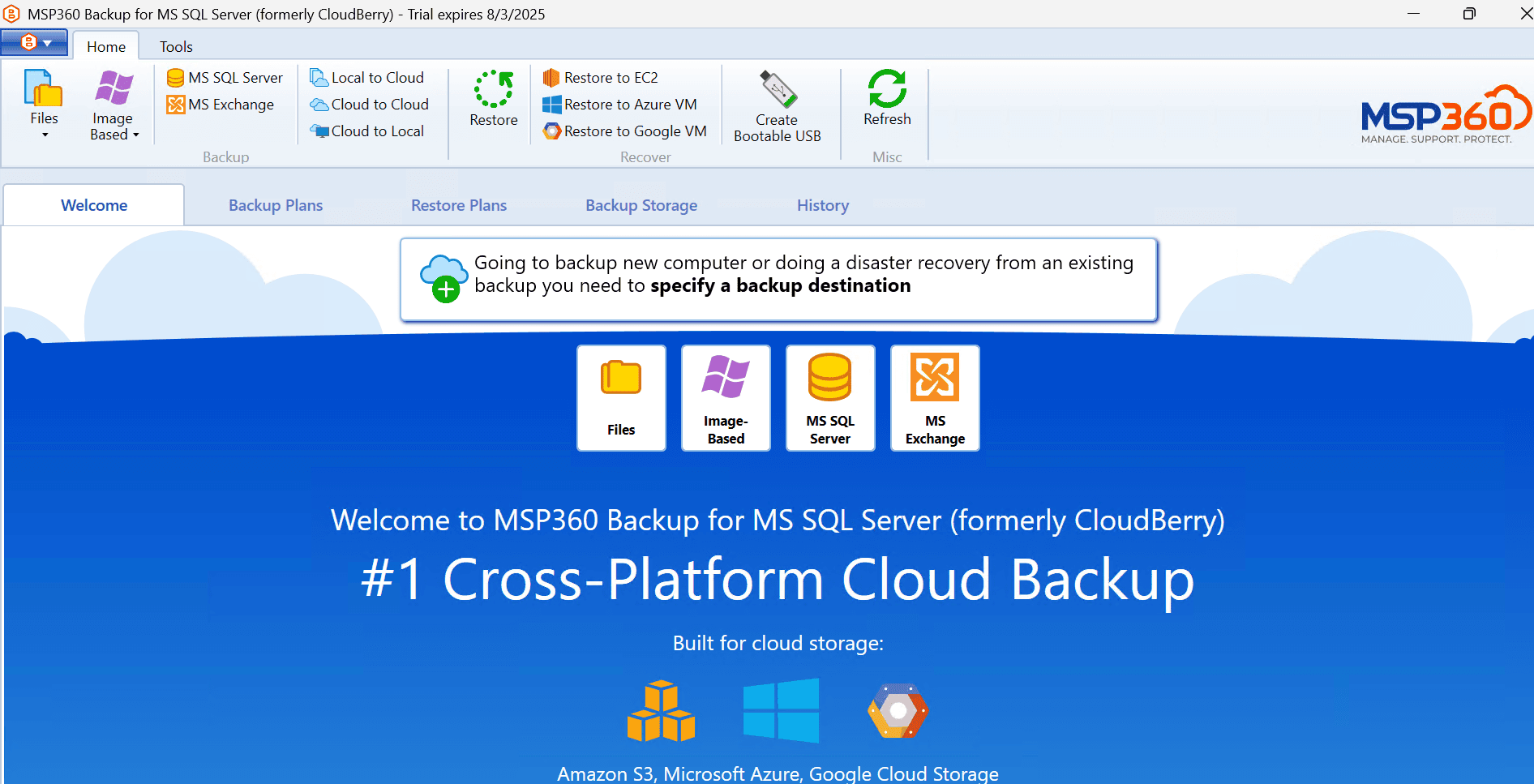
MSP360 is notable for its flexibility. It supports computers, servers, NAS and even virtual machines. You can choose to store your backup on premises for more control and security, or store your backups online via another provider, such as Amazon S3, Backblaze B2 or Google Cloud.
When Should You Choose MSP360?
If you’re savvy enough to set up MSP360 with a third-party cloud storage provider, you can benefit from the versatility of MSP360’s software and the scalability of object storage platforms. MSP360’s free version offers desktop backup only. For other devices, you can get a full licence for $1.67 per month on annual billing. Read our MSP360 review to learn more.
- 200GB
- 5TB
- $6 annual maintenance fee
- 5TB
More plans
- $6 annual maintenance fee
- Unlimited GB
- 1TB
- $16 annual maintenance fee
- 5TB
- 1TB
- Unlimited GB
- $30 annual maintenance fee
- Unlimited GB
- 2 sockets included ($89.99 per socket)
- Unlimited GB
8. CrashPlan — Unlimited Business Backup Acronis Alternative

CrashPlan is a business cloud backup solution with unlimited storage. It’s secure, offering client-side encryption, but only on its most expensive plan. This plan also lets you keep an unlimited number of old versions of files, which can help protect your data from malware infections and other disasters.
What Makes CrashPlan Special?
CrashPlan has a number of features for business needs, including role-based access controls. However, you’ll likely need a dedicated admin, as the platform is not the most user-friendly and can be difficult to set up if you don’t know what you’re doing.
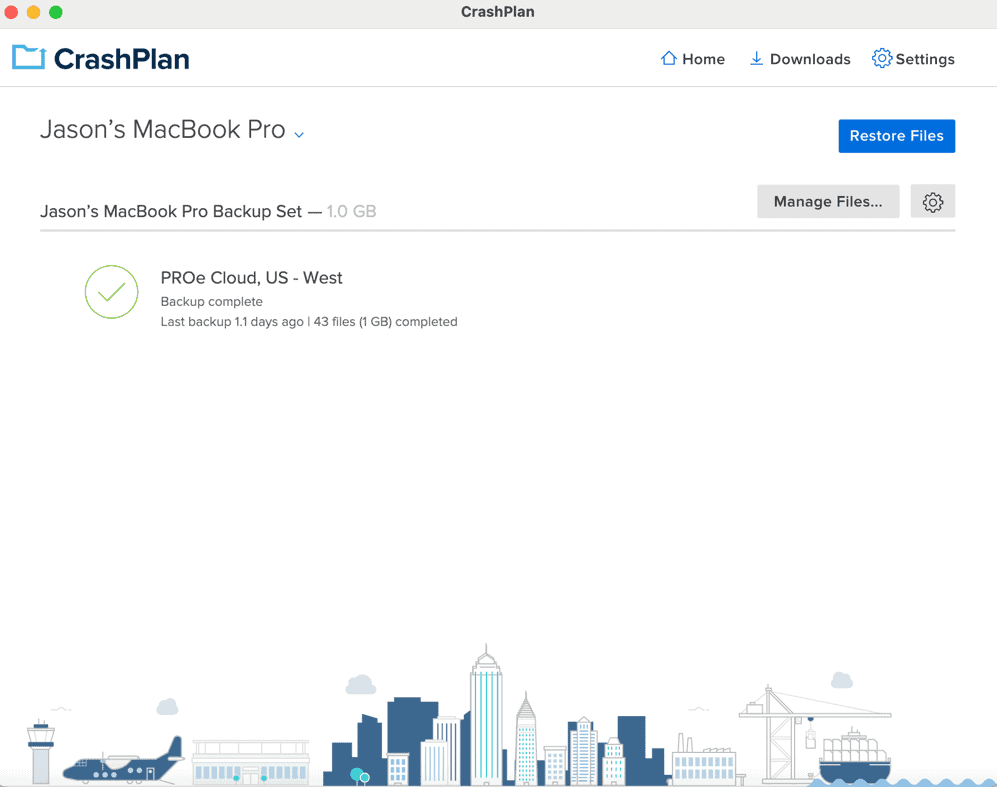
CrashPlan can be a good backup solution for business needs if you require detailed user controls. Its cheaper unlimited plan costs $6.58 per user per month with a two-year commitment, but it doesn’t offer a free trial. Read our CrashPlan review for more.
- Storage & price is per user Up to 2 devices per user 30-Day Deleted File Retention
- 200GB
- Price is per user Up to 2 devices per user 90-Day Deleted File Retention
- Unlimited GB
- Price is per user Unlimited Deleted File Retention
- Unlimited GB
Our Methodology: How Did We Test the Best Acronis Alternatives?
Cloudwards has a dedicated team of software testers on hand that run rigorous evaluations across every service we review.
- Security and privacy: We reviewed each solution for encryption standards, private key support, two-factor authentication and other security features, and we assessed the transparency of their privacy policies.
- Ease of use: We looked at the ease of installation, the initial setup, backup scheduling and the recovery workflow, valuing services with a clean interface and straightforward usage.
- Speed and performance: We tested speeds by uploading and downloading a 5GB test folder over a controlled connection and a virtual machine to determine the average performance of each service.
- Backup and restore features: We examined the various backup features, device types and storage locations offered.
- Price and value: We compared storage and device limits, price per gigabyte and overall value compared to the features you get for your money.
Final Thoughts
Although Acronis True Image is a powerful cloud-based backup solution, it can be complex, expensive and limiting in terms of storage space and the number of devices you can back up. IDrive is my top Acronis alternative, offering most of the same features as Acronis in a simple package with much more generous pricing and no limits on devices.
What do you think of my list? Did you find your favorite Acronis alternative? Why do you want to move away from Acronis? Let me know in the comments below, and as always, thank you for reading.
FAQ: Best Acronis Competitors
The best alternative to Acronis is IDrive, which offers a wide array of backup types and features for a lower price than Acronis.
No, you cannot buy Acronis without a subscription. You have to subscribe for at least one year to use Acronis products such as True Image and Cyber Protect.
No, Acronis is not a Russian company. Although the founders of Acronis are Russian, Acronis was founded in Singapore in 2003, then incorporated in Switzerland in 2008. A Swedish investor owns the majority of its shares.