monday.com vs Notion: Comparing Project Management Capabilities
Choosing a structured project management platform can be challenging. In this monday.com vs Notion comparison, I explore these tools' core functionalities, pricing, usability and more so you can make an informed decision.



Written by Sofia Oliber (Writer)
Reviewed by Kate Hawkins (Editor, Writer)
Facts checked by Simona Ivanovski (Fact-Checker, Formatter)
Last Updated:
All our content is written fully by humans; we do not publish AI writing. Learn more here.
Key Takeaways: monday.com vs Notion
- The main difference between monday.com and Notion is that monday.com offers structured workspace management, while Notion provides a flexible, build-it-yourself workspace.
- If you need scalable workflows and automation, monday.com is better than Notion because it’s built for structured project execution.
- Notion is better for customization and documentation, thanks to its flexible pages and database system.
Facts & Expert Analysis About Notion & monday.com:
- Structured work can improve success: monday.com relies on structured boards and views to keep workflows visible. This transparency can support better collaboration and more efficient teamwork.
- Data security and compliance are key: monday.com supports enterprise-grade controls, audit logs and HIPAA compliance on higher tiers. Notion has strong encryption and security but is better for less compliant environments.
- Platform design shapes the learning curve for new users: Notion is flexible but complicated to get started with, while monday.com focuses on quick onboarding via templates and easy-to-follow guides.
Choosing between monday.com vs Notion can be tricky, given that they’re both top project management tools. Ultimately, the choice comes down to how you manage work: structured execution or flexible organization.
monday.com is built for teams that need clear workflows, timelines and reports, making it a strong fit for operational or project-heavy environments. On the other hand, Notion centers on flexibility, combining notes, databases and collaboration tools in a customizable workspace that suits individuals or smaller teams.
Cloudwards’ Choice: monday.com Is the Winner
 Cloudwards’ Choice: monday.com Is the Winner
In my hands-on testing, monday.com stands out thanks to its advanced project management features, including built-in automations, multiple project views and real-time dashboards. I think it will be the stronger fit for most teams. You can try monday.com’s Pro plan with a free trial to see if it works for you.
Which Is Better: monday.com vs Notion?
While monday.com is better for managing projects and complex pipelines, Notion is a better option for workflow simulation and visual ideation. You can learn more in our monday.com review and Notion review.
Who Is monday.com For?
- Senior project managers: Teams running complex projects or Agile workflows will benefit from monday.com’s structured boards, automations and reporting.
- Sales teams: Those managing pipelines and client data can use monday.com’s built-in customer relationship management (CRM) features to track deals and interactions.
- Creative teams: Agencies handling approvals and multiple stakeholders will appreciate the clear workflows and collaboration tools.
Who Is Notion For?
- Content creators: Teams managing content and knowledgebases will benefit from Notion’s flexible pages and databases.
- Startups: Small teams that need quick, customizable workflows can use Notion to organize projects without rigid structures.
- Students or individuals: Anyone taking notes or building personal systems can rely on Notion’s templates and simple workspace setup.
Our Detailed Comparison Methodology
For this comparison, I set up identical workflows for both platforms and tested the capabilities and available functionalities. I paid close attention to how easy the learning curve was, the depth of each service’s free plan, the security protocols and overall mobile app performance.
Avoid Costly Project Management Mistakes – Get Free Tips Today!

- Discover 10 fundamentals of project management
- Understand step-by-step plans for PM execution
- Learn tips to avoid 5 common mistakes by beginners
Notion vs monday.com: Comparison at a Glance
| Features |  |  |
|---|---|---|
| $9 / month(All Plans) | $10 / month(All Plans) | |
| Review | Review | |
| Kanban board | ||
| List | ||
| Calendar | ||
| Timeline | ||
| Spreadsheet view | ||
| Gantt charts | ||
| Workload planning | ||
| Long-term planning | ||
| Multiple project management | ||
| Dependency management | ||
| Native scrum management | ||
| Set user permissions | ||
| File storage | ||
| Time-tracking | ||
| Built-in integrations | ||
| Reporting features | ||
| Free plan | ||
| Free Trial | 14 days | |
| Web app | ||
| Windows | ||
| MacOS | ||
| Android | ||
| iOS | ||
| AI Tools | ||
| Ticket-based support | ||
| Tutorials | ||
| Knowledgebase | ||
| Forum | ||
| Live chat | ||
| Phone support |
monday.com vs Notion: Similarities
To be honest, monday.com and Notion have more differences in similarities. However, both platforms aim to centralize work and increase productivity by combining project management and task management tools.
Productivity Tools
Both of these tools can be used to increase team productivity, thanks to features like kanban boards, real-time collaboration options and dashboards. You can get reports and build workflows with either platform, though in different ways.
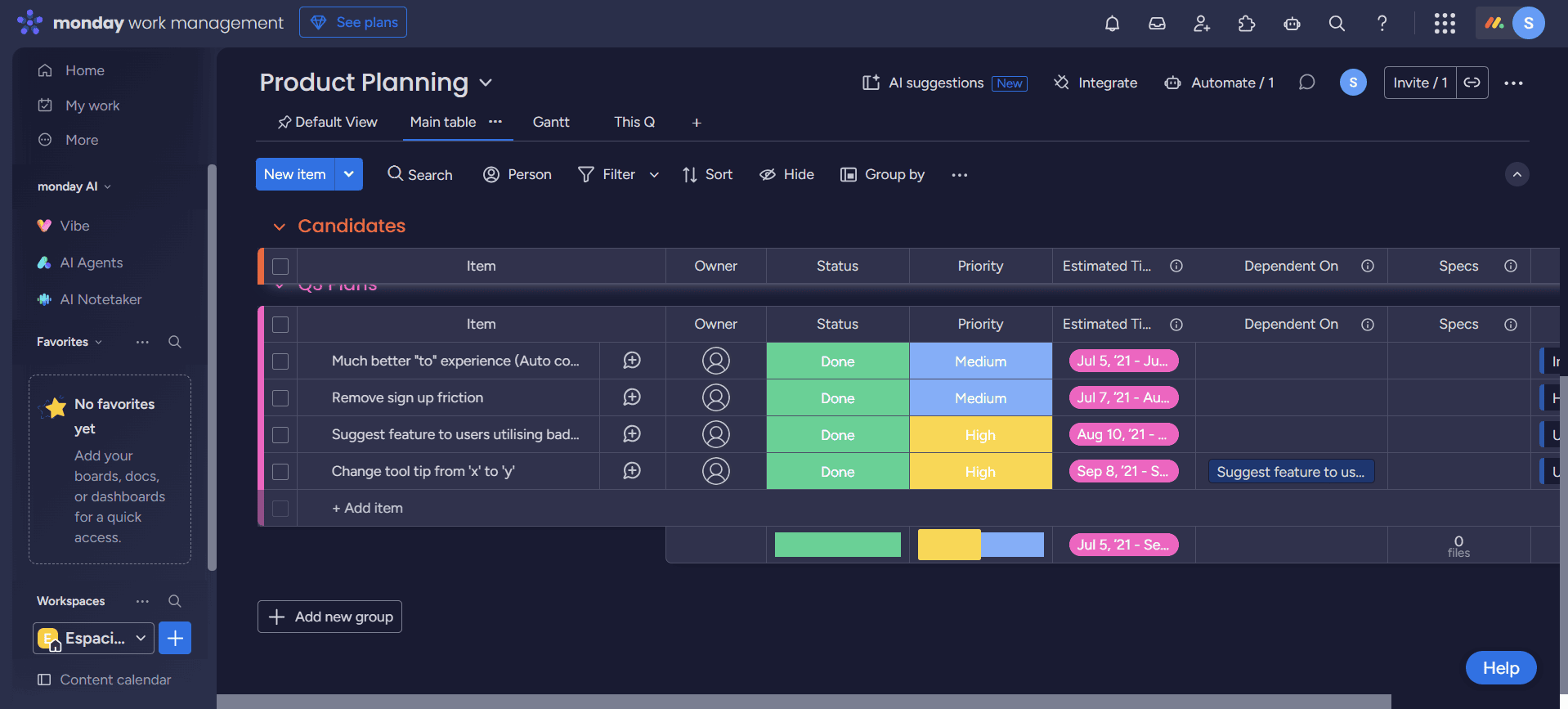
On both platforms, you can tag teammates in tasks and send notifications to ensure smooth communications. You can also switch between views and implement advanced tools like automations and integrations.
Notion vs monday.com: Differences
Although these platforms serve similar purposes, their methodologies differ significantly. monday.com prioritizes traditional project structures, while Notion puts flexibility and creativity first.
Project Views
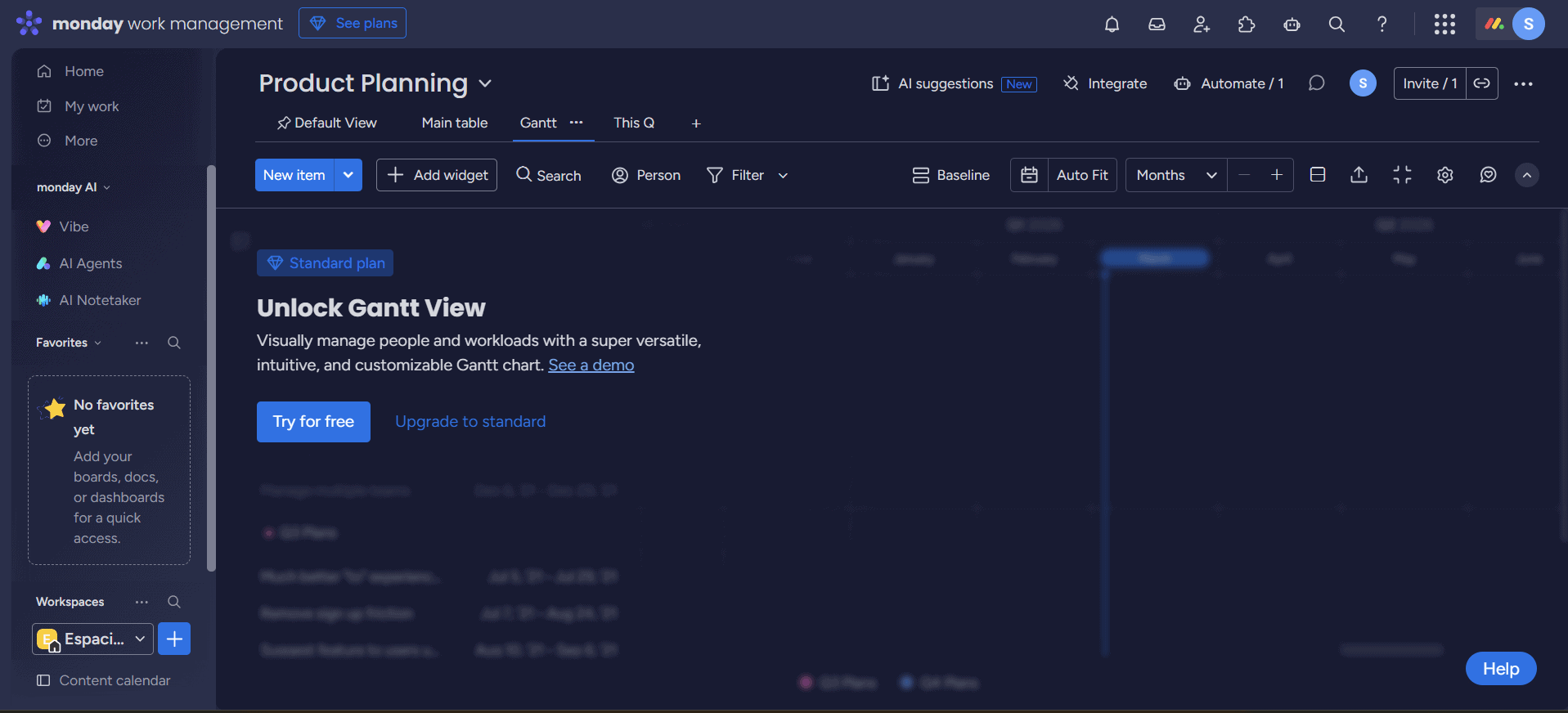
monday.com offers predefined views, such as Gantt or workload, while Notion’s block-based system allows for custom layouts that often require more manual work, steepening the learning curve.
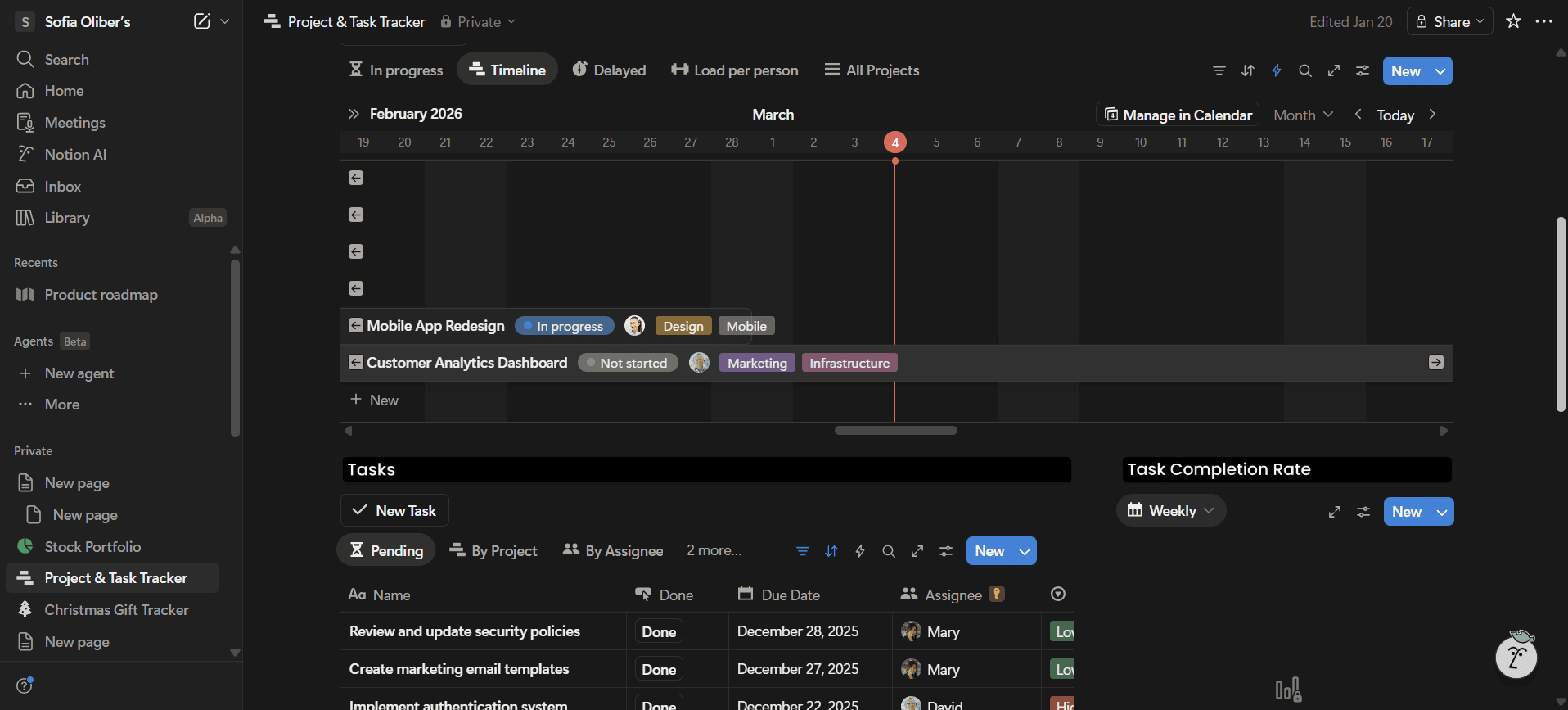
A team can start a project from scratch in monday.com using a template that includes all views available on their plan. In Notion, even when starting with a template, you’d need to add blocks manually to personalize it. Understandably, more flexibility results in more options but also in more manual work.
Pricing Structures
monday.com’s pricing is based on a per-seat model and requires a minimum number of users.
- Maximum users: 2
- Minimum users: 3; All prices per user
- Minimum users: 3; All prices per user
More plans
- Minimum users: 3; All prices per user
- Enterprise-level features.
Depending on the chosen plan, this can increase costs for small teams. Notion uses a straightforward per-user model, which offers better value for money for smaller teams.
- 1 user only, Up to five guests, 5MB file upload limit
- 1 user only, Unlimited guests, Unlimited file uploads, Version history
- Unlimited users, Unlocks workspace, User permission settings
- Advanced security features
A small team of four might need to pay for five seats on monday.com, while with Notion, that same team can pay for four individual users, allowing for more precise cost control.
Both monday.com and Notion offer a free plan, but both are really functional only as a taster of the project management tools. Real team functionality comes at a price. If you need a free tool, read our guide on the best free project management software.
User Experience: Interface & Learning Curve
You can get started quickly with monday.com thanks to its templates and guided setup. In comparison, Notion often starts with a blank page, meaning you need to build your workflow using blocks. Notion does offer templates, but they tend to be more specific and less suited to full project management setups.
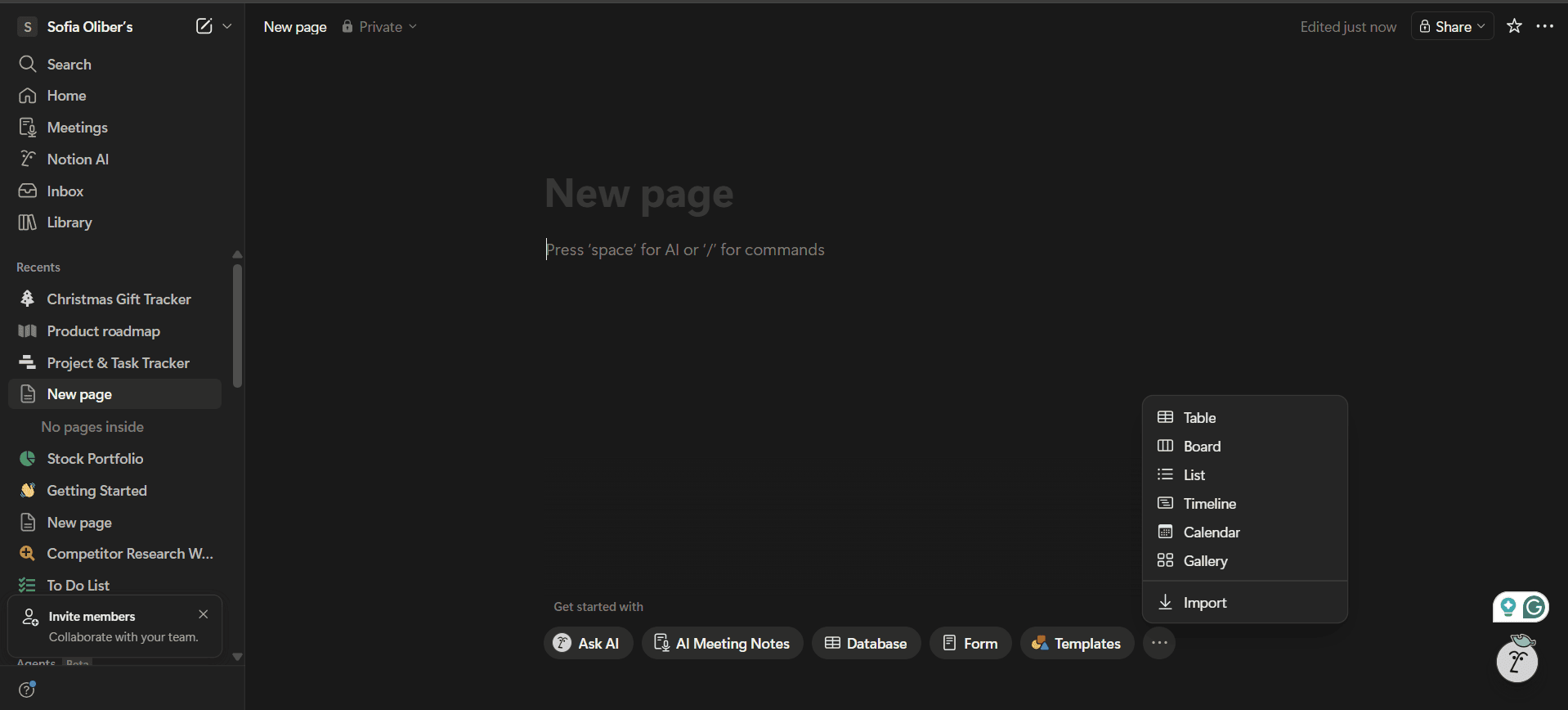
Notion’s user interface allows for deep customization, while monday.com focuses more on structured workflows. However, monday.com is still highly customizable compared to other project management tools, and its more organized layout makes it easier to use.
Customer Support & Community Ecosystem
monday.com provides 24/7 support for high-tier plans, while Notion leans heavily on its community, knowledgebase and online resources.
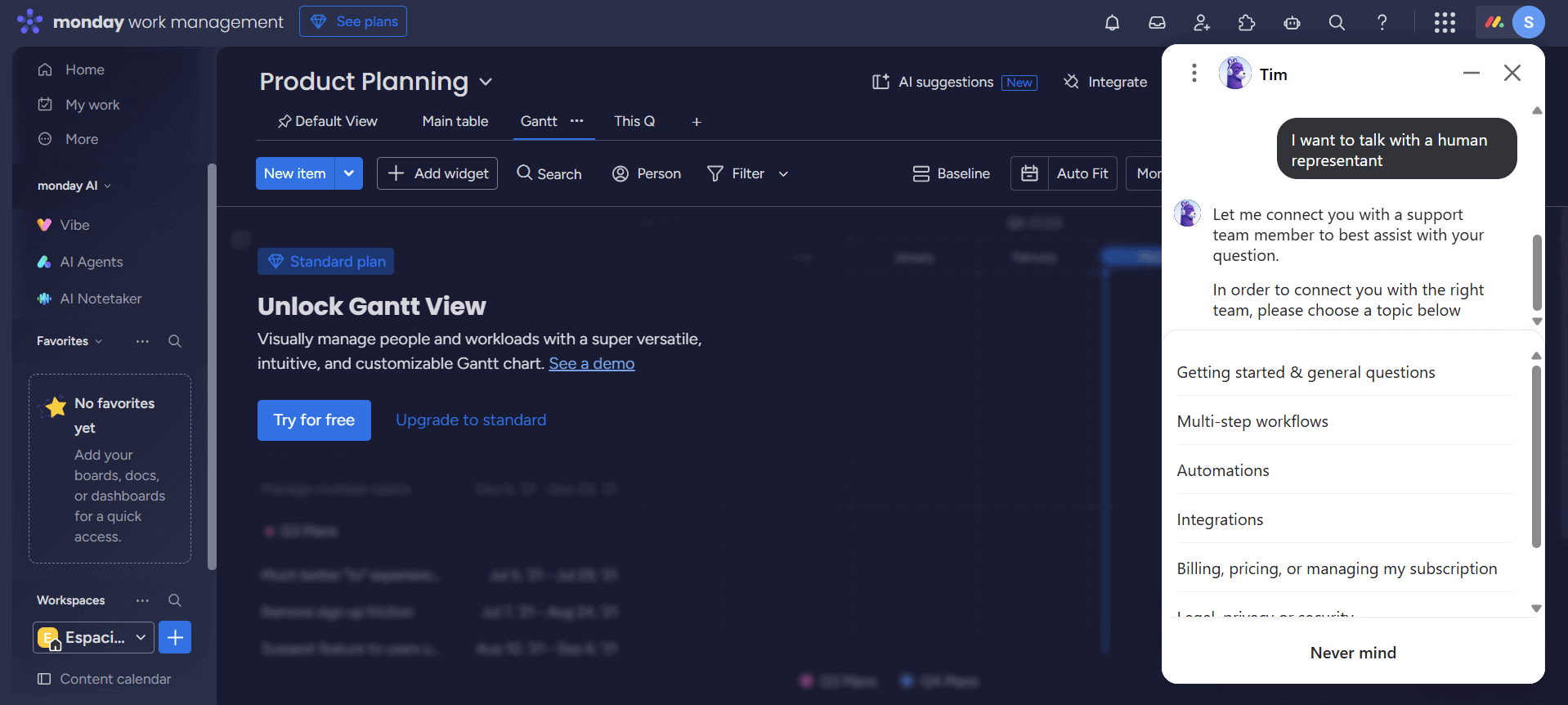
If something goes wrong overnight, monday.com users can get human-centered customer support, while Notion users are more likely to have to rely on AI chatbots or community templates.
Can You Use monday.com and Notion Together?
Yes, many teams use monday.com and Notion together for more flexible workflows. With integrations like Zapier or API access, you can sync tasks and connect boards with Notion pages.
This setup works well for hybrid workflows. For example, a team might create onboarding documents in Notion and embed monday.com project views so new members can access tasks and context in one place.
The Final Verdict: Why We Think monday.com Wins Overall
From my testing, I think monday.com wins because it offers a more structured and scalable environment for managing projects. Notion is highly versatile and works well for smaller or more creative teams, but it often requires more setup and ongoing organization. Try monday.com with the Pro plan’s free trial.
monday.com’s workflows, automations and dashboards make it easier to manage projects efficiently as teams grow. You can try monday.com completely free to see if it works for you.
If You Want to Consider Other Services, Check Out…
If neither of these platforms works for your needs, consider the following options:



FAQ: monday.com vs Notion Comparison
No, monday.com is not the same as Notion. While they are both project management tools, they serve different purposes and offer distinct functionalities.
Yes, Notion can replace monday.com, but mainly for smaller projects. More robust workflows would typically require monday.com’s advanced features, such as automation or reporting.
monday.com is better for complex projects, while Notion is superior in its flexibility. Each platform suits different user needs.

