Notion vs Jira Comparison for Project Management in 2026
The right project management tool is essential for streamlining projects and tracking Agile workflows. If you’re considering Notion vs Jira, I break down the similarities and differences to help you make an informed choice.


Written by Mehak Siddiqui (Writer)
Reviewed by Kate Hawkins (Editor, Writer)
Facts checked by Eugenie Tiu (Editorial Assistant)
Last Updated:
All our content is written fully by humans; we do not publish AI writing. Learn more here.
Key Takeaways: Notion vs Jira
- The main difference between Notion and Jira is that Notion is a flexible all-in-one workspace, while Jira is a structured project management tool designed specifically for Agile software development or product teams.
- If you need advanced sprint planning, issue tracking or detailed reporting, Jira is a stronger choice than Notion.
- Notion is better than Jira for individuals or small teams who need a flexible tool for customizable workflows and internal wikis.
Facts & Expert Analysis About Project Management in Notion and Jira:
- Unified workspace vs specialized tooling: Notion excels at combining documentation, databases and task management, whereas Jira focuses on technical workflows and Agile methodologies.
- Learning curve: Notion is easier to learn and set up, but Jira offers deeper functionality and control once mastered.
- Integration capabilities: Notion can replace multiple tools by acting as a central workspace, while Jira integrates deeply into specialized tech ecosystems and has native integrations with development tools like GitHub.
Notion and Jira are among the best project management tools, but they have very different approaches to task organization, team collaboration and progress tracking. To help you choose the right one for your needs, I conducted a detailed comparison of Notion vs Jira, assessing key factors like Agile features, ease of use and pricing.
Cloudwards’ Choice: Jira Is the Winner
 Cloudwards’ Choice: Jira Is the Winner
Jira offers a powerful, structured system for managing projects of all kinds, particularly for Agile environments like software development. It has everything you need to scale projects and collaborate effectively with teams. While it may take some getting used to, the long-term benefits make it worthwhile. Sign up for a seven-day free trial of the Premium plan.
Which Is Better: Notion vs Jira?
The right work management platform for you depends on your specific needs. Notion is a flexible, all-in-one system for organizing work, while Jira is built for more complex project management, especially in technical or Agile environments. Learn more about both project management services in our Jira review and our Notion review.
Who Is Notion For?
- Startups and small teams: Notion has flexible productivity tools such as easy-to-use project templates. It can be adapted quickly to the changing needs of growing teams.
- Creative and marketing teams: Notion works well for knowledge sharing, brainstorming, mood boards and loosely structured projects.
- Knowledge-heavy teams: Notion is excellent for building a knowledgebase, wikis, documentation hubs and other shared resources.
Who Is Jira For?
- Agile teams (scrum/kanban): Jira is designed around sprint planning, backlogs and iterative workflows for teams using Agile methodologies.
- Teams needing advanced reporting: Jira provides detailed insights like velocity, burndown and progress metrics.
- Product managers: Jira includes strong tools for roadmap tracking and feature prioritization.
Our Detailed Comparison Methodology
I tested how effectively each tool supports project management workflows across different real-world scenarios. I also considered ease of use and advanced features like built-in analytics capabilities and issue-tracking tools. This helped me determine the types of project planning each tool is best suited for.
Jira vs Notion: Comparison at a Glance
| Features |  |  |
|---|---|---|
| $10 / month(All Plans) | $9.05 / month(All Plans) | |
| Review | Review | |
| Kanban board | ||
| List | ||
| Calendar | ||
| Timeline | ||
| Spreadsheet view | ||
| Gantt charts | ||
| Workload planning | ||
| Long-term planning | ||
| Multiple project management | ||
| Dependency management | ||
| Native scrum management | ||
| Set user permissions | ||
| File storage | ||
| Time-tracking | ||
| Built-in integrations | ||
| Reporting features | ||
| Free plan | ||
| Free Trial | ||
| Web app | ||
| Windows | ||
| MacOS | ||
| Android | ||
| iOS | ||
| AI Tools | ||
| Ticket-based support | ||
| Tutorials | ||
| Knowledgebase | ||
| Forum | ||
| Live chat | ||
| Phone support |
Notion vs Jira: Similarities
Despite their different project management features and target users, both tools share some core capabilities when it comes to collaborating with teams and organizing work.
Avoid Costly Project Management Mistakes – Get Free Tips Today!

- Discover 10 fundamentals of project management
- Understand step-by-step plans for PM execution
- Learn tips to avoid 5 common mistakes by beginners
Collaboration Features
Both Jira and Notion make it easy for teams to work together in real time. Users can assign tasks, leave comments, tag teammates and track updates within shared workspaces, ensuring everyone stays aligned.
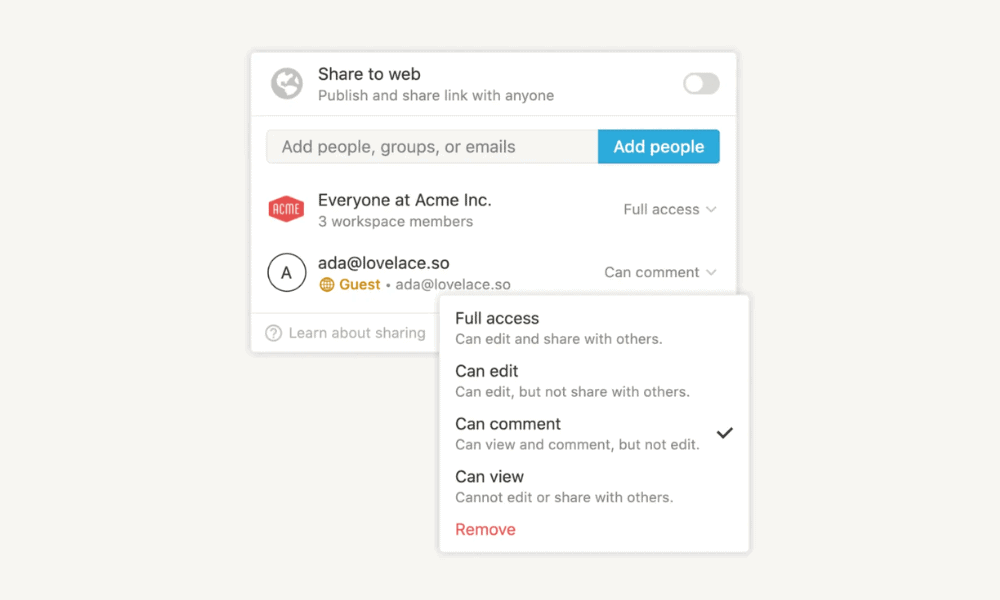
All information is centralized, which reduces scattered communication or reliance on third-party tools. Therefore, Notion and Jira are well suited for remote or distributed teams that rely on clear and timely communication.
Security & Privacy
Notion and Jira offer strong, enterprise-grade data security measures. They both implement strong encryption (AES-256 at rest and TLS in transit) and comply with major standards like the GDPR, SOC 2 and ISO 27001. This ensures a solid baseline for data protection.
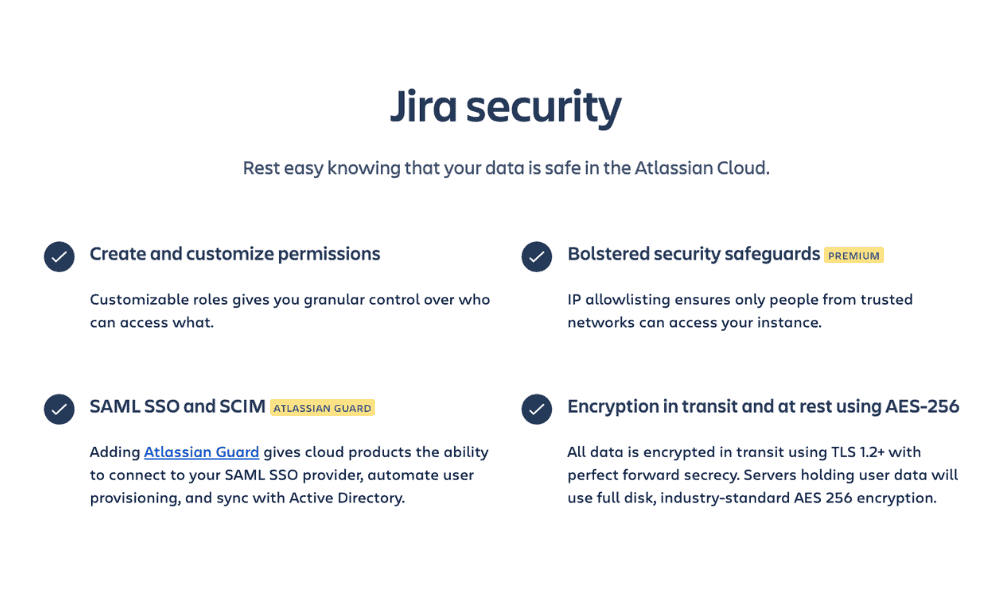
That said, Jira has a slight edge for larger organizations due to its advanced admin controls and governance features. It offers more robust role-based permissions and deeper access controls than Notion.
Jira vs Notion: Differences
Each tool is built with a distinct approach: Notion prioritizes flexibility, while Jira focuses on structured Agile workflows. Understanding these differences is key to choosing the platform that truly fits your project management needs.
Which Tool Has Better Agile Project Management Capabilities?
Jira is built specifically for Agile teams, offering native support for scrum and kanban boards, sprint planning, backlog management and detailed issue tracking. It’s a natural fit for teams running structured, iterative workflows.
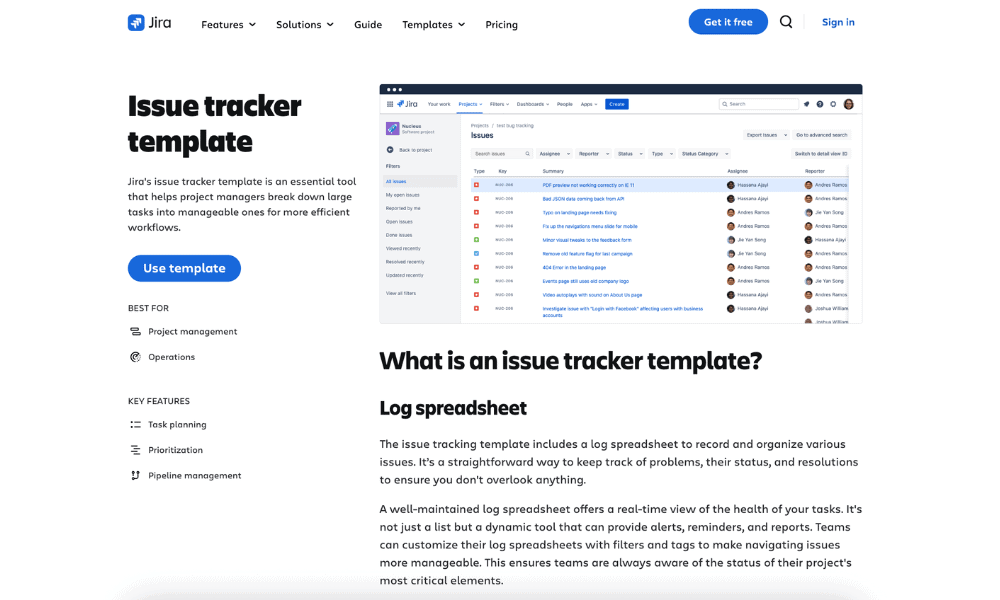
In contrast, Notion supports Agile workflows in only a lightweight and manual way. You can create boards and track tasks, but it lacks built-in sprint tools, Agile reports and deep development integrations that Agile teams often rely on.
Which Is Better for Project Tracking & Reporting?
Jira leads the way with built-in tools for tracking tasks, bugs and progress, as well as advanced reporting tools like real-time dashboards and performance metrics. Teams can easily monitor progress, identify bottlenecks and make data-driven decisions.
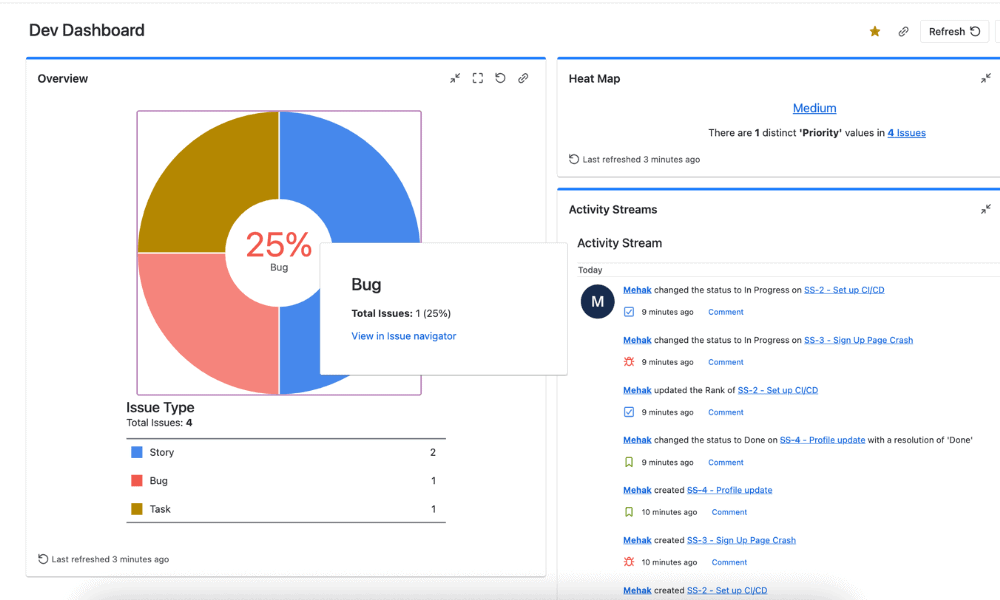
Notion is limited to more basic tracking and reporting that often requires manual setup or integrations. While it can work well for simple projects and customized dashboards, it lacks the depth and automation of Jira’s reporting system.
Pricing Comparison: Costs & Plans Explained
As I already detailed in the “similarities” section, both Notion and Jira have free plans for individuals or small teams, but these offer limited features. To benefit from the full capabilities of each software solution, you’ll need a paid plan. Notion subscriptions start at $10 per user per month, while Jira costs $9.05 per user per month.
- 1 user only, Up to five guests, 5MB file upload limit
- 1 user only, Unlimited guests, Unlimited file uploads, Version history
- Unlimited users, Unlocks workspace, User permission settings
- Advanced security features
In terms of overall value, Jira is the better option — you get a strong feature set and pricing plans that scale well as your team grows.
- Max. 10 users. unlimited boards, reports and insights; backlog; basic roadmaps; 2GB of storage; community support
- Monthly pricing starts from 11 users, pricing changes based on the number of users. Monthly pricing changes with teams over 110. Annual pricing shown is for 1-10 users
- Monthly pricing starts from 11 users, pricing changes based on the number of users. Monthly pricing changes with teams over 114. Annual pricing shown is for 1-10 users
- Enterprise plan pricing is available when you enter 801 or more users above; User tier: 801 – 1,000
Ease of Use: Interface & Learning Curve
Notion has a clean user interface with an easy drag-and-drop setup. You can quickly create pages, databases and task boards without much training. The variety of templates further enhances the user experience.
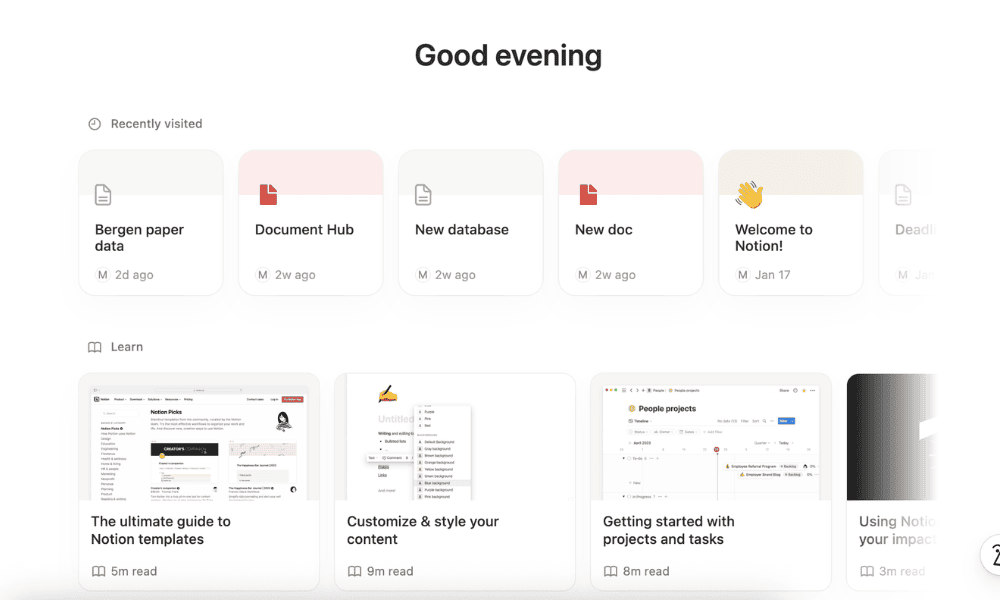
Jira, on the other hand, has a complex interface with multiple menus and configurations that can feel overwhelming at first, especially for beginners. It requires some familiarity with Agile concepts and involves a longer onboarding process, though it’s worth the effort in the long run.
Customer Support Options
Notion primarily relies on a comprehensive help center, guides and community support, along with chat-based assistance. In contrast, Jira provides documentation and community forums, with dedicated support limited to paid customers.

Users on Jira’s Standard plan can contact support during business hours, while those on the Premium plan get 24/7 support for critical issues. Enterprise plan customers benefit from round-the-clock support for all issues.
The Verdict: Why We Think Jira Wins Overall
With structured workflows, advanced tracking and robust reporting, Jira is a superior option for organizations that need clarity and long-term scalability. It’s a go-to for technical and Agile teams. You can get started with a seven-day free trial of Jira’s Premium plan.
Do you prefer flexibility or structure in your project management tool? Do you use Agile planning? Have you tried any other project management solutions? We would love to hear from you in the comments below. Thanks for reading.
If You Want to Consider Other Services, Check Out…
Given the variety of project management software on the market, there are plenty of Notion and Jira alternatives to consider, depending on your team’s needs. My top suggestions include Trello, monday.com and ClickUp.



FAQ: Jira vs Notion Comparison
Yes, Notion can replace Jira for task tracking, basic workflows and team collaboration. However, Jira is better for teams that need advanced Agile features like sprints, bug tracking and reporting.
Notion can work well for lightweight or flexible Agile setups, but not for complex or large-scale teams that need detailed tracking and reporting.
Jira offers a free plan for up to 10 users, but the features are limited compared to the paid plan. To make the most of its powerful functionalities, you need to upgrade.

