The Best Backblaze Alternative for 2026: Alternatives to the Best Unlimited Backup Service
Backblaze’s limited features and lack of true client-side encryption have long been a reason for users to look elsewhere. We take a look at seven Backblaze alternative options that offer more features and better encryption at similarly affordable prices.


Written by Andrej Hadji-Vasilev (Writer)
Reviewed by Valentina Bravo (Managing Editor)
Facts checked by Igor Kurtz (Fact-checking editor)
Last Updated:
All our content is written fully by humans; we do not publish AI writing. Learn more here.
Key Takeaways: These Are the Best Best Backblaze Alternatives
- IDrive — Best Backblaze alternative, with strong privacy, client-side encryption and plenty of features.
- pCloud — Fast online backup provider with optional client-side encryption and extensive configuration.
- Carbonite — Online backup provider with unlimited storage, easy-to-use apps and true client-side encryption.
- Proton Drive — Privacy-first cloud backup with true client-side encryption and a full suite of secure tools.
- Internxt — Affordable client-side cloud storage with lifetime plans and post-quantum encryption.
- Jottacloud — Full-featured unlimited online backup provider with Norway-based data centers.
- CrashPlan — Business-oriented backup provider with unlimited online storage and extensive configurability.
Facts & Expert Analysis About Backblaze Alternative Backup Software:
- No true client-side encryption: Backblaze offers only AES encryption — though secure, this requires you to provide Backblaze with your private encryption key for data decryption.
- Lack of configurability: Backblaze doesn’t let you configure automated backup, which can be a hindrance if you want to fine-tune your backups.
- Alternative online backup services: Several backup service providers offer better encryption, more configuration options for automated backups, and sharing and collaboration features, which Backblaze lacks.
Backblaze is a straightforward cloud backup and storage provider offering unlimited storage and affordable prices. It isn’t perfect, though, with the most notable drawbacks being the lack of true client-side encryption and the relatively minimal set of features. We’ve created a list of Backblaze alternatives for users looking for providers that do better in this regard.
The online backup services we’ve selected offer excellent encryption, plenty of features and various customization options. A few even offer unlimited cloud storage on some plans. We made sure to test every provider ourselves, and we’ve even compiled a selection of the best cloud backup providers.
Without further ado, let’s go over seven options that are best suited for users looking to get away from Backblaze in favor of tighter security, more customization and better features.
-
08/24/2022 Facts checked
Updated IDrive’s pricing information.
-
10/27/2022 Facts checked
Updates Carbonite’s pricing.
-
11/15/2022 Facts checked
Updated to reflect new alternatives, changes in pricing and features.
-
05/23/2023 Facts checked
Updated to remove IDrive’s discontinued free plan and add its new free 30-day trial.
-
02/26/2024 Facts checked
Updated IDrive’s pricing information.
-
02/24/2025 Facts checked
We added more details on what makes the best Backblaze alternative and updated the sections for IDrive, Carbonite and pCloud.
-
05/26/2025 Facts checked
We updated this guide’s rankings based on recent provider testing.
-
06/08/2025 Facts checked
We updated our pCloud section with the service’s latest offerings and features.
-
08/10/2025 Facts checked
We rewrote this guide to include up-to-date information about features and pricing.
Cloudwards’ Choice: IDrive
 Cloudwards’ Choice: IDrive
I find that when it comes to online backup, IDrive is the best alternative to Backblaze. While there are no unlimited backup options, the desktop and mobile apps are full of features like snapshots, versioning, file sharing and sync. In addition, my data remains secure with true client-side encryption and my own private encryption key, and the pricing is affordable.
How Do You Choose the Best Backblaze Alternative Online Backup Service?
To choose the best Backblaze alternative online backup service, start by considering what you’re missing. If you want more features, opt for providers that offer file sharing and versioning, network-attached storage (NAS) or network drive backups, and online collaboration. Image-based backups are useful too, allowing you to create a complete backup of your system, including the operating system, settings and apps.
10,000+ Trust Our Free Cloud Storage Tips. Join Today!

- Demystify cloud storage terminology and key concepts in plain language
- Discover easy-to-implement techniques to securely backup and sync your data across devices
- Learn money-saving strategies to optimize your cloud storage costs and usage
If you have sensitive data to back up and you find Backblaze’s poor implementation of client-side encryption to be an issue, focus on providers that offer true client-side encryption and that never ask for your private encryption key. Backblaze stores your private key on its servers to decrypt your data when you want access to it, but this is far from the safest method.
Last but not least, if your biggest concern with Backblaze is the lack of customization when it comes to automated backups, opt for a provider that offers advanced scheduling and functionalities like bandwidth throttling while backing up or the option to back up a mobile device only when it’s charging and connected to a WiFi network.
The Best Backblaze Alternative Cloud Backup Services
| Service: | Free Storage | Best Price | Server Locations | End-to-End Encryption | Online Collaboration | Advanced Sharing | Security |
|---|---|---|---|---|---|---|---|
 | 10GB | $0.25 per month, 100GB | U.S. | Microsoft Office | AES 256-bit | ||
 | 10GB | $4.17 per month, 500GB | U.S. (Texas), EU (Luxembourg) | Proprietary | RSA 4096-bit for private keys, AES 256-bit for per-file & per-folder keys | ||
 | No | $6 per month, unlimited storage | U.S., Canada, Europe | 256-bit at rest, TLS in transit | |||
 | 5GB | $3.99per month, 200GB | Switzerland, Germany | Proton Docs | AES 256-bit | ||
 | 1GB | $20 oer year, 1TB | Spain (EU) | AES 256-bit with post-quantum | |||
 | 5GB | $9.99 per month, unlimited storage | Norway | Microsoft Office | AES 256-bit for data sent to and from servers, TLS/SSL for API & application endpoints | ||
 | No | $8 per month, unlimited storage | U.S., Dublin, Sydney, Singapore, Amsterdam, | Google Workspace | AES 256-bit, TLS 1.2 |
Our Methodology: How Did We Test the Best Alternatives to Backblaze?
Backblaze is a solid cloud backup provider, but it’s not without flaws. To find the best alternatives, we tested providers that fill in the gaps, such as offering a more extensive feature set, more customizability in terms of automated online backup and a stricter approach to client-side encryption.
- Features: We considered (and tested) each provider’s feature set to see which ones offer features such as multiple device backups, file snapshots and versioning, as well as block-level file backup, sharing and collaboration.
- Automated backups and customizability: We tested each provider’s automated online backup features to ensure that all scheduled backups run as planned and to see how much you can tailor them to your liking.
- Speed: We ran upload and download speed tests on both a 100 Mbps throttled connection and a 1 Gbps unthrottled connection with each provider to see how long they took to upload and download a 5GB folder with various file types.
- Security: In addition to digging through the providers’ documentation to find the exact types of encryption they use for data at rest and in transit, we also considered whether they use true client-side encryption instead of storing private keys on their own servers.
- Storage: We compared how much each provider offers in terms of storage, and looked into providers that offer unlimited cloud storage on some plans.
- Pricing and value: We compared each cloud backup provider to see which ones offer the best value, keeping in mind their features, cloud storage capacity and overall performance.
1. IDrive — Best Overall Backblaze Alternative

IDrive offers an extensive list of features for cloud backup, from snapshots and versioning to the ability to back up an entire computer and restore it quickly. You can back up multiple devices to a single account, and collaborate with others on Office files with varying levels of permissions.
Unlike Backblaze, IDrive provides users with client-side encryption, ensuring users’ private keys are never stored on IDrive servers. To add to this, IDrive frequently has third parties review its security to ensure user data remains private and secure, offering them peace of mind.
IDrive Hands-On Testing
IDrive’s desktop app is an absolute pleasure to use. It’s very well organized, with a menu bar giving you quick access to the backup and restore features, as well as the scheduler and settings. We like that if one of our backups skipped or failed to complete for any reason, IDrive warned us with an exclamation mark next to the timestamp.
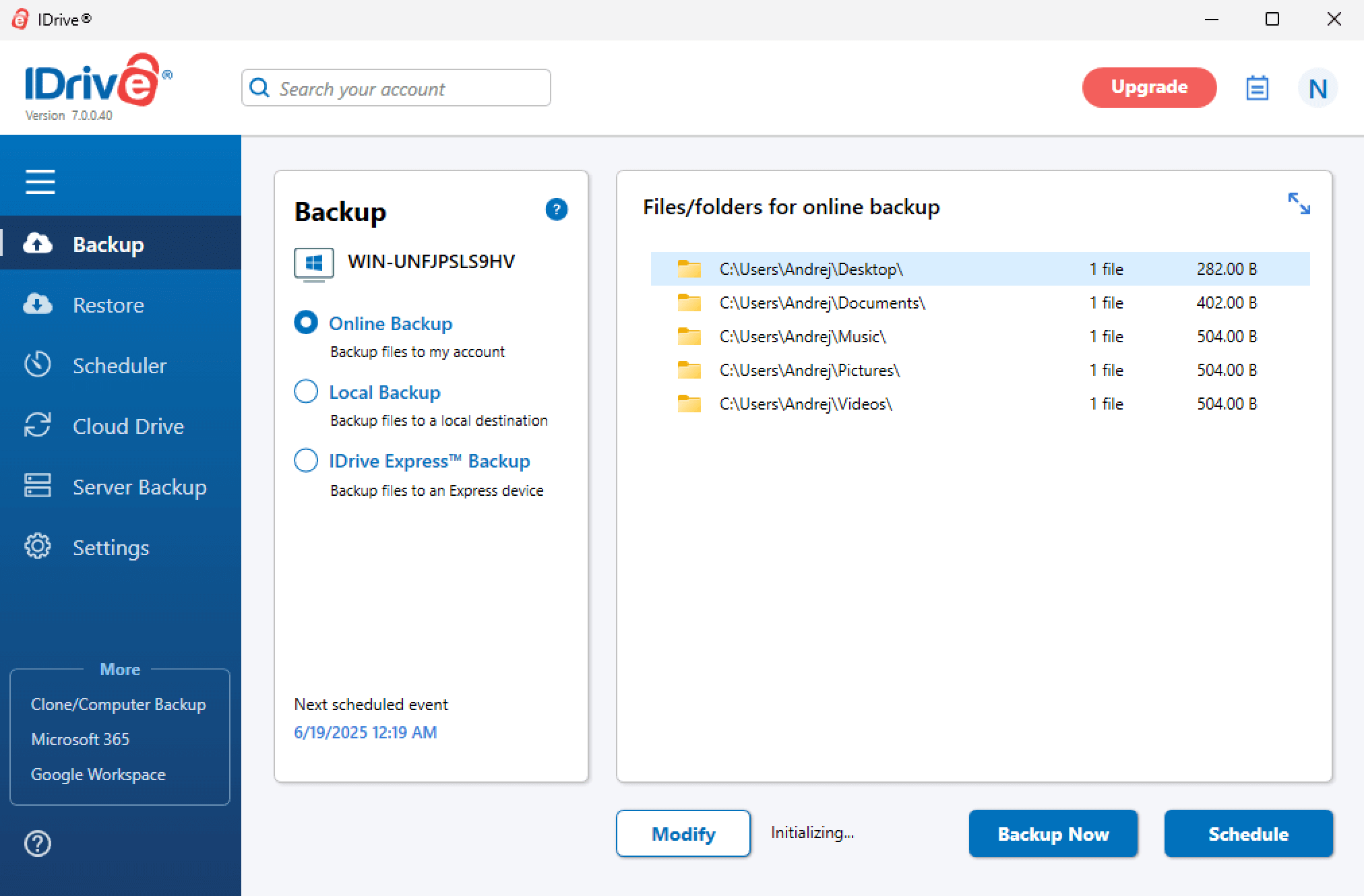
as well as the scheduler and server backup capabilities.
The settings menu is a testament to IDrive’s extensive configurability, with settings for automated backups, exclusions, bandwidth and CPU throttling, to name a few. In addition, IDrive lets you set up advanced server backup and restore, with options such as MS SQL, Oracle, HyperV, VMware and a few others.
Notes From the Lab: IDrive Speed Test Results
| 1st Run (100Mbps) | 2nd Run (100Mbps) | Average (100Mbps) | Unthrottled (1Gbps) |
|---|---|---|---|---|
| Upload | 0:06:45 | 0:06:44 | 0:06:45 | 0:05:00 |
| Download | 0:06:50 | 0:07:06 | 0:06:58 | 0:04:57 |
IDrive was the fastest cloud backup service we tested, with both downloads and uploads averaging around 7 minutes in our throttled connection testing. Removing the connection limitation dropped the time to around 5 minutes, with stable and consistent CPU usage throughout testing.
Notes From the Lab: IDrive Security Analysis
| Encryption Type: | Encryption Protocols Used |
|---|---|
| at rest | AES 256-bit |
| in transit | AES 256-bit |
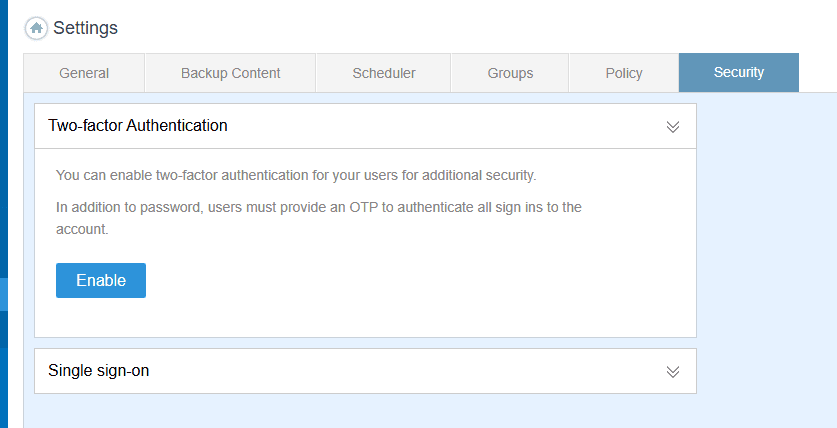
IDrive offers AES 256-bit encryption for data at rest and in transit. In addition, when setting up your IDrive account, you can choose to have a private encryption key that is never stored on IDrive’s servers, allowing for true client-side encryption.
IDrive Pricing & Value
IDrive has a variety of pricing plans, though none of them offer unlimited storage. The free plan provides 10GB of storage, but the best value is available on the Personal plan, which will set you back $5.80 per month for 5TB of storage space. You can find out more about the provider and its pricing plans in our IDrive review.
- No credit card required.
- 10GB
- One user.
- 100GB
- One user, multiple computers. Plans starting from 5TB up to 100TB. Big discount for first-time signup.
- 5TB
More plans
- 5 computers, 5 users. Starting at 5TB up to 500TB. Big discount for first-time signup.
- 5TB
- Monthly Plan storage starts at 1.25TB up to 50TB Unlimited users, multiple computers and servers. NAS devices. 250GB storage. Starting at 250GB up to 50TB. Large discount for first-time signup.
- 250GB
- 5TB
2. pCloud — Best Cloud Storage with Lifetime Subscription

pCloud is the best cloud backup software for users looking for a fast and lightweight solution. The lifetime plans make it a somewhat affordable alternative to Backblaze if you’re looking to back up large amounts of data.
In addition, pCloud offers extensive configuration options when it comes to automatic cloud backup. For example, you can throttle upload and download speeds, or configure file and folder exclusions.
The main reason pCloud comes in second on our list is because the encrypted folder, which is available only as a paid add-on, is the only folder with client-side encryption. Other providers, on the other hand, offer this protection for your entire data backup.
pCloud Hands-On Testing
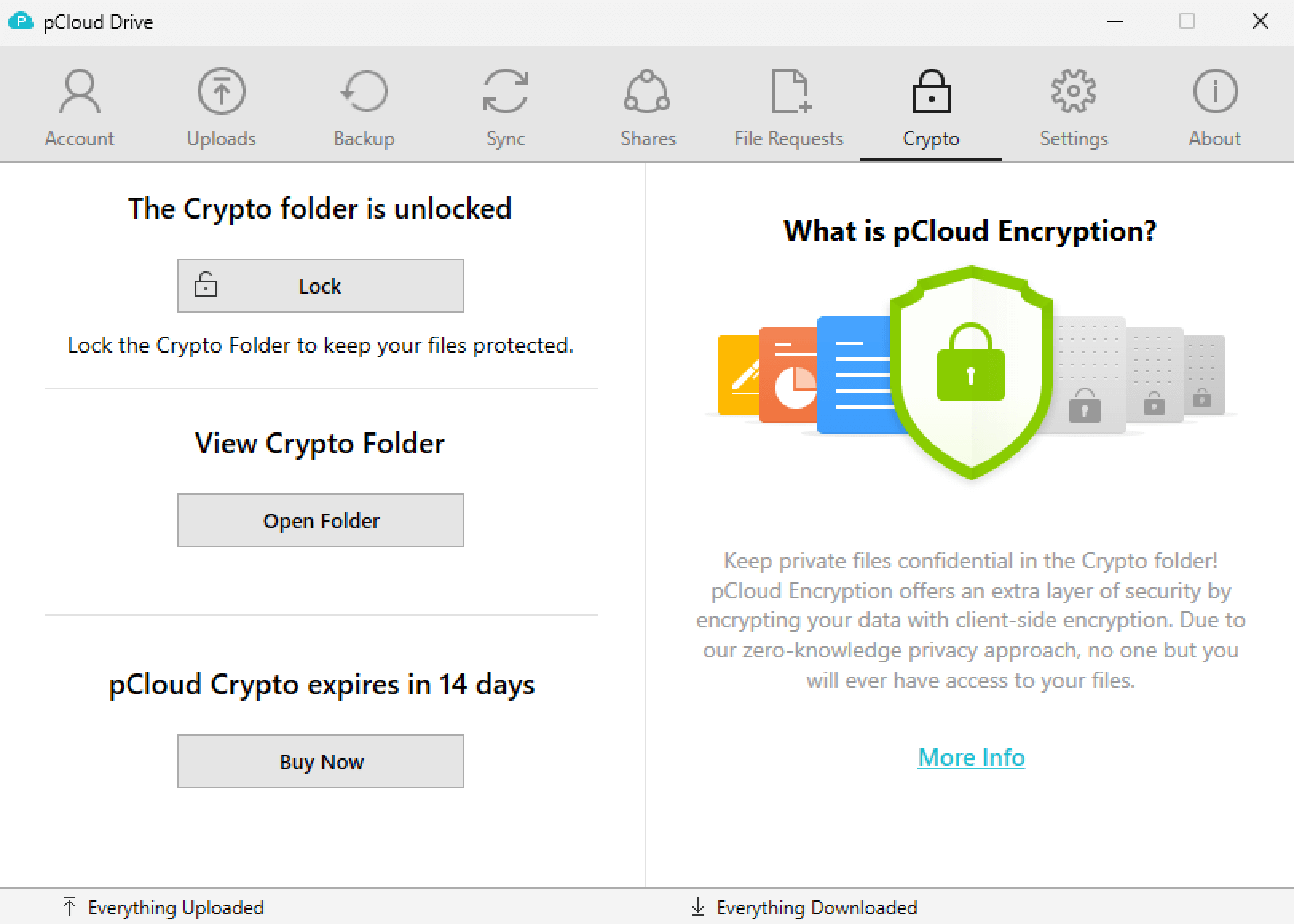
pCloud’s desktop app is very intuitive, making it a breeze to use even if you’re not tech-savvy. The main view is organized in several tabs, with separate views for uploads in progress, automatic backup, sharing, file requests and the encrypted folder.
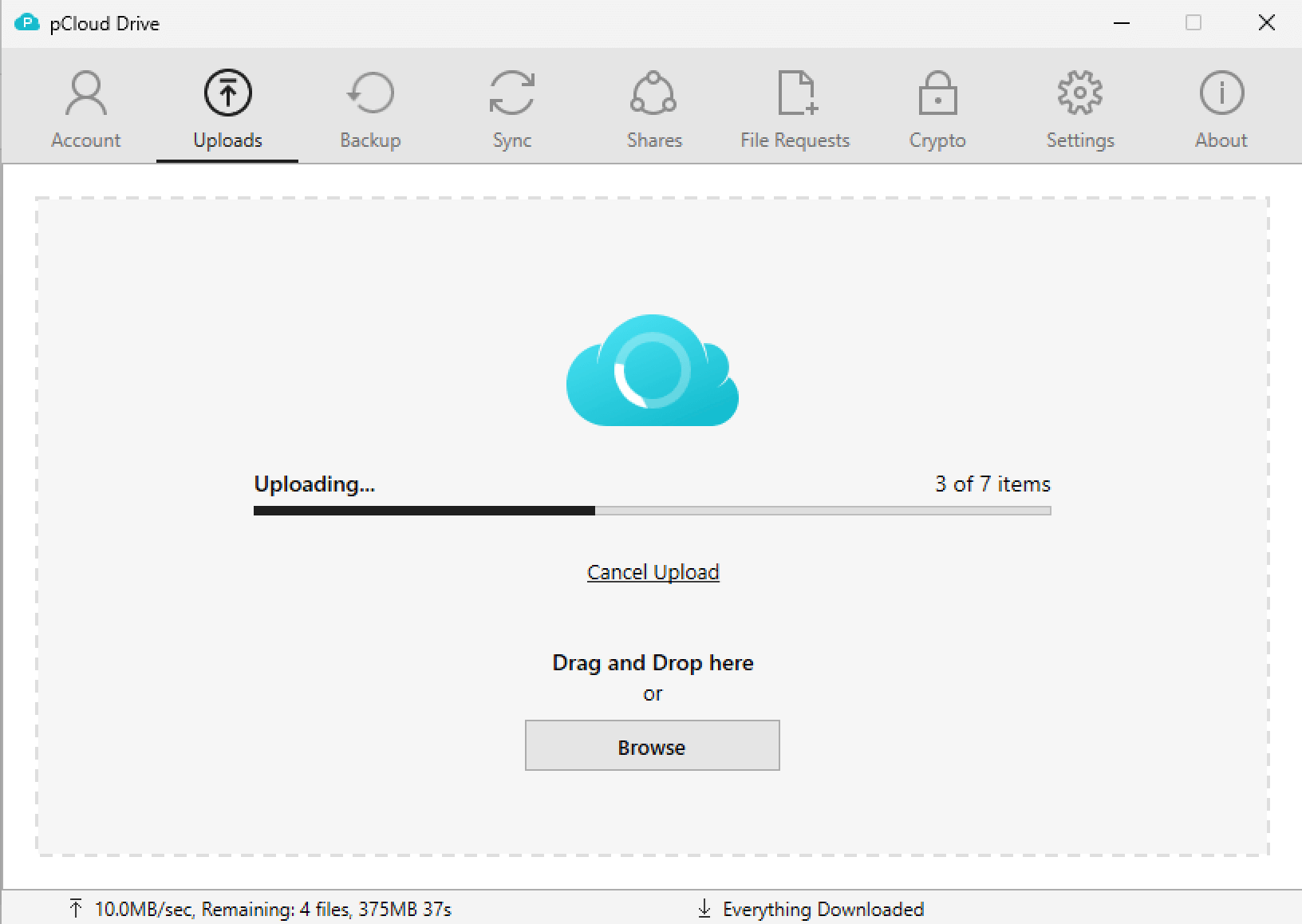
By diving into the settings menu, you can customize almost any aspect of pCloud’s backup process, with speed throttling, file exclusions, disk usage and configuration for the encrypted folder easily accessible. We also found that the app uses few device resources, so you can carry on with your day-to-day tasks as it backs up your data in the background.
Notes From the Lab: pCloud Speed Test Results
| 1st Run (100Mbps) | 2nd Run (100Mbps) | Average (100Mbps) | Unthrottled (1Gbps) |
|---|---|---|---|---|
| Upload | 0:07:02 | 0:07:10 | 0:07:06 | 0:02:06 |
| Download | 0:06:50 | 0:06:53 | 0:06:52 | 0:02:33 |
pCloud was neck and neck with IDrive in our performance tests, averaging around seven minutes for both uploads and downloads on our throttled connection. We noticed significantly faster speeds on an unthrottled connection, though, with times hovering around the two-minute mark for uploads and around two minutes, 30 seconds for downloads.
Notes From the Lab: pCloud Security Analysis
| Encryption Type: | Encryption Protocols Used |
|---|---|
| at rest | AES 256-bit for per-file and per-folder keys, RSA 4096-bit for users’ private keys |
| in transit | AES 256-bit |
pCloud boasts excellent security, using AES 256-bit encryption for per-file and per-folder keys, and RSA 4096-bit encryption for users’ private keys. Unfortunately, client-side encryption is available only for the files you store in the encrypted folder. Everything else is still encrypted, but pCloud has access to the encryption key.
pCloud Pricing & Value
pCloud isn’t the most affordable cloud backup provider if you’re looking for a short-term commitment. The 2TB plan comes in at $8.33 per month, and if you want to upgrade to 10TB of storage space you’ll pay $16.67 per month. However, the lifetime plans offer significant savings. Read our full pCloud review for more details.
- 10GB
- 500GB
- 2TB
More plans
- 10TB
- + FREE Encryption
- 2TB
- + FREE Encryption
- 10TB
- Price per user (minimum 3)
- 1TB
- Price per user (minimum 3)
- 2TB
- Encryption for pCloud Drive
3. Carbonite — Best Cloud Backup Provider with Unlimited Storage
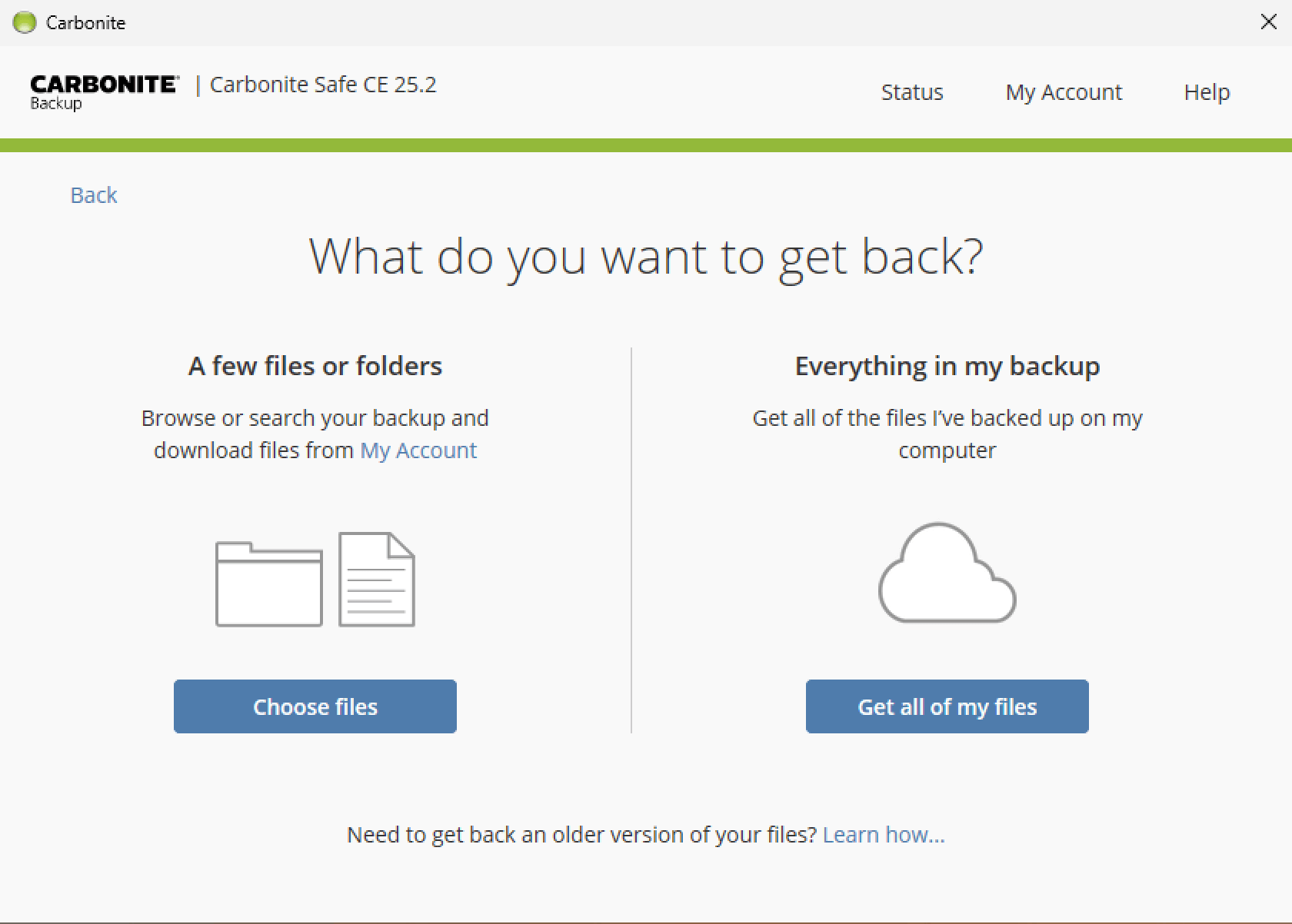
and cherry-picking just the files you need.
Carbonite is the first provider we’ve listed here that offers unlimited cloud backup storage, making it an excellent Backblaze alternative. It offers several plans depending on whether you’re backing up one or multiple computers, and you get client-side encryption for all of your data. If you’re looking to back up large amounts of data securely, Carbonite is perfect.
Carbonite is a bit light on features, with only basic automated online backup options and not much configurability on the desktop app. You do get file versioning and deleted file retention, but you have to choose between a continuous and a once-per-day scheduled online backup — there are few other options.
Carbonite Hands-On Testing
Carbonite’s desktop app is a bit of a mixed bag. It’s easy to wrap your head around, even if you aren’t particularly tech-savvy, but the UI is a bit outdated. The app opens up in a status dashboard, letting you know if it’s performing a backup, how many files it’s backing up and how much storage space those files take up.
From that status dashboard, you can access the settings, or you can view your backup and recover your files. If you find Carbonite is using too many resources (which it may be, but we’ll get to that in a minute), you can pause the current backup from the settings menu. We would prefer a tad more configurability, especially in terms of the automated backups.
Notes From the Lab: Carbonite Speed Test Results
| 1st Run (100Mbps) | 2nd Run (100Mbps) | Average (100Mbps) | Unthrottled (1Gbps) |
|---|---|---|---|---|
| Upload | 0:21:20 | 0:18:03 | 0:19:42 | 0:17:47 |
| Download | 1:36:20 | 1:13:11 | 1:24:46 | 1:23:27 |
Carbonite’s upload speeds were slow compared to the competition, and the download speeds in our testing were downright abysmal, with the provider taking more than an hour to download our test files, even on our 1Gbps connection. CPU usage during testing was also never stable, with Carbonite leaving much to be desired in terms of performance.
Notes From the Lab: Carbonite Security Analysis
| Encryption Type: | Encryption Protocols Used |
|---|---|
| at rest | AES 128-bit or 256-bit |
| in transit | AES 128-bit or 256-bit, TLS |
Carbonite offers AES 128-bit encryption for data at rest and in transit, which is secure but not as good as IDrive’s and pCloud’s AES 256-bit encryption. You can create a private encryption key, though, which allows for client-side encryption and protects your backups with AES 256-bit encryption. However, if you lose your key and passphrase, you also lose access to your data.
Carbonite Pricing & Value
Carbonite’s unlimited storage space makes it an attractive offer for users with plenty of data to back up. The Plus plan will set you back $6.58 per month on an annual subscription. With this plan, you can enjoy unlimited storage space and backups for one computer and one external hard drive. We cover this provider in more detail in our Carbonite review.
- Cheaper price with promo link
- Unlimited GB
- Unlimited GB
- Unlimited GB
More plans
- 250GB
- 500GB
- 500GB
4. Proton Drive — Best Privacy-First Cloud Backup Alternative
![Video thumbnail for the video: I Tested Proton Drive to See If It's as Private as It Claims [2024 REVIEW]](https://img.youtube.com/vi/XWmsFdm-VLg/maxresdefault.jpg)
Proton Drive is a Swiss-based cloud storage service that puts privacy first, offering true end-to-end encryption for all your files. Unlike Backblaze’s approach to encryption keys, Proton Drive ensures that only you can access your data; not even Proton can decrypt your files.
As part of the Proton ecosystem, a subscription includes access to Proton Mail, Proton VPN, Proton Calendar and Proton Pass, making it an excellent choice for users looking to de-Google their digital lives while maintaining strong security. The service is GDPR and HIPAA compliant, with servers located in Switzerland and Germany.
Proton Drive Hands-On Testing
Proton Drive’s desktop app impressed us with its stability and straightforward setup. You can set up a dedicated sync folder or sync any folder on your device, with selective sync available for custom configurations. The interface is clean, modern and visually pleasing, with multiple color themes available on the web app.
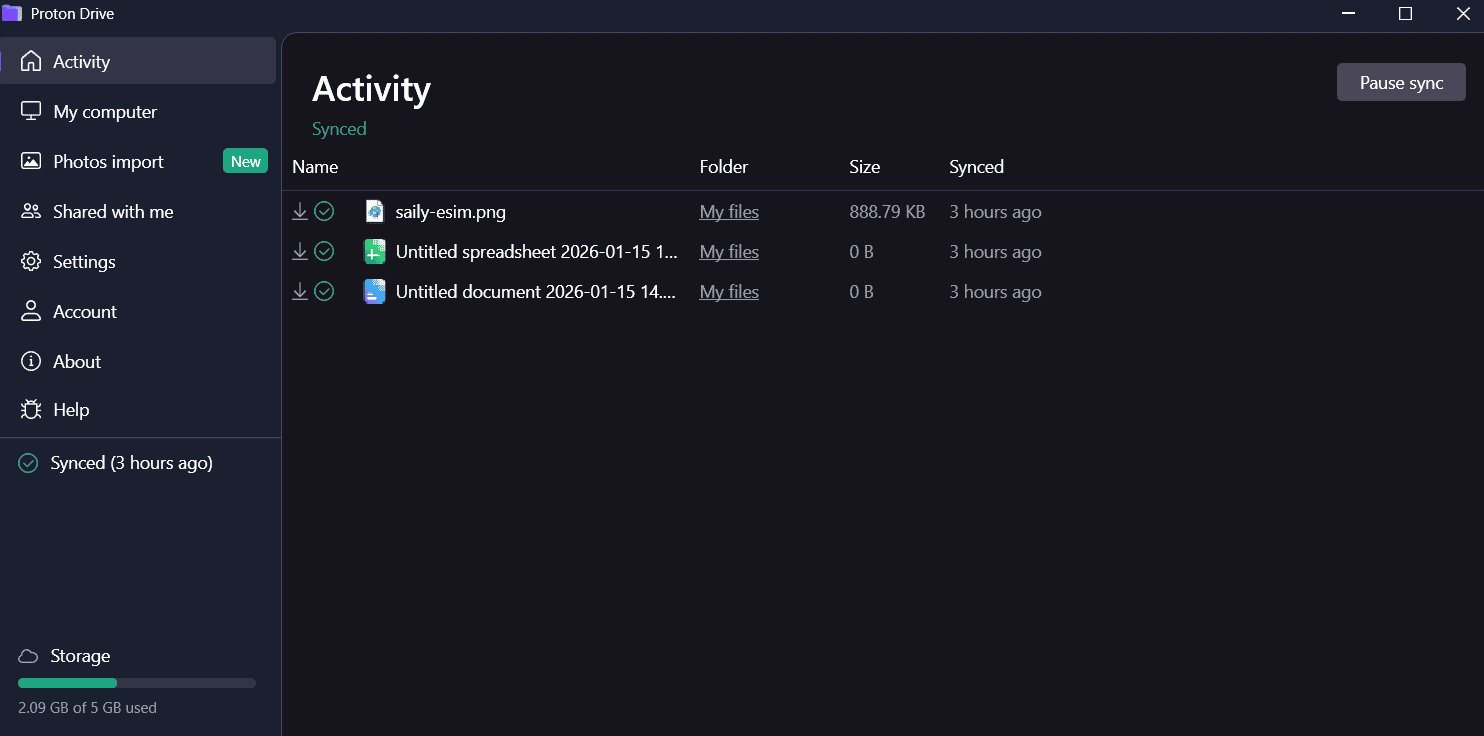
The mobile app stands out with excellent photo organization features, including separate tabs for screenshots, videos, selfies, portraits, panoramas, bursts, live photos and RAW files. The option to disable battery saving directly within the app ensures consistent photo uploads.
Notes From the Lab: Proton Drive Speed Test Results
| 1st Run (100Mbps) | 2nd Run (100Mbps) | Average (100Mbps) | Unthrottled (1Gbps) |
|---|---|---|---|---|
| Upload | 0:07:17 | 0:07:13 | 0:07:15 | 0:03:20 |
| Download | 0:07:06 | 0:07:16 | 0:07:11 | 0:03:48 |
Proton Drive demonstrated very stable and fast performance with low CPU usage. Upload speeds averaged 7 minutes 15 seconds on our throttled connection, while unthrottled tests showed an average upload speed of 25MB/s, peaking at 33MB/s.
Downloads were equally impressive at around 7 minutes 11 seconds on throttled connections, with the service handling large files smoothly, only dipping to 20MB/s on bigger files.
Notes From the Lab: Proton Drive Security Analysis
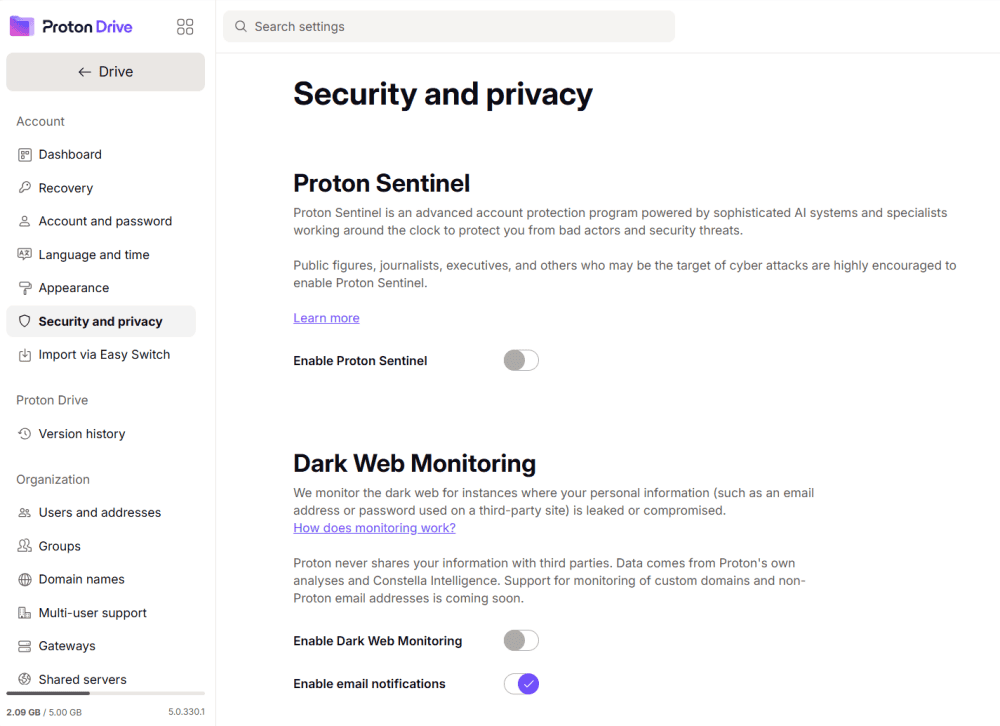
Proton Drive uses AES-256 encryption for data at rest and TLS/SSL for data in transit.
| Encryption Type: | Encryption Protocols Used |
|---|---|
| at rest | AES 256-bit |
| in transit | TLS/SSL |
What sets Proton Drive apart is its true client-side architecture; all files, file names and metadata are encrypted before leaving your device. The service is based in Switzerland, benefiting from some of the world’s strongest privacy laws, and is ISO 27001 certified.
Proton Drive Pricing & Value
Proton Drive offers a free plan with 5GB of storage. Paid plans include Drive Plus, Proton Unlimited, Proton Duo and Proton Family. While the storage amounts are modest compared to unlimited backup providers, the inclusion of VPN, email, calendar and password manager adds significant value. Read our full Proton Drive review for more details.
- 5GB
- 200GB
- 500GB
More plans
- 2TB
- 3TB
- per user
- 1TB
- per user, minimum of 2 users
- 1TB
- 1TB
5. Internxt — Best Budget Client-Side Encryption Cloud Backup

Internxt offers some of the most affordable client-side cloud storage available, with lifetime plans that provide exceptional long-term value. The service uses AES-256 encryption with post-quantum cryptography, ensuring your files remain secure even against future quantum computing threats.
Based in Spain and fully GDPR compliant, Internxt takes a privacy-first approach with open-source code that can be audited by anyone. However, users looking for a Backblaze alternative should note that Internxt is better suited for basic file storage rather than frequent file access or collaboration.
Internxt Hands-On Testing
Internxt’s desktop app provides a basic sync folder and scheduled backup options. The interface is straightforward, though some users may find it lacks the polish of more established competitors. You can schedule backups at intervals of 1 hour, 6 hours, 12 hours or daily.
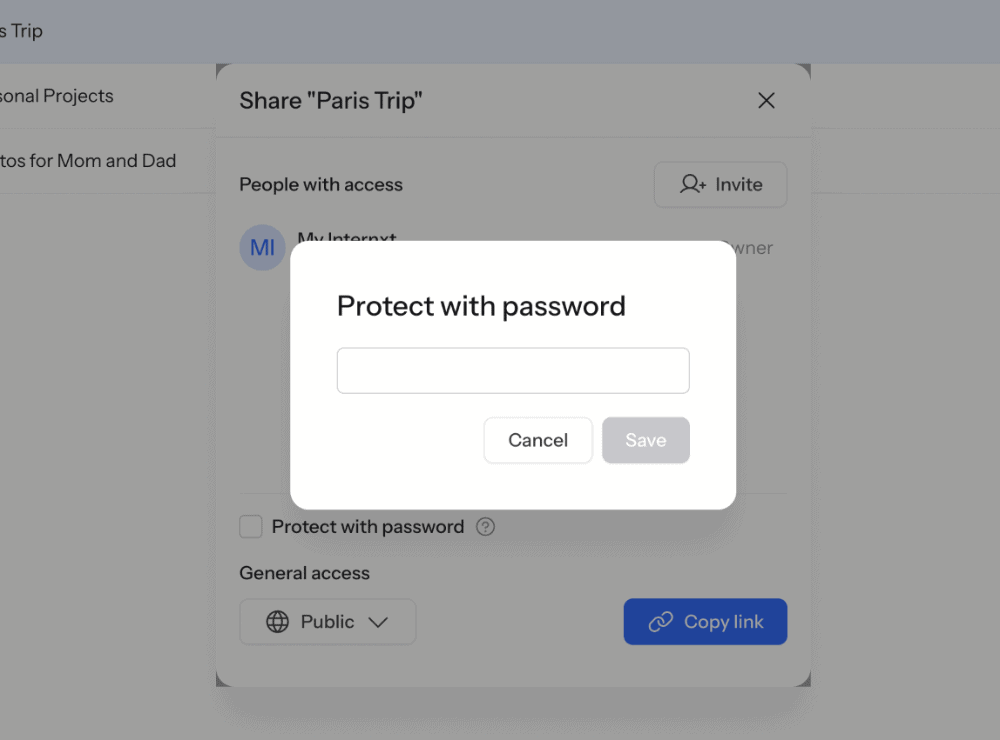
The web app offers file previews for PDFs, images, videos and audio files. Sharing features include link sharing with optional password protection and expiry dates, though collaboration options are extremely limited; there’s no option to leave comments on files.
The mobile app is notably basic, lacking features like automatic photo uploads and multiple file selection that most competitors offer. It’s functional for remote access but shouldn’t be considered a full-featured backup solution.
Notes From the Lab: Internxt Speed Test Results
| 1st Run (100Mbps) | 2nd Run (100Mbps) | Average (100Mbps) | Unthrottled (1Gbps) |
|---|---|---|---|---|
| Upload | 0:07:57 | 0:08:05 | 0:08:01 | 0:01:21 |
| Download | 0:09:26 | 0:09:30 | 0:02:48 | 0:09:27 |
Our speed tests revealed that Internxt’s upload performance has improved significantly, with an average upload time of around 8 minutes on throttled connections. However, the service is not so stable and struggles with large files and zip archives, with speeds dropping below 5MB/s during CPU-intensive operations.
Notes From the Lab: Internxt Security Analysis
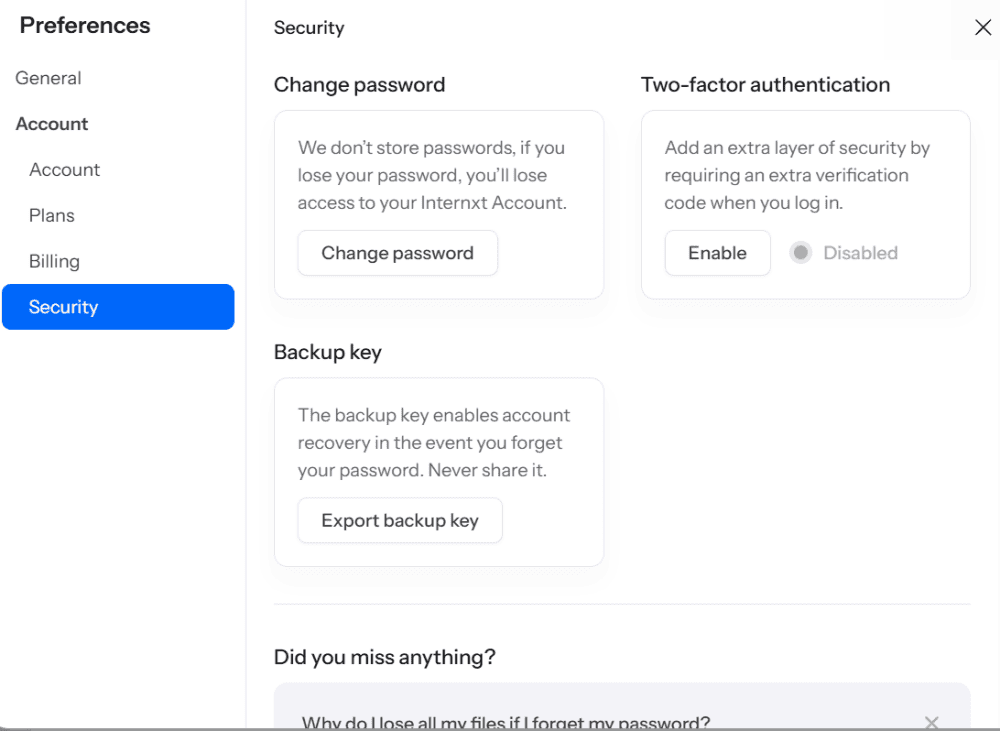
Internxt uses AES-256 encryption with Kyber-512 key encapsulation for post-quantum protection.
| Encryption Type: | Encryption Protocols Used |
|---|---|
| at rest | AES 256-bit with Kyber-512 |
| in transit | TLS/SSL |
The service offers true client-side encryption, meaning Internxt cannot access your files or encryption keys. A backup key system is available in case you forget your password, providing an additional safety net.
Internxt Pricing & Value
Internxt’s free plan provides just 1GB of storage, which is quite limited. However, the paid plans offer excellent value, especially the lifetime options. The 30-day money-back guarantee applies to all paid plans. Read our full Internxt review for more details.
- 1GB
- Post-quantum encryption Zero-knowledge encryption Two-factor authentication Backup your computer Password-protected file sharing Encrypted VPN Antivirus
- 1TB
- Everything in Essential plus; Cleaner Invite, share & collaborate File versioning (coming soon) Cleaner
- 3TB
More plans
- Everything in Premium plus CLI & WebDav support NAS & Rclone support Meet Mail (coming soon)
- 5TB
- Annual Price is per user
- 1TB
- Annual Price is per user
- 2TB
6. Jottacloud — Best Cloud Storage with Extensive File Sharing
Jottacloud is a Norwegian-based online backup provider that offers plans for both personal and commercial use. It comes with a selection of features, such as file and folder sharing, an archive folder that frees up space on your device and a command-line tool that lets you back up, archive or ignore files if you’re a more technical user.
Jottacloud offers unlimited online backup storage, with a caveat. With the personal Unlimited plan, you get unlimited storage on multiple computers and other devices. However, once you pass the 5TB mark, Jottacloud will gradually reduce your upload speeds. This, plus the lack of client-side encryption, places Jottacloud fourth on our list.
Jottacloud Hands-On Testing
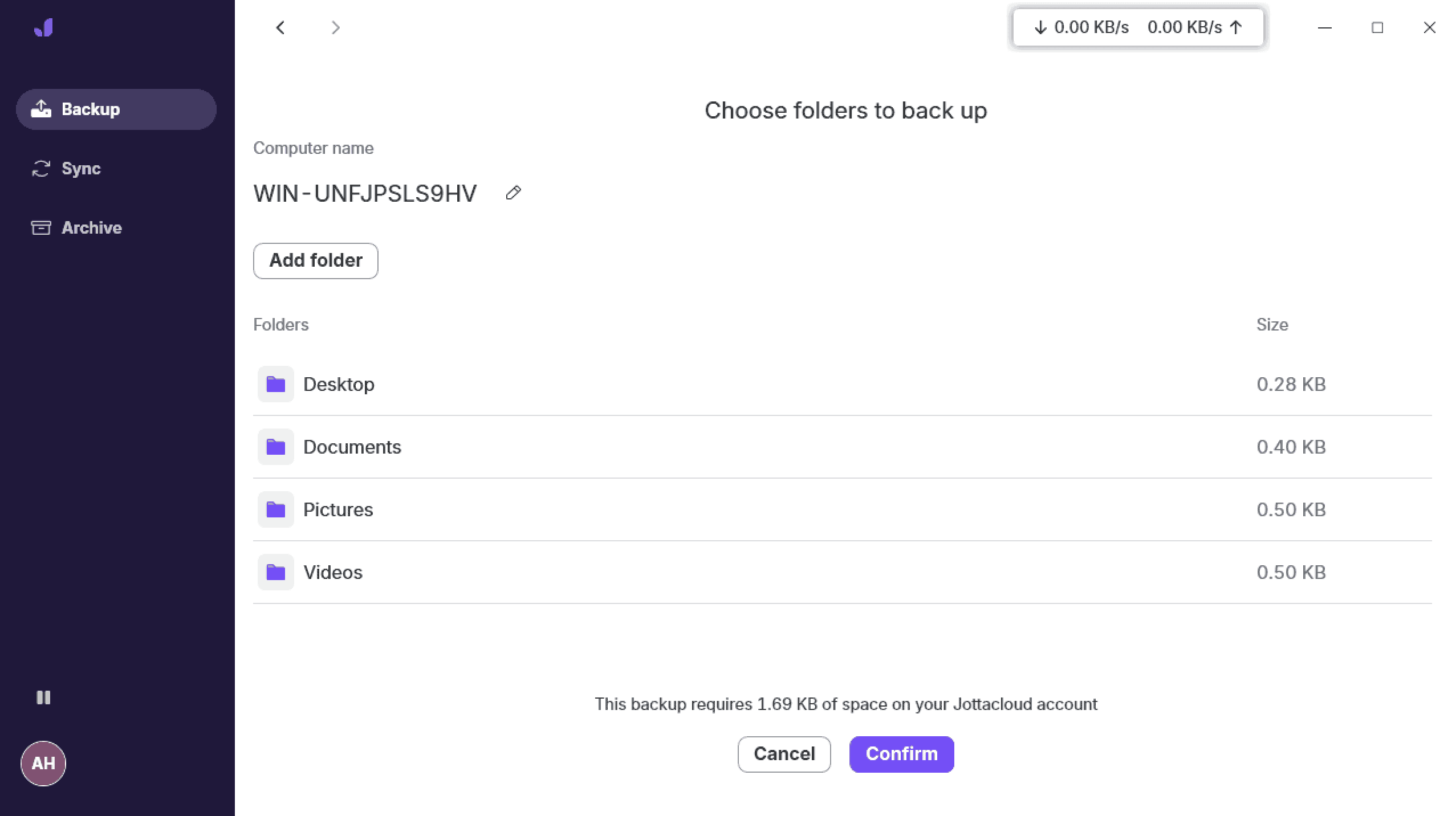
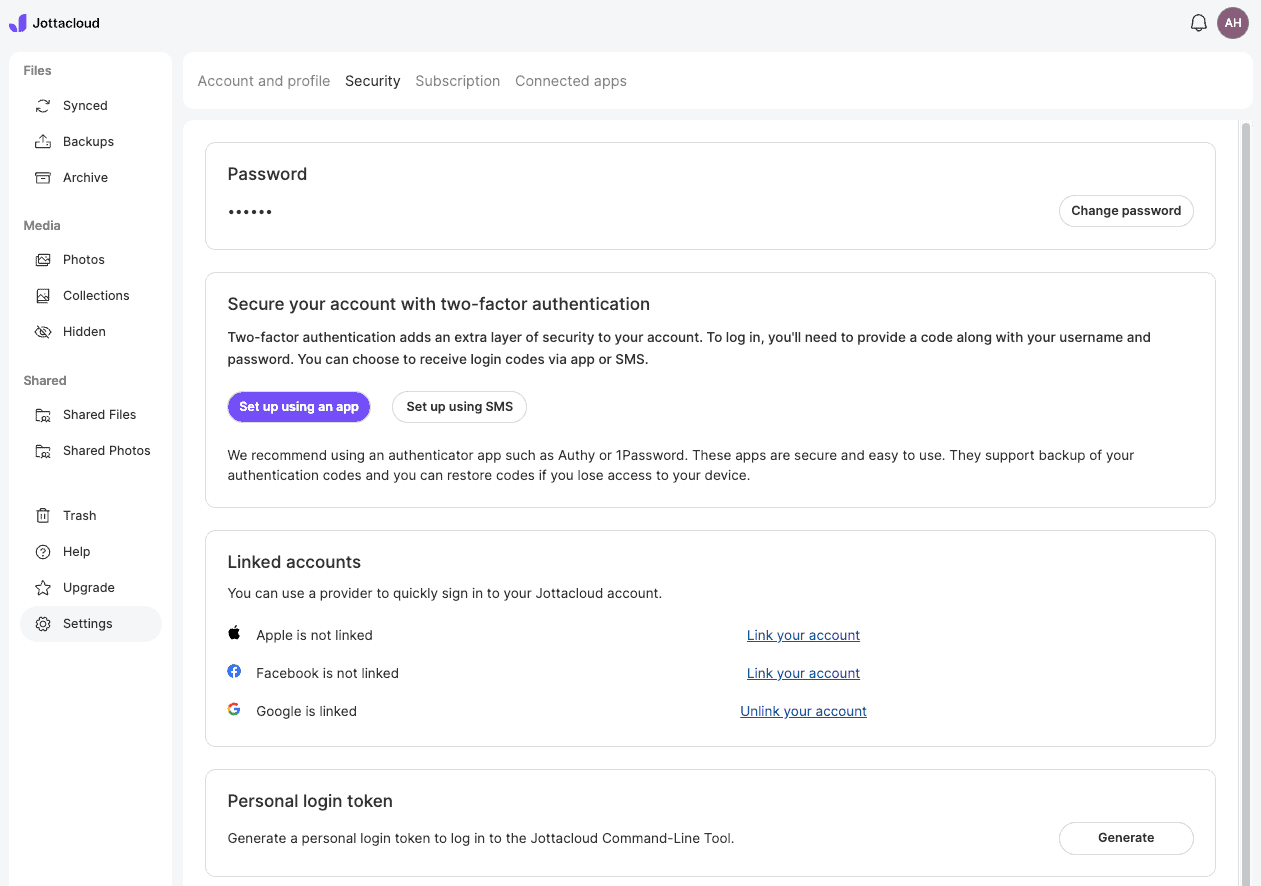
Jottacloud’s desktop app has a very light UI, with only crucial features. On the left, you have the backup, sync and archive tabs, as well as a user icon that lets you access the settings. In the upper-right corner, you can see the upload and download speeds for any ongoing data backups.
The settings menu is extremely barebones. The general tab provides only the most basic of settings, while the advanced tab lets you set maximum upload and download speeds, as well as a proxy for your connection. We would like to see a bit more configurability here, especially when it comes to automated data backup.
Notes From the Lab: Jottacloud Speed Test Results
| 1st Run (100Mbps) | 2nd Run (100Mbps) | Average (100Mbps) | Unthrottled (1Gbps) |
|---|---|---|---|---|
| Upload | 0:08:14 | 0:08:28 | 0:08:21 | 0:03:29 |
| Download | 0:07:08 | 0:07:33 | 0:07:21 | 0:04:44 |
Jottacloud’s speeds are almost on par with those of the providers higher up on our list. We had very stable and consistent speeds during testing, though we did notice that our unthrottled connection allowed for significantly faster upload and download speeds, though still not as fast as the likes of pCloud.
Notes From the Lab: Jottacloud Security Analysis
| Encryption Type: | Encryption Protocols Used |
|---|---|
| at rest | AES 256-bit |
| in transit | AES 256-bit, HTTPS, TLS |
Jottacloud offers AES 256-bit encryption for data at rest, and adds HTTPS and TLS encryption for data in transit. Its servers are located in Norway and thus are governed by Norwegian privacy laws. Unfortunately, you won’t find client-side encryption, as Jottacloud believes it would impact the ease of sharing and synchronization.
Jottacloud Pricing & Value
Jottacloud offers several storage options, though the best value comes with the Unlimited plan, which offers unlimited backup storage space for $9.99 per month. As we mentioned, Jottacloud will gradually reduce upload speeds once you’ve passed the 5TB mark. You can learn more in our Jottacloud review.
- 1 User
- 5GB
- 1 User, Upload speed gradually reduced after 5TB
- Unlimited GB
- 5 users
- 1TB
More plans
- 5 users (2 months free)
- 5TB
- 1 user
- 10TB
- 1 user
- 20TB
- 2 Users
- 1TB
- 10 Users (2 months free)
- 1TB
- Unlimited Users (2 months free)
- 1TB
7. CrashPlan — Best Cloud Storage for Power Users
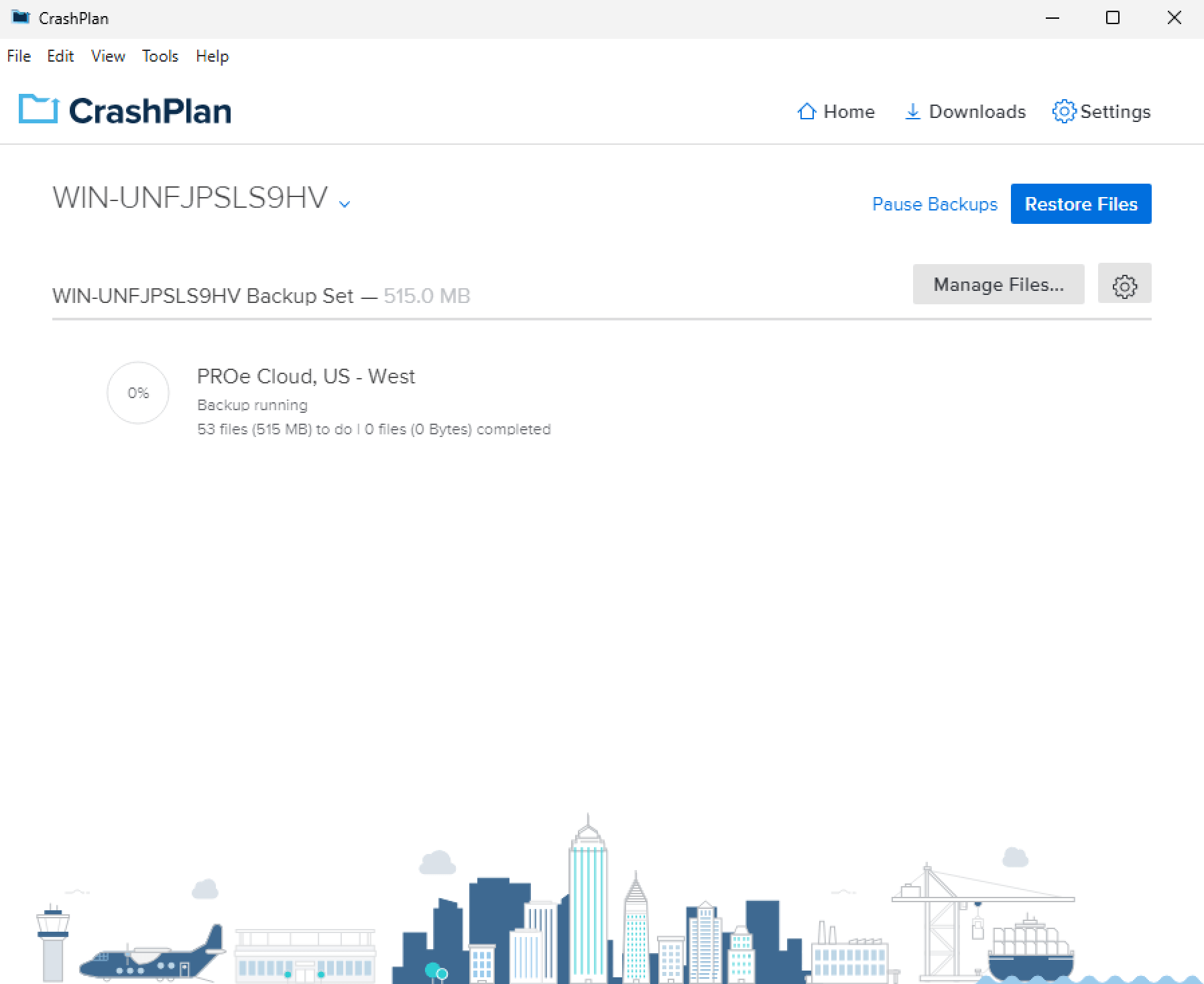
CrashPlan is last on our list of cloud backup services that you can use as a Backblaze alternative. While it does offer true client-side encryption, it has a clumsy desktop app and isn’t as user-friendly as we’d like. This may be due to CrashPlan being advertised as an online backup tool for power users and small businesses.
In terms of features, excellent file versioning is available, as is 30-day, 90-day or unlimited deleted file retention, depending on the plan you choose. Note that the option to host your own encryption key, i.e., to have true client-side encryption, is available only on the Enterprise plan.
CrashPlan Hands-On Testing
CrashPlan’s desktop app is fairly clumsy, especially if you’re a less tech-savvy user with a single device to back up. The main screen shows you an overview of your backups, which you can filter by device (since CrashPlan is meant to be used on multiple devices), and provides a note on when the last backup was and when the next one will take place.
You can set advanced notifications for each device in the settings. For example, if a device hasn’t been backed up, you can set performance limits or even stop the backup when the device’s battery reaches a certain percentage.
You can designate which data centers the backup uses and play around with network settings. Overall, the settings are extensive but are definitely tailored to power users and business owners.
Notes From the Lab: CrashPlan Speed Test Results
 | 1st Run (100Mbps) | 2nd Run (100Mbps) | Average (100Mbps) | Unthrottled (1Gbps) |
|---|---|---|---|---|
| Upload | 0:19:20 | 0:19:13 | 0:19:17 | 0:19:33 |
| Download | 0:07:47 | 0:07:27 | 0:07:37 | 0:07:10 |
CrashPlan’s download speeds on both a throttled and an unthrottled connection were reasonably fast and in line with our top picks. However, the upload speeds left much to be desired, and we noticed unstable speeds overall that fluctuated heavily.
Notes From the Lab: CrashPlan Security Analysis
| Encryption Type: | Encryption Protocols Used |
|---|---|
| at rest | AES 256-bit |
| in transit | AES 256-bit, TLS |
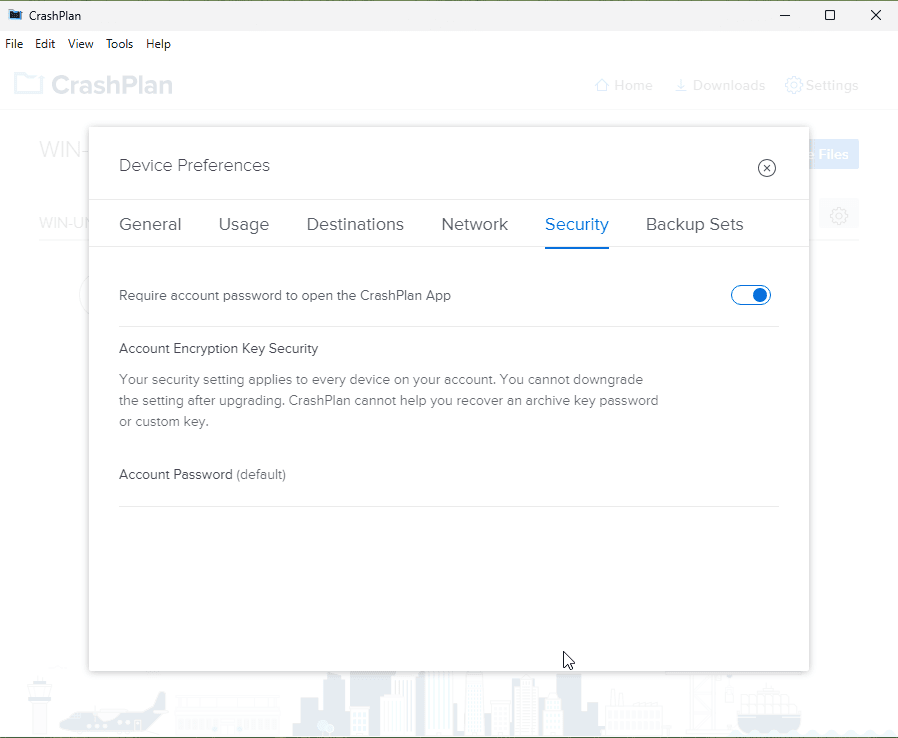
CrashPlan exclusively uses AES 256-bit encryption for data at rest and TLS encryption for data in transit. In addition, it allows you to choose between an account password, an archive key password to protect the encryption key and a custom private encryption key that ensures client-side encryption, provided you opt for the Enterprise plan.
CrashPlan Pricing & Value
The best value comes from CrashPlan’s Professional plan, which offers unlimited storage at $7.33 per user per month, billed annually. If you need true client-side encryption, you’ll need to move up to the Enterprise plan, which costs $10 per user per month on an annual billing plan. You can read our full CrashPlan review to learn more.
- Storage & price is per user Up to 2 devices per user 30-Day Deleted File Retention
- 200GB
- Price is per user Up to 2 devices per user 90-Day Deleted File Retention
- Unlimited GB
- Price is per user Unlimited Deleted File Retention
- Unlimited GB
Why Does Backblaze Need Your Private Key?
By definition, client-side encryption is a security process in which any encryption or decryption of data is carried out on your own device before being transferred to the cloud or a remote server. This means that cloud storage services can never access your private encryption keys, thus keeping your data completely private.
Backblaze opts for a different solution: You hold your private encryption key, but data encryption and decryption takes place on Backblaze’s servers. To restore your data, you need to give your private key to Backblaze so it can decrypt the data and let you access it. According to Backblaze, your private key is exposed for a brief 30-second window.
That said, while Backblaze has no history of exposing user data or sharing it with third parties, it is understandable if you, as a user, don’t want to share your private key with the provider. In this case, you would be better off choosing alternative cloud backup software that does offer true client-side encryption.
Final Thoughts
That concludes our selection of the best Backblaze alternatives. Our top recommendation is IDrive, an excellent backup and cloud storage solution with plenty of features, configurable backups and various plans to suit everyone’s needs.
When looking for a cloud backup solution, do you prefer a provider like IDrive, which offers extensive configuration and plenty of features, or something simpler, such as pCloud or Carbonite? How often do you back up your files? Let us know in the comments, and thank you for reading.
FAQ: The Best Backblaze Competitors
Yes, Backblaze is good, especially for users who want to store large amounts of data and don’t require advanced features or true client-side encryption.
Backblaze’s main disadvantages are its small feature set and lack of advanced features, as well as the lack of client-side encryption.
IDrive, pCloud, Carbonite, Proton Drive, Internxt, Jottacloud and CrashPlan are all excellent cloud storage services that perform certain functions better than Backblaze. Which one you should choose depends on your specific requirements.
IDrive is a better option than Backblaze thanks to its significantly more extensive feature set, as well as its implementation of true client-side encryption.