Best Online Backup for Students in 2026: Protecting Your College Data With Cloud Backup
Finding a great online backup for school doesn’t have to be daunting. We’ve made things easier by recommending the best online backup for students in 2022. Read on to learn more.


Written by Samuel Okoruwa (Writer)
Reviewed by Samuel Chapman (Writer, Editor)
Facts checked by Jasna Mishevska (Lead Fact-Checking Editor)
Last Updated:
All our content is written fully by humans; we do not publish AI writing. Learn more here.
Key Takeaways: Best Online Backup for Students
- IDrive — Feature-rich service with extras like sync and share functionalities, and a 50% student discount
- Backblaze — Clean UI and unlimited backup at low prices
- pCloud — Hybrid cloud storage service with lifetime payment options
- Proton Drive — Privacy-focused storage with reliable syncing and a built-in document editor
- Internxt — Affordable zero-knowledge encryption, though sync reliability is a concern
- Carbonite — User-friendly apps plus excellent security and privacy at low prices
- Jottacloud — Unlimited backup and nice-to-have features at reasonable prices
Facts & Expert Analysis:
- There are several things to take into consideration when searching for the best cloud backup for college, from price to the amount of storage space offered to the quality of security and privacy.
- IDrive is a great option if you want an online backup service with lots of backup features as well as cloud storage functionality, as well as a sizable student discount.
- Backblaze and Carbonite both offer unlimited backup and stand out for their simple UI, while Jottacloud and pCloud have great media management options; meanwhile, Proton Drive provides a Swiss-fortified workspace for your most sensitive docs, and Internxt uses a distributed, open-source architecture for maximum digital sovereignty.
College is definitely not the place you’d want to be losing important files or documents. With the rate at which assignments can come pouring in and the amount of studying that often has to be done, it’s important to have all your notes, essays and reports stored in one place for when you need them. This is achievable with the right online backup for students.
Moreover, since a considerable portion of time in college is spent making memories and sharing experiences, online backup services also come in handy for storing media files like photos, videos, songs and movies.
Unfortunately, budget constraints often make it hard to find a good cloud backup service that can make the college experience memorable. That’s why we’ve compiled a list of affordable but high-quality online backup solutions for students.
-
11/02/2022 Facts checked
Updated to include pricing tables and reflect changes in the cloud backup services.
-
01/07/2024 Facts checked
Updated IDrive’s pricing information to include the monthly plans.
-
07/05/2025 Facts checked
We adjusted the provider order to reflect changes in the services.
Top Online Backup Apps for Students
- 1
- :
- :
- :
- :
- :
- :
- :
- 2
- :
- :
- :
- :
- :
- :
- :
- 3
- 4
- 5
- 6
- :
- :
- : Yes but not on Basic plan (all other plans)
- : Yes but only on Safe Backup Pro plan
- :
- :
- :
- 7
- :
- :
- :
- :
- :
- :
- :

What Makes the Best Online Backup Service for Students?
The best online backup service for students should provide as much value as possible for affordable prices. Below are our seven top picks that meet that criterion.
10,000+ Trust Our Free Cloud Storage Tips. Join Today!

- Demystify cloud storage terminology and key concepts in plain language
- Discover easy-to-implement techniques to securely backup and sync your data across devices
- Learn money-saving strategies to optimize your cloud storage costs and usage
Value, in this context, represents robust security and privacy, affordability, unlimited storage, ease of use, speed, convenience and more. Although there’s no perfect cloud backup service, our recommendations meet most of these criteria.
When compiling the list, our primary touchstone was affordability. Most of the services on this list come with a plan that averages around $7 per month. We prioritized free plans and generous offers like unlimited storage. We’ve also got you covered with user-friendly interfaces.
As a student, the last thing you want is an app with a complicated UI.
If you’re the type who likes to play around with settings, then it should interest you to know that some of our recommendations are packed with features. We’ve also recommended services that come with collaborative features like file syncing and file sharing.
While some of these services are hybrid cloud backup, some others are dedicated cloud backup services with a few cloud storage features. Hybrid backup involves backing up data both to the cloud and locally. In other words, it offers the best of both backup worlds to maximize your protection against disaster recovery. Last but not the least, the best cloud backup service should have stellar security features and a clean track record with regard to privacy.
What Are the 7 Best Online Backup Services for Students?
Here are seven of the best cloud backup services for students, beginning with IDrive, our top pick.
1. IDrive

IDrive earns the top spot on this list, thanks to many features and functionalities found on all the best cloud backup services. It offers backup for mobile devices, image-based backup, NAS, external hard drive and hybrid backups. These all come with configuration options that let you decide exactly what gets backed up and when.
IDrive also allows you to keep previous or deleted versions of files in your archive for 30 days. For legacy IDrive accounts, however, you can only keep deleted versions of your files in your archive for 10 days. IDrive supports block-level backup, allowing you to save more bandwidth and time. This block-level algorithm makes IDrive one of the fastest cloud backup services.
As a student who is likely always on the move, you’d benefit from IDrive’s mobile apps for Android and iOS. Even better, these apps allow you to back up your mobile devices, rather than just serving as the support platform to the desktop client.
Sync and File-Sharing Functionalities
IDrive stands out from the pack by offering collaborative features like file sharing and syncing — features that are typically associated with dedicated cloud storage services like Google Drive. IDrive’s sync feature, Cloud Drive, lets you link all your devices together so that whenever you make a modification to a file, the modified version appears on all the linked devices.
You can do this by setting up a unique sync folder on each linked device, which comes with separate cloud storage. To share your synced files, just select the file you want to share and click “share.” You can also set access privileges for file recipients, which will determine who gets to edit or view the file.

which cost $59.62 and $79.62, respectively.
IDrive does not come with unlimited backup, but it allocates backup space based on its different plans. If you want a cloud backup service with unlimited backup, then Backblaze might be a better option. IDrive offers a wide range of plans, but the best value-plans come in at 5TB and a , which cost $69.66 and per year, respectively. There’s also a monthly plan that costs $9.95 for 5TB and $14.95 for 10TB.
However, IDrive offers a 50% student discount, provided you have an email address with a recognized educational domain. IDrive recognizes almost 3000 different educational domains, so there’s a good chance yours is on the list. IDrive also has a free plan, which offers 10GB and the opportunity to get a feel for the service.
- No credit card required.
- 10GB
- One user.
- 100GB
- One user, multiple computers. Plans starting from 5TB up to 100TB. Big discount for first-time signup.
- 5TB
More plans
- 5 computers, 5 users. Starting at 5TB up to 500TB. Big discount for first-time signup.
- 5TB
- Monthly Plan storage starts at 1.25TB up to 50TB Unlimited users, multiple computers and servers. NAS devices. 250GB storage. Starting at 250GB up to 50TB. Large discount for first-time signup.
- 250GB
- 5TB
2. Backblaze

Backblaze is easily one of the best cloud backup services, thanks to its streamlined user experience. If you want to store and share your school projects without navigating through a bunch of features, then you’ll like the Backblaze web client and apps. Backblaze also has desktop and mobile apps for Mac, Windows, and mobile devices (Android and iOS).
On the flip side, if you prefer the flexibility and novelty that come with a rich feature set, Backblaze’s minimalist design may not appeal to you. Services like IDrive, Jottacloud and pCloud might be more up your alley.
Upload speed is an important criterion for choosing an online backup service because you’ll likely be doing more uploads than downloads, especially at the initial backup stage. Going by the speed test we conducted on Backblaze, uploads on Backblaze max out the network speeds fairly well.
For this speed test, we uploaded a 1GB folder over an upload speed of around 10 to15 Mbps. The upload took about 10 minutes. To see the detailed results of the speed test we conducted, you can read our Backblaze review.
Stellar Security but Questionable Privacy
There’s a lot to applaud about Backblaze’s security. It relies on hardened data centers and two-factor authentication. However, its major shortcoming in this area stems from the way it implements zero-knowledge encryption in the recovery process. You can only perform a file recovery by uploading your private encryption key to Backblaze’s website, not by entering it through the client.
This can give Backblaze or third parties access to your unsecured data. That said, Backblaze claims to flush this key from its system once the recovery process is complete. We have reason to believe this, since Backblaze has never been caught doing anything shady with user data.

Backblaze is a very budget-friendly online backup service. It offers an unlimited backup plan that costs $9 per month. In addition to unlimited storage, you get access to all Backblaze’s features. If you’re willing to spend on the long-term plans, you can sign up to the one-year or two-year deal for $99 or $189 respectively.
Overall, Backblaze earns points for its simple UI, unlimited storage and affordability. Its main shortcoming is its approach to zero-knowledge encryption, which may be a turnoff for some users. In that case, IDrive, Carbonite and pCloud are great options that don’t require any form of access to your private keys.

- Unlimited GB
3. pCloud

pCloud was originally a dedicated cloud storage service before integrating backup functionality. Not only does it earn a high spot on our best cloud storage list, it also has great features that make it an ideal cloud backup solution for students. One of these is its excellent security and privacy.
pCloud is based in Switzerland, a privacy-friendly jurisdiction, meaning your data is protected by some of the world’s best privacy laws. It offers zero-knowledge encryption, which it calls pCloud Crypto. With pCloud Crypto, your encryption keys are accessible to no one (not even pCloud) except you.
That said, pCloud’s zero-knowledge encryption has one minor drawback: It comes at an extra cost. This is unusual, because most cloud backup services offer encryption at no additional charge.
Dedicated Media Player: Music & Video
If you’re big on music and video file management, then it might interest you to know that pCloud earns the top spot on our best cloud storage for music list. As with music streaming platforms like Apple Music, you can use pCloud’s music player to play music, search for songs by title and artist name, and create playlists.
pCloud also comes with a Kodi add-on that lets you stream videos directly from the cloud instead of downloading them to your local storage.

Unfortunately, pCloud is not as generous as other services on this list. You can choose between its 500GB annual plan, which costs $49.99 per year, or its 2TB annual plan, which costs $99.99 per year.
- 10GB
- 500GB
- 2TB
More plans
- 10TB
- + FREE Encryption
- 2TB
- + FREE Encryption
- 10TB
- Price per user (minimum 3)
- 1TB
- Price per user (minimum 3)
- 2TB
- Encryption for pCloud Drive
4. Proton Drive
![Video thumbnail for the video: I Tested Proton Drive to See If It's as Private as It Claims [2024 REVIEW]](https://img.youtube.com/vi/XWmsFdm-VLg/maxresdefault.jpg)
Proton Drive stands out for students who prioritize privacy and reliability above all else. It features zero-knowledge encryption by default, meaning not even Proton can access your files. In our stress tests, Proton Drive handled the workload without issues, uploading files in alphabetical order with smooth folder navigation and no hangs.
Our sync testing also produced positive results: when we edited the same line of text in a file from two devices, both changes were successfully merged. This kind of reliability is critical when you’re working on assignments across your laptop and phone.
Proton Docs: A Privacy-Focused Editor for Students
Proton recently launched Proton Docs, its own privacy-focused document editor. While teachers and students can use it to share notes and collaborate, it’s worth noting that its features aren’t as rich as Google Docs. It’s closer to Dropbox Paper, so you won’t be writing a college-level thesis in it, but it works well for quick notes.
The desktop and mobile apps are surprisingly polished. On mobile, uploaded photos and videos are well-organized. Transfer speeds are fast and stable at around 7 minutes for both uploads and downloads, with very low CPU usage.

ecosystems with options like Proton Docs and Sheets.
Proton Drive doesn’t offer unlimited storage, but students can start with 5GB for free. Paid plans start at $3.99 per month for 200GB, with larger plans available bundled with Proton’s email and VPN services.

- 5GB
- 200GB
- 500GB
More plans
- 2TB
- 3TB
- per user
- 1TB
- per user, minimum of 2 users
- 1TB
- 1TB
5. Internxt

Internxt is a solid choice for students who want zero-knowledge encryption without breaking the bank. Your files are encrypted on your device before they ever leave it, so not even Internxt can access your data. The platform is also fully open-source, which adds a layer of transparency that privacy advocates appreciate.
The service offers a generous 1GB free plan, which is enough to store notes, essays and smaller projects while you’re testing it out. Paid plans start at just $20 per month for 1TB, making it one of the more affordable encrypted storage options available. Sharing features include password protection for links, letting you securely share group project files with classmates.
Considerations for Heavy Users
Internxt works best for lighter workloads like documents, notes and smaller media files. In our testing, upload speeds were stable for typical student files, though the service showed some inconsistency with larger files and zip archives. The mobile app provides basic remote access to your files, though it’s not as full-featured as some competitors.
For students primarily storing essays, lecture notes and study materials, Internxt delivers solid privacy protections at an accessible price point. However, if you’re working with large video projects or need to sync massive folders frequently, you may want to consider alternatives like Proton Drive or pCloud.

backup features to keep your work safe.
That said, if you only need basic cloud storage for non-essential files and want the peace of mind of zero-knowledge encryption on a budget, Internxt’s pricing is attractive. The free plan offers 1GB, and paid plans start at $20 per year, for the first year, for 1TB.

- 1GB
- Post-quantum encryption Zero-knowledge encryption Two-factor authentication Backup your computer Password-protected file sharing Encrypted VPN Antivirus
- 1TB
- Everything in Essential plus; Cleaner Invite, share & collaborate File versioning (coming soon) Cleaner
- 3TB
More plans
- Everything in Premium plus CLI & WebDav support NAS & Rclone support Meet Mail (coming soon)
- 5TB
- Annual Price is per user
- 1TB
- Annual Price is per user
- 2TB
6. Carbonite

Carbonite is a virtual twin to Backblaze with its straightforward UI and unlimited storage.
That said, they differ in speed and security. Unlike Backblaze’s flawed private encryption, Carbonite gives you the option to handle your private keys yourself, reducing the risk of man-in-the-middle attacks or an over-reliance on Carbonite. If you’d like a cloud backup service with a simple UI and unlimited storage, but are concerned about Backblaze’s approach to private encryption, go for Carbonite.
The only factor that may make you reconsider that choice is speed. Carbonite’s speeds are no match for Backblaze, which performed well in the speed test we mentioned above.

Delving Into Carbonite’s Intuitive UI
Carbonite is not a feature-rich online backup service by any stretch. The client is incredibly straightforward and offers a lot of convenience for the actual backup process. Despite its sparse features, Carbonite comes with some functionalities worth discussing. One of these is “status,” which displays the total size of your backup.
Another is the “get my file back” button that lets you recover the data contained in an entire computer or perform a file recovery through the online browser. Carbonite also comes with a backup drive for restoring previous versions of files.
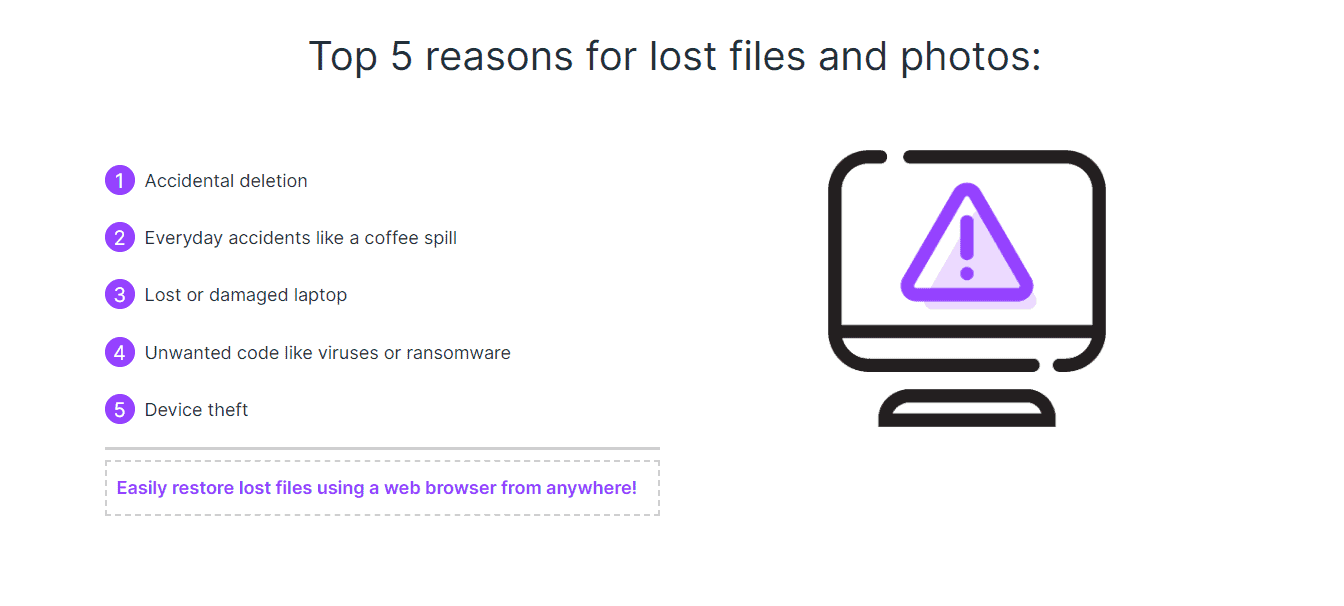
recovery straightforward, thanks to its intuitive UI.
On the price front, you can get the basic plan starting at just $6 per month. If you sign up using our promo link, this is discounted to just $4.20 per month for the first year. This includes unlimited storage space, but if you need features like external hard drive backup or automatic video backup, you’ll have to sign up for one of the more expensive plans.

- Cheaper price with promo link
- Unlimited GB
- Unlimited GB
- Unlimited GB
More plans
- 250GB
- 500GB
- 500GB
7. Jottacloud
Jottacloud earns a spot on this list for being one of the most affordable yet feature-rich cloud backup services. It is also one of the few services to offer sync and share functionality, a feature typically associated with cloud storage.
Jottacloud supports all device types and offers multithreading and speed throttling, which prevents your backup system from using all the bandwidth available on your device. That said, it lacks some important features. It doesn’t support block-level backups, which results in the unnecessary and time-consuming backup of whole files instead of just modified portions of the files.
In regard to security and privacy, Jottacloud has one major flaw: It lacks private encryption. While this makes the file recovery process faster and more convenient, it makes your data vulnerable in the face of a breach or government subpoena.
The buffer against this flaw is that Jottacloud is based in Norway, which has some of the best privacy laws in the world and lessens the chance of intrusive surveillance, data retention or data sharing. However, that doesn’t offer much protection against third-party hackers.
Efficient Photo and Video Management With Jottacloud Photos
All Jottacloud subscriptions come with Jottacloud Photos, a media management feature that automatically stores your photos and videos in one place and keeps them organized by time and place. Not only does Jottacloud Photos help you retrieve photos from old hard drives and devices, it also lets you create albums and share photos, which is rare for a cloud backup service.

Jottacloud is another cloud backup service with a free 5GB storage plan, which is enough if you just want to try it out.
The paid plans most appropriate for students are the Personal and Home plans. Jottacloud’s Personal plan, which costs $9.99 per month on the annual plan, comes with unlimited storage space and one user account. Its Home plan, which comes in four tiers, offers storage ranging from 1TB to 20TB for five user accounts at prices ranging from $5.83 to $49.92 per month if you opt for yearly billing.

- 1 User
- 5GB
- 1 User, Upload speed gradually reduced after 5TB
- Unlimited GB
- 5 users
- 1TB
More plans
- 5 users (2 months free)
- 5TB
- 1 user
- 10TB
- 1 user
- 20TB
- 2 Users
- 1TB
- 10 Users (2 months free)
- 1TB
- Unlimited Users (2 months free)
- 1TB
Final Thoughts
If you started this article unsure about which online backup service to use, we hope you’ve found the right one for your needs. IDrive, Jottacloud and pCloud are all great options, especially if you’re looking for a service with lots of features.
Proton Drive is an excellent choice if privacy and sync reliability are your top priorities, though its document editor is basic. Internxt is another solid choice for privacy, just be aware of the potential for sync reliability issues.
However, if you prioritize convenience, then Backblaze and Carbonite could be right up your alley. Beyond that, Backblaze, Carbonite and Jottacloud all offer unlimited storage options.
What is your best cloud backup service? Have you used any on this list? Let us know in the comments section below, and as always, thanks for reading!
FAQ
IDrive is our best cloud backup for students. It comes with tons of features, cloud storage functionality and affordable pricing, though it doesn’t offer unlimited storage. Backblaze, Carbonite and Jottacloud are good options for unlimited storage.
The main point of cloud backup is data recovery. Given how important data has become in our everyday lives, we have to take extra care to safeguard it. Online backup solutions are the answer to this.
To create an online backup, you need a reputable, safe service. While any of the services on this list will do, you can find more options and learn more about cloud backup by reading our online backup guides.