Best CrashPlan Alternatives for 2026: Unlimited Cloud Backup Services
Though CrashPlan ranks high on our list of favorite online backup services, we understand it’s not for everyone. To broaden your options, we’re sharing our seven favorite CrashPlan alternatives that serve up better value and features.



Written by Dan Ginn (Writer)
Reviewed by Valentina Bravo (Managing Editor)
Facts checked by Simona Ivanovski (Fact-Checker, Formatter)
Last Updated:
All our content is written fully by humans; we do not publish AI writing. Learn more here.
Key Takeaways: These Are the Best CrashPlan Alternatives
- Backblaze — The best bang for your buck and incredibly easy to use.
- IDrive — Our favorite hybrid backup, hitting the sweet spot between online backup and cloud storage.
- pCloud — A driving force in cloud storage, with some useful backup features on the side.
- Proton Drive — Proton Drive delivers zero-knowledge encryption by default, something CrashPlan users seeking privacy will appreciate.
- Internxt — An affordable open-source option with scheduled backups, though it struggles with large files and heavy workloads.
- Carbonite — Excellent for backing up multiple computers and running automated backups for photos and video files.
- Acronis Cyber Protect — An excellent security-focused platform that does everything necessary to keep your data safe.
Facts & Expert Analysis About CrashPlan Competitors:
- Unlimited backup: Despite being marketed as such, CrashPlan isn’t a truly unlimited provider, as it caps out at 50TB. The top CrashPlan alternative, Backblaze, is in fact unlimited — it’ll never close the door on anything you need to back up.
- Zero-knowledge: Neither IDrive nor Backblaze activate client-side encryption by default. It’s important to activate it when setting up your account and before you back up your data. Without doing so, your data won’t benefit from the highest level of privacy.
- pCloud: pCloud excels in traditional cloud storage and it also offers basic backup functionality.
In our CrashPlan review, we spoke highly of the backup service. Unlimited cloud backup and extensive customization options are just a couple of its plus points. However, it is not perfect. For anyone unwilling to wait for it to improve, we’re sharing the best CrashPlan alternatives you can sign up for today.
We’ve put each backup service in this article through our rigorous testing protocol. Our aim is to provide at least one CrashPlan alternative for each type of user, including anyone looking for a low-cost solution, better privacy features and an enhanced user experience. If none of our options appeal to you, check our roundup of the best online backup solutions.
-
10/07/2021 Facts checked
Full rewrite, including detailed reviews of each backup service.
-
07/30/2022 Facts checked
Updated IDrive’s Pricing table
-
01/02/2024 Facts checked
Updated IDrive’s pricing information.
-
08/31/2024 Facts checked
Added video reviews for IDrive.
-
03/03/2025 Facts checked
We have rewritten this guide to add new services to our selection of favorite CrashPlan alternatives.
Cloudwards’ Choice: Backblaze
 Cloudwards’ Choice: Backblaze
Backblaze is our favorite CrashPlan alternative because it’s extremely low cost and is one of the easier cloud backup services to use. Aside from the standard online backup, you can use its cloud storage features thanks to BackBlaze B2. Backblaze is also a zero-knowledge solution offering excellent privacy options.
The 7 Best CrashPlan Alternatives Compared
The side-by-side comparison below gives you a quick glance at what each service offers.
| Cloud Service | Unlimited Storage | Free Backup | Best Price | Server Locations | Client-Side Encryption | Online Collaboration | Advanced Sharing | Security |
|---|---|---|---|---|---|---|---|---|
 | | | $7.88 | United States | | | | SSL, AES 128-bit |
 | | 10GB | $5.81 | United States, U.K., Europe | | | | AES 256-bit |
 | | 10GB | $8.33 | United States, Europe | | | | TLS, AES 256-bit |
 | | 5GB | $4.99 | Switzerland, Germany | | | | AES 256-bit |
 | | 1GB | $1.67 | Europe (Spain) | | | | AES 256-bit |
 | | | $6 | North America, Asia, Europe, India, Australia | | | | AES 128-bit |
 | | | $7.50 | Americas, Europe, Asia, Africa | | | | TLS/SSL, AES 256-bit |
1. Backblaze — The Best CrashPlan Alternative

Rather than stuffing it with features, Backblaze opts to keep its product simple. This makes it very straightforward to use, and you know what you’re getting: a platform to back up your device and restore it when necessary. Its major selling point is that there are no limits to the amount of data you can back up — it’s our favorite unlimited backup service.
10,000+ Trust Our Free Cloud Storage Tips. Join Today!

- Demystify cloud storage terminology and key concepts in plain language
- Discover easy-to-implement techniques to securely backup and sync your data across devices
- Learn money-saving strategies to optimize your cloud storage costs and usage
Backup versioning is available for anywhere from 30 days to forever, though the latter option comes with a minimal fee. Backblaze also offers a “find my device” feature, making it easy to locate your computer if you leave it somewhere. You can share files with others, but you’ll need to activate Backblaze B2 in order to do so.
Backblaze Hands-On Testing
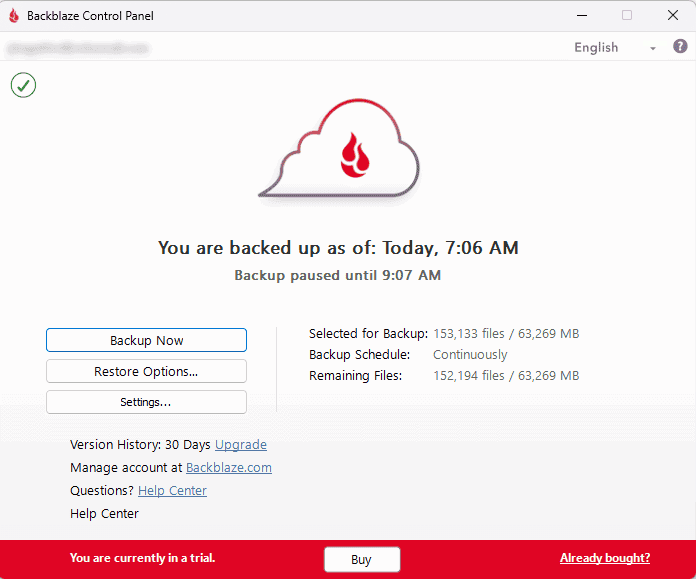
extremely straightforward when using Backblaze.
Backblaze does a lot of the work for you, activating an initial backup right after you sign up and install the desktop app. You can be as hands-off as you wish — the service performs automated backups in the background, ensuring your backups are always up to date. It’s easy to revert to older backup versions, and restoring a backup is a smooth process.
Notes From the Lab: Backblaze Speed Test Results
| First Try | Second Try | Average |
|---|---|---|---|
| Upload | 0:44:00 | 0:51:50 | 0:47:55 |
| Download | 0:08:15 | 0:08:00 | 0:08:07 |
For all that’s great about Backblaze, speed is certainly an area it can improve. Although download speeds were respectable, upload speeds were extremely poor. In fact, they’re some of the slowest around, only reaching a max speed of 50% of what’s possible during our testing.
Notes From the Lab: Backblaze Security Analysis
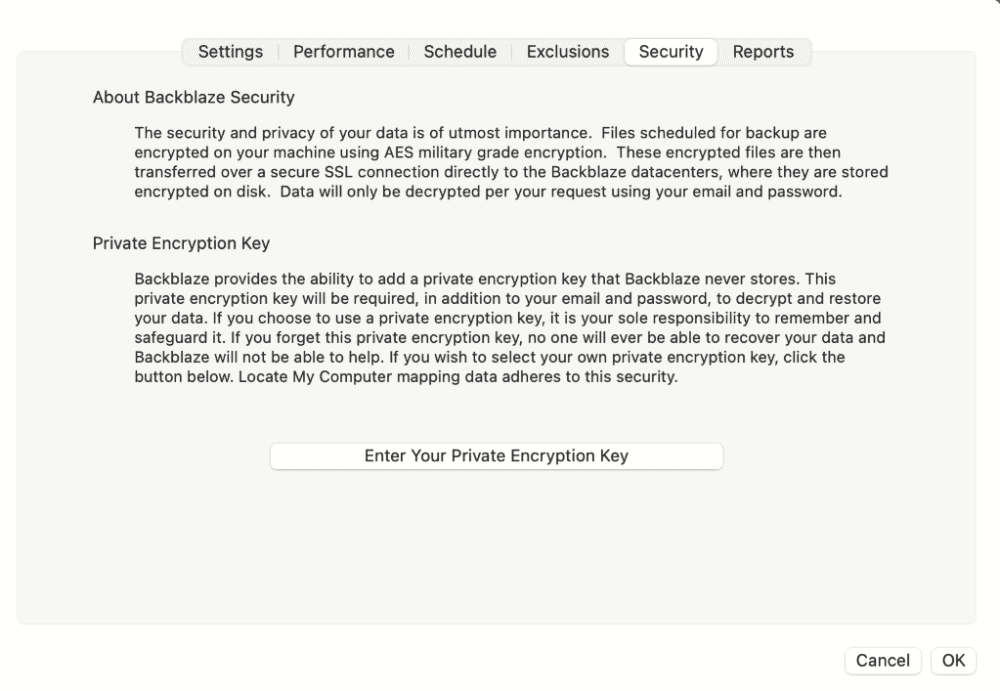
optimal privacy for your data.
| Encryption Type | Encryption Protocols Used |
|---|---|
| Encryption at rest | AES 128-bit encryption |
| Encryption in transit | SSL |
Backblaze opts to use the slightly older 128-bit encryption method, rather than 256-bit. This is fine for the most part as it’s still pretty impenetrable, however, 256-bit is known to be more robust against brute force attacks. You can add two-factor authentication to your account if you want a little more peace of mind.
What Is Backblaze’s Pricing & Value?
Backblaze doesn’t offer a free plan. Instead, it opts for a one-size-fits-all plan that allows you to back up everything without limits. There are different payment options, including monthly, yearly and every two years. The best value comes with the latter option, which pushes the price down to less than $7.88 per month — an incredible value.
We should note that Backblaze offers a personal and a business account, both of which are exactly the same price. However, the Business package pricing reflects the cost per user, and it works across multiple computers. You’re restricted to one system on the personal plan. Try it out with the 15-day free trial, and read our Backblaze review for more details.
- Unlimited GB
2. IDrive — Cloud Backup & Storage Combined

IDrive is one of the few services to be both one of the best online backups and one of the best cloud storage services. It’s done a stellar job of creating quality products in both niches. For backup, you can do everything from incremental to image-based to external drive backups. It’s also possible to back up a NAS device.
Users can back up an unlimited number of devices (within their storage quota). However, there’s no option for unlimited storage backup. You can also sync and share your files, and the desktop app comes with a designated sync folder. Any files you add to the folder will sync to your account, and you can access them on different devices.
IDrive Hands-On Testing
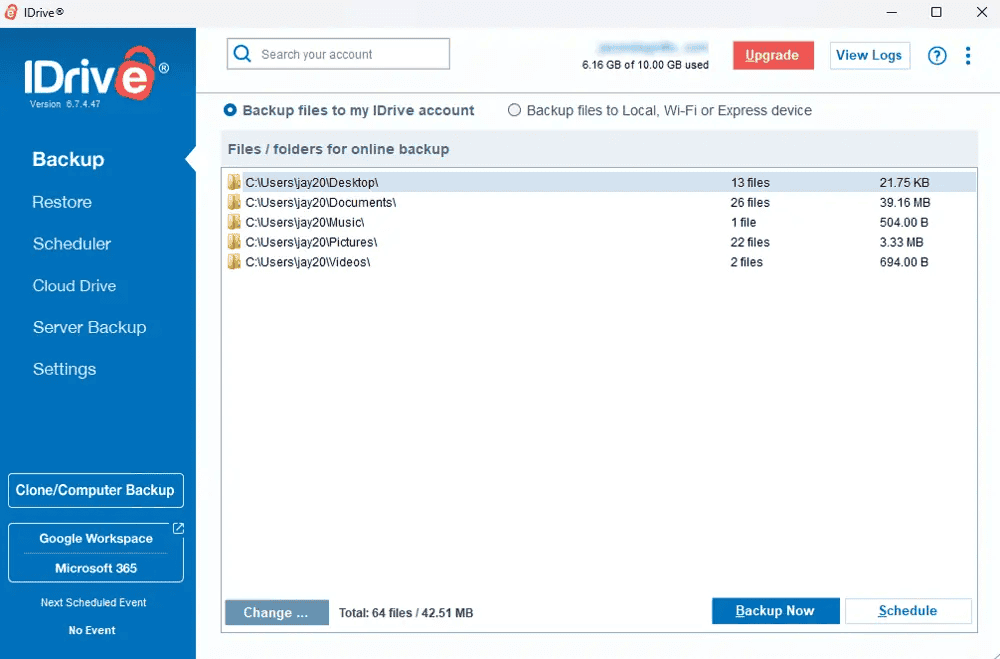
You can use IDrive on your desktop or on a mobile device. For the smoothest experience, we recommend downloading it on either a Mac or a Windows computer. Navigation is simple on both desktop apps, though the UI design feels slightly outdated. Thankfully, this doesn’t impact ease of use.
Creating our backups during testing was simple, as was restoring our data. Scheduling backups was also straightforward — it didn’t take too much time or effort to set up. Even more advanced actions like server backups were easy to perform thanks to the clean layout.
Notes From the Lab: IDrive Speed Test Results
| First Try | Second Try | Average |
|---|---|---|---|
| Upload | 0:07:57 | 0:07:48 | 0:07:52 |
| Download | 0:07:14 | 0:07:37 | 0:07:25 |
IDrive is the speed demon of the online backup world. It’s much quicker than other traditional online backup services, and its speeds are more in line with the fastest cloud storage services, which are usually faster. It doesn’t quite reach max speeds during uploads or downloads, but it’s close enough.
Notes From the Lab: IDrive Security Analysis
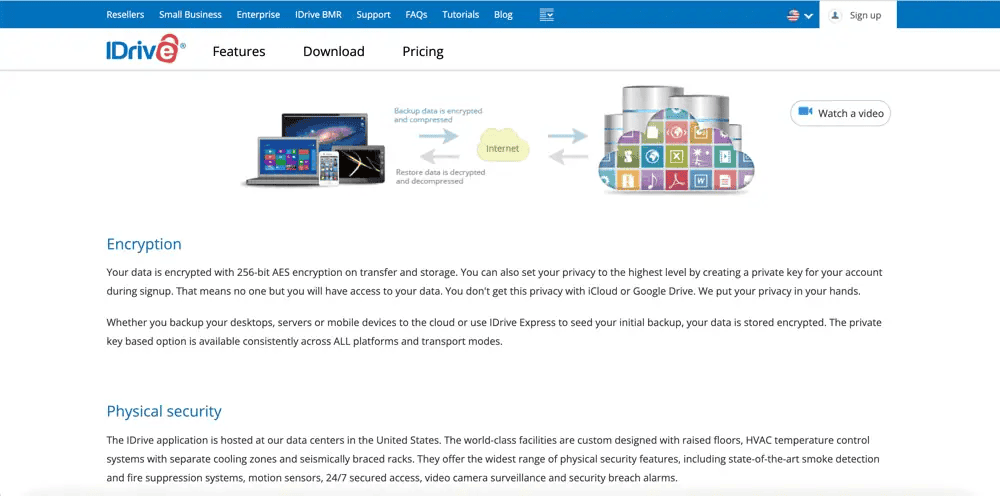
as you can’t change it once your account is active.
| Encryption Type | Encryption Protocols Used |
|---|---|
| Encryption at rest | AES 256-bit encryption |
| Encryption in transit | AES 256-bit encryption |
IDrive is as robust as they come when protecting data against brute force attacks. Opting to use AES 256-bit encryption for data in transit and at rest, hackers stand little chance of getting to your files. Two-factor authentication is also available and its physical data centers have round clock surveillance.
What Is IDrive’s Pricing & Value?
IDrive is affordable, but you won’t see the exceptional value you get with Backblaze. Some may argue that IDrive makes up for it by offering a free 10GB plan. It also has a broader range of options, offering four paid plans with several storage options. The best value is the 5TB plan, which costs only $6.22 per year. You can learn more in our IDrive review.
- No credit card required.
- 10GB
- One user.
- 100GB
- One user, multiple computers. Plans starting from 5TB up to 100TB. Big discount for first-time signup.
- 5TB
More plans
- 5 computers, 5 users. Starting at 5TB up to 500TB. Big discount for first-time signup.
- 5TB
- Monthly Plan storage starts at 1.25TB up to 50TB Unlimited users, multiple computers and servers. NAS devices. 250GB storage. Starting at 250GB up to 50TB. Large discount for first-time signup.
- 250GB
- 5TB
3. pCloud — Cloud Storage With Backup Capabilities

pCloud flips the switch in that it’s predominantly a cloud storage service with backup features. You can select folders on your desktop that you want to back up, and they will remain up to date whenever changes are made to one of those folders. You can access these folders on multiple devices.
Unlike the other services on this list, you can’t carry out image-based backups or schedule your backups for a specific time. There’s also no support for NAS devices. In more promising news, there is client-side encryption, and you can view your files in pCloud’s excellent native media player.
pCloud Hands-On Testing
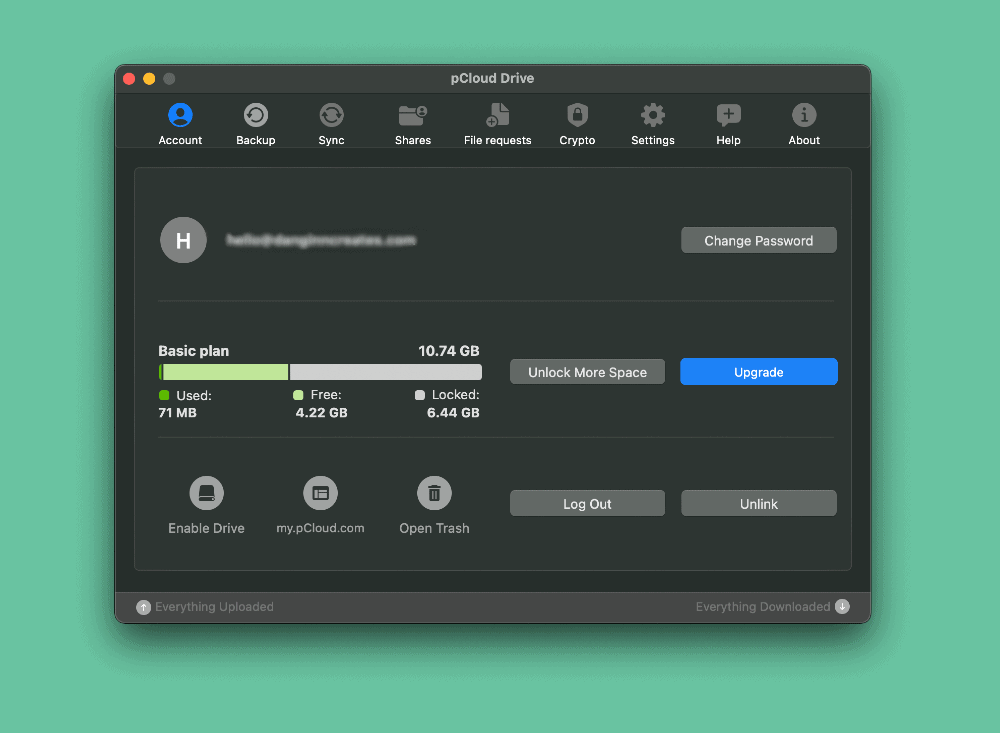
access backups via the web browser as well.
You can initiate your backups via the desktop app, which is available for macOS, Windows and Linux. Finding the backup tab is easy. From there, you select the folders you want to back up. We had zero issues using pCloud as a backup service, and its performance was stable throughout our use.
Notes From the Lab: pCloud Speed Test Results
| First Try | Second Try | Average |
|---|---|---|---|
| Upload | 0:08:36 | 0:08:28 | 0:08:32 |
| Download | 0:07:18 | 0:07:25 | 0:07:22 |
pCloud is running the race alongside IDrive, producing impressive upload and download speeds. Though, we would expect this from what’s predominantly a cloud storage service. It showed consistent high speeds, reaching and remaining at max speeds for both uploads and downloads.
What Is pCloud’s Pricing & Value?
pCloud provides a decent free plan, with 10GB of storage space. The 2TB option is in line with most leading services, coming in at around $8.33 per month on annual billing. The real value comes with the Lifetime plan. There’s a chunky upfront payment, but if you use it for years, it ends up being much cheaper. You can learn more in our pCloud review.
- 10GB
- 500GB
- 2TB
More plans
- 10TB
- + FREE Encryption
- 2TB
- + FREE Encryption
- 10TB
- Price per user (minimum 3)
- 1TB
- Price per user (minimum 3)
- 2TB
- Encryption for pCloud Drive
4. Proton Drive — Privacy-First Cloud Storage With Exceptional Stability
![Video thumbnail for the video: I Tested Proton Drive to See If It's as Private as It Claims [2024 REVIEW]](https://img.youtube.com/vi/XWmsFdm-VLg/maxresdefault.jpg)
Proton Drive comes from the makers of Proton Mail and offers client-side encryption on all files by default. Unlike other services on this list, you don’t need to enable zero-knowledge encryption manually; it’s baked in from the start. Paid plans include versioning up to 10 years, which is impressive for long-term data retention.
While it’s primarily a cloud storage service rather than a dedicated backup tool, you can select desktop folders to sync continuously. However, there’s no option for scheduled backup intervals like CrashPlan offers. For users migrating large data sets, Proton Drive handled our stress test without issues, uploading files smoothly in alphabetical order with no hangs or crashes.
Proton Drive Hands-On Testing
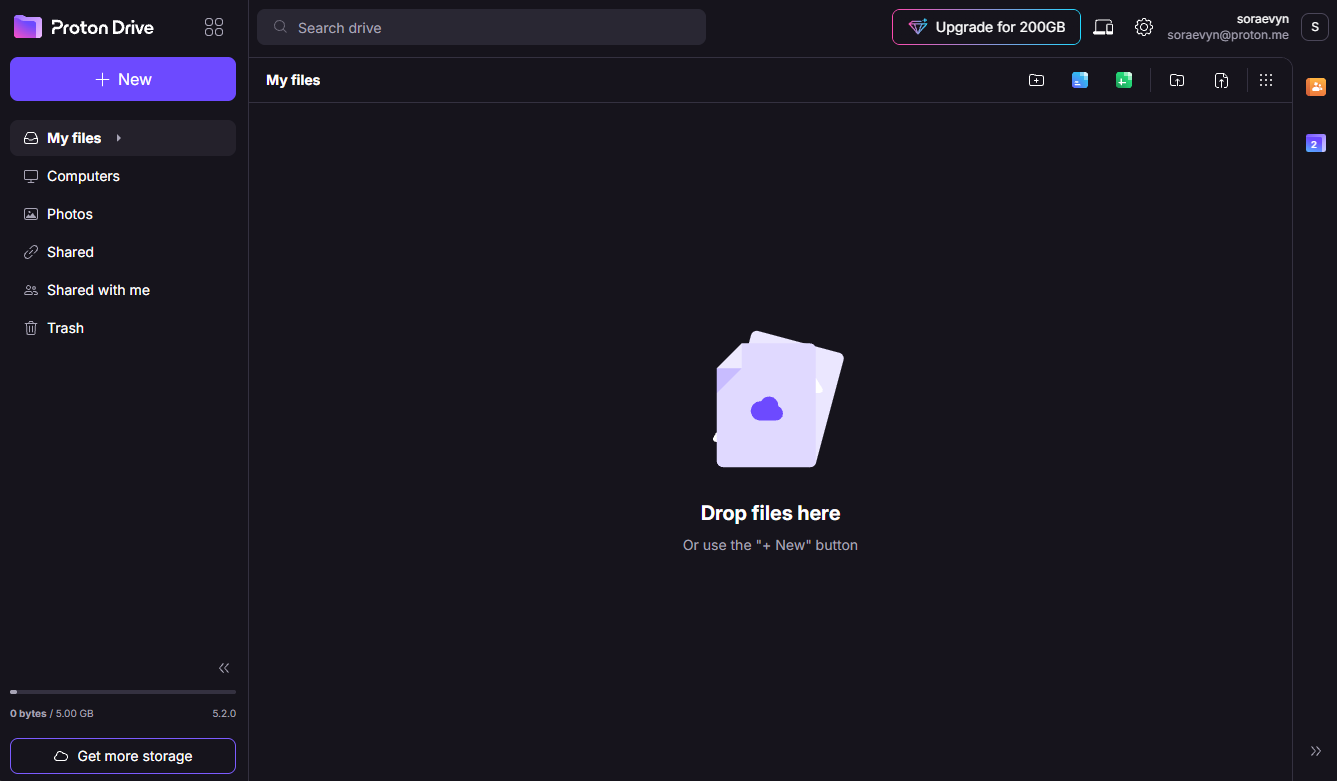
rather than a minimal system tray tool.
Proton Drive’s performance was a pleasant surprise. It just kept uploading file by file without breaking a sweat. Scrolling through folders remained smooth throughout, and CPU usage stayed low. In our sync test, Proton Drive resolved conflicts without data loss, though it exhibited some odd behavior when editing the same file simultaneously.
Notes From the Lab: Proton Drive Speed Test Results
| First Try | Second Try | Average |
|---|---|---|---|
| Upload | 0:07:18 | 0:07:12 | 0:07:15 |
| Download | 0:07:08 | 0:07:14 | 0:07:11 |
Proton Drive has made massive speed improvements since our last tests. It averages around 25MB/s unthrottled, peaking at 33MB/s. Both uploads and downloads were very stable and fast with low CPU usage, which is critical for users running backups alongside other work.
Notes From the Lab: Proton Drive Security Analysis
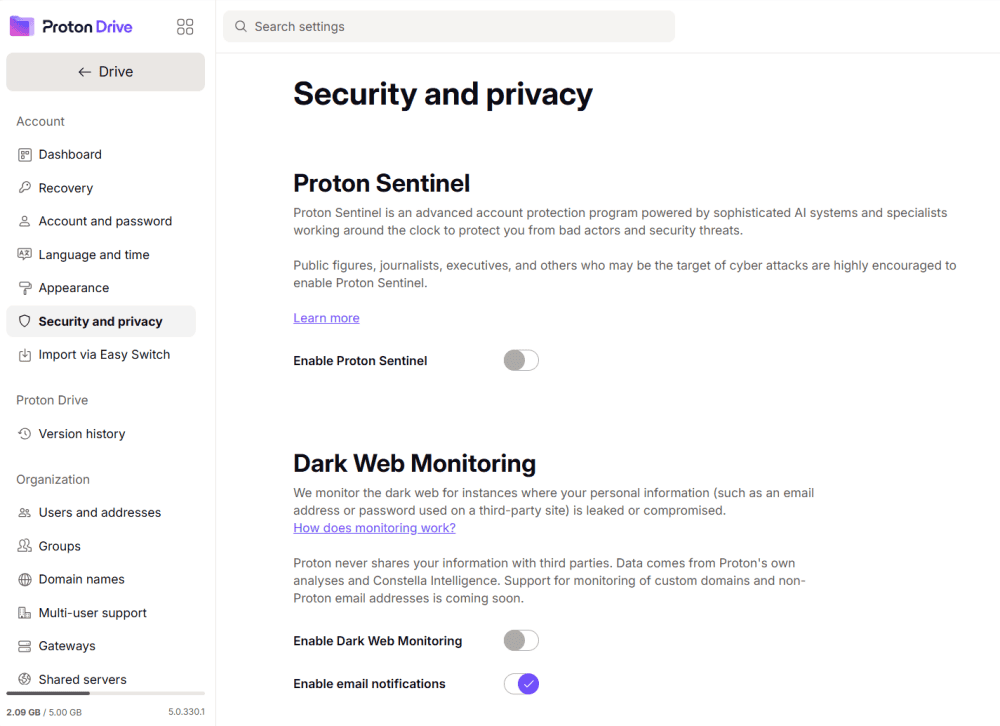
hidden settings or additional costs required.
| Encryption Type | Encryption Protocols Used |
|---|---|
| Encryption at rest | AES 256-bit |
| Encryption in transit | TLS |
Proton Drive encrypts your files on your device before they leave, meaning not even Proton can access your data. Servers are located in Switzerland and Germany, both under strong privacy laws. Password protection and expiry dates are available for shared links.
What Is Proton Drive’s Pricing & Value?
Paid storage allotments are either 200GB for $4.99 per month or 500GB for $12.99 per month. The Proton Family plan has 3TB of storage for $29.99 monthly. Storage is shared across Proton Mail, Calendar, and Drive. The real value comes if you’re already in the Proton ecosystem or want a privacy-focused alternative to Google. Learn more in our Proton Drive review.
- 5GB
- 200GB
- 500GB
More plans
- 2TB
- 3TB
- per user
- 1TB
- per user, minimum of 2 users
- 1TB
- 1TB
5. Internxt — Affordable Zero-Knowledge With Scheduled Backups

Internxt stands out as an open-source, privacy-focused cloud storage service with zero-knowledge encryption enabled by default. What makes it particularly relevant as a CrashPlan alternative is its scheduled backup feature. You can set intervals of 1hr, 6hrs, 12hr, or 24hr, which directly mirrors CrashPlan’s scheduling functionality. This is something most cloud storage services simply don’t offer.
The service uses post-quantum encryption (Kyber-512) to future-proof your data against quantum computing threats, and it’s been independently audited by Securitum. Internxt also bundles antivirus, VPN, and secure file-sharing tools with paid plans, making it a comprehensive privacy suite rather than just storage. Lifetime plans offer exceptional value, with up to 5TB available for a one-time payment.
Internxt Hands-On Testing
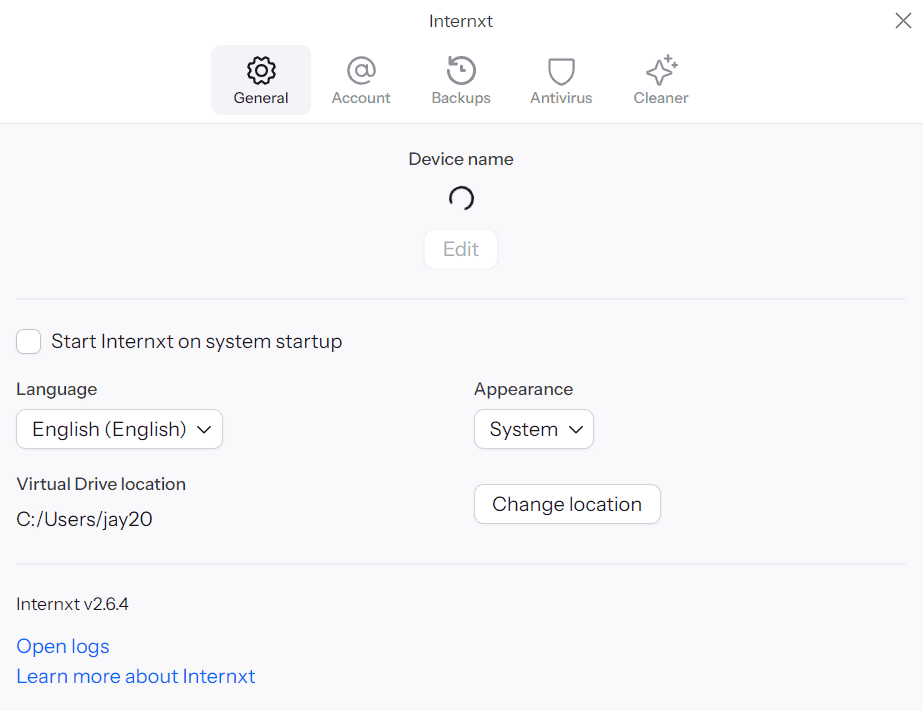
During our testing, Internxt performed well for everyday file storage and retrieval tasks. The scheduled backup feature worked as expected, automatically syncing designated folders at set intervals. However, we did notice some instability when working with large files and zip archives — speeds occasionally dropped below 5MB/s during these transfers. For users primarily backing up documents, photos, and smaller files, this shouldn’t be a significant concern.
Notes From the Lab: Internxt Speed Test Results
| First Try | Second Try | Average |
|---|---|---|---|
| Upload | 0:08:05 | 0:07:57 | 0:08:01 |
| Download | 0:09:32 | 0:09:24 | 0:09:28 |
Internxt has improved tremendously since 2023, when uploads took nearly 50 minutes. Current speeds are competitive with other services on this list, though performance can vary with larger files. For typical backup workloads involving documents and media files, speeds are more than adequate.
Notes From the Lab: Internxt Security Analysis
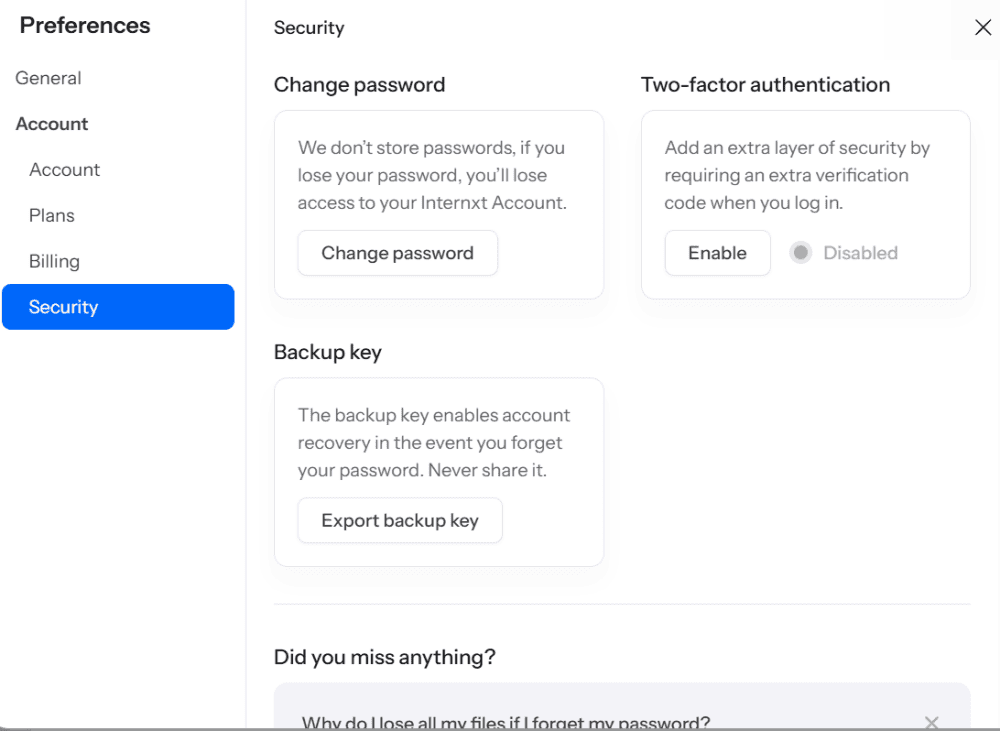
| Encryption Type | Encryption Protocols Used |
|---|---|
| Encryption at rest | AES 256-bit |
| Encryption in transit | TLS |
Internxt’s open-source codebase allows for independent security audits, and the service is fully GDPR compliant. All files are encrypted client-side before leaving your device, ensuring true zero-knowledge privacy. Password protection and expiry dates are available for shared links.
What Is Internxt’s Pricing & Value?
Internxt offers some of the most affordable cloud storage on the market, though first-year promotional pricing increases significantly upon renewal. For example, the 1TB plan costs just $1.67 per month for the first year, renewing at around $6.99 per month. For the best long-term value, consider lifetime plans. You can get 2TB for €299 or 5TB for €495 as a one-time payment. A free plan provides 1GB of encrypted storage. Learn more in our Internxt review.
- 1GB
- Post-quantum encryption Zero-knowledge encryption Two-factor authentication Backup your computer Password-protected file sharing Encrypted VPN Antivirus
- 1TB
- Everything in Essential plus; Cleaner Invite, share & collaborate File versioning (coming soon) Cleaner
- 3TB
More plans
- Everything in Premium plus CLI & WebDav support NAS & Rclone support Meet Mail (coming soon)
- 5TB
- Annual Price is per user
- 1TB
- Annual Price is per user
- 2TB
6. Carbonite — Easy-to-Use Unlimited Cloud Backup Storage

Carbonite is a flexible backup service that targets both personal and business users. It provides truly unlimited storage space for your data, and there are several backup options. Users can perform incremental backups and continuous backups. You can even back up a NAS device and other external drives, though this is reserved for higher-tier plans.
Other features we like include being able to automatically back up video files, music and photos. Carbonite makes it possible to restore files, even if your computer gets a virus or suffers from another type of malware attack. Unlike Backblaze and IDrive, there’s no cloud storage functionality, which is why we’re ranking it lower on our list.
Carbonite Hands-On Testing
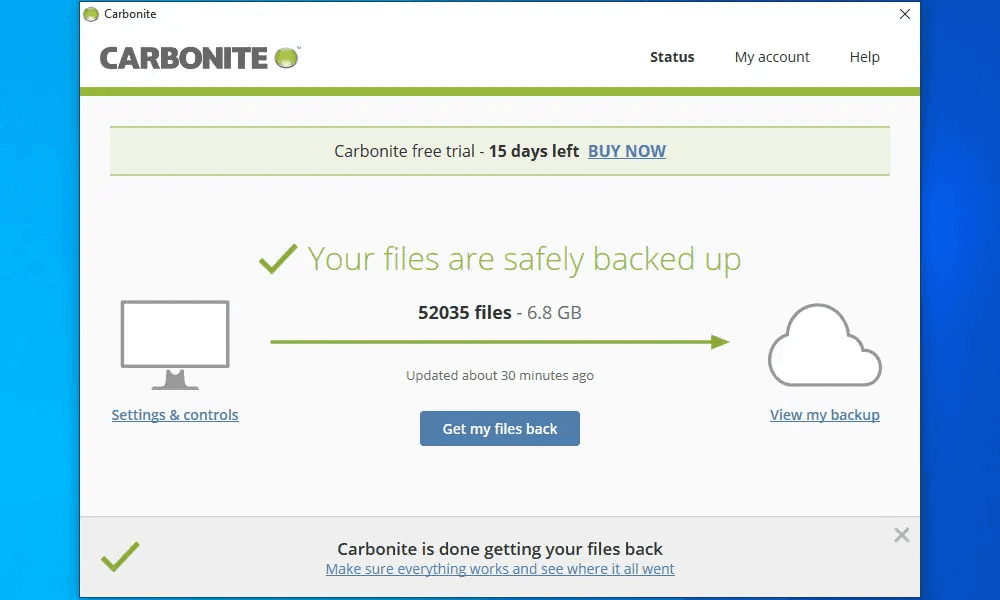
Carbonite won’t fry your brain while you’re using the software. However, though it has client-side encryption, it’s hidden away in the advanced menu and is deactivated by default. We’re not fans of this, as without zero-knowledge encryption, Carbonite has the capacity to access your data.
The desktop app is very barebones. This is good, though, as it makes the process of setting up your initial backup extremely smooth. Recovering your files isn’t a convoluted process, either. Simply select “get your files back” and let the restoration process begin.
Notes From the Lab: Carbonite Speed Test Results
| First Try | Second Try | Average |
|---|---|---|---|
| Upload | 0:15:48 | 0:10:30 | 0:13:09 |
| Download | 1:20:40 | 1:25:37 | 1:23:00 |
Carbonite is the opposite of Backblaze: decent upload speeds, but terrible download performance. When testing download speed, Carbonite was only able to reach 10% of the possible maximum speeds. It really struggled when downloading videos and images, though much smaller file types were fine.
Notes From the Lab: Carbonite Security Analysis
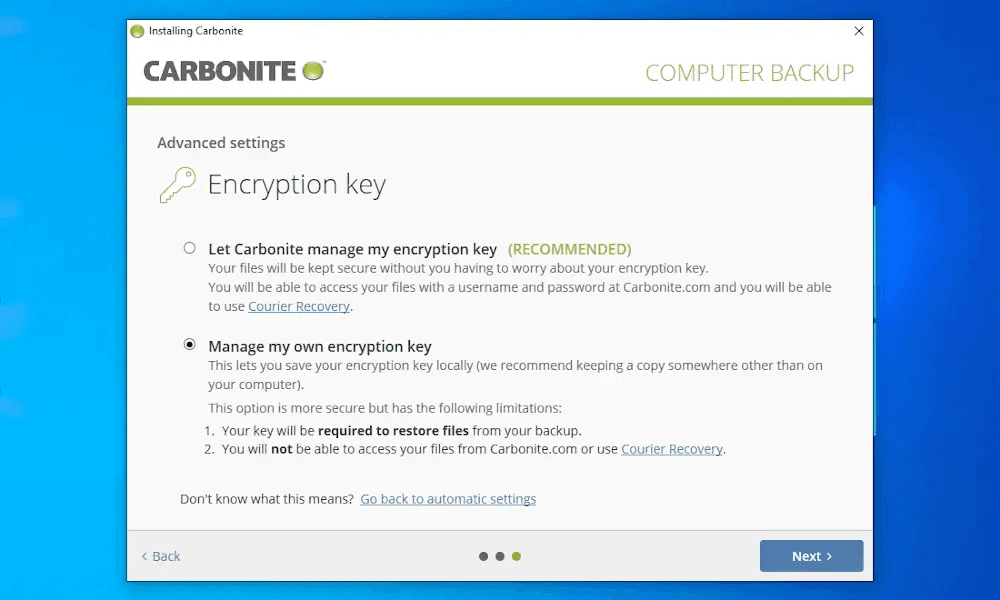
your encryption keys, which puts the power in its hands.
| Encryption Type | Encryption Protocols Used |
|---|---|
| Encryption at rest | 128-bit encryption |
| Encryption in transit | 128-bit encryption |
What’s interesting about Carbonite is that, if you don’t opt into managing a private encryption key, it uses 128-bit encryption as standard. If you do choose to go private, then it bumps encryption up to 256-bit encryption. Further reason to encrypt data at your end, rather than Carbonite’s.
What Is Carbonite’s Pricing & Value?
Carbonite offers plans for 12 months to three years, but you save only 10% if you choose the latter. The yearly plan has unlimited storage for just $6.58 per month, making it almost as affordable as Backblaze. We’re happy with the value Carbonite offers, but we would like to see larger discounts for longer-term commitments. Our Carbonite review has more details.
- Cheaper price with promo link
- Unlimited GB
- Unlimited GB
- Unlimited GB
More plans
- 250GB
- 500GB
- 500GB
7. Acronis Cyber Protect — Secure Online Backup

Acronis Cyber Protect has all the backup features one would need, as well as some maintenance features we like. You can schedule backups, perform image backups and back up all your Microsoft 365 data. For maintenance, you can ask it to delete backups after a set period, and control how many backups it stores at a time.
Performing a backup is quick and painless. During our testing, it took just three clicks to get going. There’s an option to encrypt your backups with zero-knowledge encryption (which isn’t hidden away), and you can password-protect your backups. There’s also “active protection,” which serves as an antivirus software to keep your data safe.
Acronis Cyber Protect Hands-On Testing
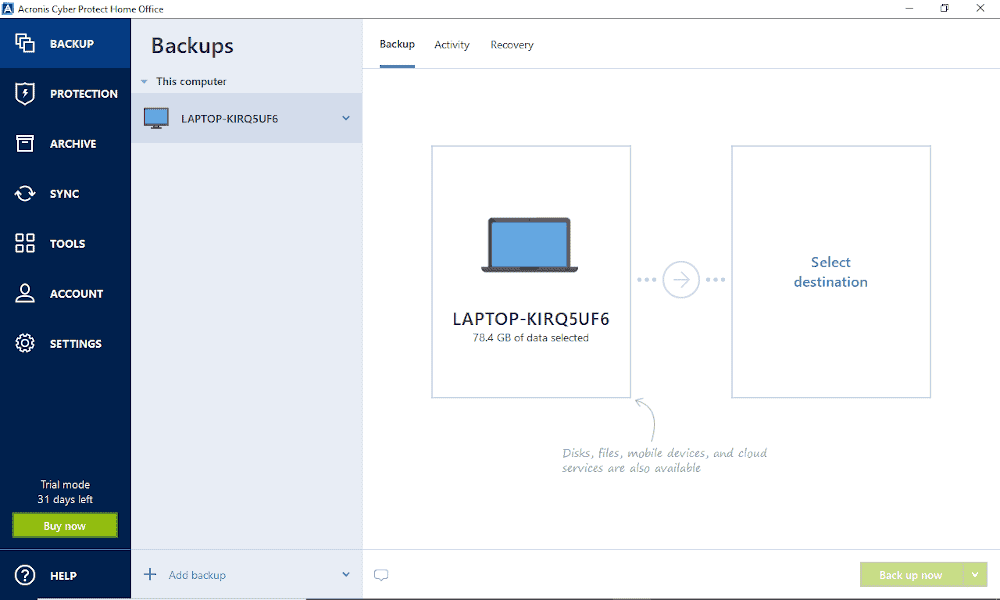
is simple thanks to the big, bold fonts.
Because Acronis Cyber Protect packs a lot of features into the software, its user interface fails to be as simplified as other options. This can make it overwhelming on first use and will take a little bit of time to adjust to. It isn’t the most responsive software, either. It doesn’t crash, but it does freeze up from time to time, which can lead to disruptions in workflow.
Once you’ve found your way around, using the platform becomes easier. In addition, despite the platform’s congestion, understanding what each feature does is easy. An excellent knowledgebase and a forum are available that can help you with any hurdles you encounter.
Notes From the Lab: Acronis Cyber Protect Speed Test Results
| First Try | Second Try | Average |
|---|---|---|---|
| Upload | 0:42:43 | 0:23:21 | 0:33:02 |
| Download | 0:07:19 | 0:07:19 | 0:07:19 |
The inconsistency between both upload attempts was surprising. Around a 30 minute average is better than other online backups but nothing to write home about. Download speeds were very impressive, reaching and holding maximum speeds for the full duration of downloading our files.
Notes From the Lab: Acronis Cyber Protect Security Analysis
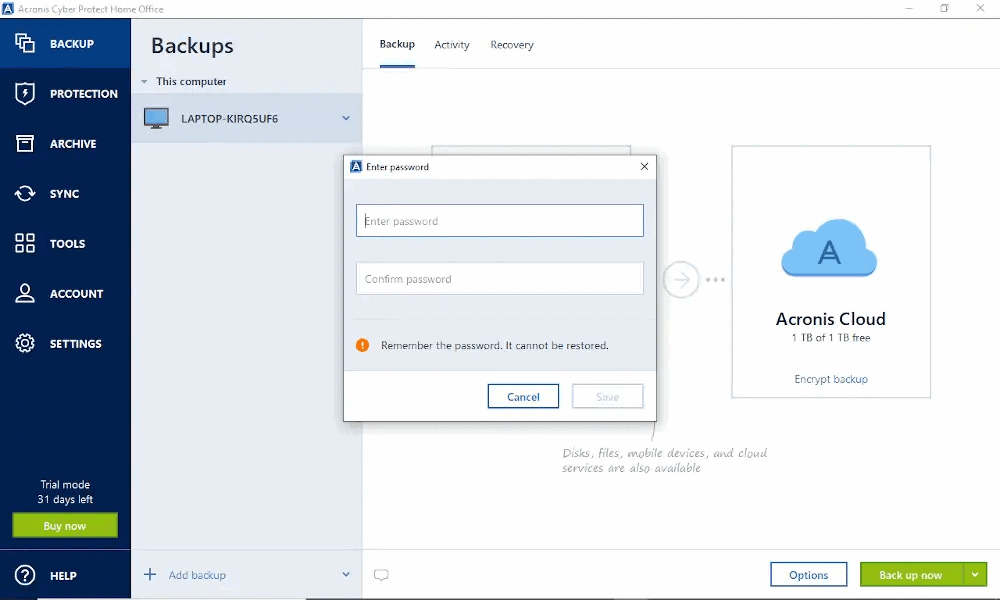
| Encryption Type | Encryption Protocols Used |
|---|---|
| Encryption at rest | AES 256-bit encryption |
| Encryption in transit | TLS/SSL |
Security buffs may be pleased to see Acronis uses 256-bit encryption right out of the box when your files are resting on its servers. It blends TLS/SSL when files are in transit. Aside from that it also has “active protection”, which serves in similar fashion to an anti virus software. Put all this together and you can be sure your data is fully secure.
What Is Acronis Cyber Protect’s Pricing & Value?
Acronis Cyber Protect offers good value for its backup service. Our main gripe is the pricing structure. There are nine plans in total, targeting three different types of users and three different types of storage needs. However, there are no truly unlimited storage plans. A free trial is available to test out the service. Learn more in our Acronis Cyber Protect review.
- Flexible backups: full image to file-level Active disk cloning Universal restore and fast recovery Ransomware protection
- Flexible backups: full image to file-level Active disk cloning Universal restore and fast recovery Ransomware protection + Block viruses and malware Cloud backup and features Automatic replication of data in the cloud Microsoft 365 backups
- 50GB
- Flexible backups: full image to file-level Active disk cloning Universal restore and fast recovery Ransomware protection + Block viruses and malware Cloud backup and features Automatic replication of data in the cloud Microsoft 365 backups
- 250GB
More plans
- Flexible backups: full image to file-level Active disk cloning Universal restore and fast recovery Ransomware protection + Block viruses and malware Cloud backup and features Automatic replication of data in the cloud Microsoft 365 backups
- 500GB
- Flexible backups: full image to file-level Active disk cloning Universal restore and fast recovery Ransomware protection + Block viruses and malware Cloud backup and features Automatic replication of data in the cloud Microsoft 365 backups + Blockchain certification of files Electronic signatures on files Ability to add up to 5TB of cloud storage
- 1TB
- Flexible backups: full image to file-level Active disk cloning Universal restore and fast recovery Ransomware protection + Block viruses and malware Cloud backup and features Automatic replication of data in the cloud Microsoft 365 backups + Blockchain certification of files Electronic signatures on files Ability to add up to 5TB of cloud storage
- 5TB
If Acronis’ interface, performance or pricing structure gives you pause, our roundup of the best Acronis alternatives compares backup services that address those trade-offs.
Our Methodology: How Did We Test the Best CrashPlan Competitors?
We’ll never recommend a service we haven’t used. Seldom do we test a service only once, instead revisiting it each year as new features and iterations are released. Cloudwards has a defined set of criteria, and we cover each criterion when conducting our reviews.
- Backup features: We consider the range of features available, such as incremental backups, scheduled backups and the ability to back up NAS devices.
- Speed: We test how long it takes to perform a backup for our data. Beyond how quickly a service completes the backup, we also analyze the pressure it puts on our computer’s memory and CPU — the less pressure, the better.
- Security and privacy: We go through the security and privacy policies to see how the service protects your data. We look for top features such as zero-knowledge encryption, and added security features like password protection and single sign-on.
- Usability: To see how user-friendly a backup service is, we test and analyze how easy the software is to use and how simple it is to understand its features.
- Price: Considering the market average, we assess how much value the software offers. We determine whether the product warrants the price tag and whether you can find better value elsewhere.
Final Thoughts
You can’t go wrong when choosing from this selection of CrashPlan alternatives. It’s difficult to ignore Backblaze’s very affordable, unlimited storage space, especially if you’re planning to scale your business and want to back up more data. It’s also a solid option if you want a smooth transition between online backup and classic cloud storage functionality.
Alternatively, it’s perfectly fine to stick with CrashPlan. Sure, it could make improvements to its usability, and we’d like to see its unlimited storage become truly unlimited in the future. However, CrashPlan is still an excellent backup service and can deliver everything you need from a backup software solution.
Do you agree with this selection of CrashPlan alternatives? Which service will you use for your backups? Are there any other backup and cloud services you would like us to review? Let us know in the comments. Thanks for reading.
FAQ: The Best Alternative to CrashPlan
One of CrashPlan’s main limitations is that it no longer offers a plan that targets personal use. Instead, it’s become very business-centric, which has proven to be overkill for home use. It’s also not the easiest platform to use, which can deter anyone looking for a simple backup service.
The best CrashPlan alternative is Backblaze. It offers truly unlimited storage at a cheaper price. It’s also much easier to use and is suitable for both experienced and inexperienced users alike.
Code42 created CrashPlan and was once its parent company. However, Mill Point Capital, an equity fund in North America, has since bought and taken over the CrashPlan product.
