5 Best Online Backup With Versioning Services in 2026
The best online backup with versioning can keep you safe from disasters, malware and accidental overwrites. Read on to find the best solution for your needs.



Written by Aleksandar Kochovski (Writer)
Reviewed by Valentina Bravo (Managing Editor)
Facts checked by Simona Ivanovski (Fact-Checker, Formatter)
Last Updated:
All our content is written fully by humans; we do not publish AI writing. Learn more here.
Key Takeaways: These Are the 5 Best Backup Services With Versioning
- Sync.com — The most secure backup service, with 365-day versioning. Get 5GB of free cloud storage with Sync.com.
- pCloud — Cloud storage with backup features and advanced media playback. pCloud comes with 10GB of free storage space.
- IDrive — Secure and fully featured cloud backup with an unlimited versioning period. Try IDrive using its 10GB free plan.
- Proton Drive — A privacy-focused option with up to 10-year versioning on paid plans and rock-solid sync reliability.
- Backblaze — Unlimited storage with one-year versioning. Try Backblaze with its 15-day free trial.
- CrashPlan — Business backup with customizable versioning. CrashPlan comes with a 14-day free trial.
Facts & Expert Analysis About the Best Online Backup With Versioning:
- Data loss prevention: Extended versioning periods protect against accidental overwrites, malware infections and file corruption that may go unnoticed for months.
- Cloud security: Client-side encryption protects your files from unwanted access by encrypting them while they’re still on your device.
- Unlimited isn’t always unlimited: While some services offer unlimited versions, retention periods or storage, few services provide all three.
If you’ve ever overwritten a file by accident, you know how important it is to have a past version of it as a fallback. The best online backup with versioning keeps previous versions of files for long periods of time, which not only helps with unwanted overwrites but is also the best way to regain access to files that have been infected by malware.
In this article, I’ll go over the top backup software with file versioning to help you find the best solution for your needs. I’ve included two cloud storage services as well. They don’t offer full device backup, but they do have a broader feature set that’s better suited to document editing and online collaboration.
-
05/01/2022 Facts checked
Rewrote the article to reflect changes in the versioning features of several providers.
-
07/04/2022 Facts checked
Updated to reflect an increase in IDrive’s 5GB free plan to 10GB.
-
05/23/2023 Facts checked
Updated to remove IDrive’s discontinued free plan and add its new free 30-day trial.
-
01/23/2026 Facts checked
We rewrote this article to better reflect the current online backup scene, refreshing it with services suited to different types of users.
Cloudwards’ Choice: Sync.com

Sync.com is my top choice, not only because it lets you restore previous versions from up to a year prior but also because of its security and collaboration chops. It’s the most private cloud storage thanks to client-side encryption, which ensures only you have access to your files. It also integrates with Microsoft Office for productivity, keeping unlimited versions of your work for 365 days.
How Do You Choose the Best Online Backup With Versioning?
The best backup solution will depend on your needs, whether that’s full disk imaging, frequent file access and editing, or high security and privacy.
- Cloud sync: File synchronization presents a way to frequently update files stored in the cloud. Files sync whenever you make changes to them, which ensures the most up-to-date version of the file is always accessible in the cloud.
- Full device backup: Full backups or disk images are a complete copy of your entire device, including your installed apps and operating system. These are great for mitigating malware infections and device failure or loss.
- Client-side encryption: This form of encryption involves all of your files being encrypted on your device, before they ever reach an online cloud server. This means the company storing your files can’t access them, as only you hold the encryption key.
- Long or unlimited versioning periods: The longer a service keeps past versions of files, the more recovery options you have. Some providers store unlimited versions, though this often means they eat into your storage quota.
- Online file editing: Some cloud storage services integrate with third-party document editors such as Microsoft Office and Google Workspace, or they use proprietary file editors. This enables online collaboration and makes it easier to edit files directly in the cloud without having to reupload them.
What Are the 5 Best Versioning Backup Services?
| Service: | Free Storage | Best Price | Best For | Standout Feature | Limitation |
|---|---|---|---|---|---|
 | 5GB | 2TB $4.80 per month (one-year plan) | Security | Real-time collaboration in Microsoft Office | Slow speeds |
 | 10GB | 2TB $8.33 per month (one-year plan) | Media backup | Advanced media player | Extra payment for longer versioning |
 | 10GB | 5TB $6.22 per month (two-year plan) | Many backup features | Full disk backup | Only 30 past file versions |
 | 5GB | 200GB $3.99 per month (one-year plan) | Privacy-focused versioning | 10-year version history | No full-device backup |
 | 15-day trial | Unlimited GB $7.88 per month (two-year plan) | Unlimited backup storage | Long versioning period | Not truly zero-knowledge |
 | 14-day trial | Unlimited GB $6.58 per month (two-year plan) | Business backup | Customizable versioning | No personal plan |
Lab Data & Hands-On Testing
Check out the results of our speed and security tests below.
10,000+ Trust Our Free Cloud Storage Tips. Join Today!

- Demystify cloud storage terminology and key concepts in plain language
- Discover easy-to-implement techniques to securely backup and sync your data across devices
- Learn money-saving strategies to optimize your cloud storage costs and usage
Speed Test Comparison (5GB Folder)
| Provider: | Avg Upload Time | Avg Download Time |
|---|---|---|
| 0:09:47 | 0:11:56 |
| 0:07:06 | 0:06:52 |
| 0:06:45 | 0:06:58 |
| 0:07:15 | 0:07:11 |
| 0:16:54 | 0:07:09 |
| 0:19:17 | 0:07:37 |
pCloud and IDrive are the fastest services on this list, with pCloud claiming a narrow victory in the unthrottled speed test. Proton Drive delivers very fast and stable performance, averaging 25MB/s with low CPU usage.
CrashPlan and Backblaze are similar, with fast downloads but abysmal uploads, and Sync.com falls somewhere in the middle of the pack.
Security & Privacy Analysis
| Provider: | Encryption | Client-Side Encryption | 2FA Options | Server Locations | Compliance |
|---|---|---|---|---|---|
| AES-256 | Yes | SMS, app-based, email | Canada | GDPR, HIPAA, PIPEDA |
| AES-256 | Yes, single folder | SMS, app-based, email | EU, U.S. | GDPR, DPA (Switzerland) |
| AES-256 | Yes | SMS, app-based, email | EU, U.S., Singapore | GDPR |
| AES-256 | Yes | SMS, App-based | Switzerland | GDPR, HIPAA |
| AES-256 | Partial | SMS, app-based, email | EU, U.S. | GDPR |
| AES-256 | No | SMS, app-based, email | Global | GDPR |
Client-side encryption is the best protection for your data because it prevents services from accessing the data. Sync.com, IDrive and Proton Drive offer full end-to-end protection, while pCloud covers only one folder. Backblaze also encrypts your files client-side, but you must submit your encryption key to restore files, which defeats the purpose of client-side encryption.
1. Sync.com — Best Online Backup With Versioning
Sync.com is the most secure cloud storage service, with plenty of collaboration features and versioning lasting for up to a year. While it can’t perform backups in a strict sense, it can sync files from your device to the cloud on a running basis. This is great for working on documents because edits save instantly.
What Makes Sync.com Special?
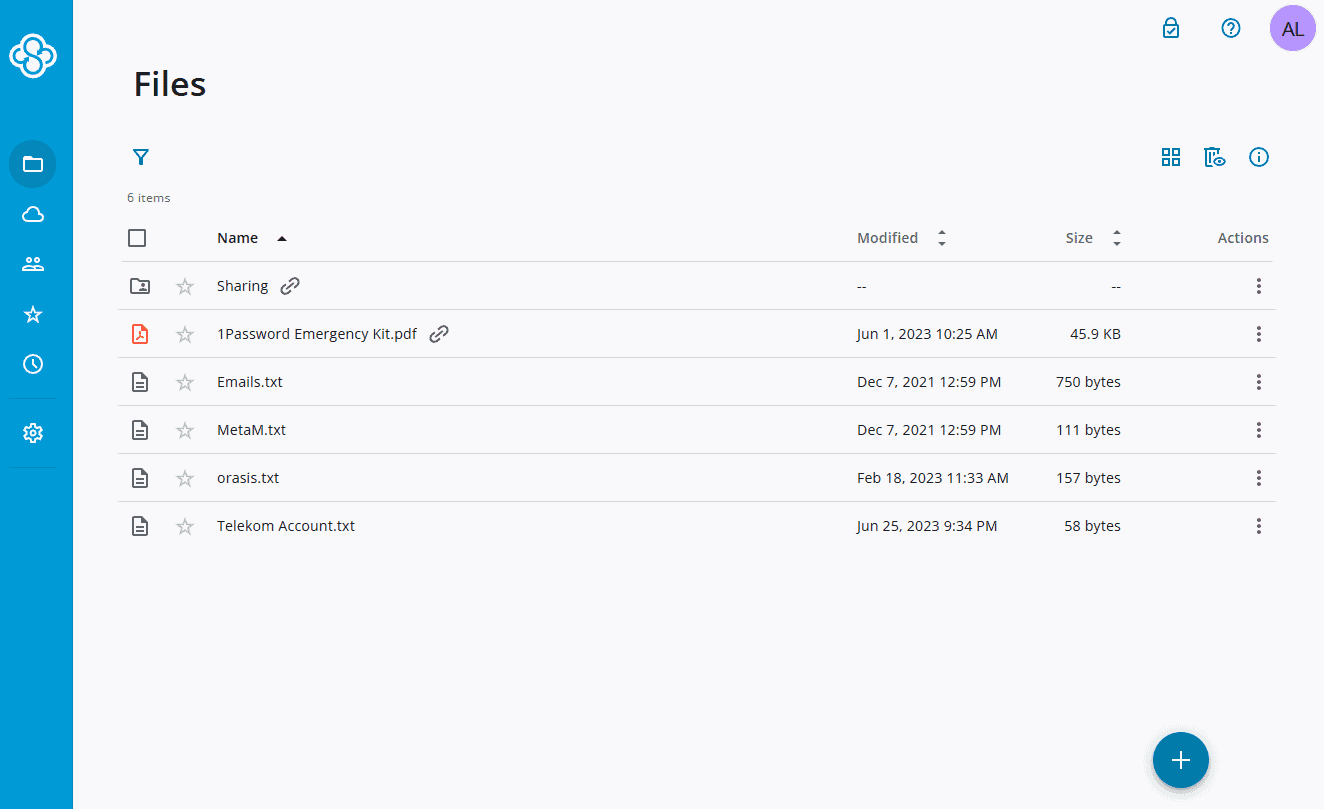
Very few services fully cover all of your files with client-side encryption while also providing file editing. Sync.com is an exception, as it integrates with Microsoft Office. When working on Office files in Sync.com, your files never leave the service’s encrypted environment, which ensures airtight privacy.
When Should You Choose Sync.com?
Opt for Sync.com if you care about privacy and need online file-editing capabilities, either for yourself or to collaborate with others. Sync.com is also very affordable, with a 2TB plan costing just $4.80 per month, and relatively cheap unlimited storage plans on a team account. Try Sync.com using its 5GB free plan, or read our full Sync.com review for more.
- 5GB
- 2TB
More plans
- 6TB
- per user, per month, billed annually
- 1TB
- Priced per user (3 users minimum)
- Unlimited GB
- Minimum 100 users, custom requirements, account manager, training options
2. pCloud — Cloud Storage With 365-Day File Versioning

pCloud is a cloud storage service with integrated backup, though it can back up only folders, not your entire system. Its versioning lasts for 30 days by default, but you can expand it up to 365 days with an additional purchase. It also has a client-side encrypted folder, though unfortunately, at an added cost.
What Makes pCloud Special?
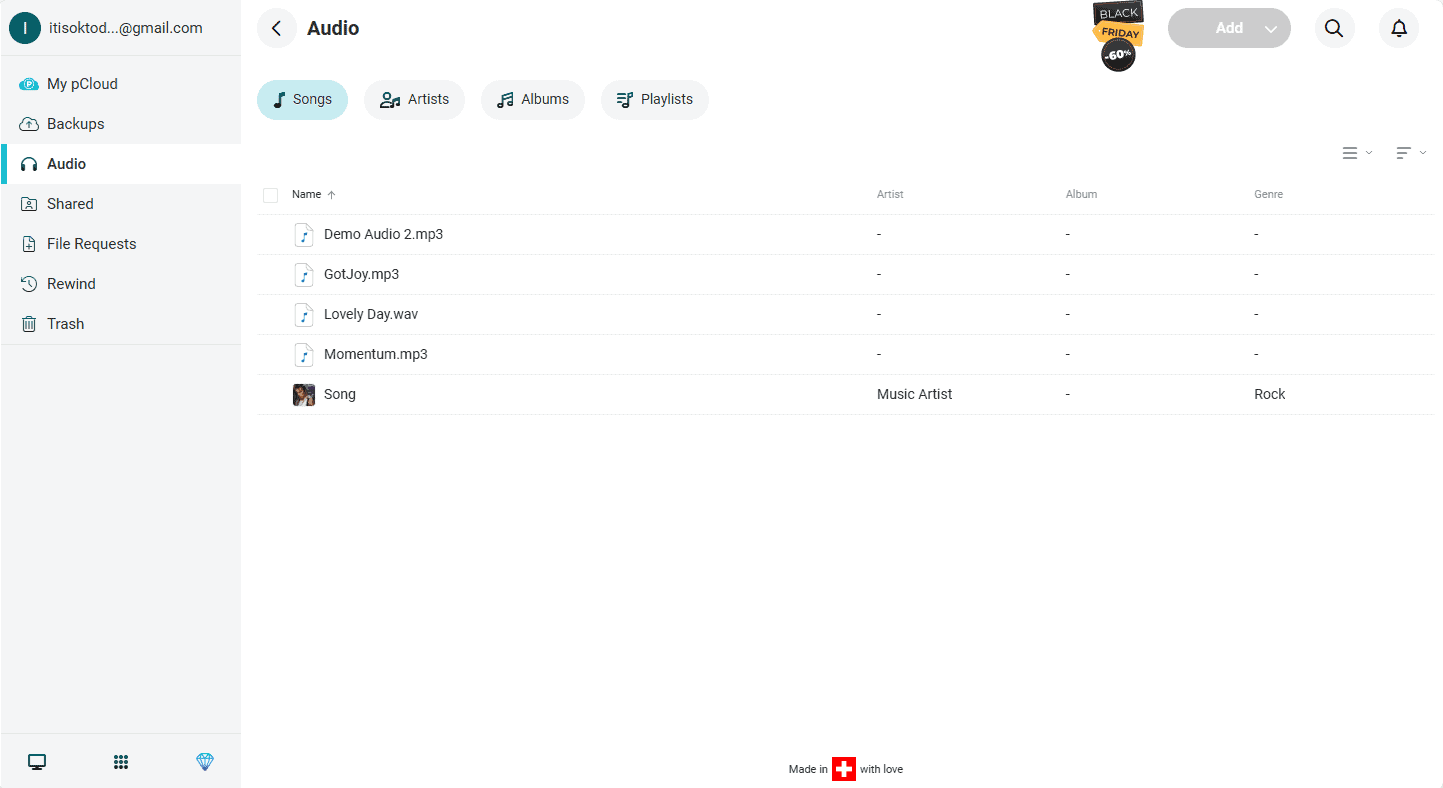
pCloud is great for storing media thanks to its advanced music player, which sorts your audio files by artist or album, letting you listen to them straight from your cloud storage. It also comes with its own document editor, which is capable enough. However, since the document editor is a relatively new feature, it’s not quite as polished as Microsoft Office.
When Should You Choose pCloud?
pCloud is great if you just need to back up files and then access and edit them in the cloud. It’s not the best choice if you need a full device backup, though. At $8.33 per month annually for 2TB of storage, its base package is one of the most affordable cloud storage offers, but you’ll need to pay extra for extended versioning and client-side encryption.
Try it out using the 10GB free plan, or read our pCloud review to learn more.
- 10GB
- 500GB
- 2TB
More plans
- 10TB
- + FREE Encryption
- 2TB
- + FREE Encryption
- 10TB
- Price per user (minimum 3)
- 1TB
- Price per user (minimum 3)
- 2TB
- Encryption for pCloud Drive
3. IDrive — Full Disk Image Cloud Backup With Versioning

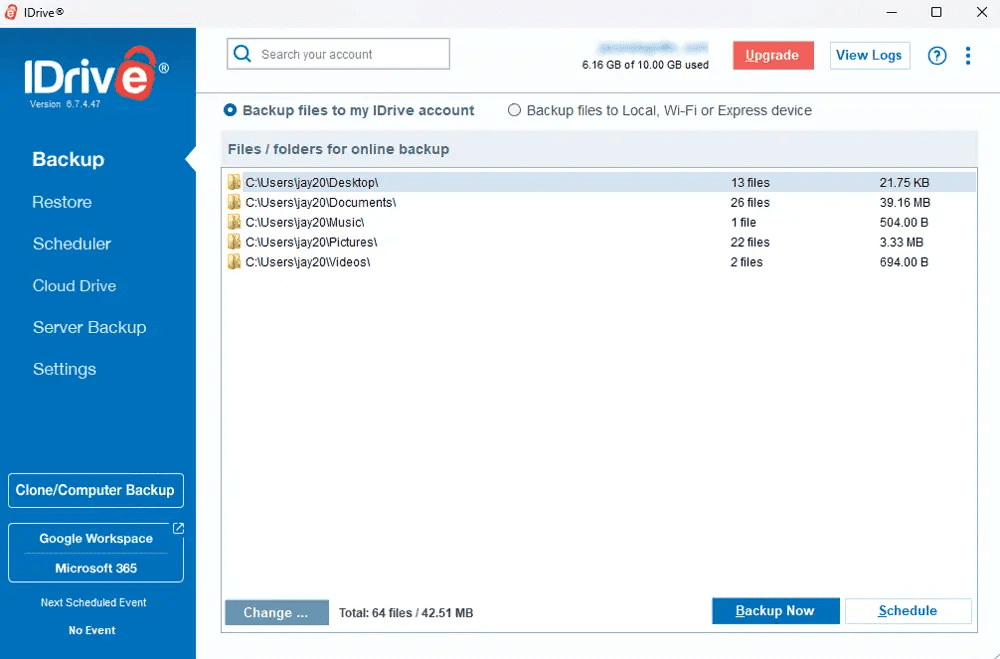
IDrive takes a kitchen sink approach to cloud backup, offering a wide range of backup options, including full disk imaging, network-attached storage (NAS) and server backups, and quick-access cloud-syncing space. It’s also secure and private thanks to client-side encryption across your entire storage.
What Makes IDrive Special?
IDrive’s versioning has no time limits, but you can keep only up to 30 versions of each file. Additionally, thanks to IDrive’s “snapshots” feature, you can restore a previous version of your whole backup.
When Should You Choose IDrive?
IDrive is a feature-rich backup software and is an excellent choice if you want to customize your backup or if you have multiple device types to back up. It’s also dirt cheap — at just $5.81 per month on a yearly basis, you get 5TB of cloud backup space, plus an additional 5TB of cloud storage for file syncing. Try out the 10GBfree plan, or read our full IDrive review for more.
- No credit card required.
- 10GB
- One user.
- 100GB
- One user, multiple computers. Plans starting from 5TB up to 100TB. Big discount for first-time signup.
- 5TB
More plans
- 5 computers, 5 users. Starting at 5TB up to 500TB. Big discount for first-time signup.
- 5TB
- Monthly Plan storage starts at 1.25TB up to 50TB Unlimited users, multiple computers and servers. NAS devices. 250GB storage. Starting at 250GB up to 50TB. Large discount for first-time signup.
- 250GB
- 5TB
4. Proton Drive — Privacy-Focused Backup With 10-Year Versioning
![Video thumbnail for the video: I Tested Proton Drive to See If It's as Private as It Claims [2024 REVIEW]](https://img.youtube.com/vi/XWmsFdm-VLg/maxresdefault.jpg)
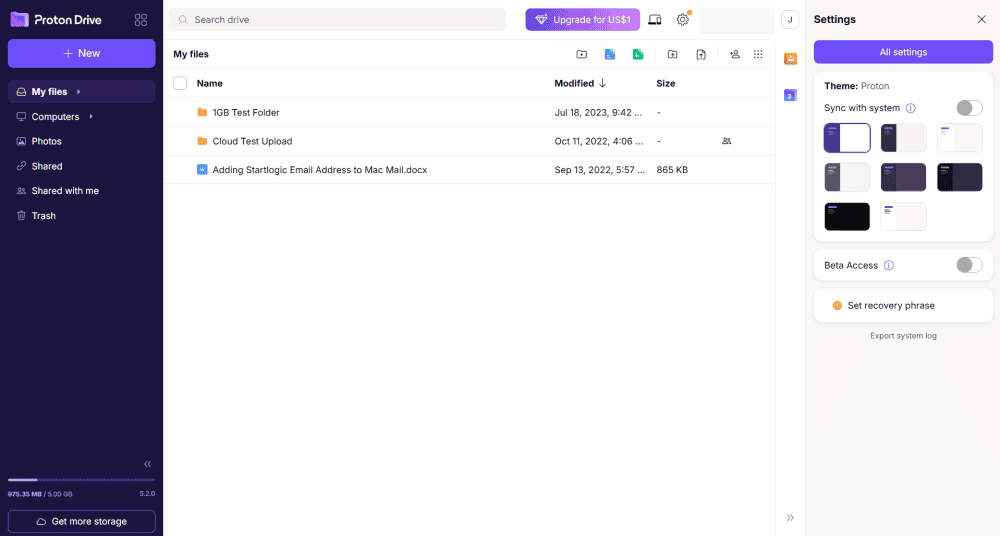
Proton Drive is a privacy-first cloud storage service from the makers of Proton Mail. While it can’t perform full disk backups, it offers excellent file syncing with client-side encryption across all your files. Paid plans offer up to 10 years of version history, making it a standout choice for long-term file protection.
What Makes Proton Drive Special?
In our sync testing, Proton Drive showed no conflicts, as changes were reflected immediately. Files were renamed and replaced correctly, and original versions were available in the version history. The stress test was equally impressive, with the desktop app handling bulk uploads smoothly and without hangs.
When Should You Choose Proton Drive?
Choose Proton Drive if privacy is your top priority, and you want industry-leading versioning. Our 2026 speed tests showed very stable performance with an average of 25MB/s and low CPU usage. Note that the free plan only keeps versions for 7 days, so you’ll need a paid plan for serious backup use. Try Proton Drive using its 5GB free plan, or read our full Proton Drive review for more.
- 5GB
- 200GB
- 500GB
More plans
- 2TB
- 3TB
- per user
- 1TB
- per user, minimum of 2 users
- 1TB
- 1TB
5. Backblaze — Versioning Backup Service With Unlimited Storage
Backblaze has a lot going for it. It’s easy to use, very affordable and, best of all, offers unlimited storage for your backups. However, while it lets you control your own encryption keys, it is not fully zero-knowledge. Backblaze can’t decrypt your files while they’re on its servers, but you do have to hand over your encryption keys in order to restore a backup.
What Makes Backblaze Special?
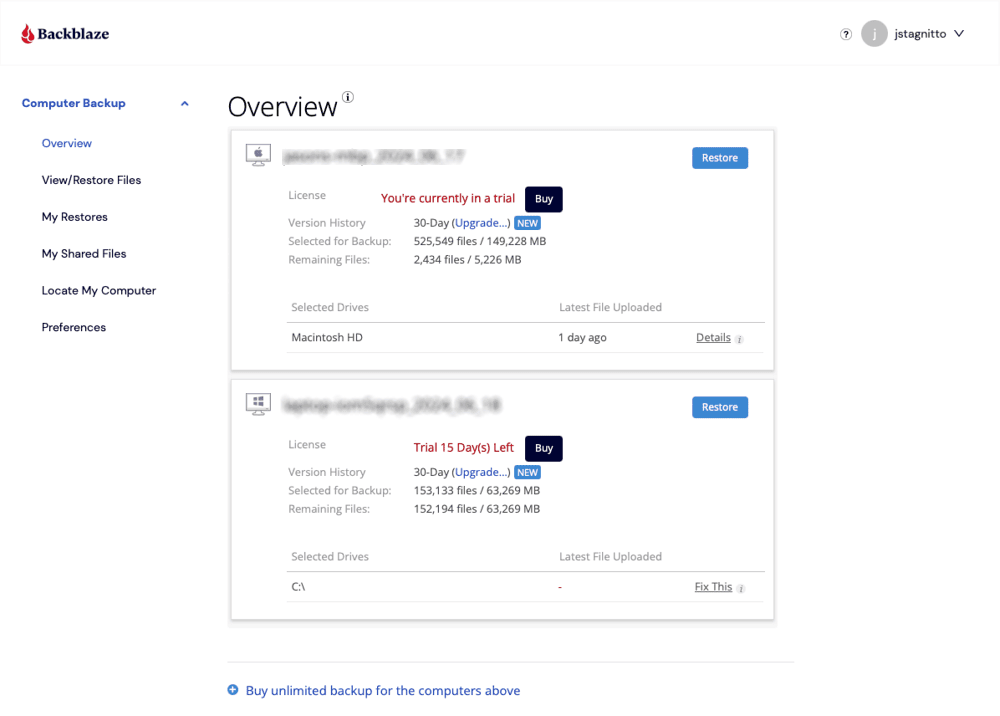
Backblaze has the longest versioning period on this list. It’s set to 30 days by default, though you can raise it to one year at no extra charge. If you want to keep versions for longer, you can pay a very small fee of $0.006 per gigabyte to keep older versions for longer than one year.
When Should You Choose Backblaze?
Backblaze is less private than the other providers on this list, but it’s also surprisingly cheap for a service with unlimited backups and versioning. It costs $7.88 per month on a two-year plan for one computer, with a surcharge for additional devices. You can try Backblaze using its 15-day free trial, or read our full Backblaze review for more.
- Unlimited GB
6. CrashPlan — Online Backup With Versioning for Business

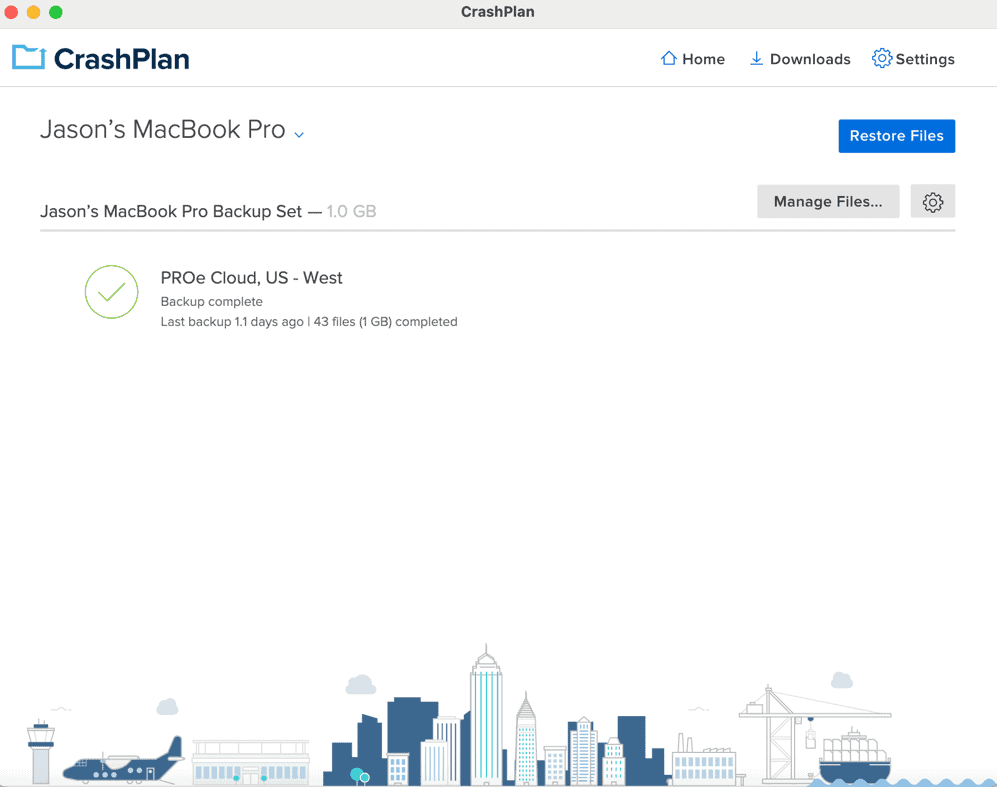
CrashPlan is a business-focused online backup service. It doesn’t offer much in the way of online backup features, and it has no personal plans, but it does have unlimited storage for a relatively affordable price. You can choose to back up either to the cloud or to an external hard drive, but you can’t make a full image backup.
What Makes CrashPlan Special?
CrashPlan’s customizable versioning lets you keep old versions and deleted files forever, or choose to periodically prune them. You can set intervals at which to keep a version or determine when old versions and deleted files are removed from storage. You can’t directly choose how many versions to keep, though.
When Should You Choose CrashPlan?
CrashPlan is a solid choice for businesses that need unlimited storage and versioning and don’t need the highest level of privacy (it does not offer client-side encryption). You can get unlimited CrashPlan storage at a cost of $6.58 per user per month on a two-year plan. Read our full CrashPlan review for more.
- Storage & price is per user Up to 2 devices per user 30-Day Deleted File Retention
- 200GB
- Price is per user Up to 2 devices per user 90-Day Deleted File Retention
- Unlimited GB
- Price is per user Unlimited Deleted File Retention
- Unlimited GB
Our Methodology: How Did We Test the Best Online Backup With Versioning?
At Cloudwards, we have a dedicated team that runs a variety of technical and subjective tests on the software we review. Our writers also do their own independent testing and combine their experiences with our testing data.
- Speed and performance: We test speeds by uploading and downloading a 5GB folder over a metered connection. We run the test twice, then average out the results.
- Security and privacy: We test encryption through network inspection software to check whether files are truly encrypted before they are sent to servers. We also inspect the services’ privacy policies for any suspicious clauses.
- Cloud backup features: We look for a larger variety of features that let you back up the way you want to, whether that’s backing up your entire device, external drives or servers, or performing local backups.
- File versioning and deleted file retention: We value services that let you keep multiple versions of files — preferably an unlimited number and for an unlimited time period. This goes for deleted files as well.
- Pricing and value: We evaluate the cost per gigabyte for each service and compare feature sets across price tiers. We also factor in any added costs, such as charges for extended versioning or client-side encryption upgrades.
Final Thoughts
Choosing the best online backup with versioning ultimately depends on your needs. If you need easy access to files and online document editing, Sync.com is your best bet (and my top choice). If you need more backup versatility or full device backup, IDrive is a solid choice.
For privacy enthusiasts who want the longest version history, Proton Drive’s 10-year retention on paid plans is excellent.
Do you agree with my list? What are your top choices? Do you value easy access and file editing over long-term storage and full device backups? Let me know in the comments below, and as always, thank you for reading.
FAQ: Best Online Backup With Versioning
Cloud versioning is the ability to keep and recover previous versions of files, which comes in handy if you need to revert a change or your on-device files become corrupted.
Yes, Backblaze has versioning, letting you keep an unlimited number of past versions for up to a year.
There is no difference between version control and versioning. They are two names for the same concept — keeping prior versions of files to restore them at a later date if necessary.
