Best Cloud Storage for Law Firms
In this guide, I break down the safest and most practical cloud storage for law firms handling sensitive client data. Learn how these services compare on the grounds of security and compliance, user management, file sharing, price and value.



Written by Aleksandar Kochovski (Writer)
Reviewed by Valentina Bravo (Managing Editor)
Facts checked by Simona Ivanovski (Fact-Checker, Formatter)
Last Updated:
All our content is written fully by humans; we do not publish AI writing. Learn more here.
Key Takeaways: These Are the Best Cloud Storage Services for Law Firms
- Box — Best overall cloud storage for law firms. Get unlimited storage with Box for $15.
- ShareFile — The top document storage service for the legal industry. Get 1TB of storage for $16.
- Proton Drive — Swiss-based privacy suite with encrypted document collaboration. Get 200GB for $3.99.
- pCloud — Great cloud storage for smaller firms. Get 1TB of storage for $7.99.
- Internxt — Budget-friendly zero-knowledge storage for solo practitioners. Get 1TB for $1.67.
- Sync.com — The most secure legal cloud storage. Get unlimited storage for $15.
- Dropbox — Easy-to-use cloud storage for law firms. Get 5TB for $15.
Facts & Expert Analysis About Cloud Services for Law Firms:
- Data breach prevention: Granular access controls can prevent data breaches by sequestering users to only a small part of the company’s files.
- Client-side encryption: This is the most important feature for maintaining compliance, as it prevents the cloud service from accessing the files you store on its servers.
- File-sharing controls: Poor file sharing and link management can be a major liability for law firms.
The legal industry has unique requirements that can make choosing the best cloud storage for law firms difficult. Unlike general business files, legal documents contain privileged client data, sensitive case materials and records that must be kept under lock and key.
At the same time, lawyers need remote access to case files from courtrooms and client homes and offices, which creates ample opportunity for potentially disastrous data breaches. This could result in violating attorney-client privilege, triggering malpractice claims and destroying a firm’s reputation.
In this guide, I evaluate the top five cloud solutions for lawyers on the merit of the services’ data security features, document-editing and organization capabilities, and file-sharing options to help you make an informed choice. If you want a look at more options, check out our list of the best cloud storage services.
-
06/25/2022 Facts checked
Updated Sync.com’s plans and pricing information.
-
11/20/2023 Facts checked
This article was rewritten to include updated providers, current features and pricing.
-
05/27/2025 Facts checked
We updated this guide’s rankings based on recent provider testing.
-
10/08/2025 Facts checked
We updated the article to reflect Icedrive’s new pricing structure.
-
02/05/2026 Facts checked
We rewrote this article to reflect the current cloud storage landscape, including new providers and a tighter focus on the needs of law firms.
Cloudwards’ Choice: Box
 Cloudwards’ Choice: Box
Box is my top choice for a cloud storage service for law firms thanks to its tight security, including client-side encryption and compliance with standards such as HIPAA, FINRA and FedRAMP. Its data governance and user-based access controls further ensure the integrity of data stored on its servers, and the detailed sharing options allow firms to collaborate with clients and co-counsel while maintaining strict access to case materials.
How Do You Choose the Best Cloud Storage for Law Firms?
Not all cloud solutions are equal when it comes to legal practice. Law firms need more than just a place to park files. They require powerful encryption, granular permission controls, audit trails to track document access and compliance with legal industry standards.
10,000+ Trust Our Free Cloud Storage Tips. Join Today!

- Demystify cloud storage terminology and key concepts in plain language
- Discover easy-to-implement techniques to securely backup and sync your data across devices
- Learn money-saving strategies to optimize your cloud storage costs and usage
The 7 Best Cloud Services for Law Firms
| Service: | Free Storage | Best Price | Best For | Best Feature | Limitation |
|---|---|---|---|---|---|
 | 10GB | $15 per month (one-year plan)/Unlimited GB | Best overall | Granular user access management | File size limits |
 | 30-day free trial | $16 per month (one-year plan) | Best for document management | Organize files by client & case | Maximum 1TB storage |
 | 5GB | $3.99 per month (one-year plan) | Best for Swiss privacy | 10-year file versioning | Limited sharing options |
 | 10GB | $7.99 per month (one-year plan)/1TB | Best for small teams | Granular user group permissions | Only one client-side encrypted folder |
 | 1GB | $1.67 per month (one-year plan) | Best budget option | Zero-knowledge encryption | No file versioning |
 | 5GB | $15 per month (one-year plan)/Unlimited GB | Best for tight security | Set permissions per user group | Slow speeds |
 | 2GB | $15 per month (one-year plan)/5TB | Best for ease of use | Easy-to-use admin console | Client-side encryption only on most expensive plan |
Lab Data & Hands-On Testing
In this segment, I’ll look at the data from the Cloudwards team’s extensive tests, focusing on speed, security and the general feature set.
Speed Test Comparison (5GB Folder)
| Service: | Upload Average | Download Average |
|---|---|---|
| 0:07:09 | 0:07:36 |
| 0:06:51 | 0:06:49 |
| 0:07:15 | 0:07:11 |
| 0:07:06 | 0:06:52 |
| 0:08:01 | 0:09:28 |
| 0:09:47 | 0:11:56 |
| 0:07:21 | 0:07:20 |
The testing data shows that all of the services performed nearly equally. ShareFile and pCloud performed the best and benefited the most from a faster connection. Sync.com was the only outlier, with slower speeds that didn’t improve much over a faster connection. It’s still perfectly usable for work with documents, though, which doesn’t require fast speeds.
Security & Privacy Analysis
| Service: | Encryption Type | Client-Side Encryption | 2FA Options | Access Controls | Activity Audit | Server Locations | Compliance |
|---|---|---|---|---|---|---|---|
| AES-256 | | SMS, app-based, email | Granular settings per folder | | Global | GDPR, GxP validation, HIPAA, ITAR, PCI DSS, ISMAP, FedRAMP, SOC 2, ISO 27001 |
| AES-256 | | SMS, app-based, email | Granular settings per folder | | Global | SOC 2, ISO 27001, GDPR, HIPAA |
| AES-256 | App-based, email | Per user | | Swiss | SOC 2,ISO 27001,GDPR, HIPAA, Swiss DPA | |
| AES-256 | | SMS, app-based, email | Granular settings per group | | U.S. or EU* | SOC 2, ISO 27001, GDPR |
| AES-256 | | App-based, email | Per user | | Spain | SOC 2,ISO 27001,GDPR, HIPAA, ENS |
| AES-256 | App-based, email | Per user or per group | | Canada | SOC 2, ISO 27001, GDPR, HIPAA | |
| AES-256 | | App-based, email | Granular settings per user or per group | | U.S. | SOC 2, ISO 27001, GDPR, HIPAA |
Client-side encryption is the most important feature for protection from outside threats and for maintaining compliance, as it prevents the cloud company from accessing your files. However, I’d argue that a good user access management system is even more important, as it protects your firm from both internal threats and social engineering attacks.
All of the listed services support client-side encryption, though Dropbox offers it only to Enterprise customers. All of them also offer access controls, though Box in particular shines in this area.
Collaboration & Features Overview
| Service: | Real-Time Editing | Document Editing | Version History | Sharing Controls |
|---|---|---|---|---|
| | Microsoft Office, Google Workspace, Apple Pages, Numbers & Keynote | 50 versions, up to unlimited versions | Advanced |
| | Microsoft Office | Unlimited | Advanced |
| | Proton Docs | 10 years (paid plans) | Advanced |
| OnlyOffice | 30-365 days | Advanced | |
| | None | None | Basic |
| Microsoft Office | App-based, email | Advanced | |
| | Microsoft Office, Google Workspace | 30-365 days | Advanced |
Document editing is a crucial feature for any law firm’s cloud storage. All of the services on this list integrate with a document editor, with most opting for Microsoft Office, while Box and Dropbox offer the additional choice of Google Workspace. pCloud goes a different route with its OnlyOffice integration.
While all of these services offer advanced sharing for maximum control over the privacy of company files, Box again excels in this regard. Sync.com and ShareFile aren’t far behind, though.
1. Box — Overall Best Cloud Storage for Law Firms

For law firms, Box is about as close to perfection as you can get. It integrates with Microsoft Office and Google Workspace, as well as Apple’s apps, for maximum collaboration flexibility. It’s also super secure, with client-side encryption and support for HIPAA, the GDPR, FedRAMP and SOC 1, 2 and 3, among others, thanks to its powerful data governance and user access management.
What Makes Box Special?
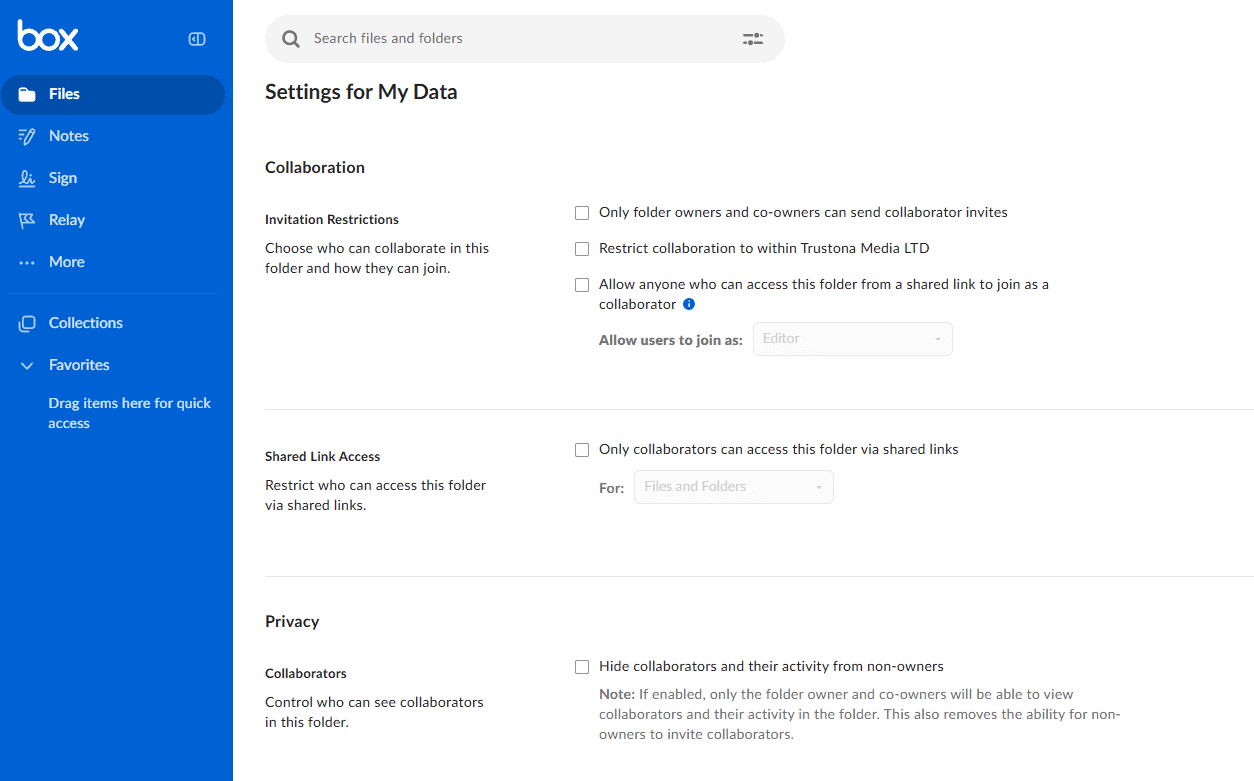
When I first booted up Box, I was astonished at the sheer number of user access and sharing options. Years later, I have yet to come across a service that matches it while also remaining easy to use.
When you invite a user to a folder, you can assign them one of seven levels of access and establish whether they can view, download, share or edit files in the folder. For added security, you can set global permissions for the folder, such as restricting it to employees or restricting sharing access.
When Should You Choose Box?
Choose Box if you need granular user permissions, compliance and high-level security and privacy. Box comes with a 10GB free plan that you can use to try it out, or you can jump right in with an unlimited storage plan starting from
2. ShareFile — Best Law Firm Cloud Solution for Client Management
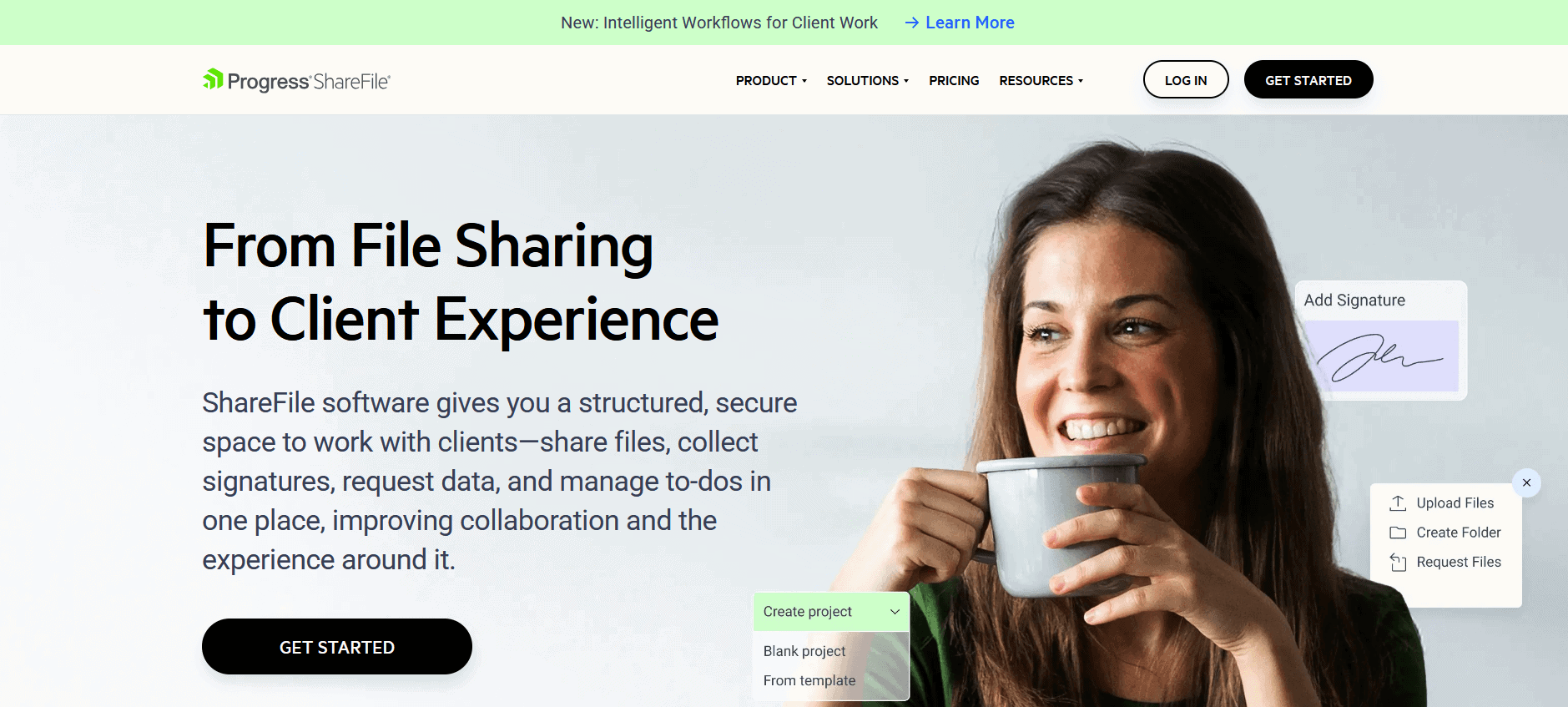
ShareFile is a document management system that’s mostly meant for finance, though it’s also excellent for legal teams. ShareFile has the most flexible file organization system on this list (unsurprising, as it is one of the best EFSS services). It lets you organize information by client, with files separated by case, and it also provides a contact book and a document hub.
What Makes ShareFile Special?
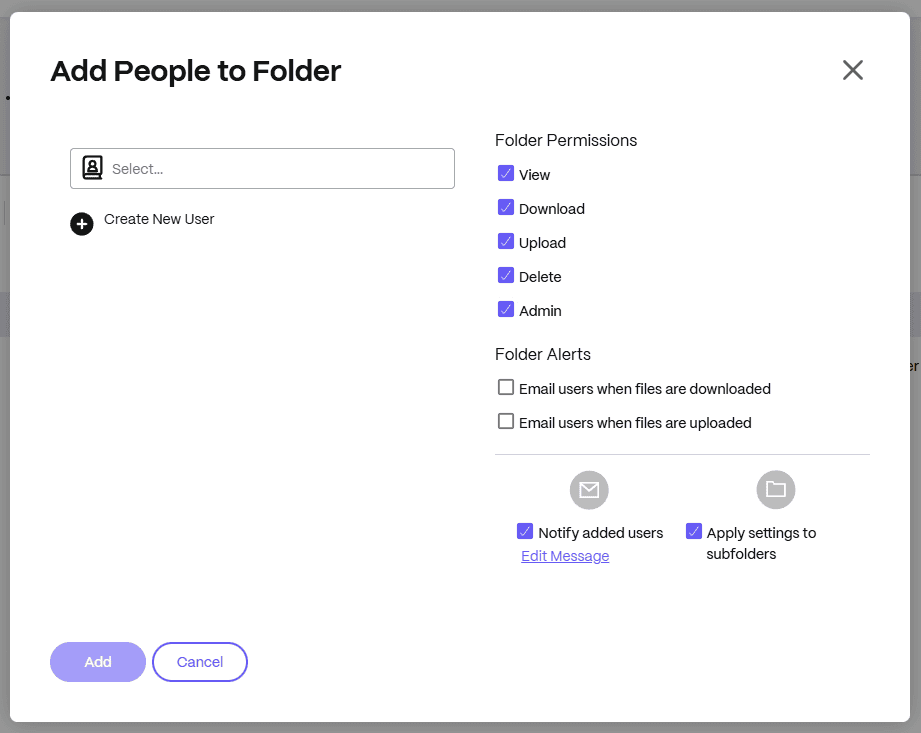
ShareFile’s standout feature is its client portal. Law firms can set up branded workspaces where clients can securely upload and download files or electronically sign documents. Thanks to ShareFile’s detailed auditing, you can receive notifications whenever someone accesses, uploads, downloads or edits a document in these spaces.
When Should You Choose ShareFile?
Choose ShareFile if you need detailed document management with custom workflows and folder presets. However, if you frequently work with large files, such as video or audio evidence, you may find its 1TB storage limit restrictive.
Plans start at $16 per user per month for 1TB of storage, or you can try it out with the 30-day free trial. Read our ShareFile review for more.
- Price is for one user; minimum 3 users; Storage depends on the number of licenses/accounts, but the plan starts at 3 TB of pooled storage, as it requires a minimum of 3 users (1 TB per user license). ;Threat detection alerts Encrypted email Feedback & approval Email plug-ins for Outlook and Google Workspace
- 3TB
- Price is for 1 user; minimum 3 users; Storage depends on the number of licenses/accounts, but the plan starts at 3 TB of pooled storage, as it requires a minimum of 3 users (1 TB per user license). All Advanced features plus: All the e-signatures you need Rapid client onboarding Document request lists HIPAA eligible SEC+FINRA eligible AI-driven secure share recommender
- 3TB
- Price is for 1 user; minimum 3 users; SStorage depends on the number of licenses/accounts, but the plan starts at 3 TB of pooled storage, as it requires a minimum of 3 users (1 TB per user license).; All Premium features plus: Pre-configured accounting workflows Integrated client onboarding Customized tax user experience Ready-to-use custom tax templates Automated engagement letters Easily import files from popular accounting programs
- 3TB
- Price is per user; minimum 5 users; Storage depends on the number of licenses/accounts, but the plan starts at 5 TB of pooled storage, as it requires a minimum of 5 users (1 TB per user license). Features include: All the e-signatures you need Click trails Visibility analytics and reporting 1 GB of account storage per license
- 5TB
3. Proton Drive — Best Cloud Storage for Privacy-Focused Law Firms
![Video thumbnail for the video: I Tested Proton Drive to See If It's as Private as It Claims [2024 REVIEW]](https://img.youtube.com/vi/XWmsFdm-VLg/maxresdefault.jpg)
Proton Drive is an excellent choice for law firms that prioritize privacy jurisdiction and long-term compliance. Based in Switzerland, Proton benefits from some of the world’s strictest data privacy laws, which is a significant advantage when handling privileged client information that may be subject to international legal scrutiny.
What Makes Proton Drive Special?
Proton Drive’s standout feature for legal teams is its 10-year file versioning on paid plans, which is exceptional for legal discovery and compliance requirements. The service also includes Proton Docs, an encrypted document editor that lets your team draft sensitive contracts and case materials collaboratively without exposing content to third parties.
In my stress tests, Proton Drive handled the workload just fine, uploading everything in alphabetical order with smooth scrolling and no hangs.
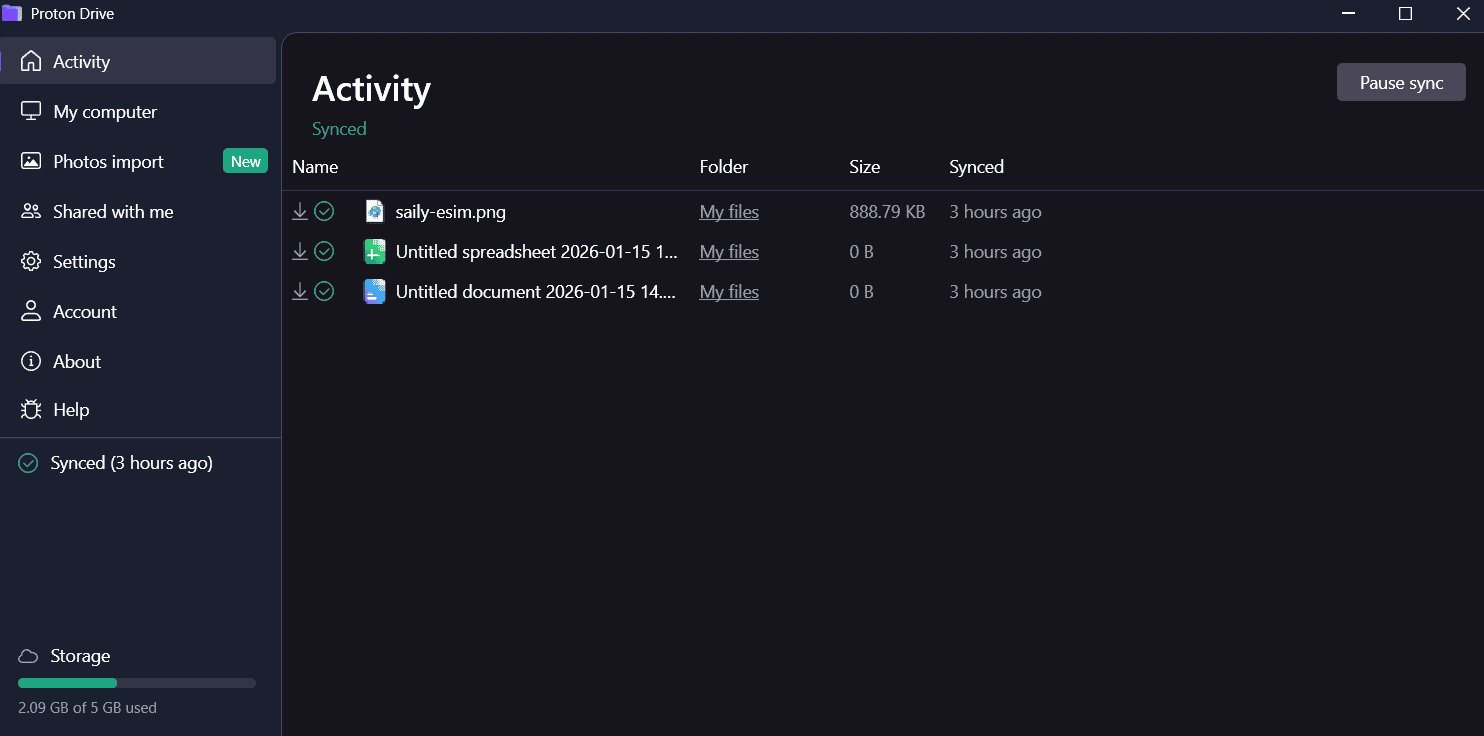
across Mac, Windows and Linux.
When Should You Choose Proton Drive?
Choose Proton Drive if your firm handles cases with international dimensions or requires strict jurisdictional privacy protections. The service is very stable and fast with low CPU usage, and its speed has improved massively since earlier versions. Plans start at just $3.99 per month for 200GB, or you can try it with the free 5GB plan. Read our Proton Drive review for more.
- 5GB
- 200GB
- 500GB
More plans
- 2TB
- 3TB
- per user
- 1TB
- per user, minimum of 2 users
- 1TB
- 1TB
4. pCloud — Best Cloud Storage for Small Law Firms

pCloud is a secure cloud provider based in Switzerland that follows strict European and Swiss data privacy laws. It allows for collaboration and document editing via OnlyOffice. The major downside is that it offers only one client-side encrypted folder. If you want to maintain compliance, you’ll need to store all client data and case files within that folder.
What Makes pCloud Special?
Like Sync.com, pCloud lets you organize users into groups for easier access and permission management. You can also view activity logs for each group separately instead of having all activity in one stream, which can ease the auditing process.
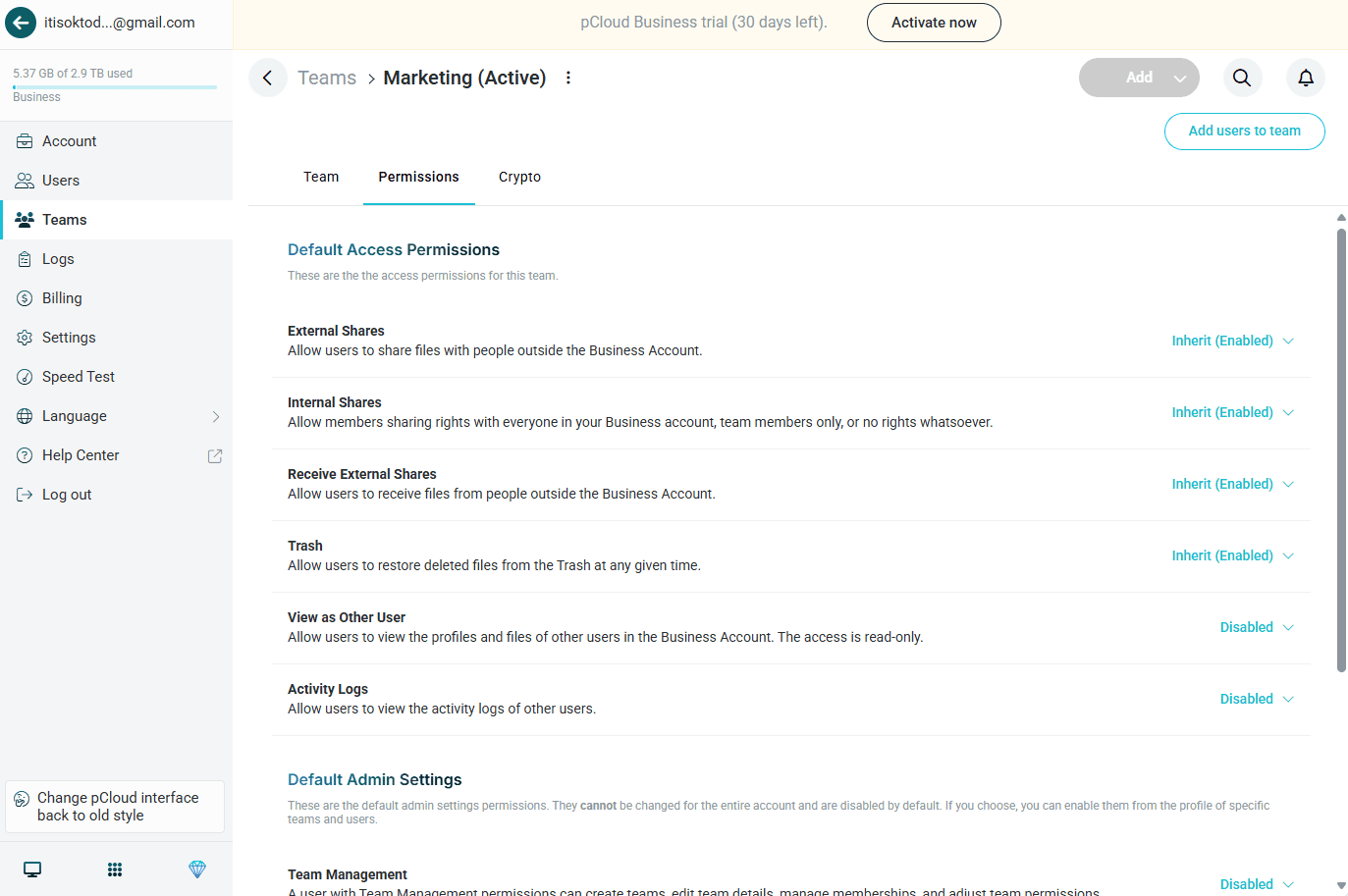
When Should You Choose pCloud?
pCloud is great if you own a small firm that doesn’t need advanced document organization. pCloud has a 10GB free plan that you can use to try it out. Business plans start at $7.99 per user per month with a yearly commitment for 1TB of cloud storage. Read our full pCloud review to learn more.
- 10GB
- 500GB
- 2TB
More plans
- 10TB
- + FREE Encryption
- 2TB
- + FREE Encryption
- 10TB
- Price per user (minimum 3)
- 1TB
- Price per user (minimum 3)
- 2TB
- Encryption for pCloud Drive
5. Internxt — Best Budget Cloud Storage for Solo Practitioners

Internxt offers one of the most affordable zero-knowledge encryption solutions on the market, making it an attractive option for solo practitioners or small firms just starting to build their cloud infrastructure. The service provides client-side encryption across your entire account, ensuring that even Internxt cannot access your files.
What Makes Internxt Special?
Internxt’s main appeal is its combination of strong encryption and budget-friendly pricing. For lawyers who need basic secure storage without the bells and whistles of enterprise solutions, Internxt delivers zero-knowledge encryption, password-protected sharing and link expiry dates at a fraction of the cost of competitors. In my sync war tests, Internxt handled file conflicts with no issues.
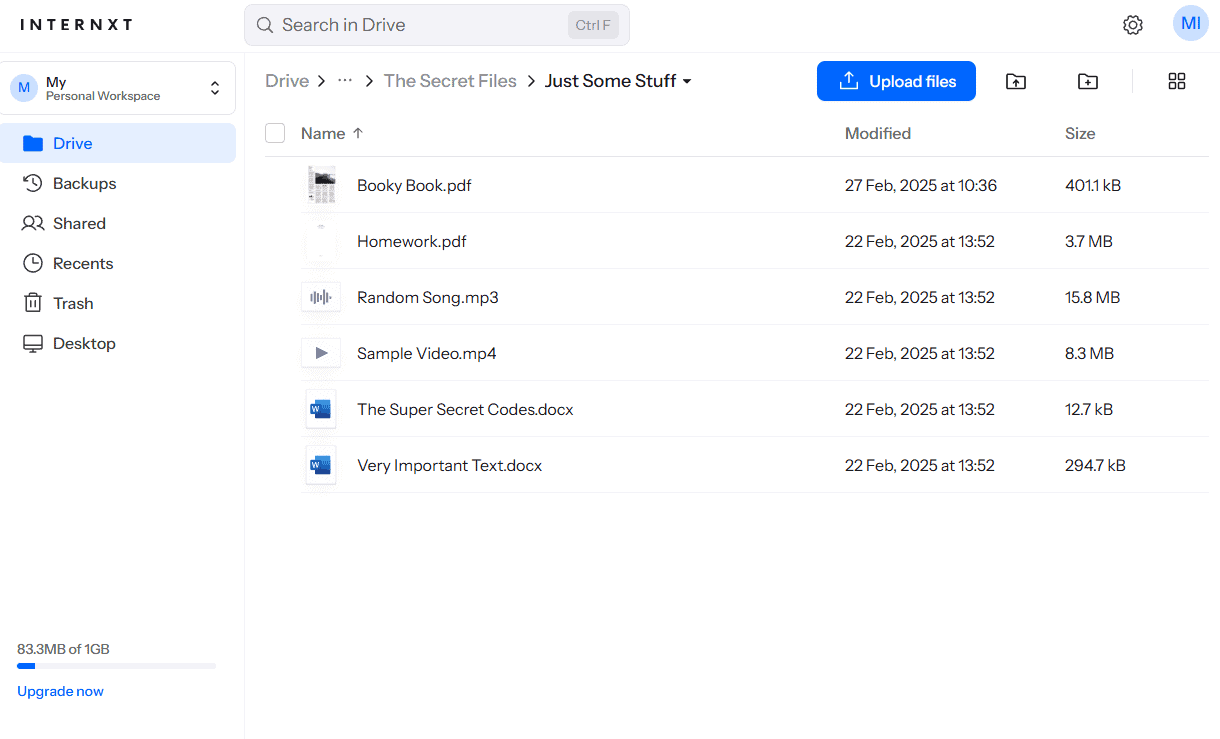
a bit with stability for heavy sync operations.
When Should You Choose Internxt?
Choose Internxt if you’re a solo practitioner or small firm that needs affordable zero-knowledge storage for client files and case documents. However, be aware that Internxt lacks file versioning. Once you overwrite a file, the previous version is gone, so it’s best suited for archival storage rather than active case collaboration.
During my testing I also noted that it can struggle with large files and zips, so if you frequently work with video evidence or large discovery archives, you may want to consider other options. Plans start at just $1.67 per month for 1TB of storage. Read our Internxt review for more.
- 1GB
- Post-quantum encryption Zero-knowledge encryption Two-factor authentication Backup your computer Password-protected file sharing Encrypted VPN Antivirus
- 1TB
- Everything in Essential plus; Cleaner Invite, share & collaborate File versioning (coming soon) Cleaner
- 3TB
More plans
- Everything in Premium plus CLI & WebDav support NAS & Rclone support Meet Mail (coming soon)
- 5TB
- Annual Price is per user
- 1TB
- Annual Price is per user
- 2TB
6. Sync.com — Best Secure Cloud-Based Storage for Lawyers

Although it’s not exactly the best for law firms, I believe that Sync.com is the best business cloud storage in general. It’s one of the most secure services and supports HIPAA compliance while also allowing you to collaborate via Microsoft Office within a client-side encrypted space.
What Makes Sync.com Special?
Sync.com’s role editor is its most important feature for law firms, as it lets you manage permissions per user or per role. You can designate permissions or access levels for an entire group simultaneously, making access management much simpler.
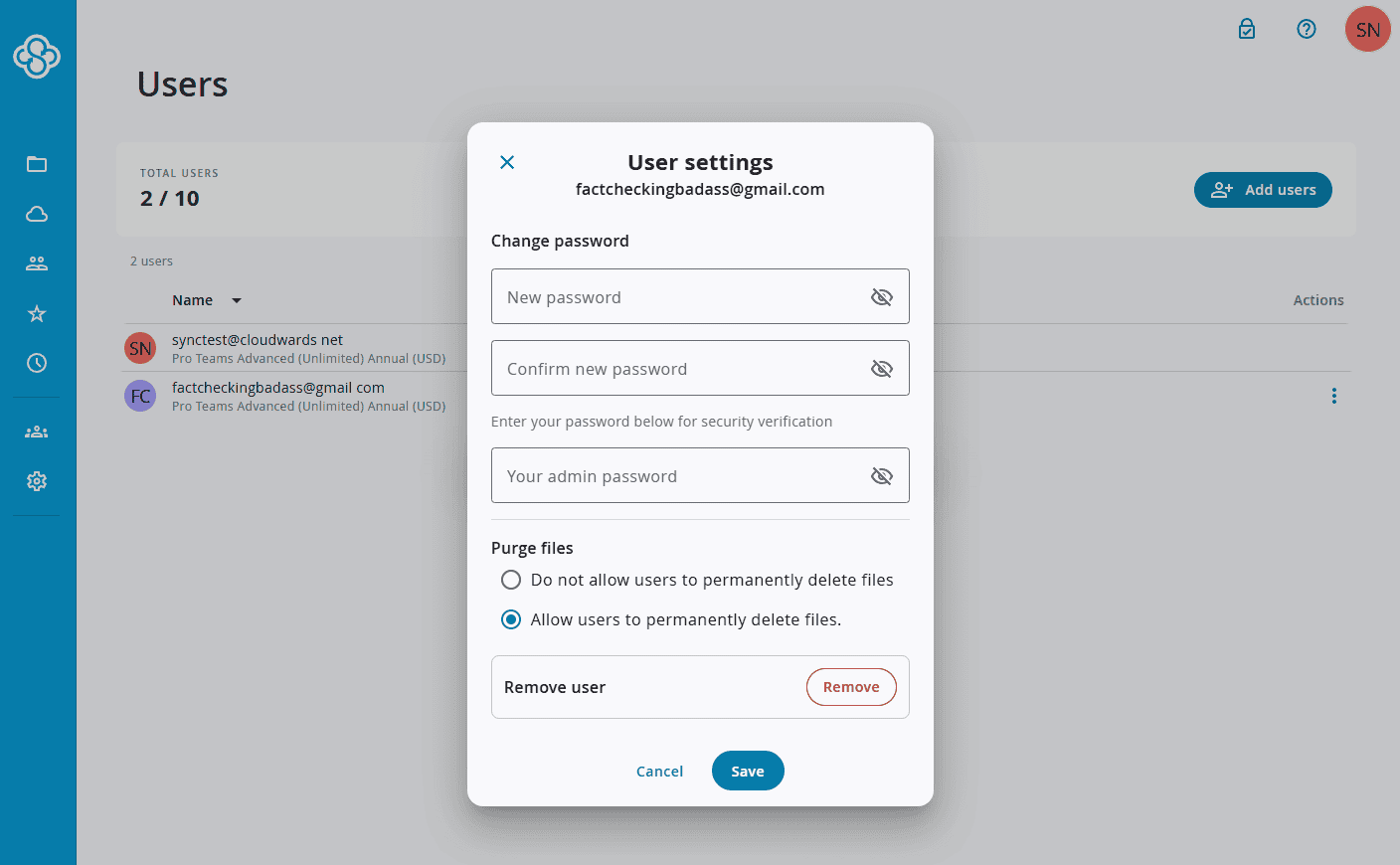
When Should You Choose Sync.com?
Opt for Sync.com if you want a simpler service that you can manage yourself without an administrator while retaining access to the necessary file-editing, user management and compliance features. Sync.com’s unlimited storage plan costs $15 per user per month. You can try the service with its 5GB free plan, or read our Sync.com review for more.
- 5GB
- 2TB
More plans
- 6TB
- per user, per month, billed annually
- 1TB
- Priced per user (3 users minimum)
- Unlimited GB
- Minimum 100 users, custom requirements, account manager, training options
7. Dropbox — Best Enterprise Cloud Storage for Attorneys
![Video thumbnail for the video: Should You Still Use Dropbox in 2024? [Updated Review]](https://img.youtube.com/vi/bwy8HZ1Uvnk/maxresdefault.jpg)
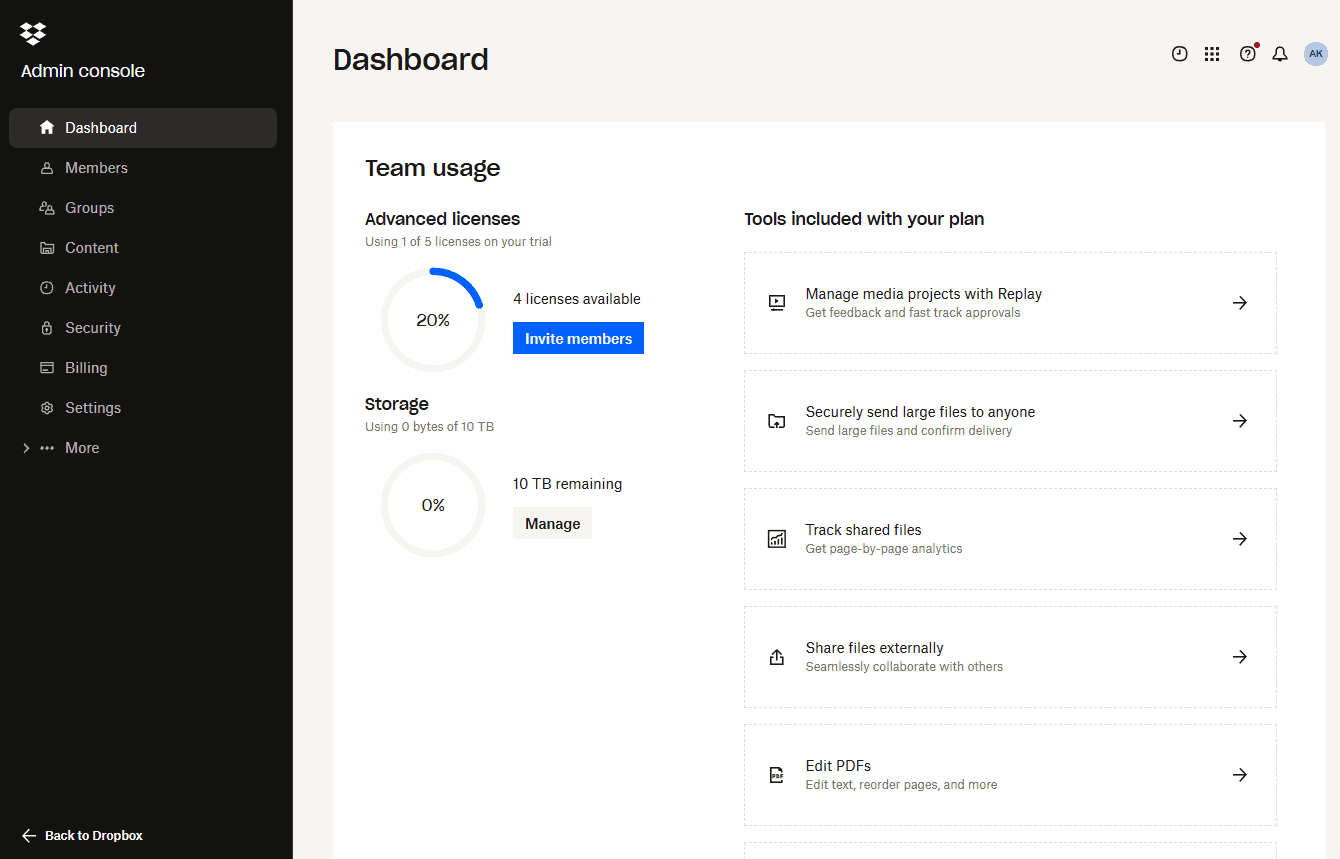
Dropbox is a user-friendly, full-feature cloud platform that integrates with Microsoft Office and Google Workspace. Robust admin controls include access controls for individual folders. You can even place legal or archival holds on user accounts, preventing the deletion of data and letting you view everything that users have created or modified.
What Makes Dropbox Special?
In addition to its proprietary apps, such as Dropbox Paper and Dropbox Sign, users have access to a vast array of add-ons. These add-ons can expand Dropbox’s functionality significantly. Be warned, though: Some require permission to read and modify your files (to provide file-editing services), which can pose a risk if the add-on isn’t trustworthy.
When Should You Choose Dropbox?
Choose Dropbox if your firm needs a reliable, easy-to-use solution. Business plans start at $15 per user per month for 5TB of storage, though you’ll need the much pricier Enterprise plan to get client-side encryption and compliance. Try Dropbox with its 2GB free plan, or read our Dropbox review for more.
- 1 user
- 2GB
- 1 user
- 2TB
- up to 6 users
- 2TB
More plans
- (Formerly Dropbox One) 1 user Signature requests and eSignature templates
- 3TB
- 3 users minimum
- 5TB
- 3 users minimum
Our Methodology: How We Tested the Best Cloud Services for Law
At Cloudwards, we have a dedicated team of software testers whose data we use in our writing. Our writers further test each service before putting pen to paper. The list below provides an overview of our testing methodology.
- Speed and performance: We upload and download a 5GB test folder twice, then average out the results. We do this once over a slower 100 Mbps connection and a faster 1 Gbps connection to see if the services perform better with faster internet speeds.
- Security and privacy: We use network-monitoring software to determine whether the services truly encrypt your files before sending them to their servers. We also confirm the location of the services’ data centers and inspect their privacy policies for any suspicious clauses.
- Features: We test each feature to check that they work as intended, including testing how the integrated document editors handle simultaneous editing and facilitate online collaboration.
- Ease of use: We spend a week using each service to get to know the systems and apps in order to determine whether they are suitable for beginners. This also gives us a solid idea of the learning curve.
- Pricing and value: We weigh all of the above against the price per user and the amount of storage provided to determine each service’s value.
Final Thoughts
The best cloud storage for lawyers is a service that can provide the necessary security and privacy while also ensuring day-to-day usability. Box is my top choice because of its document-editing and collaboration options, as well as the variety of security features it offers that ensure compliance with legal standards.
What is your top choice? Does your law firm already use cloud storage? Which service do you use, and how do you use it? Please let me know in the comments below. As always, thank you for reading.
FAQ: Best Cloud-Based Legal File Storage Solutions
Yes, law firms can use Google Drive, especially as part of a Google Workspace subscription. However, we don’t recommend storing any sensitive files there because of Google’s poor privacy.
The main benefit of cloud storage for law firms is providing remote access to important case files while maintaining security, privacy and compliance.
