5 Best Cloud Storage for Teams
Cloud storage for teams is easy to come by, but picking the best provider isn’t always as straightforward. This guide lists five top cloud storage options for teams of all sizes.



Written by Dan Ginn (Writer)
Reviewed by Valentina Bravo (Managing Editor)
Facts checked by Simona Ivanovski (Fact-Checker, Formatter)
Last Updated:
All our content is written fully by humans; we do not publish AI writing. Learn more here.
Key Takeaways: These Are the 5 Best Cloud Storage Services for Teams
- Sync.com — Secure, private and affordable cloud storage with productivity tools built for teams. Get started with the Pro Teams+ Unlimited plan for $15 per user per month for unlimited data storage.
- pCloud — A multimedia powerhouse with online backup options and 12-month version history. Get the Business 1TB plan for $7.99 per user per month.
- Proton Drive — End-to-end encrypted storage with native document collaboration, ideal for privacy-conscious teams; part of the broader Proton ecosystem including VPN and email. Try Proton Drive with 5GB free storage.
- Internxt — Secure storage with post-quantum encryption for teams handling sensitive long-term data. Besides Internxt’s 1GB free plan, Business plans start from $1 per user per month.
- Tresorit — Cloud storage for businesses that need the best security when storing and sharing files.
- OneDrive — A leading service for remote teams that helps improve communication, productivity and file management.
- Dropbox Business — Excellent work management tools and file-sharing options for smaller teams.
- Google Workspace Essentials — The best free option for teams looking to work together, share files and discuss projects.
Facts & Expert Analysis About the Best Cloud Storage for Managing Teams:
- More security: Team plans tend to offer more security options, such as remote admin controls, password enforcement and remote device wipe.
- Scalability: Team plans tend to have no user limitations and help you scale easily as your company grows.
- Pay annually: To save your team money, it’s best to pay for an annual subscription to secure a discount. You can also contact sales for a customer quote if you intend to bring more users.
Our remote working world demands cloud storage tools that allow us to share files, produce work and communicate with our team members. To ease the decision-making burden, I pulled from my years writing as a Cloudwards cloud storage expert and tested a bunch of options, with the goal of sharing the best cloud storage for teams with various needs.
Several of the best cloud storage services offer dedicated plans for teams. They allow you to add multiple users, share cloud storage space and use built-in tools that let you produce work and leave feedback. Although the options are plentiful, I’ve narrowed down my selection to five of the best. I’ll throw in a couple of honorable mentions as well.
-
06/25/2022 Facts checked
Updated Sync.com’s plans and pricing information.
-
09/24/2023 Facts checked
This article was rewritten to provide an updated list with current features and prices.
-
08/31/2024 Facts checked
Added video reviews for cloud storage providers in the list.
-
05/27/2025 Facts checked
We updated this guide’s rankings to reflect recent provider testing results.
-
08/31/2025 Facts checked
I rewrote this article to reflect a new selection of services and their latest features for team cloud storage.
-
07/09/2026 Facts checked
We added Tresorit as an extra cloud storage option in the fifth spot.
Cloudwards’ Choice: Sync.com
 Cloudwards’ Choice: Sync.com
Sync.com speaks to me for two reasons: It prioritizes privacy above all else, and it offers integration with third-party apps like Microsoft Office. This means sensitive professional files are truly private, and my team and I can create and collaborate on documents. Its team plans are also among the more affordable options, so it’s a great cloud storage solution all around.
How Do You Choose the Best Shared Cloud Storage for Teams?
While instinct may push you to go for the very best, you must remember that the best isn’t the same for everyone. Sure, Sync.com ticks many of my boxes, but some teams may find its slow speeds frustrating and prefer to opt for a faster alternative like pCloud. You must also consider your budget, the productivity tools you want and how much privacy you need.
To see how the built-in software of these providers compares to dedicated office suites, take a look at our productivity suite comparisons.
10,000+ Trust Our Free Cloud Storage Tips. Join Today!

- Demystify cloud storage terminology and key concepts in plain language
- Discover easy-to-implement techniques to securely backup and sync your data across devices
- Learn money-saving strategies to optimize your cloud storage costs and usage
The best way to choose the right option for you is to give a few solutions a try. You can grasp what a platform is like by using its free plan or by making the most of any free trials that are available. Real-world use gives you an idea of whether it suits your workflow and whether other team members enjoy using a certain platform.
The 7 Best Reliable Cloud Storage Services for Corporate Teams Compared
| Service: | Free Storage | Best Teams Price | Server Locations | Client-Side Encryption | Online Collaboration | Advanced Sharing | Security |
|---|---|---|---|---|---|---|---|
 | 5GB | Pro Teams+ Unlimited: $15 for Unlimited GB | Canada | | Microsoft Office | | AES-256, TLS/SSL |
 | 10GB | Business 1TB: $7.99 per month (one-year plan) for 1TB per user | EU, U.S. | * | No | | AES-256, TLS/SSL |
 | 5GB | Proton Professional: $7.99 per month (one-year plan) for 1TB | Switzerland, Germany | | Proton Docs & Sheets | | AES-256, TLS/SSL |
 | 1GB | Business Standard: $1 per month (one-year plan) for 1TB | Spain (EU) | | Limited (sharing only) | | AES-256 + Kyber-512, TLS/SSL |
 | 3GB | Tresorit Business: $19 per month (one-year plan) for 1TB | Brazil, Canada, EU, Singapore, Switzerland, U.A.E, U.K., U.S | Limited (sharing only) | AES-256, TLS/SSL | ||
 | 5GB | Microsoft 365 Business Basic: $6 per month (one-year plan) for 1TB per user | Asia, Europe, Australia, North America | | Microsoft Office & Microsoft 365 apps | | AES-256 |
 | 2GB | Dropbox Business: $15 per month (one-year plan) for 5TB per user | EU, U.S., U.K., Japan, Australia | | Dropbox Paper, Google & Microsoft integrations | | AES-256, TLS/SSL |
 | 15GB | Essentials: Free | Asia, Europe, Australia, Middle East, North America, South America | | Google Workspace | | AES-256, TLS |
Methodology: How Did I Test the Best Team Cloud Storage?
To help you better understand how I arrived at my selection of the best cloud storage for teams, below is a list of criteria I look out for when testing software.
- Sync and share: I test how quickly each service syncs files so teams can access them on different devices, and determine how easy it is to share files with other team members.
- Security and privacy: During my testing, I look for key security features, such as password protection, remote administration controls and user permissions, to ensure services help teams keep files accessible only to specific teams and members.
- Speeds: At Cloudwards, we work with a testing team in Dublin to run detailed speed tests with the goal of identifying how quickly a service can upload and download files. We do this using a 5GB folder containing multiple files of different media and run tests on both a 100 Mbps and a 1 Gbps connection.
- User experience: I spend a considerable amount of time testing navigation, day-to-day performance and ease of use to ensure that any service I recommend is suitable for all experience levels.
- Cost: I check that the price of each service I recommend is either in line with current market value or offering even better value for money than most of the competition.
1. Sync.com — Best Cloud Storage for Teams

Sync.com is perfect for single teams or for managing multiple teams. You can separate content by department and set access permissions for each one. It’s also possible to set individual user permissions, allowing users to view content or even edit it if they have the authority to do so.
The platform also integrates with plenty of other work-based apps, like Slack, Microsoft Office and Adobe Creative Cloud, making it suitable for a range of business types. It also supports a variety of file types, from images and videos to documents and PDFs.
Sync.com Hands-On Testing
I’m a big believer that software should inspire users, especially in the working world. Sync.com manages that with its bright, minimal design and calming blue tones. However, I’ve fallen for pretty faces before and know that functionality is equally important. I tested the service and found creating folders, managing access and opening tools to be straightforward.
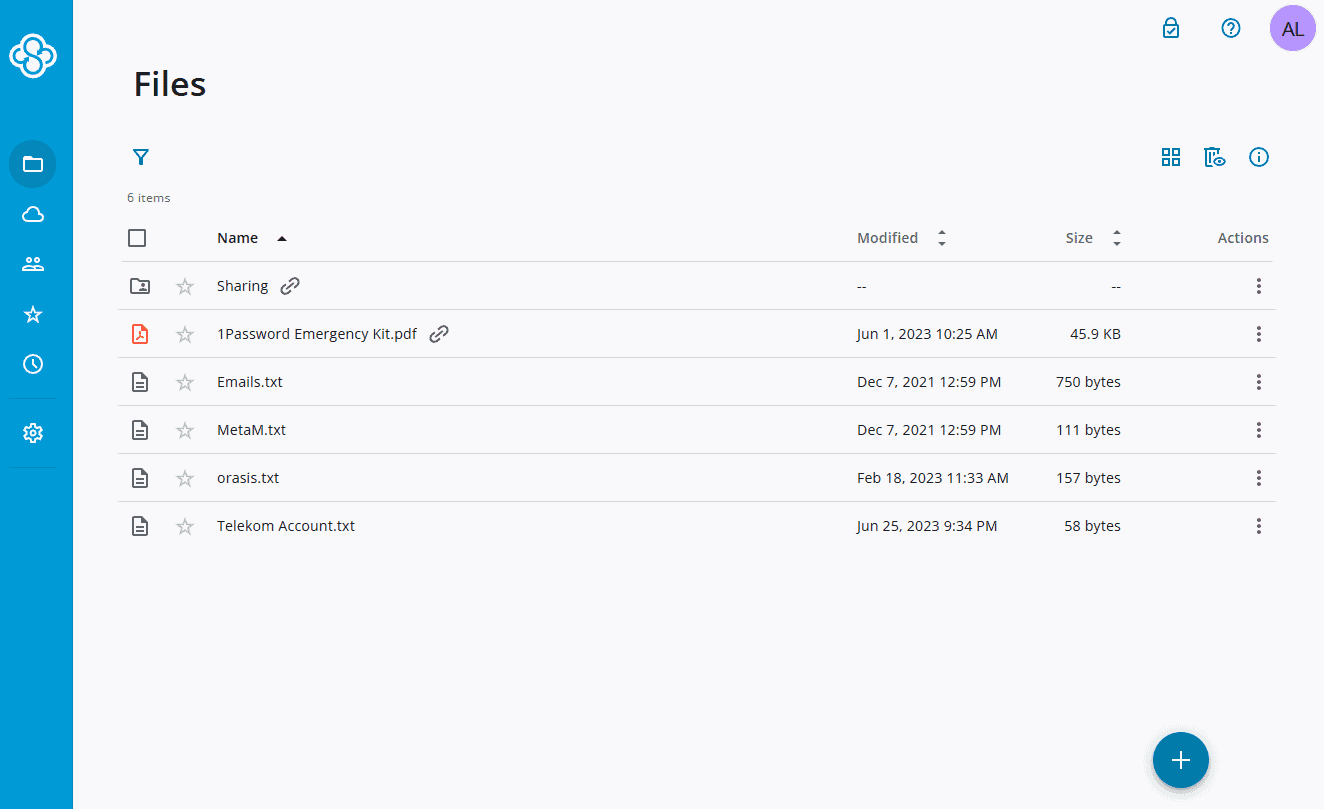
The Microsoft 365 apps look and feel like they would if you were using them directly through Microsoft. Having the option to leave comments eliminates the need to jump on calls. In addition, my colleagues and I were able to work on a joint project at the same time, which was great for fluidity and hitting deadlines.
Notes From the Lab: Sync.com Speed Test Results (5GB Folder)
| 1st Attempt* | 2nd Attempt* | Average* | Average** |
|---|---|---|---|---|
| Upload | 0:09:43 | 0:09:51 | 0:09:47 | 0:09:36 |
| Download | 0:11:48 | 0:12:04 | 0:11:56 | 0:10:56 |
**1 Gbps
Some business users may veer away from Sync.com due to its slow speeds. It is getting quicker, but it’s still off pace in comparison to other options, especially for downloads. The speeds aren’t very stable either. In more positive news, it does show low to medium CPU usage.
Notes From the Lab: Sync.com Security Analysis
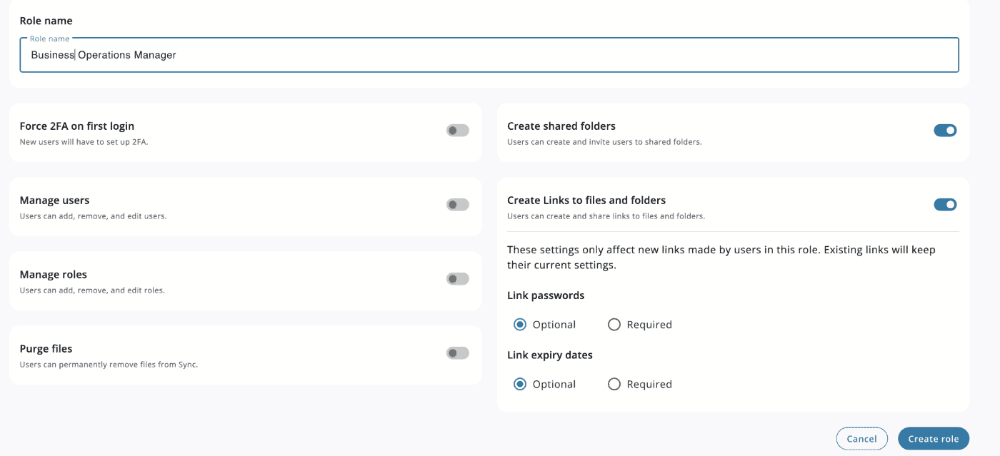
Sync.com’s standard security measures are robust. Plus, the option to password-protect files and folders allows you to create a private and secure infrastructure within your team. It also has client-side encryption for all plans.
| Encryption Type | Encryption Protocols |
|---|---|
| At rest | AES 256-bit |
| In transit | TLS/SSL |
What Is Sync.com’s Pricing & Value?
With the range of features offered alongside the most secure team controls in cloud storage, you’d be forgiven for thinking it costs an arm and a leg. It doesn’t. In fact, Sync.com remains one of the most affordable options for working, with the Teams entry point starting at $6 for 1TB per user per month.
However, for me, the Pro Teams+ Unlimited plan is the best deal. You get unlimited storage space and it only costs $15 per user per month on annual billing. Check out our Sync.com review for more details.
- 2TB
- per user, per month, billed annually
- 1TB
- Priced per user (3 users minimum)
- Unlimited GB
2. pCloud — Best Cloud Storage for Multimedia Teams

If your team is creating image and video content, then pCloud is the ideal solution. Firstly, there are no file size limitations on uploads, and its video playback is among the best. You can leave comments on videos for feedback and view them in high resolution. The native media player also works great on mobile and allows you to watch videos in full resolution.
pCloud is lacking in productivity tools, though. For example, there’s no option to integrate with Microsoft Word or Google Docs. However, its security features include access controls for both individual users and teams. You can get up to 12 months of file versioning as well, which lets you jump back to an older iteration of a file from within the previous year.
pCloud Hands-On Testing
Logging in to a team plan is identical to doing so on a standard personal plan. Your files and folders take center stage, and you can view them in either grid or list view. The file upload and folder creation process is clear — just click the unmissable “add” tab. Other features are hidden in the left-hand menu, but you’ll find them by clicking around.
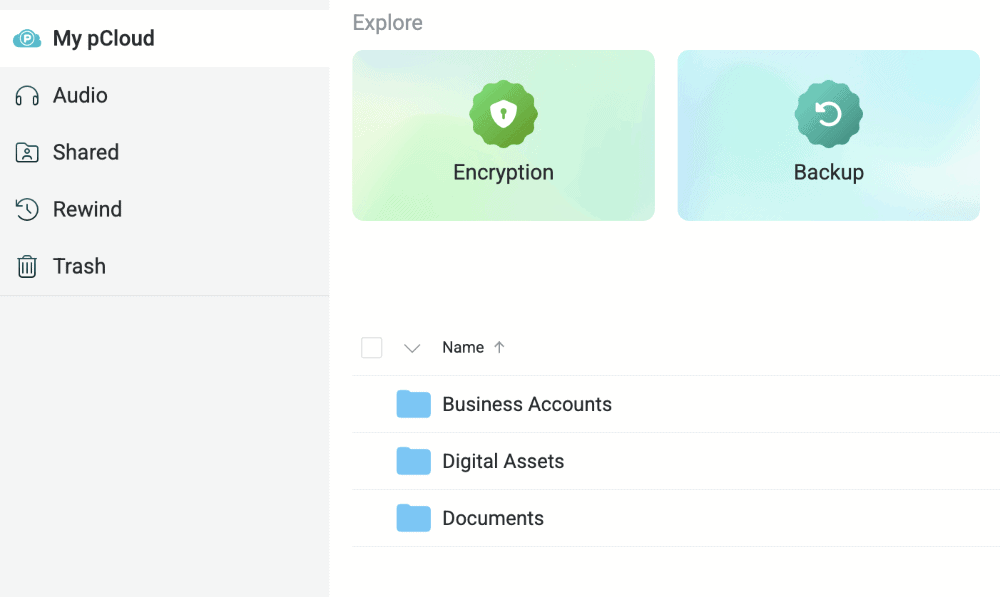
It’s not immediately obvious where specific features for teams live, but if you click on your logo in the top left it all becomes apparent. I was able to add new users to specific folders and control user permissions in the “teams” tab. No task took more than a few clicks, and setting up the team was very straightforward.
Notes From the Lab: pCloud Speed Test Results (5GB Folder)
| 1st Attempt* | 2nd Attempt* | Average* | Average** |
|---|---|---|---|---|
| Upload | 0:07:02 | 0:07:10 | 0:07:06 | 0:02:06 |
| Download | 0:06:50 | 0:06:53 | 0:06:52 | 0:02:33 |
**1 Gbps
pCloud is doing fantastic in the speed department, especially on downloads and on a 1 Gbps connection. Speeds are not always stable, but with these impressive results, it shouldn’t matter. CPU usage is midrange. For more speed demons, check out our selection of the fastest cloud storage services.
Notes From the Lab: pCloud Security Analysis
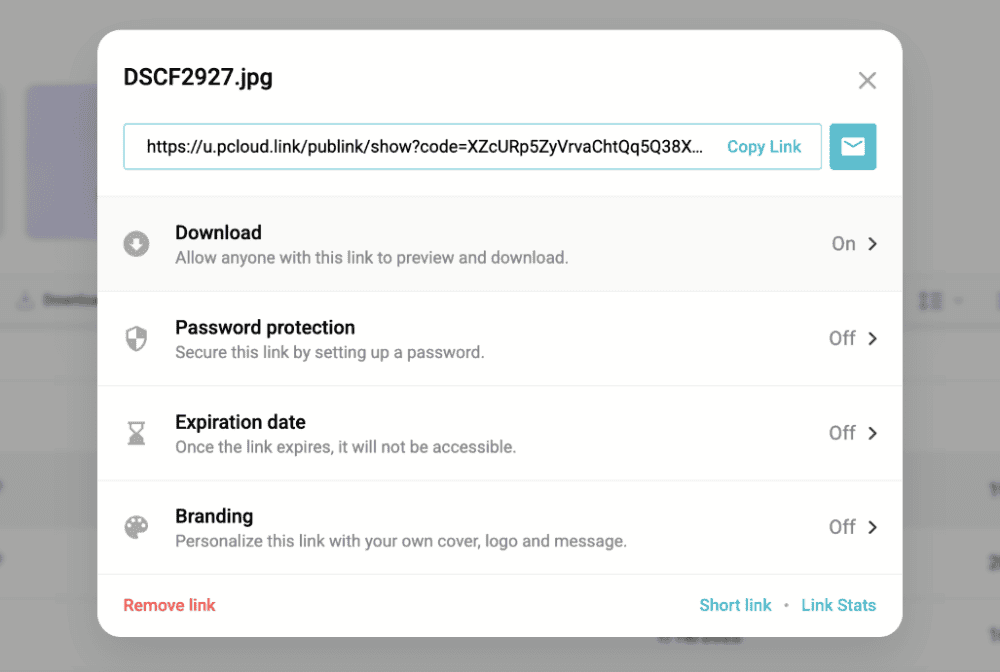
pCloud uses up-to-date encryption methods to keep data safe. Users can also implement two-factor authentication (2FA) for account access, password-protect files and set download limits. Business plans have client-side encryption.
| Encryption Type | Encryption Protocols |
|---|---|
| At rest | AES 256-bit |
| In transit | TLS/SSL |
What Is pCloud’s Pricing & Value?
Compared to Sync.com, pCloud has a higher cost per terabyte for business users. pCloud Business users get 1TB of storage space for $7.99 per user per month on annual billing. This is going to be more than enough for most users, though there’s also a 2TB Business option, too. Take a look at our pCloud review to learn more.
- 10GB
- 500GB
- 2TB
More plans
- 10TB
- + FREE Encryption
- 2TB
- + FREE Encryption
- 10TB
- Price per user (minimum 3)
- 1TB
- Price per user (minimum 3)
- 2TB
- Encryption for pCloud Drive
3. Proton Drive — Best Cloud Storage for Privacy-Focused Teams
![Video thumbnail for the video: I Tested Proton Drive to See If It's as Private as It Claims [2024 REVIEW]](https://img.youtube.com/vi/XWmsFdm-VLg/maxresdefault.jpg)
Teams prioritizing privacy will appreciate Proton Drive’s comprehensive approach to security. Unlike services that offer encryption as an add-on, Proton Drive encrypts all files end-to-end by default, meaning even Proton cannot access your team’s data. This makes it ideal for organizations handling sensitive information or anyone who places a premium on privacy.
Proton Drive includes productivity tools with Proton Docs and Proton Sheets, allowing teams to collaborate on documents without sacrificing privacy. These apps are more basic than Google Workspace or Microsoft Office, but they do support real-time collaboration with comments and suggested edits — all while maintaining zero-knowledge encryption.
Proton Drive Hands-On Testing
The web interface is polished and visually modern, with multiple color themes to choose from — a nice touch for teams wanting a personalized workspace. Setting up shared folders and inviting team members is straightforward, with permission options for editors and viewers.
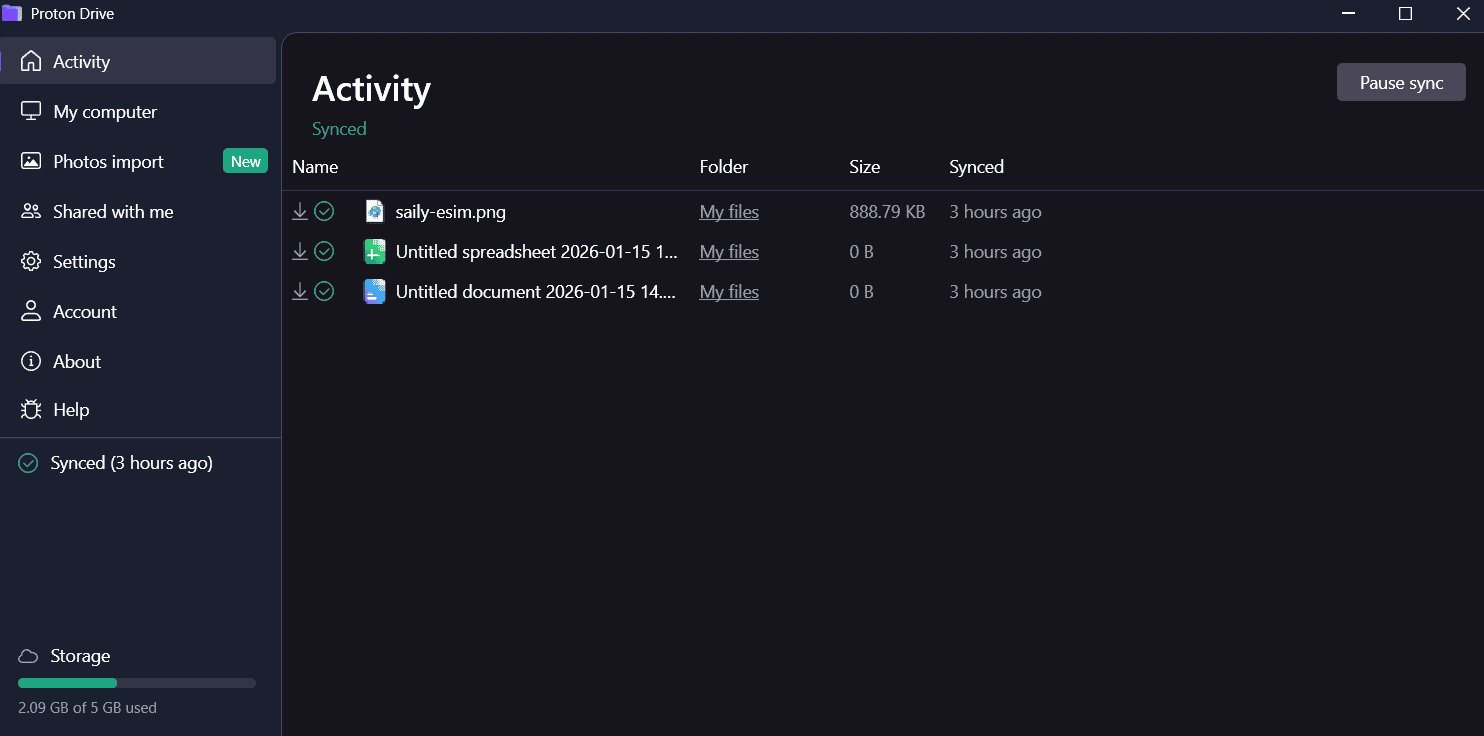
account in a simple and clean interface.
Notes From the Lab: Proton Drive Speed Test Results (5GB Folder)
During our most recent cloud storage speed testing, Proton Drive delivered very stable and fast performance with low CPU usage. The service maintained consistent speeds throughout uploads and downloads, handling our 5GB test folder efficiently.
In no-throttle testing, upload speeds averaged 25MB/s, peaking at 33MB/s, with only minor dips to 20MB/s on larger files.
| 1st Attempt* | 2nd Attempt* | Average* | Average** |
|---|---|---|---|---|
| Upload | 0:07:17 | 0:07:13 | 0:07:15 | 0:03:20 |
| Download | 0:07:06 | 0:07:16 | 0:07:11 | 0:03:48 |
**1 Gbps
The stable performance and low CPU usage make Proton Drive suitable for teams that need reliable syncing without impacting system resources.
Notes From the Lab: Proton Drive Security Analysis
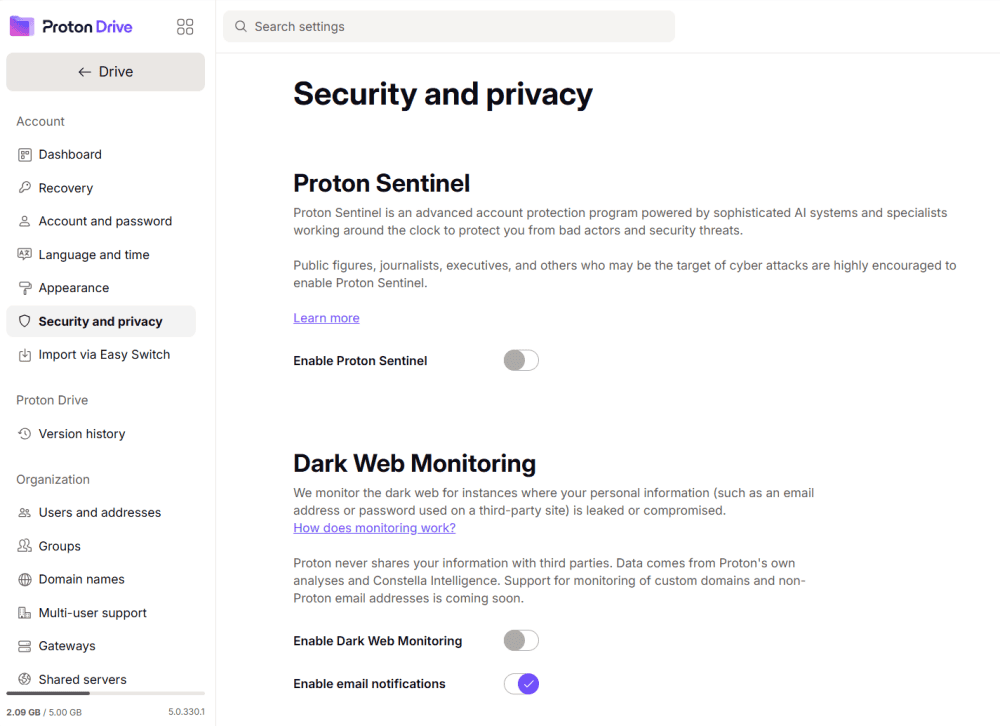
Proton Drive uses AES-256 encryption with zero-knowledge architecture, meaning your files are encrypted before they leave your device. The service is headquartered in Switzerland and stores data in Swiss and German data centers, benefiting from strong European privacy laws.
| Encryption Type | Encryption Protocols |
|---|---|
| At rest | AES 256-bit |
| In transit | TLS/SSL |
What Is Proton Drive’s Pricing & Value?
Proton’s business plans bundle cloud storage with its VPN, email and password manager, offering solid value for teams wanting a complete privacy-focused toolkit. Individual plans start affordably, though storage amounts are lower than those of its competitors at similar price points. Check out our Proton Drive review for more details.
- 5GB
- 200GB
- 500GB
More plans
- 2TB
- 3TB
- per user
- 1TB
- per user, minimum of 2 users
- 1TB
- 1TB
4. Internxt — Best Cloud Storage for Future-Proof Security

Internxt is a security-forward cloud storage option, being one of the first to implement post-quantum encryption. This means your team’s data is protected not only against current threats but also against future quantum computing attacks — an important consideration for organizations with long-term data retention requirements.
The service uses zero-knowledge encryption and decentralized storage, where files are broken into chunks and spread across multiple locations. For teams in regulated industries or those handling particularly sensitive data, this architecture provides an additional layer of protection.
Internxt Hands-On Testing
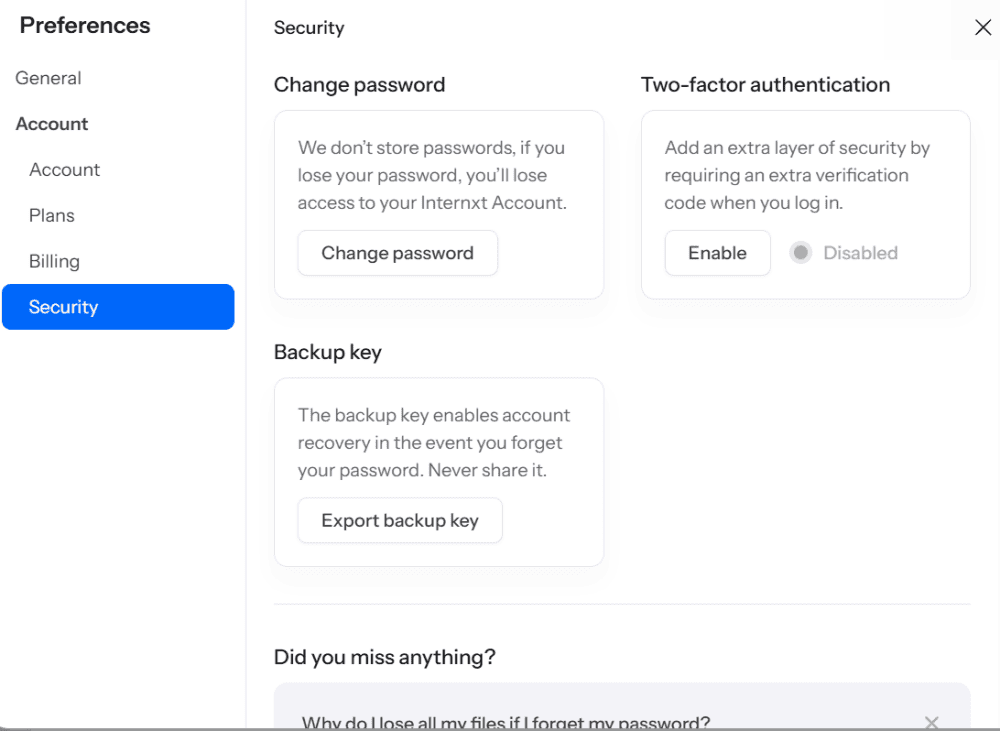
The interface is clean and minimalist, though some may find it too sparse on features. Basic file management — uploading, organizing into folders and sharing via links — works smoothly. You can share folders with team members and set viewer or editor permissions. However, editor permissions are limited to uploading, downloading and renaming rather than true document collaboration.
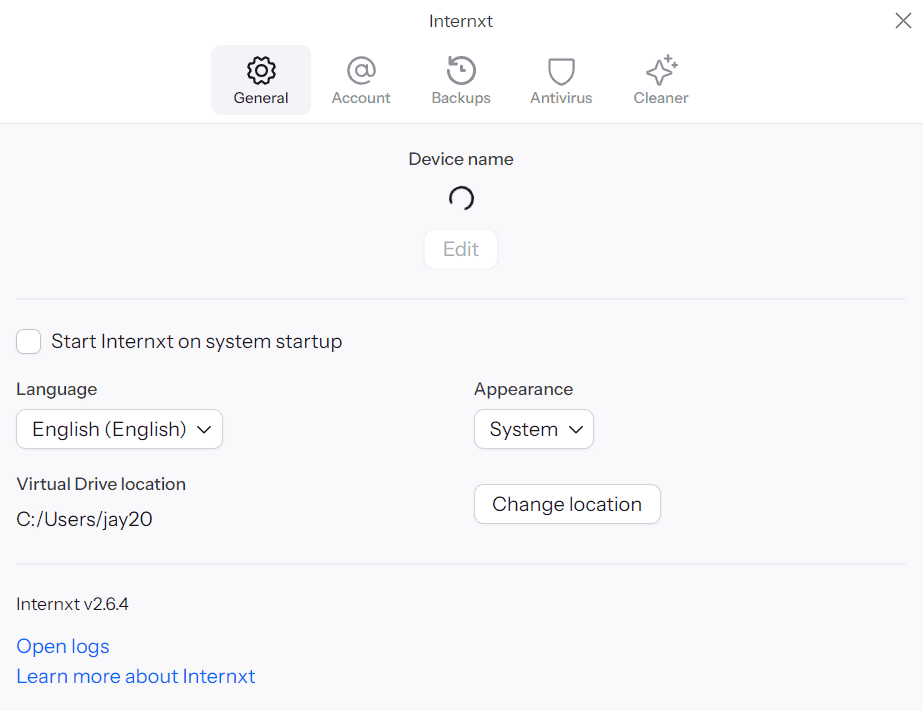
controls and some nice additions like antivirus and cleaner.
Notes From the Lab: Internxt Speed Test Results (5GB Folder)
Our most recent speed testing revealed some stability concerns that teams should consider. While the service handles standard uploads well, it struggles with large files and ZIP archives, with speeds dropping below 5MB/s during these transfers accompanied by mid-range CPU usage.
In no-throttle testing, upload speeds peaked at only 13MB/s very briefly, while downloads averaged 26MB/s with peaks around 37MB/s.
| 1st Attempt* | 2nd Attempt* | Average* | Average** |
|---|---|---|---|---|
| Upload | 0:07:57 | 0:08:05 | 0:08:01 | 0:07:48 |
| Download | 0:09:26 | 0:09:30 | 0:09:28 | 0:09:27 |
**1 Gbps
These speeds are acceptable for document-only teams but may frustrate those regularly transferring large media files or compressed archives.
Notes From the Lab: Internxt Security Analysis
Internxt’s security credentials are impressive on paper, with AES-256 encryption enhanced by Kyber-512 key encapsulation for post-quantum protection. All data is encrypted client-side before upload.
| Encryption Type | Encryption Protocols |
|---|---|
| At rest | AES 256-bit + Kyber-512 |
| In transit | TLS/SSL |
What Is Internxt’s Pricing & Value?
Internxt offers competitive pricing for business users, with plans starting at 1GB per user per month for 1TB on annual billing — making it one of the most affordable options for teams prioritizing security over collaboration features. Learn more in our Internxt review.
- 1GB
- Post-quantum encryption Zero-knowledge encryption Two-factor authentication Backup your computer Password-protected file sharing Encrypted VPN Antivirus
- 1TB
- Everything in Essential plus; Cleaner Invite, share & collaborate File versioning (coming soon) Cleaner
- 3TB
More plans
- Everything in Premium plus CLI & WebDav support NAS & Rclone support Meet Mail (coming soon)
- 5TB
- Annual Price is per user
- 1TB
- Annual Price is per user
- 2TB
5. Tresorit — Best Secure Cloud Storage for Legal Professionals

Tresorit is one of the most secure cloud storage services, offering zero-knowledge encryption, Swiss data centers, GDPR and HIPAA compliance, and secure file sharing. It’s not just a secure cloud storage service, though, Tresorit is also fast and easy to use.
This combination of high security and usability makes it perfect for less tech-savvy users who need to keep their client’s data secure. I especially like the inclusion of both eSign and SwissSign capabilities, which make Tresorit ideal for signing legal documents over the internet.
Tresorit Hands-On Testing
Tresorit’s interface is intuitive and easy on the eyes. It has web, desktop and mobile apps, so you can access files from all of your devices. You can set up automatic uploads from certain folders or third-party software, plus you can replace the Tresorit logo with your own company’s branding.
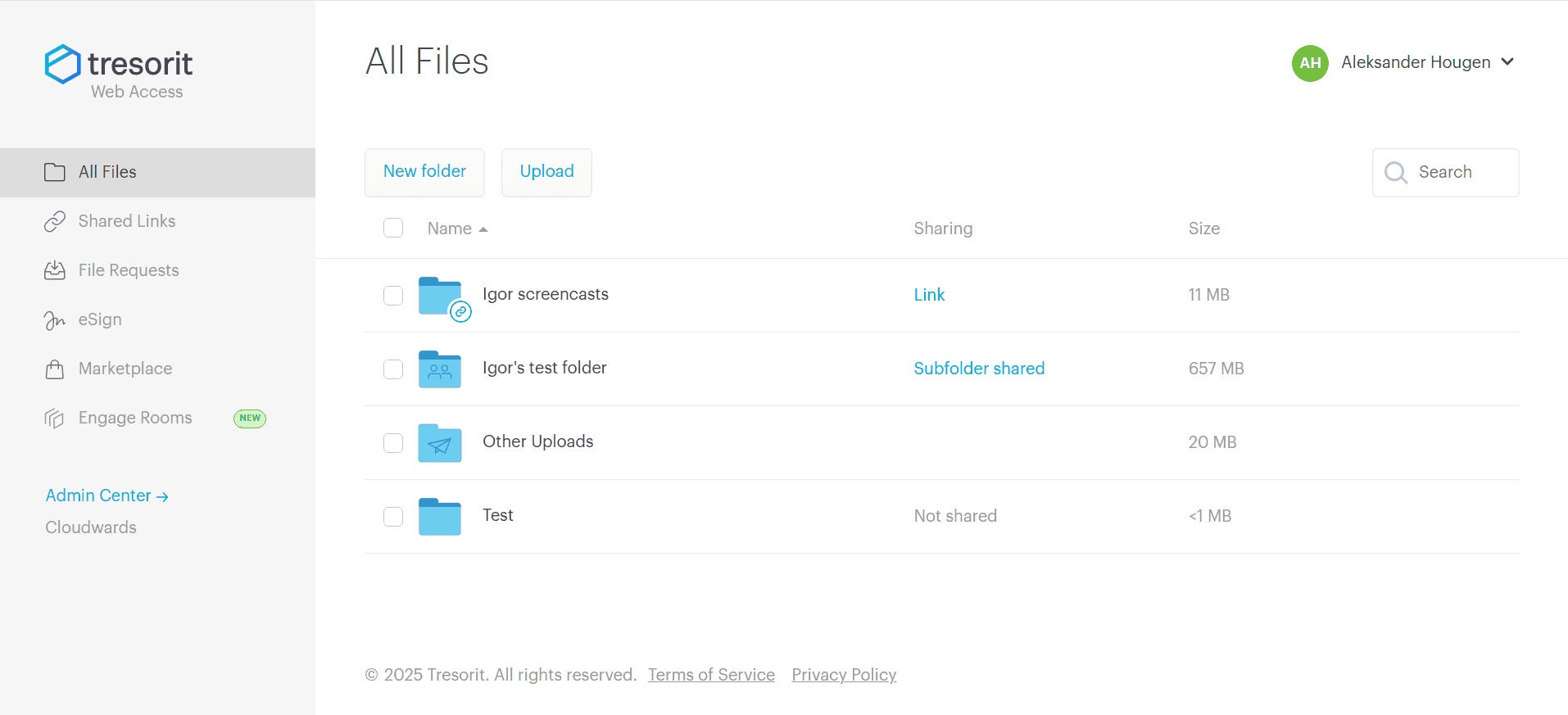
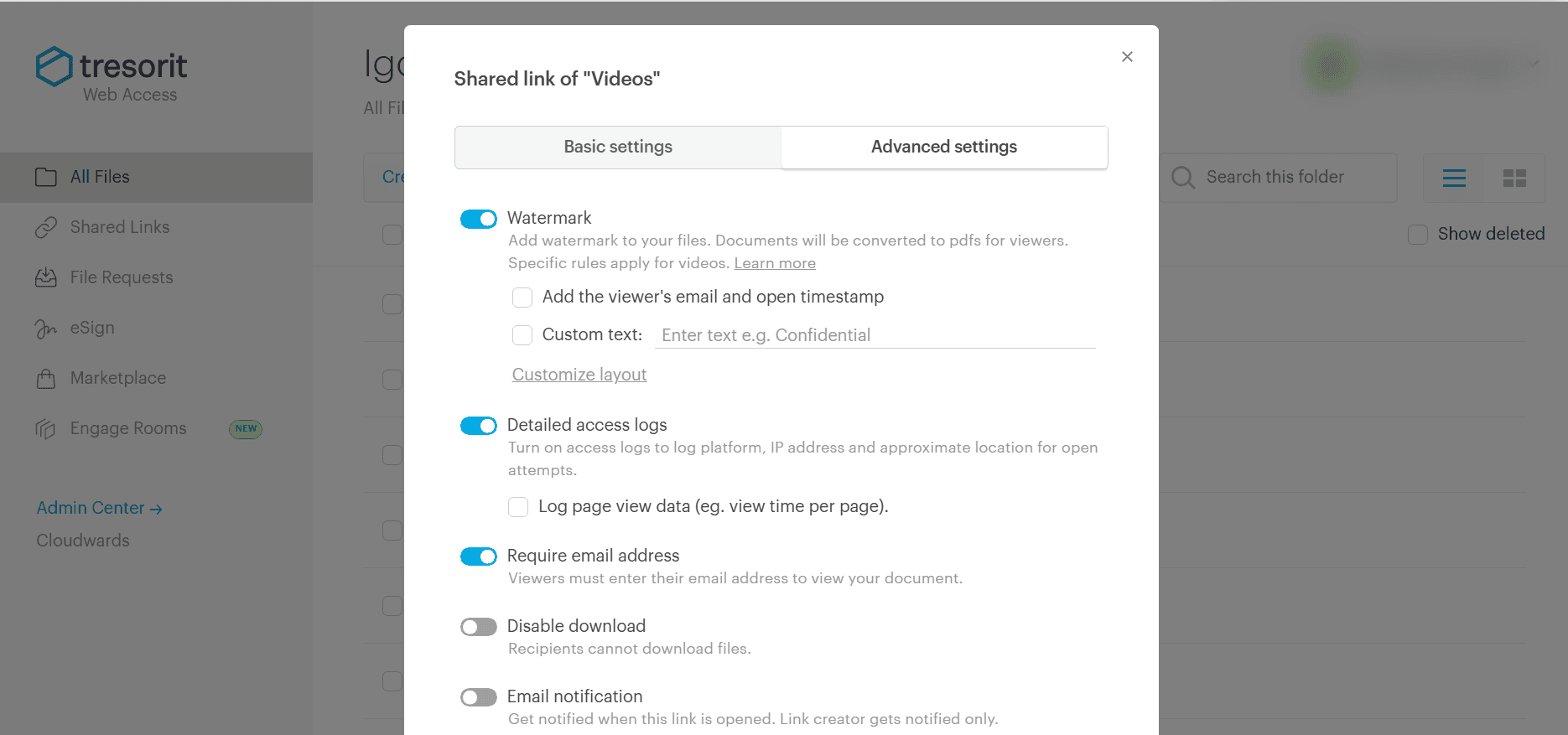
Users with a business plan can access the admin center, which gives plenty of control over the connected users, linked devices and storage space. Tresorit also has granular file sharing options, which I found easy to set up and manage. You can even ban file downloads completely, so the recipient can only read the file while it’s online.
Notes From the Lab: Tresorit Speed Test Results (5GB Folder)
| 1st Attempt* | 2nd Attempt* | Average* | Average** |
|---|---|---|---|---|
| Upload | 0:07:46 | 0:07:44 | 0:07:45 | 0:07:05 |
| Download | 0:07:44 | 0:07:48 | 0:07:46 | 0:02:54 |
**1 Gbps
Tresorit’s speeds are impressive. It may not be the fastest service on this list, but it’s certainly fast enough that you won’t be sitting around wasting time waiting for files to sync.
Notes From the Lab: Tresorit Security Analysis
All Tresorit accounts are protected with zero-knowledge security. It offers 2FA and monitors failed login attempts, so you can see if an unauthorized device is trying to access your account.
Tresorit has data centers all around the world, but Business users can select where their data is stored. This means you can choose a country with good privacy laws, like Switzerland, to take advantage of that legal protection.
| Encryption Type | Encryption Protocols |
|---|---|
| At rest | AES 256-bit |
| In transit | TLS/SSL |
What Is Tresorit’s Pricing & Value?
One of Tresorit’s major downsides is its price. The 1TB Business plan costs $19 per user per month. This is expensive, but it offers a lot for this price, which makes it ideal for businesses where security is non-negotiable. You can read our Tresorit review for more details.
- 50GB
- Price per user (billed annually), Storage per user, User count: 3+
- 1TB
- 3+ room managers, 15 contributors, unlimited viewers, unlimited data rooms, 15GB max file size & more.
- 6TB
More plans
- 500MB file-size limit, Maximum 2 devices
- 3GB
- Price per user (billed annually), Storage per user, User count : 1
- 2TB
- 1TB
- 4TB
- 1 room manager, 5 contributors, unlimited viewers, unlimited data rooms, 10GB max file size & more.
- 4TB
- Custom room managers and contributors, unlimited viewers, unlimited data rooms, custom storage, 20GB max file size & more.
- Price per user (billed annually), Storage per user, User count : 50+
6. OneDrive — Best Cloud Storage for Remote Teams

When it comes to cloud storage apps for remote teams, few are better than OneDrive. It includes productivity tools like Office 365 and has seamless integration with communications tools such as Microsoft Teams. You can create documents and spreadsheets in OneDrive, and they’ll automatically save to your account.
One aspect I think is especially valuable for remote teams is the round-the-clock support OneDrive offers, even on the entry-level plan. If there’s a technical problem with your account, you can resolve it pretty quickly no matter where you are in the world and ensure your organization has no issues with productivity.
OneDrive Hands-On Testing
OneDrive has made a lot of improvements over the years. What was once an overcrowded interface is now a modern, clean and simplified space. Tasks like setting up a document or uploading files and folders are self-explanatory thanks to the four options in the menu at the top of the screen. I also like that recent uploads are easily accessible in the left-hand menu.
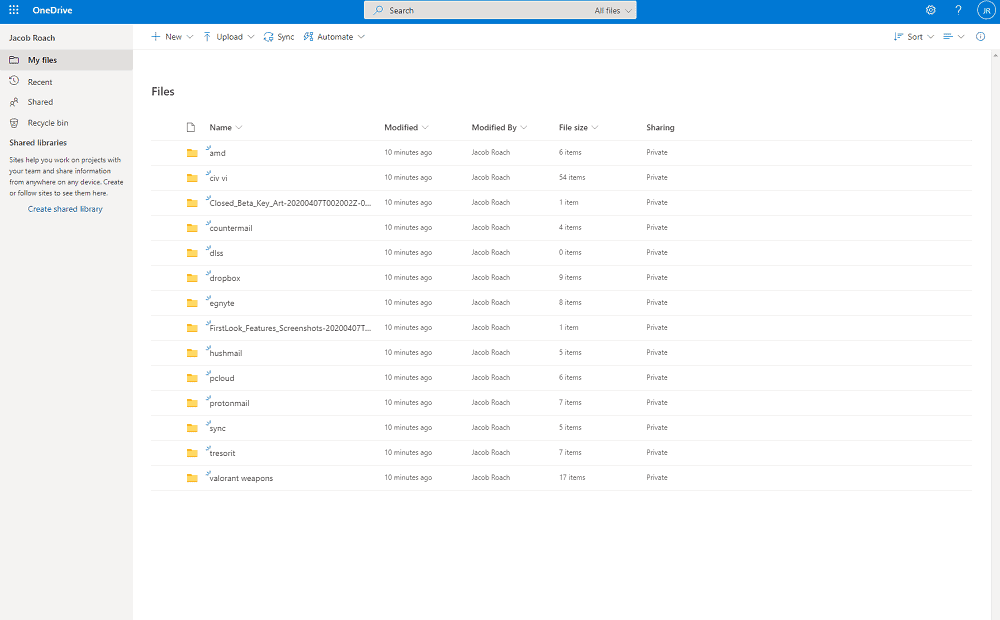
I really enjoyed the real-time collaboration when using an Office 365 app. I could see other team members’ comments right away and make changes instantly. In a sense, it even alleviated the loneliness of remote work. Creating folders and sharing documents with others was smooth. Overall, OneDrive functions very well.
If you’d like a deep dive into the tool’s inner-workings, we have a Cloudwards Course on how to use OneDrive.
Notes From the Lab: OneDrive Speed Test Results (5GB Folder)
| 1st Attempt* | 2nd Attempt* | Average* | Average** |
|---|---|---|---|---|
| Upload | 0:07:12 | 0:07:27 | 0:07:20 | 0:02:57 |
| Download | 0:07:16 | 0:07:20 | 0:07:18 | 0:04:15 |
**1 Gbps
OneDrive’s speeds are as impressive as pCloud’s, if fractionally slower. It’s stable throughout full uploads and downloads, and it uses very low CPU.
Notes From the Lab: OneDrive Security Analysis
Users can enjoy the best security for their files, and there’s a dedicated vault folder that requires 2FA. Client-side encryption isn’t available, though, so it’s not as private as Sync.com or pCloud.
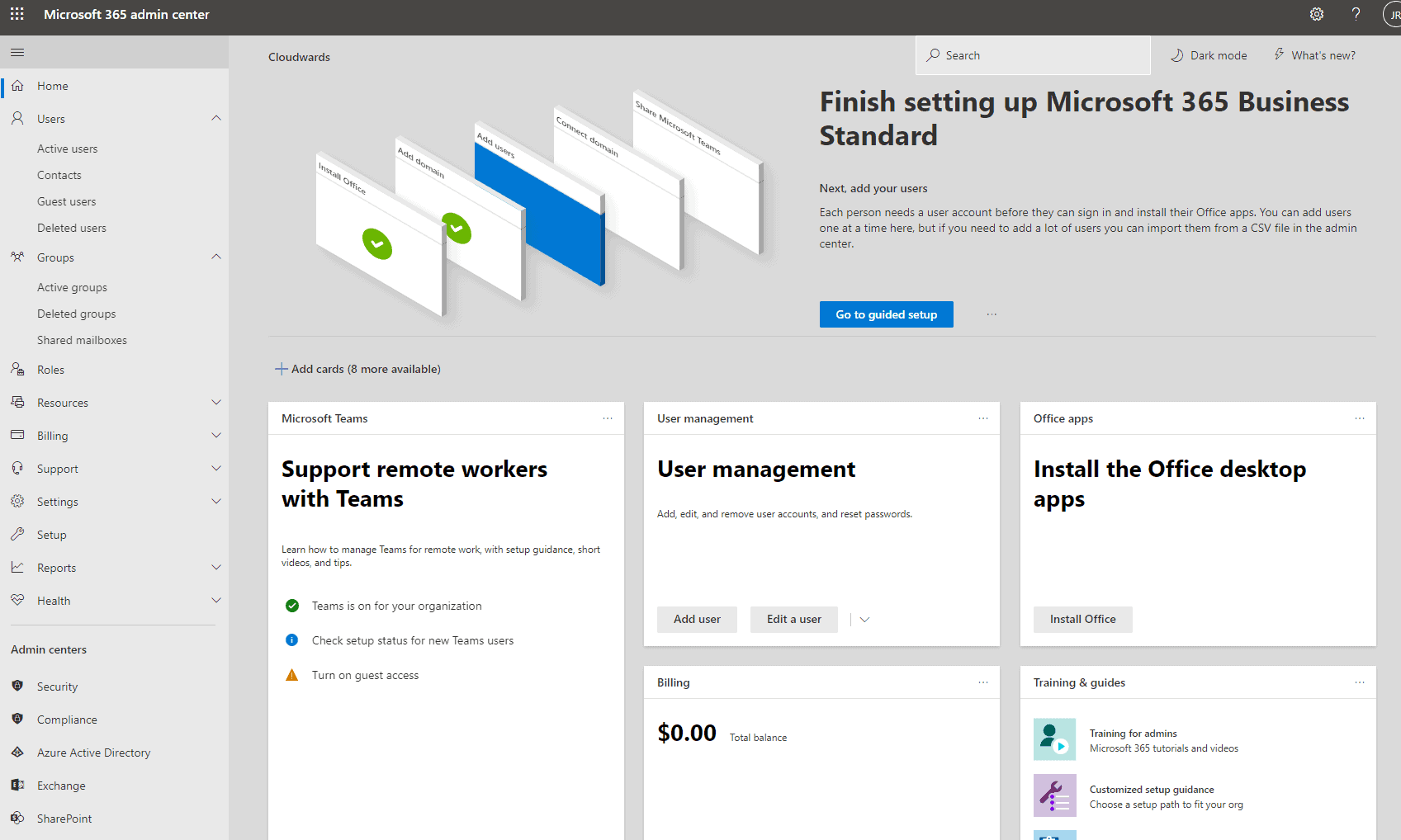
| Encryption Type | Encryption Protocols |
|---|---|
| At rest | AES 256-bit |
| In transit | AES 256-bit |
What Is OneDrive’s Pricing & Value?
The cost of entry is cheaper than with other services. I’d go for the Business Basic option, costing price id=”9072-3-1-m”] per user per month. This gains you access to the online versions of its tools, as well as 1TB of storage per user. You also get access to custom email and video conferencing. You can learn more in our OneDrive Business review.
- For one person
- 5GB
- 100GB
- Comes with Office 365 Personal
- 1TB
More plans
- Comes with Office 365 Home
- 6TB
- Price per user
- 1TB
- 1TB
- Price per user
- 1TB
7. Dropbox Business — Best Cloud Storage Platform for Small Teams
![Video thumbnail for the video: Should You Still Use Dropbox in 2024? [Updated Review]](https://img.youtube.com/vi/bwy8HZ1Uvnk/maxresdefault.jpg)
Dropbox’s Business Standard plan requires a minimum of three users, all of whom receive a combined 5TB of space to share, making it perfect for small teams. It has several day-to-day business management tools, like e-signature requests, a native document creator and a note-taking app that’s ideal for recording meeting minutes.
It also has some cool editing tools. Users can edit videos, PDFs and images. None of these features will replace more powerful editing tools, but for light work they’re quite useful. The search functionality is very good as well. You have the option to search via description or text, which speeds up locating a specific file.
Dropbox Hands-On Testing
At the risk of sounding superficial, I have to say that Dropbox’s clean, blue-and-white design inspires me to be more productive. In addition, using its excellent editing tools, leaving comments for the team and creating a document management system helps my work day run more smoothly. These are all important factors that influence my choice of team plan.
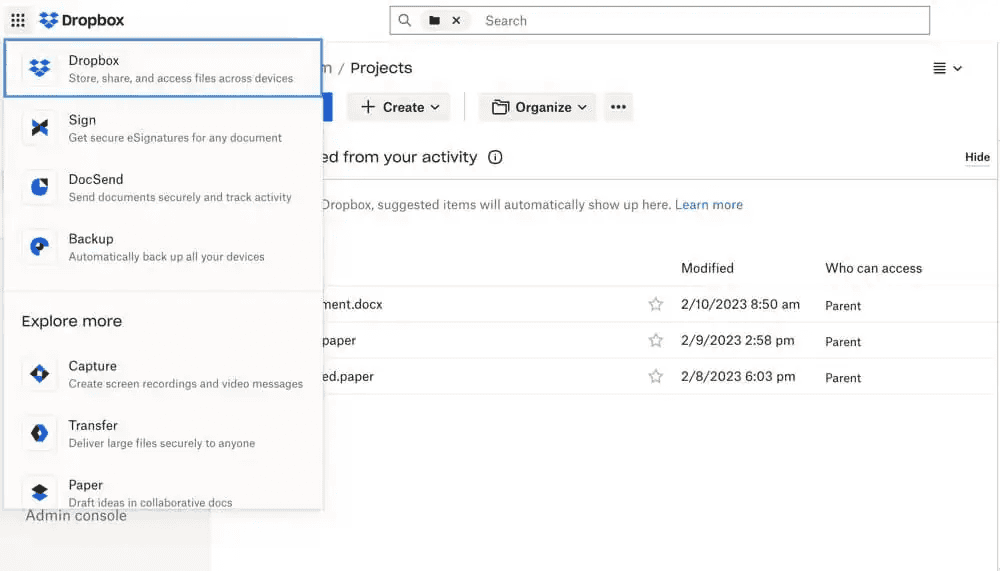
There are one too many tabs for my taste, though — fans of simplicity may find it overbearing. However, using Dropbox and its native tools, such as Dropbox Paper, is straightforward for all user levels. Check out our full Dropbox Paper review for a deeper dive into this tool.
Notes From the Lab: Dropbox Speed Test Results (5GB Folder)
 | 1st Attempt* | 2nd Attempt* | Average* | Average** |
|---|---|---|---|---|
| Upload | 0:07:13 | 0:07:28 | 0:07:21 | 0:04:20 |
| Download | 0:07:22 | 0:07:17 | 0:07:20 | 0:04:12 |
**1 Gbps
Dropbox’s low CPU usage and its stable, fast speeds make it ideal for those in search of the best experience. Although the speeds on our 1 Gbps connection were quicker during testing, they took a while to warm up. Our team did some digging, and it turns out Dropbox is known to reduce speeds for users in certain locations and for certain file types.
Notes From the Lab: Dropbox Security Analysis
Business plans have plenty of security tools. You can manage user passwords remotely, password-protect files and use 2FA to sign in.
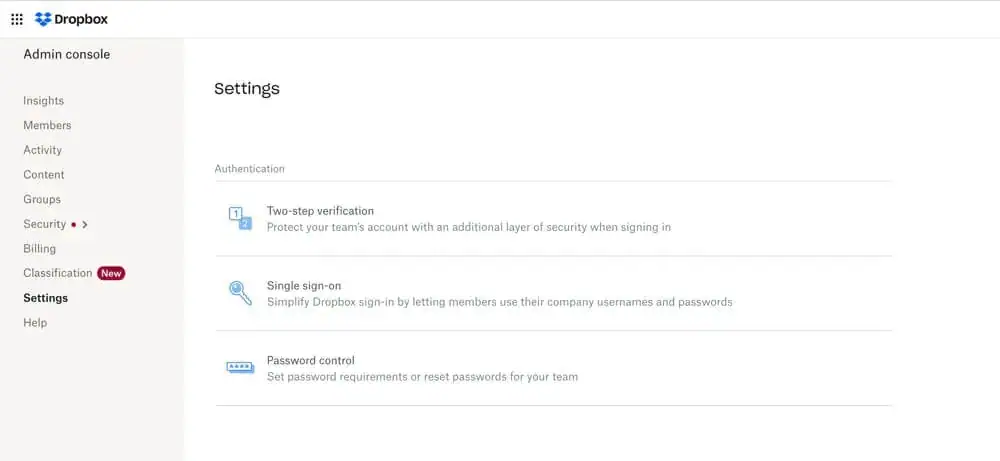
| Encryption Type | Encryption Protocols |
|---|---|
| At rest | AES 256-bit |
| In transit | TLS/SSL |
What Is Dropbox’s Pricing & Value?
Small teams will want to look into Dropbox’s Business Standard plan. It costs $15 per user per month on annual billing, with a three-user minimum. Team members share 5TB of storage, and you can get all its productivity, document management and cloud storage tools — that’s a pretty decent deal in my book.
You can see more pricing information for all paid plans in the table below. Take a look at our Dropbox Business review as well before committing.
- 2GB
- minimum 3 users
- 5TB
- Price per user
- 3TB
More plans
- Price per user, 30-day free trial (minimum 3 users)
- 9TB
- Price & storage per user, 30-day free trial. (minimum 3 users)
- 15TB
- minimum 1 user
- 3TB
1-month plan
- minimum 3 users
8. Google Workspace — Best Free Team Cloud Storage

Google Workspace Essentials is a completely free tool that lets you add other team members and work together. You get access to powerful productivity tools, including Docs, Sheets and Slides, and you can communicate with each other via Google Meet.
The free plan has only 15GB of storage, which is shared across Google Drive, Gmail and your documents. It’s not a lot, but it may be more than enough if you’re mainly creating documents or working with JPG images. For a large project that involves videos, you’ll need to shift to a paid plan.
Google Workspace Hands-On Testing
Google Workspace is one of my favorite cloud-based tools to use. Google Drive is excellent for file management, and I like that I can color-code folders and create a visual file management system for quick access. Plus, its search functionality is the most accurate one I’ve tested — I can search for a keyword or sentence and Google will locate the file.
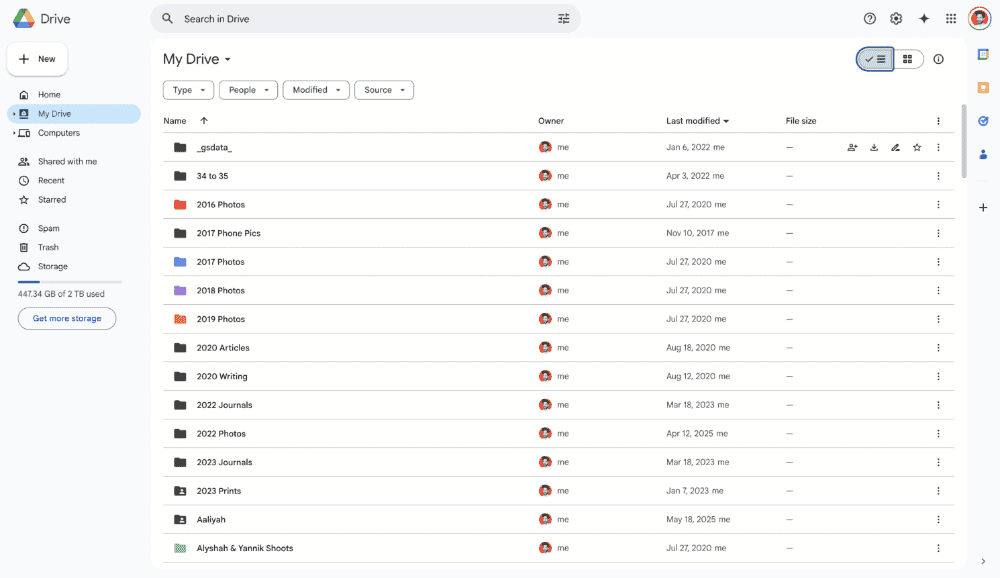
The productivity tools are excellent, and there are plenty of formatting options available on Google Docs. Sharing files with the team and setting access permissions works well, as does the real-time commenting tool so my editor can tell me exactly where I’ve gone off track.
Notes From the Lab: Google Workspace Speed Test Results (5GB Folder)
 | 1st Attempt* | 2nd Attempt* | Average* | Average** |
|---|---|---|---|---|
| Upload | 0:07:02 | 0:06:55 | 0:06:59 | 0:05:01 |
| Download | 0:07:10 | 0:07:13 | 0:07:12 | 0:05:47 |
**1 Gbps
Google’s cloud services are among the fastest around for both uploads and downloads. It tends to manage small files first, has very low CPU usage and remains stable throughout. The 1 Gbps speeds could be faster, but they get the job done just fine.
Notes From the Lab: Google Workspace Security Analysis
Standard security protects your files from people outside your organization. However, Google Drive lacks useful security tools like password protection, and there’s no client-side encryption to keep data private from the provider.
| Encryption Type | Encryption Protocols |
|---|---|
| At rest | AES 256-bit |
| In transit | TLS |
What Is Google Workspace’s Pricing & Value?
In my view, no other free plans for teams are on par with Google Workspace. You get some of the best online productivity tools and a decent amount of storage for smaller teams. Paid plans start as low as $7 per user. There are plenty of options for all kinds of teams. Check out our Google Workspace review for more details.
- 15GB
- per user / month, 1 year commitment
- 30GB
- per user / month, 1 year commitment
- 2TB
More plans
- *100TB shared across all users
- 100TB
- per user / month, 1 year commitment
- 5TB
Honorable Mention
If none of the above solutions are right for you, there are a couple other cloud storage apps I want to share with you.
Adobe Creative Cloud — Cloud Storage for Design Teams
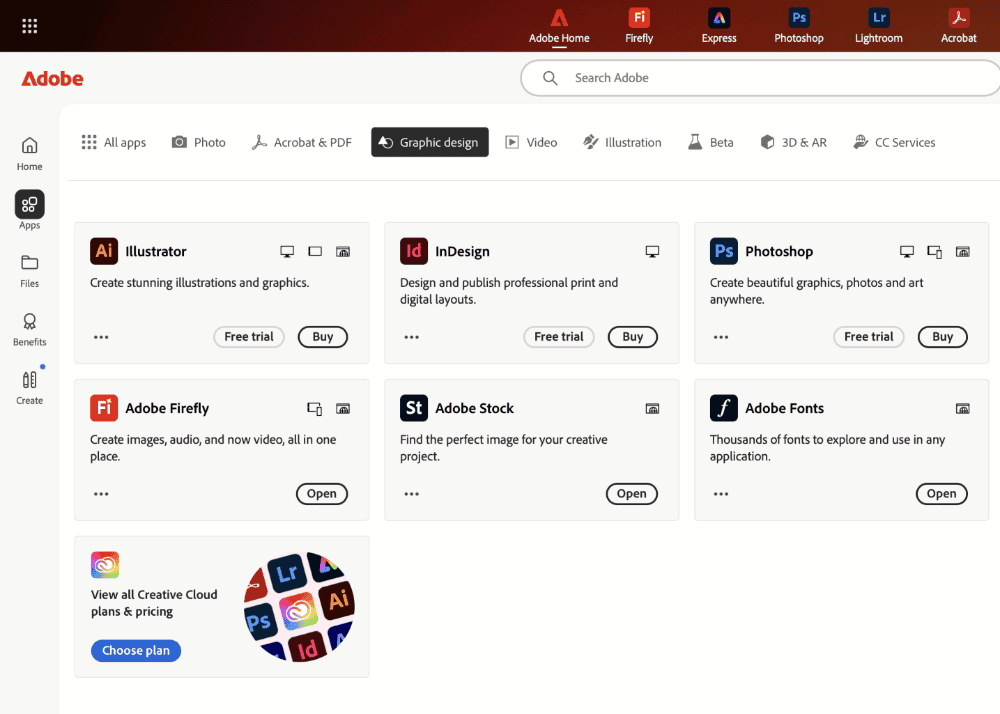
Adobe Creative Cloud is ideal for design teams. Your subscription gets you access to more than 20 apps, including InDesign, Photoshop and Illustrator. The entry-level plan is for use of a single app only, while Creative Cloud Pro for teams grants you access to all the apps. Each user receives a license, and you can share and collaborate online in real time.
Surprisingly, Adobe caps storage at 1TB. Although this is a decent amount of storage, I would expect more from a service offering powerful creation tools. If that amount of storage works for your design team’s needs, then Adobe is the best option — its apps are unrivaled in the creative space. You can learn more in our “What is Adobe Creative Cloud?” guide.
Final Thoughts
You’re now ready to bring your team together in the digital space and back up all your devices. Small businesses and teams wanting the best all-around experience should sign up for Sync.com.
For teams where privacy is paramount, Proton Drive offers comprehensive encryption with native collaboration tools, while Internxt provides post-quantum security for organizations with long-term data protection needs. If you have a need for speed, I recommend giving pCloud a go. Thankfully, there’s no bad choice in this article.
Which cloud storage provider are you using for your team? Do any other solutions deserve to be included in this selection? What’s most important to you in a cloud storage service? Let me know in the comments. Thanks for reading.
FAQ: Best Team Cloud Storage
OneDrive offers the most seamless integration with Microsoft Teams, as the same parent company built and owns it.
Sync.com’s Teams Pro+ Unlimited plan is my top recommendation for teams that require unlimited storage space.
Sync.com is great for sharing files and makes it easy to do. Plus, it has a host of security features, such as password protection, which ensures nobody can access files without authorization.