Dashlane vs LastPass: Password Manager Comparison 2026
In this Dashlane vs LastPass guide, I review two popular password managers, evaluating them based on my firsthand experience and real-world performance. You’ll discover their similarities, differences and best use cases.



Written by Wisdom Sablah (Writer)
Reviewed by Kate Hawkins (Editor, Writer)
Facts checked by Simona Ivanovski (Fact-Checker, Formatter)
Last Updated:
All our content is written fully by humans; we do not publish AI writing. Learn more here.
Key Takeaways: Dashlane vs LastPass
- The main difference between Dashlane and LastPass is that Dashlane emphasizes a streamlined, security-first experience, while LastPass focuses on customization for teams, integrations and scalable pricing.
- If you need a simple, polished interface with built-in security tools, Dashlane is the better choice for most individuals and families.
- LastPass is better suited for businesses and budget-conscious users, thanks to its flexible tiers, advanced administrative controls, and free plan — though there are better free password management options.
Facts & Expert Analysis About Password Managers:
- Password managers reduce security risks: Using a dedicated password manager helps prevent credential reuse and protects against common threats like phishing and brute-force attacks.
- Client-side encryption ensures privacy: Leading providers like Dashlane and LastPass encrypt data on your device, meaning even the service itself cannot access your vault.
- User behavior matters: Weak master passwords, lack of multi-factor authentication or careless sharing can undermine even the most secure password manager.
In this Dashlane vs LastPass comparison, I pit these top password managers against each other to help you decide which one is worth your money. Based on my tests and hands-on experience, Dashlane is a more secure choice for individuals and families, while LastPass is better suited for businesses. Keep reading to dig deeper into my findings.
-
06/26/2024 Facts checked
We rewrote this comparison to include current information about the password managers’ features, pricing and company news.
-
04/26/2026 Facts checked
This article was rewritten with current information on both providers.
Cloudwards’ Choice: Dashlane Is the Winner
 Cloudwards’ Choice: Dashlane Is the Winner
After thorough testing, I concluded that Dashlane outperforms LastPass. Its combination of strong security, an intuitive interface, and built-in tools — like a VPN, phishing alerts and a password health dashboard — make it the superior choice for most users. It doesn’t have a free plan, but you can try Dashlane risk-free for 14 days.
Which Is Better: Dashlane vs LastPass?
Dashlane is better for individuals, while LastPass’ feature set is better suited for small businesses and teams.
Who Is Dashlane For?
- Individuals and families: Anyone looking for an easy-to-use password manager with strong built-in security features.
- Security-conscious users: Those who want a password manager with a track record of avoiding major security incidents.
- Those in need of a cybersecurity suite: Users who prefer an all-in-one solution with integrated tools like a VPN and phishing protection.
Who Is LastPass For?
- Small businesses and teams: Organizations that need scalable pricing and detailed admin controls.
- Budget-conscious users: Those who want access to a free plan, even if it comes with some limitations.’
- Advanced users: Anyone who needs more integrations and customization for teams.
My Detailed Comparison Methodology
To compare Dashlane and LastPass, I downloaded both password managers and put them through rigorous testing. My evaluation criteria included security, features, usability, compatibility and value for money. I grouped my findings into two categories: similarities and differences. You can learn more about each in our LastPass review and Dashlane review.
LastPass vs Dashlane: Comparison at a Glance
| Features |  |  |
|---|---|---|
| $3 / month(All Plans) | $2.71 / month(All Plans) | |
| Review | Review | |
| 2FA | ||
| Encryption | AES-256 | AES-256 |
| Zero-knowledge | ||
| 2FA keys | ||
| Security analysis | ||
| Multi-device sync | ||
| Backup and recovery | ||
| Mobile apps | iOS & Android | |
| Password changer | ||
| Password generator | ||
| Browser extension | ||
| Autofill | ||
| Form auto-fill | ||
| Browser UI | ||
| Desktop UI | ||
| Live chat | ||
| Phone | ||
| Help center | ||
| Forums | ||
| 24/7 support | ||
| Free plan |
Dashlane vs LastPass: Similarities
The main similarity between Dashlane and LastPass is their user-friendly apps and extensions.
Platform Compatibility & Browser Extensions
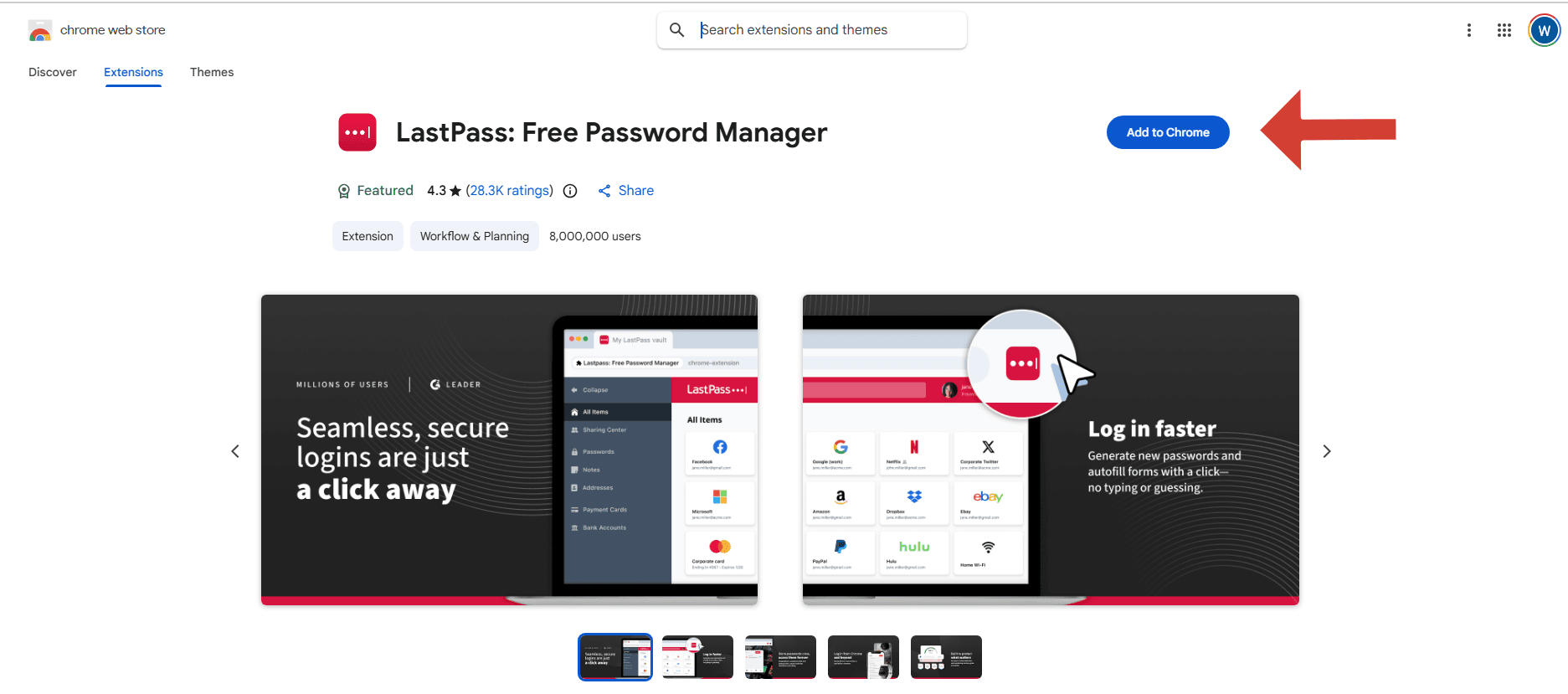
Both Dashlane and LastPass deliver a seamless experience across multiple platforms. Each offers a web app and extensions for major browsers like Chrome, Firefox and Edge. You can also access your vault on the go using dedicated apps for Android and iOS, with installation typically taking just a few minutes.
LastPass vs Dashlane: Differences
LastPass and Dashlane differ in several key areas, such as their advanced password features, history of security breaches, business plan flexibility and value for money.
How Do Their Password Manager Tools Compare?
Both Dashlane and LastPass come packed with essential tools, including secure vaults, password generators, autofill capabilities and credential sharing. However, I noticed that they differ in their approach to advanced features.
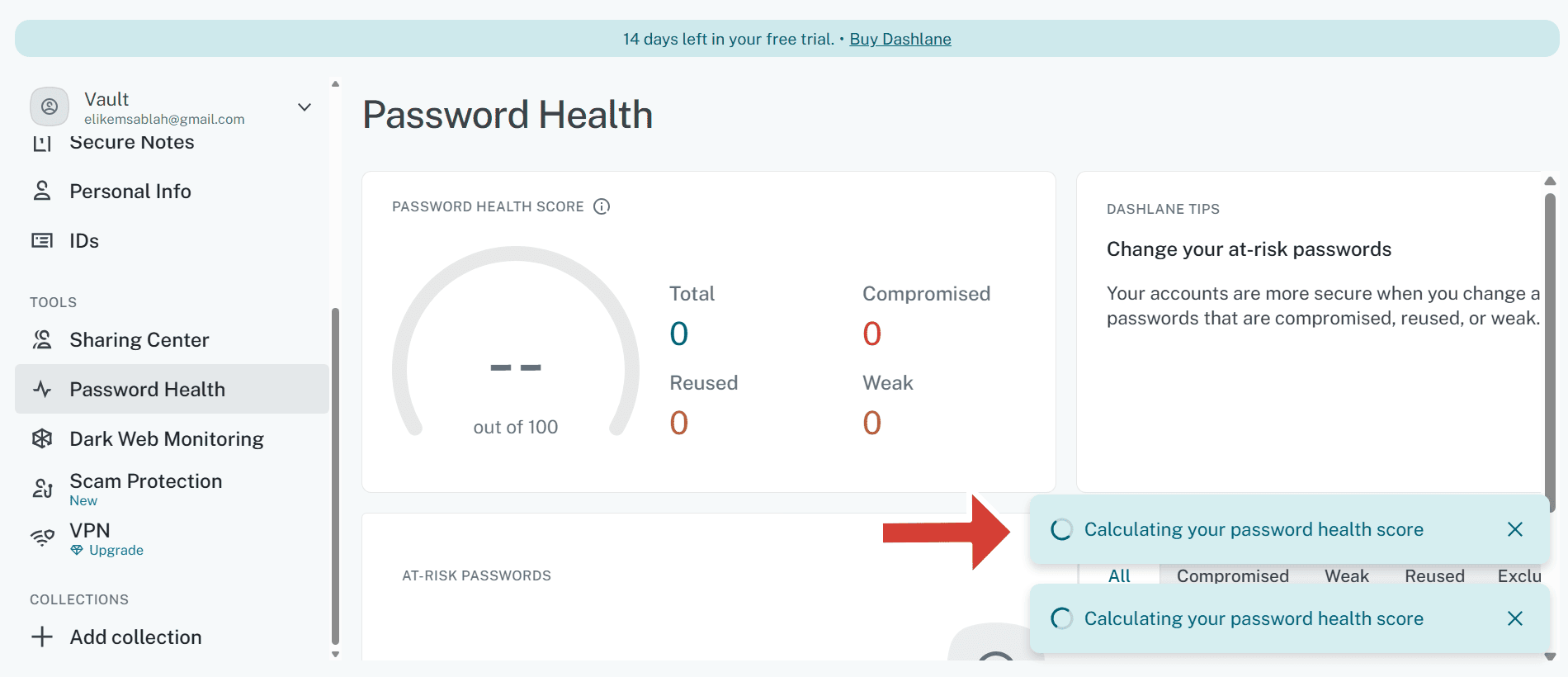
Dashlane distinguishes itself with built-in extras. Examples include a VPN for WiFi protection, real-time phishing alerts and a password health dashboard that makes it easy to identify weak or reused passwords.
LastPass, on the other hand, focuses on flexibility and functionality. For instance, it offers more granular sharing options, advanced admin controls (especially for business users) and a broader range of integrations.
LastPass vs Dashlane for Business: Which Is Better for Teams?
LastPass is a better option for small teams, startups and medium-sized businesses. It offers flexible business plans with numerous features, including admin controls, Software-as-a-Service (SaaS) monitoring, shared folders and multiple security policies.
Both LastPass and Dashlane offer custom solutions, depending on your team’s needs. You can request a live demo before subscribing.

Pricing Plans: Which Manager Offers the Best Value for Money?
For personal use, Dashlane generally offers better value than LastPass. Dashlane’s individual plan starts at just $2.71 per month (billed annually), while LastPass costs $3 per month. The difference is even more noticeable with family plans: Dashlane covers up to 10 users for $4.07 per month, while LastPass includes only six users for $4 per month.

Premium and Friends & Family plans.
That said, LastPass shines with its business pricing flexibility. While both Dashlane and LastPass start at about the same price per user per month, Dashlane offers fewer business plan options overall. In contrast, LastPass provides a broader range of team and enterprise plans, scaling up to $9 per user per month. This tiered approach makes LastPass more adaptable for businesses of varying sizes and budgets.
Dashlane offers a 14-day free trial of its Premium and Password Management (business) plans. LastPass, on the other hand, has a 30-day free trial of its personal and family plans, and a 14-day trial of its business plans.
LastPass has a free plan as well, unlike Dashlane. Features available on the free plan include unlimited password storage, autofill and basic password sharing. However, it’s far from the best free password manager; if that’s what you’re looking for, consider Proton Pass instead; read our Proton Pass review for details.
The Verdict: Why We Think Dashlane Wins Overall
Based on my tests, Dashlane is a better overall password manager than LastPass. It offers solid security along with handy tools like a VPN, phishing alerts and a password health dashboard. Plus, its pricing offers solid value, especially for individuals and families. Give Dashlane a try with its 14-day free trial.
LastPass, on the other hand, is better for businesses. It has flexible pricing options and more granular admin controls, making it a great choice for teams. The LasPass free plan is a decent option for anyone on a budget.
Switching Services: How to Migrate Your Passwords Smoothly
Both Dashlane and LastPass provide export and import tools that make password migration straightforward. Follow the steps below to get started:
- Use the export feature in your current password manager (this usually generates a CSV file).
- Save a copy of the exported file.
- Import the saved CSV file into the new manager.
- Delete the CSV file from your device; anyone can read CSV files because they’re not encrypted, so this becomes a security risk if you keep it.
- Enable multi-factor authentication.
- Check that all accounts, passwords and notes were transferred correctly.
- Update weak or duplicate passwords.
- Test the autofill and login features to ensure everything works smoothly on the new service.
The Verdict: Why I Think Dashlane Wins Overall
Based on my tests, Dashlane is a better overall password manager than LastPass. It offers solid security along with handy tools like a VPN, phishing alerts and a password health dashboard. Plus, its pricing offers solid value, especially for individuals and families. Give Dashlane a try with its 14-day free trial.
LastPass, on the other hand, is better for businesses. It has flexible pricing options and more granular admin controls, making it a great choice for teams. The LastPass free plan is a decent option for anyone on a budget.
If You Want to Consider Other Services, Check Out…
If neither Dashlane nor LastPass convince you, you may want to look into other strong password management solutions, such as Proton Pass, NordPass or 1Password.



- 1
- :
- :
- :
- :
- :
- 2
- :
- :
- :
- :
- :
- 3
- :
- :
- :
- :
- :
$4 / month(All Plans) - 4
- :
- :
- :
- :
- :
- 5

- :
- :
- :
- :
- :
$3 / month(All Plans)



FAQ: LastPass vs Dashlane Password Manager Comparison
LastPass is still widely used, but past data breaches have affected its reputation.
Yes, Dashlane is considered very safe. It uses AES-256 encryption, implements zero-knowledge architecture and supports multi-factor authentication. In addition, it has no history of data breaches.
No, Dashlane has no publicly known history of major security breaches.