Jira vs Basecamp: Project Management Software Comparison
Jira and Basecamp offer similar project management functionality but differ greatly in their approaches. Read this Jira vs Basecamp comparison to find the right tool to manage your workflows.


Written by Mehak Siddiqui (Writer)
Reviewed by Kate Hawkins (Editor, Writer)
Facts checked by Eugenie Tiu (Editorial Assistant)
Last Updated:
All our content is written fully by humans; we do not publish AI writing. Learn more here.
Key Takeaways: Jira vs Basecamp
- The main difference between Jira and Basecamp is that Jira focuses on Agile project management capabilities and advanced workflows, while Basecamp is simpler and prioritizes team communication features.
- If you need advanced features like sprint planning, developer tools, automation and detailed reporting, Jira is a better choice than Basecamp.
- Basecamp is preferable for teams that want a simple and easy-to-use tool for task tracking and centralized communication; the Pro Unlimited plan will be attractive for larger teams who want to pay a flat rate rather than per person.
Facts & Expert Analysis About Basecamp and Jira:
- Agile tools vs general project management needs: Jira is purpose-built for Agile workflows like Scrum and Kanban, while Basecamp takes a more generic approach.
- Collaboration style: Basecamp emphasizes team communication through message boards and chat, whereas Jira centers collaboration on tasks and issue tracking.
- Customization depth: Jira offers extensive customization (workflows, fields, automations), while Basecamp keeps things standardized to maintain simplicity.
Choosing the right project management tool can make or break how your team organizes work, collaborates and achieves results. In this guide, I compare Jira vs Basecamp to help you decide which one better fits your team’s workflow and long-term goals.
The key point to consider is the complexity of your projects. If you’re managing complex tasks with multiple dependencies, such as in software development, Jira is a great fit. However, if your projects are more straightforward and you value simplicity and clear communication, Basecamp offers a more user-friendly experience and better pricing for larger teams.
Cloudwards’ Choice: Jira Is the Winner
 Cloudwards’ Choice: Jira Is the Winner
I recommend Jira over Basecamp for most teams because of the flexibility it offers. What starts as basic task tracking can evolve into structured workflows, detailed reporting and automation as your needs become more complex. Get a 30-day free trial of Jira’s Premium plan to see if it’s right for you.
Which Is Better: Jira vs Basecamp?
Although it depends on your specific needs, Jira is the superior choice for teams that need advanced project tracking, customization and multi-stage workflows. Basecamp focuses more on simple task tracking and streamlined team collaboration. Read more in our detailed Jira review and Basecamp review.
Who Is Jira For?
- Software development teams: Jira is specifically designed for managing code, bugs and development lifecycles.
- Agile work: Jira supports Scrum, Kanban and sprint-based workflows with detailed tracking tools.
- Scalable teams: Jira scales easily with advanced permissions, integrations and customizable workflows.
Who Is Basecamp For?
- Remote teams: Basecamp focuses on centralized communication and simplified task management, which makes remote collaboration easier.
- Non-technical departments: Basecamp is ideal for teams like marketing or HR that need simple, user-friendly tools that are easy to adapt to varied workflows.
- Larger teams on a budget: Basecamp is one of the few project management tools to offer a flat-rate plan option, costing $299 per month for unlimited users.
Our Detailed Comparison Methodology
I tested both Jira and Basecamp to get a complete breakdown of their features. I looked closely at the level of advanced functionality each platform offers, as well as how effectively they handle workflow management in real-world use cases. I also set up mock projects to conduct in-depth usability testing and determine the value proposition.
Avoid Costly Project Management Mistakes – Get Free Tips Today!

- Discover 10 fundamentals of project management
- Understand step-by-step plans for PM execution
- Learn tips to avoid 5 common mistakes by beginners
| Features |  |  |
|---|---|---|
| $9.05 / month(All Plans) | $15 / month(All Plans) | |
| Review | Review | |
| Kanban board | ||
| List | ||
| Calendar | ||
| Timeline | ||
| Spreadsheet view | ||
| Gantt charts | ||
| Workload planning | ||
| Long-term planning | ||
| Multiple project management | ||
| Dependency management | ||
| Native scrum management | ||
| Set user permissions | ||
| File storage | ||
| Time-tracking | ||
| Built-in integrations | ||
| Reporting features | ||
| Free plan | ||
| Free Trial | 30 days | |
| Web app | ||
| Windows | ||
| MacOS | ||
| Android | ||
| iOS | ||
| AI Tools | ||
| Ticket-based support | ||
| Tutorials | ||
| Knowledgebase | ||
| Forum | ||
| Live chat | ||
| Phone support |
Jira vs Basecamp: Similarities
Jira and Basecamp are designed to help teams collaborate and manage projects more effectively. While they differ in complexity and specific features, they’re both project management tools that centralize workflows by gathering tasks, communication and updates in one place so teams can stay organized.
Collaboration Features
Both Jira and Basecamp support team collaboration with features for commenting on tasks and tagging colleagues. This eliminates the need for separate communication channels and reduces scattered information, keeping everyone on the same page.

While Jira focuses on task-based communication, Basecamp goes a step further by incorporating message boards and real-time chat. You can directly message team members or create shared group discussions without needing tools like Slack or Zoom.
How Do Basecamp & Jira Integrations Work?
Jira can integrate with thousands of tools, from development platforms like GitHub to communication apps like Slack. This makes it easy to connect workflows across your entire tech stack.
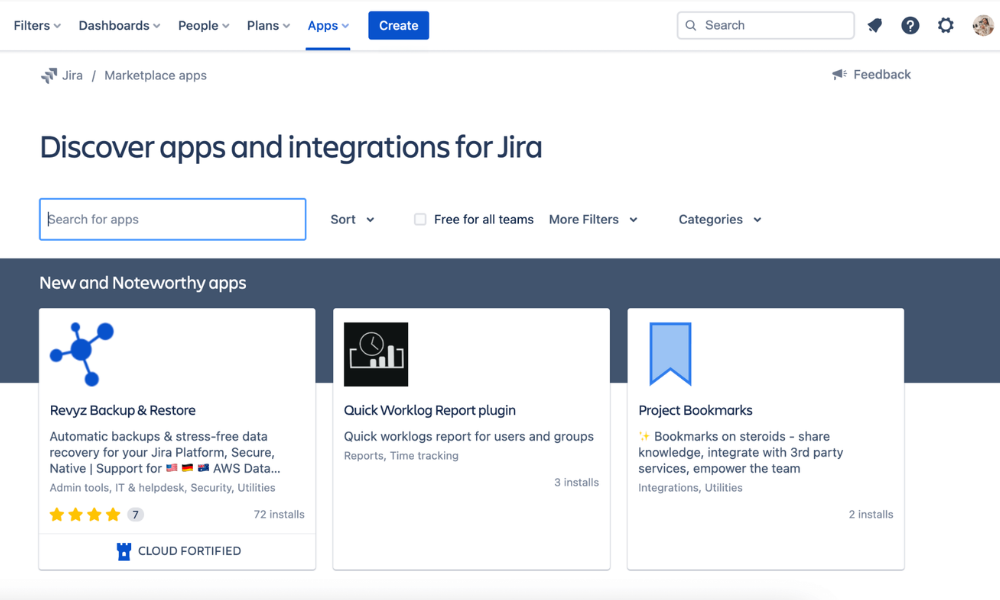
In contrast, Basecamp takes a more minimal approach. It integrates with a smaller selection of third-party tools and relies more on its built-in features to handle communication, file sharing and task management.
Basecamp vs Jira: Differences
The key differences between Jira and Basecamp lie in their approach to project management. Jira is designed for complex workflows, offering advanced features like sprint planning, detailed reporting and deep customization. Basecamp focuses on simplicity and communication, standing out for its user-friendliness.
Which Tool Is Easier to Use?
Basecamp is much easier to use and requires very little setup. Features like message boards, to-do lists and chat are clearly organized in an intuitive interface. Even non-technical users can navigate the platform without training.
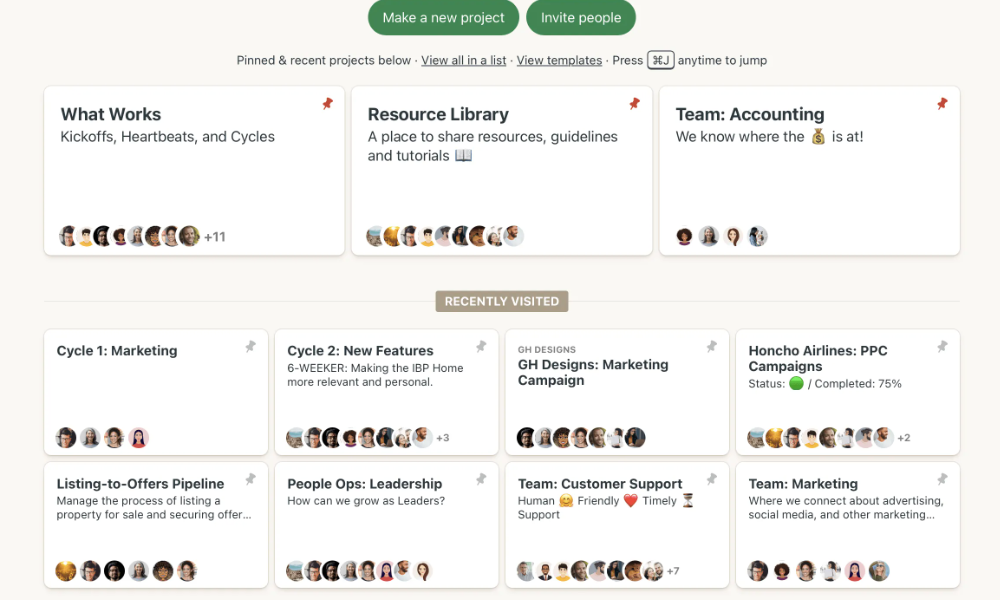
organize projects and communication.
In contrast, Jira has a steeper learning curve due to its depth of features and high level of customization. It’s a more advanced Basecamp alternative that demands time and technical understanding for setting up workflows, boards and reports. Due to this, it can feel overwhelming for new users, especially those unfamiliar with Agile methodologies.
Security & Administration Features
Basecamp provides basic permission settings and user access controls, which are sufficient for small to mid-sized teams. While this makes Basecamp easier to manage, it may not meet the needs of organizations that require detailed access restrictions or advanced compliance capabilities such as SOC 2 or HIPAA.
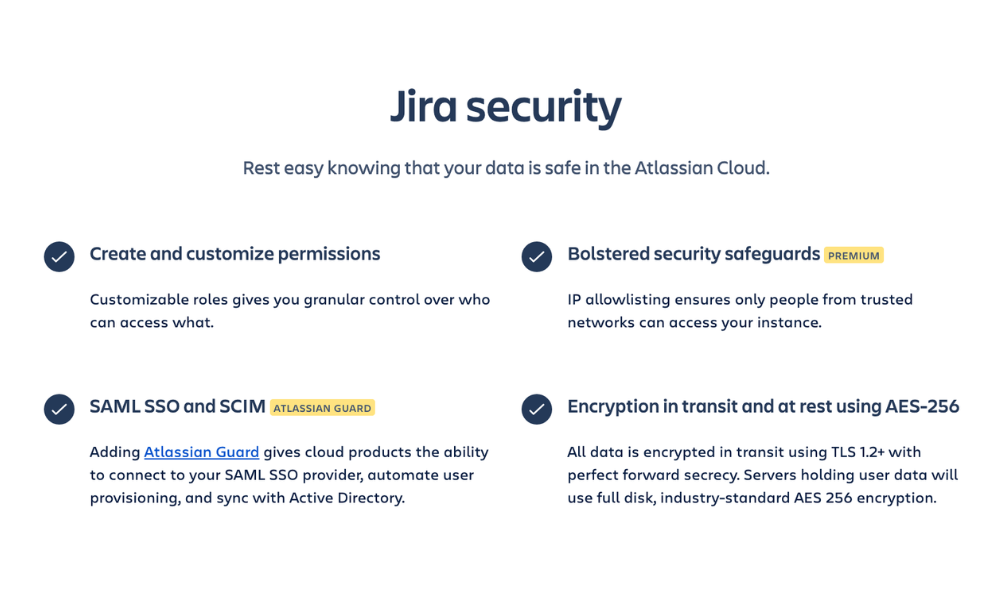
Jira offers more advanced security and administrative controls, such as granular permission settings, role-based access control, audit logs and compliance features. This level of control is especially important for larger teams handling sensitive information or working across multiple departments.
Customer Support & Service Quality
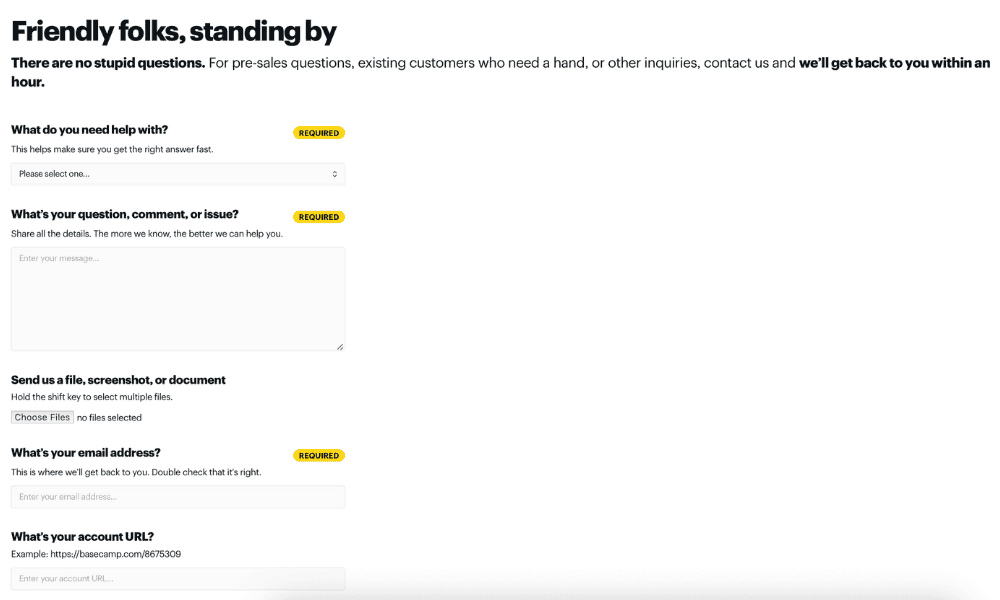
Jira’s support options include a knowledgebase, a community forum and 24/7 support for paid subscribers. Basecamp takes a simpler approach by allowing you to fill out a quick online form explaining your issue. Both services are efficient at getting back to you with reliable solutions or answers to your queries.
Is Jira or Basecamp More Affordable?
In terms of pricing structure, both Jira and Basecamp offer basic free versions, but most features require a paid plan.
Jira’s pricing is a bit confusing. It offers a tiered approach that scales pricing depending on team size. For one to 100 users, the Standard plan costs $9.05 per user per month, and Premium costs $18.30 per user per month. Additional users brings the monthly per-user cost down slightly.
Basecamp’s pricing is much more straightforward. The Plus plan is $15 per user per month, and the all-inclusive Pro Unlimited plan is $299 per month, billed annually, regardless of team size.
| Plan Type: | | |
|---|---|---|
| Free | | |
| Entry level | Standard: $9.05 per user per month (for 1-100 users) | Plus: $15 per user per month |
| Mid-tier | Premium: $18.30 per user per month (for 1-100 users) | Pro Unlimited: $299 per month, unlimited users |
| Top plan | Enterprise: Custom pricing | NA |
The Verdict: Why We Think Jira Wins Overall
After extensive testing, I can conclude that Jira wins with its more powerful features and better scalability. It’s one of the best Agile tools for teams that rely on customizable or technical workflows. You can start a 30-day free trial of the Premium plan to see if it fits your needs.
However, if you’re looking for simple project management on a budget, Basecamp could be the project management tool for your team.
I hope you found this article helpful. Does your team typically manage complex projects or simple tasks? Do you need advanced reporting or just clear communication? Do you value simplicity or functionality? Share in the comments below, as these factors are key to choosing between Jira and Basecamp. Thank you for reading.
If You Want to Consider Other Services, Check Out…
If neither Jira nor Basecamp feels like the right fit, there is a rich competitor landscape of other project management tools you can try, such as monday.com, Asana and ClickUp.


FAQ: Basecamp vs Jira Comparison
Yes, Basecamp is good for software development, but it lacks advanced features like sprint planning, issue tracking and detailed reporting. This makes it less suitable for development teams compared to tools like Jira.
Jira is cheaper than Basecamp for smaller teams, but Basecamp can work out to be cheaper for larger teams due to its unlimited-user Pro Unlimited plan.
Yes, you can use Jira for non-technical projects, especially if you’re on the marketing, HR or operations team. However, it may feel overly complex since it’s specifically built for Agile and technical teams.

