Airtable vs Basecamp in 2026: Key Features, Pricing & Project Management Options
Airtable and Basecamp are both great project management tools, but they have key differences. In this Airtable vs Basecamp guide, I break down their strengths, weaknesses and use cases so you can pick the right platform for your team.


Written by Mehak Siddiqui (Writer)
Reviewed by Kate Hawkins (Editor, Writer)
Facts checked by Eugenie Tiu (Editorial Assistant)
Last Updated:
All our content is written fully by humans; we do not publish AI writing. Learn more here.
Key Takeaways: Airtable vs Basecamp
- The main difference between Airtable and Basecamp is that Airtable organizes complex data and workflows, while Basecamp focuses on simple team communication and task management.
- If you work with different project types and complex data, Airtable is the better choice because it lets you design custom workflows and adapts to your specific needs.
- Basecamp is better than Airtable if you want plenty of built-in team collaboration options in your project management system. It’s also easier to use, a bit more affordable and is well suited for companies that want a flat-rate model for unlimited users.
Facts & Expert Analysis About Airtable vs Basecamp:
- Database vs bulletin board: Airtable functions like a relational database where tasks and assets can be linked across tables, while Basecamp organizes work more like a digital bulletin board, with to-do lists, files and messages grouped by project.
- Granularity vs simplicity: Airtable offers fine-grained control over data with customizable fields, views and relationships, whereas Basecamp prioritizes simplicity with a fixed structure that minimizes setup but limits deeper customization.
- Pricing models: Airtable uses a tiered per-user pricing model with additional features on higher-tier plans, while Basecamp offers a flat-rate pricing plan for unlimited users, which can be more cost-effective for larger teams.
Choosing the right project management tool can come down to picking between power and simplicity. Both Airtable and Basecamp are great options, but they differ in technical capability. Airtable is designed for data-driven teams that need customizable workflows and detailed project tracking, while Basecamp focuses on to-do lists and collaboration features.
In this article, I conduct an in-depth comparison to help you pick the best project management software for your needs. Keep reading to learn about Airtable and Basecamp in terms of features, ease of use, security, pricing and more.
Cloudwards’ Choice: Airtable Is the Winner
 Cloudwards’ Choice: Airtable Is the Winner
In my opinion, Airtable is clearly superior to Basecamp because of its flexible database-style structure, customizable fields, multiple views and automation tools. It goes well beyond simple task tracking — though this also means it has a steeper learning curve. To see if Airtable fits your workflow, sign up for a 14-day free trial of the Team plan.
Which Is Better: Airtable vs Basecamp?
Airtable is better for teams that need customizable databases, flexible views and advanced workflow automation. Basecamp is better suited to teams that want a simple project structure with straightforward task lists and strong communication tools. Read more about each in the Airtable review and Basecamp review.
Who Is Airtable For?
- Teams managing complex workflows: Organizations that need structured data, linked records and custom workflows.
- Cross-functional teams: Teams tracking tasks, processes and communication across multiple datasets or divisions.
- Businesses needing customization and automation: Teams that want custom dashboards, detailed reports and automated processes.
Who Is Basecamp For?
- Medium- to large-sized teams: Basecamp is one of the few project management services to offer a flat-rate cost for unlimited users; if you have over 15 employees that need the project management tool, you can save money with its Pro Unlimited plan.
- Remote teams focused on communication: Groups that rely heavily on message boards and centralized discussions.
- Non-technical users: People who prefer a clean, intuitive interface with minimal customization.
Our Detailed Comparison Methodology
For this detailed software comparison, my testing methodology involved hands-on assessment of core features and performance. I set up mock projects and explored real-world team usage scenarios. I also assessed how easy it was to organize and track work on each platform, and tested features like file attachments, comments and automations.
Avoid Costly Project Management Mistakes – Get Free Tips Today!

- Discover 10 fundamentals of project management
- Understand step-by-step plans for PM execution
- Learn tips to avoid 5 common mistakes by beginners
Basecamp vs Airtable: Comparison at a Glance
| Features |  |  |
|---|---|---|
| $20 / month(All Plans) | $15 / month(All Plans) | |
| Review | Review | |
| Kanban board | ||
| List | ||
| Calendar | ||
| Timeline | ||
| Spreadsheet view | ||
| Gantt charts | ||
| Workload planning | ||
| Long-term planning | ||
| Multiple project management | ||
| Dependency management | ||
| Native scrum management | ||
| Set user permissions | ||
| File storage | ||
| Time-tracking | ||
| Built-in integrations | ||
| Reporting features | ||
| Free plan | ||
| Free Trial | 14 days | 30 days |
| Web app | ||
| Windows | ||
| MacOS | ||
| Android | ||
| iOS | ||
| AI Tools | ||
| Ticket-based support | ||
| Tutorials | ||
| Knowledgebase | ||
| Forum | ||
| Live chat | ||
| Phone support |
What Are the Similarities Between Airtable vs Basecamp?
Both Airtable and Basecamp support basic task lists, file sharing and collaboration, but each one implements these features quite differently. Airtable uses a database-style structure, while Basecamp is simpler and more linear.
How Do Task Management Features Compare?
Airtable treats tasks as database records that can be customized with fields, views, automations and relationships. This makes it well suited for complex workflows and detailed tracking. In contrast, Basecamp uses simple to-do lists within projects, focusing on straightforward task assignment and easy team communication.
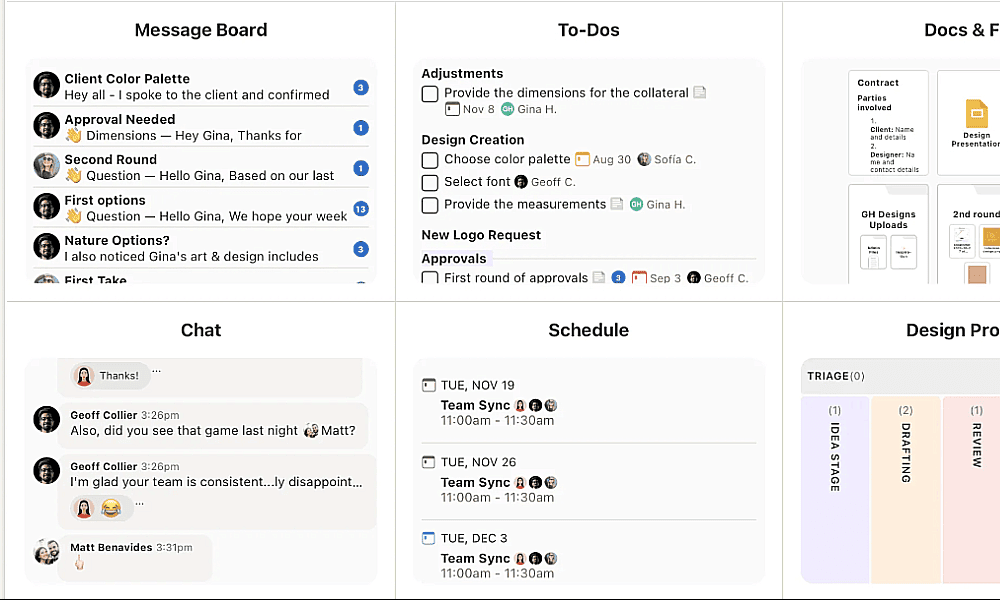
For example, a marketing team using Airtable could create a content calendar where each task includes fields for campaign type, platform, status, deadlines, etc. In Basecamp, the same team would manage the work through a simple to-do list within a project, assigning due dates for tasks like “write blog post” or “design social media graphic.”
What Basecamp and Airtable Integrations Are Available?
Both Basecamp and Airtable offer a few native integrations, and you need to use a third-party connector like Zapier to integrate with more tools. Airtable also has its own automation builder, which offers a no-code way to streamline workflows by setting up trigger-and-action logic.
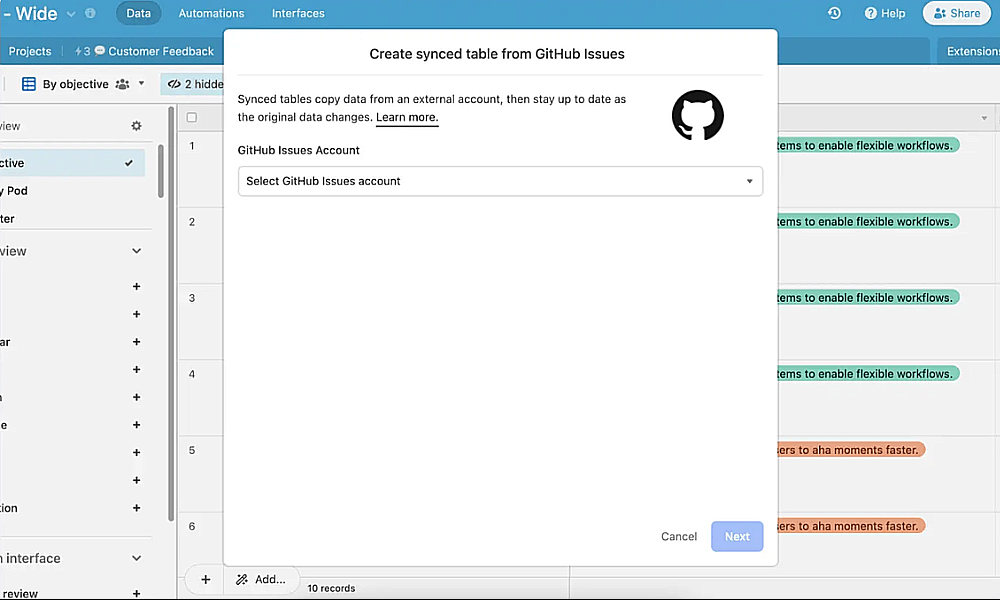
For instance, you can create automated processes like sending emails, posting messages to Slack or updating records when specific conditions are met.
What Are the Main Differences: Basecamp vs Airtable?
Basecamp and Airtable differ quite a bit in their project management capabilities, learning curve and pricing.
How Does Basecamp vs Airtable Cost Compare?
Both Airtable and Basecamp have a limited free plan for individuals or small teams. For more complex needs, you can upgrade to a paid plan: for Airtable, that starts at $20 per user per month, and for Basecamp it’s $15 per user per month.
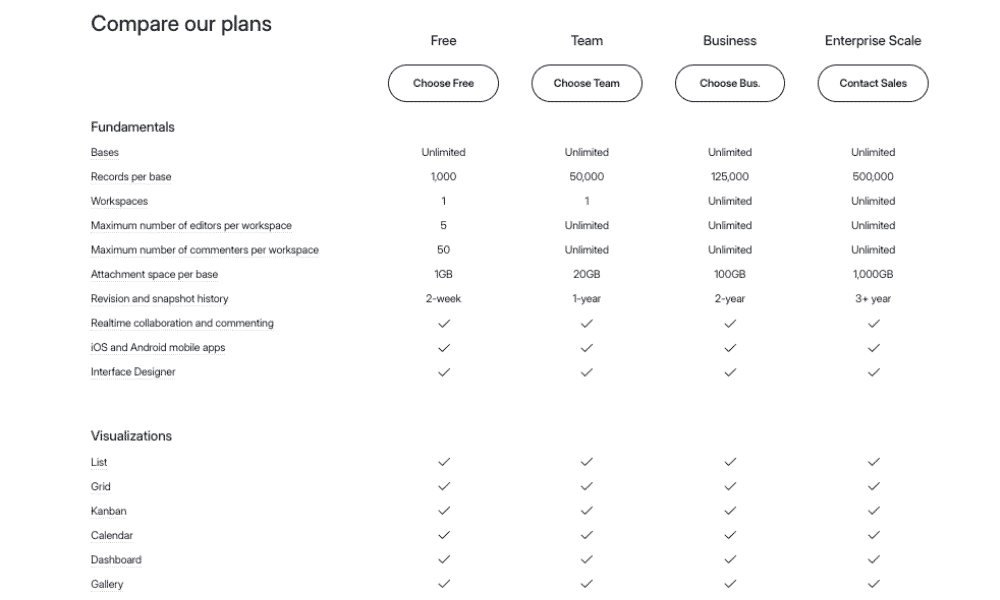
While Airtable has a tiered pricing structure with its Team, Business and Enterprise plans, Basecamp offers a flat-rate model for its Pro Unlimited plan, which costs $299 per month for unlimited users. If a team has more than 15 employees that need access to the software, Basecamp is the more affordable option.
Which Has Better Project Management Features?
Airtable lets you build relational databases and custom boards that adapt to complex project requirements. Basecamp, on the other hand, provides a simpler interface focused on basic to-dos and message boards.
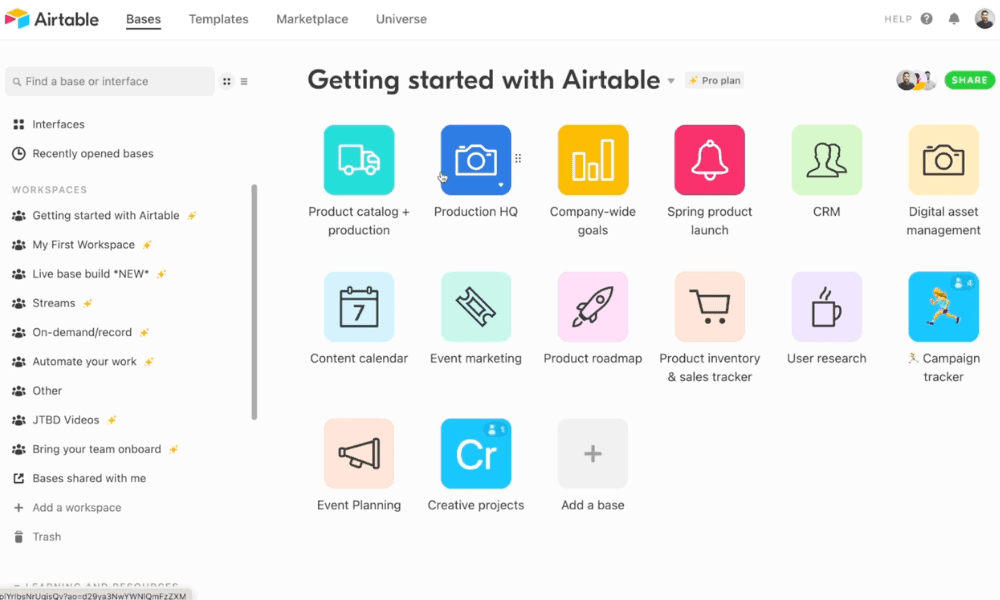
For instance, in Airtable, a product team could build a project base with linked tasks, bug reports, feature requests and milestones all in one place, with automated status updates for full project control. In Basecamp, the same team would mainly rely on to-do lists and message threads to quickly track progress, with less emphasis on deep data relationships.
How Good Is the Customer Support?
Both Airtable and Basecamp offer solid customer support but through different channels. Airtable has an online help center, community forum and AI chatbot. To get a human expert opinion, you can message support and expect to hear back in a day or two.
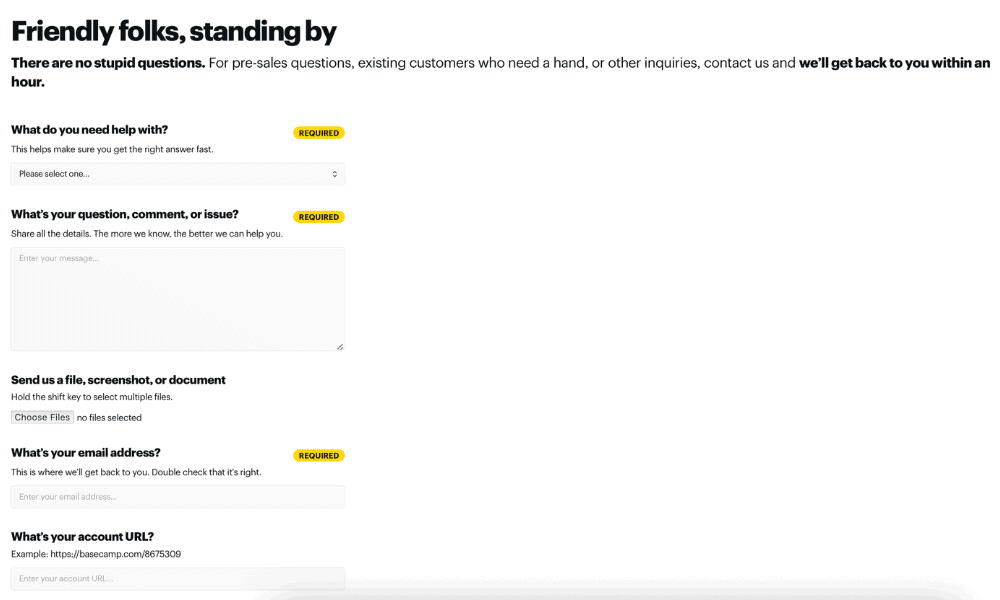
Basecamp offers quicker support through an online form. The team will respond within an hour to help resolve your issue. Neither platform provides live chat support, but both are efficient at getting back to you.
Is Basecamp or Airtable Easier to Learn and Use?
Basecamp is generally easier and quicker for most teams to pick up because of its simple layout and minimal setup. Airtable has a steeper learning curve since it functions like a flexible database with customizable fields, views and automation options.
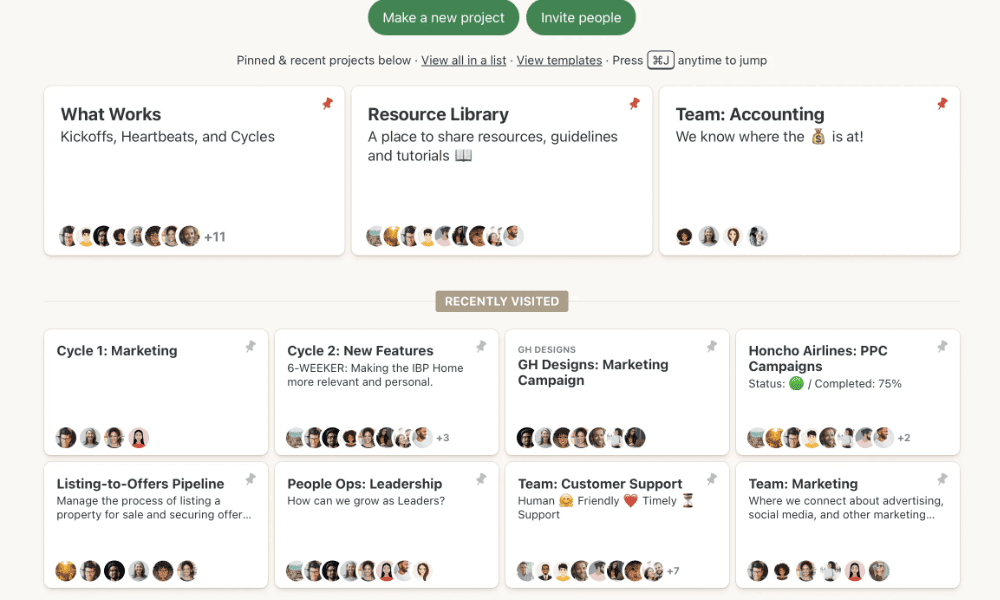
In Basecamp, a team can simply create a project and add a to-do list with tasks and due dates in minutes. In Airtable, the same team might first design a table with fields for task status, priority, owners and deadlines before they begin tracking the work.
Which Tool Offers Better Security & Privacy?
While Basecamp focuses on reliable defaults such as data encryption and two-factor authentication, Airtable offers advanced security options for larger organizations. It is also compliant with legal standards like SOC 2 Type 2 and HIPAA.
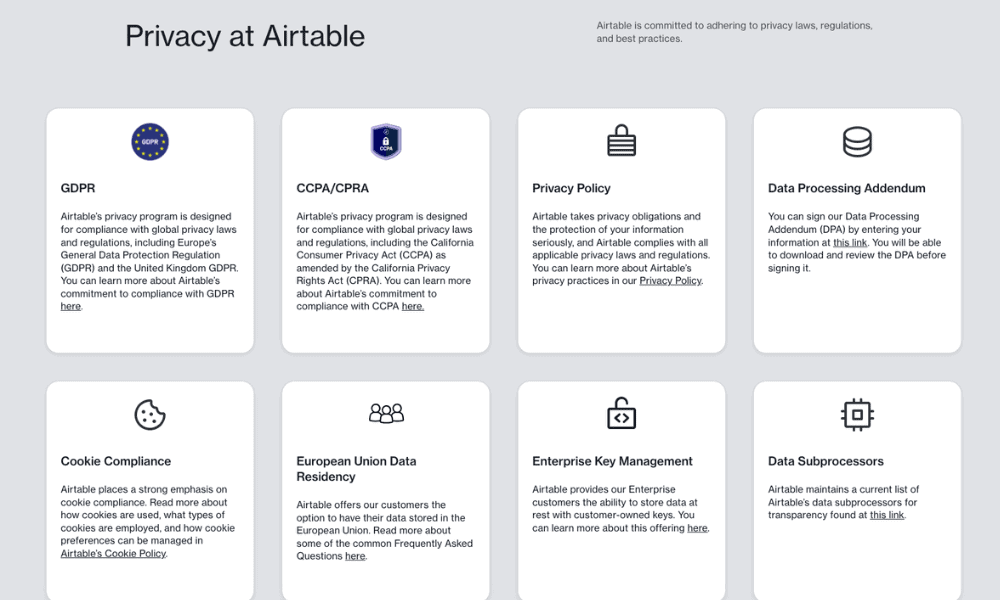
Airtable also offers more granular permissions. For instance, you can control who you share a workspace with and whether they can modify content. Basecamp is simpler, allowing you to set three types of user roles: employee, outside collaborator and client.
The Final Verdict: Why We Think Airtable Wins Overall
Airtable has an edge over Basecamp because of its powerful database-style structure, customizable fields, multiple views and automation tools. It supports complex workflow management for teams that need deep organization and data management. Try Airtable with a 14-day free trial of the Team plan.
Have you tried Basecamp or Airtable? What is your top priority in project management software? Would you prefer more features or a simple and easy-to-use solution? Share your thoughts in the comments, and thank you for reading.
If You Want to Consider Other Services, Check Out…
If neither Airtable nor Basecamp appeals to you, I recommend monday.com, ClickUp or Asana. They each offer powerful features for different project needs, as explained below.



FAQ: Basecamp vs Airtable
Yes, Airtable is better because it offers a database-style structure that allows teams to build custom workflows and track complex data. Basecamp focuses on simplicity, with straightforward task lists, message boards and file sharing.
Yes, Airtable is a great project management tool for teams that need flexible and customizable workflows. It allows users to create task trackers, project timelines and collaborative workspaces using its database-style structure.
Basecamp has a free version for up to 20 users, but you can manage only one project with just 1GB of storage space. To unlock its full potential, you need to subscribe to the Basecamp Plus or Pro Unlimited plan.

