Best Data Archiving Solutions: Top Cloud Archive Storage in 2026
I tested the best data archiving solutions across storage costs, security and performance. Read this overview to make an informed decision about the best cloud archive to protect your historical records, and learn why IDrive earns the top spot.


Written by Kevin Kiruri (Writer) & Goran Nikolić (Fact-checking editor)
Reviewed by Kate Hawkins (Editor, Writer)
Last Updated:
All our content is written fully by humans; we do not publish AI writing. Learn more here.
Key Takeaways: These Are the Five Best Data Archiving Solutions
- IDrive — A well-balanced data archiving solution offering strong security, flexible storage options and excellent value. Start with the 10GB free plan or explore affordable paid tiers.
- pCloud — A flexible archiving solution known for its lifetime plans and easy-to-use interface. Take advantage of the 14-day money-back guarantee to test the $199 lifetime plan.
- Proton Drive — A privacy-first archiving solution with end-to-end encryption and strong data protection controls. Sign up for the 5GB free plan to try it out.
- Internxt — A secure, zero-knowledge cloud storage platform focused on private long-term archiving. Sign up for the 1GB free plan to test Internxt risk-free.
- Backblaze B2 — A cost-efficient cloud storage platform built for large-scale data archiving and scalable workloads. Sign up for a 15-day free trial to try it today.
Facts & Expert Analysis About Data Archiving Solutions:
- eDiscovery demand is rising as digital evidence expands: The global eDiscovery market could grow from $14.27 billion in 2024 to $22.5 billion by 2029, highlighting how businesses increasingly need structured, searchable archives to quickly locate data without delays.1
- Modern archives now support governance: Features like retention rules, legal holds, search case management, exports, tagging and lifecycle administration go beyond simple storage and enable organizations to enforce compliance policies and manage legal risk from a single platform.2
- Unstructured data is growing at a faster rate than structured data: Over 80% of new enterprise data consists of unstructured data, which is growing three times faster than structured data.3 This makes it essential for businesses to use scalable archiving solutions with metadata indexing to make data easy to find and manage.
Managing growing volumes of digital information has made data archiving solutions essential for modern businesses. Organizations are turning to cloud-based platforms to offer scalable, secure and cost-efficient long-term storage. To explore broader options beyond archiving, read our article on the best cloud storage services for a full review.
Data archiving is a critical part of digital infrastructure. The industry has shifted heavily from traditional storage methods like physical tape archives to cloud-based archiving. In this article, I review and rank the best data archiving solutions to help you make an informed decision for reliable long-term data retention and preservation.
-
08/24/2022 Facts checked
Updated IDrive’s pricing information.
-
11/28/2022 Facts checked
Updated to include new services.
-
02/26/2024 Facts checked
Updated IDrive’s pricing information.
-
06/17/2025 Facts checked
We adjusted the list to add pCloud in fifth place.
-
05/11/2026 Facts checked
We rewrote this guide, updating the provider list with new rankings and adding additional feature evaluations.
Cloudwards’ Choice: IDrive
 Cloudwards’ Choice: IDrive
IDrive stands out as the strongest all-around choice for data archiving because it balances affordability, security and flexibility. I love that it delivers true enterprise-grade compliance power without a massive price tag. You can test IDrive for yourself by signing up for its 10GB free plan.
How to Choose the Best Cloud Storage for Data Archiving
Choosing the best cloud storage for data archiving requires you to understand your budget and long-term goals. The right platform should protect your files for long-term data retention while keeping them available when needed. This buyer’s guide provides expert advice to help you make a sound decision about the best cloud storage solution for your business.
Before selecting a provider, evaluate factors that affect the real total cost of ownership and long-term satisfaction. Using clear criteria and a simple selection checklist can help you avoid costly mistakes. The technical considerations listed below will help you choose a platform that keeps your data safe, searchable and available.
10,000+ Trust Our Free Cloud Storage Tips. Join Today!

- Demystify cloud storage terminology and key concepts in plain language
- Discover easy-to-implement techniques to securely backup and sync your data across devices
- Learn money-saving strategies to optimize your cloud storage costs and usage
Key Factors for Choosing a Data Archiving Solution
- Storage tiers and performance: A good archive service should offer multiple storage tier options, such as hot, warm or cold storage, to help you match speed and cost to your business needs.
- Retrieval time and cost: Check how fast files can be restored and the fees that apply for retrieval.
- Security and encryption: Choose providers that encrypt files at rest and in transit, ideally with client-side security to meet modern data protection requirements.
- Compliance certifications: Services that meet standards like HIPAA, GDPR and SOC 2 make it easier to comply with legal and industry requirements.
- Scalability and durability: The right platform should grow with your data while maintaining high uptime, strong redundancy and excellent data integrity.
- Data management and eDiscovery features: Look for tools like retention rules, searchable metadata, indexing and eDiscovery capabilities that simplify audits, and long archive retention periods.
The 5 Best Data Archiving Cloud Storage Services Compared
| Service: | Free Storage | Best Price | Locations | E2E Security | Collaboration | Sharing | Security |
|---|---|---|---|---|---|---|---|
 | 10GB | $0.25/month for 100GB | U.S., Asia, Europe, Canada | | | | AES-256, TLS/SSL |
 | 10GB | $5.53/month for 500GB | EU, U.S. | | | | AES-256, TLS/SSL |
 | 5GB | $3.99/month for 200GB | Norway, Germany, Switzerland | | | | AES-256, TLS/SSL |
 | 1GB | $1.67/month for 1TB | EU | | | | AES-256, TLS/SSL |
 | Unlimited GB | $7.88/month for Unlimited GB | U.S., Canada, Netherlands | | | | AES-256, TLS/SSL |
1. IDrive — Best Archival Storage Solution

IDrive earns the top spot by balancing cost, speed, security and flexibility. It supports multiple devices under one account, offers strong storage tier value and includes versioning for data retention. It also features private key encryption, while admin controls, backups and restore options help meet compliance requirements and preserve data integrity.
IDrive Hands-On Testing
The IDrive dashboard is highly practical. It provides controls for backups, sync and scheduling to help IT teams manage several endpoints. While it may take some time for new users to navigate, it’s pretty easy to use once you overcome the learning curve. The user interface (UI) doesn’t have the most modern design, but the feature depth makes up for it.

IDrive Pricing & Value
IDrive is one of the most affordable options available. It has a 10GB free Basic plan, with no credit card details required. Higher-capacity personal, business and team plans are available for growing storage needs, making it suitable for small teams and larger organizations alike.
Read our detailed IDrive review for more information, or try it yourself using IDrive’s free plan.
- No credit card required.
- 10GB
- One user.
- 100GB
- One user, multiple computers. Plans starting from 5TB up to 100TB. Big discount for first-time signup.
- 5TB
More plans
- 5 computers, 5 users. Starting at 5TB up to 500TB. Big discount for first-time signup.
- 5TB
- Monthly Plan storage starts at 1.25TB up to 50TB Unlimited users, multiple computers and servers. NAS devices. 250GB storage. Starting at 250GB up to 50TB. Large discount for first-time signup.
- 250GB
- 5TB
2. pCloud — Best Lifetime Storage Plans

pCloud is an excellent choice for users who want predictable long-term storage costs and simple management. It offers flexible plans, reliable sharing tools and good performance for routine archives. For businesses focused on long-term data retention, pCloud supports file versioning and remote access, and optional encryption adds extra privacy.
pCloud Hands-On Testing
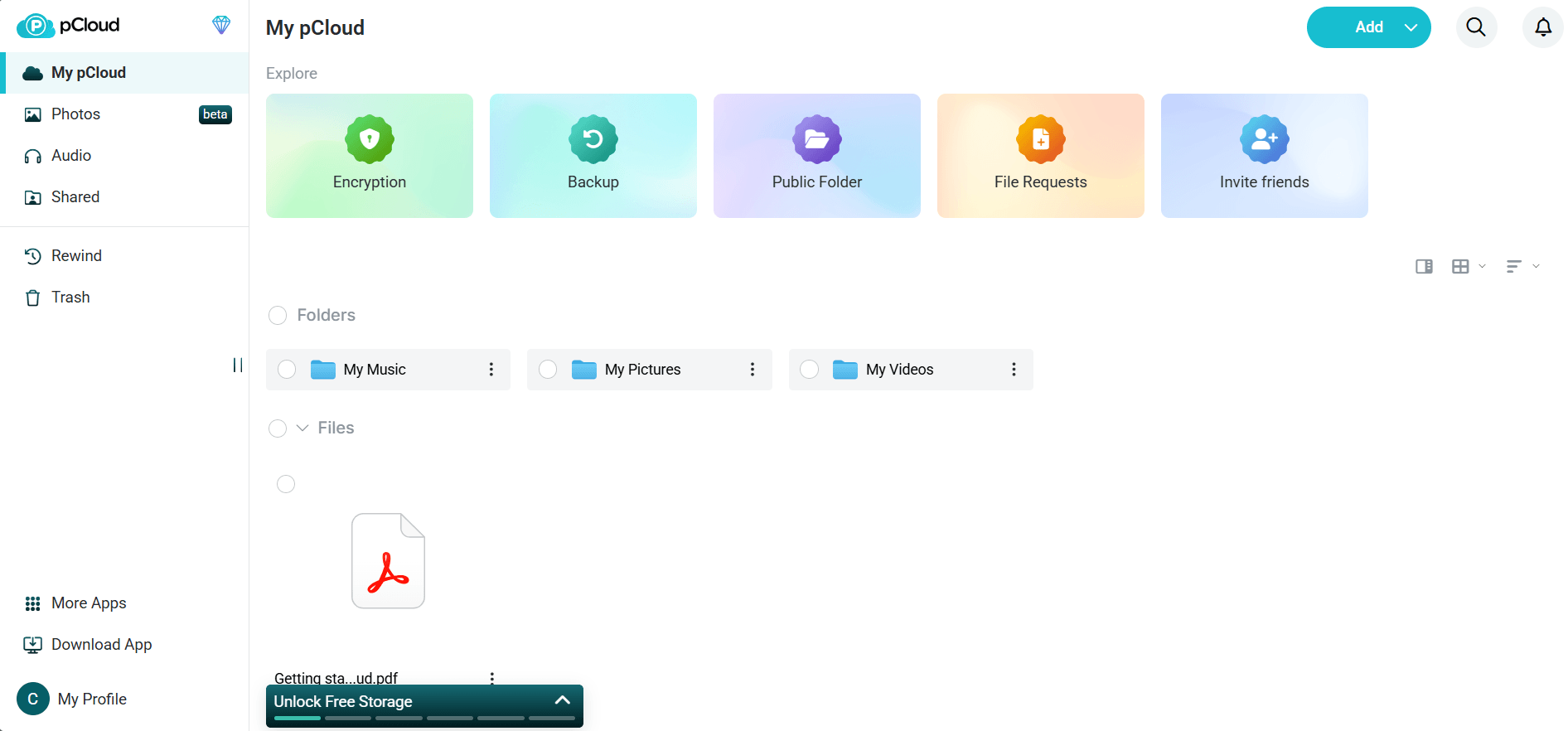
Using pCloud feels like adding an invisible hard drive to your computer. The app is clean and intuitive, making it easy for beginners to drag and drop folders into their archive. Overall, performance is quick and responsive. Large files can cause speed swings during transfers, but small files move quickly.
pCloud Pricing & Value
pCloud offers monthly, annual and lifetime plans for its Premium 500GB, Premium Plus 2TB and Ultra 10TB packages. Users also try plans with a 14-day money-back guarantee. Learn more in our pCloud review.
- 10GB
- 500GB
- 2TB
More plans
- 10TB
- + FREE Encryption
- 2TB
- + FREE Encryption
- 10TB
- Price per user (minimum 3)
- 1TB
- Price per user (minimum 3)
- 2TB
- Encryption for pCloud Drive
3. Proton Drive — Best for Private and Encrypted Data Archiving
![Video thumbnail for the video: I Tested Proton Drive to See If It's as Private as It Claims [2024 REVIEW]](https://img.youtube.com/vi/XWmsFdm-VLg/maxresdefault.jpg)
Proton Drive is built for privacy-focused users. It implements end-to-end encryption by default, which helps to protect sensitive files. The robust security helps organizations meet strict compliance requirements when archiving data.
Proton Drive Hands-On Testing
Proton Drive’s interface offers a great user experience. Everything from uploading files to setting folder permissions is intuitive. Its implementation of version history is particularly well suited to archiving workflows: Users can store file versions for up to 10 years, and the platform lets you browse and restore previous versions as needed.

Proton Drive Pricing & Value
Proton Drive offers a 5GB free plan and paid plans for personal and business use, billed either monthly or yearly. Try out Proton Drive by signing up for the free plan, or learn more in our Proton Drive review.
- 5GB
- 200GB
- 500GB
More plans
- 2TB
- 3TB
- per user
- 1TB
- per user, minimum of 2 users
- 1TB
- 1TB
4. Internxt — Best Budget Zero-Knowledge Lifetime Storage

Internxt is a strong option for users who want secure cloud archiving without premium pricing. Its zero-knowledge model helps protect sensitive files, while encrypted transfers and distributed storage strengthen data integrity. Plus its lifetime plans guarantee long-term archival.
Internxt Hands-On Testing
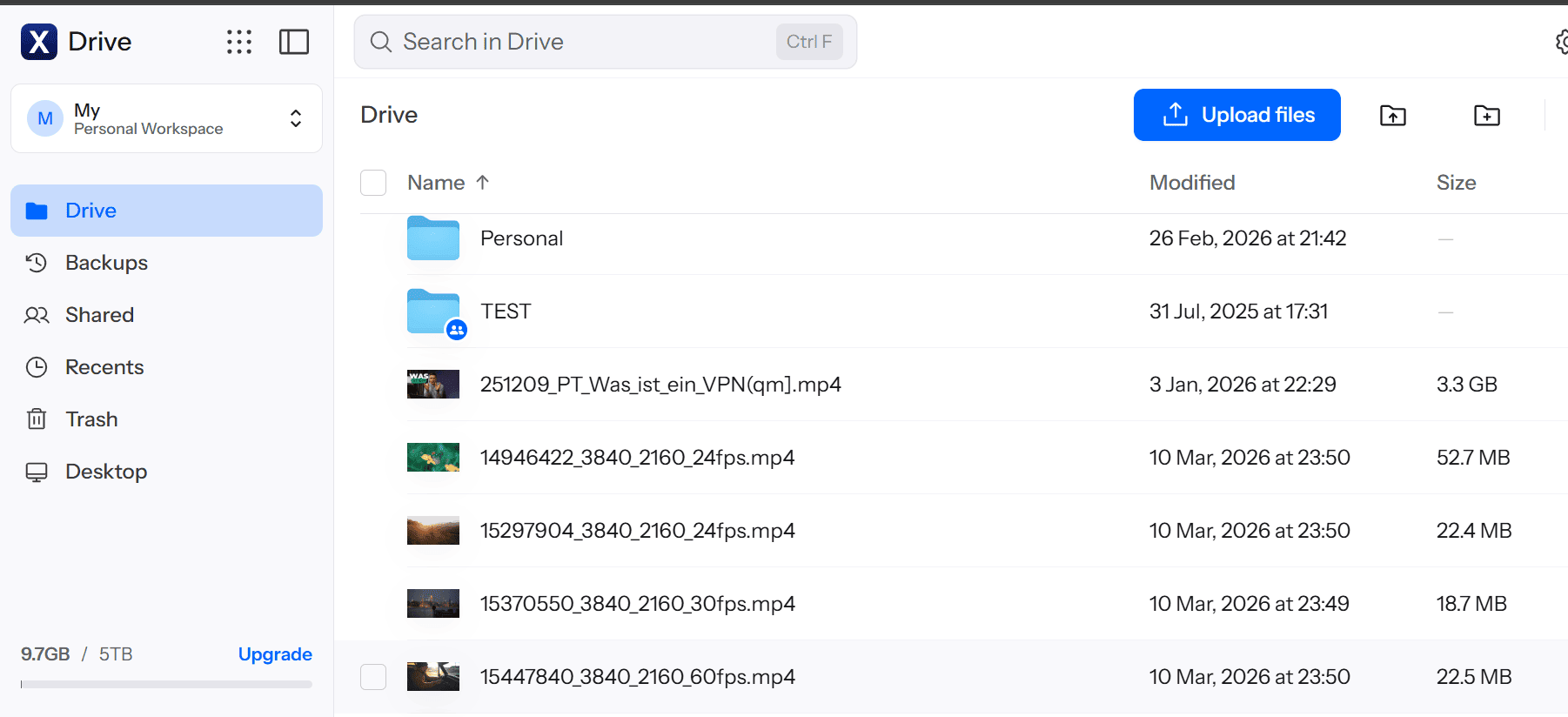
Internxt offers a modern management console that is easy to understand. Basic tasks like uploading files, creating folders and managing stored data are straightforward, making it suitable for users who want privacy without complexity.
Internxt Pricing & Value
Internxt has a 1GB free plan for light storage needs, and it offers affordable annual and lifetime paid plans if you need more capacity. All paid plans come with a 30-day money-back guarantee. Test it today by signing up for the 1GB free plan, or take a deep dive into our Internxt review.
- 1GB
- Post-quantum encryption Zero-knowledge encryption Two-factor authentication Backup your computer Password-protected file sharing Encrypted VPN Antivirus
- 1TB
- Everything in Essential plus; Cleaner Invite, share & collaborate File versioning (coming soon) Cleaner
- 3TB
More plans
- Everything in Premium plus CLI & WebDav support NAS & Rclone support Meet Mail (coming soon)
- 5TB
- Annual Price is per user
- 1TB
- Annual Price is per user
- 2TB
5. Backblaze B2 — Best for Low-Cost Enterprise Data
Backblaze B2 is a practical choice for businesses that need affordable archive cloud storage at scale. Its usage-based model works well for teams storing large volumes of enterprise data. For buyers comparing cloud archive solutions, Backblaze stands out for cost control, flexible APIs and durability across expanding workloads.
Backblaze Hands-On Testing
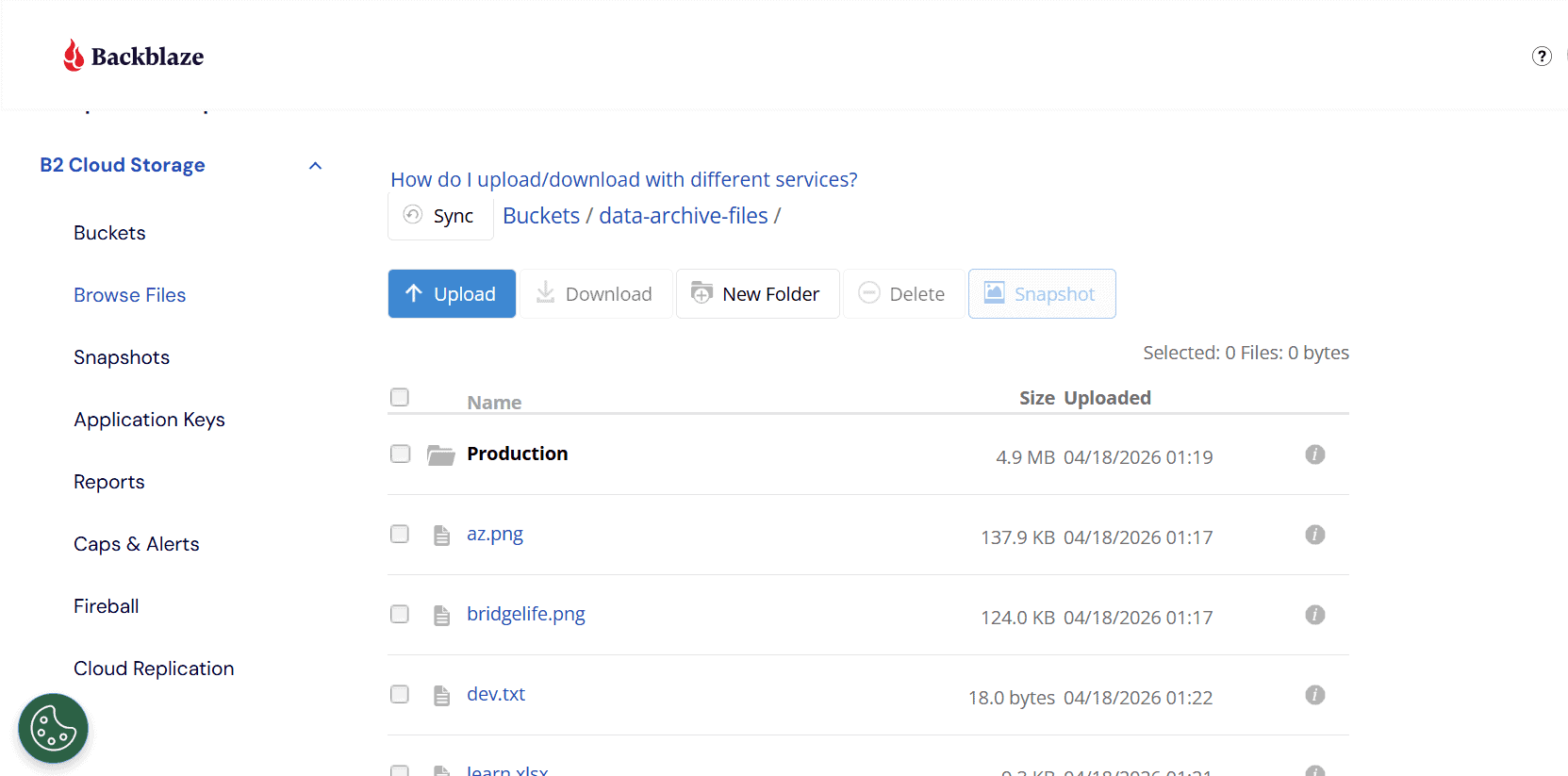
Backblaze is a professional toolkit that gives IT teams room to build custom workflows, connect third-party apps and manage large storage pools. The flexibility is an advantage for experienced users, but it may take beginners some time to learn.
Backblaze B2 Pricing & Value
Backblaze is one of the most attractive cheap data archiving solutions. Storage is billed based on usage, offering savings for large archives. However, businesses should review download charges and request fees to avoid hidden charges.
Backblaze offers a 15-day free trial and a 30-day money-back guarantee on one-year and two-year plans. Sign up for the free trial to try Backblaze risk-free, or read our Backblaze review for more details.
- Unlimited GB
Data Archiving Software Honorable Mentions
The honorable mentions below still offer excellent value for users. Both provide professional-grade security and reliability for archiving data.

Our Methodology: How We Tested the Cloud Archive Storage
I subjected each service to rigorous testing focused on real-world performance and security. Being transparent about this process will help you compare and analyze solutions with confidence.
- Pricing and long-term value: I compared entry plans, renewal costs and retrieval fees to measure long-term savings and overall business value.
- Performance and speed: I tested upload and download speeds in a controlled environment to review performance benchmarks and overall reliability.
- Security and privacy: I reviewed encryption standards, account protection tools and privacy controls for each platform.
- User experience and management: I assessed dashboards, setup steps and admin controls to understand the user experience for beginners and teams.
- Scalability and data management: I analyzed how each service handles growing data volumes, retention policies and indexing for long-term archive management.
Why You Need a Cloud Storage Service for Data Archiving
Cloud storage is one of the smartest ways to manage growing archives. Instead of keeping old files in local systems, companies move inactive data into secure cloud platforms built for long-term retention. Some of the reasons why a company would choose to use cloud storage for data archiving include:
- Cost savings: Keeping old data on primary high-speed drives is expensive. Cloud data archiving solutions offer lower-cost data storage. They also help businesses avoid the hardware, maintenance and upgrade costs that come with on-premises storage.
- Compliance and risk mitigation: Many industries must keep records for legal, tax, privacy or operational reasons. Cloud archiving helps meet retention requirements and provides eDiscovery capabilities to produce records when needed.
- Operational efficiency: When old data remains in production systems, it adds extra load to databases, servers and backup jobs. Archiving removes the clutter so core systems run faster and more efficiently.
Data Archiving vs Data Backup: Understanding the Critical Differences
Backups are for business continuity and disaster recovery, offering frequent copies of active data for fast restoration. Archiving is for long-term retention and compliance, where legacy systems and old records are preserved for long periods of time.
| Feature: | Data Backup | Data Archiving |
|---|---|---|
| Primary Goal | Fast disaster recovery | Long-term retention, compliance |
| Data Type | Active & recently changed data | Inactive or historical data |
| Retrieval Speed | Minutes to hours (fast) | Hours to days (slow access) |
| Storage Cost | High | Low |
| Retention Period | Short term (days to months) | Long term (years) |
Data Archiving and Regulatory Compliance
Regulated industries need systems that preserve records, protect sensitive information and make data easy to produce during audits, investigations or legal requests.
5 Common Data Archiving Pitfalls and How to Avoid Them
The most common pitfalls include treating an archive as a backup, underestimating retrieval and egress costs, neglecting metadata and indexing, locking data in proprietary formats and forgetting to test restore processes. Avoiding these issues helps save money, reduce risks and ensure archived data is useful.
- Treating an archive as a backup: An archive isn’t built for fast disaster recovery, so relying on it during outages can lead to missed recovery targets and long downtime. Organizations should enforce strict data classification rules so only inactive, long-term files are moved to archive storage.
- Underestimating retrieval and egress costs: Low storage pricing is attractive until you need large-scale retrieval and receive unexpected download and egress fees. Always review pricing terms in advance, estimate access patterns and choose plans that align with the frequency with which you restore data.
- Neglecting metadata and indexing: Storing files without clear labels, tags or searchable records makes them difficult to find. Use strong metadata standards, folder structures and automated indexing tools to make files searchable when needed.
- Locking data in proprietary formats: Saving records in software-specific file types creates format obsolescence, which may make the records unreadable if tools change or support ends. Protect data from vendor lock-in by converting documents into universally accepted formats before archiving.
- Forgetting to test your restore process: An archive that has never been tested may fail when you need it most. Regular restore validation ensures that archived files can be successfully recovered, opened and used when required.
How to Manage Your Data Archives Effectively
Data archives typically contain two types of data: structured and unstructured. Knowing the difference helps you choose the right storage method, search tools and retention policies for each type of content.
Structured data is organized in rows and columns in databases, enterprise resource planning (ERP) systems and customer relationship management (CRM) platforms. Unstructured data does not follow a fixed table format and is often stored as files or messages.
| Structured Data | Unstructured Data | |
|---|---|---|
| Format | Organized in rows/columns (databases, spreadsheets) | Free-form, not stored in fixed fields |
| Examples | Customer records, transactions, sensor logs, financial data | Emails, PDFs, contracts, images, videos, chat logs, medical scans |
| Storage Systems | Relational databases (SQL Server, Oracle, SAP HANA) | File servers, email systems, cloud storage, content repositories |
| Access/Query | Retrieved via SQL queries, reporting tools | Retrieved via search, indexing, metadata, AI/NLP |
| Archiving Approach | Partitioning, tiered storage, ETL pipelines, archive tables | Content repositories, object storage, email archiving, enterprise vaults |
| Use Cases | Regulatory reporting, financial audits, ERP/CRM optimization | eDiscovery, compliance communications, healthcare imaging, legal case files |
| Main Benefit of Archiving | Improves system performance, reduces database size and costs | Preserves records for compliance, supports investigations, prevents storage sprawl |
| Challenges | Maintaining relational integrity, handling large data volumes | Classification, searchability, multiple formats and sources |
How to Manage Structured Data Archives
You can manage structured data archives by moving inactive records from production databases into archive tables, separate databases or more affordable storage tiers. This helps reduce the load on production systems while keeping historical data available for reporting, auditing and future business needs.
It also helps to use partitioning, ETL (extract, transform, load) workflows or dedicated third-party archiving tools to automate how records are moved and retained. Focus on data integrity, access controls and reporting capabilities so archived information stays accurate, compliant and easy to query when needed.
How Should You Manage Unstructured Data Archives?
You can manage unstructured data archives more effectively by using platforms with strong indexing, metadata tagging and AI-driven analysis. These tools make it easier to search, organize and retrieve large volumes of files over time.
Without a clear structure, emails, documents, images, videos and recordings can quickly become difficult to track. Choosing solutions with eDiscovery features, fast search tools and legal hold capabilities helps support compliance and faster file retrieval.
Final Thoughts
Choosing the best data archiving platform for your needs depends heavily on your specific data volume, retrieval frequency and compliance requirements.
My top pick is IDrive, as it combines strong value, dependable performance, flexible backup and archiving tools. Take advantage of IDrive’s free plan to test the service risk-free and determine whether it’s a good fit for you.
Which cloud storage provider are you currently considering for your archiving needs? How often do you need to retrieve archived files? Share your thoughts in the comments, and thank you for reading.
FAQ: Data Archiving Software
Data backup is for fast recovery after loss or failure, while data archiving is for storing inactive data long term for compliance, records and future reference.
Costs vary by provider, storage volume and retrieval needs, ranging from low pay-as-you-go rates to monthly, annual and lifetime plans.
The best solution for long-term data archiving depends on your needs, but IDrive is a strong all-around choice for value, flexibility and long-term storage management.
The key features to look for in data archiving software are strong security, affordable storage tiers, fast retrieval options, compliance tools, scalability, indexing and retention management features.
Open-source data archiving solutions can be reliable for enterprise use when properly managed, but they often require more in-house expertise, support planning and security oversight than commercial platforms.