Zoho Notebook Review
Zoho Notebook stands out among the few free note-taking apps for a number of factors, including excellent security and features. In our Zoho Notebook review, we'll explain why it might be a better option than other apps.


— Last Updated: 2026-07-22T16:52:45+00:00 Facts checked by Jasna Mishevska
Zoho Notebook is a freemium note-taking app that’s an excellent choice for users who want an attractive, easy-to-use alternative to Evernote and Microsoft OneNote. Its generous free plan will suit most casual note-takers, while the Pro and Business plans add advanced features for power users and teams.
In this Zoho Notebook review, I’ll break down its pricing, features, security and ease of use to help you decide whether it’s the right note-taking app for your needs.
-
02/07/2023 Facts checked
Updated to include new information about pricing and features.
-
07/22/2026 Facts checked
We’ve updated this review to reflect Zoho Notebook’s current pricing and plans, Notebook AI features, security and privacy information, migration tools and buying recommendations.
Who Should Use Zoho Notebook?
Zoho Notebook is ideal for students, casual note-takers and anyone looking for a free alternative to Evernote or Microsoft OneNote. Its clean interface, generous free plan and cross-platform support make it an excellent choice for organizing everyday notes, checklists and documents without a steep learning curve.
It’s also a good fit for users who value privacy and want an affordable upgrade path. The Pro plan adds useful AI-powered features and larger attachment limits, while the Business plan introduces collaboration tools for small teams.
Avoid Costly Project Management Mistakes – Get Free Tips Today!

- Discover 10 fundamentals of project management
- Understand step-by-step plans for PM execution
- Learn tips to avoid 5 common mistakes by beginners
Who Shouldn’t Use Zoho Notebook?
Zoho Notebook isn’t the best choice for users who rely heavily on advanced productivity features or deep third-party integrations. Power users who need sophisticated project management capabilities, extensive automation or a large ecosystem of integrations may be better served by apps like Evernote, Notion or Microsoft OneNote.
It’s also less suitable for larger teams that require robust collaboration and knowledge management tools. While Zoho Notebook’s paid plans have become more capable, businesses with complex workflows will likely find more flexibility elsewhere.
Zoho Notebook Review: Strengths & Weaknesses
Pros:
- Great free plan
- Beautiful & intuitive design
- Unlimited notes
Cons:
- Lacking advanced options
- Slow on long form notes
What Features Does Zoho Notebook Offer?
Zoho initially developed Notebook as a web-based app for taking notes, but it has since branched out to cover all major platforms, including Windows, Mac, Linux, Android and iOS.
Some features are not available across all platforms (we’ll get to those in a minute), but the good news is that, regardless of platform, Notebook syncs across an unlimited number of devices automatically, keeping your notes up to date across platforms.

Zoho Notebook has evolved significantly over the years and now offers desktop applications, improved organization tools and a much more complete feature set than its early versions.
Zoho Notebook Cards
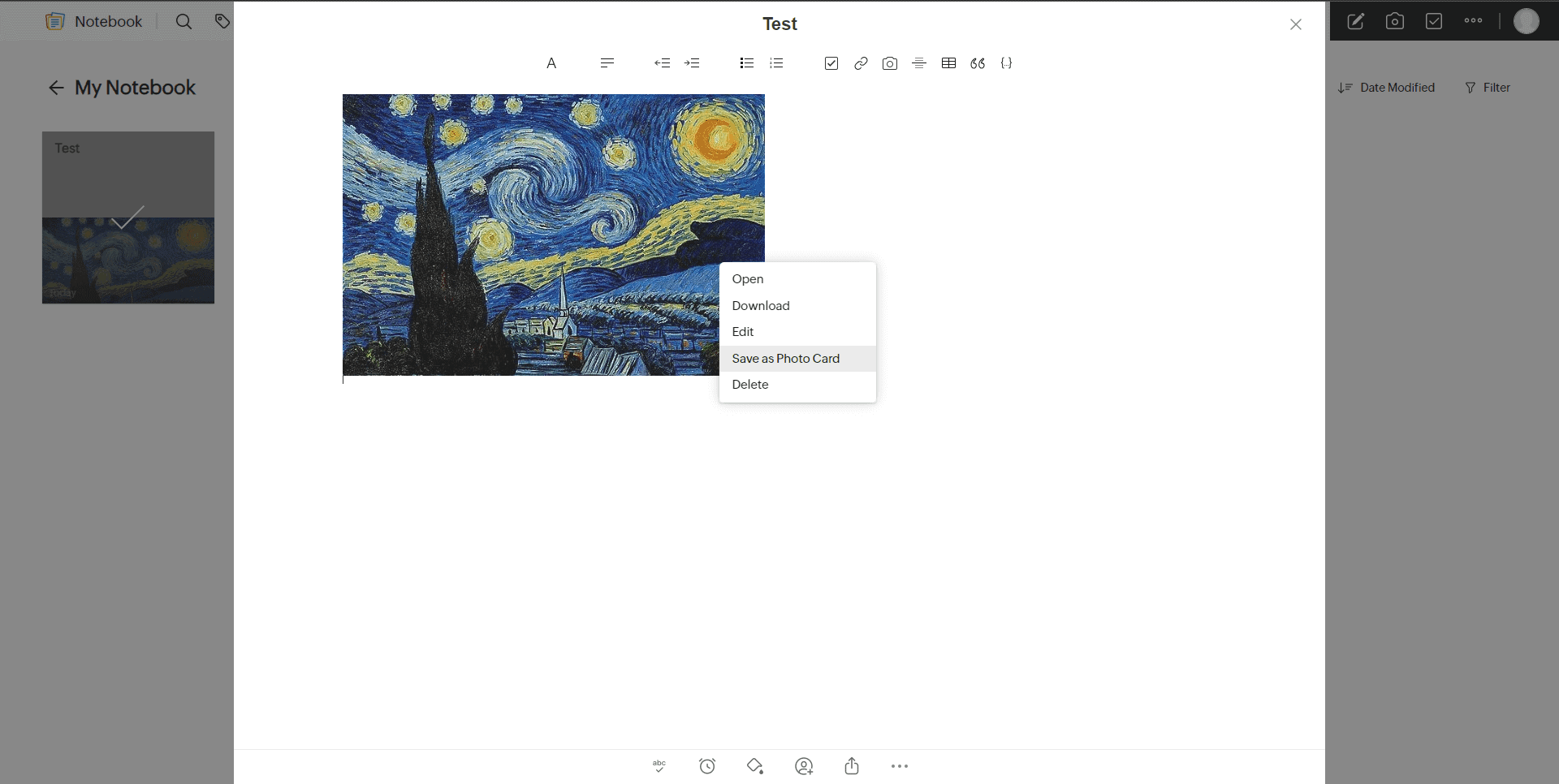
Even though they are all called “cards,” there are six different types of content you can add and manage inside Zoho Notebook:
- Text card: Your standard text-based note
- To-do card: Perfect for making lists, itineraries and recipes
- Audio card: Audio recordings of mental notes, quick flashes of inspiration, meetings, lectures, etc.
- Photo card: For taking and adding pictures
- Sketch card: Great for quick doodles, sketches and diagrams
- File card: For attaching PDFs, videos and other files
Formatting Tools
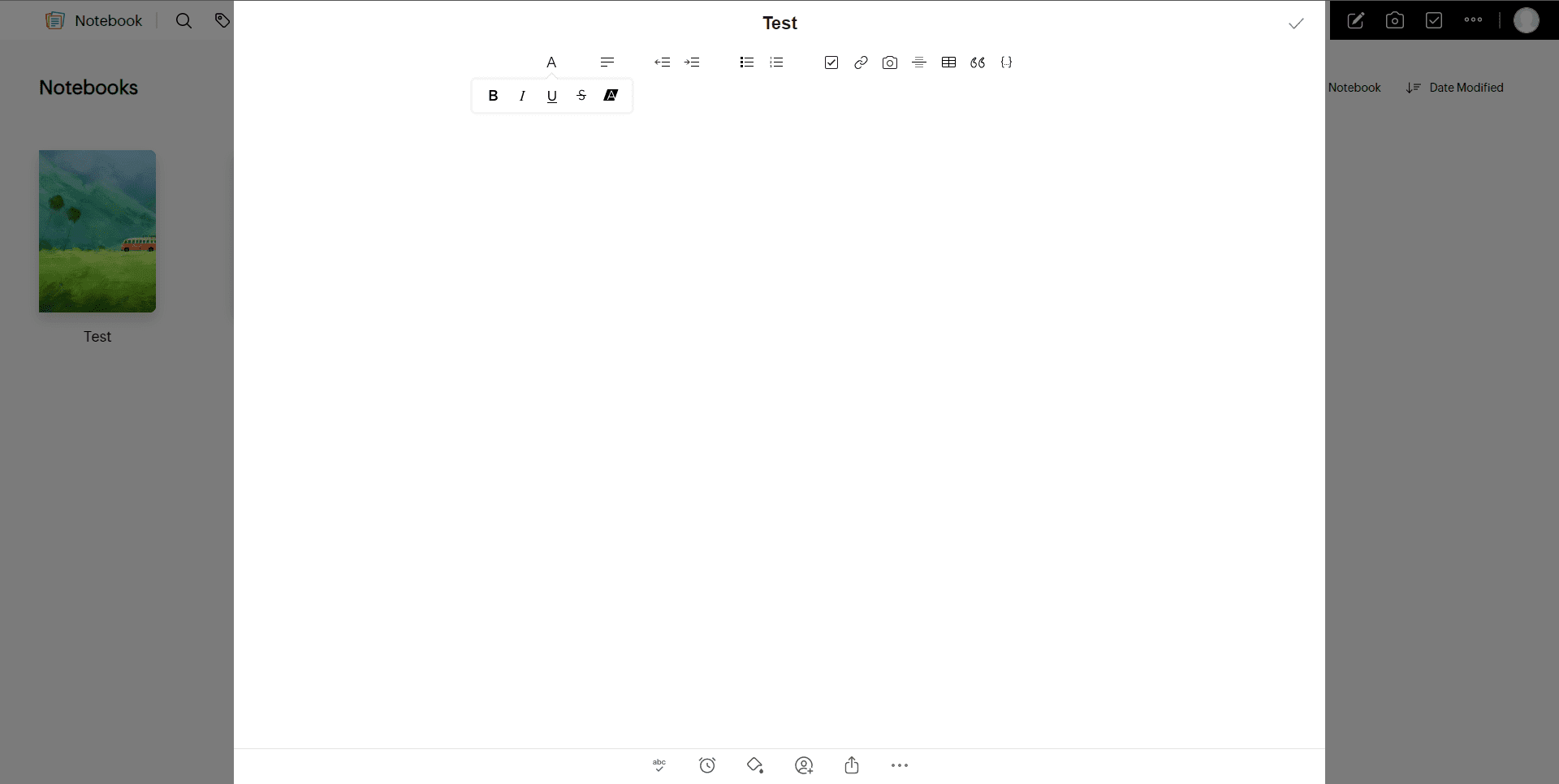
Zoho comes with many of the usual text formatting options you would find in a Word document — italics, bold, underline — in addition to some advanced features, such as inserting checklists, images, links, tables and more.
Zoho Notebook includes spell checking, reminders and note-sharing features. The same goes for the other types of cards, though the audio and photo cards are pretty bare-bones as far as additional features are concerned.
App Integrations
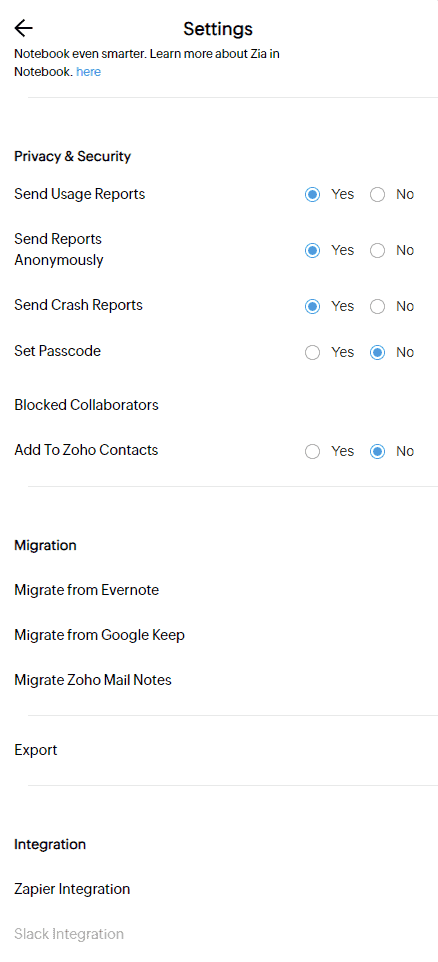
Zoho Notebook includes migration tools that let you import notes from Evernote and Zoho Mail, making it easier to switch from another note-taking app without losing your existing content.
Zoho Notebook also integrates with popular services including Gmail, Google Drive, Slack, Microsoft Teams, Zapier and other Zoho applications, allowing you to connect your notes with your existing workflows.
Overall, Zoho Notebook has many features, but only a small portion of those functions are more advanced. Despite not having the wealth of features boasted by competitors like Evernote, its free plan still packs a punch, and its paid plans are pretty affordable, as you’ll see in the next section.
Notebook AI: What Can It Do?
Notebook AI adds several productivity features that make Zoho Notebook more competitive with modern note-taking apps. It can summarize long notes, generate meeting summaries and extract key action items, making it useful if you regularly take notes during calls or brainstorming sessions.
The AI tools can also transcribe audio recordings and use optical character recognition (OCR) to extract text from images and scanned documents. This makes it easy to turn handwritten notes, screenshots and whiteboard photos into searchable text without leaving the app.
Notebook AI can help organize and refine your notes as well. Depending on the content, it can generate concise summaries, identify important information and save time when reviewing lengthy documents or meeting notes.
Although Notebook AI isn’t as feature-rich as dedicated AI assistants or some competitors’ premium offerings, it adds meaningful value to Zoho Notebook’s paid plans. If you frequently work with meeting notes, voice recordings or scanned documents, the AI tools make upgrading to the Pro plan much easier to justify.
Zoho Notebook Features Overview
| Features |  |
|---|---|
| Sync | |
| Share | |
| Embed note links | |
| Tag notes | |
| File attachements | |
| Email notes | |
| Web clipper | |
| Voice recorder | |
| Video recorder | |
| Handwriting support | |
| Ink-to-Text Coversion | |
| Optical character recognition (OCR) | |
| IFTTT/Zapier |
How Much Does Zoho Notebook Cost?
Zoho Notebook offers three plans: Essential, Pro and Business. The free Essential plan is generous enough for most users, while the paid plans add more storage, larger upload limits, AI-powered tools and collaboration features.
| Plan | Price | Cloud Storage | File Upload Limit | Best For |
|---|---|---|---|---|
| Notebook Essential | Free | 2GB | 100MB | Casual note-taking and personal use |
| Notebook Pro | From $1.39/month | 100GB | 1GB | Power users who want AI features and more storage |
| Notebook for Business | Pricing varies by users | Business-tier storage and collaboration tools | Higher limits | Teams and businesses that collaborate on notes |
The biggest differences between the free and paid plans are their storage and upload limits. Notebook Essential includes 2GB of cloud storage and a 100MB file upload limit, which is more than enough for basic text notes and light usage. Notebook Pro increases those limits to 100GB of cloud storage and 1GB per file, making it a much better option if you regularly save images, PDFs or other large attachments.
How Much Does Zoho Notebook Pro Cost?
Zoho Notebook Pro starts at $1.99 per month on a month-to-month plan. If you’re willing to commit long-term, you can save money with the annual plan at $19.99 per year or the three-year plan at $49.99, which works out to approximately $1.39 per month.
It offers a 1GB file upload limit and 100GB of cloud storage for files and notes. Notebook Pro also includes advanced search with OCR and object detection, Notebook AI features such as transcription and note summaries, editable notebook sharing, premium notebook customization options and priority support via call and chat.
Zoho Notebook’s paid version is relatively cheap compared to other note-taking apps like Evernote. Even though the free option has a storage cap and few features, it provides plenty to satisfy a basic user.
Is Zoho Notebook Pro Worth It?
For most users, Zoho Notebook’s free plan offers everything needed for everyday note-taking. It includes unlimited notes, cross-platform syncing and a clean, intuitive interface that’s more than capable of handling personal projects, study notes and simple task management.
Zoho Notebook Pro is worth considering if you regularly work with large files or want access to the app’s newest AI-powered features. The paid plan adds tools such as AI-generated note summaries, meeting notes, audio transcription and OCR capabilities, making it particularly useful for professionals and power users who spend a lot of time organizing information.
If you’re simply looking for a reliable note-taking app, the free version remains one of the best value offerings on the market. However, users who can benefit from Notebook AI or need higher attachment limits will likely find that upgrading to Pro provides good value without significantly increasing their monthly costs.
- 2GB storage
- 100GB storage
What Is Zoho Notebook’s User Experience Like?
Zoho Notebook strikes an excellent balance between minimalist design and visual appeal. Its colorful notebooks and card-based interface help it stand out from many competing note-taking apps.
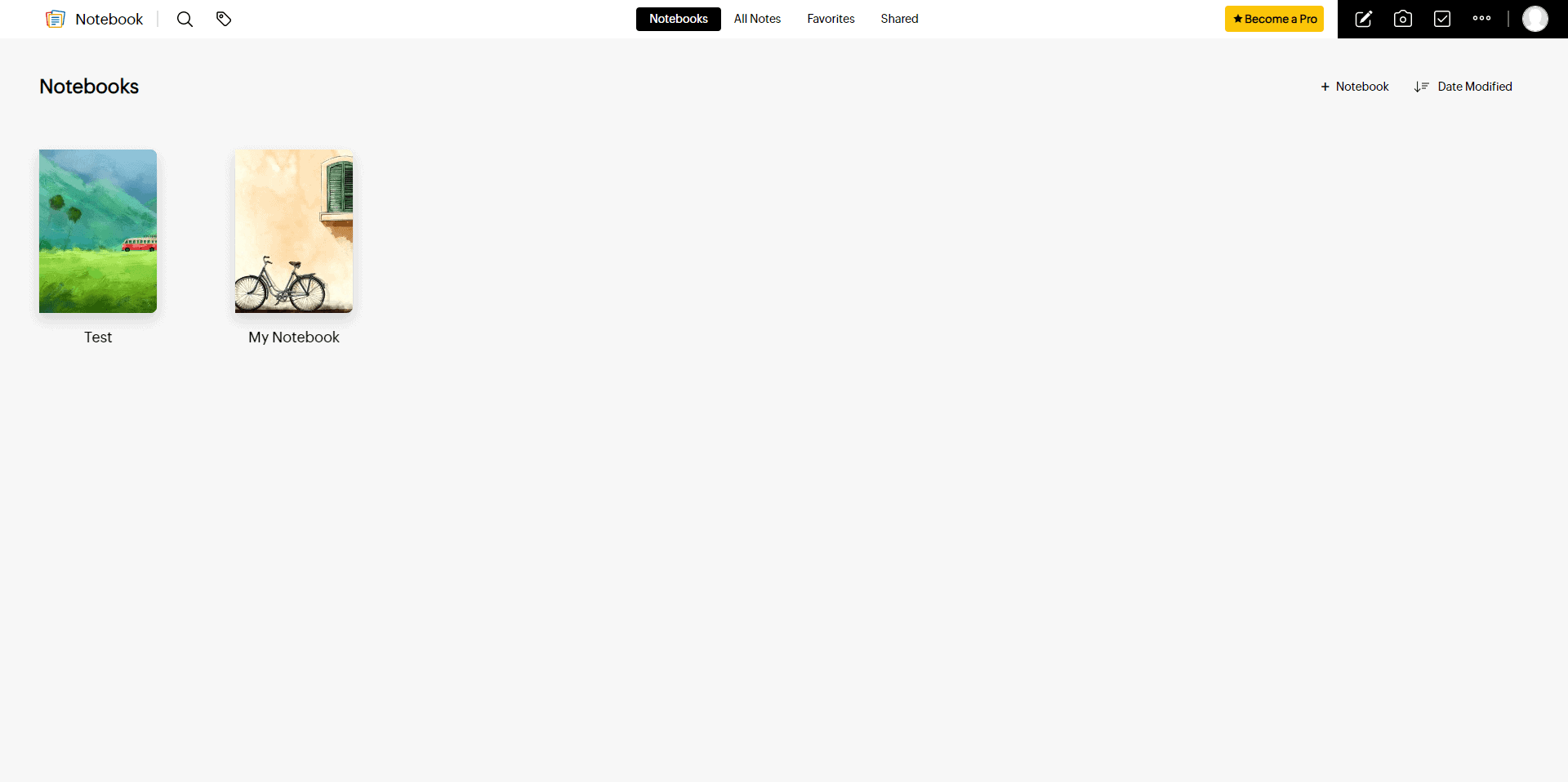
Users coming from Evernote or Microsoft OneNote may find Zoho Notebook less feature-rich, but its simplicity is arguably one of its biggest strengths.
The interface is intuitive across desktop and mobile platforms, with clearly labeled tools and an uncluttered layout that makes creating and organizing notes straightforward. Even if you’re not familiar with using notes apps, there shouldn’t be too much confusion over what does what; everything is clearly labeled and placed in accordance with modern design principles.
You can customize notebooks with different covers and colors, move cards between notebooks and choose from multiple viewing and sorting options to better organize your notes.
Zoho Notebook feels particularly well suited to mobile devices, where gestures such as swiping and pinching make navigating notebooks and managing notes feel natural.
Getting started is simple. Once you’ve created an account on Zoho’s website, your notes automatically sync across all supported platforms, making it easy to switch between devices without any additional setup.
Overall, Zoho Notebook offers one of the most polished user experiences among free note-taking apps. Its clean design, cross-platform support and thoughtful customization options make it easy to recommend for both casual and regular note-takers.
How Secure and Private Is Zoho Notebook?
Zoho Notebook takes a privacy-first approach that’s uncommon among free productivity apps. It doesn’t rely on advertising revenue or monetize your personal data, making it an attractive option for privacy-conscious users.
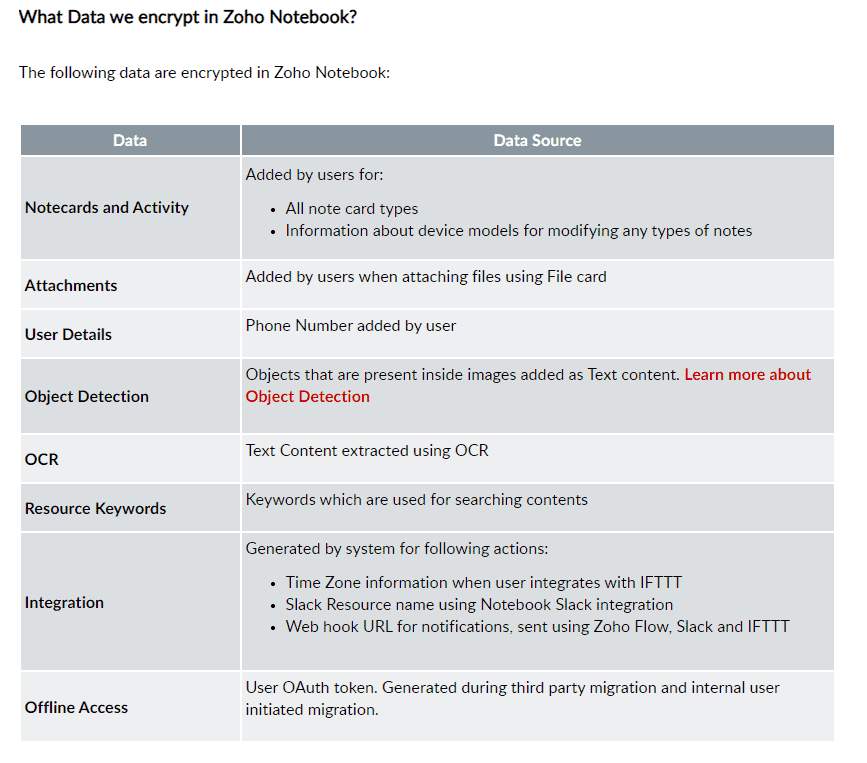
For security, there is the option to turn on two-factor authentication, something we highly recommend for every piece of software that contains personal and professional sensitive data. The mobile apps also support passcode protection and biometric authentication, including Touch ID and Face ID, allowing you to lock individual notes or entire notebooks for added security.
Privacy-wise, Zoho states that it doesn’t read the contents of your notes, sell your personal data or display advertisements within the app.
Zoho stores customer data in geographically distributed data centers across the United States, Europe and Asia. User data is stored in the data center associated with the region in which the account was created, helping Zoho meet regional data protection and privacy requirements.
Overall, Zoho Notebook offers strong security and privacy protections for a free note-taking app. Although it doesn’t provide end-to-end encryption, its encryption practices, two-factor authentication and privacy-friendly business model make it one of the more trustworthy options in its category.
Zoho Notebook Alternatives
If Zoho Notebook doesn’t quite meet your needs, several excellent note-taking apps offer different strengths depending on how you work.
Microsoft OneNote
Microsoft OneNote is one of the best alternatives for users who want a powerful and highly flexible note-taking app. Its free-form canvas, excellent organization tools and deep Microsoft 365 integration make it particularly well suited to students and professionals.
Evernote
Evernote is a better choice for power users who need advanced organization features, extensive integrations and robust productivity tools. Although it’s more expensive than Zoho Notebook, it offers a richer feature set for users willing to pay for it.
Google Keep
Google Keep is ideal if you’re looking for something lightweight and easy to use. Its minimalist design makes it perfect for quick notes, reminders and simple lists, especially if you’re already invested in Google’s ecosystem.
The Verdict: Is Zoho Notebook Worth It in 2026?
Zoho Notebook is one of the best free note-taking apps available. Its generous free plan, attractive design and cross-platform support make it a top choice for students, casual note-takers and anyone looking for a simple alternative to Evernote or Microsoft OneNote. The addition of Pro and Business plans also makes it a good option for power users and small teams.
If you need advanced productivity tools, extensive third-party integrations or enterprise-grade collaboration features, an alternative like Evernote, Microsoft OneNote or Notion may be a better fit. However, for most users looking for an affordable, privacy-friendly and easy-to-use note-taking app, Zoho Notebook is well worth considering.
What do you think about Zoho Notebook? Have you tried its free or paid plans, or do you prefer another note-taking app? Tell us about your experiences in the comments below. Thank you for reading.
FAQ
Zoho Notebook is a freemium note-taking app. Characterized by a beautiful interface, it is a great choice if you are looking for free note-taking software that is available on a wide variety of platforms and can be synced up with an unlimited number of devices.Zoho Notebook Pro is available for $1.99 per month, though you can bring the cost down with a longer subscription. The yearly plan costs $19.99 per year, or $1.67 per month, while the three-year plan costs only $49.99, which works out to $1.39 per month.
With over 150 million users worldwide, Zoho is a company that prides itself on transparency. Still, extra security is always a good thing to have, which is why we recommend everyone employ a good VPN and antivirus software in both private capacities and for professional purposes.
Notebook is just one of the 60-plus apps Zoho has produced in its 30-year history. Some of these apps are paid products, and some — such as Notebook — are free. Zoho makes its profit through these commercialized apps; the accounting tool is an example of one of its paid products.
Yes, like OneNote, it is a free application. It has several similar features, including file sharing, versioning, offline access, huge storage limits and more.