Aura Review
Aura identity theft protection provides many features with a single subscription. Its goal is to be a comprehensive online protection tool. In this Aura review, I put the service through its paces to see if it delivers.

— Last Updated: 2025-12-21T23:54:32+00:00 Facts checked by Simona Ivanovski
Key Takeaways: What Is Aura & Is It Good to Use?
- Aura has everything you’d want from an online identity protection service, including data removal from more than 140 data brokers, dark web monitoring and financial fraud protection.
- Aura offers features like a VPN, antivirus software and a password manager. However, these features won’t replace dedicated apps and services that perform these functions a bit better.
- Aura is a good service to use. It protects your data in key ways and offers more features with its plans than competitors.
Top Use Cases for Aura:
- Fewer subscriptions: Aura offers plenty of features with your subscription, so it can serve as a means of consolidating your online protection services into a single account.
- Ease of use: Aura walks you through all the steps of adding your information and beginning the monitoring process. Once you’ve set it up, Aura provides a mostly hands-off experience.
- Comprehensive protection: Aura covers the biggest threats to your information online and provides $1 million in fraud insurance protection.
Online identity theft seems no longer to be an if, but a when. That’s where Aura identity theft protection comes in. Aura offers monitoring and protection against situations such as data brokers selling your data, credit theft and data breaches. Although signing up for Aura means yet another subscription, it aims to serve as a one-stop shop for online protection.
In this Aura review, I take a look at how it protects and monitors your data, what you get with an account and who the service is best for. If you’d like to learn more about protecting yourself online, check out our list of the best data removal services.
Aura at a Glance
Aura’s main goal is to provide a complete identity protection suite. The table below presents a quick summary of what to expect.
| Feature: | Details |
|---|---|
| Pricing from | $12–$32 per month |
| Money-back guarantee | Yes, 60 days |
| Coverage | Plan dependent |
| Platforms | Windows, macOS, Android, iOS |
| Identity theft insurance | Up to $1 million per adult |
| Credit monitoring | All three |
| Credit reports | Yes, annually |
| Data brokers | More than 140 |
| Dark web monitoring | Yes |
| Financial fraud protection | Yes |
| Customer support options | 24/7 |
| Extra security features | VPN, antivirus, password manager |
What Is Aura & Who Is It Best For?
Aura is a full-featured identity theft protection service. It has many features, some of which require a separate subscription — such as the VPN, antivirus and password manager. Aura is best for those who can afford a higher-priced product and for anyone who wants to reduce the number of subscriptions they have.
The Cloudwards Expert Opinion
 The Cloudwards Expert Opinion
I can confidently recommend Aura to anyone who’s looking for an all-in-one identity theft protection and data removal service. It has many of the same features as its competitors while also offering a VPN, antivirus and a password manager. However, it is not the cheapest option available, so those on a budget may not feel comfortable subscribing.
Aura Pros & Cons
How Does Aura Work?
Aura works by continuously monitoring your personal information. It does this across the three major credit bureaus, the dark web and the internet in general. You also get financial fraud monitoring, which includes your bank and credit accounts. You’ll receive an alert whenever your data shows up in a breach.
Key Features
Aura encompasses just about everything you’d want from an identity protection and data removal service. Its features rival those of its competitors.
Data Brokers
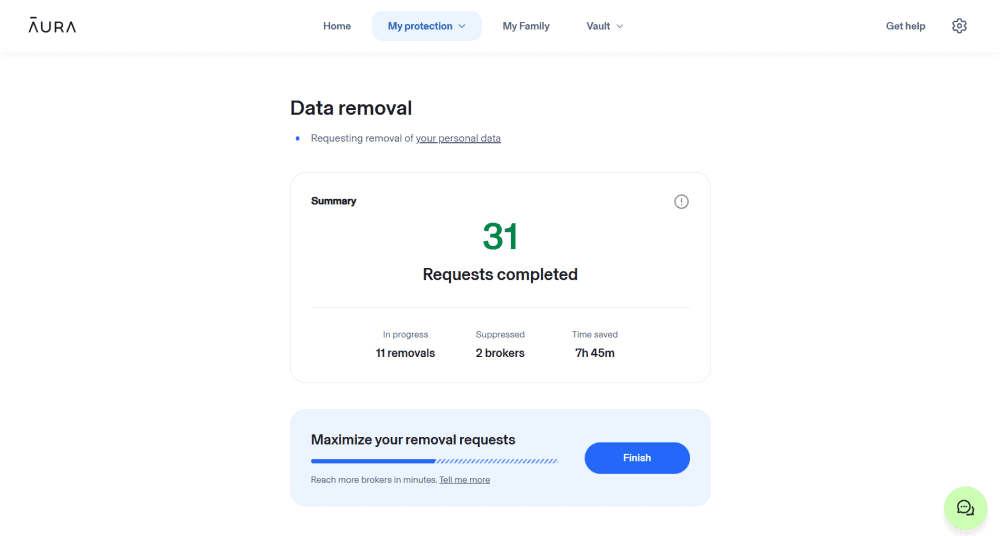
is one of the key functions of Aura.
One of Aura’s biggest selling points, which I kept coming across during my research, was the potential to remove personal information from about 140 data brokers. The process is automated, but I could also give Aura permission to act on my behalf in certain privacy law situations. I was unable to request removal from specific data brokers, though.
Aura does not publish a list of the data brokers it works with. However, once you have an account, you can see which data brokers Aura has contacted to request that your information be removed.
Of course, you can remove your information from these sites yourself, as we explain in our article on how to remove yourself from data collection sites. In my experience, though, it’s a cumbersome and frustrating process. Companies like Aura can get it done faster.
Credit Monitoring
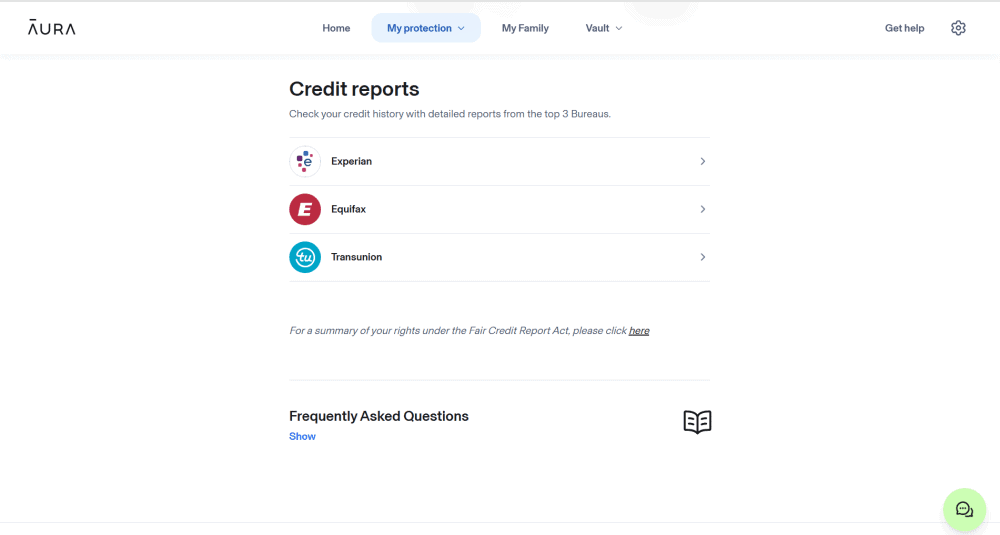
monitoring reports each year.
I found credit monitoring to be one of the most comprehensive aspects of Aura. It showed my current credit score, which is updated every 30 days. I was also able to see what may be negatively impacting my credit score, though Aura offers only general advice on how to improve this. A chart also showed my score over time — hopefully trending upward!
Instead of going to the three credit bureaus individually, I could request that Aura send an annual credit report to my account. I could also request monthly credit score updates.
Financial Transactions
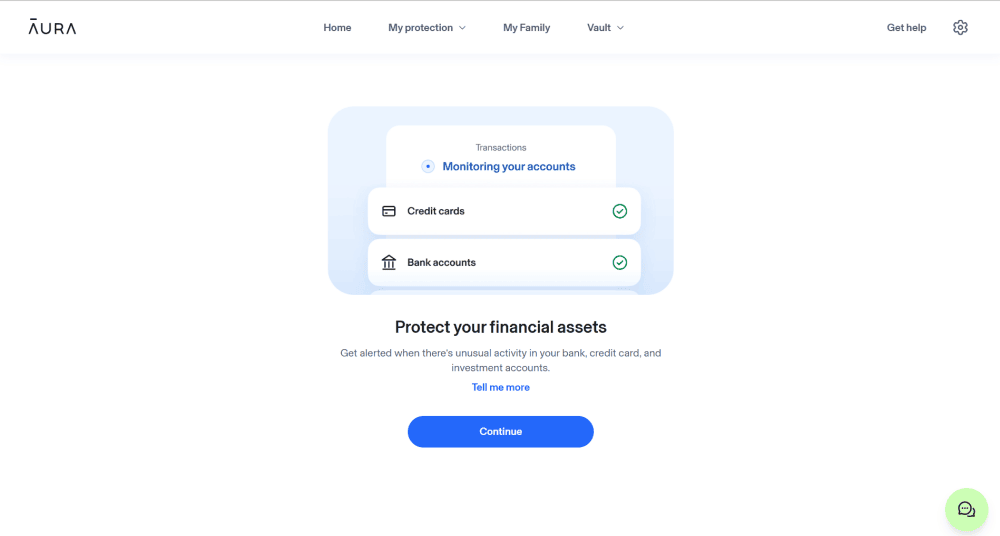
account and notifies you whenever there’s an alert.
Anytime suspicious activity hit one of my financial accounts, Aura flagged it for me. This applied to my bank, credit and investment accounts. The catch is that I needed to use a third-party app called Plaid to connect my financial accounts to my Aura account. I don’t feel like I was being played, but sharing my information with another app didn’t sit well with me.
Many financial accounts already notify users when they detect fraudulent or suspicious activity, so the value of this particular feature could vary for some.
Online Security
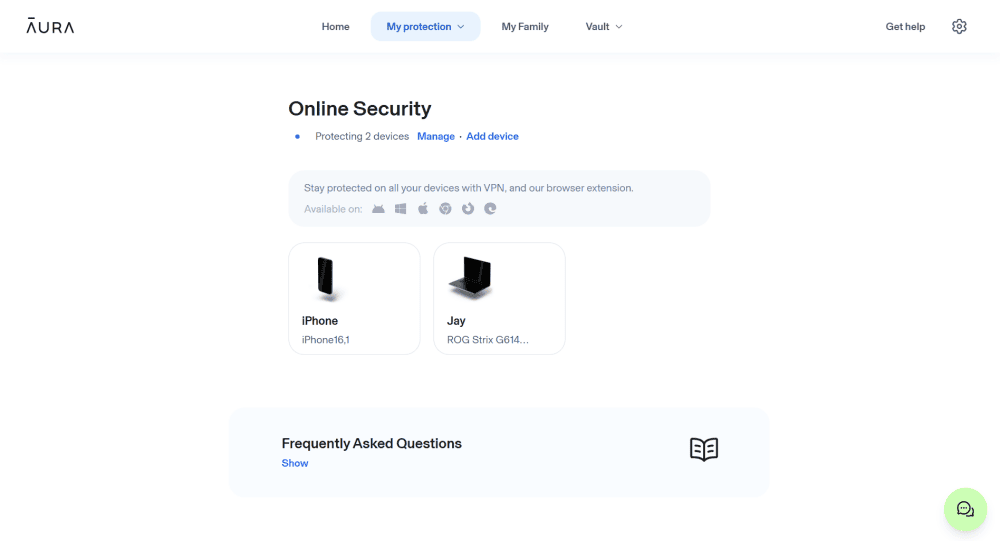
all the devices connected to your account.
I found online security to be the least useful feature. In some ways, it seemed like nothing more than a running list of devices connected to my account. The only action I could take was to disconnect a device from my account. At a minimum, you’ll at least know if a device connected to your account isn’t yours.
As far as I could tell, browser extensions are available for Chrome, Edge and Firefox. Aura has not published a list of all the third-party browser extensions it offers.
Digital Account Cleanup
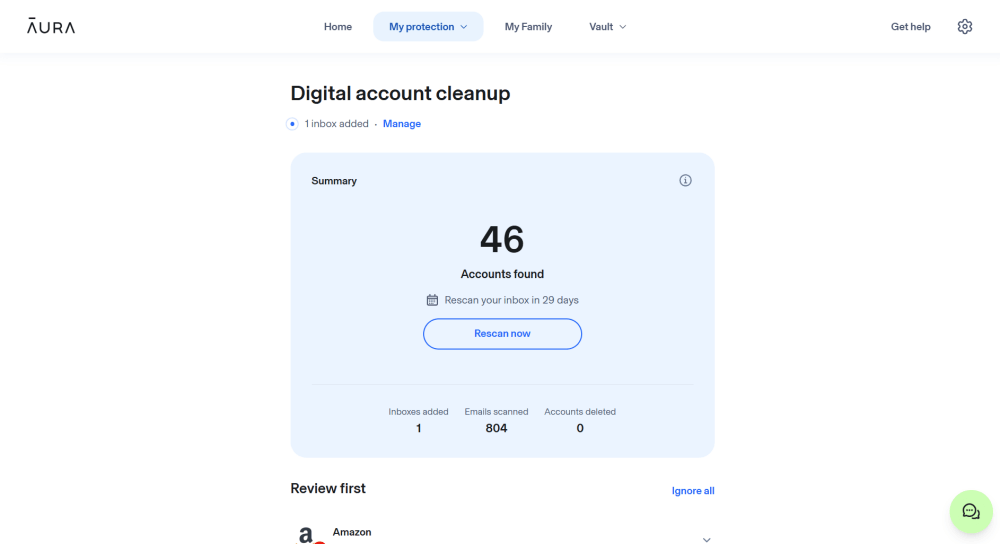
companies that have your email information.
Aura’s digital account cleanup is another tool to help stop identity theft. Once I connected my Gmail and MSN accounts to my Aura profile, Aura scanned my inboxes from the last two years. Surprisingly, it found dozens of companies I’d never heard of that had access to my email information. Clicking on each company showed me how Aura categorized it and how often I received emails from that company.
What Aura did not do, however, was automatically remove my email addresses from any company I no longer wanted to have them. I had to do this manually, but at least Aura provided the information necessary to do so.
Extra Features for Enhanced Security
The features listed above address the main aspects of identity protection and data removal. However, Aura offers even more with your account.
VPN
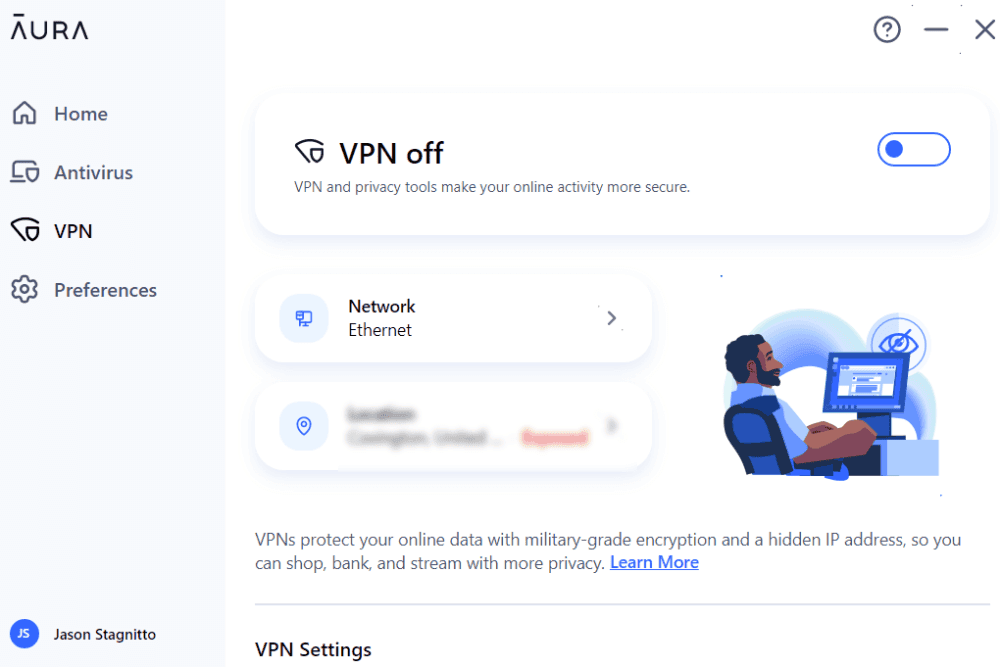
includes a kill switch and split tunneling.
I enabled the Aura VPN for the devices on my account — a Windows PC and an iPhone. All you have to do is activate it, and it connects automatically. The kill switch and split tunneling features add extra protection.
Users can choose from more than 100 servers, and I was able to set it up to connect automatically when on public WiFi. I can’t claim that it’s a great replacement for a service like NordVPN, but it will keep you protected.
Antivirus

Much like the VPN, the antivirus software was quick to set up, and it ran in the background on my PC. I could scan my device or individual files for viruses whenever I wanted. You can set the antivirus software to scan on its own or initiate a manual scan of all your files.
I did find the antivirus protection a bit lacking, though. For example, it did not flag or stop EICAR test files. In fact, even when I specifically had it scan an EICAR file, it did not flag it as a threat. By comparison, Surfshark did identify the threat and successfully removed the file.
Password Manager
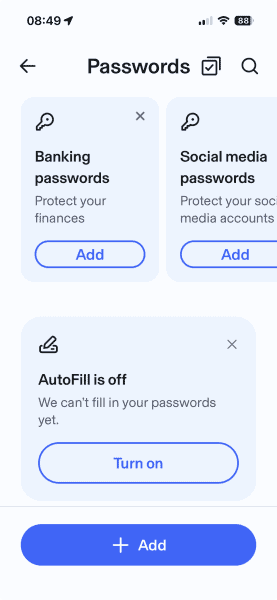
the mobile app than in the web browser.
The password manager worked like any other, storing and generating passwords for the sites I added to it. The passwords were strong, and they autofilled on websites I visited. The main limitation is that the password manager is available only on the browser extensions or mobile devices. If I’m not using that specific browser or device, it’s kind of pointless.
Vault
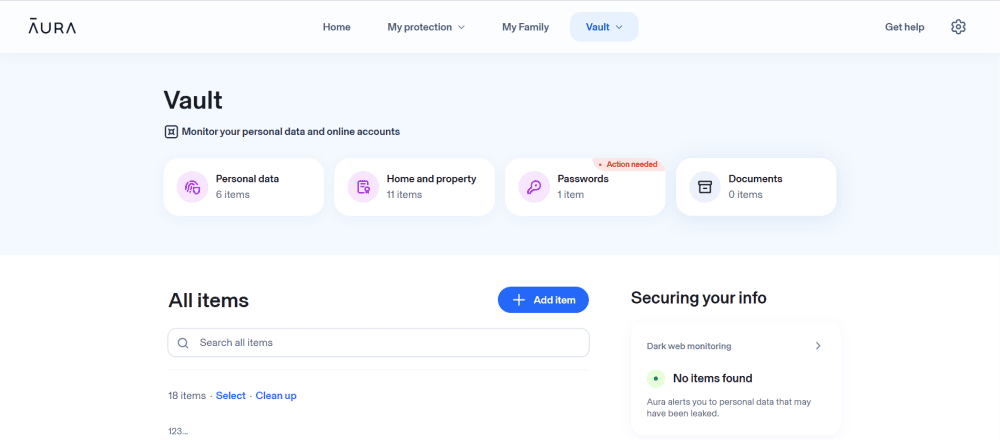
I found the vault to be the most appropriately named area of my Aura account. It contained all the information in my account that Aura protects. I could add and remove personal data or addresses, and even upload documents. The document section is a bit confusing, though — it encrypts the data but does not actively monitor files.
Hands-On Testing & Performance: What Is Aura Like to Use?
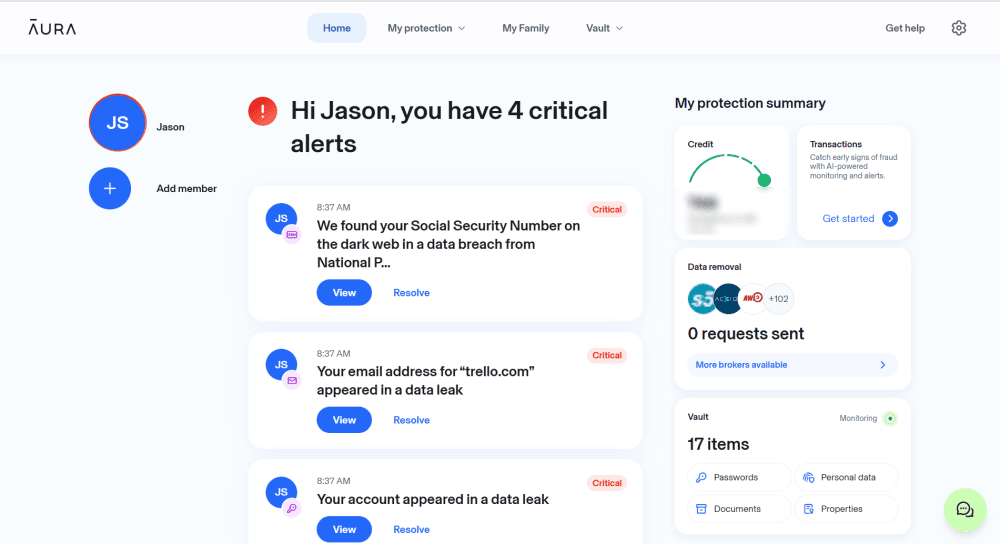
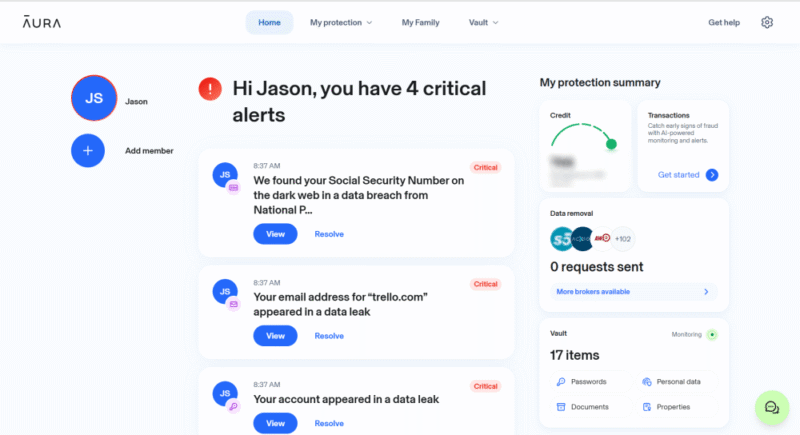
The user experience is one of the best parts of Aura. The app has a fresh and modern feel. It’s easy to set up, and it’s mostly hands-off once you connect your information. I was able to interact with different areas of my account as needed, and I could always navigate to the homepage for a quick snapshot of my data.
However, the homepage is probably the least intuitive part of the app. It’s quite busy and dumps a lot of information on you. It has a logical layout and a nice design, but it can be overwhelming to navigate at first. Only after spending some time with the app did I begin to feel more comfortable with the homepage.
Aura Desktop App vs Mobile App
I interacted with my account mostly on the web page; the desktop app is designed only for managing the VPN and antivirus. Each app has a few settings to customize the user experience, but you won’t have access to much other information in your account. Even the preferences are limited to just a few options, such as launching when you open the app.
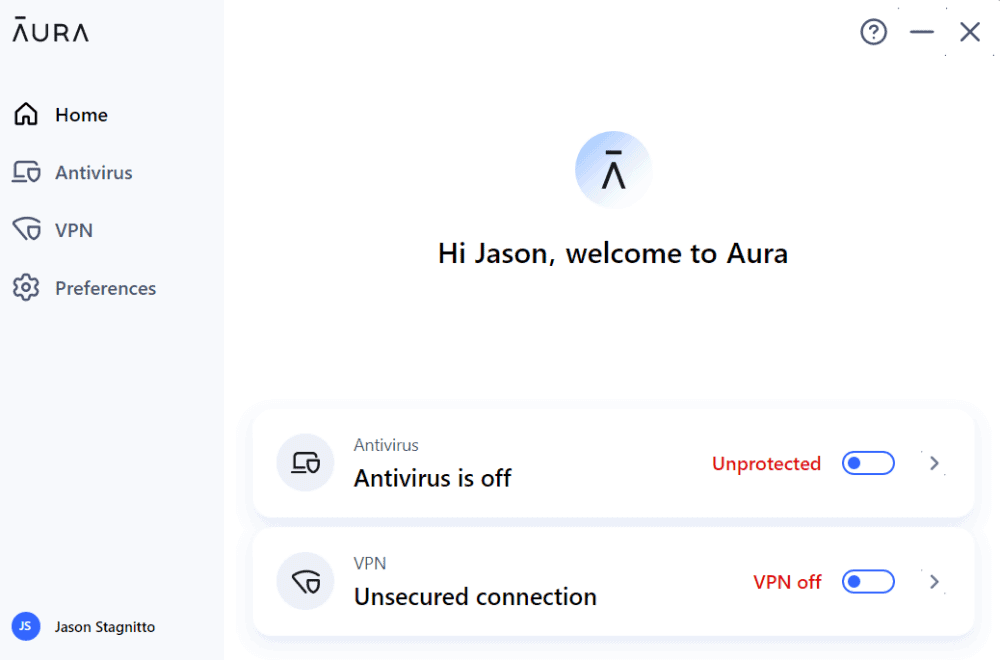
it does not link to the data in your account.
By comparison, the mobile app is essentially the same as using your account via the web page. I was able to access everything, and the homepage shows the same information as on the web page. It also includes the VPN and password manager. The antivirus, however, is for computers and Android only — not iOS.
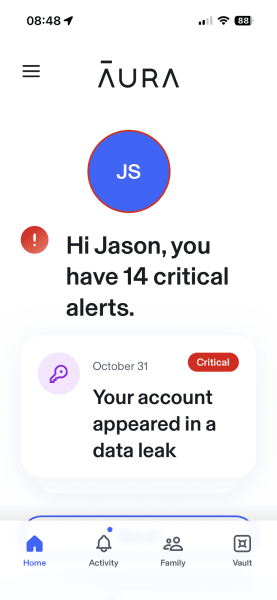
device and access Aura’s VPN and antivirus.
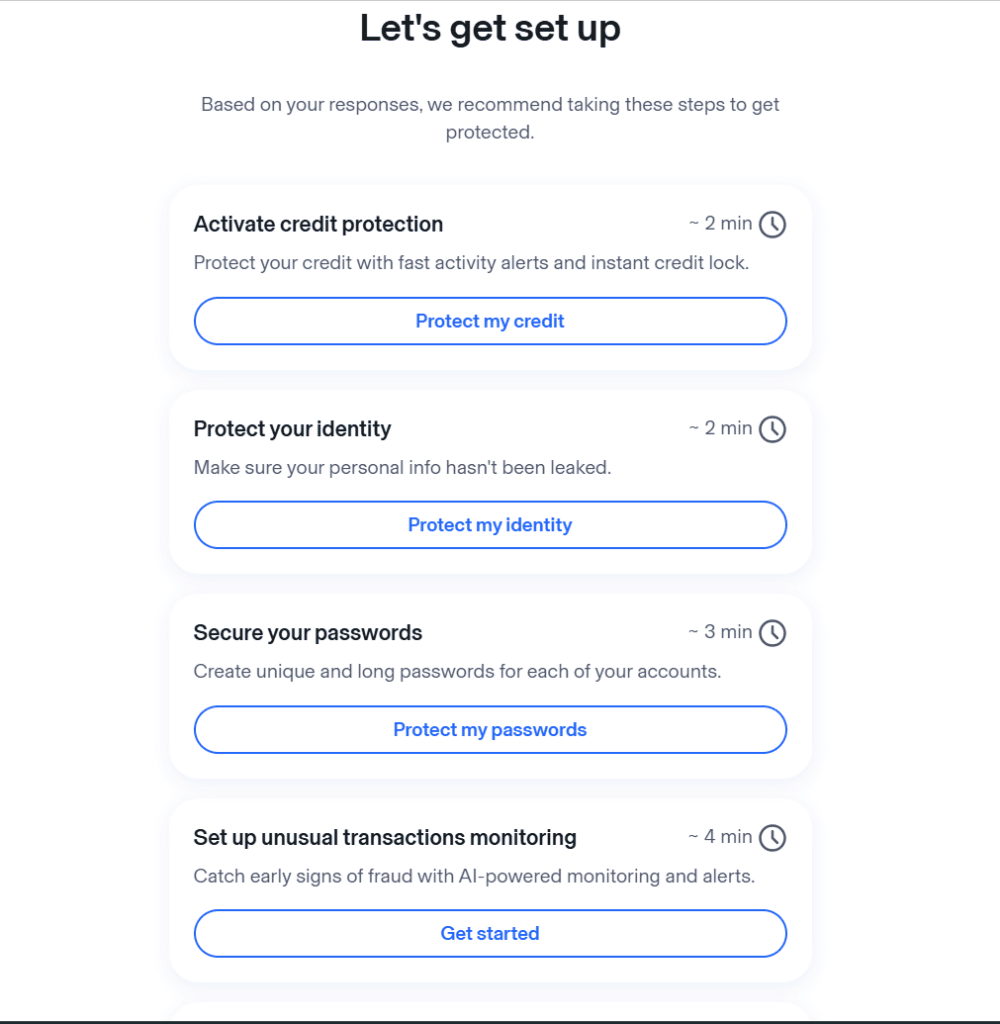
How to Get Set Up With Aura
I found it quick and easy to set up my account with Aura. All I had to do was answer some questions and enter my information.
- Pick a Plan
Head to Aura’s website, select a plan and enter your details to create your account.
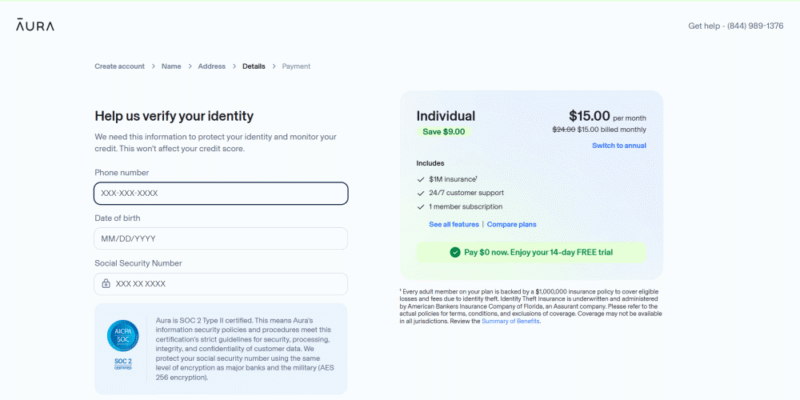
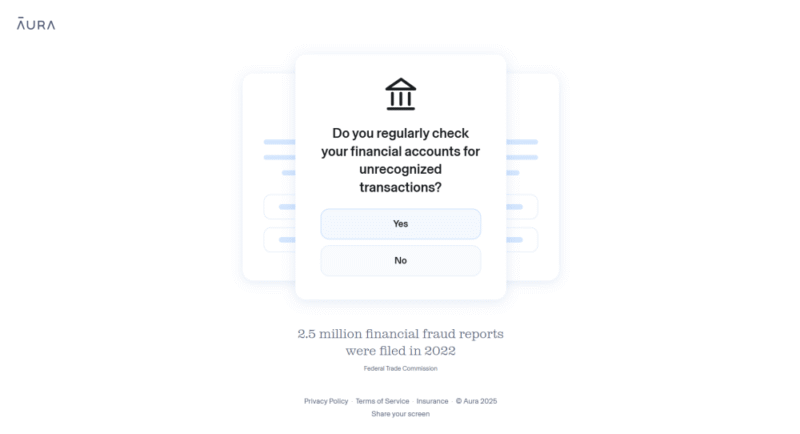
- Answer Some Questions
You’ll answer a number of yes/no questions as part of the account setup process.
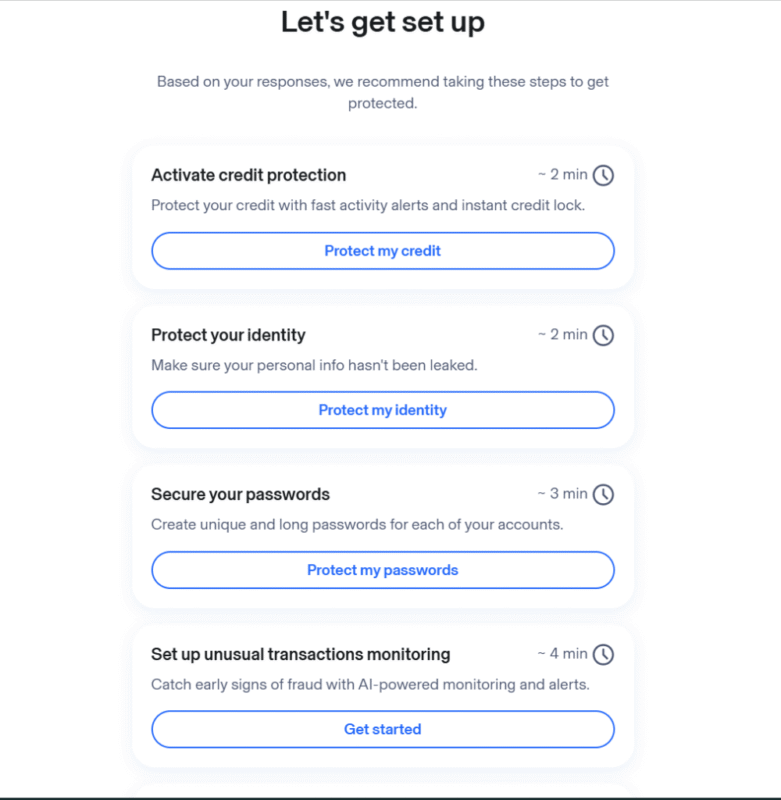
- Set Up Protections
Choose the areas you want Aura to monitor and protect.
- Explore Your Account
Once you’ve gone through the setup process, you’ll see your homepage and everything Aura has found. Take a look around.

Aura Customer Support
I had no issues using the customer service features. The AI-powered chatbot answered detailed questions. If it didn’t answer a question to my satisfaction, I was able to find the answer on the dedicated help page. It took about one business day for Aura to get back to me when I used the contact form, and I was able to track it in the “my cases” section.
Cost: How Much Is Aura?
Aura’s pricing is reasonable if you use all the tools it offers. An Individual account costs $12 per month on an annual plan or $15 for a monthly plan. The Couple plan is designed for two adults to share. Aura’s Family plan supports up to five adults and unlimited kids, and there’s even a dedicated Kids plan.
All plans except for the Kids plan comes with identity theft protection, three-bureau credit monitoring and instant credit lock. The VPN, antivirus and password manager are available on all accounts as well.
- Individual plan: This plan, designed for one person, supports up to 10 devices and comes with $1 million in identity theft protection insurance.
- Couple plan: Designed for two people, this plan has the same features as the Individual plan but supports up to 20 devices and provides $2 million in insurance protection.
- Family plan: This plan provides $5 million in insurance protection and supports an unlimited number of devices. It also offers fraud remediation services.
- Kids plan: The Kids plan supports an unlimited number of kids and devices. Special features include social media monitoring, online activity monitoring, parental controls and cyberbullying alerts while gaming.

Does Aura Offer Good Value for Money?
Generally, yes, Aura offers good value for money, as long as you take advantage of everything it offers. I tested it out with little hassle or worry using the 14-day money-back guarantee. However, if you use a different VPN, password manager or antivirus software than Aura’s — and there are better options out there — the service may be a bit overpriced.
Security: Is Aura Safe & Private?
The more I tested Aura, the more I saw the term “military-grade encryption” being used. We don’t put much stock in vague marketing terms at Cloudwards, especially concerning encryption. Fortunately, I was able to identify that Aura uses AES 256-bit encryption. Even better, it uses end-to-end encryption, so any data you transfer to your Aura account is encrypted before it leaves your device.
I didn’t have to take Aura’s word for it, either. Aura has undergone several third-party audits that validate its security claims. However, Aura hasn’t published when exactly these audits were conducted or by whom.
Aura’s Privacy Policy
Aura claims that it collects as little of your data as possible. However, the very nature of ID protection means that the service has all of your most important information. Fortunately, the privacy policy makes it clear that Aura does not use your data for marketing or sell it to anyone. Aura does share some data, but only as part of the service and information it provides.
My Methodology: How I Tested Aura
I tested Aura using an individual account subscription, which I downloaded onto my PC and my iPhone. I connected as much of my personal information as I felt comfortable for testing purposes, and I interacted with all of the features and services the account provided.
Once I had connected my information and configured the different settings to my liking, much of the testing was hands-off. I had to wait a few days to see alerts such as data broker removal. Other notifications, such as for dark web monitoring, were immediate after an initial scan upon account creation.
Aura Alternatives
Since Aura offers both identity theft protection and data removal, there are several competitors to choose from.
Identity Theft Protection Alternatives
The online identity theft protection space is crowded, with some well-known competitors to choose from.
- 1
- :
- :
- :
- : Anti-phishing and anti-keylogger
$17.95 / month(All Plans) - 2
- :
- :
- :
- :
- 3
- :
- :
- :
- :
- 4
- :
- :
- :
- :
- 5
- :
- :
- :
- :
- 6
- :
- :
- :
- :
- 7
- :
- :
- :
- :






Data Removal Service Alternatives
I also encourage you to check out our article on the best data removal services, especially if gaining control of your personal data is a high priority.
- 1
- 2
- 3
- 4$9.99 / month(All Plans)




The Verdict: Is Aura Worth It?
Aura is worthy of your consideration if you’re looking for identity theft protection. It aims to be a one-stop shop for your online security needs, and for the most part, it delivers. Aura has a host of features, and it provides a user-friendly experience once you’ve gone through the steps to get everything up and running.
Aura is a good option for anyone looking to reduce the number of services they subscribe to. Its features are not best in class, though — especially the VPN and antivirus.
FAQ: Aura Identity Theft Protection Review
Yes, Aura is legit. It offers comprehensive identity theft protection that includes data broker removal, financial fraud alerts and online security monitoring.
Yes, Aura is worth getting if you like having all of your identity and online protection tools in one account.
The main con of Aura is that it’s on the pricier side, and some users may feel that it’s not the best value if they don’t take advantage of all the features. The password manager and antivirus are pretty lackluster, for example.
Aura is better than LifeLock as it offers more features with your subscription, but LifeLock is more focused on identity protection.
