Best Password Manager for Families in 2026
At Cloudwards, we have been testing password managers for years. In this article, you’ll learn about the four best password managers for families and what each one brings to the table.


Written by Wisdom Sablah (Writer)
Reviewed by Kate Hawkins (Editor, Writer)
Facts checked by Eugenie Tiu (Editorial Assistant)
Last Updated:
All our content is written fully by humans; we do not publish AI writing. Learn more here.
Key Takeaways: These Are the Best Password Managers for Families
- Proton Pass — Best overall family password manager with email aliases and open-source transparency.
- Dashlane — Reliable password manager with a comprehensive family plan.
- 1Password — Secure family password management with travel mode and secret key protection.
- NordPass — Affordable and easy-to-use family plan.
Facts & Expert Analysis About Family Password Managers:
- Zero-knowledge architecture: Top providers use client-side encryption, meaning even the company cannot access your family’s vault data.
- Cross-platform synchronization: The best password manager for families syncs across Windows, macOS, iOS, Android and browser extensions without device limits.
- Granular access control: Family plans allow admins to create shared vaults, assign read-only or edit permissions, and keep individual logins separate.
Managing passwords for your entire household can be chaotic. You’ll likely have to juggle dozens of logins, between streaming platforms, online banking, school portals, gaming platforms and shared utilities. Thankfully, using the best password manager for families can save the day.
The best password managers organize your passwords for easy retrieval and are a frontline defense against phishing, credential stuffing and data breaches. The Cloudwards team has tested dozens of password managers over the years, and in this article, I’ll reveal the four best options for families. You’ll also learn how to set up a password manager for your household.
-
05/21/2024 Facts checked
Updated to include current information about features, pricing and company news.
-
03/20/2026 Facts checked
We rewrote this article, updating provider rankings and current data.
Cloudwards’ Choice: Proton Pass
 Cloudwards’ Choice: Proton Pass
I love Proton Pass’s simplicity and intuitiveness. It’s easy to navigate and onboarding family members is a breeze. It also has many privacy-focused features, including built-in email aliases. The Pass Family plan covers up to six users and comes with a 30-day money-back guarantee.
The 4 Best Family Password Managers
| Manager: | Family Plan Price | Free Trial | Max Users | Money-Back Guarantee | Best Features |
|---|---|---|---|---|---|
 | $4.99 per month (one-year plan) | Free plan | 6 | 30 days | Email aliases, open source |
 | $4.07 per month (one-year plan) | 14 days* | 10 | 30 days | Up to 10 users, VPN, dark web monitoring |
 | $4.49 per month (one-year plan) | 14 days | 5 | None | Travel mode, secret key |
 | $2.79 per month (two-year plan) | 14 days | 6 | 30 days | Ultra-simple interface |
1. Proton Pass — Overall Best Family Password Manager

Proton Pass is a comprehensive family manager, covering up to six family members. It’s a privacy-focused tool, offering open-source transparency and built-in email aliases to prevent tracking and spam. For example, if your family member signs up for a new forum or app, they can use a Proton Pass alias. If that alias gets spammed, you can easily deactivate it.
Proton Pass also supports passkeys and built-in two-factor authentication (2FA), reducing the chances of cyberattacks.
Proton Pass Hands-On Testing
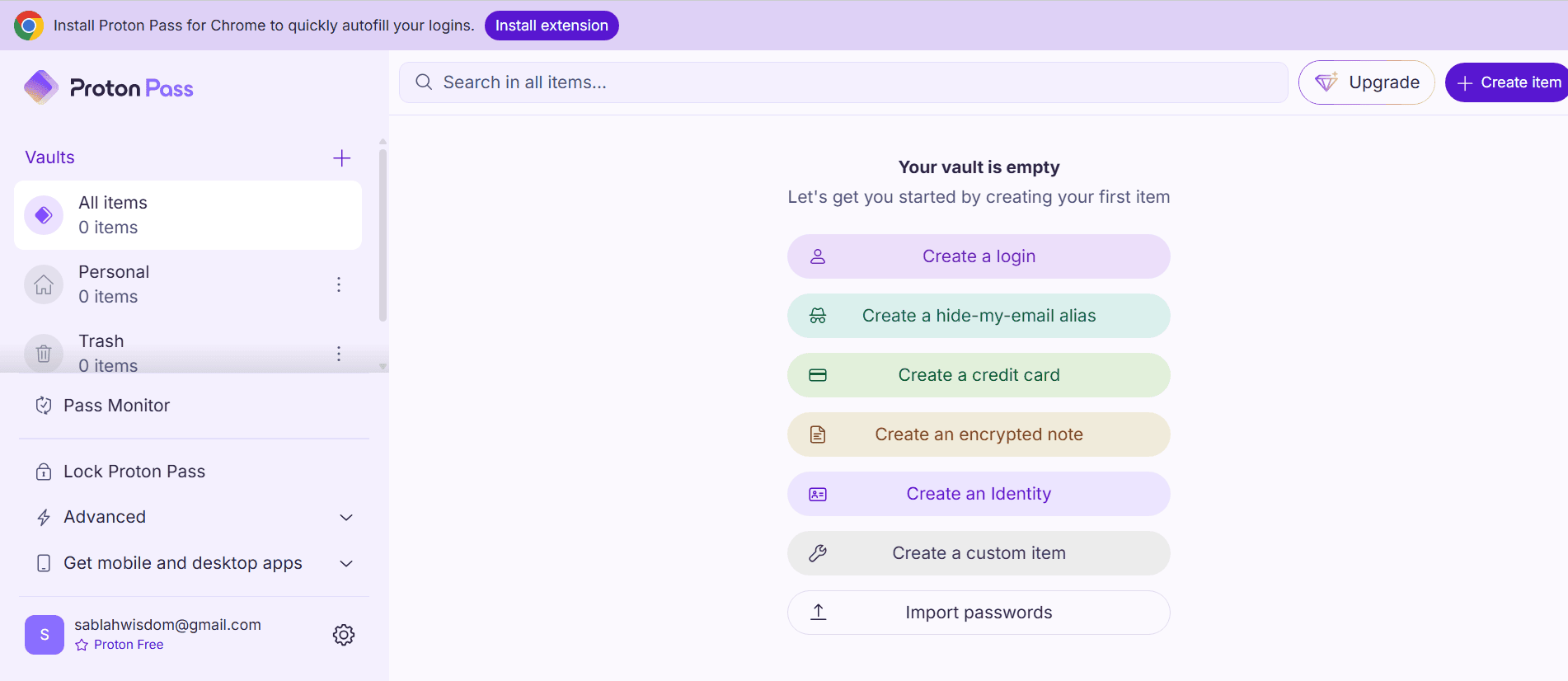
Proton Pass is available on mobile and desktop apps. In my experience, the apps are simple and easy to navigate, especially if you already use Proton’s ecosystem. The browser extension installs cleanly, and the vault layout is straightforward. However, I noticed Proton Pass’s autofill feature sometimes struggles to fill out forms.
Proton Pass Pricing & Value
Proton Pass’s plans start at $4.99 per month for six users and include an admin panel for your whole family. A 30-day money-back guarantee is available so you can try it risk-free. Alternatively, test out the service with the free plan. Read our Proton Pass review to learn more.
More plans
- Includes Pass, Mail, Calendar, VPN & Drive
- Price is per user, 3 users minimum
- Price is per user, 3 users minimum
- Price is per user, 3 users minimum
2. Dashlane — Good Password Manager for Large Families

Dashlane is a good pick for large families, thanks to its secure Friends & Family plan. It covers 10 individuals and includes unlimited secure passwords, passkey storage and phishing protection. The plan manager has access to a VPN, which is useful for connecting to public WiFi. You also get password health reports and active password monitoring alerts.
Dashlane Hands-On Testing
I found Dashlane easy to set up and use, with intuitive mobile apps and browser extensions. Unfortunately, it doesn’t have a desktop client, but you can use its web app.
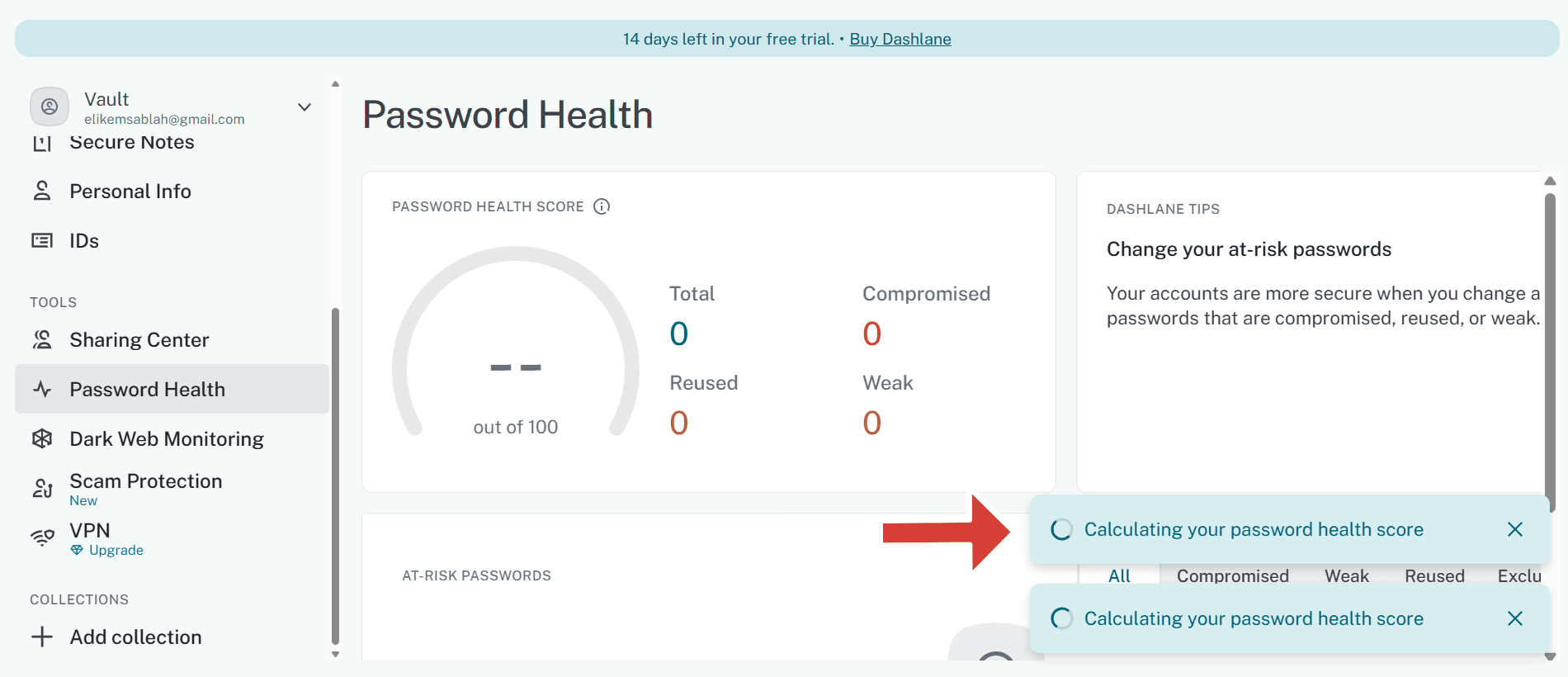
Dashlane excels at detecting logins, generating strong passwords and auto-filling forms. I love the password health monitoring feature, which helps parents identify and change weak passwords.
Dashlane Pricing & Value
Dashlane’s Friends & Family plan starts at $4.07 per month, and it comes with a 30-day money-back guarantee. Read our Dashlane review to learn more.
- One device at a time, 25 passwords and login details, Autofill fields, Password Generator, Set up account without a master password
- Billed annually, Unlimited devices, Unlimited passwords & passkeys , Secure sharing, Dark Web Monitoring, VPN for WiFi protection, Real-time phishing alerts, Passwordless login (currently new mobile users only)
- Billed annually, 10 accounts, 1 subscription, Everything in Premium
More plans
- Per user/month; Price is billed annually; Safeguard employee access with unlimited passwords, passkeys, and group sharing; Streamline security controls with an intuitive Admin Console and customizable policies; Integrate with your tech stack, including SSO, SCIM provisioning, and SIEM tools
- Per user/month; Price is billed annually; Enjoy everything in Password Management plus Credential Protection: Get proactive intelligence to uncover risk and prioritize mitigation; Respond to risk in real time with smart, in-context employee alerts; New! Add additional phishing protection with AI phishing alerts
3. 1Password — Best Family Password Manager for Security

1Password provides a secure family plan for five users. Its family vaults allow you to share specific logins with your family. You can set up 1Password to require a secret key each time a new user tries to access the family account, helping you control access. It also has a travel mode, which lets you temporarily hide specific vaults during border crossings.
1Password Hands-On Testing
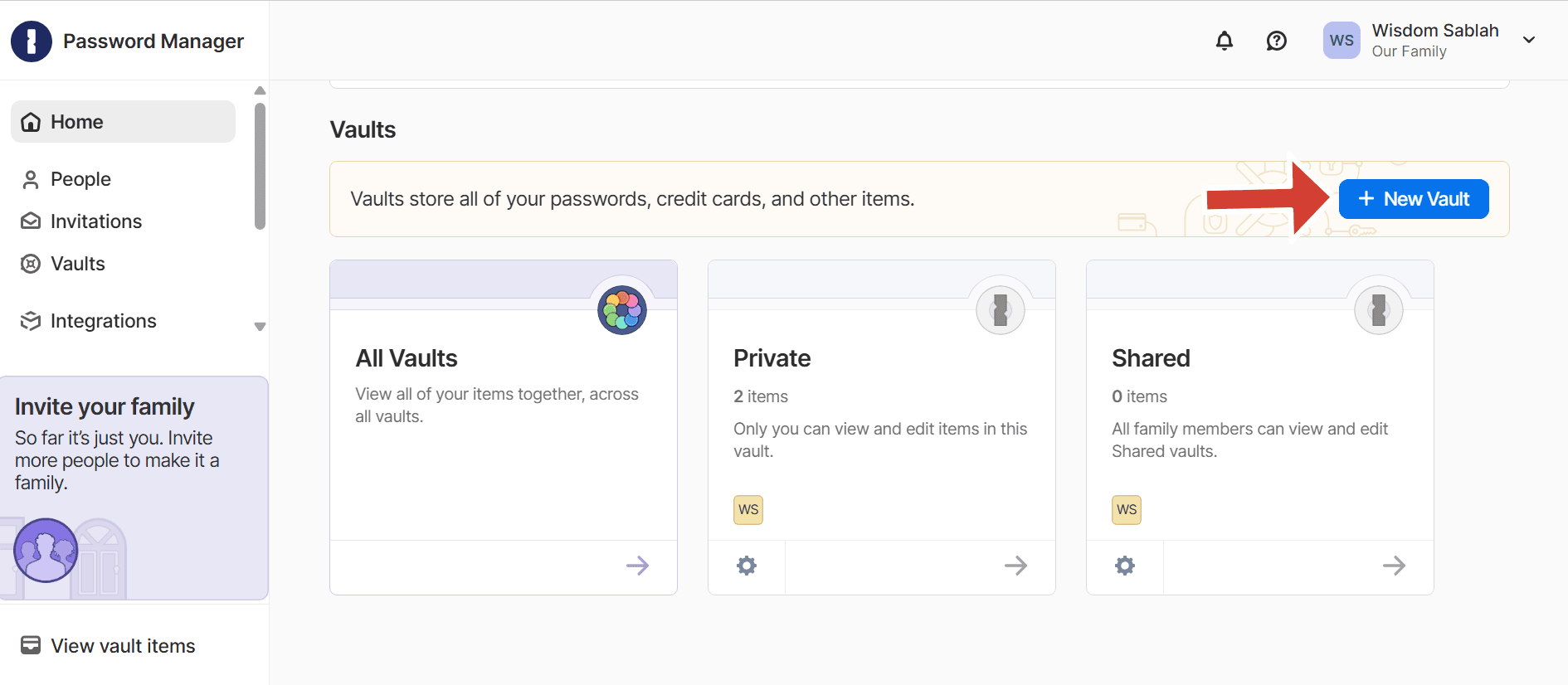
1Password has apps for all the major operating systems, including Windows, macOS, Android and iOS. The interface is well organized, making it easy to find important buttons. I like the granular controls the family vaults provide. For instance, you can share streaming accounts with everyone while keeping personal banking logins private.
1Password Pricing & Value
1Password’s family plan starts at $4.49 per month on annual billing for five users. We have more details about 1Password in our full-length 1Password review.
- Unlimited storage, 1GB document storage
- Up to five users, Up to 5 additional guests
- up to 10 users per month; Actionable security alerts; Domain Breach Report
- per user per month; Includes Teams Starter Pack, plus: Integrates with Okta, Entra ID, OneLogin, Duo, and more; Advanced reporting, granular admin controls, end-to-end encryption; Friendly, expert phone support
4. NordPass — Best Easy-to-Use Family Password Manager

NordPass combines simplicity with powerful security features. It’s one of the few apps to use XChaCha20, which offers high-grade security and fast speeds on mobile devices. One especially helpful feature is the emergency access, which allows another family member to take over the family account in an emergency.
NordPass Hands-On Testing
Based on my experience with NordPass, I recommend it to families with non-tech-savvy members, such as young kids and grandparents. Its large icons, simple sidebar and straightforward autofill process for mobile apps present a low barrier to entry.
You can also use biometrics to simplify and secure the login process. NordPass is available on Windows, macOS, Linux, Android, iOS, browser extensions and more.
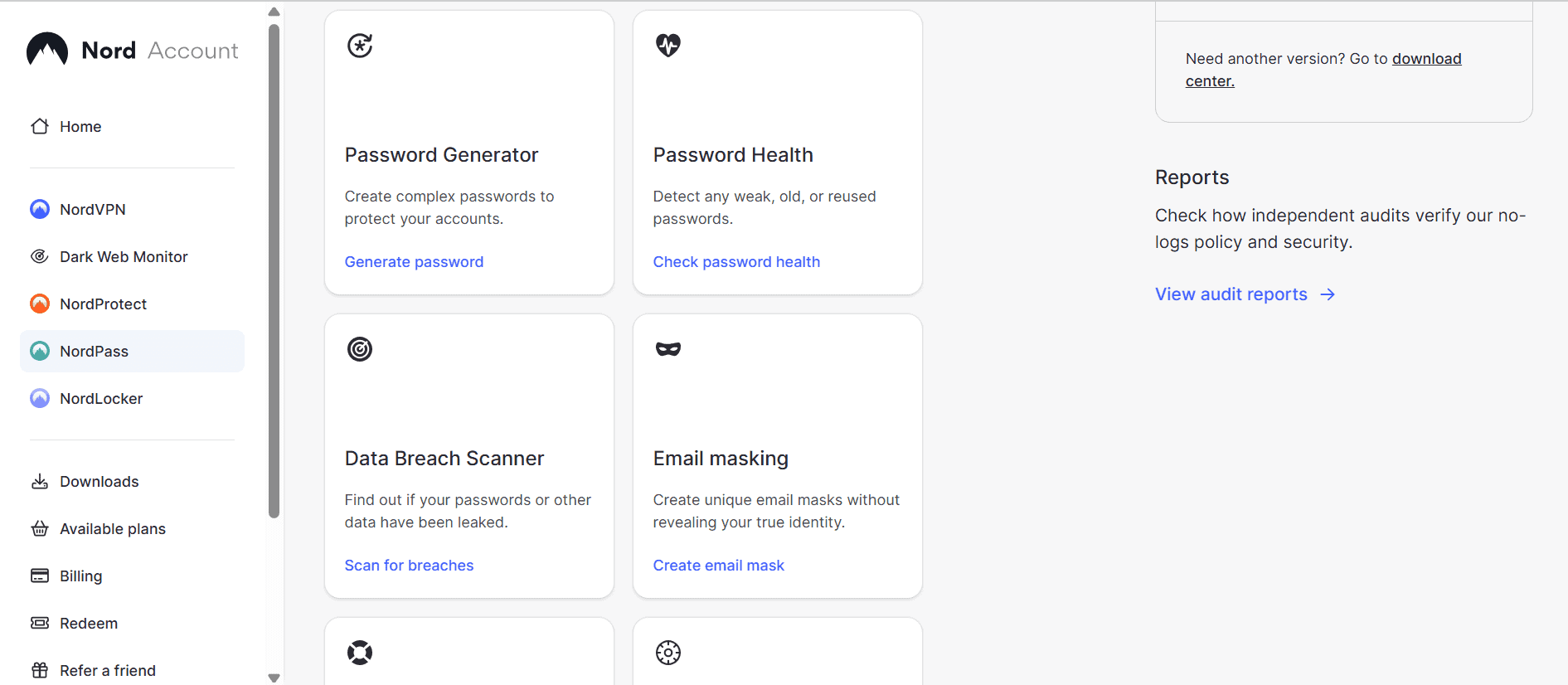
scanner and password health monitor.
NordPass Pricing & Value
NordPass’s two-year Family plan, at $2.79 per month, is a budget-friendly option. The one-year Family plan costs $3.69 per month. You can try NordPass risk-free using its 30-day money-back guarantee. Read our NordPass review to learn more.
- *Renewal price for the 1-year plan is $35.88; and $80.73 for the 2-year plan.
- *Renewal price for the 1-year plan is $71.88; and $143.76 for the 2-year plan.
More plans
- *Teams is for 10 user pack only. Price is for 10 users.
- *Business & Enterprise starts from 5 users. The price is for 5 users already.
- *Business & Enterprise starts from 5 users. The price is for 5 users already.
How to Set Up a Password Manager for Families
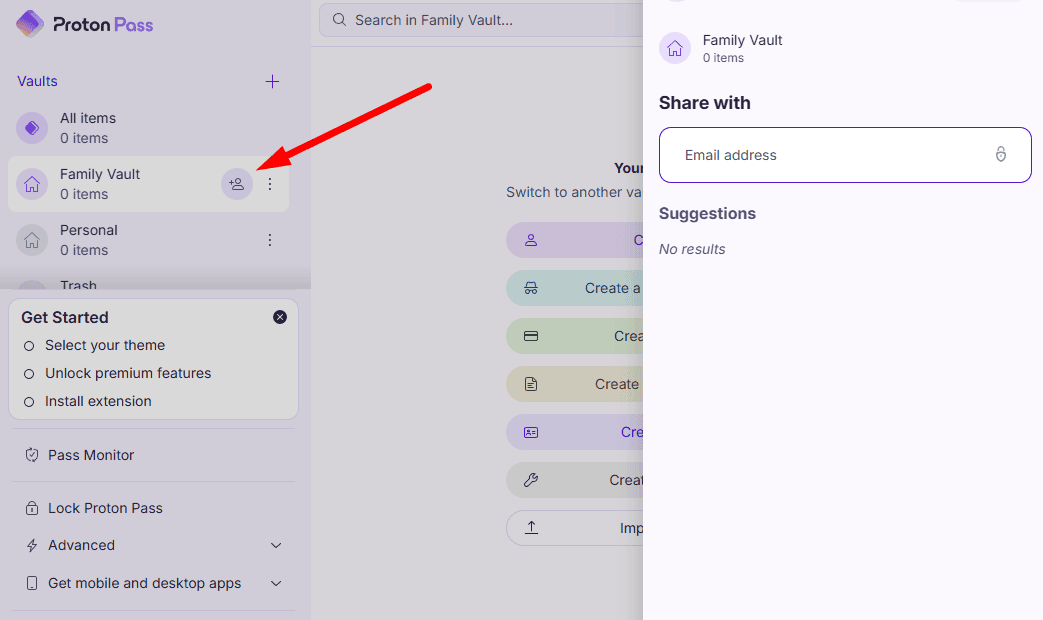
To set up a password manager for your family, start by creating an admin account, inviting family members via email and setting up shared vaults with specific view-only or edit permissions.
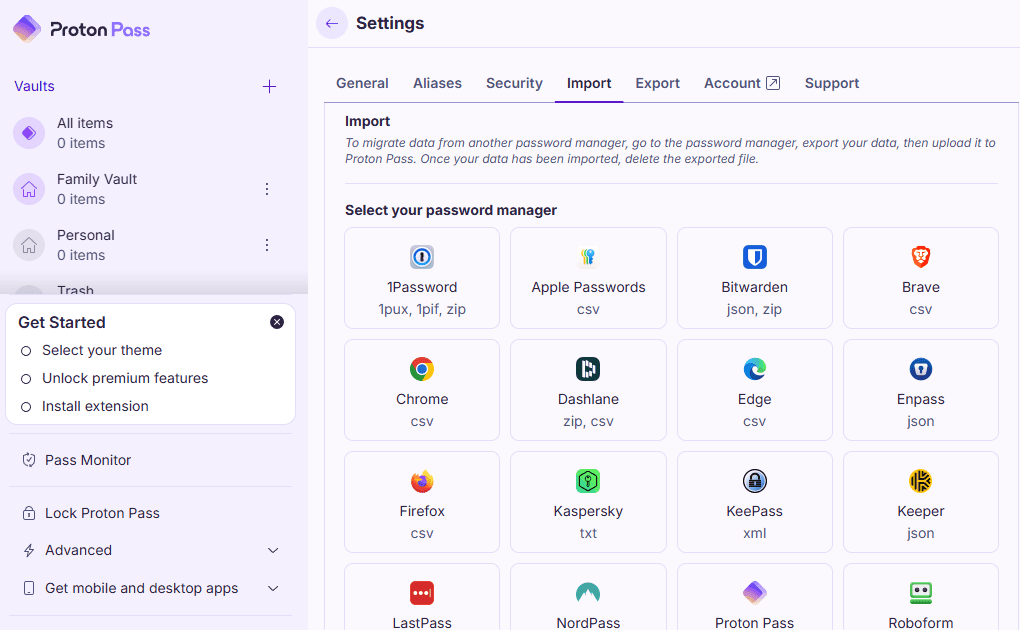
I’ll show you how in the steps below, using Proton Pass as an example. Note that the exact steps and names may differ by provider.
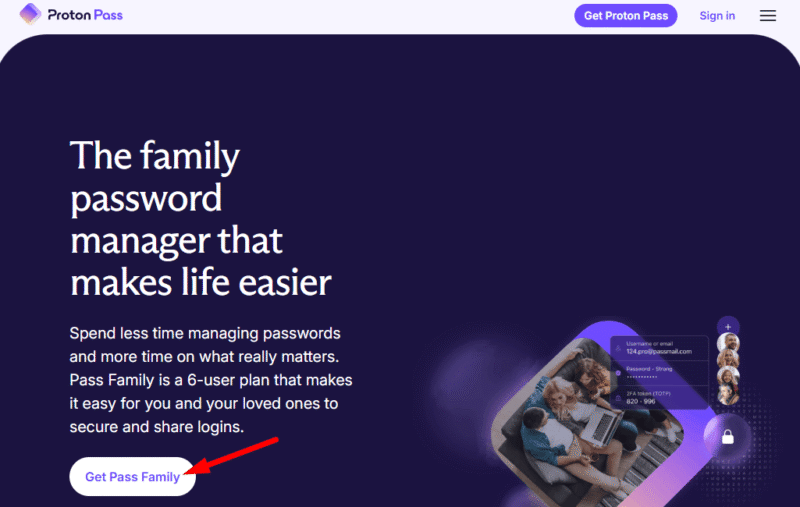
- Set Up the Family Plan
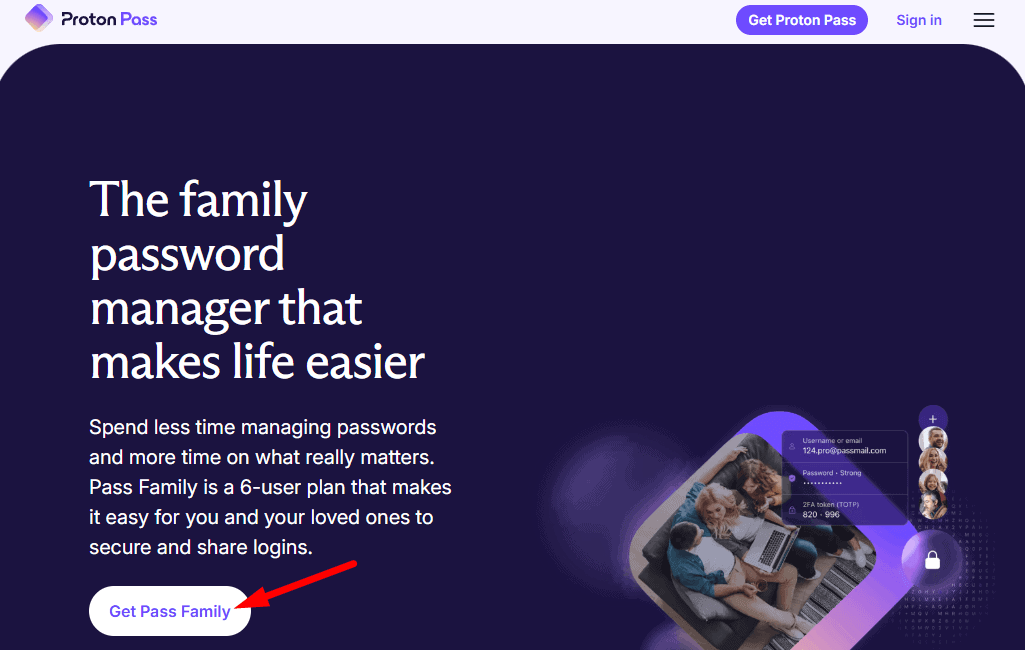
Visit your chosen password manager’s website and subscribe to a family plan. Create an admin account using a strong master password. Then, invite family members via email from the dashboard. Each member will create their own login credentials.
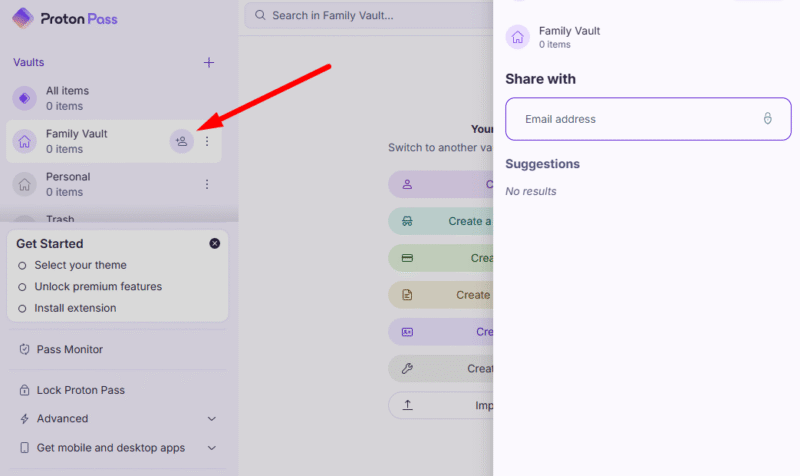
- Create Shared Vaults
Create shared vaults for common accounts like streaming or WiFi passwords. Assign permissions, like view-only or edit, depending on the level of access needed.
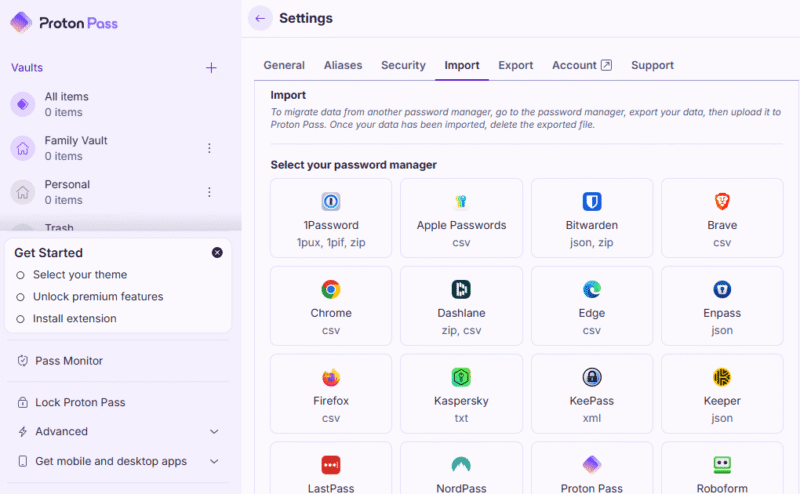
- Import Existing Credentials
Import passwords from browsers or other managers using the built-in import tool. Most providers accept CSV exports from Chrome or Firefox.
User Management, Emergency Access and Account Recovery for Families
Aside from helping you create and store passwords, the best password managers include features for managing accounts, recovering member accounts and providing emergency access in case the administrator is incapacitated.
Methodology: How I Tested the Best Password Managers for Families
I compiled a list of password managers and examined each one based on their family plans, security, usability, features and value for money.
- Family plan: I chose password managers that have a family plan, with the option to add multiple users and an administrator dashboard.
- Security and encryption: I selected providers with high-grade encryption standards, such as AES-256 and XChaCha20, and key derivation functions like Argon2 and PBKDF2.
- Sharing capabilities: I tested how easy it is to manage access control and sharing permissions between family members.
- Ease of use: I evaluated each provider’s interface across desktop and mobile to ensure it’s easy to set up and accommodates non-tech-savvy family members.
- Features: I checked for additional security tools, like dark web monitoring, VPNs and 2FA integration.
- Value: I compared the price per user against the feature set to determine the true value of the family subscription.
Final Thoughts
Choosing the right password manager for families depends on your priorities. If you want a privacy-focused solution, Proton Pass stands out. If you want a plan for a large family, Dashlane is a good pick, while 1Password excels at security and NordPass offers simplicity.
Which of the password managers on this list would you consider using? Do you have any further questions about password managers for families? Share your thoughts and questions in the comment section below. As always, thanks for reading.
FAQ: Family Password Managers
Yes, NordPass is excellent for families thanks to its affordable family plan, simple interface and strong encryption.
Proton Pass is the best overall choice, with up to six users per account, Swiss-based privacy and built-in email aliases.
Yes, 1Password offers a family plan that supports up to five users, complete with shared vaults and advanced security features like travel mode