Best Cloud Storage for Business Disaster Recovery in 2026
I tested the best cloud storage for business disaster recovery, evaluating the services’ speed, security, pricing and recovery performance. Read this guide to find the right cloud backup to keep your company safe, and learn why AWS stands out as the top pick for business disaster recovery.


Written by Kevin Kiruri (Writer)
Reviewed by Kate Hawkins (Editor, Writer)
Facts checked by Eugenie Tiu (Editorial Assistant)
Last Updated:
All our content is written fully by humans; we do not publish AI writing. Learn more here.
Key Takeaways: These Are the Best Cloud Storage Services for Business Disaster Recovery
- Amazon Web Services (AWS) — Enterprise-grade disaster recovery (DR) with global redundancy. Sign up for the AWS free tier and get up to $200 in credits.
- Google Cloud — Powerful data-driven cloud storage with instant mount. Try Google Cloud and get up to $300 in free credits as a new user.
- Backblaze B2 — Affordable and simple cloud storage. Get started with 10GB of free storage and scale for just $6 per terabyte per month.
- Acronis Cyber Protect — All-in-one backup, disaster recovery and cybersecurity platform for complete data protection. Sign up for the 30-day free trial to explore its security tools.
- IDrive — Cost-effective multi-device backup solution with centralized control. Get the multi-computer cloud backup plan for $6.22 per month, billed annually.
Facts & Expert Analysis About Cloud Disaster Recovery Services
- Disaster recovery is the second most common reason businesses adopt cloud storage: 37% of organizations have moved to the cloud for disaster recovery since it offers faster recovery, geographical redundancy and lower costs compared to traditional data centers.1
- The 3-2-1 backup rule is a foundational best practice in cloud disaster recovery strategies: It is good practice to keep three copies of data on two different media, with one stored off-site (typically in the cloud) to ensure resilience against data loss.2
- Hybrid and multi-cloud strategies improve resilience: Cloud disaster recovery solutions support hybrid and multi-cloud environments, allowing for replication across different infrastructures to reduce single points of failure.3
When disaster strikes, businesses without a solid backup plan risk costly downtime and data loss. That’s why it’s important to find the best cloud storage for business disaster recovery (DR) to keep your work safe. In this guide, I explore the best cloud disaster recovery services for your business that balance speed, security and cost.
Cloudwards’ Choice: AWS
 Cloudwards' Choice: AWS
AWS is my top choice because it delivers unmatched disaster recovery power with continuous block-level replication and a global infrastructure network. While it takes some time to master, the payoff in reliability and scalability is huge. Get started risk-free on the AWS free tier and earn up to $200 in credits to test its disaster recovery capabilities.
What Are Cloud Disaster Recovery Solutions?
Cloud disaster recovery solutions replicate and store critical systems and data in the cloud, so businesses can quickly restore operations after an outage or failure.
In an emergency, these solutions let companies fail over to cloud-based infrastructure or recover data with minimal downtime. By combining backup, replication and automated recovery processes, they reduce data loss and keep business operations running.
Why You Need Cloud Storage for Business Disaster Recovery
Cloud storage protects your data when unexpected events occur. A strong disaster recovery approach ensures your business can respond quickly and continue serving customers without major interruptions.
10,000+ Trust Our Free Cloud Storage Tips. Join Today!

- Demystify cloud storage terminology and key concepts in plain language
- Discover easy-to-implement techniques to securely backup and sync your data across devices
- Learn money-saving strategies to optimize your cloud storage costs and usage
Here are some reasons why cloud storage is necessary:
- Protection from human error: Cloud backups ensure that accidental deletions, misconfigurations or overwrites caused by human error don’t result in permanent data loss since you can quickly restore previous versions from secure storage.
- Reduced infrastructure costs: Cloud storage eliminates the need for an expensive data center and additional hardware. It offers scalable off-site storage with predictable costs.
- Business continuity: If a sudden hardware failure crashes a primary local device or your core virtual servers, cloud backups let you restore critical systems immediately, ensuring business continuity.
- Fast and reliable recovery: With processes like automated backup, businesses can meet their recovery time objective and recovery point objective, ensuring fast data access and reliable recovery.
The Best Cloud Disaster Recovery Solutions: Quick Comparison
| Service: | Free Storage | Best Price | Best For | Best Feature | Limitations |
|---|---|---|---|---|---|
 | Yes, free credits on the free tier | Up to $200 in credits for new customers on the free tier | Enterprises | Advanced disaster recovery with global geographic redundancy, continuous block-level replication | Complex pricing, steep learning curve, requires an expert |
 | 5GiB of standard storage | Up to $300 in credits for new customers on the free tier | Data-driven businesses | Instant mount, flexible storage classes, multi-data center redundancy | Costly downloads, difficult for beginners |
 | 10GB | $6 per TB per month | Budget-conscious small & medium-sized businesses | Zero egress fees on downloads, no surprise bills | Limited enterprise features, no built-in disaster recovery, third-party integration required for full disaster recovery |
 | Free cloud storage based on workspace and workload (e.g., 250GB per server license) | $357.80 per server per year for a 5-year license period | All-in-one data protection | Built-in cybersecurity with backup & recovery | Higher pricing, steep learning curve |
 | 10GB | $13.99 per month, billed annually, for unlimited users & multiple devices | Small & medium-sized businesses with multiple devices | Immutable storage, IDrive Express, multi-device backup | Limited enterprise features |
Lab Data & Hands-On Testing
This guide combines my own hands-on testing with the ongoing cloud storage speed testing from the Cloudwards team.
We ran all tests on a Windows 365 virtual server with a dual-core CPU, 8GB of RAM and 128GB of storage, connected to a 100 Mbps internet line. We measured both upload and download speeds to see how quickly each service could back up and recover data. The speed tests use a standard 5GB dataset with a mix of documents, images and database files.
Security & Privacy Analysis
| Service: | Encryption Type | Client-Side Encryption | 2FA Options | Server Locations | Compliance |
|---|---|---|---|---|---|
| AES-256 at rest, TLS in transit | SMS, app-based, hardware keys | Global data center network (39 regions) | SOC 2, ISO 27001, GDPR, HIPAA, PCI DSS | |
| AES-256 at rest, TLS in transit | SMS, app-based, hardware keys | Global data center network (43 regions) | SOC 2, ISO 27001, GDPR, HIPAA | |
| AES-256 at rest, TLS in transit | SMS, app-based | U.S., EU, Canada | SOC 2, GDPR, HIPAA | |
| AES-256 at rest, TLS in transit | SMS, email, app-based | Global (U.S., EU, Middle East, APAC, Africa, Asia) | SOC 2, ISO 27001, GDPR, HIPAA | |
| AES-256 at rest, TLS in transit | SMS, email, app-based | U.S., EU, Asia, Canada | SOC 2, GDPR, HIPAA |
All the providers I recommend use strong AES-256 encryption to protect your data at rest and TLS for data in transit. They also offer client-side encryption and two-factor authentication (2FA). For businesses with data sovereignty requirements, AWS and Google Cloud have the widest range of data center locations.
1. AWS — Best Cloud Disaster Recovery Service
![Video thumbnail for the video: What is AWS? History of Amazon's Cash Cow [2000 to 2024]](https://img.youtube.com/vi/2p0yst01E0M/maxresdefault.jpg)
AWS stands out for its full infrastructure replication and near-instant failover, making it ideal for large enterprises running mission-critical workloads across multiple regions. Its disaster recovery capabilities are powered by AWS Elastic Disaster Recovery (AWS DRS), which continuously replicates servers and systems to enable rapid restoration.
What Makes AWS Special
AWS DRS continuously replicates block-level data from your environment to a low-cost staging area within AWS. It supports full backup and recovery of operating systems, applications and databases. Its ability to replicate your entire infrastructure across regions ensures high availability and minimizes downtime.
When to Choose AWS
AWS is best for enterprises running multi-region applications that cannot afford downtime and need highly scalable, globally distributed disaster recovery. However, technical expertise is required to properly configure and manage backup strategies. Sign up for the AWS free tier to test its capabilities.

- Free plan
- 5GB
- 100GB
- 1TB
More plans
- 2TB
- 10TB
- 20TB
- 30TB
2. Google Cloud — Best Enterprise Cloud Storage for Data Protection
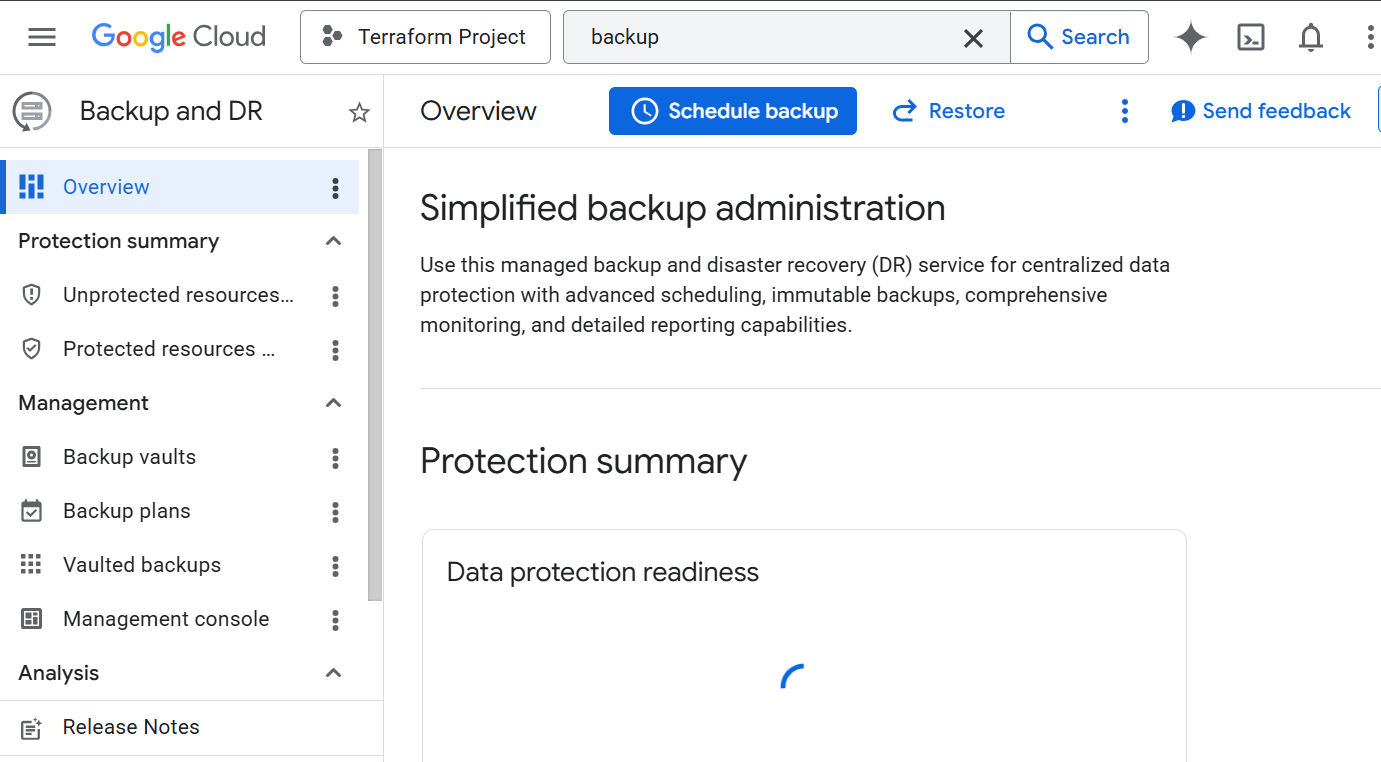
Google Cloud stands out for combining disaster recovery storage with powerful data analytics tools, making it ideal for data-driven businesses already using Google services. Read more in our in-depth Google Cloud review.
What Makes Google Cloud Special
Google Cloud’s features keep your business running when disruptions happen. Instant mount lets you access and run backed-up workloads immediately instead of waiting for a full restore. Its multi-region redundancy stores data copies across multiple data centers so one outage doesn’t stop your applications.
When to Choose Google Cloud
Google Cloud is best for businesses already using Google Workspace or building data-heavy applications, especially if you want fast recovery and strong analytics. Get started on Google Cloud and get $300 in free credits to use on the free tier for 90 days.

- 15GB
- per user / month, 1 year commitment
- 30GB
- per user / month, 1 year commitment
- 2TB
More plans
- *100TB shared across all users
- 100TB
- per user / month, 1 year commitment
- 5TB
3. Backblaze B2 — Cloud DR Service for Budget-Conscious Businesses

Backblaze stands out for its simplicity and affordability, making reliable recovery accessible to organizations without a large budget. However, it does not include built-in disaster recovery orchestration, so automated failover and recovery workflows require third party tools. Take a deeper dive in our Backblaze review.
What Makes Backblaze Special
Backblaze focuses on excelling in one key area: simple, reliable backups. It offers automatic protection in secure cloud storage for files from your local device, helping reduce the risk of data loss. It also offers a simple, clear pricing model for all your data.
When to Choose Backblaze
Choose Backblaze if you need a simple and affordable solution to protect your business data. It’s a great option for startups that want to avoid an expensive data center but maintain safe, consistent backups. Try Backblaze with a 15-day free trial.

- Unlimited GB
4. Acronis Cyber Protect Cloud — Best Cloud DR Service With Built-In Security
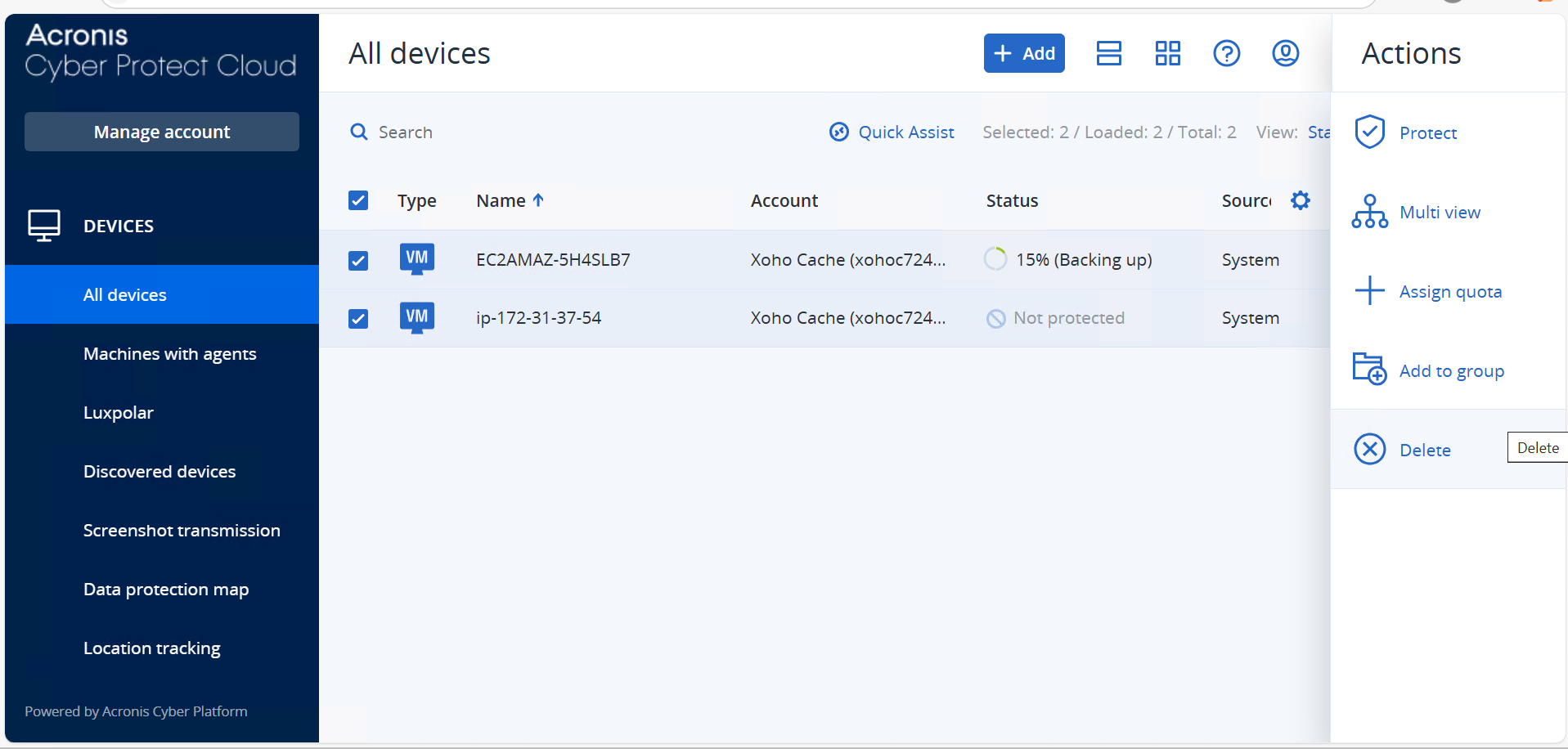
Acronis stands out by combining backup, disaster recovery and built-in cybersecurity, making it ideal for businesses that want all-in-one protection from system failures and cyber threats. If you need a solution for personal devices instead, consider Acronis True Image and read our full review.
What Makes Acronis Special
Instead of just copying files, Acronis scans your system to stop viruses before they cause data loss. It automatically cleans and restores your files in the event of an attack. This active defense safeguards your entire cloud infrastructure without requiring a separate antivirus program.
When to Choose Acronis
Acronis is the right pick for businesses and managed service providers that want an all-in-one solution to handle both data protection and cybersecurity. It eliminates the need to juggle multiple tools from third-party vendors. You can try Acronis Cyber Protect Standard free for 30 days.
- Flexible backups: full image to file-level Active disk cloning Universal restore and fast recovery Ransomware protection
- Flexible backups: full image to file-level Active disk cloning Universal restore and fast recovery Ransomware protection + Block viruses and malware Cloud backup and features Automatic replication of data in the cloud Microsoft 365 backups
- 50GB
- Flexible backups: full image to file-level Active disk cloning Universal restore and fast recovery Ransomware protection + Block viruses and malware Cloud backup and features Automatic replication of data in the cloud Microsoft 365 backups
- 250GB
More plans
- Flexible backups: full image to file-level Active disk cloning Universal restore and fast recovery Ransomware protection + Block viruses and malware Cloud backup and features Automatic replication of data in the cloud Microsoft 365 backups
- 500GB
- Flexible backups: full image to file-level Active disk cloning Universal restore and fast recovery Ransomware protection + Block viruses and malware Cloud backup and features Automatic replication of data in the cloud Microsoft 365 backups + Blockchain certification of files Electronic signatures on files Ability to add up to 5TB of cloud storage
- 1TB
- Flexible backups: full image to file-level Active disk cloning Universal restore and fast recovery Ransomware protection + Block viruses and malware Cloud backup and features Automatic replication of data in the cloud Microsoft 365 backups + Blockchain certification of files Electronic signatures on files Ability to add up to 5TB of cloud storage
- 5TB
5. IDrive — Best Disaster Recovery Solution for Multi-Device Backup

IDrive stands out for its ability to back up many devices in one place, making it easy to manage client data and business files. It provides solid cloud storage for enterprises that have a wide range of hardware and need simple and cost-effective data protection. Find out more in our IDrive review.
What Makes IDrive Special
IDrive offers the IDrive Express service, which ships a physical hard drive to the customer after a disaster to speed up recovery time. In the event that a natural disaster wipes out your local network, you can use the hard drive containing all your critical data for immediate offline restoration.
When to Choose IDrive
Choose IDrive if your business needs centralized control to protect many devices and servers. It’s a good option for backup and recovery without investing in an expensive data center. Try IDrive’s free Basic plan, which comes with 10GB of storage space.
- No credit card required.
- 10GB
- One user.
- 100GB
- One user, multiple computers. Plans starting from 5TB up to 100TB. Big discount for first-time signup.
- 5TB
More plans
- 5 computers, 5 users. Starting at 5TB up to 500TB. Big discount for first-time signup.
- 5TB
- Monthly Plan storage starts at 1.25TB up to 50TB Unlimited users, multiple computers and servers. NAS devices. 250GB storage. Starting at 250GB up to 50TB. Large discount for first-time signup.
- 250GB
- 5TB
Methodology: Testing Framework & How to Choose
I tested several platforms’ disaster recovery plans based on real business needs. I evaluated how well each service protects critical data, speeds up backup and recovery, and ensures business continuity after disasters. By keeping this framework in mind, you can choose the best solution for your company.
Final Thoughts
Choosing the best cloud storage for business disaster recovery depends on how much control, speed and resilience your business needs in the event of a disaster. I explored a range of cloud disaster recovery services, with AWS standing out as the top choice due to its powerful infrastructure and rapid disaster recovery capabilities.
You can try out AWS by signing up for the AWS free tier. New users get up to $200 in credits to explore more of its features with no up-front commitment.
Have you tried any of these services? Which cloud storage service do you think is best for you? Share your thoughts in the comments, and thank you for reading.
FAQ: Cloud Disaster Recovery Solutions
The best cloud storage for businesses depends on your specific needs. AWS is the best option for large enterprises due to its powerful infrastructure, while small businesses may prefer Backblaze for its simplicity and affordability.
AWS is ideal for business continuity thanks to its rapid recovery capabilities and highly resilient global infrastructure.
The best way for a small business to back up data would be to follow the 3-2-1 rule: Keep three copies (one primary and two backups) of your data, store them on two different media types and keep one copy stored off-site.