How to Watch the FIFA World Cup Online for Free in 2026
The FIFA World Cup is never short of magical moments and pieces of insane football skills. If you don’t want to miss a single moment of brilliance, this World Cup live streaming guide is for you. Keep reading to learn how to watch the FIFA World Cup for free from anywhere by using a VPN.


Written by Samson Kiarie (Writer)
Reviewed by Jackie Leavitt (Editor at Large)
Facts checked by Vildana Bratic (Video Editor, Fact-Checking Editor)
Last Updated:
All our content is written fully by humans; we do not publish AI writing. Learn more here.
Key Takeaways: How to watch the FIFA World Cup
- Go to NordVPN’s website and sign up at a 76% discount.
- Connect to a server, such as the U.K.
- Access your chosen streaming service, such as BBC iPlayer in the U.K., where you can watch it for free.
Best VPNs for Watching the FIFA World Cup:
- NordVPN — Secure, swift and packed with advanced features. You can sign up for NordVPN with a 76% discount and use the 30-day money-back guarantee if you change your mind.
- Surfshark — Wallet-friendly VPN without compromises. Surfshark’s two-year plan offers 87% off on the first two years with three months free.
- Proton VPN — Swiss-based VPN with strong BBC iPlayer unblocking and optimized streaming profiles. Try Proton VPN with a 30-day money-back guarantee, or grab 70% off on extended plans.
- ExpressVPN — Beginner-friendly VPN with expert-level features. A 73% discount is available for users who choose ExpressVPN’s extended subscription options.
What to Know About the 2026 FIFA World Cup:
- The FIFA World Cup 2026 starts June 11 and runs through July 19.
- If you’re traveling abroad, you’ll need a virtual private network (VPN) to access the sports streaming services you’ve subscribed to.
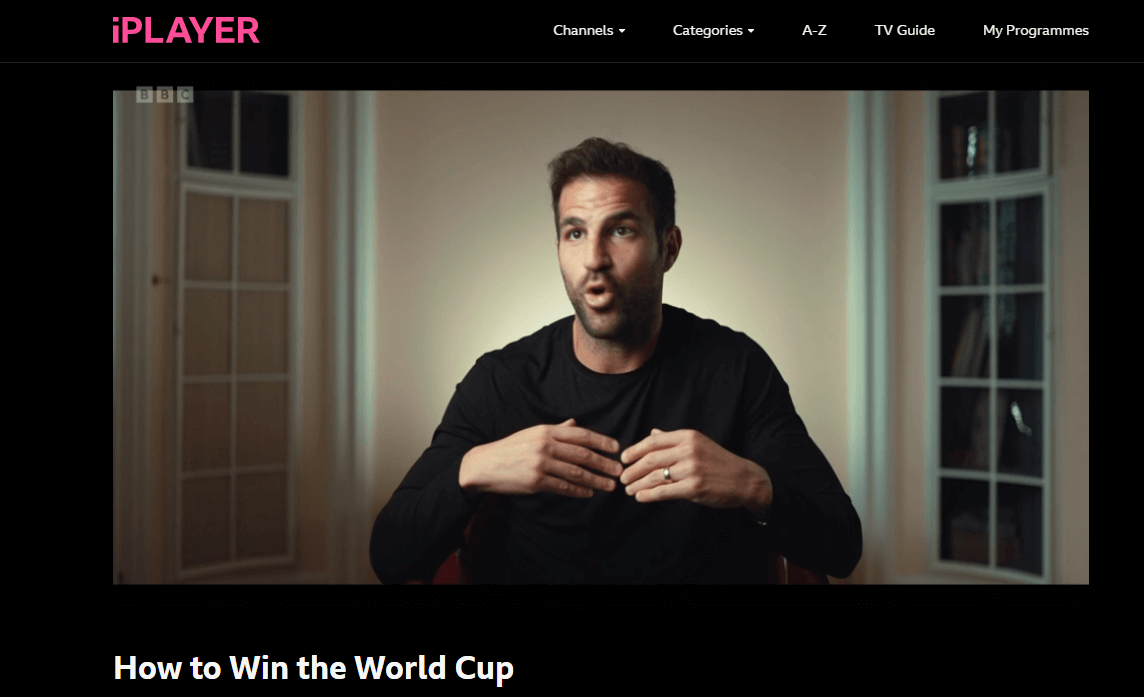
- If you want to watch the World Cup 2026 for free, you can use a VPN to access free streaming on the BBC iPlayer.
- NordVPN is the best VPN for streaming the 2026 FIFA World Cup. Surfshark and ExpessVPN are great alternatives.
The 2026 FIFA World Cup will be the largest in the tournament’s history, featuring 48 teams and matches hosted across the United States, Canada and Mexico. Fans around the world can watch the action through a mix of free-to-air broadcasters, cable networks and streaming services.
In this guide, I’ll show you how to watch the FIFA World Cup online and explain how to stream matches from anywhere.
-
11/14/2022 Facts checked
Rewrote the article to include a step-by-step guide on how to use a VPN to stream the FIFA World Cup. Added three VPN services to help you get around streaming geoblocks.
-
01/03/2026 Facts checked
We adjusted the article to include information on ExpressVPN’s new pricing plans.
-
06/09/2026 Facts checked
We’ve updated this article with the latest streaming information and updated tournament details.
How to Watch the FIFA World Cup 2026
The 2026 FIFA World Cup will run from mid-June through mid-July; the group stages kick off on June 11 and the finals will be held on Sunday, July 19. FIFA has published the match schedule; you can check it out to know when your team is playing.
While most of the hype centers on the grand final, fans shouldn’t overlook the penultimate game of the tournament; you can also find details on how to watch the FIFA World Cup third-place match to see which nation secures the bronze medal before the trophy is lifted.
Here’s the FIFA World Cup schedule in a nutshell:
| Stages: | Dates: |
|---|---|
| Group stages | June 11–June 27 |
| Round of 16 knockout matches | July 4–July 7 |
| Quarterfinals | July 9–July 11 |
| Semifinals | July 14–July 15 |
| Third-place match | July 18 |
| 2026 FIFA World Cup final | July 19 |
How Can I Watch FIFA World Cup 2026 in the US?
FOX Sports holds the English-language broadcast rights to the FIFA World Cup 2026 in the United States. All 104 matches will air across FOX and FS1, with streaming available through the FOX Sports app and participating TV providers.
Spanish-language coverage is available on Telemundo, Universo and Peacock. Peacock will stream every match with Spanish commentary throughout the tournament.
FOX and FS1 are available through most cable providers as well as live TV streaming services such as YouTube TV, Sling TV, Fubo, Hulu + Live TV and DIRECTV. Check your provider’s schedule to see where your team’s matches will air.
How Can I Watch FIFA World Cup 2026 in the UK?
Due to Ofcom’s listed events rules, FIFA World Cup matches are available free to air in the United Kingdom. Coverage is shared between BBC and ITV, with matches broadcast on their TV channels and streamed online through BBC iPlayer and ITVX.
Both broadcasters will carry live matches throughout the tournament, including knockout-stage fixtures and the final. Check the BBC and ITV schedules to see which channel is showing your team’s next match.
Note: If you’re traveling outside the UK during the tournament, you may need a VPN to access BBC iPlayer or ITVX and watch matches through your usual streaming service.
Free options for watching the World Cup got a bit smaller when U.S. law enforcement authorities seized the domain names of streaming piracy sites. Our suggestions below are legal as well as free.
Where Can I Watch Free Online FIFA Streams?
Fans in the U.K. can stream the FIFA World Cup games on BBC iPlayer and ITVX for free. Keep in mind that with a VPN, you can access U.K. streaming services from anywhere in the world.
If you’re in the U.S., free viewing options are more limited. Spanish-language coverage is available on Peacock with a subscription, while English-language coverage is carried by FOX and FS1 through cable providers and live TV streaming services. Some streaming providers may occasionally offer free trials, but availability varies and should be checked directly with the service.
Who Are the 2026 FIFA World Cup Qualifiers?
48 teams are competing in this year’s FIFA World Cup. The teams are divided into 12 groups as follows:
| Groups: | Nations |
|---|---|
| Group A | Mexico, South Africa, Korea Republic, Czechia |
| Group B | Canada, Bosnia & Herzegovina, Qatar, Switzerland |
| Group C | Brazil, Morocco, Haiti, Scotland |
| Group D | USA, Paraguay, Australia, Türkiye |
| Group E | Germany, Curaçao, Côte d’Ivoire, Ecuador |
| Group F | Netherlands, Japan, Sweden, Tunisia |
| Group G | Belgium, Egypt, IR Iran, New Zealand |
| Group H | Spain, Cabo Verde, Saudi Arabia, Uruguay |
| Group I | France, Senegal, Iraq, Norway |
| Group J | Argentina, Algeria, Austria, Jordan |
| Group K | Portugal, Congo DR, Uzbekistan, Colombia |
| Group L | England, Croatia, Ghana, Panama |
Where Is the FIFA World Cup 2026 Being Held?
The FIFA World Cup 2026 will be hosted jointly by the United States, Canada and Mexico. This marks the first time three countries have hosted the tournament together and the first World Cup to feature 48 teams.
Matches will be played across 16 host cities, with 11 venues in the United States, three in Mexico and two in Canada. The opening match will take place at Estadio Azteca in Mexico City, while the final will be held at MetLife Stadium in the New York metropolitan area.
Because the tournament is being played across North America during the summer, kick-off times will vary depending on the host city and your location. Check the official FIFA schedule for match times and venue information throughout the tournament.
How Can I Live Stream the 2026 FIFA World Cup With a VPN for Free?
In this section, we’ll show you how to use a VPN to unblock free live streaming options such as BBC iPlayer or access streaming services you’ve subscribed to back home. We will use NordVPN, the best VPN for streaming, in the following steps.
- Sign Up for a VPN for Streaming
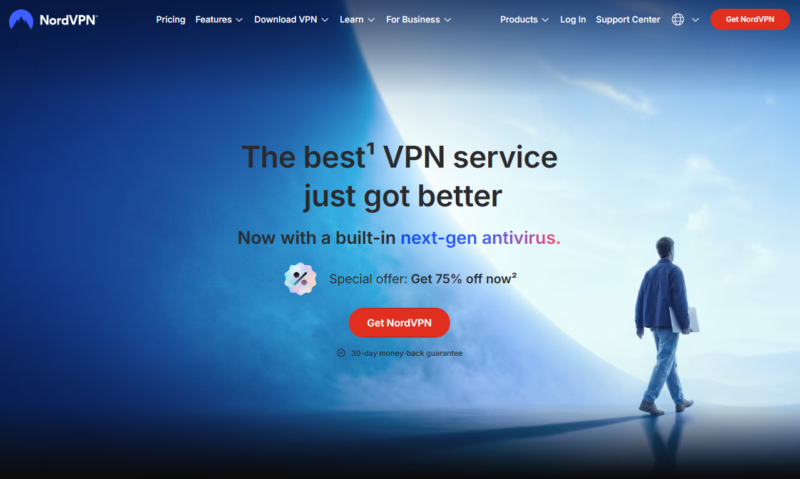
Sign up for a VPN with servers in your home country or a country where free streams are available, such as the U.S. or U.K. NordVPN’s two-year plan is cheap and there’s a 30-day money-back guarantee to fall back on.
- Download and Install the VPN App
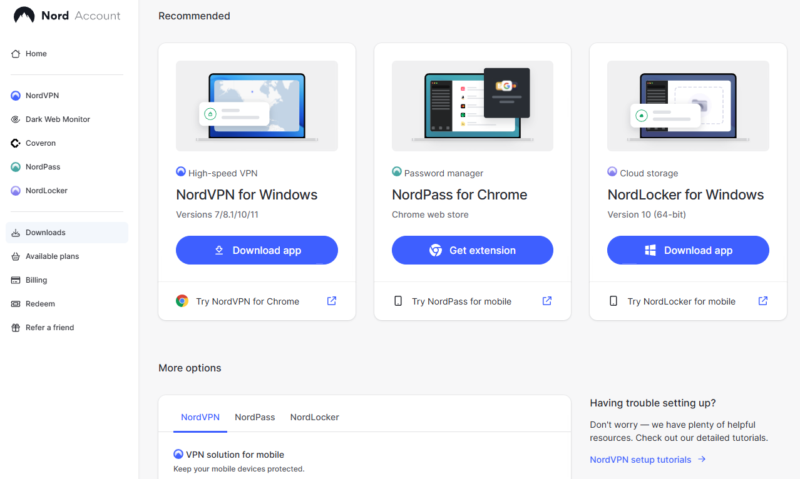
Download and install the VPN app for Windows, Mac or Linux from the provider’s official website. If you’ll be streaming the World Cup on your smartphone, install the app from Google’s Play store or Apple’s app store.
- Connect to a VPN Server
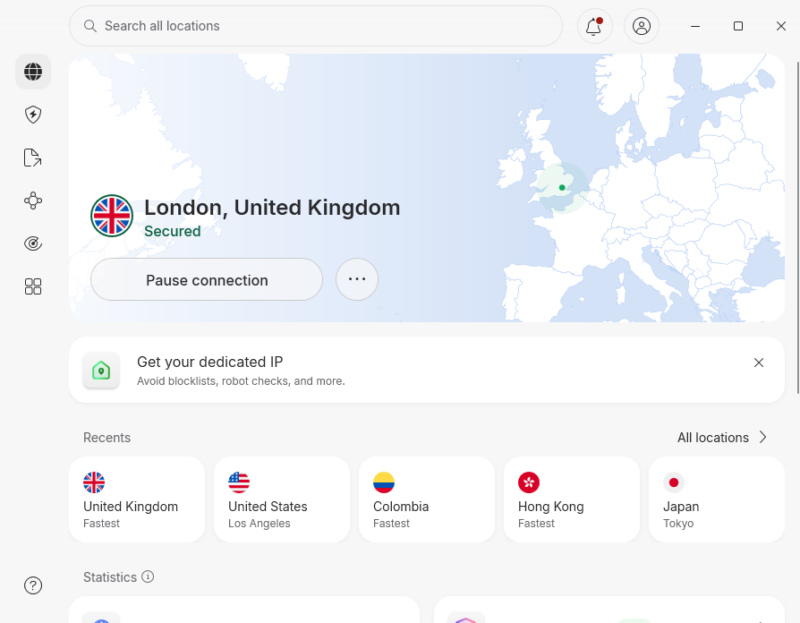
Open the VPN and complete the setup process. Connect to a server in your home country or one in a country with free live streams, such as the U.K.
- Watch FIFA World Cup Uninterrupted
Do a DNS leak test to confirm that the VPN assigned you an IP address in the country you chose. If everything looks OK, open the BBC iPlayer or your home streaming services to cheer on your favorite team.
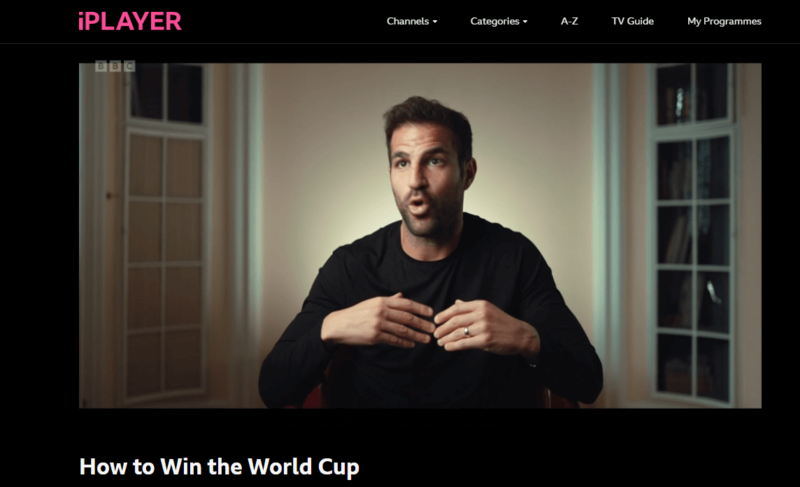
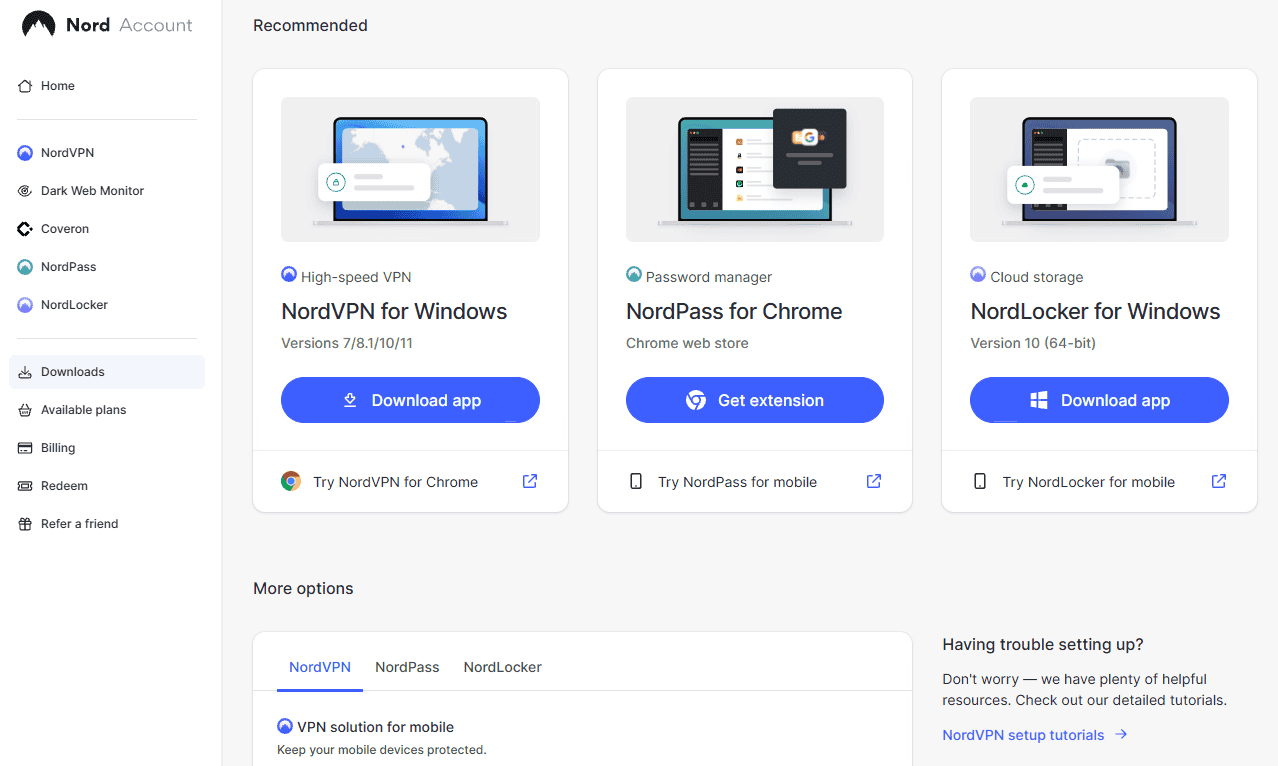
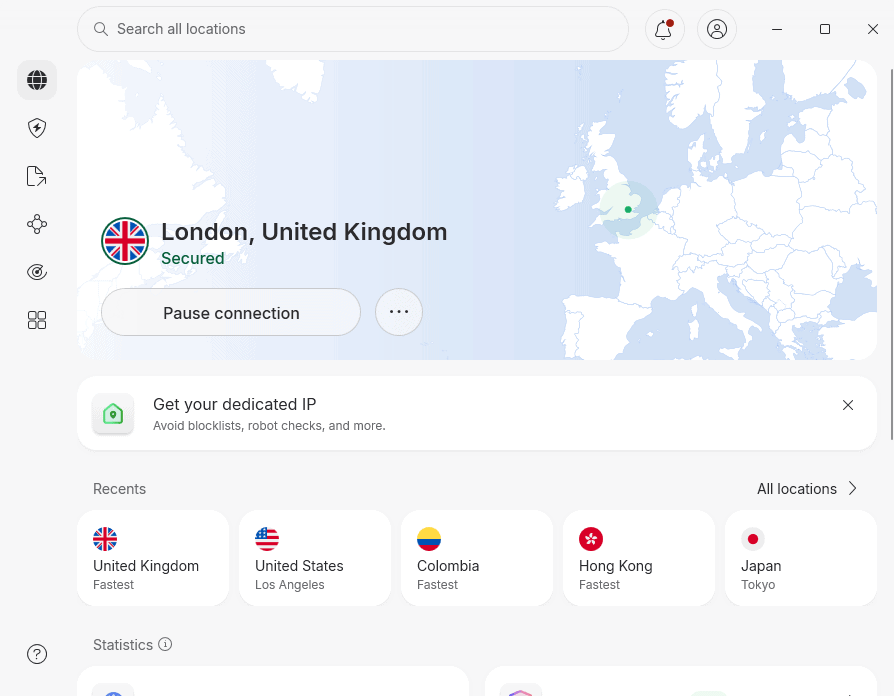
You can use NordVPN’s 30-day money-back guarantee as a free trial — just make sure to cancel the service before the month is up.
What Is the Best VPN for FIFA World Cup Live Streaming?
We picked the most secure VPNs to keep you safe, private and anonymous as you stream the 2026 World Cup games. However, these VPNs differ significantly on speed, unblocking ability and price, so read on to find the nitty-gritty details.
1. NordVPN — Best VPN for Streaming the FIFA world Cup

without fear of internet service provider (ISP) throttling.




Very Fast
NordVPN is our top VPN for streaming and it’s affordable. It gets you into streaming services easily, and if you need to switch servers, you can use the interactive map or server list to do so. Plus, switching servers is particularly fast when using the NordLynx protocol.
When it comes to speed, there isn’t a faster VPN service in the market than NordVPN. The service has been posting consistently high international download speeds, which will come in handy when streaming the World Cup. If you’re connecting to a U.S. server from Australia, you won’t even notice the VPN is on, thanks to smooth, lag-free videos.
If you want to buy NordVPN just for the World Cup month, you’ll have to pay $12.99. However, if you need it as a long-term digital security and privacy solution, you’ll get significant discounts. The yearly plan goes for $4.59 per month, whereas the two-year plan costs $2.99 per month, making it NordVPN’s best deal. It also has a 30-day money-back guarantee. Learn more in our full NordVPN review.
- **VAT may apply
- Unlimited GB
- 10
- Yes
- *The prices are charged in the first billing cycle only. Renewal prices vary.
- Unlimited GB
- 10
- Yes
- *The prices are shown only apply for the first 12 months.
- Unlimited GB
- 10
- Yes
- **The prices are applicable only for the first 24 months. Secure, high-speed VPN Threat Protection Pro™: Anti-malware and advanced browsing protection Threat Protection Pro™: Ad and tracker blocker Password manager with Data Breach Scanner 1 TB of encrypted cloud storage Identity and SSN monitoring and alerts Credit monitoring services Up to $1M in identity theft insurance Up to $100K in cyber extortion insurance
- 10
2. Surfshark — Best Unlimited Connection VPN for Streaming the FIFA World Cup


Very Fast
Surfshark is a reliable yet even cheaper alternative to our top pick. It will get you into your World Cup 2026 streaming services such as Hulu, BBC iPlayer or YouTube TV. It also supports unlimited simultaneous connections and is a great pick for football fans who want to split the bill.
Like NordVPN, Surfshark delivers lightning-fast international speeds. You’ll be particularly impressed by its high download speeds — ideal for lag- and buffer-free World Cup streams. You also get unlimited bandwidth, meaning the VPN speed won’t dip regardless of the number of connected devices.
Surfshark’s monthly pricing is expensive at $15.45. However, its long-term plans offer significant discounts: The one-year plan costs $3.19 per month and the two-year plan will set you back only $1.99 per month, making it the best deal. Learn more in our comprehensive Surfshark review, or try its 30-day money-back guarantee.
- Unlimited GB bandwidth, Unlimited devices, Secure VPN, Ad blocker, Cookie pop-up blocker. Pricing for the annual and biennial plans only apply for the first payment. Renewal fees vary.
- Unlimited GB
- Unlimited
- Yes
- Everything in Starter, plus Antivirus protection, Identity protection, Email Breach and Credit Card Alerts, Online Alias Pricing for the annual and biennial plans only apply for the first payment. Renewal fees vary.
- Unlimited GB
- Unlimited
- Everything in One, plus Data removal Pricing for the annual and biennial plans only apply for the first payment. Renewal fees vary.
- Unlimited GB
- Unlimited
3. Proton VPN — Best Swiss-Based VPN for FIFA World Cup Streaming


Very Fast
Proton VPN is a solid choice for streaming the FIFA World Cup, particularly if you want to access BBC iPlayer. During testing, our team found the service delivers good quality, lag-free streaming on BBC iPlayer. Its custom profiles feature lets you optimize the VPN specifically for streaming, which makes it fast and snappy for live sports.
Speed-wise, Proton VPN maintains impressive performance on a 300 Mbps connection. U.S. downloads averaged a stable 274 Mbps, while UK servers hit 293 Mbps in our latest tests. That represents around 92% and 98% of our baseline, respectively. For new users seeking simplicity, it may be preferable to NordVPN due to its simpler interface.
Although Proton VPN has a free tier, the lack of manual server selection means it’s not suitable for streaming. Paid subscriptions start at $2.99 per month for two years with a 30-day money-back guarantee. Learn more in our full Proton VPN review.
- Unlimited GB
- 1
- Yes
- 500 GB storage 1 user 15 extra email addresses for you Support for 3 custom email domains Unlimited folders and labels Unlimited hide-my-email aliases Dedicated customer support Ultra fast and private VPN Encrypted password manager Encrypted cloud storage for photos and documents Advanced account protection
- Unlimited GB
- 10
- Yes
- **Renewal prices differ for the 1-year and the 2-year plans. Price includes all premium Proton services (Proton Mail, Calendar, Drive, VPN, Pass, & Wallet)
- Unlimited GB
- 10
4. ExpressVPN — Best User-Friendly VPN for FIFA World Cup Streaming


Very Fast
ExpressVPN is a great choice for streaming FIFA World Cup games. The VPN proved once again that its unblocking ability is excellent during our testing. It got us into World Cup streaming services, including Hulu Live, YouTube TV and BBC iPlayer, on the first attempt.
It’s one of the fastest VPN options for international download speeds. You can connect to a server in the U.S. from Europe or Asia and still enjoy 4K streams on the Fox Sports app. Plus, with unlimited bandwidth and data, you won’t get cut off when your team is about to take a match-defining spot kick.
However, ExpressVPN is pricey. The monthly plan is similar to NordVPN at $12.99, but the annual plan only reduced that to $4.99 per month, which is on the higher side of the pricing spectrum. You can bring the price down to $3.49 per month when you subscribe to the two-year plan. If you’re still hesitant, there’s a 30-day money-back guarantee to ease worries. Read our ExpressVPN review to learn more.
- Pricing for the annual and biennial plans applies only on the first year.
- Unlimited GB
- 10
- Yes
- Advanced Protection, ExpressVPN Keys, 3 days unlimited eSIM data, Identity Monitoring, IDP Insurance, Credit Monitoring, 25-50% off on Aircove Router Pricing for the annual and biennial plans applies only on the first year.
- Unlimited GB
- 12
- Everything on the Advanced Plan, Credit Monthly Report, Data Removal, 50-75% off on Aircove Router Pricing for the annual and biennial plans applies only on the first year.
- Unlimited GB
- 14
Can I Use a Free VPN to Stream the FIFA World Cup Online?
You can use a free VPN to stream the FIFA World Cup online but most free VPN services aren’t built with user security and privacy in mind. Some free VPNs collect and even sell your data to third parties, defeating the purpose of using a VPN. Read more about unscrupulous VPN services in our worst free VPN guide.
Even if you find a secure free VPN, chances are there will be usage limits to ruin your World Cup streaming experience. Take for example PrivadoVPN, our best free VPN. The PrivadoVPN free tier comes with a 10GB data limit and access to servers in 13 locations. Read our full PrivadoVPN review.
Windscribe is another good free option. The Windscribe free account comes with 10GB of data. Neither of these free options offer enough data to stream all 104 World Cup games.
If you’re hard up for cash and want to stream all World Cup games without interruption, get a free trial from one of the top-tier providers. NordVPN and Surfshark come with a 30-day money-back guarantee that you can use as a month-long free trial. Just note that the entire tournament is 39 days in total.
The Final Score: FIFA World Cup 2026
You don’t want to miss the 2026 FIFA World Cup, and if you want to watch it for free, make sure to sign up for a quality VPN with its money-back guarantee and tune in to the BBC iPlayer. If you’re traveling abroad during the tournament, a reliable VPN can help you access the streaming services you normally use at home.
NordVPN is the best VPN for streaming the World Cup, but Surfshark is an alternative. Both come with 30-day refund periods.
If you want more soccer action, check out our guide on how to watch French Ligue 1.
Have you used a VPN to live stream a soccer game before? Which VPN service did you use? Will you be using a VPN to watch the 2026 FIFA World Cup online? Which team do you think will win this year’s tournament? Let us know in the comment below. As always, thank you for reading, and may your team win this year’s tournament.
FAQ: FIFA World Cup Free Streaming
The FIFA World Cup 2026 will be available through local broadcasters in many countries. In the United States, English-language coverage is available on FOX and FS1, while Spanish-language coverage is available on Telemundo, Universo and Peacock. FOX and FS1 are available through cable providers and live TV streaming services such as Hulu + Live TV, YouTube TV, Sling TV, Fubo and DIRECTV.
In many countries, FIFA World Cup matches are available through free-to-air broadcasters. For example, viewers in the UK can watch matches on BBC iPlayer and ITVX. If you’re traveling abroad, a VPN can help you access the streaming services you normally use at home, subject to the provider’s terms of service.
Yes, the 2026 FIFA World Cup is on YouTube TV.