How to Block Ads on Peacock in 2026: Enjoy An Uninterrupted Streaming Experience
Peacock’s Premium plan allows the streaming platform to run many ads. Fortunately, a browser extension or a VPN with a built-in ad blocker can remove ads. Check out our ultimate guide on how to block ads on Peacock.


Written by Jeremy Gan (Writer)
Reviewed by Jackie Leavitt (Editor at Large)
Last Updated:
All our content is written fully by humans; we do not publish AI writing. Learn more here.
Key Takeaways: How to Get Rid of Peacock Ads
- Go to Surfshark’s website and sign up at an 87% discount.
- Download Surfshark.
- Enter the VPN settings menu from the left side panel and turn on CleanWeb.
Best VPNs for Blocking Peacock Ads:
- Surfshark — Affordable protection for the whole family. New Surfshark subscribers get up to 87% reduced rates on long-term commitments.
- NordVPN — Top-tier VPN with uncompromising performance. Explore NordVPN’s features with a 30-day return policy, and grab extended plans at a 76% discount.
- ExpressVPN — Intuitive protection for VPN newcomers. ExpressVPN’s best deal is available at a 73% discount.
Facts & Expert Analysis on Removing Peacock Ads
- Since Peacock TV is only available in the U.S., you can’t block ads by changing your location. However, you can still use a VPN that comes with an ad blocker.
- The best VPNs for removing commercials from Peacock TV are Surfshark and NordVPN.
- If you want to remove ads for free, consider uBlock Origin, AdGuard or Peacock TV Skipper.
Peacock TV offers access to movies, live sports and at least 50 always-on channels. However, the standard Premium plan comes with ads. The Premium Plus plan, however, removes ads on all content except for specific shows, channels and live broadcasts (due to licensing issues). Knowing how to block ads on Peacock will vastly improve your experience.
Instead of paying more for a plan that doesn’t even remove all ads, you can use a virtual private network (VPN) with an ad blocker for an ad-free experience. A basic ad-blocker extension will work, but an ad-blocker VPN also lets you protect your browsing and watch Peacock from outside the U.S.
Surfshark is one of the best VPN services available and has a built-in ad blocker. NordVPN and ExpressVPN have this feature too, but Surfshark’s separate ad-blocker extension for your browser is even better than the built-in one. With these VPNs, you can access any Peacock TV content without running into ad interruptions.
-
10/01/2024 Facts checked
We refreshed these rankings based on the latest VPN testing and market analysis.
How Do I Block Ads on Peacock with An Ad-Blocker VPN?
To block ads on Peacock, you need a VPN service that includes built-in ad blocking features. Since Peacock is only available in the U.S., using a VPN is necessary if you’re outside the country or its territories. By getting a U.S. IP address with a VPN, you can bypass Peacock’s geo-restrictions. If your VPN has a built-in ad blocker, like Surfshark and NordVPN, you can kill two birds with one stone.
We tested how NordVPN’s Threat Protection and Surfshark’s CleanWeb performed against Peacock ads. Surfshark’s browser extension with CleanWeb 2.0 removed Peacock TV ads, but the VPN-packaged CleanWeb 1.0 did not. Threat Protection worked instantly, so we recommend NordVPN for this task over Surfshark.
Here are the steps to block ads with a VPN on Peacock. We’ll use Surfshark as an example.
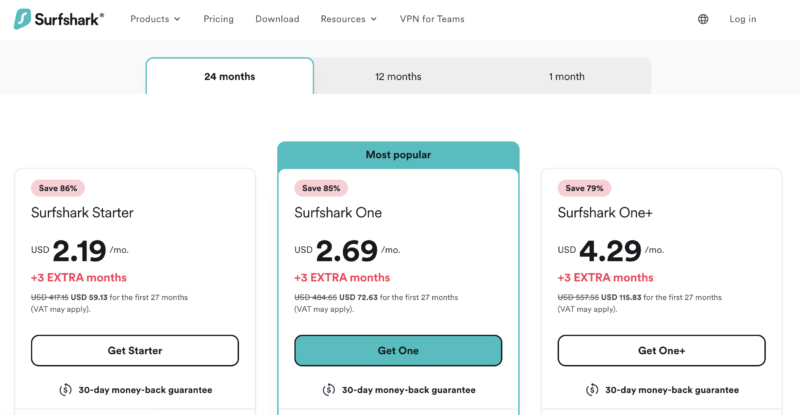
- Get a Surfshark Subscription
Visit the Surfshark website and click on the pricing section. Select a plan (or the two-year plan to get the best value for money) and pay for it before registering for an account.
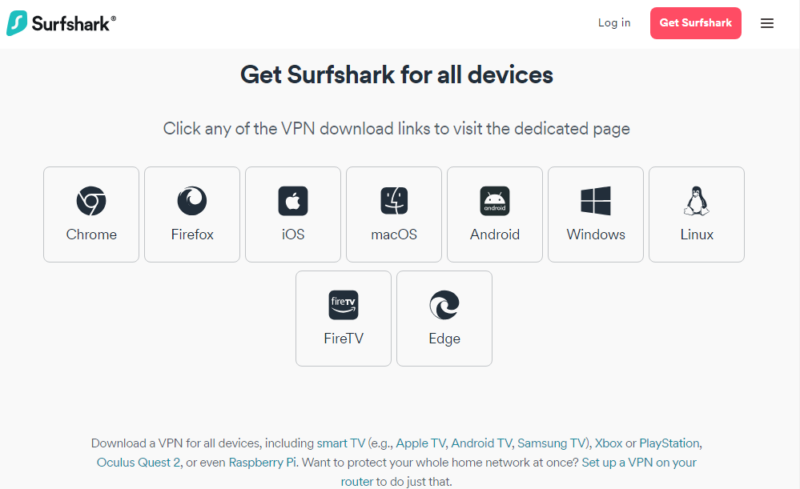
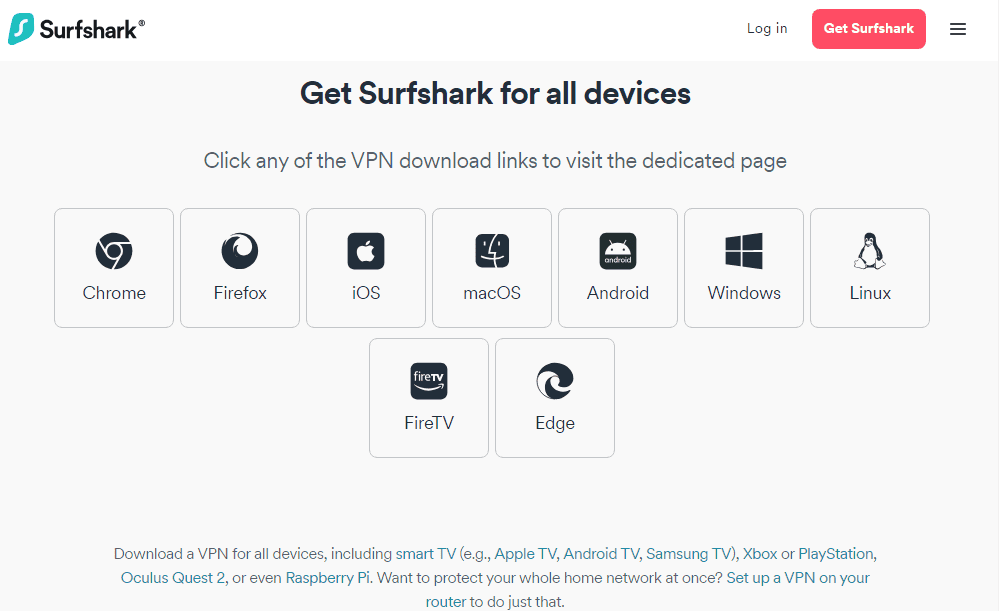
- Download Surfshark
Download and install the Surfshark client for your appropriate platform, then log in.
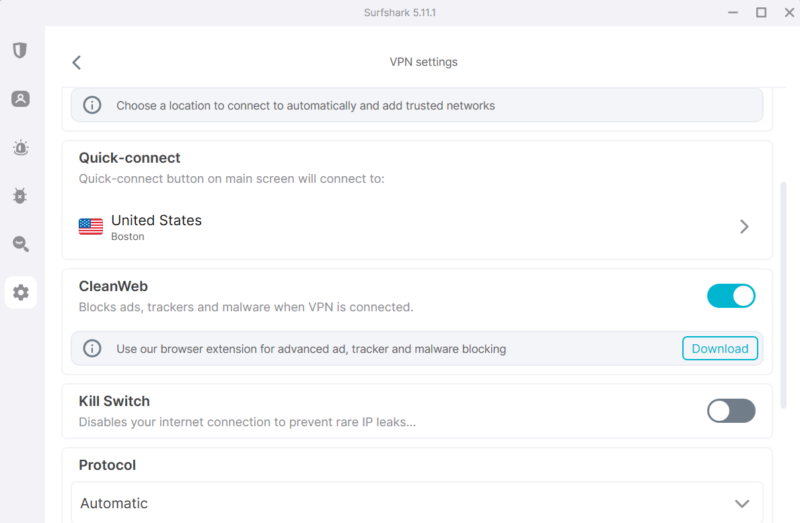
- Activate CleanWeb
On Surfshark’s main screen, click on the settings icon on the left side. In the VPN settings you’ll be able to activate CleanWeb, and you’ll then be able to watch Peacock with zero ads.

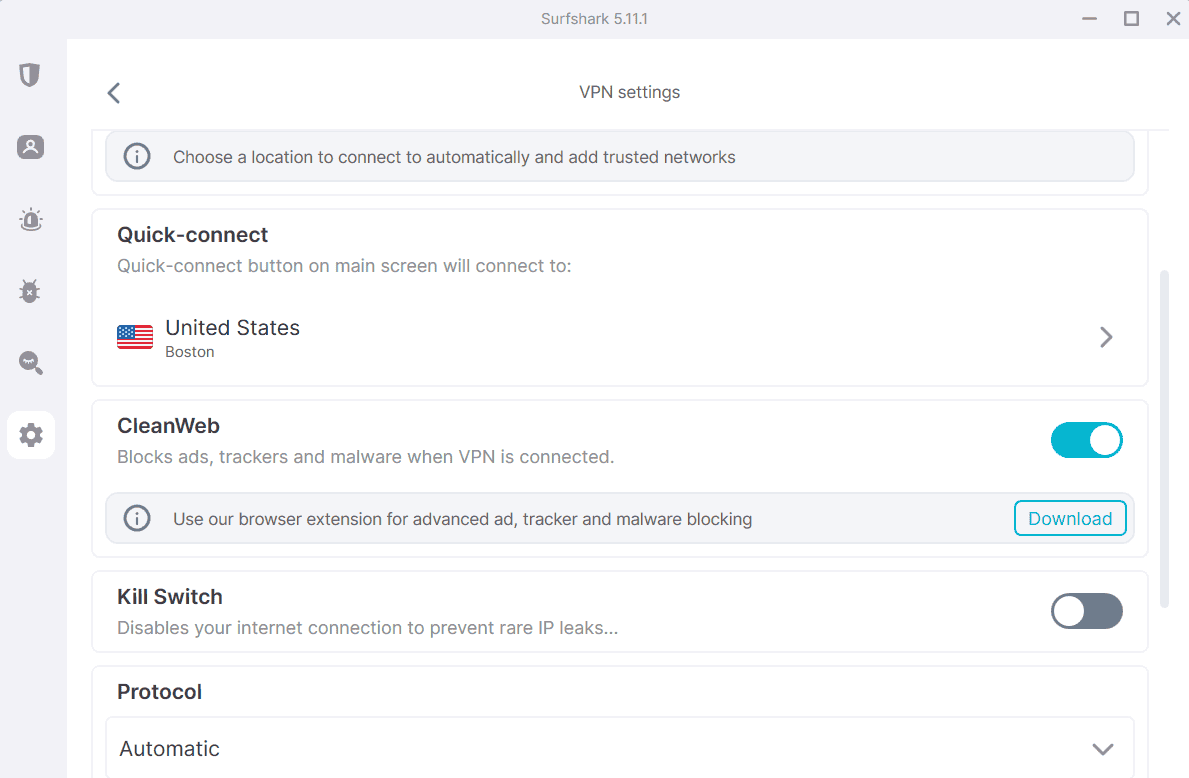
Peacock will ask you to turn off your ad blocker before you can watch the content, but it’s a futile warning; the show will still play and no ads will appear.
How Do I Get Rid of Ads on Peacock For Free?
You can get rid of ads on Peacock for free by using reliable ad-blocker extensions like uBlock Origin and AdGuard, as removing ads on Peacock TV isn’t difficult. A reliable ad-blocker extension will provide ad-free streaming without costing a dime. From our list of the best ad blockers, uBlock Origin and AdGuard managed to remove the video ads entirely. We’ll use Google Chrome as the browser example, but these extensions also work on other Chromium-based browsers.
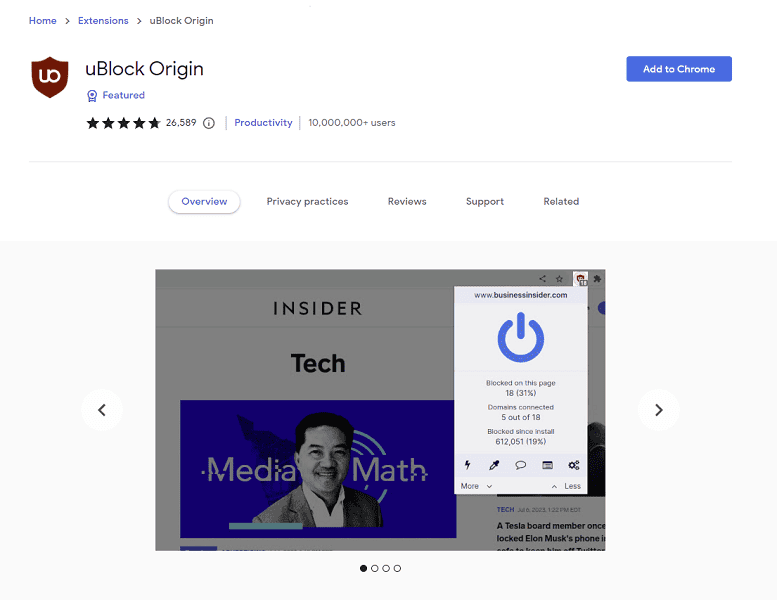
- Get uBlock Origin
Launch Google Chrome and open the Chrome Web Store. Search for uBlock Origin and add the extension to Chrome.
- Activate the Extension
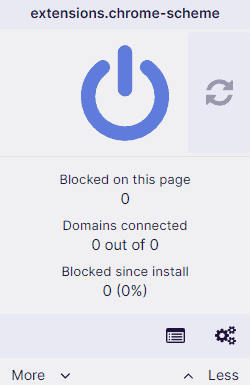
After the extension finishes installing, click on the jigsaw puzzle icon to the right of the browser URL bar and select uBlock Origin. Click on the power button to turn it on.
- Watch Peacock
Once uBlock Origin is active, you can start watching Peacock TV while the extension blocks ads.


Your streaming device has to support Chrome browser extensions to use uBlock Origin or any other extension.
What Are The Best VPNs With Peacock Ad Blockers?
The best VPNs with Peacock ad blockers combine VPN functionality with ad blocking capabilities, allowing you to unblock content, protect yourself and block ads without switching between apps and extensions. Everything is in one program and easy to locate. Here are our recommendations.
1. Surfshark — Best Budget Peacock Ad Blocker VPN





Very Fast
Surfshark’s CleanWeb ad blocker is available if you subscribe, but only CleanWeb 2.0, available on the browser extension, will block Peacock TV ads. Fortunately, CleanWeb 2.0 works without requiring a VPN connection. If you’re outside of the U.S., you’ll likely need a VPN connection to access Peacock.
Sky and NOW subscribers in the U.K., Ireland, Germany, Austria, Switzerland and Italy can access Peacock free, but any other location isn’t supported.
Surfshark also supports unlimited simultaneous connections, allowing many users to watch Peacock TV and other streaming platforms ad-free. Check out our Surfshark review for a deeper look at this VPN, or try it out using the 30-day money-back guarantee.
- Unlimited GB bandwidth, Unlimited devices, Secure VPN, Ad blocker, Cookie pop-up blocker. Pricing for the annual and biennial plans only apply for the first payment. Renewal fees vary.
- Unlimited GB
- Unlimited
- Yes
2. NordVPN — Best VPN to Block Peacock Ads


Very Fast
NordVPN is very secure and feature-packed, and our speed tests show it’s also the fastest VPN service around. You can watch your favorite shows and movies without buffering or lag, even if the server you connect to is far away from your location.
Its ad blocker, called Threat Protection, will work without a VPN connection, but the Lite version (primarily for mobile users) requires one. However, we recommend connecting to a server every time to preserve your online privacy and anonymity. Our NordVPN review has more information, or you can try it out yourself using the 30-day money-back guarantee.
- **VAT may apply
- Unlimited GB
- 10
- Yes
3. ExpressVPN — Best User-Friendly VPN for Removing Ads on Peacock

powerful features and unblocking capabilities.

Very Fast
ExpressVPN is another great VPN for streaming, and it offers a long list of built-in features for all servers — including a built-in ad blocker. Plus, its large server network can grant access to locations without ads.
In addition, this VPN service unblocks almost every streaming service out there, including Hulu and BBC iPlayer, and of course Peacock, all while offering fast speeds for effortless streaming.
You can get ExpressVPN on every popular platform and device, with no slowdowns or noticeable stuttering when you watch the content. Our ExpressVPN review has more information, or sign up with ExpressVPN’s 30-day money-back guarantee.
- Pricing for the annual and biennial plans applies only on the first year.
- Unlimited GB
- 10
- Yes
- Advanced Protection, ExpressVPN Keys, 3 days unlimited eSIM data, Identity Monitoring, IDP Insurance, Credit Monitoring, 25-50% off on Aircove Router Pricing for the annual and biennial plans applies only on the first year.
- Unlimited GB
- 12
- Everything on the Advanced Plan, Credit Monthly Report, Data Removal, 50-75% off on Aircove Router Pricing for the annual and biennial plans applies only on the first year.
- Unlimited GB
- 14
What Are Other Effective Ways of Blocking Ads on Peacock?
Other effective ways of blocking ads on Peacock include upgrading to Premium Plus or using specialized extensions, as some Peacock users find their streaming experience suboptimal due to a poor internet connection when using a VPN. There are other ways to block Peacock ads, both free and paid, though we still recommend using a VPN to preserve your online privacy.
1. Upgrade to Peacock Premium Plus
The most convenient way to block ads on Peacock TV is to upgrade to the Peacock Premium Plus plan. Doing so dramatically reduces the number of ads displayed — though not all are removed, as some channels, shows, movies and live events will still have ads.
While they’re sparse, it’s still infuriating to pay so much and still see commercials. That’s why we recommend using an ad blocker to watch Peacock, no matter what subscription plan you’re on.
2. Use the Peacock TV Skipper Extension
The Peacock TV Skipper extension does more than block ads. It automatically skips recaps and intros, and fast forward to the next episode once the current one ends — all without you having to click or tap. There’s no need to click or tap manually if you have this extension.
Final Thoughts
Peacock Premium is Peacock’s ad-supported subscription, and upgrading to remove ads costs $6 more per month. Using an ad-blocking VPN or a Peacock ad-blocker extension can get rid of ads quickly. Some of these solutions are free to download, like uBlock Origin, AdGuard and Peacock TV Skipper.
Surfshark and NordVPN are the best VPN candidates for the job. Take Surfshark for a test drive with peace of mind, knowing you can request a full refund within 30 days if it doesn’t meet your expectations. Both providers get rid of ads effectively without taxing your system or introducing significant slowdowns.
Looking to block ads on other platforms? Don’t worry, we’ve got you covered. Check out our other ad-blocking guides:
What VPNs did we miss? Do you know of other browser extensions to get rid of the commercials on Peacock? Tell us in the comments section below. Thank you for reading.
FAQ: Block Ads on Peacock for Free
The best way to have no ads on Peacock TV is to use an ad-blocker VPN or install an ad-blocker extension.
Peacock Premium Plus costs $11.99 a month or $119.99 a year. The annual plan lets you save some money. However, there are still ads due to copyrights when you watch some channels or live events.
Besides NordVPN and Surfshark, you can unblock Peacock using ExpressVPN, CyberGhost and Proton VPN, among others.