What Is Geoblocking? Getting Around Geo-Restrictions in 2026
If you’re confused about why you see different Netflix shows when you’re traveling or why you can’t watch the Clippers game in LA, you should probably be asking, “What is geoblocking?” We’ll explain what geoblocks are below, and we’ll even teach you how to get around them, so keep on scrolling.


Written by Aleksandar Kochovski (Writer)
Reviewed by Aleksander Hougen (Chief Editor)
Facts checked by Jasna Mishevska (Lead Fact-Checking Editor)
Last Updated:
All our content is written fully by humans; we do not publish AI writing. Learn more here.
Key Takeaways: How to bypass geo-restrictions
- Browse to nordvpn.com and grab a 76% discounted plan.
- Connect to a VPN server in the country whose content you need to unblock
- Enjoy streaming unblocked content.
Best VPNs for Bypassing Geo-Restrictions:
- NordVPN — The best VPN for bypassing geoblocking, with impressive speeds and SmartPlay technology. Explore NordVPN’s features with a 30-day return policy, and grab extended plans starting at just $2.99 per month.
- Surfshark — One of the best VPNs for unblocking geo-restricted content, with unlimited simultaneous device connections. Get the first two years with Surfshark starting at just $1.99 per month, covered by its 30-day money-back guarantee.
- Proton VPN — Great VPN for bypassing geoblocks with 10 simultaneous connections and a Stealth protocol for censorship circumvention. Test it with the free plan or get the two-year plan for $2.99 per month.
Facts & Expert Analysis
- What Is Geoblocking? Geoblocking is technology that restricts access to content based on your physical location.
- Why Geoblocks Are Used: Websites and online services usually use geoblocking to uphold contractual and legal obligations or curate content, though governments can also use it to censor the internet.
- How to Get Around Geoblocks: Because most geoblocking systems use your IP address to locate you, you can bypass geoblocking by connecting to a VPN server.
If you’ve ever tried to watch a YouTube video only to find out that it’s not available in your country, you’ve experienced geoblocking firsthand. Geoblocks can be annoying, especially when you’re trying to enjoy content from a different part of the world. What exactly is geoblocking, and how can you get around it?
Follow along as we answer these questions and explain the hows and whys of geoblocking. We’ll explain what geoblocking is, how it’s done, and how to get around geoblocks using a VPN, like the ones on our best VPN list. We’ll also give a few examples of common types of geoblocks and address the legality of bypassing geoblocking, so read on for the full story.
-
11/09/2023 Facts checked
Updated the article to reflect ExpressVPN’s expansion of server presence from 94 to 105 countries.
-
02/28/2024 Facts checked
We rewrote the article with the latest information on geoblocking. We referenced new literature on geoblocking systems and added new information on the legality of geoblocking and bypassing it.
-
10/01/2024 Facts checked
We adjusted the article’s VPN positions to reflect recent improvements and feature updates.
What Is Geoblocking & What Is It Used for?
Geoblocking is the practice of restricting access to online content based on geographical location. Geoblocking systems (geofences) most often check your IP address and DNS provider to see where you are and decide which content to display or block.
You’ll find many examples of this in your daily browsing, from your favorite shows on Netflix being exclusive to the U.S., to WhatsApp video calls being blocked in Saudi Arabia. The reasons why a website or ISP might implement geoblocking are varied and can include:
Protect Your Privacy. Get Our Free VPN Guide Now!
- Comprehend the essential role a VPN plays in safeguarding your digital life
- Gain a deep understanding of how VPNs function under the hood
- Develop the ability to distinguish fact from fiction in VPN promotions
- Preventing conflicts with regional licensing of content: The most prominent examples of geoblocking are streaming services that restrict access to movies and shows based on the country you’re in. The most common reason why streaming sites use geoblocking is to honor distribution and licensing agreements.
- Curating content for different countries or regions: Geoblocking is often used to offer local content — like K-dramas exclusive to South Korean Netflix — that might not have high demand in other countries.
- Reducing server loads for regional websites: Websites for local government are often restricted to the residents of that country or state. This is done to reduce operational costs for servers.
- Controlling pricing of products by country: The income of residents of different countries can vary widely, which is why large international companies offer different pricing for them, like YouTube Premium being much cheaper in Turkey than in the U.S.
- Restricting access to information: There are cases in countries with oppressive regimes where the government will deny access to social media sites to prevent rioters from organizing or to control the dissemination of undesired information.
Common Examples of Geoblocks
Here are some examples of websites and apps that are often geographically restricted or that implement geoblocking themselves:
| Streaming Services | Netflix, YouTube, Amazon Prime Video, Max, Disney Plus, Hulu, BBC iPlayer, Paramount Plus, fuboTV, ESPN Plus, Fox Sports Go, CBS Sports |
| Social Media | Facebook, Twitter, Instagram, TikTok, Reddit |
| Messaging Apps | WhatsApp, Viber, Telegram, Facebook Messenger, Snapchat |
| Dating Apps | Tinder, Badoo, Plenty of Fish, Match, Grindr |
| News Sites | The New York Times, Reuters, Al Jazeera, The Washington Post, CNN, NBC News, Fox News |
| Gambling Sites | Bet365, DraftKings, PointsBet, BetMGM, BetRivers, Bally Bet |
How Does Geoblocking Work?
No two geoblocking systems are the same, but most of them utilize some combination of these four approaches:
- IP address: One of the most common ways to apply geoblocking is to look at your IP address — a number that is unique to your router. Your IP address can reveal your approximate location, which can let websites stop you from accessing content or present you with content made for your region. VPNs are effective at bypassing these kinds of geoblocks because they change your IP address.
- DNS server: Another way to restrict content to a geographic location is to check whether you’re using a DNS server from that location. Many streaming services use this method, which is why smart DNS services can unblock Netflix and similar streaming services.
- Browser cookies and fingerprint: Your browser cookies and fingerprint can also hold location data, so some websites use those to bolster their geofences. If a VPN isn’t able to unblock content, wiping your browser cookies and opening the site in a private window might solve the issue.
- GPS location data: Mobile apps can also use your GPS location information to apply geographic restrictions. The only way to get past this is to use a GPS spoofer.
Keep in mind that most websites don’t bother with the more aggressive methods of location identification. This level of precision is increasingly relevant in the United States, where state-specific mandates are creating localized digital borders; for example, residents often require the best Missouri VPN to navigate new age-verification laws that restrict access based on a user’s regional IP address.
For example, Netflix won’t experience any legal ramifications for letting a user from Europe access U.S. content as long as it makes a reasonable effort to block them via DNS and IP filtering. However, a gambling site might go out of business if it breaks a country’s gambling laws, so it might need to implement stricter geoblocking.
How Do You Access Geoblocked Content With a VPN?
It’s easy to bypass geoblocking and access restricted content: All you have to do is use a VPN. Besides changing your IP address, VPNs can also change your DNS, which makes them the most effective method of bypassing geoblocks.
VPNs have more benefits than just unblocking online content, though. They encrypt your connection, making it unintelligible to anyone but the websites you’re accessing, which makes your online activity much more difficult to track.
Plus, VPNs often come with extra features like malware blockers, which further increase your online privacy. This is why they’re our preferred method for unblocking online content.
Here are three easy steps to follow to unblock any geo-restricted website.
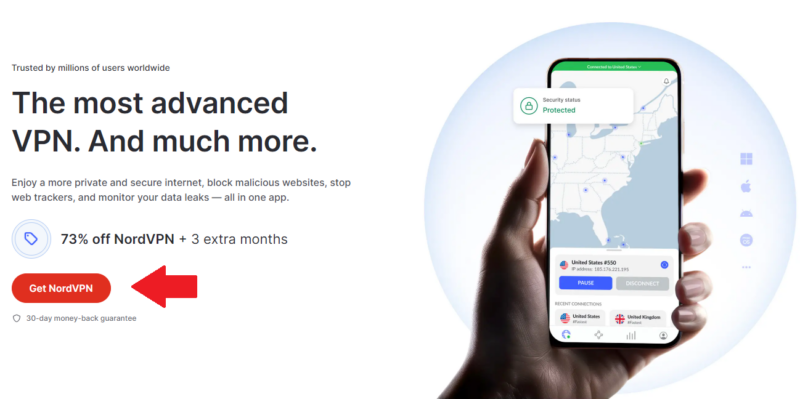
- Choose a VPN and Download It
Choose the VPN you want to use. We suggest using NordVPN, but you can also check out our list of the best VPNs to make a more informed decision. Visit the provider’s website and download its app, or download it from your device’s app store if you’re on mobile.
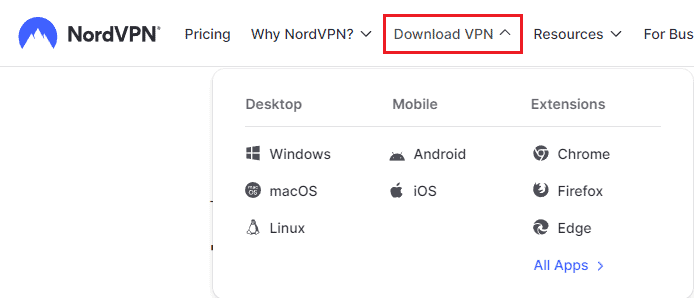
- Install the VPN App and Log In
Follow the steps in the installation wizard to install the VPN app. Then, enter the login credentials for your account.
- Connect to a VPN Server
Open the VPN server list and scroll down to find the country you want to connect to. Otherwise, use the search bar to look for the country you need. Then, click the connection button.
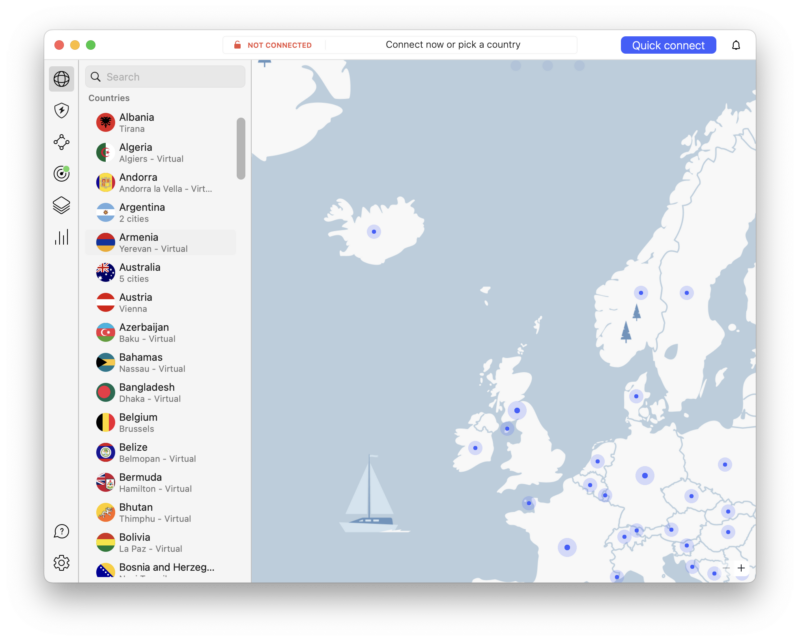


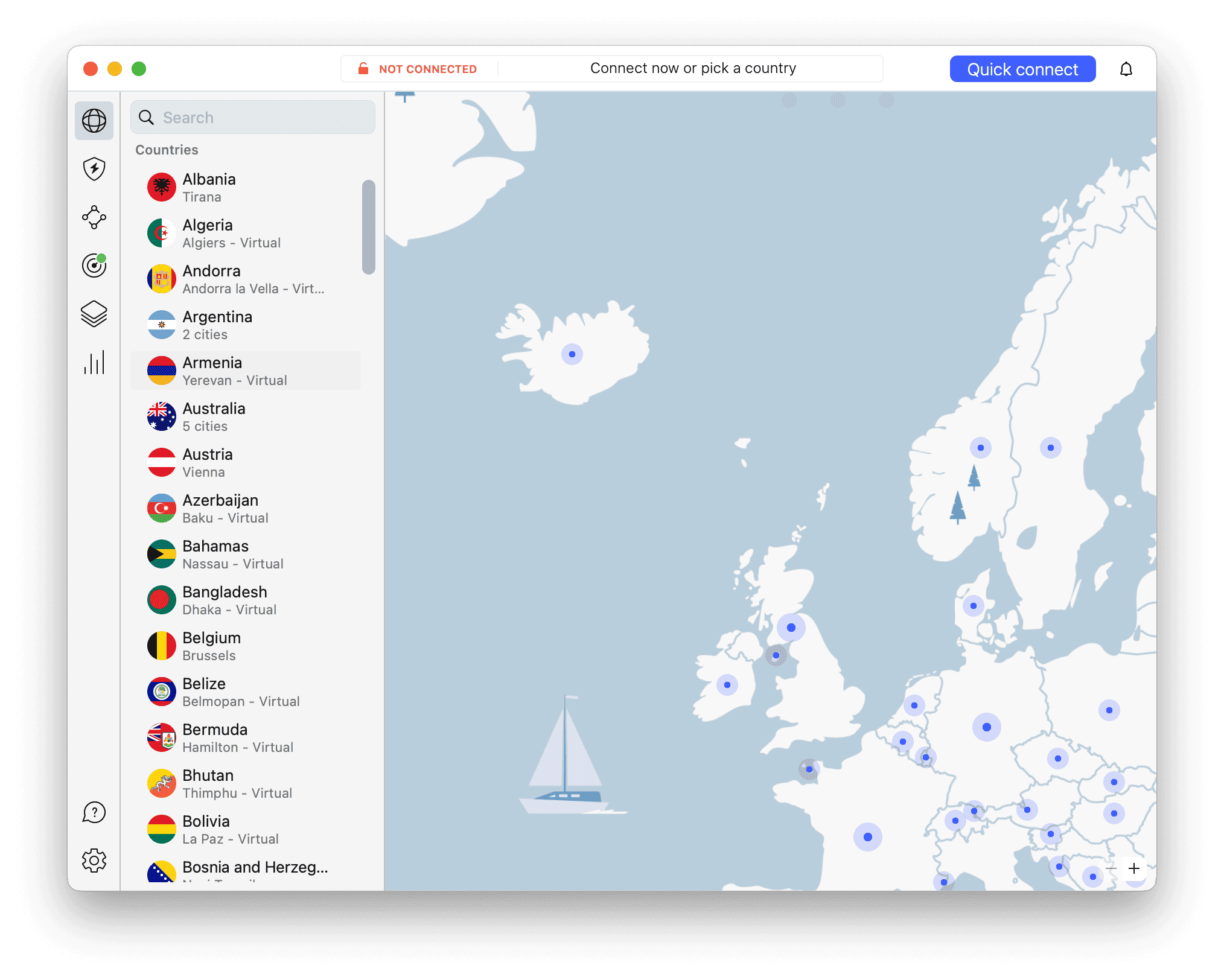
To unblock a website, connect to a server in a country where it isn’t blocked. If you want to unblock content from a specific country, connect to a server in that country. If you need to bypass government censorship, connect to a country other than the one where you’re located.
What Are the Best VPNs for Bypassing Geoblocking?
The best VPNs for bypassing geoblocking are ones that can unblock streaming services, bypass government censorship and maintain fast speeds for buffer-free streaming. Here are three VPNs that excel at defeating geoblocks.
1. NordVPN — The Best VPN to Bypass Geoblocking
a great choice for accessing content worldwide.




Very Fast
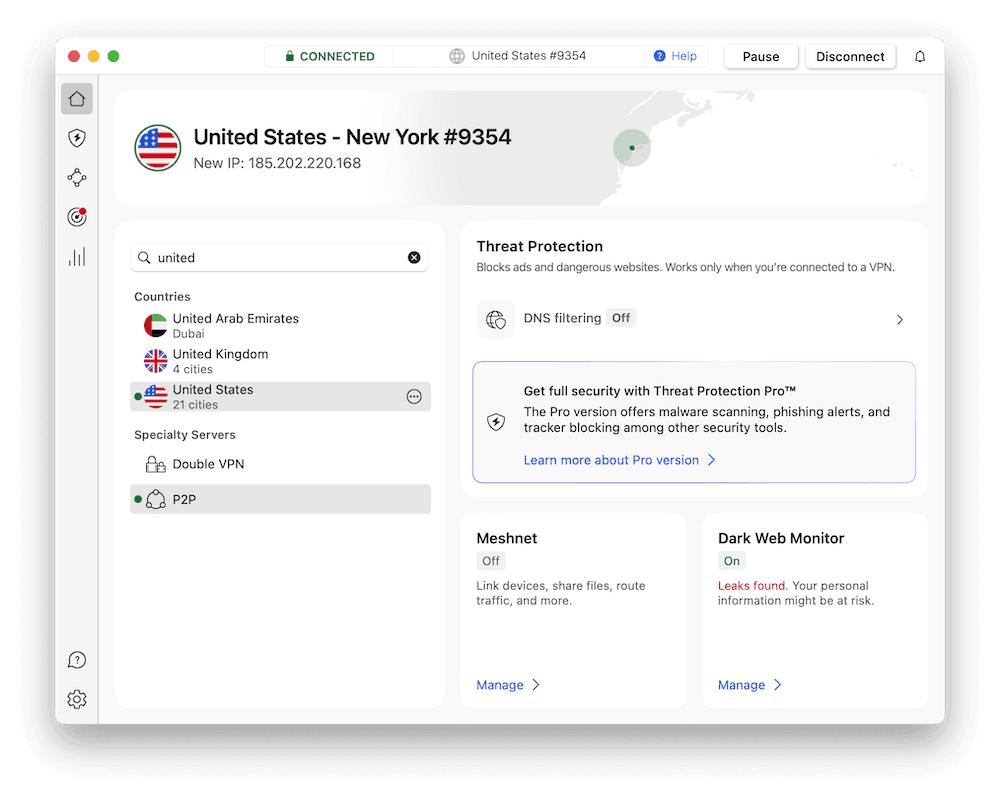
NordVPN is the best VPN we’ve reviewed, in no small part thanks to its excellent ability to get around geo-restrictions. It is a security powerhouse, offering all the essential security features, as well as advanced ones like blocking malicious sites, ads and trackers. It even comes with a password manager to keep your logins safe, further increasing your online security.
It is also one of the fastest VPNs, reaching impressive speeds in all our tests. This means you can stream shows and movies with no dips in quality. You can learn more about the VPN in our full NordVPN review, or try NordVPN out using its 30-day money-back guarantee.
- **VAT may apply
- Unlimited GB
- 10
- Yes
- *The prices are charged in the first billing cycle only. Renewal prices vary.
- Unlimited GB
- 10
- Yes
- *The prices are shown only apply for the first 12 months.
- Unlimited GB
- 10
- Yes
- **The prices are applicable only for the first 24 months. Secure, high-speed VPN Threat Protection Pro™: Anti-malware and advanced browsing protection Threat Protection Pro™: Ad and tracker blocker Password manager with Data Breach Scanner 1 TB of encrypted cloud storage Identity and SSN monitoring and alerts Credit monitoring services Up to $1M in identity theft insurance Up to $100K in cyber extortion insurance
- 10
2. Surfshark — Best Budget VPN for Bypassing Geoblocks

Very Fast
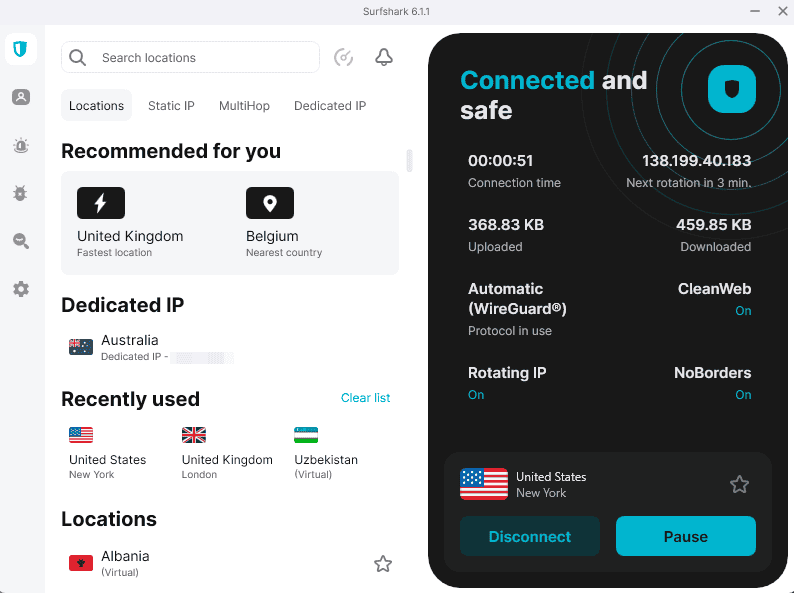
Surfshark is a pocket-friendly VPN that makes bypassing geo-restrictions accessible to everyone. Its NoBorders feature is specifically designed for bypassing strict geo-blocks and government censorship, making it an excellent choice for users in restrictive regions.
In our testing, Surfshark delivered exceptional U.S. speeds — averaging approximately 288 Mbps (96%) on a 300 Mbps baseline — with virtually no overhead. On the other hand, U.K. speeds were volatile during these tests. Our testers found that Surfshark successfully unblocks Netflix, Prime and Paramount+, though Disney+ and Hulu may require server switching.
You can learn more in our full Surfshark review, or try Surfshark risk-free with its 30-day money-back guarantee.
- Unlimited GB bandwidth, Unlimited devices, Secure VPN, Ad blocker, Cookie pop-up blocker. Pricing for the annual and biennial plans only apply for the first payment. Renewal fees vary.
- Unlimited GB
- Unlimited
- Yes
- Everything in Starter, plus Antivirus protection, Identity protection, Email Breach and Credit Card Alerts, Online Alias Pricing for the annual and biennial plans only apply for the first payment. Renewal fees vary.
- Unlimited GB
- Unlimited
- Everything in One, plus Data removal Pricing for the annual and biennial plans only apply for the first payment. Renewal fees vary.
- Unlimited GB
- Unlimited
3. Proton VPN — Best Privacy-Focused VPN for Bypassing Geoblocks

Very Fast
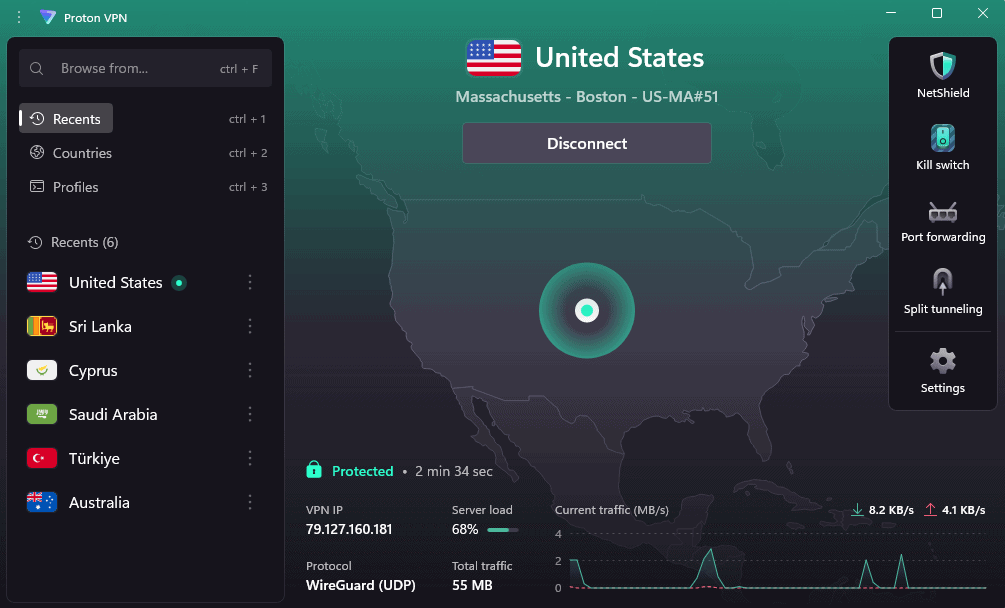
Proton VPN is a privacy powerhouse built for users who need to bypass geo-restrictions and government censorship without compromising security. Based in Switzerland — outside the jurisdiction of the 14 Eyes surveillance alliance — Proton VPN maintains a strict no-logs policy that has been independently audited by Securitum (2022 & 2024).
Speed performance is impressive across our tests. On a 300 Mbps baseline, Proton VPN averaged approximately 270 Mbps (90%, U.S.), 280 Mbps (93.3%, U.K.) and 310 Mbps (around 3.33% above the baseline, Australia), with U.S. and Australia speeds remaining highly stable. It also successfully unblocked most streaming platforms, but our testers couldn’t unblock Disney+.
You can learn more in our full Proton VPN review, or try Proton VPN using its 30-day money-back guarantee.
- Unlimited GB
- 1
- Yes
- 500 GB storage 1 user 15 extra email addresses for you Support for 3 custom email domains Unlimited folders and labels Unlimited hide-my-email aliases Dedicated customer support Ultra fast and private VPN Encrypted password manager Encrypted cloud storage for photos and documents Advanced account protection
- Unlimited GB
- 10
- Yes
- **Renewal prices differ for the 1-year and the 2-year plans. Price includes all premium Proton services (Proton Mail, Calendar, Drive, VPN, Pass, & Wallet)
- Unlimited GB
- 10
What Are Alternative Ways to Bypass Geo-Restrictions?
If you’ve tried using a VPN to unblock content and failed, we’d normally suggest trying a different VPN. The systems that prevent IP addresses from connecting can sometimes also block VPN users, and not all VPNs are good enough to bypass them. This is the case with the Netflix VPN ban, as well as with most other streaming platforms.
However, there are other ways to access content that’s been restricted, all with unique strengths and drawbacks. Here are some alternatives to VPNs that might help you unblock a website.
1. Proxy Servers
A proxy server will change your IP address, but there is one glaring weakness: It will not encrypt your traffic. This means that not only do you not get the protection and privacy of a VPN, but also that you’re putting your traffic in the hands of untrusted and potentially dangerous proxy services.
2. DNS & Smart DNS
Simply changing your DNS server to one in another country might be enough to unblock regional websites. However, a smart DNS service, which many VPNs offer, can be better at unblocking websites, as it deletes any identifying parts of your traffic. This makes smart DNS a good option for smart TVs and other devices that allow DNS switching but not VPN installation.
3. The Tor Network
Tor is a network of computers that you can use to encrypt and route your traffic through several nodes to hide it. This is similar to how a VPN works, though you have no control over where you’re connecting to. This makes it good for escaping censorship in your country, as you’ll likely connect to an end node outside of it, but it’s not as great for unblocking U.S. Netflix, for example.
Is Geoblocking Legal?
Not only is geoblocking legal, it is legally necessary in some cases. For example, a streaming service must uphold its legally binding distribution contracts and therefore must employ reasonable measures to ensure that only the intended users can access its licensed content.
Another example is a government compelling ISPs to restrict access to social media. Though this example is morally abhorrent, it is not illegal.
Is It Legal to Access Geoblocked Content With a VPN?
It is generally legal to use a VPN to bypass geoblocking as long as VPNs are legal in the country. Geoblocking is usually the result of a service provider’s contractual obligation rather than an actual law. There are cases where bypassing geofencing is illegal, though.
- Piracy: Though unblocking U.S. Netflix breaks your user agreement with the streaming service, it is not illegal. However, let’s say that Netflix is offering a free plan, but only for users in Germany. If you use a VPN to connect to a German server and get Netflix for free, you would be drifting into the realm of piracy, as you’re now impacting Netflix’s income.
- Government-imposed geoblocks: It might also be illegal to bypass government-imposed geoblocks, such as accessing Western social media in China with a VPN.
Final Thoughts: What Is Geoblocking and How Does It Work?
Though geoblocks are usually in place for perfectly valid reasons, they can still be a nuisance. Thankfully, all you need to do to get past them is use a VPN to hide your IP address, change your DNS server and encrypt your traffic. We recommend using NordVPN, as it’s the best VPN for unblocking content.
That’s all for our guide on geoblocking. We hope you found it useful and informative. Have you ever used a VPN to unblock a website? Did it work on the first try? Have you used a proxy service instead? Let us know in the comments below. As always, thank you for reading.
FAQ: Geoblocking Guide
A geoblock prevents you from accessing content based on your geographical location.
Bypassing geoblocking is perfectly legal in most cases. The only exceptions are when you’re bypassing the geofence to engage in illegal activity, like accessing paid content for free or illegal content.
To avoid geoblocks, all you have to do is install a VPN and connect to a server in a different country where the content you need isn’t blocked.
Yes, you can bypass geoblocks for free by using a free VPN like Proton VPN or by utilizing a money-back guarantee from a premium provider.