How to Delete Yourself From the Internet: 6 Steps to Reduce Your Online Presence
If you’ve ever wondered how to delete yourself from the internet, this article is for you. The following steps will help significantly reduce how much of your personal data appears online.


Written by Jason Stagnitto (Writer, Script Writer, Course Writer)
Reviewed by Valentina Bravo (Managing Editor)
Facts checked by Eugenie Tiu (Editorial Assistant)
Last Updated:
All our content is written fully by humans; we do not publish AI writing. Learn more here.
Key Takeaways: How to Remove Yourself From the Internet
- Understand how much of your data is already online
- Remove your data from Google
- Reduce your social media presence
- Delete old or unused accounts
- Request removal from data broker sites
- Continue to take preventative actions
Facts & Expert Analysis: How Does Deleting Your Online Presence Work?
- Reducing personal information: The less personal data you have online, the better protected you are from data leaks and from your data appearing on people-search sites and in search engines.
- Minimizing information online: Many of us have accounts that we don’t use or forgot we even had. Deactivating or closing these helps remove your personal information from the internet.
- Protecting yourself online: Configure the strongest privacy settings and consider using privacy tools like a VPN or email aliases to help protect your online presence. This can help minimize how much of your data shows up in search results.

I’ll show you how to delete yourself from the internet in six steps. If you want to jump ahead, check out the best data removal services. However, while these services definitely help, they’re just one tool of many. Let’s start by understanding why you’d even want to reduce your online presence in the first place.
Why Clean Up Your Online Presence?
The main reason to clean up your online presence is to reduce the risk of your data being compromised in data breaches or leaks. You may also want to minimize the risk of your sensitive personal or financial information being used for fraud or worse. Perhaps you’d even just like to see fewer targeted ads.
All of these are good reasons to take actionable steps and minimize the presence of your personal information online.
Is It Possible to Scrub Yourself From the Internet Entirely & for Good?
No, it’s not possible to erase yourself completely from the internet. Data such as public records — which include details like property ownership and court records — can’t be deleted. Additionally, data that lives in the Internet Archive is tough to purge.
Don’t let this get you down, though. There are ways to significantly reduce how much of your data is online.
How to Remove Your Data From the Internet: 6 Expert Tips
Cleaning up and reducing your online presence may seem like a daunting task. I’ll be honest; it’s not easy or quick. However, by following these six steps, you’ll be well on your way to regaining control of your data.
1. Understand Your Digital Footprint
The first step is to take stock of your digital life. If you don’t know how much of your data is out there or where it lives, you won’t know where to look or how to remove it. It’s time to be honest with yourself.
Think about all the accounts you have across the internet: social media, online shopping, subscriptions, gaming and more. If your digital life is bigger than you thought, make a spreadsheet and start listing everything. Keep going until you’ve uncovered as much as you can, no matter how long the list is.
I’ll give you a pro tip: Enter your name in search engines. This can be eye-opening and a good place to start understanding the scope of your digital footprint. Additionally, if you use a password manager, review each website where you’ve generated a password. I bet you’ll find more than a few that aren’t familiar.
2. Remove Yourself From Google
You can request that Google remove personal information that appears in Google search results. The good news is that it’s not too difficult. Keep in mind that this is data Google already has — it doesn’t prevent the company from using any new data you may generate in the future.
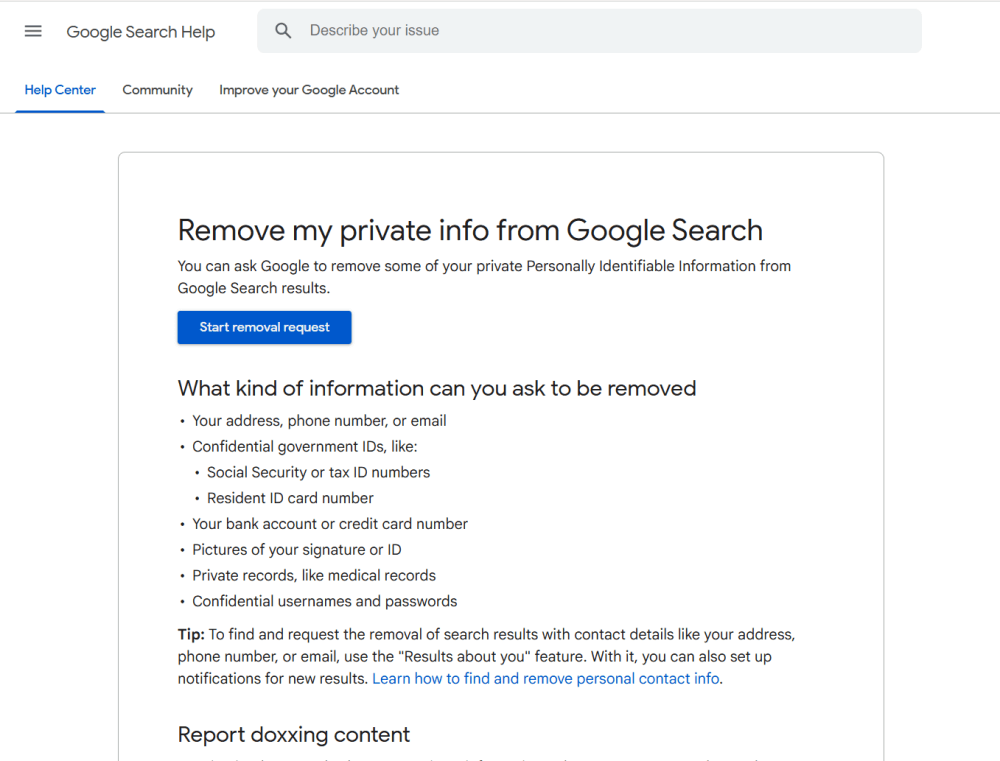
you can take steps to have a lot of your information removed.
3. Tackle Social Media
The process of reviewing and potentially deleting social media accounts will look different for everyone. Anyone who is active on social media will spend a lot of time on this step. Of course, X, Facebook, TikTok and Instagram are popular social media sites. However, remember that YouTube and LinkedIn are also social media.

share it with advertisers and trackers.
I’m not advocating that you cut social media completely out of your life — it’s a personal decision. Instead, I suggest reviewing your social media accounts and deciding whether you need them all. For example, you can delete accounts on older platforms, sites you don’t use often or even dead social media apps — remember Vine?
For the accounts you do want to keep, go through the privacy settings and make them as restrictive as you can. The less personal data you share, the less will make it onto the internet. Repeat this process for forum sites like Medium and Quora.
4. Delete Old Online Accounts
When I say that I recommend deleting old accounts, I mean more than just that MySpace account you probably forgot even existed. I’m also referring to old email accounts, online shopping sites and other unused platforms. These accounts keep your personal information online, often without you even knowing it.
If you have an AOL email account — that’s America Online, for those too young to remember — that you haven’t touched in years, close it. Additionally, how many Gmail accounts do you really need? It’s not a bad idea to consolidate and instead consider using email alias services.
Old accounts also include profiles on unused apps, old or defunct domain name sites and hosting services. If you are a gamer, close down accounts for games you don’t play anymore. Your data still lives in those accounts even if you don’t play those games or use the website.
5. Remove Your Information From Data Broker Sites
Data broker sites are notorious for data collection. Unfortunately, they are completely legal and exist solely to buy and sell your personal data. You can then decide whether a paid service is worth it, or whether you want to take care of manual data removal yourself.
Request Data Removal Yourself
One way to remove your data from these sites is to Google a list of data brokers. Brace yourself: there are hundreds. Visit each one and see what type of information they have on you. Some may have none of your information, but most probably have at least some. Find each site’s opt-out process and go through the steps.
If this step sounds tedious, that’s because it is. Not every data broker has an opt-out process, but those that do rarely make it easy or straightforward. The good news is there’s a simpler way to go about opting out of data brokers.
Consider Data Removal Services
Data removal services do exactly what it sounds like: They remove your personal information online, for a price. This does involve yet another potential subscription, and ironically, you need to provide the personal data you want removed. However, these services do the hard work for you and save a ton of time.
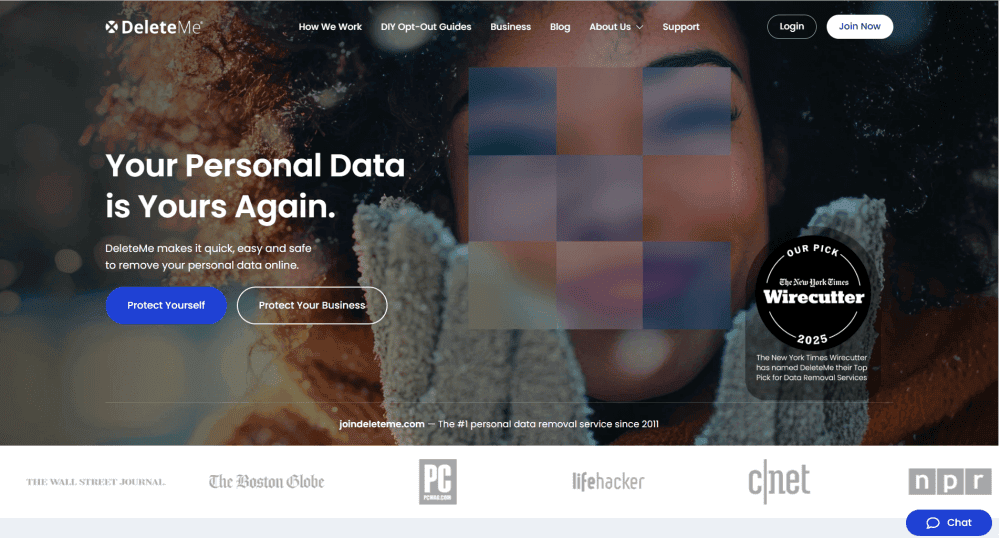
personally identifiable information.
Two of the more popular data removal services are Incogni and DeleteMe. These services scan people-search sites, data broker websites and search engines for your data, then perform automated removal requests on your behalf. If you’re serious about removing your data, this type of service is worth considering. Check out our Incogni review and DeleteMe review to learn more.
Aura is another comprehensive data removal service that also includes a VPN and dark web monitoring. It’s designed as an all-in-one, easy-to-use solution for anyone serious about their online privacy. Our Aura review has more details.
There’s also Optery; with the free plan, Optery scans the web and shows you the search results. It even outlines each data broker’s manual opt-out process. This will give you a good idea of which online data brokers have your data. Check out our Optery review to learn more about the service.
6. Take Preventative Actions
If you’ve followed some or all of these steps, congratulations! You’ve significantly reduced the presence of your personal data online, and your overall risk is lower. However, reviewing your personal information and opting out of data collection is not a one-and-done process. You have to routinely monitor your personal data or use a service that does it for you.
Having a digital presence doesn’t mean your personal data needs to be at risk. Being proactive is the most effective way to reduce and minimize how much of your personal data is floating around on the web. Go through these steps quarterly or biannually to stay on top of your personal details online.
How Can I Stop Sites Collecting My Data in the Future?
Reviewing your online presence is an important part of deleting yourself from the internet. However, you can implement a few everyday practices to stop sites from collecting your data:
- Private browsing: Private browsers like DuckDuckGo don’t collect your data. Even using a private tab on other browsers can make a difference.
- Privacy settings: Make sure to set restrictions on websites and apps that collect and use your data. This is the best way to increase your data privacy.
- VPNs: Consider getting a VPN, which masks your IP address and encrypts your online connection. Check out our list of the best VPNs.
- Less social media: Try to use social media less on a daily or weekly basis.
- Use email aliases: Services like Proton Mail have aliases you can use instead of your normal email address.
Final Thoughts
Although it’s not possible to completely delete your personal information from the internet, you can take several steps to significantly reduce the presence of your personal data online. Once you’ve gotten it under control, don’t let up. You can minimize your online presence and keep the overall risk low while still enjoying the internet.
Have you tried to reduce your personal information online? Do you use a data removal service or even a VPN? Let me know in the comment section below. Thanks for reading.
FAQ: How to Disappear From the Internet?
You can’t delete every trace of yourself from the internet. However, you can significantly reduce the presence of your personal info online by removing as much of it as you can and minimizing how much you generate.
It’s virtually impossible to get your information off the dark web. Your best bet is to use a service like Aura that monitors the dark web. You can then secure your accounts or try to fix any identity issues it uncovers.
The benefits of deleting your data from the internet include significantly reducing the risk of data breaches or identity theft, as well as appearing less frequently in search results.