Best Personal Project Management Software: Top 6 for Individuals in 2026
Project management software is a great way to help keep your personal projects on track. Discover the best personal project management software solutions for individuals and learn about their key features.


Written by Sofia Oliber (Writer)
Reviewed by Kate Hawkins (Editor, Writer)
Facts checked by Eugenie Tiu (Editorial Assistant)
Last Updated:
All our content is written fully by humans; we do not publish AI writing. Learn more here.
Key Takeaways: This Is the Best Personal Project Management Software
- ClickUp — An excellent free workspace with strong features, detailed customization and subtasks, and many different views. Try ClickUp for free today.
- Trello — The simplest tool for users who need easy task management and automation tools. Test out Trello for free.
- Notion — Customizable workspace for managing projects through personalized blocks. Start using Notion for free.
- Todoist — Ideal task management software for concentration and visual organization. Get started with Todoist for free today.
- Asana — A simple tool great for hierarchical task structures and growing projects. Try Asana for free.
- monday.com — Robust but user-friendly software with advanced tools like automations and dashboards. Test out monday.com with its free plan.
Facts & Expert Analysis: Benefits of Personal Project Management Tools
- Personal project management tools are popular: 78% of individual contributors feel comfortable using project or work management platforms, showing that these tools are not limited to leadership positions.1
- Poor personal planning has real costs: About 11% of all project investments are lost due to poor project management performance, stressing the importance of professional planning even for individuals.2
- Project management tools improve efficiency: The right tool can significantly enhance your personal projects. In fact, around 60% of project managers say these tools help them estimate project timelines more effectively.3
Personal project management software is essential for scaling and organizing any project. Side hustles and personal goals can grow with the help of a structured system. If you’re exploring your options, you can also check out our ranking of the best project management tools for a general overview of what’s available.
Cloudwards’ Choice: ClickUp
 Cloudwards' Choice
ClickUp is my top choice for personal projects thanks to it offering so many important features as a free project management tool; most other project management tools charge for the same usability. Plus, ClickUp can function well as a simple task manager or as a professional tool. You can try ClickUp for free, or test its premium plans with a 30-day money-back guarantee.
The Best Personal Project Management Software Compared
If you need an initial general overview of the tools that could best fit your needs, take a look at this comparison chart of my top six tools.
| Tool: | Free Plan/Users | Pricing* | Best For | USP** | Limitations |
|---|---|---|---|---|---|
 | Yes, unlimited | $7 per month (one-year plan) | Detailed individuals on a budget | Comprehensive functionalities & money-back guarantee | Learning curve for features |
 | Yes, <10 | $5 per month (one-year plan) | Users looking for simplicity | Visual workflows & kanban boards | Limited advanced functionalities |
 | Yes, <10 | $10 per month (one-year plan) | Creative individuals | Flexibility & productivity combined | Sometimes unintuitive UI |
 | Yes, <5 | $4 per month (one-year plan) | Individuals who love checklists | Ultimate checklist simplicity | Lacks advanced features |
 | Yes, <2 | $10.99 per month (one-year plan) | Individuals who want free unlimited tasks | Collaboration features | Limitations on lower-tier plans |
 | Yes, <2 | $12 per month (one-year plan) | Visual users who value balanced features & functionality | Balanced between usability & features | Very limited free plan & low-tier plan |
**Unique Selling Point
Hands-On Testing
I tested all of the software firsthand, from building boards to running automations and trying out the AI, to see how each option holds up in real workflows.
Feature Comparison Overview
ClickUp and Asana offer a range of views and options, while Todoist remains one of the simplest tools. Note that Notion offers more data views than it claims; they’re just not labeled as “views.”
| Tool: | View Types | Time Tracking | Custom Fields | Dashboards | Real-Time Collab |
|---|---|---|---|---|---|
| 16: list, board, Gantt & more | Yes | Unlimited | Customizable with cards or widgets | |
| 7: board, dashboard, timeline & more | Not included | Yes | Basic features | |
| 6: table, list, board, gallery, calendar & timeline | Not included | Yes | Yes, through templates | |
| 3: list, panel & calendar | Not included | Not included | Not included | |
| 9: list, board, Gantt & more | Yes | Yes | Yes, for boards & portfolios | |
| 7: kanban, timeline, calendar & more | Yes | Yes | Yes, for boards & portfolios |
Platform & Administration
When it comes to storage space, ClickUp, Notion and Asana offer up to unlimited storage, which is ideal if you’re planning to attach large files to your boards.
| Tool: | Mobile App | File Storage | File Management | Permissions |
|---|---|---|---|---|
| | 60MB to unlimited | Embedded files, AI assistant & more | Custom permissions settings |
| | Unlimited projects but up to 250MB per file | Embedded files | Organization-wide permissions |
| | 5MB to unlimited | Embedded files & databases | Granular database permissions |
| | 5MB to 100MB | Folders & attached files in comments | Team permissions |
| | Unlimited, max 100MB per file | File attachments & sharing | Advanced permissions management |
| | 500MB to 100GB | “Files” column & tabs | Multi-level & advanced permissions |
Integration & Automations
Except for Todoist, my recommended software solutions have good automation options. Additionally, most offer integrations with key third-party services like Slack or mail providers.
| Tool: | Integration Count | Top Integrations | Native vs 3rd-Party | Automation |
|---|---|---|---|---|
| 1,000+ | Zoom, GitHub, HubSpot | Hybrid | Advanced automations & apps |
| 200+ | Confluence, Clockify, Firefox | Hybrid | Yes, built-in automations |
| 130+ | Slack, Google, Figma | Hybrid | Custom automations |
| 80+ | Chrome, Microsoft Teams, Google Calendar | Mostly third-party integrations | Not included |
| 200+ | Dropbox, Google Drive | Mostly third-party integrations | Advanced automations |
| 200+ | Slack, Google Sheets, Adobe | Hybrid | Advanced automations |
Usability & Performance Assessment
Trello and Todoist are simpler tools, whereas ClickUp delivers much more powerful features.
| Tool: | Learning Curve | Interface Design | Mobile Experience | Customer Support |
|---|---|---|---|---|
| Easy-intermediate | Intuitive & modern | Excellent (90% feature parity) | Phone, chat & email |
| Easy | Minimalist | Very good (90% parity) | 24/7 support |
| Intermediate | Extra flexible | Good (75% parity) | Premium for paid plans |
| Easy | Straightforward | Good (80% parity) | Help center |
| Easy-intermediate | Polished & structured | Excellent (90% parity) | 24/7 support |
| Easy | Intuitive & flexible | Good (80% parity) | 24/7 chat & live webinars |
Best Project Management System Options for Individuals
Now that I’ve compared the five best project management and task management software above, let’s dive into more details for each individual tool to show the pros and cons for individual users.
Avoid Costly Project Management Mistakes – Get Free Tips Today!

- Discover 10 fundamentals of project management
- Understand step-by-step plans for PM execution
- Learn tips to avoid 5 common mistakes by beginners
1. ClickUp — Best Personal Project Management Software
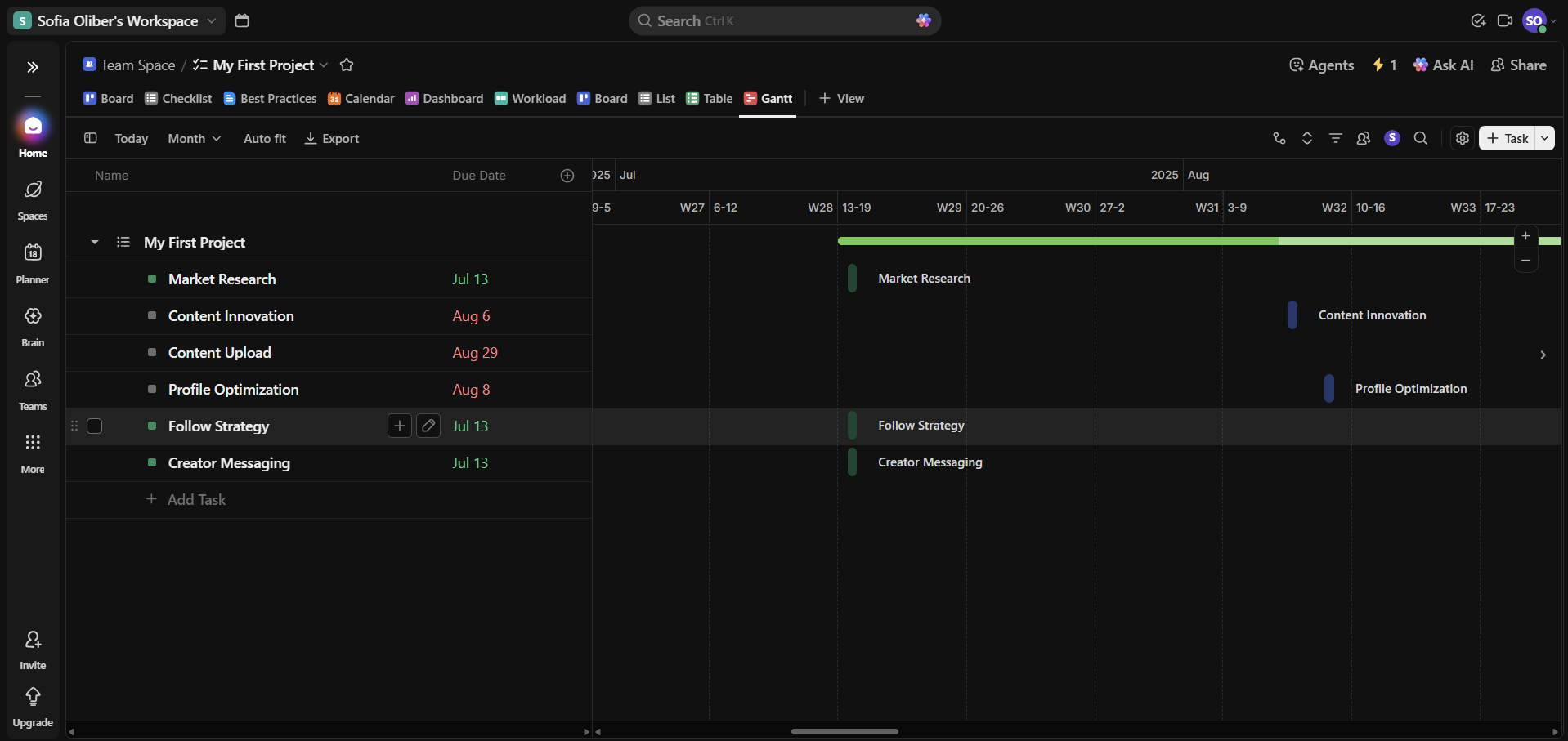
ClickUp is one of the most complete project management options, offering essential features such as customizable workflows, advanced views and integrations. It delivers professional results, even as free project management software.
What Makes ClickUp Special
Few platforms bring together so many tools while still delivering a high-quality product. You can customize task organization and workflows, perform repetitive tasks automatically and integrate AI features. However, the software is so extensive that it can feel overwhelming for inexperienced users who might need a more simple task management app.
When to Choose ClickUp
Opt for ClickUp if you need a powerful tool to manage your projects. If you’re on a budget, ClickUp’s free plan is among the best free project management tools. Read more in our ClickUp review, or you can test its free plan today.
- Basic functionality with some limitations
- All prices per user
- All prices per user
2. Trello — Simple Project Management Software for Home Use
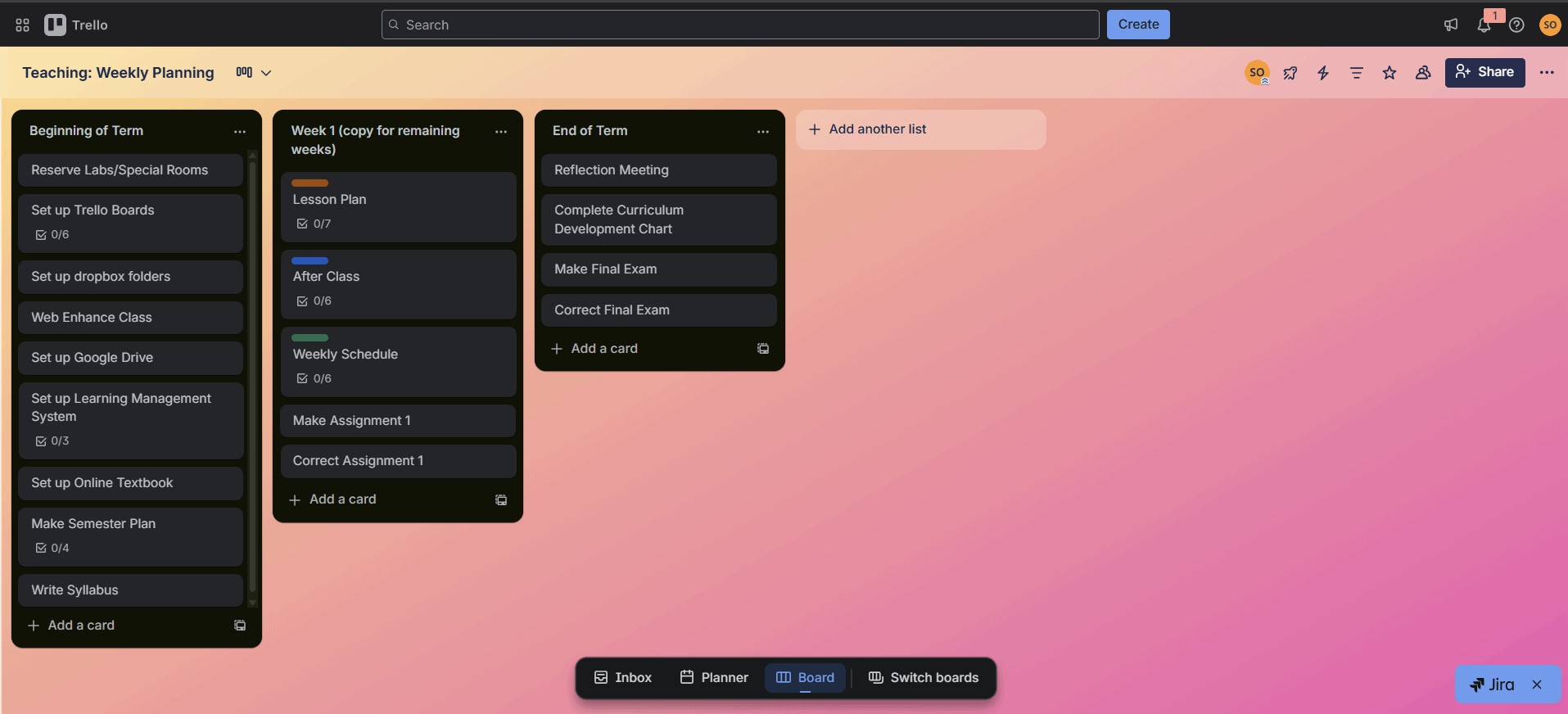
Trello excels at simplicity thanks to its straightforward and familiar interface. The layout is clear from the start: You get a complete kanban-based design with a few more advanced tools.
What Makes Trello Special
The fact that Trello is visual and minimalist doesn’t make it less productive. The platform includes key features like automations and AI functionalities to summarize or brainstorm ideas. If that isn’t enough, power-ups are available to upgrade your boards.
When to Choose Trello
Trello’s simplicity is its biggest selling point. It might not be as complete as ClickUp, but it can help with personal or small projects. The Standard plan starts at $5 per user per month, annually. Start using Trello for free, or learn more about it in our Trello review.
- Unlimited users, 10 boards, Unlimited power-ups, Unlimited storage
- Price is per user, Unlimited boards, Custom fields, Invite guests
- Price is per user, Several new views
- Price is per user, Advanced admin & security settings. Discounts for larger teams.
3. Notion — Flexible Project Management Software for One Person
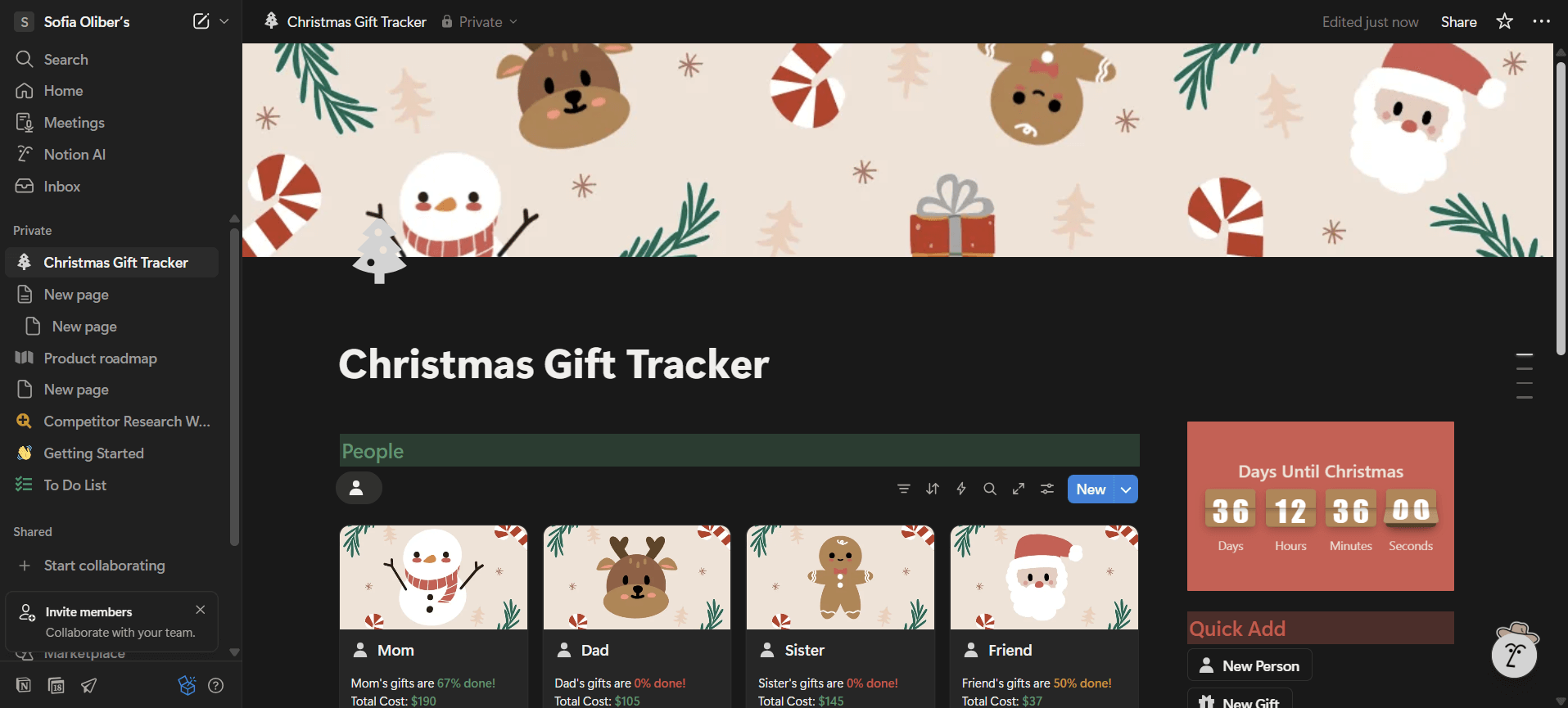
Users can shape Notion to fit almost any workflow. I find everyday and professional tasks much easier to manage thanks to simple features like shopping lists, to-do items and other customizable blocks.
What Makes Notion Special
Think of Notion as a malleable do-it-yourself platform. Its templates and functionalities are extremely customizable, and its comprehensive tool set can manage anything from journals to workflows.
When to Choose Notion
Opt for Notion if you need a tool that’s even more flexible than ClickUp. After the free plan, the Plus plan starts at $10 per member per month annually. You can also check out Notion’s paid tiers free for 30 days, or learn more about the platform in our Notion review.
- 1 user only, Up to five guests, 5MB file upload limit
- 1 user only, Unlimited guests, Unlimited file uploads, Version history
- Unlimited users, Unlocks workspace, User permission settings
- Advanced security features
4. Todoist — Task-Based Project Management Tool for Individuals
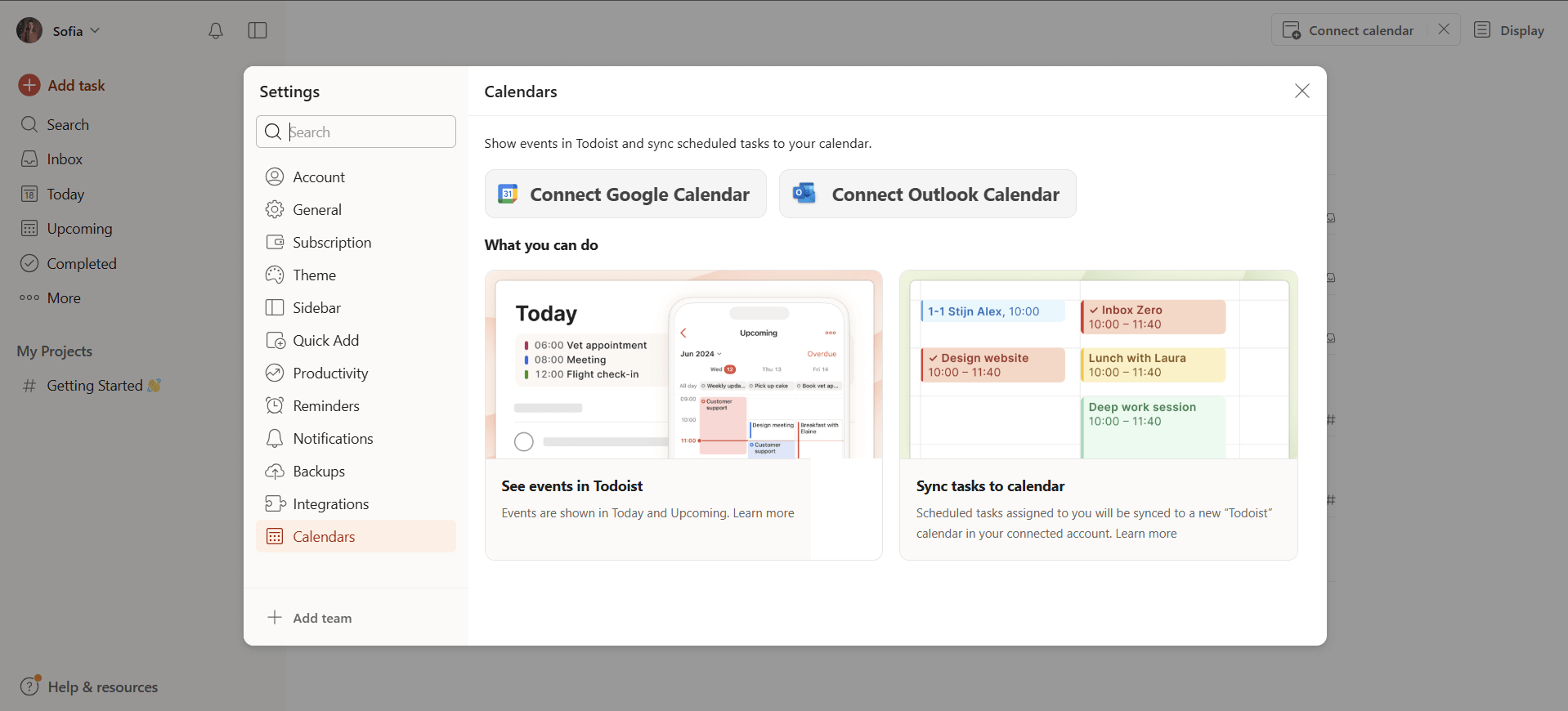
Todoist lives up to its name: It’s a focused, highly capable to-do list app with extras like automations for recurring tasks and broad integration support. It’s the ideal middle ground between a simple task manager and a full project management platform.
What Makes Todoist Special
Todoist goes beyond basic task lists by providing structure to manage more involved work. You can group tasks with labels, break them down with subtasks and use filters to find essential tasks, all without the heaviness of a full project management suite.
When to Choose Todoist
If you want a tool that’s more straightforward than Trello, Todoist is a great free option. Plus, its Pro plan starts at just $4 per month. You can also try Todoist’s Business plan free for 14 days, or read more about it in our Todoist review.
- 1 main user 5 active projects 5 collaborators (per project) 5MB file uploads
- 1 main user 300 active projects 25 collaborators (per project) 100MB file uploads
- Multiple users, (price is per user) 500 active projects (per member) 50 people (per project)
5. Asana — Individuals Who Want Free Unlimited Tasks
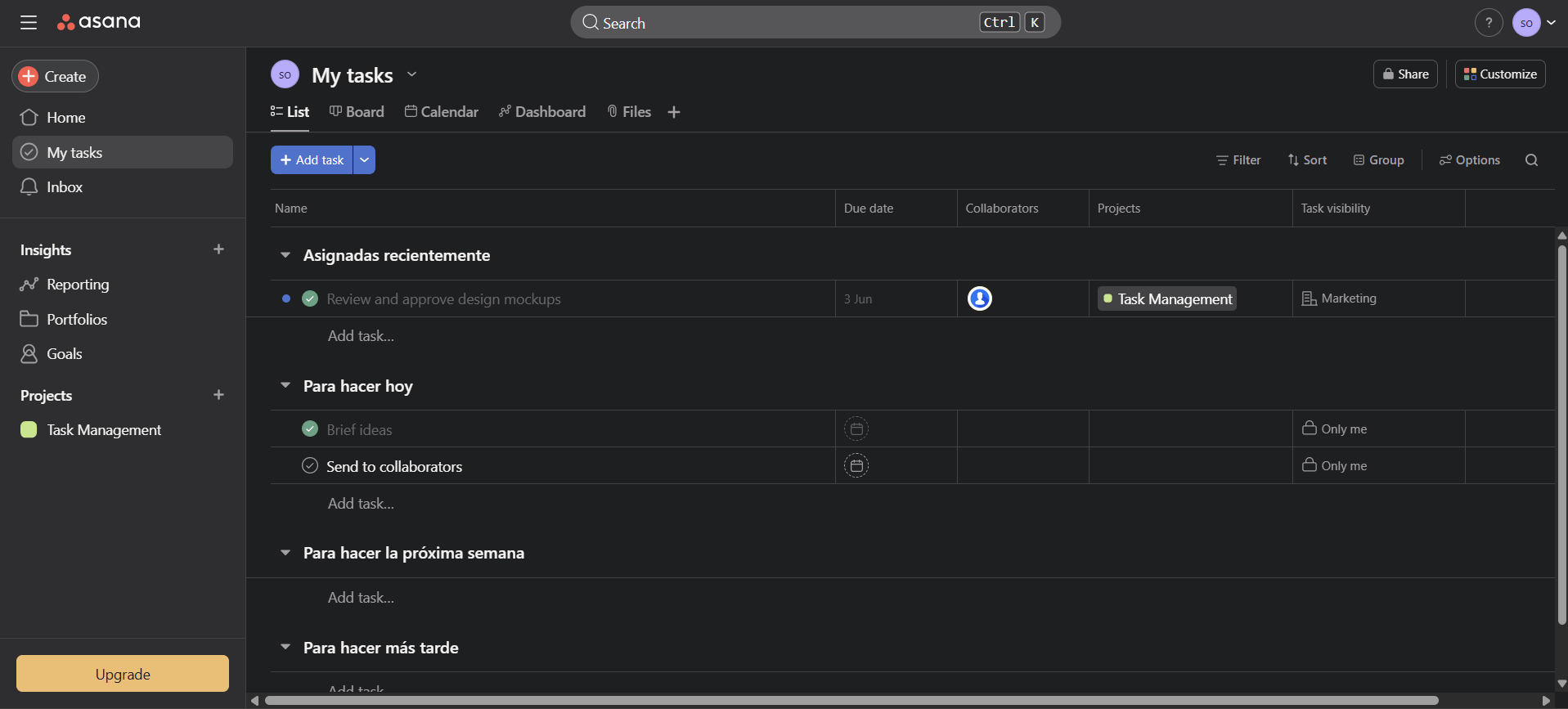
Asana has a clean and intuitive design, including tools like goals, project tracking and automations. It’s an easy-to-use yet robust platform for managing personal tasks and professional projects.
What Makes Asana Special
Asana can be adapted for solopreneurs and teams alike thanks to its structured interface and advanced tools. It’s a useful platform for anyone managing multiple projects that are expected to grow over time, as it allows for upgrades.
When to Choose Asana
Choose Asana if you need a flexible tool that can scale with your projects. After the free plan, the Starter plan starts at $10.99 per user per month annually. Try a premium Asana plan for free for 14 days, or read about the platform in our Asana review.
- Up to 10 users
- Price is per user. unlimited users, expanded features
- Price is per user. unlimited users, even more features
- Custom pricing, advanced security features
6. monday.com — Visual Project Management Tool for Single Users
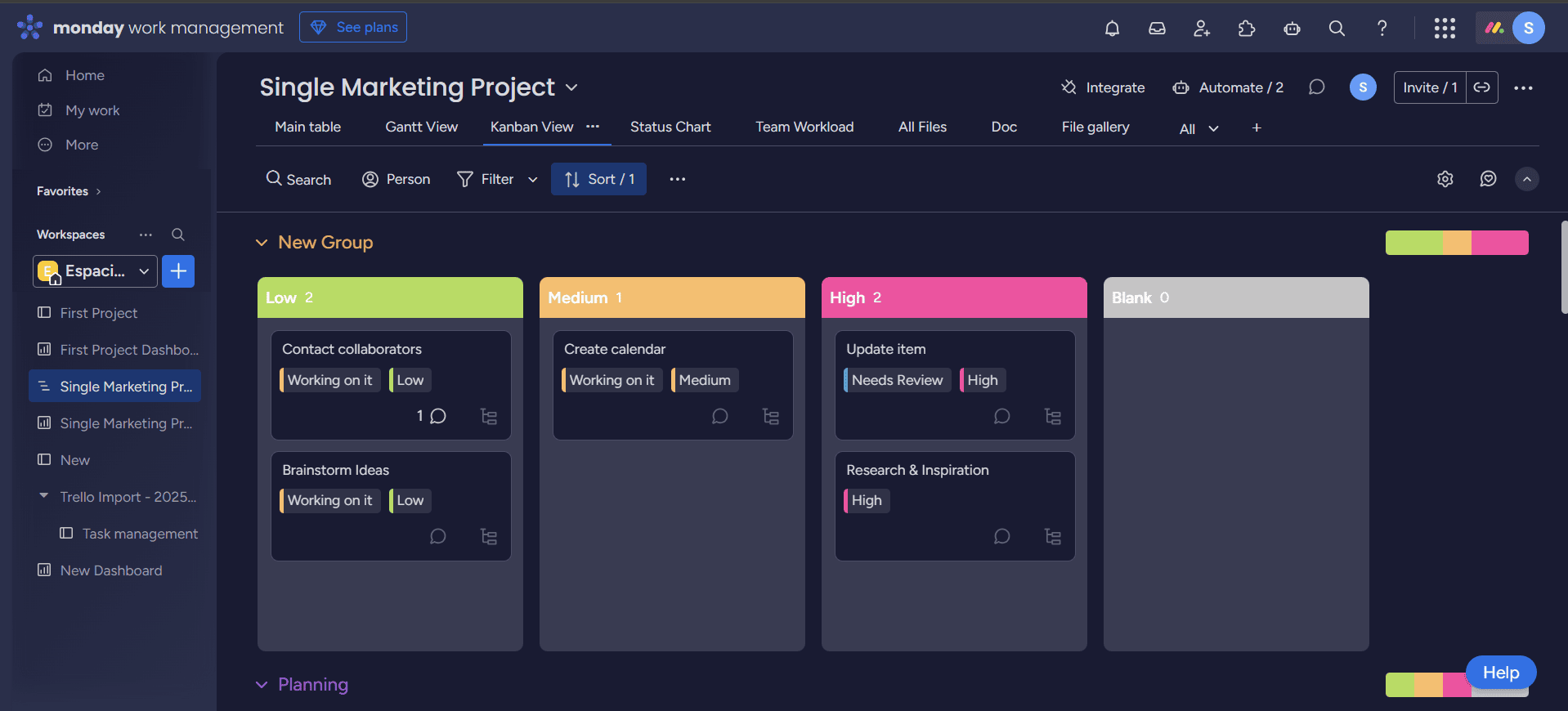
monday.com delivers an impressive project management experience from a functionality and design point of view. It’s easy to use this platform to scale your projects and workflows, making it one of the top choices for small businesses.
What Makes monday.com Special
monday.com’s dashboard and automation tools make this software versatile. It’s a great choice if you’re starting a project that will become more complex over time, as it includes a large set of core features, such as multiple views, integrations and customization options.
When to Choose monday.com
monday.com is not made for simple tasks — it’s not a great option for free project management apps because it’s designed for growing projects or more complex workflows. The Standard plan starts at $12 per user per month. You can try monday.com’s premium plans for free for 14 days, or read more about it in our monday.com review.
- Maximum users: 2
- Minimum users: 3; All prices per user
- Minimum users: 3; All prices per user
More plans
- Minimum users: 3; All prices per user
- Enterprise-level features.
Methodology: Our Testing Framework & How to Choose the Best Personal Project Management Software
I manually tested each of these platforms, focusing on key aspects for personal use such as usability, simplicity and performance.
Final Thoughts
If your personal projects are starting to feel a little messy, you might want to add a project management app to your strategy. ClickUp is the best choice for personal use, as it can adapt to any kind of project and scale as needed. Start testing ClickUp today with the free plan or any paid plan’s 30-day money-back guarantee.
Before committing to a specific tool, it’s worth reviewing broader project management software rankings to see how personal-tier apps compare to professional-grade solutions in terms of performance and reliability.
Which software would you consider using? Have you used any of these tools before? Thanks for reading, and don’t hesitate to share your thoughts in the comments.
FAQ: Best Project Management Tools for Individuals
Anyone managing tasks, side hustles or personal projects can use project management software.
ClickUp is the best personal project management app thanks to its advanced features and easy-to-use interface.
No, you don’t need technical skills to use project management software; anyone can get started with easy tools like Trello and Todoist.