The 10 Best Free Proxy Websites for 2026: Mask Your IP Address for Free
If you’re looking to surf the web anonymously, unblock restricted sites or compare product prices worldwide, keep reading to find the 10 best free proxy websites that fit the bill.



Written by Samson Kiarie (Writer)
Reviewed by Valentina Bravo (Managing Editor)
Facts checked by Simona Ivanovski (Fact-Checker, Formatter)
Last Updated:
All our content is written fully by humans; we do not publish AI writing. Learn more here.
Key Takeaways: These Are the Best Free Proxy Websites
- CyberGhost Proxy — Best free proxy plugin, with solid security
- hide.me — Private SOCKS proxy browser with SSL encryption
- PlainProxies — Reliable proxy service for data scraping
- CroxyProxy — Proxy web browser with auto-suggest feature
- VPNBook — Web proxy for YouTube and social media
- Steganos Proxy — Free proxy service with no encryption
- ProxySite — Proxy service with server selection capability
- Whoer — Free anonymizer for online browsing
- Proxyium — Proxy website with no download limit
- FilterBypass — Browser proxy plugin for unblocking social media
Facts & Expert Analysis About Free Proxy Sites
- Poor Encryption: Proxy services either use weak encryption protocols like SSL and HTTPS or don’t use any encryption at all.
- Changing Locations: Proxy websites change your location but don’t protect you from advanced cyberattacks or help you circumvent censorship and government surveillance.
- Bad for Bypassing Streaming Geoblocks: Proxy services can’t access streaming services like Netflix, Amazon Prime Video, BBC iPlayer, Hulu, Max and Disney Plus.

Though the best VPN offers top-notch security and privacy, it can be overkill for certain web use cases. For example, if you want to mask your IP address, access geo-blocked websites or compare prices around the world, the best free proxy websites will suffice. However, the market is awash with proxy websites, and picking the best one can be burdensome.
We scoured the web and found numerous free proxy websites. We then tested these sites and browser extensions to narrow the list to the 10 best free proxy websites. In this guide, we’ll highlight how each proxy website works to help you pick one that suits your needs.
-
04/05/2024 Facts checked
We rewrote this guide to update our proxy recommendations and increase the list to 10. It also provides more information in an easy-to-read format and includes a how-to guide.
What Is a Free Proxy Website and How Does It Work?
A free proxy website is an intermediary that sends your browser traffic to a website on your behalf, masking your IP address from the site you visit. Instead of connecting directly to a website, you connect to the proxy first, which requests the page and sends the content back to you.
Think of a proxy as a middleman for your internet connection. The website sees the proxy’s server IP address rather than yours, which can help you access content that’s unavailable on your network or in your location. However, unlike a VPN, a web proxy typically protects only half the traffic you send through it rather than your entire device.
Protect Your Privacy. Get Our Free VPN Guide Now!
- Comprehend the essential role a VPN plays in safeguarding your digital life
- Gain a deep understanding of how VPNs function under the hood
- Develop the ability to distinguish fact from fiction in VPN promotions
Proxy types work differently, too. HTTP proxies handle regular web traffic, while HTTPS proxies can carry encrypted HTTPS connections. SOCKS proxies, including SOCKS5, operate at a lower level and can route more types of traffic than HTTP proxies, making them useful for applications beyond ordinary web browsing.
These differences matter because using a proxy doesn’t automatically make your connection private or secure. Encryption, logging practices and the type of traffic being proxied all affect how much protection you actually get.
Are Free Proxy Websites Safe to Use?
Free proxy websites can be safe enough for low-risk browsing, but I wouldn’t use one for banking, account logins or other sensitive activity. The proxy operator sits between you and the websites you visit, so the service you choose matters.
The main risks include:
- Data logging: A proxy may record your IP address, browsing activity and other connection data.
- Limited encryption: Hiding your IP address doesn’t necessarily mean all your traffic is encrypted.
- Ads and malware: Untrustworthy free proxies may expose you to intrusive ads, trackers or malicious downloads.
- Abused proxy networks: Some residential proxy networks have used compromised or deceptively enrolled devices, while heavily abused proxy IPs may also be blocked by websites.
These risks are current, not hypothetical. In March 2026, the FBI warned that residential proxy networks can use people’s devices and connections without their knowledge. In January 2026, Google announced that it had disrupted IPIDEA, a large residential proxy network that was being abused by malicious actors.
For sensitive browsing, I recommend using a reputable VPN instead. A free web proxy is better suited to basic tasks such as changing the IP address visible to a website.
When Should You Use a Free Proxy Website?
You should use a free proxy website to browse anonymously or unblock geo-restricted content on a private or secure network. For example, you can use a free proxy website to access a website or social media channel that’s unavailable or restricted in your country on your home WiFi.
However, we don’t recommend using a free proxy website on unsecured networks such as public WiFi or in countries where anonymizers and VPNs are banned. Remember that proxy website encryption is either non-existent or weak, and it doesn’t shield you from government surveillance or cyberattacks.
If you’re leaning towards free proxy websites because you’re short on cash, there are other secure, free tools. Try one of the best free VPNs to enjoy an advanced level of security and privacy, and keep cyberattacks and government surveillance at bay. We’ll shed more light on how proxy websites differ from virtual private networks (VPNs) later in the article.
Benefits & Disadvantages of Using Free Proxies
Pros:
- Proxy websites help you hide your IP address, enabling you to browse the web anonymously
- Proxy websites enable you to access blocked websites and services regardless of location
- Proxy websites cache popular websites, speeding up data transfer
- Most proxy websites are free to use
Cons:
- Free proxy websites have limited security & privacy features — they are designed to reroute internet traffic & nothing more
- Free proxy websites have limited privacy since they don’t encrypt your traffic
- Some free proxy websites store user data & browsing logs
- Some free proxy websites can cause web browsing slowdowns
- Some free proxy websites are fraught with digital ads
How Do You Choose the Best Free Proxy Service?
To choose the best free proxy service, select a service with solid security and privacy, servers in countries relevant to your needs, and consistent speeds and uptime. Let’s get into the details of the selection criteria:
- Proxy server locations: Pick a service with a nice spread of proxy servers, preferably one with servers in countries where the websites and services you want to unblock are located.
- Security and privacy features: Pick a proxy website with the strongest encryption to protect your data, such as AES 256-bit.
- Speed and reliability: Choose a free proxy website that doesn’t slow down your connection and has excellent uptime to ensure access any day, any time.
- No-logs policy: Choose a free proxy website backed by a strict no-logs policy, which guarantees it won’t gather or store your data, browsing history or logs.
- Usage limits: Choose a proxy website without usage limits or one that offers usage limits relevant to your specific needs. For example, if you want to send large files, choose a service with no file size limitation. If you want to make numerous web requests, choose a free proxy with no daily request limitation.
The 10 Best Free Proxy Sites Compared
| Proxy: | Locations | Encryption | DNS Leaks | WebRTC Leaks | Service Ads |
|---|---|---|---|---|---|
| CyberGhost Proxy | Romania, Holland, Germany, U.S. | AES 256-bit | No | No | No |
| hide.me | Holland, Germany, Finland | SSL | No | Yes | No |
| PlainProxies | N/A | Yes | Yes | No | |
| CroxyProxy | U.S., U.K., Spain, Germany, Israel, Canada | SSL | Yes | Yes | Yes |
| VPNBook | U.S., U.K., Canada | SSL | No | Yes | Yes |
| Steganos Proxy | U.S., Germany, France, Spain | No | Yes | Yes | |
| ProxySite | U.S., Canada, France, Belgium | SSL | Yes | Yes | Yes |
| Whoer | Holland | SSL | Yes | Yes | Yes |
| Proxyium | Poland, U.S., Singapore, Germany | SSL | No | Yes | No |
| FilterBypass | N/A | Yes | Yes | Yes |
1. CyberGhost Proxy — Best Free Proxy
More details about CyberGhost Proxy:
- Pricing: Free
- Website: cyberghostvpn.com
Pros:
- Ad-free browsing experience
- Firefox & Chrome extensions
- IP addresses in 4 countries
- No DNS leaks
Cons:
- Limited IP options
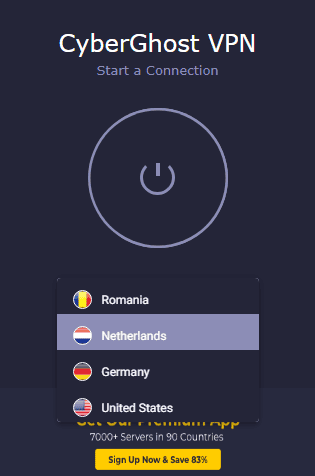
CyberGhost’s proxy plugin stands out because it protects all browser traffic rather than traffic to a specific site. The proxy service passed our DNS leak test, meaning it doesn’t leak your traffic to internet service providers (ISPs). The extension can block malicious content and encrypt browser traffic, but CyberGhost itself recommends its full VPN app for broader device protection.
CyberGhost’s proxy offers IP addresses in the U.S., Romania, the Netherlands and Germany, making it ideal for accessing geo-restricted sites in those countries. However, it isn’t apt for circumventing government censorship or workplace firewalls. In addition, WebRTC leaks of our IP address occurred during testing, so it may not be ideal for thwarting advanced cyber threats.
2. hide.me — Best Privacy-Focused Free Proxy
More details about hide.me:
- Pricing: Free
- Website: hide.me
Pros:
- Ad-free browsing experience
- No manual setup needed
- IP addresses in 3 countries
- No download required
- Works on all web browsers
Cons:
- Some sites don’t open on the proxy browser
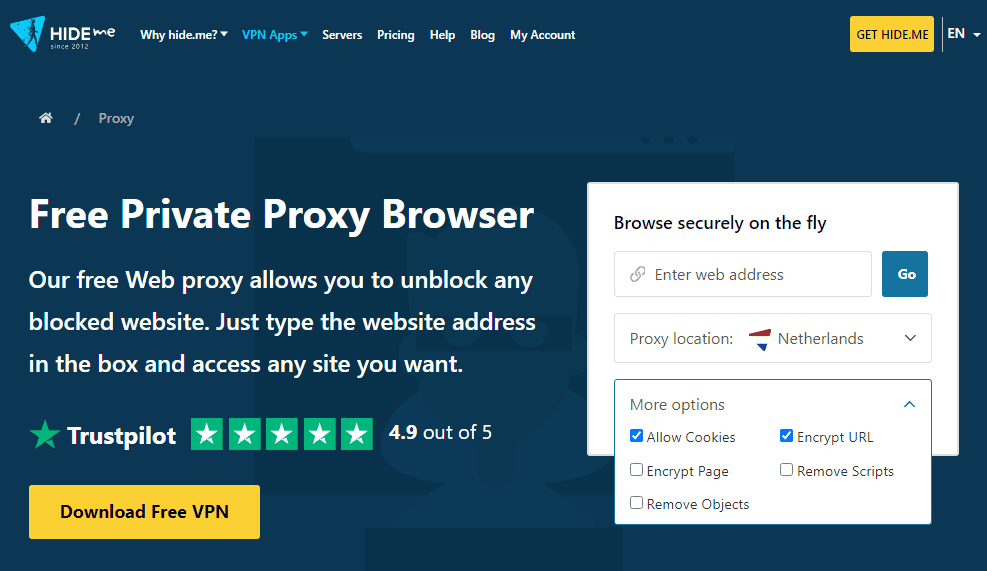
hide.me offers a free web proxy from an established VPN provider. Your connection to the proxy website is secured with HTTPS, and hide.me says it does not log your browsing activity or personal IP address when you use the web proxy. Even better, the hide.me proxy service abides by the provider’s no-logs policy, meaning it doesn’t collect or store your data or browsing history.
You don’t need to download any app to use the hide.me proxy service — just open the proxy’s website, type in a website URL and click “go.” Depending on your IP address needs, you can tweak the proxy location to Finland, Germany or the Netherlands. The only issue we had with the hide.me proxy is that it couldn’t bypass geoblocks on some websites.
3. PlainProxies — Best Proxy for Data Scraping
More details about PlainProxies:
- Pricing: Free; paid residential proxies from €0.55/GB
- Website: plainproxies.com
Pros:
- No download or installation
- Servers in over 50 countries
- No ads on the free plan
- No rate limits
Cons:
- Can’t select proxy server location on free plan
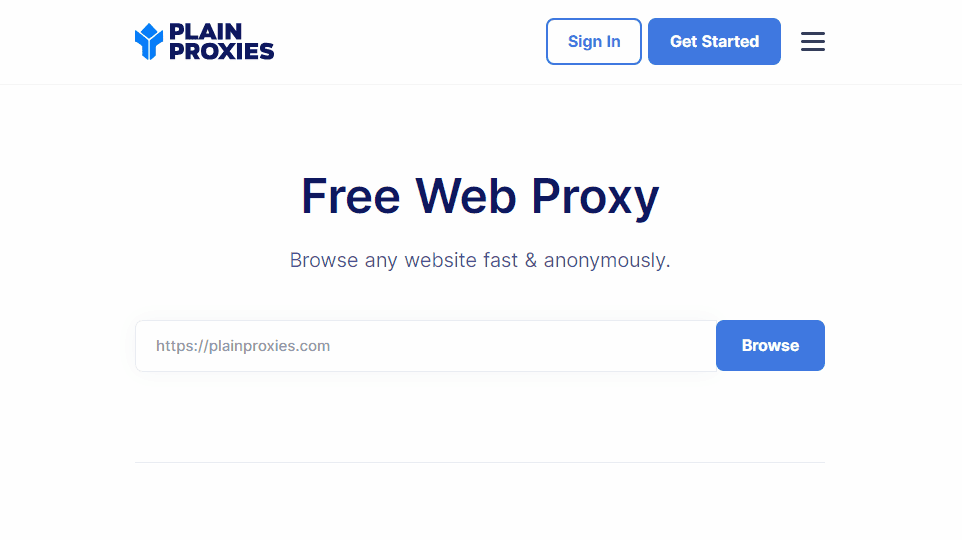
PlainProxies is a robust web data scraping platform with a robust proxy infrastructure and web scraping APIs. It has proxy servers in more than 50 countries but doesn’t disclose IP address options to free users.
PlainProxies randomly connects you to a server in its infrastructure, but you can’t pick a preferred proxy server location. This can be off-putting for users looking to access content in specific countries. During our testing, PlainProxies connected us to a Polish server.
This minor issue aside, PlainProxies is one of the few free proxies that offer an ad-free browsing experience. It also doesn’t impose rate limits, allowing you to browse the web and gather data without worrying about hitting bandwidth or DNS request limits.
4. CroxyProxy — Best Proxy Browser
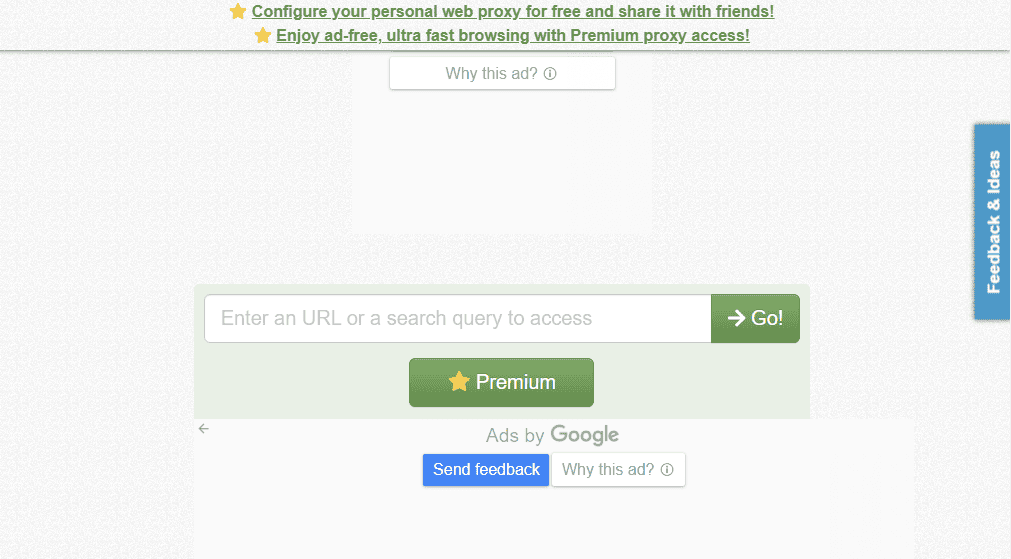
an auto-suggest tool in its search feature.
More details about CroxyProxy:
- Pricing: Free, $3.50 per month
- Website: croxyproxy.com
Pros:
- No download or installation
- Paid servers in 6 countries
- Works on all web browsers
Cons:
- Service ads on the free plan
- Doesn’t unblock some sites
CroxyProxy’s free proxy website uses SSL encryption to protect you online, especially when accessing websites that don’t use HTTPS. Sadly, CroxyProxy had DNS leaks during our testing, so it’s not ideal for users on unsecured networks and might not guard you against advanced online threats.
However, it ticks the box for accessing blocked websites over private connections. Its standout feature is the auto-suggest tool in the proxy search function. All you need to do is type in a keyword and the tool will suggest relevant websites and services — just like Google does.
CroxyProxy doesn’t allow free users to change the proxy server location. You have to upgrade to a paid plan to use the full range of IP addresses in the U.S., the U.K., Spain, Germany, Canada and Israel. Paid users also enjoy an ad-free browsing experience.
5. VPNBook — Best Proxy for YouTube
More details about VPNBook:
- Pricing: Free
- Website: vpnbook.com
Pros:
- No download or installation
- Free servers in 3 countries
- 256-bit SSL-encrypted traffic
Cons:
- Frequent service ads
- Cluttered user interface
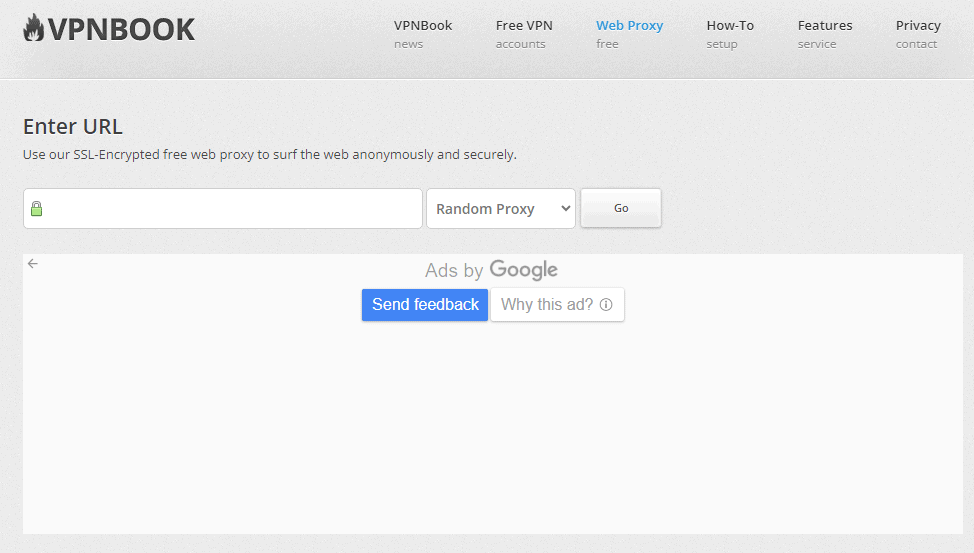
VPNBook acts like a proxy browser, enabling you to bypass geoblocks to access restricted content without downloading or installing an app. The service uses SSL encryption to protect you on unsecured websites, such as those that don’t use HTTPS. Sadly, its encryption isn’t strong enough to circumvent government censorship or other strict firewalls and geoblocks.
The web interface looks cluttered because of the incessant ads, which ruin the browsing experience. That aside, VPNBook offers proxy servers in three countries: the U.S., the U.K. and Canada. You can set the proxy server option to “random” to allow VPNBook to pick an optimal server for the best performance. One privacy drawback is that VPNBook records your IP address and connection time, although it says these connection logs are deleted daily.
6. Steganos Proxy — Best Proxy for U.S. Users in Europe
More details about Steganos proxy:
- Pricing: Free
- Website: steganos.com
Pros:
- No download or installation
- Free servers in 4 countries
- Ad-free experience
Cons:
- Doesn’t unblock some sites
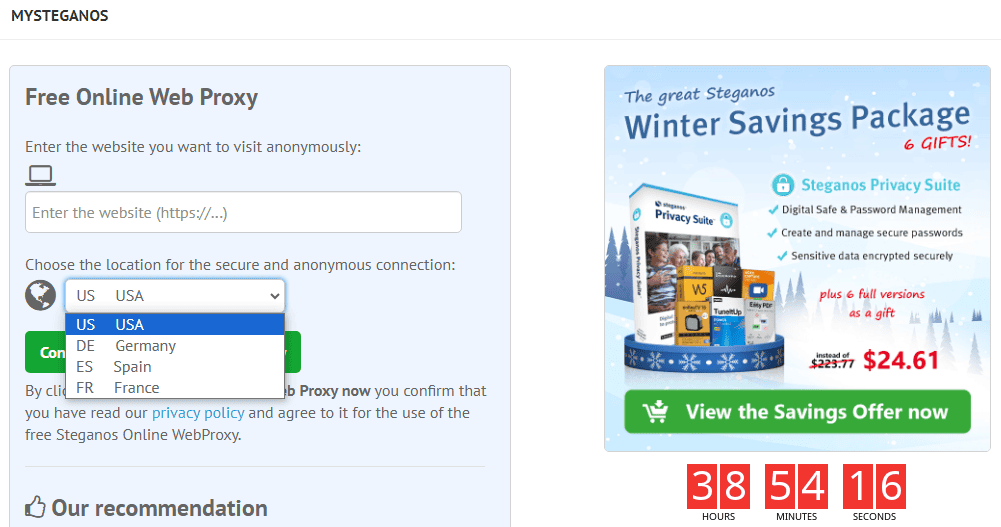
The free Steganos proxy is chock-full of service ads. Behind the ad-cluttered interface is a reliable proxy website with IP address options in the U.S., Germany, France and Spain. It’s great for U.S. residents looking to bypass regional blocking to access content and compare product prices in Europe and vice versa.
Keep in mind that since the Steganos web proxy isn’t encrypted, it can’t unblock streaming services. This free proxy doesn’t leak your DNS requests, but our test results showed that it had WebRTC leaks. When connected to the proxy, strict geoblocking systems — such as those that streaming services use — will easily pick up your actual location and block your attempt.
7. ProxySite — Free Proxy With No Install Required
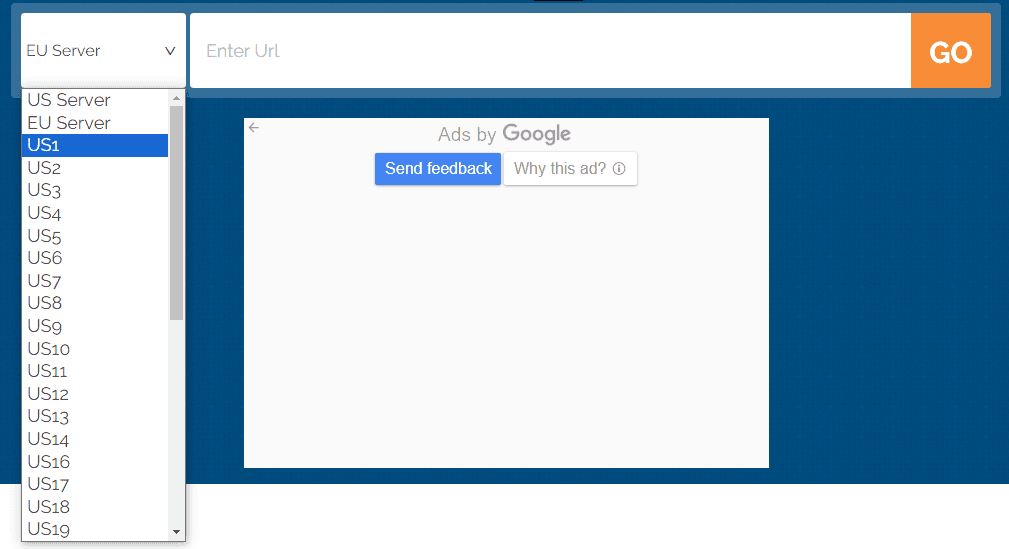
locations in the U.S., Canada, France and Belgium.
More details about ProxySite:
- Pricing: Free
- Website: proxysite.com
Pros:
- Free EU & U.S. proxy servers
- No download or installation
- Supports SSL encryption
Cons:
- Frequent service ads
- Doesn’t open certain sites
You don’t have to download or install an app to use ProxySite. Just pop over to the free proxy website, type in the URL of the service or website you want to access and click “go.” The service will present the results in a flash. The only issue is that ProxySite is laden with service ads, which can ruin the browsing experience.
ProxySite claims to have 20 servers in the U.S. and 18 in Europe. However, we determined that the servers are spread across four countries. There are 10 servers in the U.S. and nine in Canada, and the European servers are located in France and Belgium. Since ProxySite allows you to pick specific servers, you can test them out to find one with optimal performance.
8. Whoer Web Proxy — Best Free Proxy For Dutch Websites
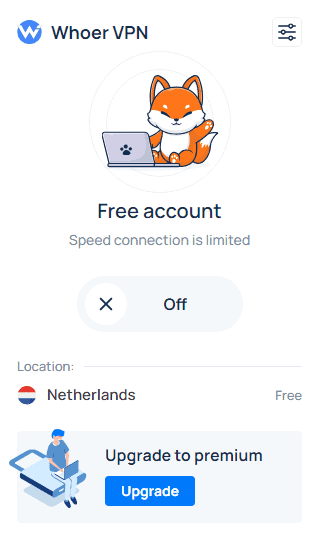
More details about Whoer:
- Pricing: Free
- Website: whoer.net
Pros:
- Works on all major browsers
- 22 paid proxy locations
- No rate limit
Cons:
- Limited connection speed
- Frequent connection errors
- Only one free proxy server
Whoer is a web proxy that works flawlessly on all major browsers, including Firefox, Chrome, Edge, Sidekick, Vivaldi, Brave, Opera and Yandex. We installed the Chrome web proxy and the process was straightforward. Using the proxy app is easy — just select the server location and toggle the “on/off” button.
With the free version, you can only connect to the Netherlands proxy server, which is suitable for accessing Dutch-specific sites and services. When connected, Whoer protects all your browser traffic. The only issue is that the plugin is glitchy, and it took us multiple attempts to connect to the Netherlands proxy server.
9. Proxyium — Free Proxy With No Rate Limits
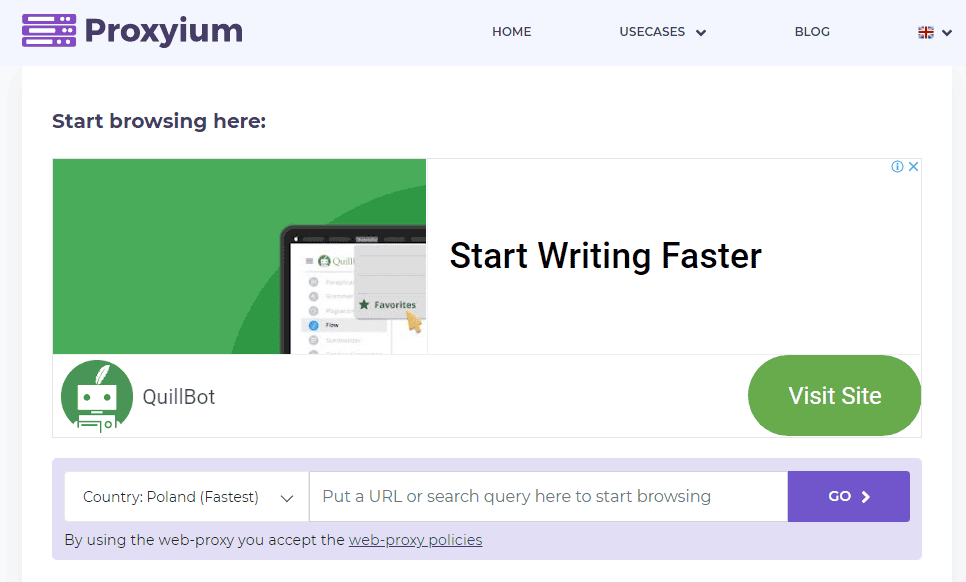
More details about Proxyium:
- Pricing: Free
- Website: proxyium.com
Pros:
- No download or installation
- Free servers in 4 countries
- Supports SSL encryption
- No rate limits
Cons:
- Frequent service ads
Proxyium offers a simple way to anonymously access blocked websites and digital services. It has free proxy servers in Poland, the United States, Singapore and Germany. The servers are ranked based on their speed. By default, Proxyium connects you to the fastest server, enabling you to enjoy a fast browsing experience.
Proxyium SSL encryption passed our DNS leak test but had WebRTC leaks, which isn’t surprising given its comparatively weak encryption. Leak issues aside, the proxy service doesn’t have a download limit, so you can use it all day without worrying about blowing through DNS requests or data limits.
10. FilterBypass — Free Proxy for Social Media
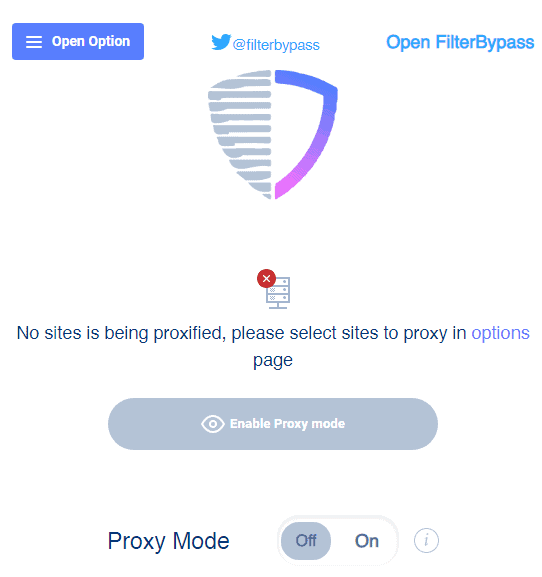
More details about FilterBypass:
- Pricing: Free
- Website: Chrome web store
Pros:
- Works on all major browsers
- Supports SSL encryption
Cons:
- Doesn’t disclose IP options
- Not easy to use
Last on our list is FilterBypass, a browser proxy plugin suitable for circumventing firewalls and gaining access to social media sites in countries that ban them. You’d expect this browser plugin service to encrypt all browser traffic, but that’s not the case. FilterBypass requires you to select the domain to proxy. For example, if you choose YouTube.com, it will proxy traffic to YouTube.
You can’t pick a proxy server, so you don’t have control over where your traffic is routed. You only need to define the domain to proxy and FilterBypass will relay your traffic through a random server built to circumvent censorship.
Using FilterBypass can be tricky for beginners. You don’t select the domain to proxy on the app. Instead, when you click “options,” FilterBypass takes you to a web page where you can choose the domain. After that, you have to toggle the “proxy mode” button to proxy traffic to the selected domains.
How Do You Use the Best Free Proxy Servers to Unblock Websites?
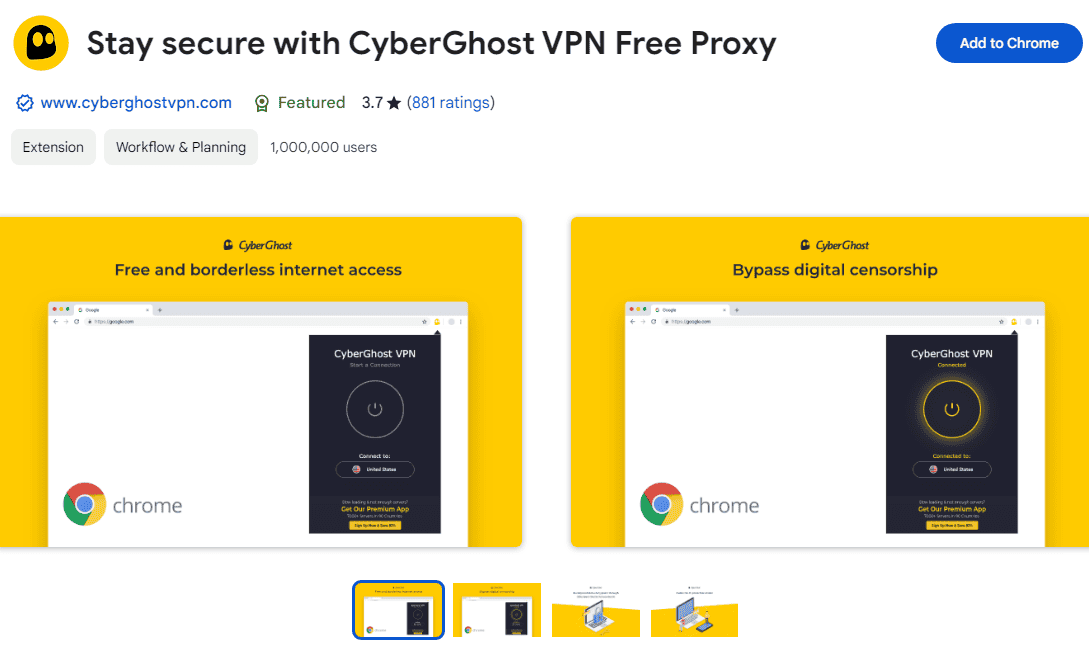
To use the best free proxy servers to unblock websites, follow these steps with one of the best free proxy services to unblock restricted websites. For this guide, we’ll use the CyberGhost free proxy plugin to unblock websites on Google Chrome.
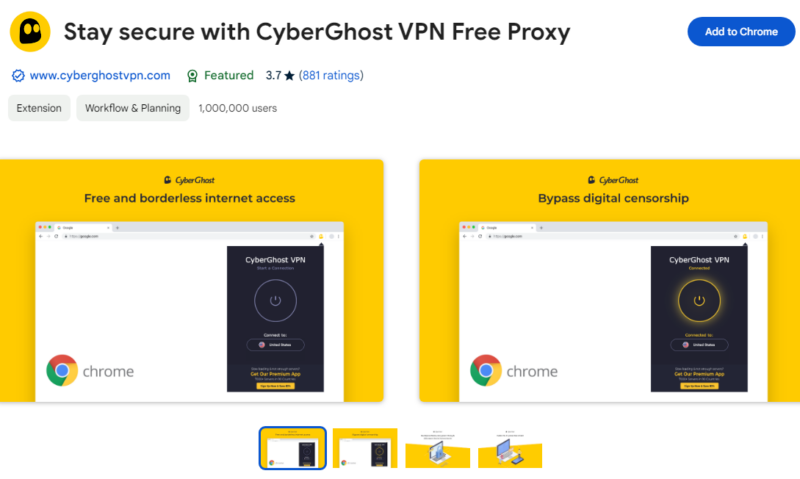
- Search the Proxy Plugin
Google search “proxy_name proxy extension,” open the extension’s Chrome web store page and click “add to Chrome.”
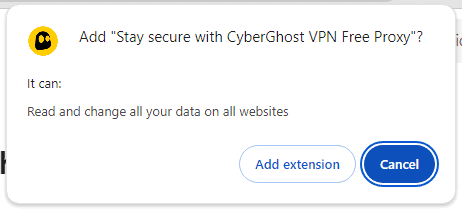
- Install the Proxy Plugin
Click “add extension” to install the plugin on your browser.
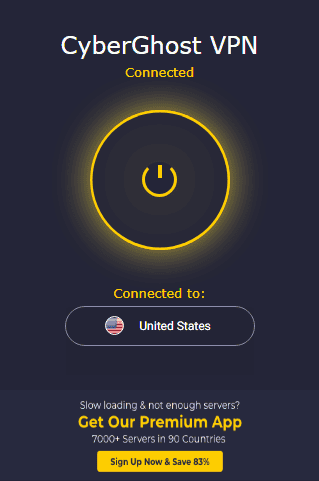
- Connect the Free Proxy Extension
Open the browser extension manager and select the proxy you just installed. Select a proxy server in a country where the restricted website is located and hit the “connect” button.
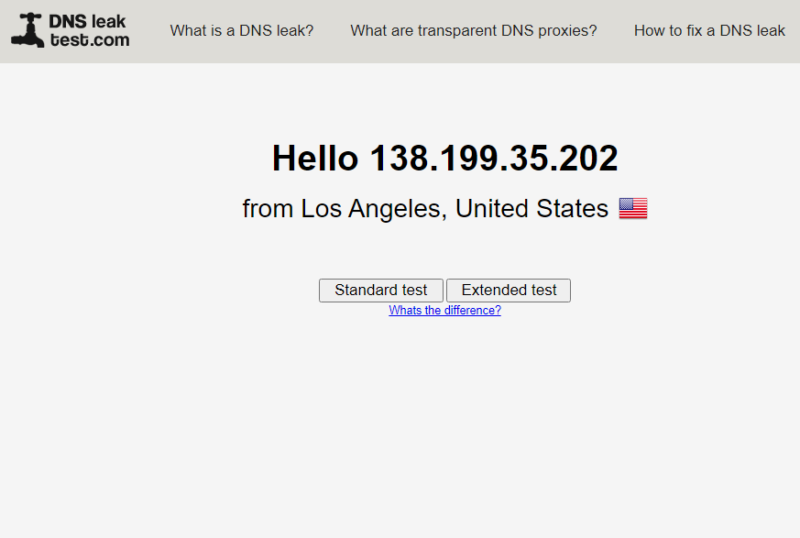
- Unblock the Website or Online Service
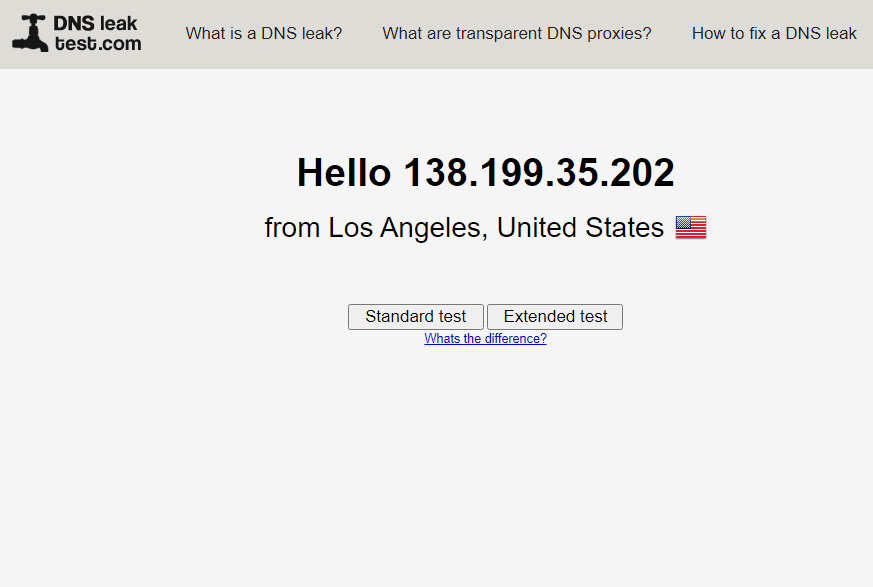
Use an IP checker to confirm that you have the correct IP address. If everything is okay, you should be able to access the geo-restricted website with ease. Go to your web browser and type in the geo-restricted site.
Proxy Alternatives: Free Proxy Servers vs VPNs
Proxies and VPNs mask your real IP address and reroute your traffic through a remote server. However, they differ in that proxies rarely encrypt your traffic. On the other hand, VPNs use robust encryption, such as Advanced Encryption Standard (AES), for extra security and online privacy.
The following table shows the key areas where VPNs and proxies differ:
| Feature: | VPN Service | Web Proxy |
|---|---|---|
| Encryption | Uses advanced encryption standards like AES 256-bit, ChaCha20 or IKEv2 | Uses no encryption or weak encryption standard |
| Unblocking Ability | Unblocks virtually any online service, including streaming services, geo-restricted websites and social media | Unblocks blocked websites and social media, can’t unblock streaming sites |
| Bypass Censorship | Bypasses the strictest surveillance and censorship systems like the Great Firewall of China | Can’t bypass censorship or surveillance |
| Logging Policy | Most VPN providers adhere to a strict no-logs policy | Most web proxies don’t have a logging policy and will log your browsing history and IP address |
| Speed | Some providers are incredibly fast; others are slow | Speed varies, but some web proxies offer limited speeds |
| Traffic Protection | Protects the entire device’s traffic | Protects traffic to the proxied website only |
| Server Load | Large pool of servers to prevent server overcrowding | A small number of proxy servers can cause overcrowding during peak hours |
| Ease of Use | Varies, but all providers require you to download a VPN app | Easy to use — no download or installation required |
| Price | Free and paid | Usually free |
| Customer Support | Excellent customer support options like live chat and email | No customer support |
Final Thoughts
The best free proxy website masks your real IP address, allowing you to browse the internet anonymously. However, proxy websites have limited capabilities. For example, they lack the advanced encryption required to bypass censorship and surveillance, thwart cyberattacks or unblock streaming services.
For these reasons, don’t use proxy websites to protect yourself on public networks or in countries with heavy censorship and surveillance. If you must use an anonymizing app in countries with censorship or need to access streaming services, we recommend trying a top VPN like NordVPN for extra online security and reliable unblocking.
Have you used a free web proxy before? Which proxy service did you use, and for what purpose? Did the web proxy serve its purpose? We’d like to hear about it in the comment section. As always, thanks for reading.
FAQ: Best Free Web Proxy Server
CyberGhost is the best free web proxy in our testing. It encrypts your browser traffic, is easy to use and offers multiple server locations without requiring you to create an account.
Yes, several providers offer free web proxy servers that you can use without paying or creating an account. However, free proxies typically have fewer locations and features than paid proxy services or VPNs.
A VPN is generally better than a proxy for privacy and security because it encrypts and routes your device’s internet traffic through a VPN server. A web proxy is more suitable when you simply want to change your visible IP address or access a blocked webpage.
Yes, using a proxy is legal in most countries, but using one doesn’t make otherwise illegal activity lawful. Restrictions can also vary by country, workplace, school or online service.
A web proxy generally routes traffic from a specific browser session, whereas a VPN encrypts and routes your device’s internet traffic through a VPN server. I recommend a VPN when privacy and security matter, while a proxy can be sufficient for simple tasks such as accessing a blocked webpage.