LastPass Review
LastPass is a feature-rich password manager, but its free plan is gradually becoming more limited. In this LastPass review, I’ll go over its features, value and security to determine whether it’s worth choosing.

Key Takeaways: What Is LastPass & Is It Good to Use?
- LastPass is a feature-rich password manager that offers autofill, a password health monitor, dark web monitoring and password sharing.
- The free plan allows for unlimited passwords on either desktop or mobile — but you have to choose one.
- LastPass suffered a significant data breach in 2022, compromising unencrypted names, email addresses, billing addresses, partial credit card numbers, website URLs, and password vaults encrypted with users’ master passwords. It impacted 1.6 million users.
Top Use Cases for LastPass:
- Free password management: The free plan is good for users who need to sync passwords on only one device type (desktop or mobile).
- Dark web monitoring: All LastPass plans include alerts that notify you if your data appears on the dark web.
- Password sharing: If you need to grant long-term or emergency access to your passwords, LastPass has password-sharing options including one-to-one, one-to-many and emergency sharing.
LastPass is an affordable password manager with a simple and effective user interface and key features that have earned it a place on our list of the best password managers. However, it does have a history of security flaws.
In this LastPass review, I’ll go over its features, pricing and security, and determine whether it’s trustworthy after its past data breaches.
-
Facts checked
Updated this review to reflect the Aug. 2022 news of LastPass’ security incident.
-
04/26/2026 Facts checked
We rewrote this LastPass review after retesting the project management tool.
What Is LastPass & Who Is It For?
LastPass is a password manager designed to store passwords safely, generate new and secure passwords, and share credentials with others. It has a limited free plan that could work for people on a budget who need password management on a single device. Otherwise, its best-value plans are focused on businesses.
- Release date: 2008
- Owner: Elliott Investment Management
- Operating systems: Windows, Mac, Linux, Android, iOS
- Platforms: Desktop, mobile, Chrome, Firefox, Edge, Opera
- Notable features: Dark web monitoring, password sharing and emergency access
- Pricing: Free, or $3 per month, billed annually
What Is the Cloudwards Expert Opinion on LastPass?
 What Is the Cloudwards Expert Opinion on LastPass?
LastPass has been a well-recognized name in the password management industry, but now it’s not for the best reasons: the service experienced data breaches in 2015 and 2022. (More on this in this review’s security section.)
Password managers play a critical role in online security. My question is: considering LastPass’ data breach history, why would someone choose it over other excellent password managers without data breaches? I’m being super honest: I can’t think of any reason to pick LastPass, as other services offer better free plans, better pricing and a better security track-record.
What Are the LastPass Pros & Cons?
How Good Are LastPass’ Features?
LastPass has reliable autofill and password generation features. It integrated seamlessly with most of the sites I visited during testing, with minimal drawbacks.
Password Autofill
Autofill is one of LastPass’ strongest features. When you visit a site where you have a saved login, it automatically fills in the details.
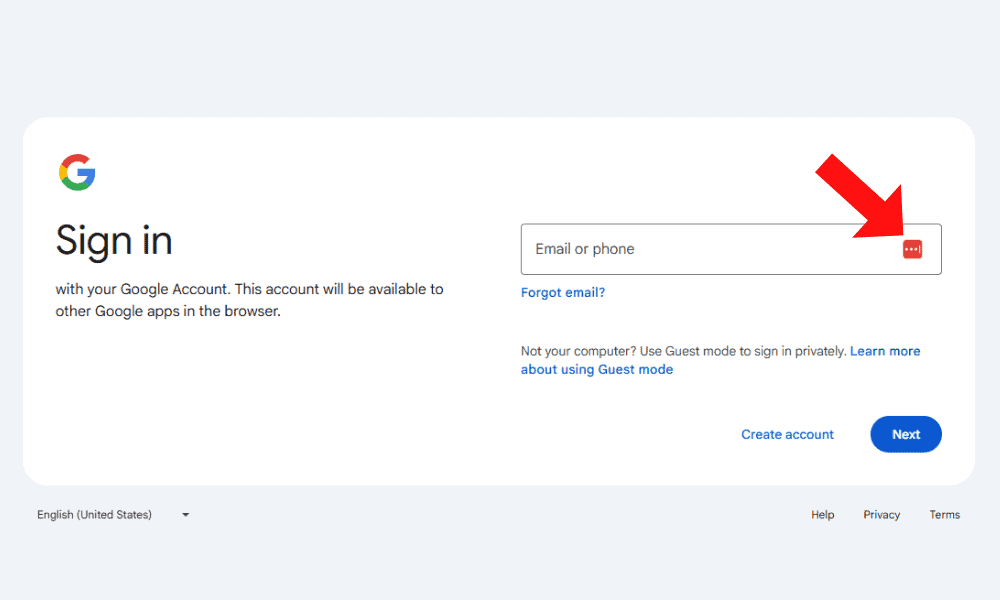
The autofill feature doesn’t always handle complex websites well, though. The interface can be cluttered on sites with interactive login forms, especially when using the LastPass dropdown.
Password Generator
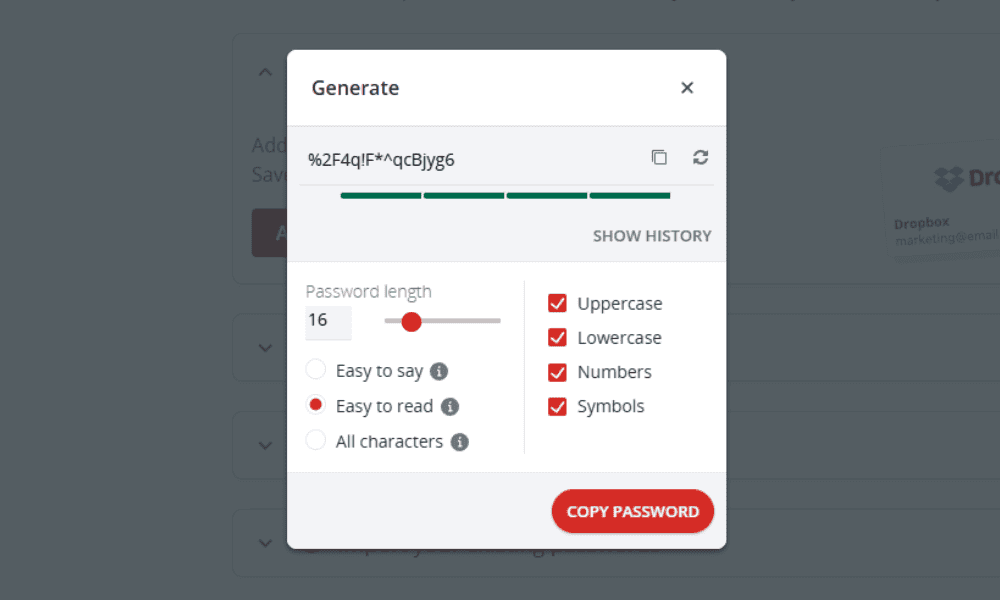
You can use LastPass’ built-in password generator to create passwords of varying complexity for maximum security. For example, you can customize the length and character count, and determine whether the password should include recognizable words.
Password Sharing
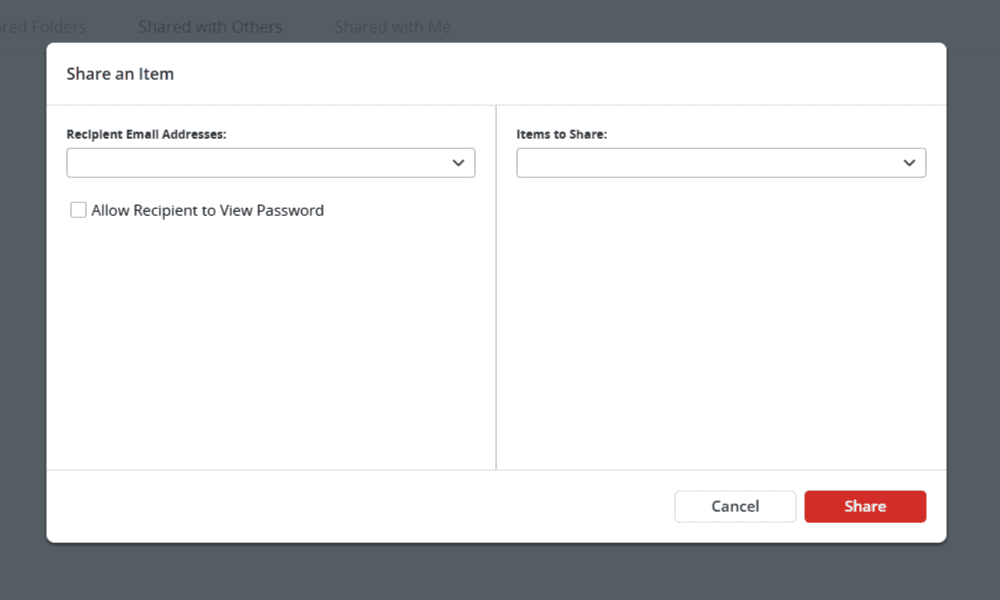
LastPass allows you to share passwords with others via email. Free users can share passwords with one other person, while premium users can share with multiple people. You can set shared credentials to private so the recipient can’t see the password itself.
Emergency Access
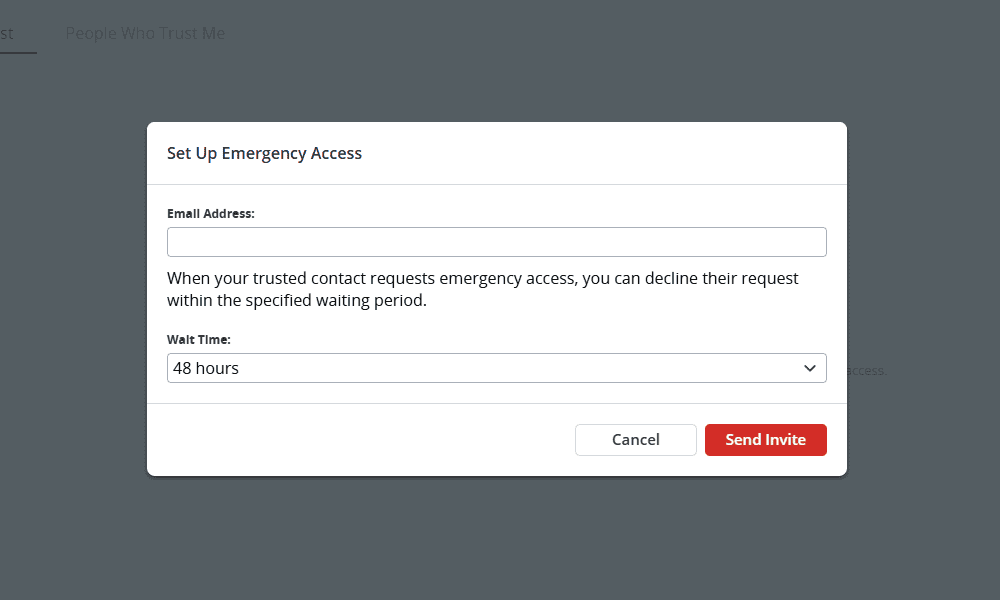
One of LastPass’ best security measures is its emergency access, which grants trusted friends or family members access to your vault in an emergency. After a trusted individual submits a request, a waiting period begins before access is granted. You can deny the request during this time.
LastPass Features Overview
| Features |  |
|---|---|
| 2FA | |
| Encryption | AES-256 |
| Zero-knowledge | |
| 2FA keys | |
| Security analysis | |
| Multi-device sync | |
| Backup and recovery | |
| Mobile apps | |
| Password changer | |
| Password generator | |
| Browser extension | |
| Autofill | |
| Form auto-fill | |
| Browser UI | |
| Desktop UI | |
| Live chat | |
| Phone | |
| Help center | |
| Forums | |
| 24/7 support | |
| Free plan |
Hands-On Testing: How User-Friendly Is LastPass?
LastPass is very intuitive, even if you’ve never used a password manager before. I found each of its apps to be fairly similar in layout, though some features, like the generator, are in different places.
How Well Do the LastPass Mobile Apps Perform?
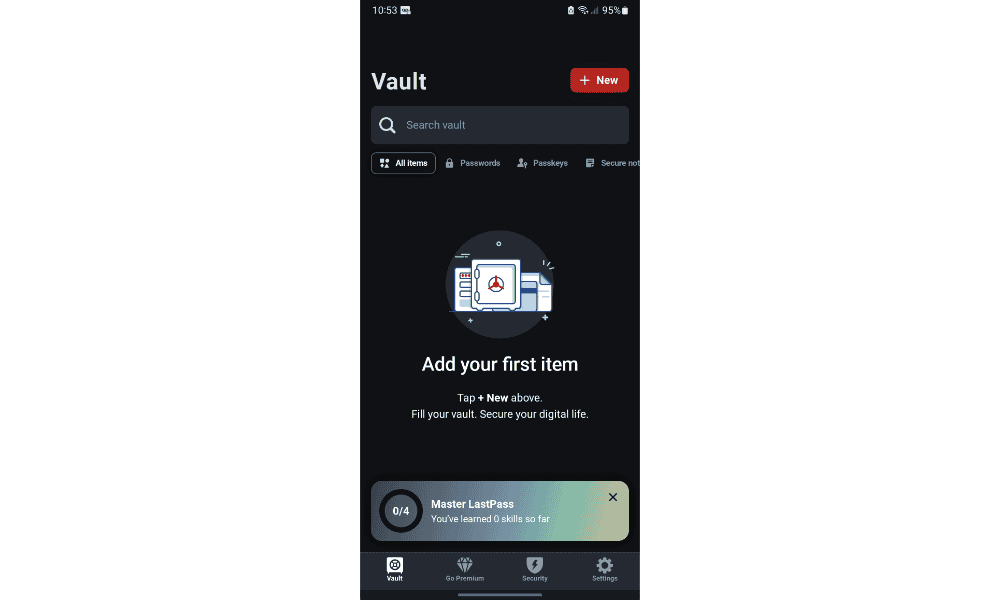
LastPass is available on Android and iOS devices, and it comes with autofill and passkey support. The password generator is located in the security tab, along with the sharing center, emergency access, security challenge and security dashboard. However, I wish the generator were accessible directly from the main page since I use it frequently.
Are the LastPass Desktop Apps Effective?
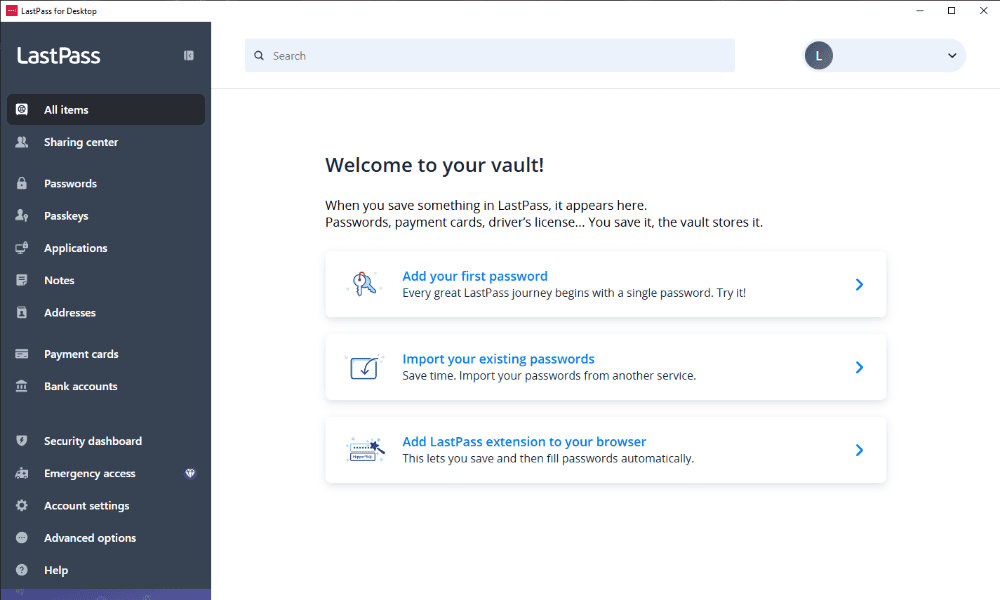
LastPass for desktop is available on Windows 10+ and macOS 15 and 26, and it offers an identical experience to its web app and browser extension. You can add or import passwords, create password folders and generate new passwords.
How Good Is the LastPass Extension?
LastPass has an extension for Chrome, Firefox, Edge and Opera that includes the vault, generator and alerts. You can review your password health in the alerts tab and make them more secure.
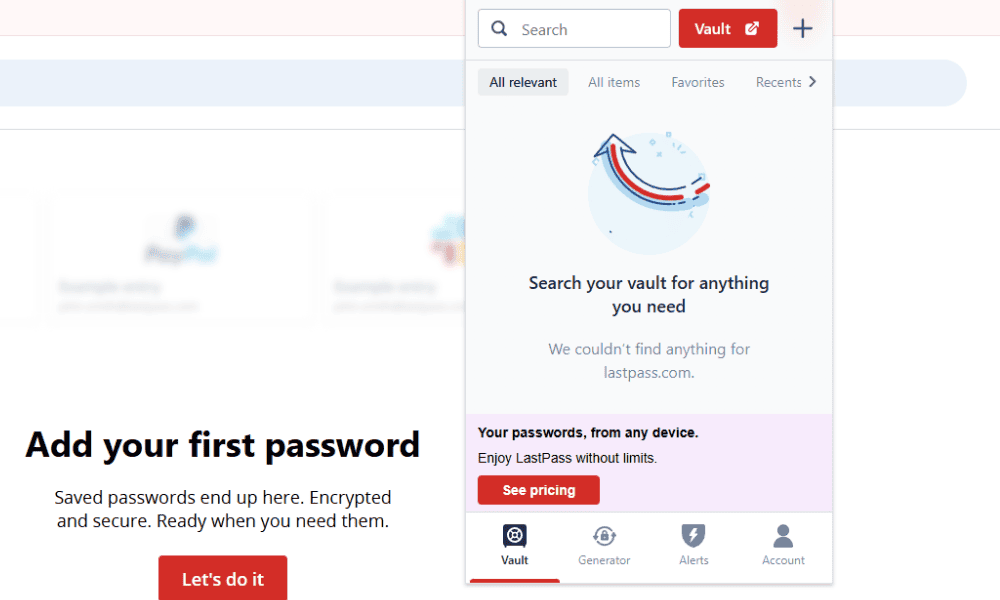
I appreciate that the extension allows you to access your password history. If you generate a password for a new site and forget to save it, you can find it in your history.
How to Use LastPass
LastPass is a beginner-friendly service, and multiple setup guides are available in the knowledgebase. Follow the steps below to get started with LastPass.
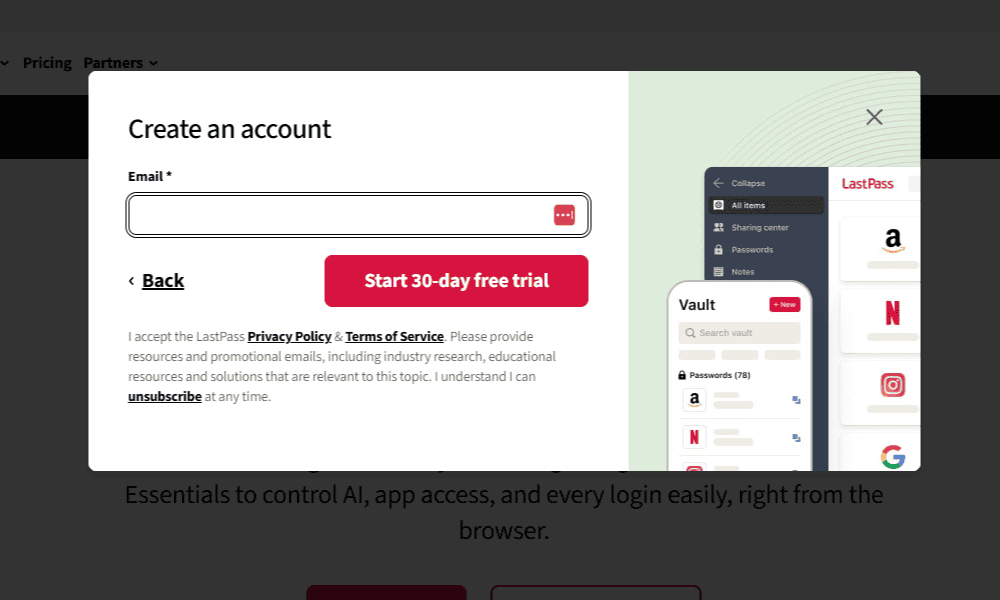
- Create a LastPass Account
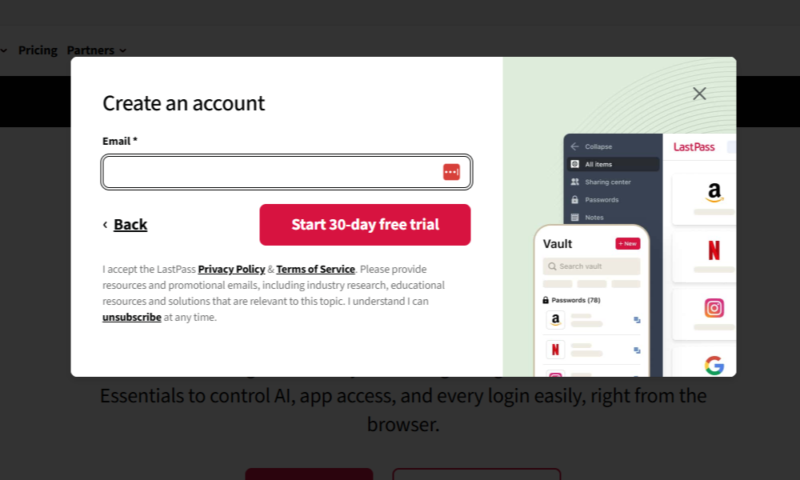
Start a 30-day free trial, sign up for a free plan or purchase a LastPass plan. Set up a strong master password (read our guide on how to do this); you’ll use this to log in to your LastPass vault.
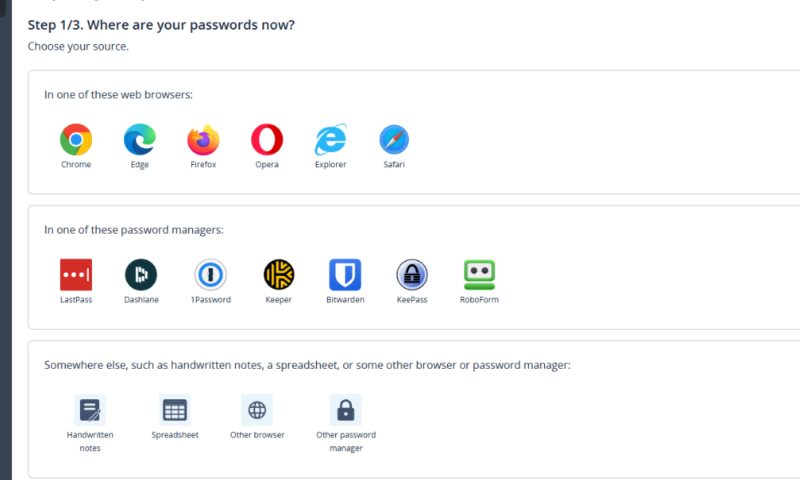
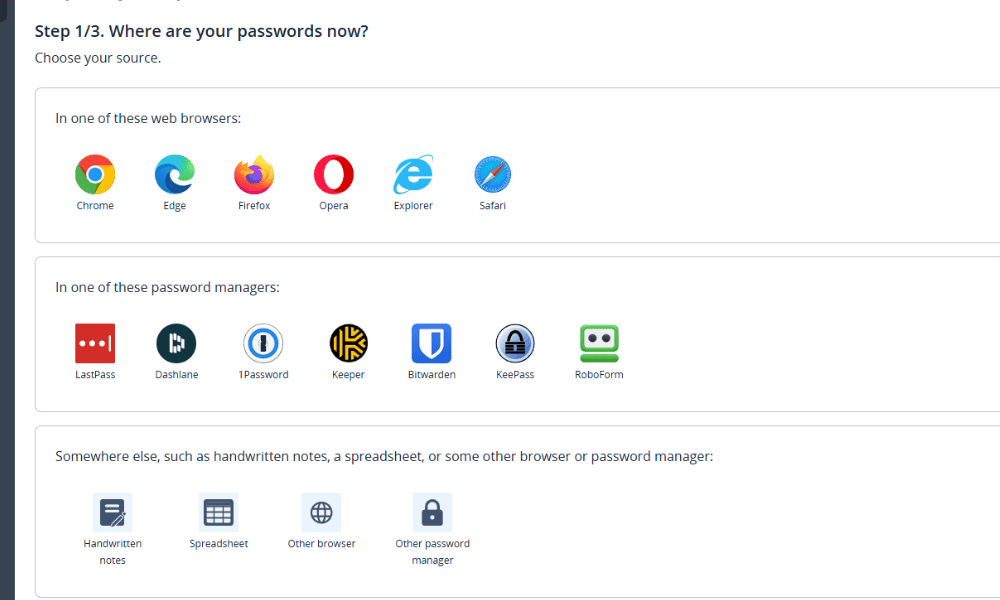
- Import Your Passwords (Optional)
If you’re already using a password manager, export your passwords in a CSV file and import them into LastPass. Follow the instructions LastPass provides for your specific provider.
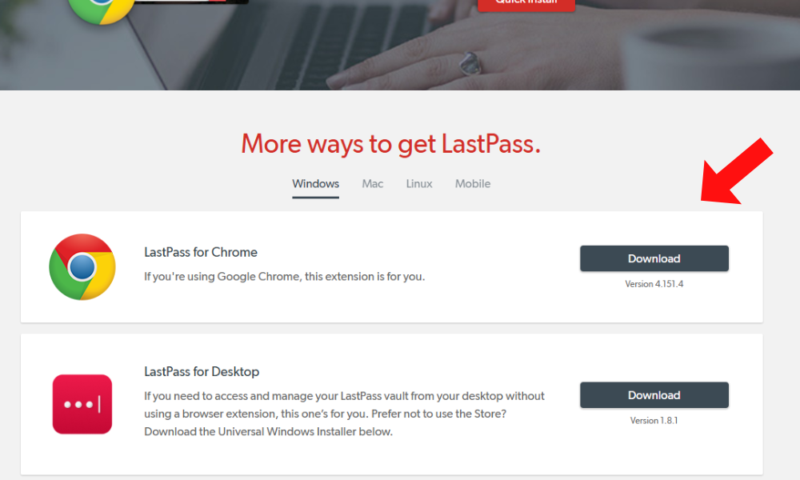
- Download LastPass
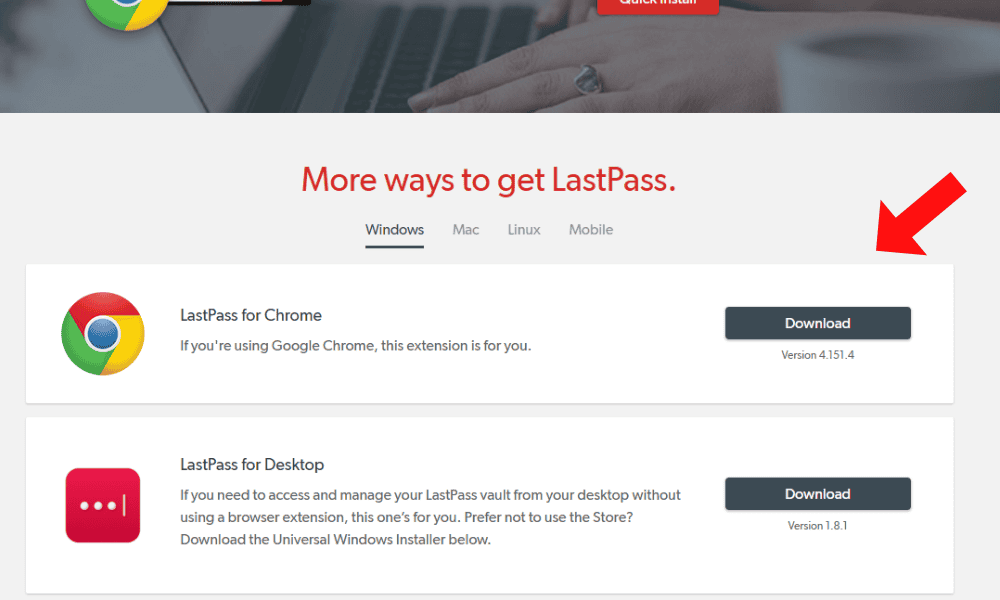
Download the LastPass browser extension and apps. If you have a premium account, you can sync passwords between desktop and mobile devices.
Security: Is LastPass Safe?
LastPass uses client-side AES-256 encryption across your entire vault, meaning your data is encrypted locally and never stored on LastPass servers. Due to its security model, LastPass doesn’t store your master password on its servers, and its vaults are practically unbreakable — unless hackers brute-force master passwords.
LastPass has suffered at least two data breaches within the last two decades: in 2015 and 2022. The 2015 data breach compromised customer email addresses, password reminders, and an encoded version of the master password — not a huge deal, but not great.
The 2022 breach was much more serious, compromising unencrypted names, email addresses, billing addresses, partial credit card numbers, website URLs, and password vaults encrypted with users’ master passwords.
However, because master passwords aren’t stored on LastPass servers, the encrypted vaults could only be accessed by brute-forcing weak master passwords — which could have happened. This has resulted in an ongoing class action lawsuit in the U.S.
LastPass allows third parties to audit its security claims and has certifications such as SOC2, SOC3 and more.
Privacy: Can You Trust LastPass?
According to its privacy policy, LastPass collects as little information on you as possible. It collects data such as your name and email address that you use to set up the account. However, due to its client-side security, none of what you save to its vault is accessible by LastPass.
Who Owns LastPass?
In 2021, GoTo (formerly LogMeIn), which manages remote-access products and owned LastPass at the time, announced plans to make LastPass independent. However, LastPass remained under GoTo’s ownership during the 2022 breach. Private equity firms Francisco Partners and Elliott Investment Management now own LastPass as of 2024.
Pricing: How Much Does LastPass Cost?
LastPass offers a free plan as well as affordable paid plans. You can get an annual Premium plan for $3 per month, which lets you use LastPass on any device type.
The next tier, Families, costs $4 per month for a year. This unlocks six Premium-level accounts and a group manager dashboard. Even if you need only two Premium accounts, getting a Families plan is more cost-effective.
LastPass’ three business plans come with an integrated admin console to manage users, as well as dedicated sharing folders. The Teams plan costs $4.25 per user per month for an annual subscription. The Business tier grants team members access to a Families plan, so employees can share their LastPass license with family members.
The top LastPass business tier, Business Max, comes with Security-as-a-Service (SaaS) monitoring and protection, unlimited single sign-on (SSO) logins and multi-factor authentication (MFA) on all endpoints for better security.
Overall, LastPass offers similar value to other password managers, as it’s the same price as other options like 1Password or Proton Pass with similar features.
- Unlimited storage
- Priority support One-to-many sharing Application autofill Multi-device sync
- Protection for six users Family dashboard Unlimited shared folders Multi-device sync
More plans
- Price per user Admin dashboard 5-50 users Standard reporting Private vault for every user Multi-device sync
- Price per user Includes all Teams features Unlimited users 3 SSO apps with MFA LastPass Families for employees
- Price per user; Everything in Business, plus: SaaS Monitoring Unlimited number of single sign-on (SSO) apps Advanced multifactor authentication (MFA) capabilities
Is There a LastPass Free Plan?
Yes, LastPass has a free plan that lets you save an unlimited number of passwords. However, it’s limited to one device type (desktop or mobile), so you can’t sync passwords across devices.
You get one vault with the free plan, which includes autofill, dark web monitoring and password sharing. This is a little more limiting than other free password managers, especially Proton Pass, which allows you to sync passwords between unlimited devices.
How Reliable Is LastPass Customer Support?
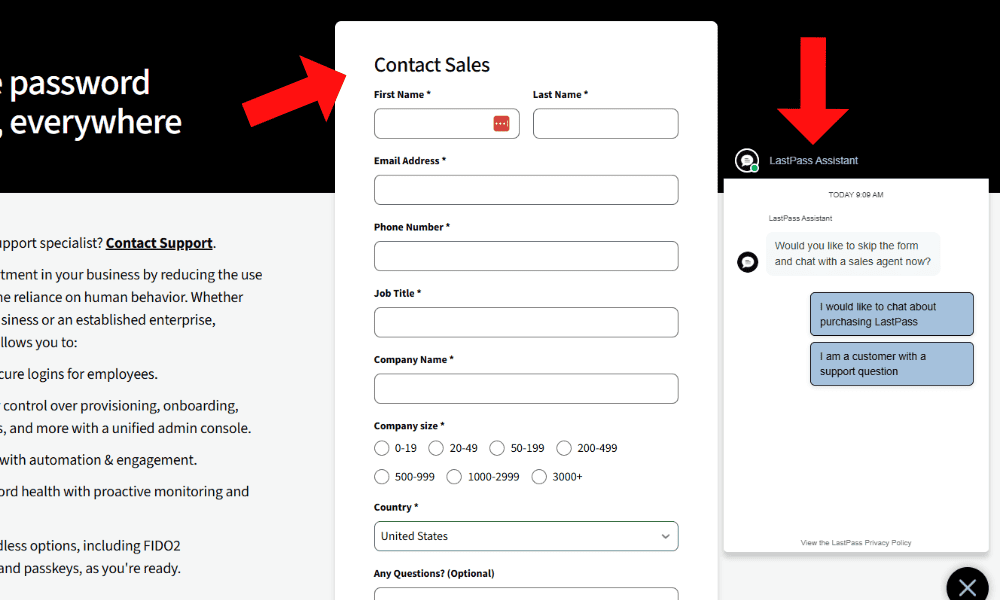
LastPass offers two direct support methods — a business user contact form and live chat — an extensive knowledgebase and community forums. I couldn’t find a contact form for non-business users, though, so those users are limited to the live chat. While the chatbot can send your queries to a human agent, premium users receive priority support, so response times may vary.
The knowledgebase covers the basics on how to use the service and FAQs, as well as more advanced topics like troubleshooting common errors. Unfortunately, the community forums were locked down at the time of writing; I could see only my own posts.
Our Methodology: How Did We Test LastPass?
I reviewed LastPass across the following categories to compare it with other password managers:
- Features: I tested how reliable the autofill, password generation and history features were on desktop and mobile.
- Security: I looked into LastPass’ encryption model and 2FA options, as well as how it responded to its data breaches.
- Ease of use: I tried the different LastPass apps to see if they were easy to use, how consistent the interface was across platforms and whether useful help guides were available.
- Value: I compared LastPass’ pricing to other password managers to assess value for money. I also tested the free plan to determine whether it’s worth trying.
What Are the Best LastPass Alternatives?
If LastPass isn’t for you, check out some of the top alternatives:
LastPass vs Proton Pass: Which Is Better?

Both LastPass and Proton Pass have free plans with unlimited passwords. However, Proton has a better security history and allows free users to sync passwords between devices. I consider Proton Pass to be the stronger choice. Read our Proton Pass review to learn more.
LastPass vs 1Password: Which Is Better?

1Password is more secure than LastPass, and it’s not much more expensive. However, 1Password doesn’t have a free plan or a free trial. Read our 1Password review for more information.
LastPass vs Dashlane: Which Is Better?

Dashlane is pricier than LastPass and doesn’t come with a free plan, so it may not be ideal for users on a budget. However, Dashlane does come bundled with a VPN and has a better security history. Read our Dashlane review for all the details.
What Is the Community Feedback? LastPass Reviews on Reddit & Social Media
Community reviews of LastPass’ autofill and usability are favorable. However, users were disappointed by its response to the data breach, and many have switched or are considering switching to 1Password or a similar LastPass alternative.
Do You Really Need LastPass? Dedicated Password Managers vs Browser Built-Ins
A dedicated password manager has several benefits compared to the password tools built into browsers.
| Password Manager | Browser Built-In Password Management |
|---|---|
| Strong encryption, typically client-side | Browser-based encryption, may be weak |
| Works across different browsers and devices | Limited to the browser |
| Includes emergency access or sharing options | No secure sharing options available |
| Advanced features such as breach monitoring and alerts | Basic autofill and password storage |
The Verdict: Is LastPass Worth It?
LastPass is a decent password manager for free users who don’t need to sync passwords across multiple devices. However, I’ve found better, more secure password managers, such as Proton Pass, 1Password or Dashlane.
How do you feel about LastPass? Have you tried its free plan? Which password manager do you prefer? Let me know in the comments, and thank you for reading.
FAQ: LastPass Password Manager Review
A lot of users no longer trust LastPass, as its 2022 data breach put the privacy of 1.6 million users at risk. While it still has a dedicated user base, some have switched to 1Password or other alternatives.
People may be leaving LastPass because of its history of data leaks and reports of poor security; the company has received criticism about how it responded to its 2022 data breach
No, Microsoft doesn’t own LastPass. As of 2024, Francisco Partners and Elliott Investment Management own LastPass.