Proton Pass Review
Proton Pass is a secure password manager from Proton, a company known for its dedication to consumer privacy. In this Proton Pass review, I go over its features and security measures to see if it's as good as it claims.

Key Takeaways: What Is Proton Pass & Is It Good to Use?
- Proton Pass is a password manager that offers complete privacy, including email aliases and web monitoring for data breaches.
- Although Proton Pass is available as an affordable standalone, it offers great value as an Unlimited bundle with other Proton apps, such as Drive, Mail, Calendar and the VPN.
- Proton Pass uses strong, open-source OpenPGP encryption not only on your passwords, but also all saved metadata, like usernames, website addresses and more.
Top Use Cases for Proton Pass:
- Privacy-focused: Proton Pass uses open-source, end-to-end encryption to keep your passwords safe. Cybersecurity experts have independently audited its security claims and proven them to be effective.
- Proton users: As part of the Proton ecosystem, Proton Pass integrates seamlessly with other Proton apps. It offers good value for pre-existing Proton users.
- Free password maintenance: Proton Pass has a generous free plan, with no restrictions on the number of passwords, logins or credit cards you can save. You can also create up to 10 email aliases.
Proton’s main focus is creating software rooted in online privacy, and its password manager is no different. Proton Pass offers effective password management with end-to-end, client-side encryption, as well as an integrated dark web monitor for protection against data breaches.
In this Proton Pass review, I’ll go over its security claims and available features, and determine whether it’s worth using. I’ll also compare it to our list of the best password managers to see how it matches up.
What Is Proton Pass & Who Is It For?
Proton Pass is a secure password manager in the Proton cybersecurity ecosystem. In addition to its main function of saving and managing passwords, it also works to prevent data leaks, and offers email aliases to hide your real email address and dark web monitoring to alert you to data breaches.
Proton Pass is best suited for users who need a free password manager, as it supports unlimited passwords and up to 10 hidden emails, though the paid Plus plan adds extra features like vault sharing, dark web monitoring and more. You can also get it bundled with the other Proton apps within Proton Unlimited, and businesses can also get professional plans.
- Release date: June 28, 2023
- Owner: Proton
- Operating systems: Windows, macOS, Linux, Android, iOS, command-line interface (CLI)
- Platforms: Desktop, mobile, browsers
- Notable features: Autofill, password generator, email aliases and Pass Monitor
- Starting Pricing: Free, or $2.99 per month on an annual plan
The Cloudwards Expert Opinion: Proton Pass
 The Cloudwards Expert Opinion: Proton Pass
I love how well Proton Pass works, especially considering many of its features are available for free. Its integration with Proton Mail makes it easier to sign up for new services with an email alias. I find this feature quite helpful, as it helps cut down on spam and protects my data.
Although Proton Pass has a few issues, such as an unattractive interface, it’s a capable password manager overall. The free plan is a great option, or you can get the Proton Unlimited app bundle for $9.99 per month annually.
Proton Pass Pros & Cons
Authentication and Autofill Features
Proton Pass comes with a password generator, sharing features and password-importing functionality to make it easier to create and save passwords, notes and credit cards. On top of this, it offers Pass Monitor, Sentinel and email aliases to make sure your digital information stays safe.
Password Generator
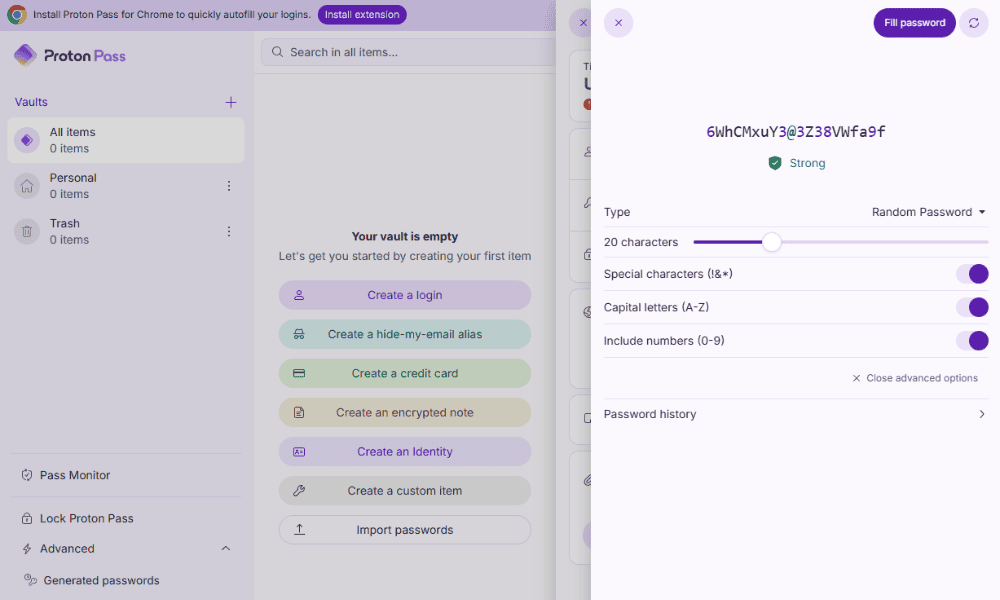
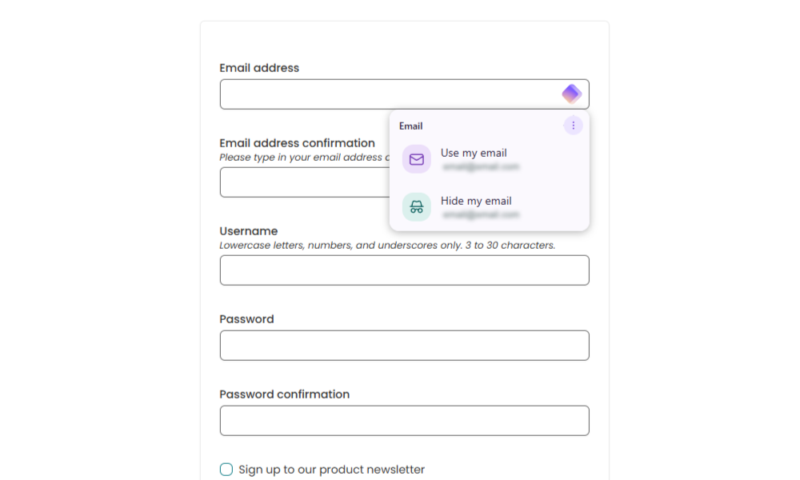
Proton Pass has a user-friendly password generation tool that allows you to customize length and complexity, and see previously generated passwords. This feature integrates seamlessly with account creation pages on devices or browsers where Pass is installed.
Proton Pass Monitor
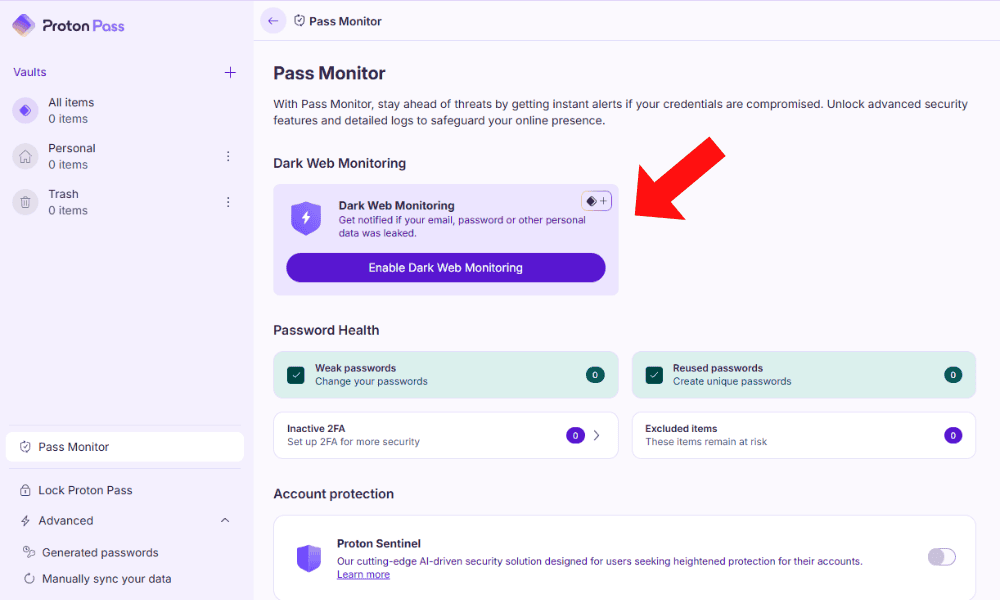
With Pass Monitor, you can scan the dark web for any mentions of your data, especially your personal email. The tool provides advance warning of cyber threats so you can change your password to safeguard against spam or cyberattacks.
passwords or other personal data.
Proton Pass Migration Features
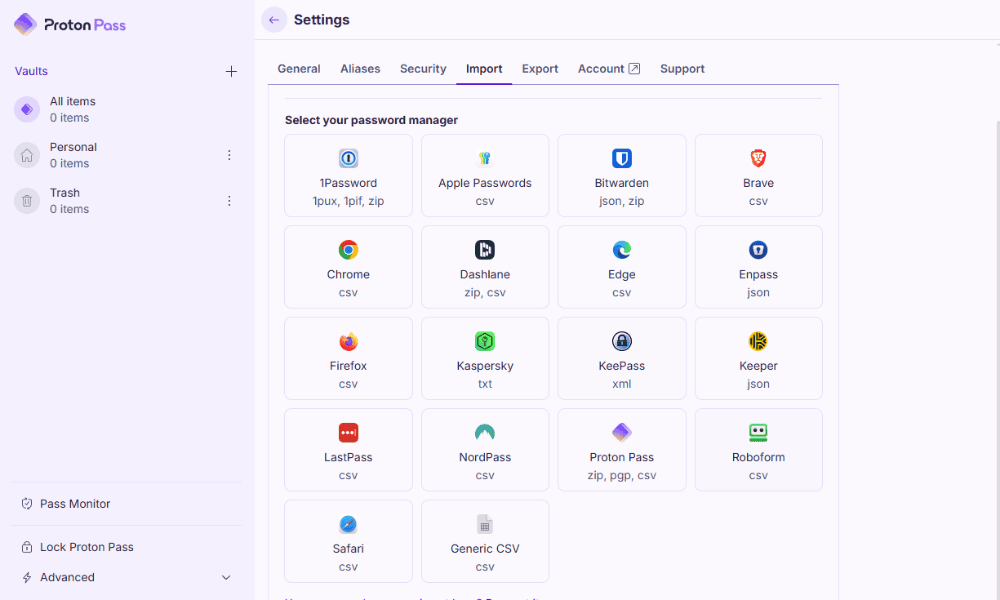
Proton Pass allows you to import CSV or JSON files from other password managers to easily switch from a different service. While it offers compatibility with the most popular password managers, you can also import a generic CSV file.
| Features |  |
|---|---|
| 2FA | |
| Encryption | AES-256 |
| Zero-knowledge | |
| 2FA keys | |
| Security analysis | |
| Multi-device sync | |
| Backup and recovery | |
| Mobile apps | |
| Password changer | |
| Password generator | |
| Browser extension | |
| Autofill | |
| Form auto-fill | |
| Browser UI | |
| Desktop UI | |
| Live chat | |
| Phone | |
| Help center | |
| Forums | |
| 24/7 support | |
| Free plan |
User-Friendliness & Hands-On Testing
Proton Pass is reasonably user-friendly for creating and importing passwords. However, it loses some points for the user interface, which doesn’t provide direct access to the wider Proton ecosystem.
Proton Pass Mobile Apps
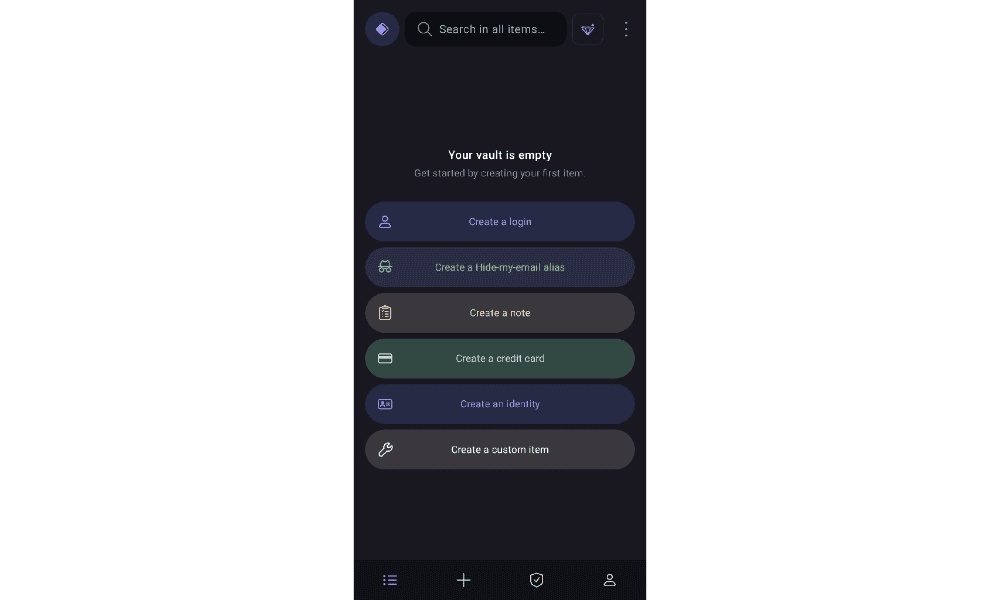
Proton Pass is compatible with both Android and iOS devices, and it provides easy access to your password vaults and Pass Monitor. I had to manually enable autofill on my Android device, but it worked perfectly after that.
Proton Pass Desktop Apps
Proton Pass is compatible with Windows, macOS and Linux. It also has a command-line interface for advanced users. You can create any item or vault in the desktop app, and move items around or manage sharing. It’s identical to the browser app, so switching between them is easy.
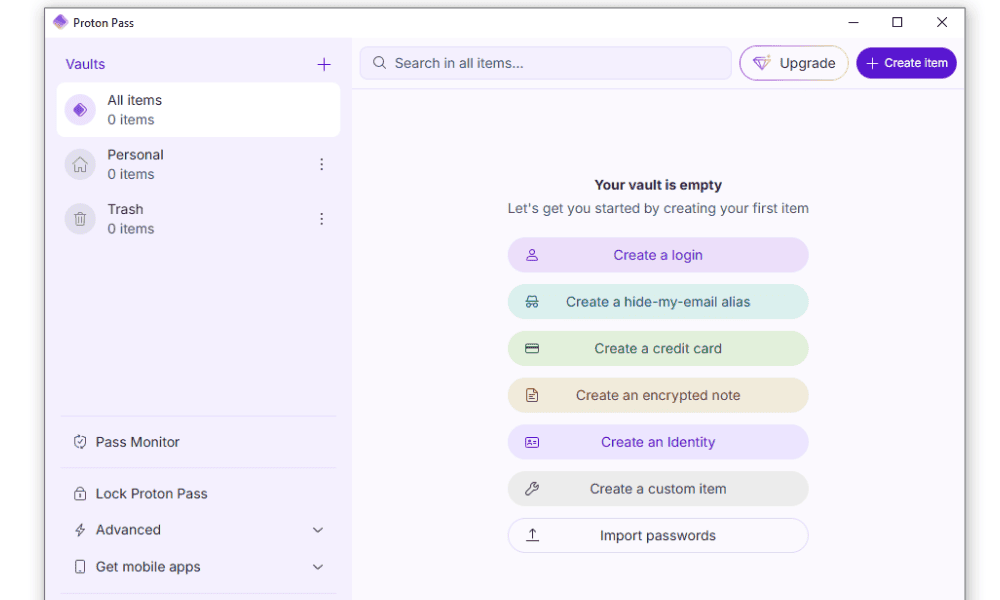
My only gripe is the lack of integration with other Proton apps from the Pass interface. Apps in the wider Proton ecosystem offer even free users access to services such as Mail and Drive directly from the user interface. It would be nice for Pass users to be able to quickly switch to these apps as well, as I discuss in my Proton Drive review.
Proton Pass Extension for Browsers
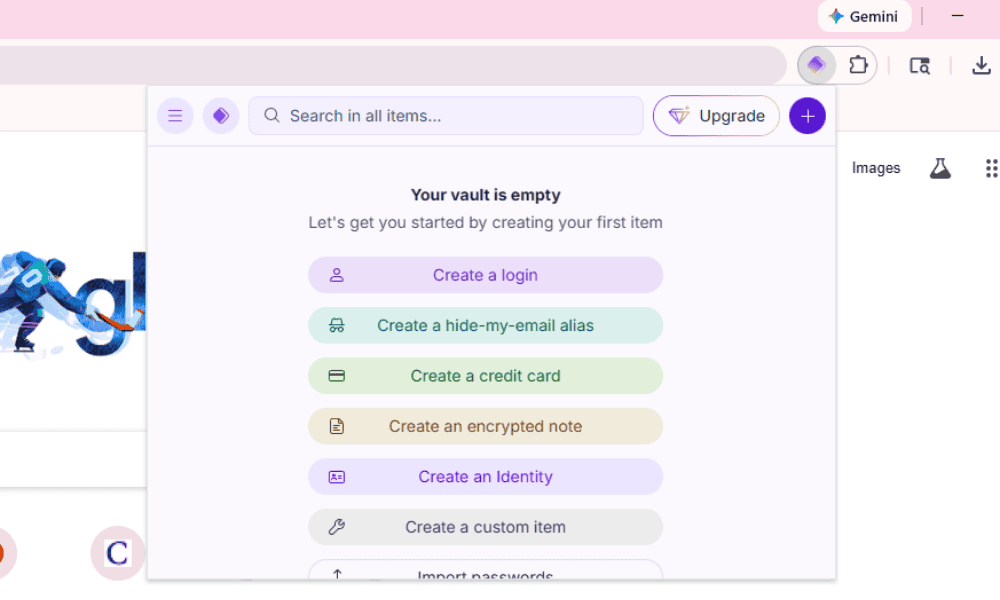
The Proton Pass browser extension is almost identical to the desktop and mobile apps, and is available on Chrome, Safari, Firefox, Edge and Brave. With the browser extension, you can create and view passwords from the extension bar. It’s nice to have access to this depth of information, but it does make the extension look a little cluttered.
How to Use Proton Pass
I found Proton Pass very easy to use, and the password autofill and generation features worked on every site during testing. Check out my quick guide below to get started.
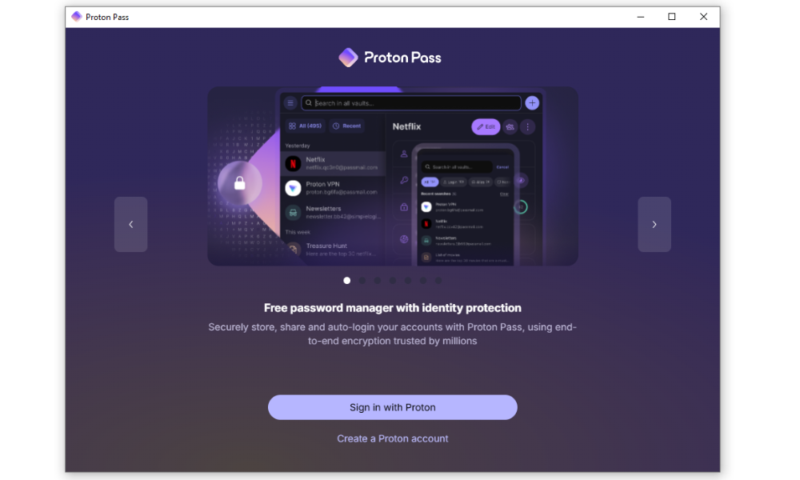
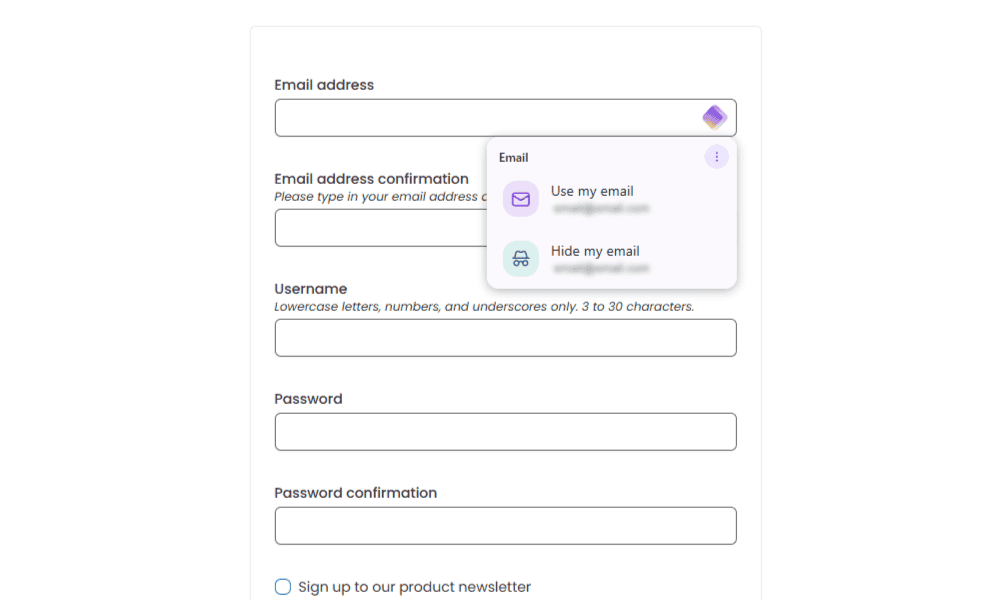
- Create an Account
Sign in to Proton to access Pass and other Proton apps.
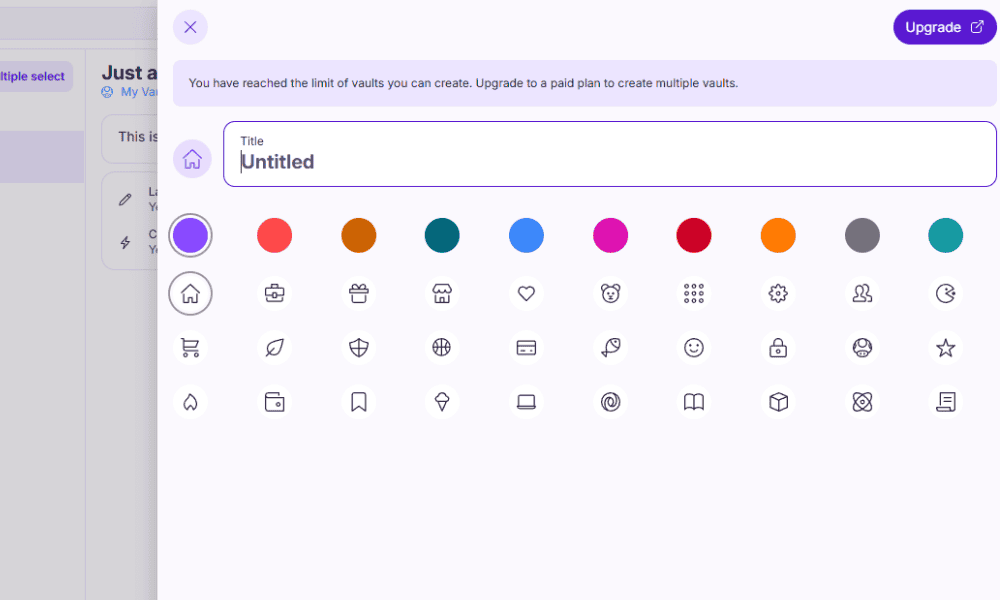
- Create Vaults
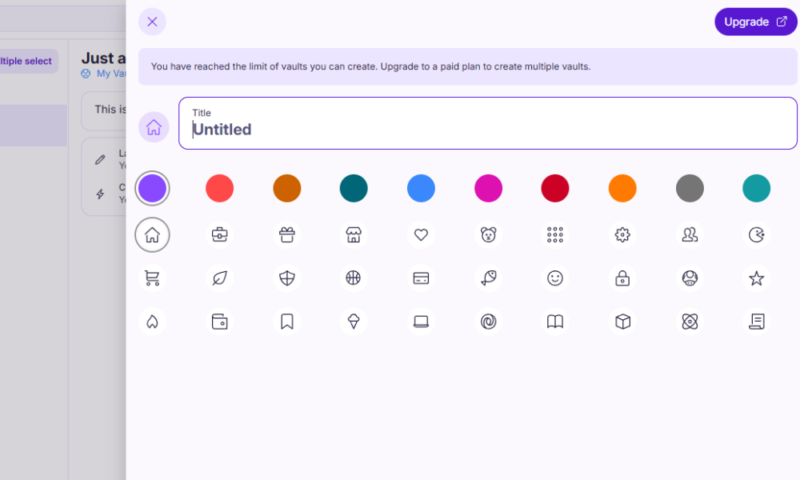
You can make your own personalized vault with a custom icon and color for better organization.
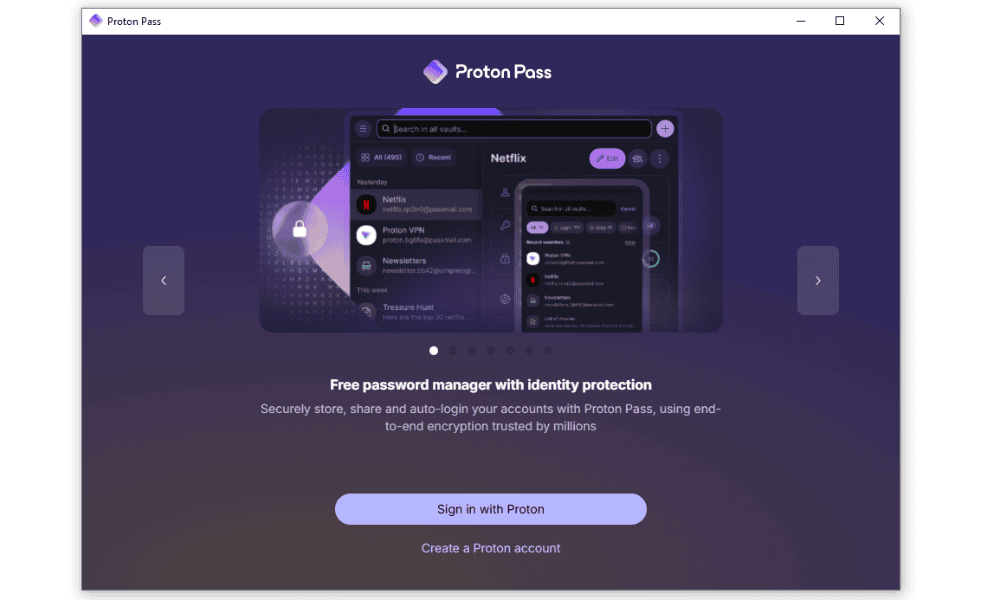
- Install the Extension and App
Install the desktop extension and mobile app to sync your password across your devices.
Security: Is Proton Pass Safe?
Proton Pass is dedicated to security, with end-to-end, client-side AES 256-bit encryption for all your vault data. The software is fully open source, so independent third parties can verify its security claims. In addition, the Pass Monitor feature keeps an eye out for data leaks on other apps.
Proton Pass uses OpenPGP encryption, which is open source and has no known vulnerabilities in the 30 years it’s been around. The only reason it doesn’t score a perfect 100 for security in this section is that Proton Pass is not yet using post-quantum encryption algorithms — but Proton is working on it. Proton’s OpenPGP implementation is modular, which means it could be more easily upgraded to quantum-resistant algorithms in the future.
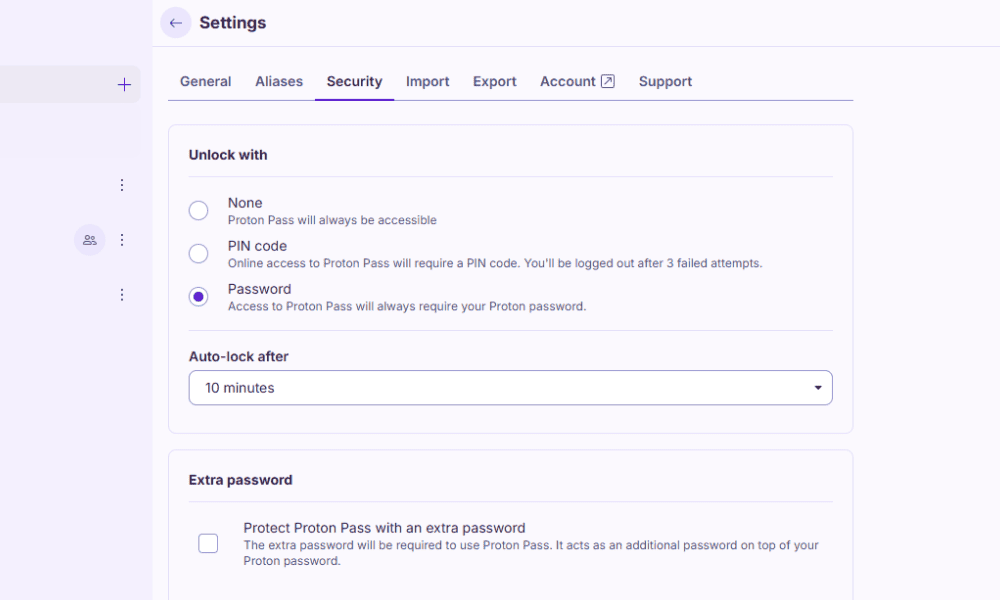
Setting up Proton Sentinel will further increase your account security. Alternatively, if you don’t need that level of protection, you can change how often your Pass account locks or disable the extra password for Proton Pass.
Third-Party Audits
Since Proton Pass is entirely open source, anyone can audit its code and verify its security claims. Independent security firm Cure53 verified Proton’s security measures and emphasized its positive impression of the service.
Privacy: Can You Trust Proton Pass?
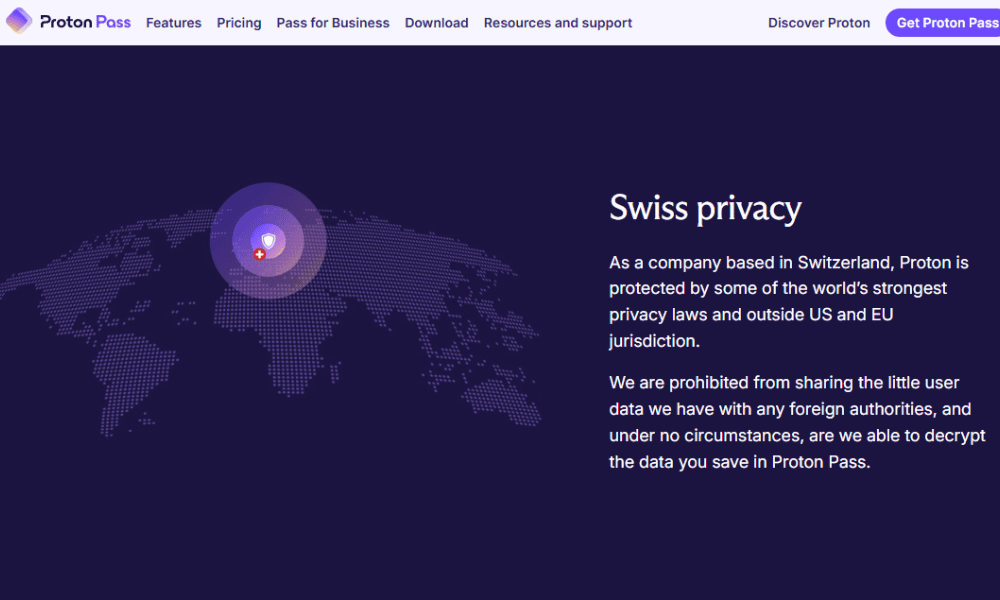
Like other Proton apps, Pass is built on a steadfast commitment to privacy. Its client-side encryption means that no one, not even Proton itself, can access the items you save to your vault. Proton Pass also encrypts your metadata, including usernames, web addresses and data in encrypted notes.
Who Owns Proton Pass?
Proton, the same company that owns Proton Mail, VPN and Drive, also owns Proton Pass. It’s based in Switzerland, which has strict data protection laws that seek to keep your data private. Although no company is guaranteed to be 100% safe, Proton’s open-source approach and lack of data breaches demonstrate its trustworthiness.
Pricing: How Much Does Proton Pass Cost?
Proton Pass has a free plan, two paid Individual plans — Plus and Family — as well as business plans.
Is There a Proton Pass Free Plan?
Proton Pass has a generous free plan that allows you to save an unlimited number of passwords, credit cards and other login information.
With the Pass free plan, you also get:
- Up to 10 email aliases
- Integrated Proton services for free (Mail, Drive, the VPN, etc.)
- Two separate password vaults that you can share with two other Proton users
Paid Plans
For $2.99 per month, annually, Plus gives you unlimited aliases, a built-in two-factor authenticator, vault sharing, file attachment, dark web monitoring and more. Family gives you six Pass Plus accounts for $4.99 per month for a year.
Proton Unlimited, which costs $9.99 per month for a yearly plan, offers the best value for paid plans. It comes with all Proton services, including:
- Wallet With 10 wallets
- Pass With 50 password vaults
- Drive with 500GB of cloud storage
- Proton VPN With 10 connections and servers in more than 120 locations
- Mail and Calendar With 15 email addresses, 25 personal calendars and unlimited email aliases
Finally, the business plans provide everything companies need to keep employees protected, plus additional identity management options like single sign-on, enterprise policies and more.
More plans
- Includes Pass, Mail, Calendar, VPN & Drive
- Price is per user, 3 users minimum
- Price is per user, 3 users minimum
- Price is per user, 3 users minimum
Customer Support
Proton Pass has an extensive knowledgebase and email ticketing system. Both are quite useful, and you’ll likely find the answers to your questions in the knowledgebase. However, it would be nice to see Proton offer live chat for faster support.
The email support is fast and helpful, though — I received an answer within 24 hours of submitting a question.
Our Methodology: How We Tested Proton Pass
I considered the following features while testing Proton Pass:
- Security: I analyzed the security of Proton Pass based on its own claims and findings from independent audits.
- Autofill: I tested how well the autofill password features work and its consistency across different websites.
- Ease of use: I determined how easy it is to create, save and share passwords.
- Device compatibility: I looked into which devices are compatible with Proton Pass and whether the desktop, browser and mobile apps offer a similar experience.
Proton Pass Alternatives
If you’re not convinced about Proton Pass, take a look at how it compares to other password managers:
Proton Pass vs 1Password

Proton Pass is the better option for free users, as 1Password doesn’t offer a free plan. However, 1Password comes with an impressive travel mode that increases your security while away from home. Read our 1Password review to see how it compares.
Proton Pass vs Dashlane

Both Proton Pass and Dashlane offer VPN and dark web monitoring services for better internet security. However, Dashlane has better password health reports, which you can use to improve your account security. Discover what we think about the service in our Dashlane review.
Proton Pass vs Bitwarden
Like Proton Pass, Bitwarden offers a free plan with unlimited password storage. Bitwarden’s premium plan, at $1.65 per month for a year, is much cheaper than Proton Pass Plus. Find out more about it in our Bitwarden review.
Community Feedback: Proton Pass Reviews on Reddit & Social Media
The community feedback for Proton Pass is favorable. It’s not considered the best password manager, falling behind competitors like 1Password and Bitwarden, but users like its features.
The overwhelming consensus is that signing up for the Proton Unlimited plan is worth it for access to Proton Pass. I agree, but only if you’ll use most of the included apps.
The Verdict: Is Proton Pass Good?
Proton Pass is a reliable password manager with strong, verified security. Its dark web monitor can help keep your account safe, and email aliases improve your privacy when signing up for services. Overall, I recommend Proton Pass, especially when bundled with other Proton apps. You can get an annual Proton Unlimited plan for $9.99 per month.
What is your favorite password manager? Have you tried Proton Pass? Did I miss any must-have features? Share your thoughts in the comments, and thank you for reading.
FAQ: Proton Pass Password Manager Review
Yes, a paid Proton Pass account is worth it, especially if you sign up for Proton Unlimited. With this plan, you get access to all of Proton’s cybersecurity apps, such as Mail, Drive, Wallet and the VPN.
The downside of Proton Mail is that it doesn’t have the best customer support options. While its email support team is great, it would be nice to have a faster live chat option for minor issues.
Yes, Proton Pass is much better than Google Password Manager. Its client-side AES 256-bit encryption means your passwords are safer than in Google’s server-side encrypted storage.