Best Website Project Management Software: Top 5 in 2026
Managing website projects requires the right tools to enhance team performance and support effective project planning. Check out my ranking to discover the best website project management software solutions.


Written by Sofia Oliber (Writer)
Reviewed by Aleksander Hougen (Chief Editor)
Facts checked by Eugenie Tiu (Editorial Assistant)
Last Updated:
All our content is written fully by humans; we do not publish AI writing. Learn more here.
Key Takeaways: This Is the Best Project Management Software for Website Management
- monday.com — An advanced tool for website management. Try its Pro plan free 14-day trial.
- Asana — Great structured tool to streamline any project. Start testing it today with Asana’s free plan.
- Trello — The easiest tool to empower simple website projects quickly. Get started with Trello’s free plan.
- Basecamp — All-in-one workspace that can change the way you manage your website projects. Have your team try Basecamp’s flat pricing for unlimited users.
- Podio — A data-focused platform that can be customized for website development teams. Try Podio’s free plan and discover its key features.
Facts & Expert Analysis About Why Web Project Managers Need PM Tools
- Professional project leadership is key for successful website builds: When led by professionals, 83% of projects meet business objectives across many industries, compared to just 78% of those led by low-acumen leaders.1
- Web teams need access to accurate and detailed insights: Almost 50% of people don’t have access to real-time data or centralized key performance indicators (KPIs), making it harder to track website progress and results.2
- Web projects become harder to coordinate as teams grow: With website projects, 64% of employees feel productive individually, whereas only 57% feel the same way in a team setting. Good web project management tools can help boost productivity and confidence.3
Staying on top of website project management without dedicated tools can be a waste of time and resources. Luckily, you can centralize workflows, improve team capacity and manage any web team with the right tools. I created this ranking specifically for website needs, but you can see a wider range of options in our roundup of the best project management tools.
Cloudwards’ Choice: monday.com
 Cloudwards' Choice: monday.com
The award for best website project management tool goes to monday.com. It delivers the ideal balance of professional tools — like automations and AI solutions — while maintaining a visually pleasing interface. monday.com is ideal for growing teams, as the customization options make it easily adaptable. You can try monday.com with a 14-day free trial of Pro.
The Best Website Project Management Tools Compared
The table below provides a quick overview of the core differences between the top project management tools, including prices and limitations.
| Tool: | Free Plan | Pricing* | Best For | USP | Limitations |
|---|---|---|---|---|---|
 | Yes, 2 users | Starting at $9 | Web teams looking for advanced capabilities | Advanced reporting & functionalities | Steep learning curve |
 | Yes, <2 users | Starting at $10.99 | Straightforward collaboration | Collaboration features & task dependencies | Strong limitations for lower-tier plans |
 | Yes, <10 users | Starting at $5 | Web professionals looking for simple task tracking | Visual workflows & kanban boards | Limited advanced functionalities |
 | Yes, <20 users | Starting at $15 | Startups, freelancers & digital or web development agencies | Mixed project & task management functionalities | Smaller set of complex features |
 | Yes, <5 users | Starting $11.20 | Small to medium-sized web development businesses | Customization & collaboration tools | Complex user experience |
Hands-On Testing
Certain features are essential to good project management. The table below can help you quickly understand which software solution is the best fit for your team based on the available features.
Feature Comparison Overview
Asana offers the widest range of views, but monday.com and Trello aren’t far behind with their own comprehensive options. Luckily, all of these software solutions also include real-time collaboration tools.
| Tool: | View Types | Time Tracking | Custom Fields | Dashboards | Real-Time Collab |
|---|---|---|---|---|---|
| 7: kanban boards, timeline, calendar view & more | Yes, for boards & portfolios | |||
| 9: list, board, Gantt & more | Yes, for boards & portfolios | |||
| 7: board, dashboard, timeline & more | Basic features | |||
| 6: message board, to-dos, kanban, chat, calendar & files | Yes | |||
| 5: badges, table, card, activity &calendar | * | No, only basic reporting |
Platform & Administration
Although you probably won’t run out of space with any of these options, note that Asana, Trello and Podio offer unlimited storage, though with individual limitations.
| Tool: | Mobile App | Storage | File Management | Permissions |
|---|---|---|---|---|
| | From 500MB to 100GB | Files column & tabs | Multilevel & advanced permissions |
| | Unlimited, max 100MB per file | File attachments & sharing | Advanced permissions |
| | Unlimited project boards but up to 250MB per file | Embedded files | Organization-wide permissions |
| | From 1GB to 5TB | Docs & file view | User types & permissions |
| | Unlimited 100MB file additions | File-sharing options & unlimited storage | User management & roles |
Integration & Automations
When it comes to integrations and automations, quality is certainly more important than quantity. monday.com, Asana and Podio lead the ranking with the most popular integrations.
| Tool: | Integration Count | Top Integrations | Native vs 3rd-Party Apps | Automation Features |
|---|---|---|---|---|
| 200+ | Slack, Google Sheets, Adobe | Hybrid | Advanced automations |
| 200+ | Dropbox, Google Drive | Mostly third-party | Advanced automations |
| 200+ | Confluence, Clockify, Firefox | Hybrid | Built-in automations |
| 80+ | Zapier, Zoho Flow, Deskpro | Mostly third-party | No |
| 1,000+ | Slack, Gmail, Google Sheets | Mostly third-party | Yes |
Usability & Performance Assessment
Trello is the undisputed easiest tool to use, but Asana is a close runner-up with its comfortable interface. monday.com, on the other hand, offers a great user experience but can be a bit more challenging to master due to its wide array of functions.
| Tool: | Learning Curve | Interface Design | Mobile Experience | Customer Support |
|---|---|---|---|---|
| Intermediate | Intuitive & flexible | Good (80% parity) | 24/7 chat & live webinars |
| Easy-intermediate | Polished & structured | Excellent (90% parity) | Asana chatbot & forum |
| Easy | User-friendly interface | Very good (85% parity) | 24/7 support |
| Intermediate | Flexible but crowded | Good (75% parity) | 24/7 customer support via form |
| Steep | Unintuitive but customizable | Intermediate (60% parity) | Phone & form |
Top Tools to Manage Projects on Websites
After extensive testing of project management tools, I consider monday.com, Asana, Trello, Basecamp and Podio to be the top five options for website project management.
Avoid Costly Project Management Mistakes – Get Free Tips Today!

- Discover 10 fundamentals of project management
- Understand step-by-step plans for PM execution
- Learn tips to avoid 5 common mistakes by beginners
1. monday.com — Best Website Project Management Software
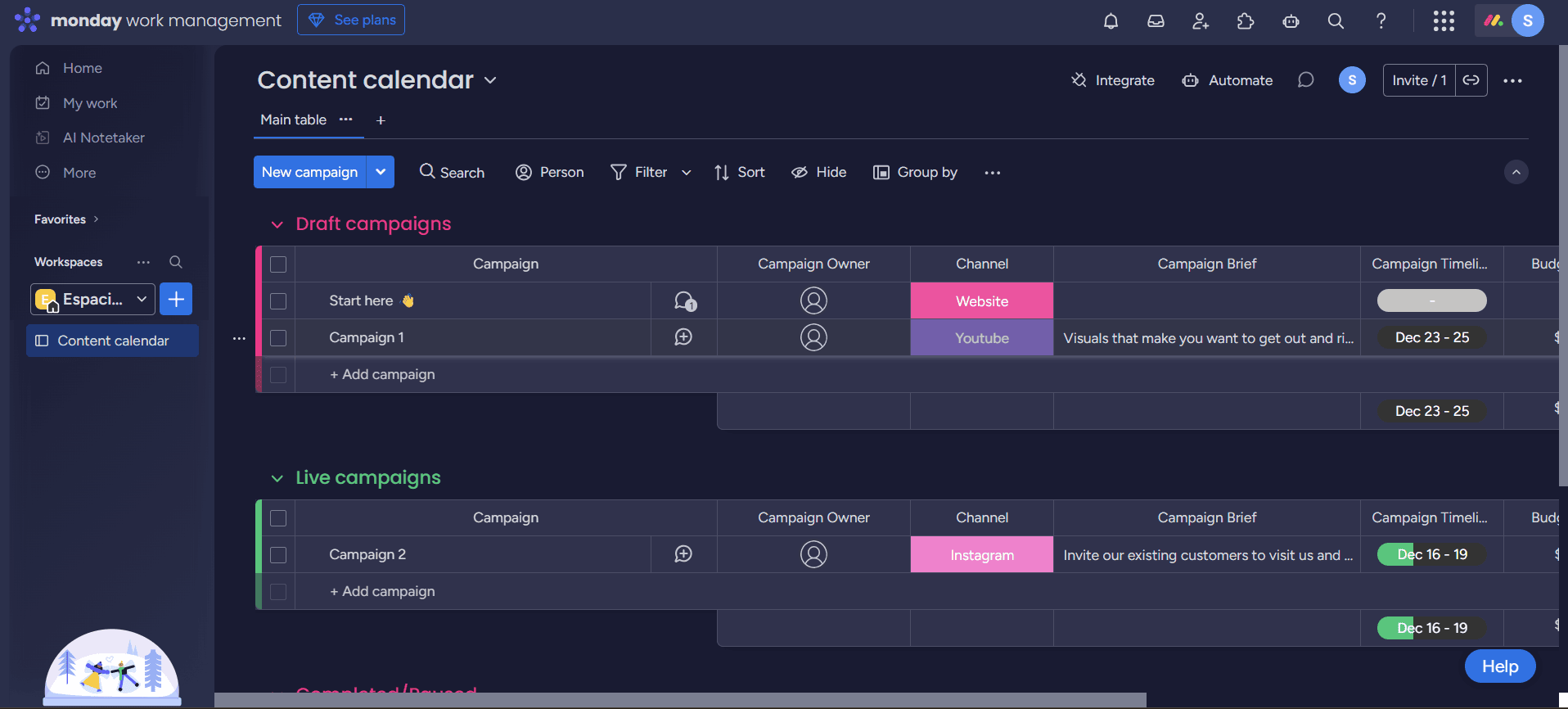
monday.com offers unmatched advanced tools for customizable and automated workflows to fit any team’s design pipeline. Plus, its drag-and-drop functionality makes it even easier to manage.
What Makes monday.com Special
Web design requires both creativity and strategy, and monday.com complements these with its highly visual interface and structured workflow possibilities. These features, in addition to its robust automation options, make monday.com stand out from the crowd.
When to Choose monday.com
Opt for monday.com if your team needs a combination of strength and flexibility. It may cost more than other project management tools, such as Trello, but it covers a wider set of key features. Try the Standard plan for $12 per user per month, billed annually, or learn more about the platform in our monday.com review.
- Maximum users: 2
- Minimum users: 3; All prices per user
- Minimum users: 3; All prices per user
More plans
- Minimum users: 3; All prices per user
- Enterprise-level features.
2. Asana — Structured Project Management Software for Websites
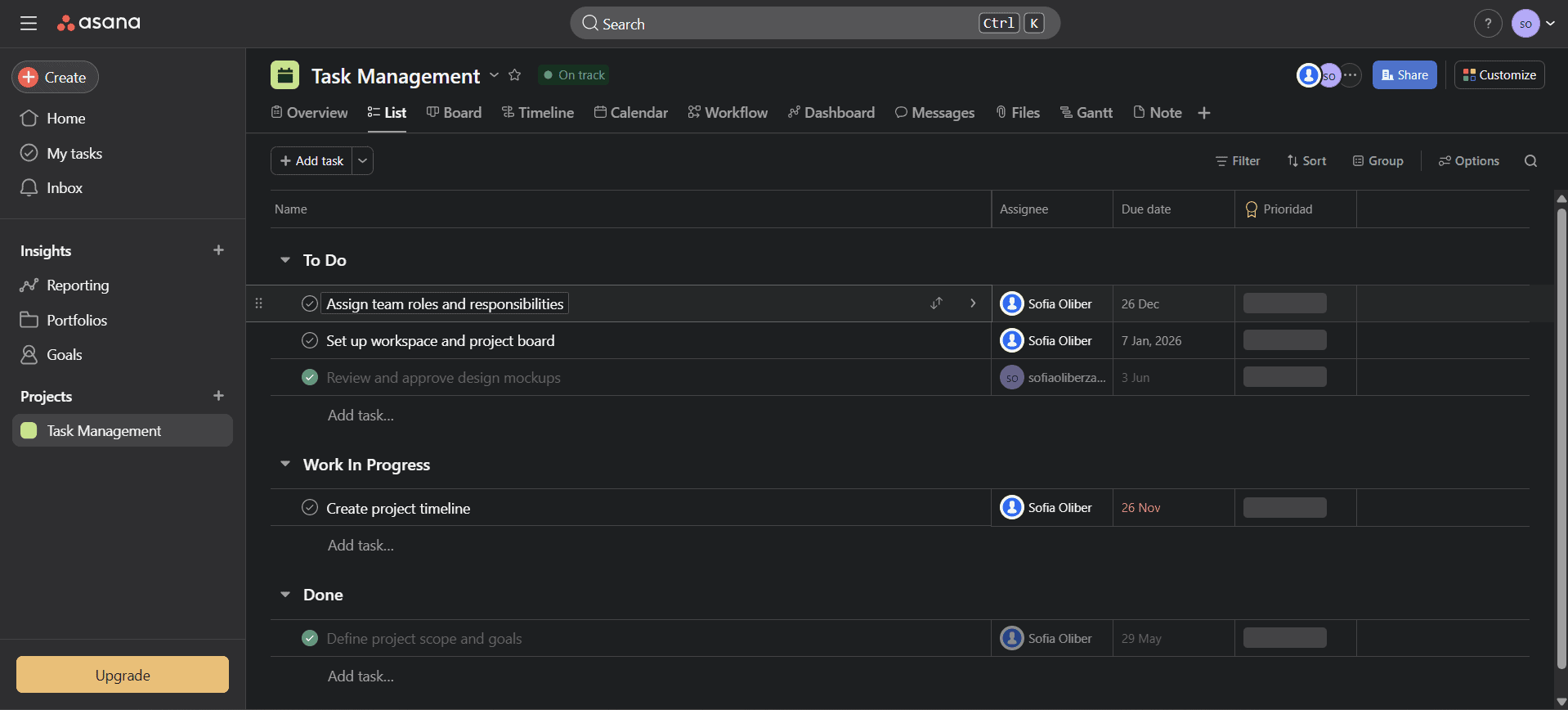
Asana always manages to land high in my rankings thanks to its minimalist yet well-structured and powerful interface. It’s one of the best platforms to prioritize tasks and develop a business plan.
What Makes Asana Special
You can manage tasks, hierarchies and dependencies on Asana to streamline any website project, from small to large. Additionally, the platform features excellent views, such as timelines and dependencies, for visual project planning.
When to Choose Asana
Choose Asana if you need a platform to manage task assignments and structure your workflows. Additionally, Asana features one of the best free plans and an accessible pricing tier starting at $10.99 per user per month for the annual plan. Start planning your website projects with Asana’s free plan today, or read more about the software in our Asana review.
- Up to 10 users
- Price is per user. unlimited users, expanded features
- Price is per user. unlimited users, even more features
- Custom pricing, advanced security features
3. Trello — Website Design Project Management Software for Simpler Projects
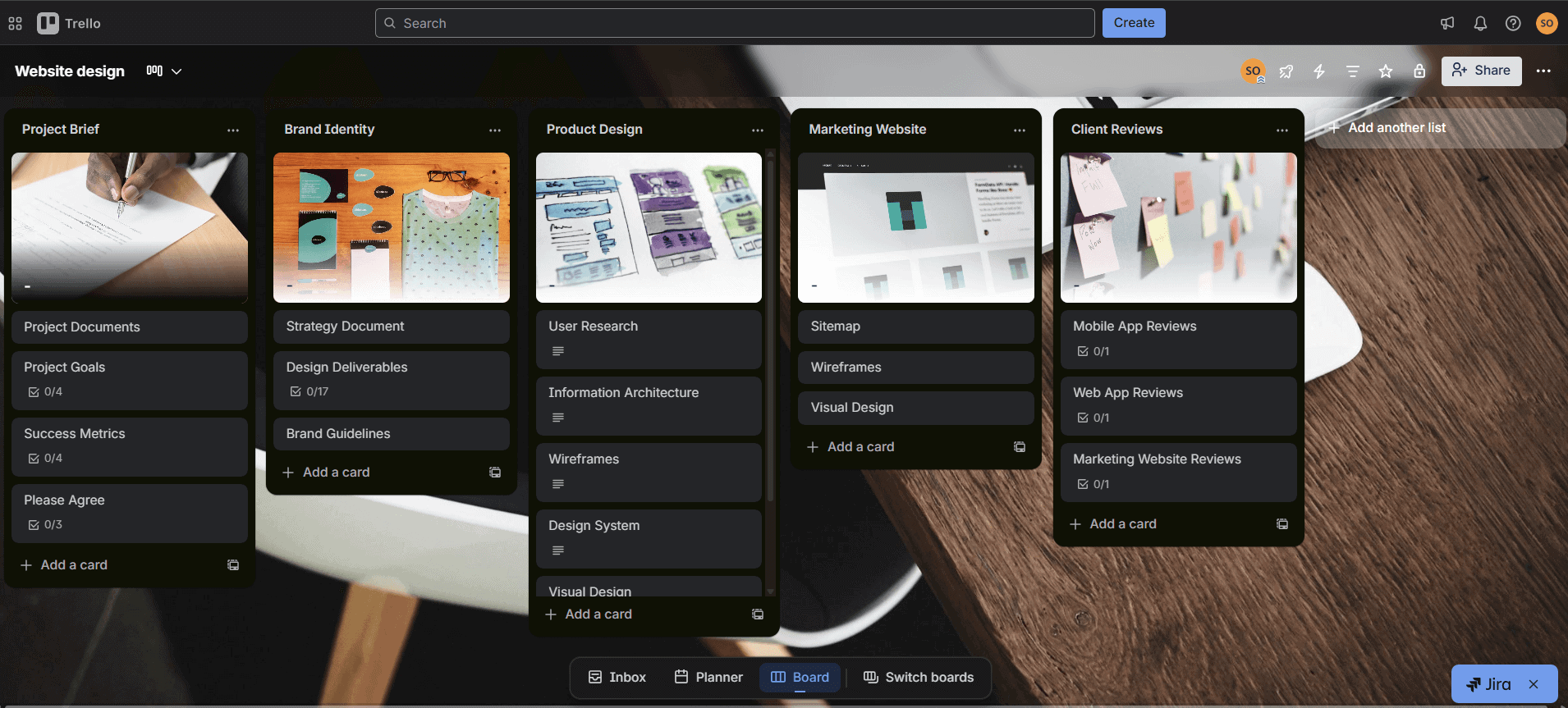
Trello’s strong point is its simplicity and visually centered interface, which makes it great for simple teams or beginners looking to optimize their first project.
What Makes Trello Special
Features like the drag-and-drop functionality and the option to customize cards make Trello easy to use yet appropriate for professionals. You can also perform advanced actions such as remote task management to automate recurring tasks on Trello.
When to Choose Trello
Opt for Trello if you need a tool for solopreneurs or are part of a small team that’s just getting started in the project management field. Trello may not be as advanced as monday.com, but it’s still perfectly adaptable to professional needs. Try Trello for free, or learn more in our Trello review.
- Unlimited users, 10 boards, Unlimited power-ups, Unlimited storage
- Price is per user, Unlimited boards, Custom fields, Invite guests
- Price is per user, Several new views
- Price is per user, Advanced admin & security settings. Discounts for larger teams.
4. Basecamp — Website Project Management Tool for Collaborative Teams
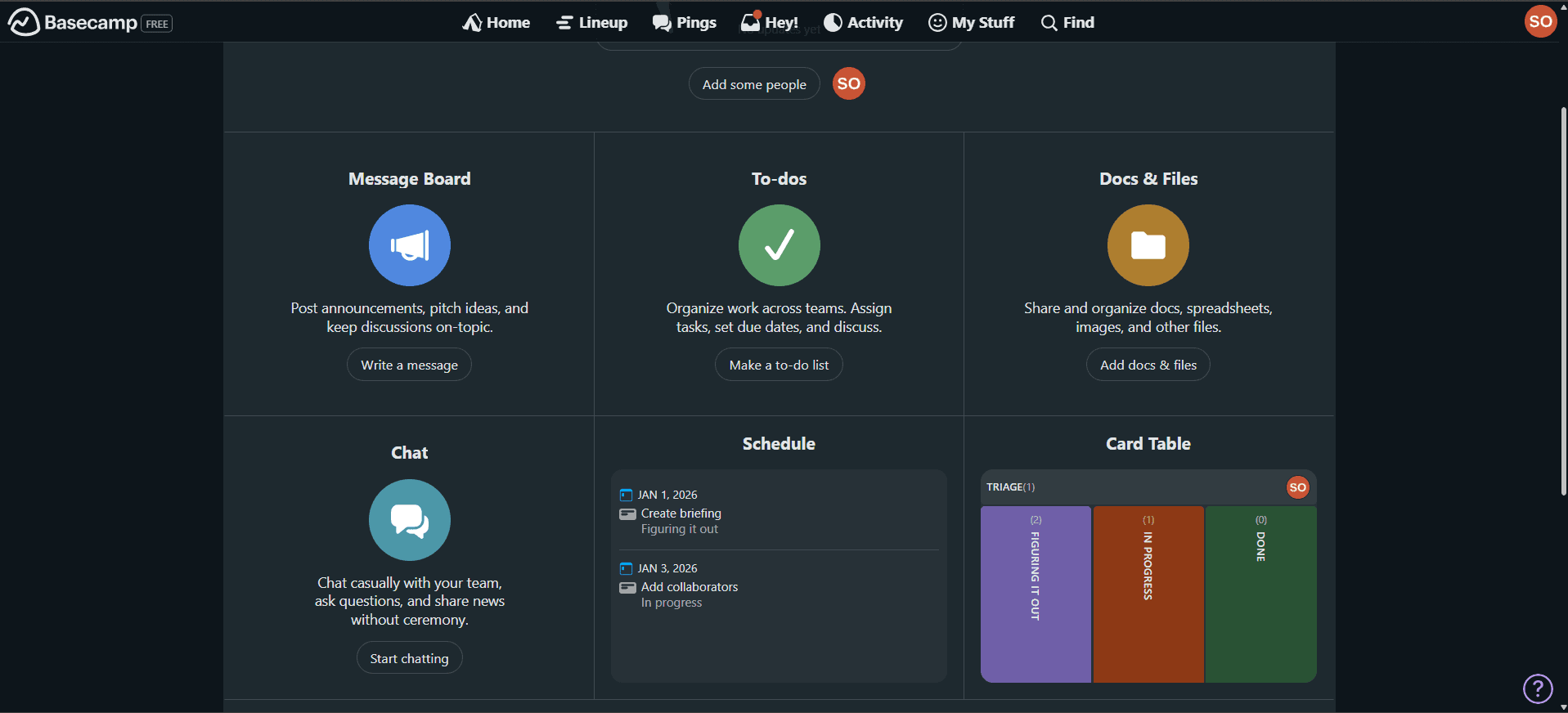
Basecamp offers a different perspective for project management, focusing on to-do tasks and communication with other team members or clients.
What Makes Basecamp Special
The platform gathers chat options, message boards, schedules, project documentation and files all on a single interface. It enhances productivity by reducing the need for separate tools for web teams. It’s also one of the few tools that offers a plan with unlimited users.
When to Choose Basecamp
Use Basecamp if you value built-in communication features and simplicity over complexity. Basecamp offers a very different platform from Asana and other tools, but that’s what makes it special. Try Basecamp’s Plus plan today, or learn more about the platform in our Basecamp review.
- One project 1 GB storage space
- Per user. Unlimited projects, Unlimited users, All features. 500GB storage.
- Unlimited users. 5TB storage. Priority support.
5. Podio — Customizable Tool for Website Project Management
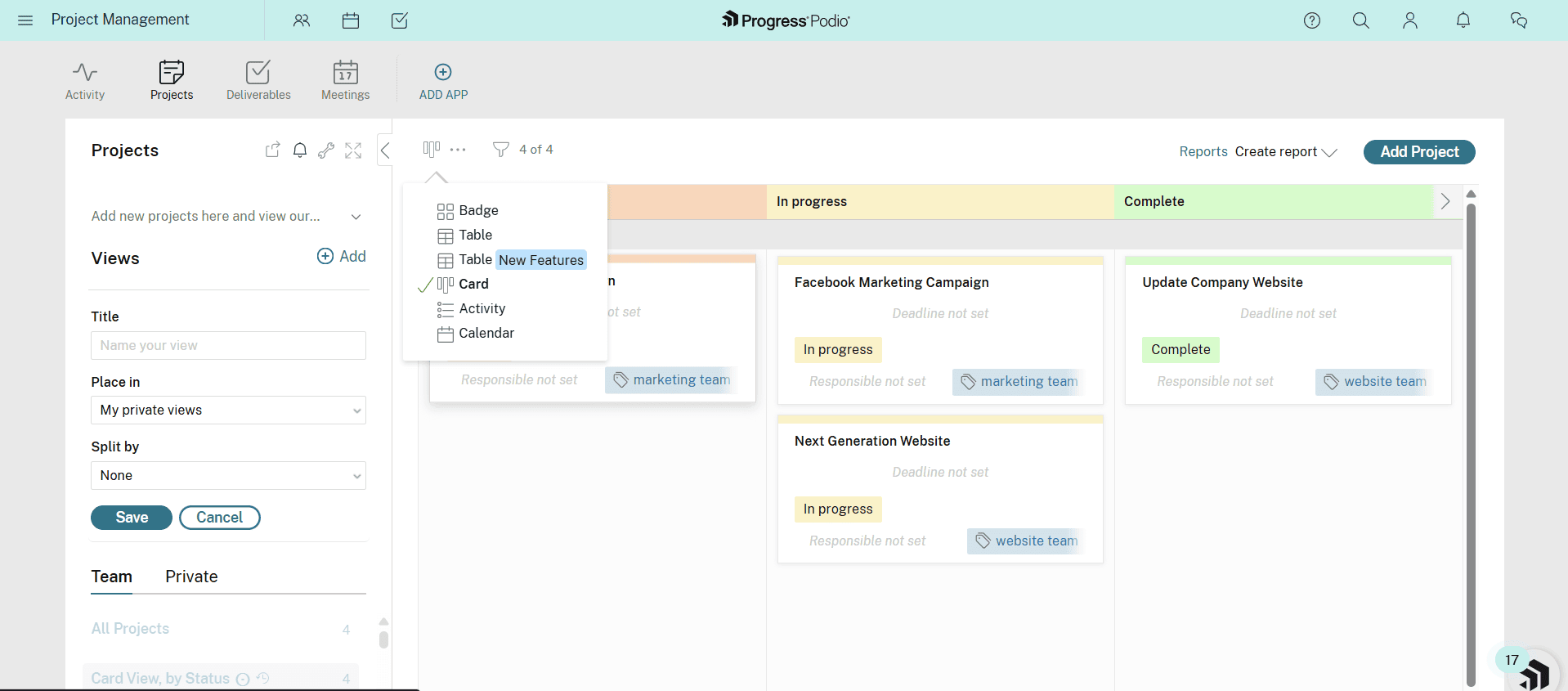
Podio has a flexible, data-focused structure, which could be great for dev or IT teams. It also features advanced extensions such as ShareFile and Zapier.
What Makes Podio Special
You can use Podio to streamline any workflows and choose between various available views. The platform also includes top-notch features like automations and API integrations.
When to Choose Podio
Opt for this software if you work with complex projects and have a more advanced technical flow. Podio is better suited for tech teams than tools like Asana or Basecamp. Try Podio Plus for $11.20 per user per month.
- Max: five users
- Prices are per user
- Prices are per user
- Prices are per user
What Features Should Website Project Management Software Have?
Not every web development team is the same. However, they all need to cover a few core processes, such as content creation, cost control and client approvals. A good project management system for this field should support the following basic criteria:
- Task management or dependencies: Good management involves listing and organizing repetitive tasks in hierarchies.
- Collaboration features: Web teams need functional messaging and communication tools to improve their processes.
- Storage and attachment options: Teams need to be able to share files and docs, whether in the form of simple file view permissions or in a comment thread.
- Automation and integrations: You may need more than simple task management software when managing multiple tasks.
Methodology: Our Testing Framework & How to Choose the Best Website Project Management Tool
I considered web development teams and their project scopes to create small test workflows from scratch and design a few templates.
Final Thoughts
Website project management doesn’t need to be a headache if you have the right tools. However, it can be hard to find the perfect fit in the sea of options available. monday.com stands out thanks to its combination of powerful, essential features and intuitive visual interface. Start testing any monday.com plan today to streamline your team’s workflow.
Which tools are you currently using? Do you need project management just for website management, or for additional needs, like resource management, team collaboration or budgeting tools? Let me know in the comments, and thanks for reading.
FAQ: Project Management for Websites
Website project management refers to planning, organizing and enhancing workflows using specific professional tools.
Google does not have a free project management tool for websites, but it does offer free versions of its Google Workspace capabilities that can support project management.
Yes, tools like monday.com, Asana and Trello offer free plans, which could be good for small to medium-sized teams.

