Best Project Management Software for Nonprofits: Top 7 in 2026
The right tools can help nonprofits reduce admin overload, improve collaboration and easily track fundraising goals. This guide covers the best project management software for nonprofits to help you make an informed choice and benefit from significant discounts.


Written by Mehak Siddiqui (Writer)
Reviewed by Aleksander Hougen (Chief Editor)
Facts checked by Eugenie Tiu (Editorial Assistant)
Last Updated:
All our content is written fully by humans; we do not publish AI writing. Learn more here.
Key Takeaways: This Is the Best Project Management Software for Nonprofits
- monday.com — Best project management software for small to mid-sized nonprofits, with 10 free seats on the Pro plan and 70% off additional seats for eligible nonprofits.
- Asana — Best solution for running and managing events. Nonprofits can apply for a 50% discount on the Starter or Advanced plans.
- ClickUp — Highly customizable tool for donor management and other tasks. Nonprofits can get a custom discount on the Unlimited or Business plan.
- Trello — Easy kanban board software for fundraising management. Nonprofits can apply for a 75% discount.
- Zoho Projects — Simple yet powerful tool for nonprofit accounting and financial management. Nonprofits can get a discount of up to 50%.
- Airtable — A flexible spreadsheet-like tool to manage nonprofit workflows. Nonprofits can get a 50% discount on the Team plan.
- Freedcamp — Collaborate with ease to get tasks done. Nonprofits can get the Pro plan free for up to 30 users.
Facts & Expert Analysis About Nonprofit PM Tools:
- Maximize impact: The right software can reduce administrative overhead and improve program delivery outcomes.
- Consider integrations: Check whether the software solution connects to other tools you use, such as financial apps or cloud storage services.
- Benefit from discounted pricing: Most of the top project management software tools offer significant discounts and even full-feature free plans to eligible nonprofits.
Although there are many great project management tools available, nonprofit organizations have unique needs, such as tracking day-to-day tasks, organizing events and managing donation forms, fundraising pages or email campaigns. In this article, I’ll share the best project management software for nonprofits that can match these requirements.
Cloudwards’ Choice: monday.com
 Cloudwards' Choice: monday.com
I recommend monday.com because it’s a free project management software solution for nonprofits that supports up to 10 users per month for free on the Pro plan; additional users can get 70% off. Larger teams can benefit from its user-friendly visual layout and use advanced features like easy automations and dashboards.
The 5 Best Nonprofit Project Management Tools Compared
All of these tools offer limited free plans. The paid options have generous discounts for nonprofits, as shown in the table below.
| PM Tool | Pricing* | Nonprofit Discount | Price w/ Nonprofit Discount | Best For | USP | Limitations |
|---|---|---|---|---|---|---|
 | Free, $9 per month (one-year plan) | 70% on Pro plan; 33% on Enterprise plan | $5.70 for 11th seat and up on Pro plan | Small to mid-sized teams | Intuitive, visual layout; user-friendly | Free plan limited to 10 users |
 | Free, $10.99 per month (one-year plan) | 50% | $5.50 (Starter plan) | Event management, resource tracking | Structured core project management & collaboration features | Advanced features available only on paid plans |
 | Free, $7 per month (one-year plan) | Custom (approx. 35%) | $4.55 (approx. for Unlimited plan) | Organizing large teams & complex data | Highly customizable | Can be complex |
 | Free, $5 per month (one-year plan) | 75% | $1.25 (Standard plan) | Simple kanban boards | Easy-to-use kanban software | Lacks advanced features like reporting & dashboards |
 | Free, $4 per month (one-year plan) | 50% | $2 (Premium plan) | Financial tracking | Affordable & collaborative | Works best when paired with other Zoho apps |
Hands-On Testing
My research included hands-on testing to see how each software solution performs across key features, as summarized in the tables below.
Feature Comparison Overview
Feature availability varies across pricing tiers, but the entry-level plans cover all the basics.
| Tool: | View Types | Time Tracking | Custom Fields | Dashboards | Real-Time Collab |
|---|---|---|---|---|---|
| 12: list, board, timeline, calendar, etc. | Yes (Pro plan) | |||
| 9: board, list, calendar, etc. | Yes (Advanced plan) | |||
| 16: board, timeline, Gantt, map, etc. | Yes (limited on lower tiers) | |||
| 7: board, timeline, table, calendar, dashboard, etc. | No | * | ||
| 4: list, kanban, Gantt, custom | Yes |
Platform & Administration
All the tools offer mobile apps to keep up with work on the go. You also have plenty of control over files and who can view certain information.
| Tool: | Mobile App | Storage | File Manager | Permissions |
|---|---|---|---|---|
| | 500MB-1000GB | File column, gallery view, versioning, uploads from cloud drives | Board, dashboard, workspace & account level |
| | Unlimited (100MB max per file) | Attach/upload files to tasks & comments, integration with cloud drives | User permissions, app controls |
| | 60MB-unlimited | Attachments, integrations with cloud drives | Folder, list & space level |
| | Unlimited (10MB -250MB per file) | Attach files directly to cards, file preview & attachment management via power-ups | Workspace & board level |
| | 5GB-150GB | Centralized document repository with version control, previews, permissions & cloud storage integrations | Role-based permissions |
Integration & Automations
Integrations can help you connect to different tools. For instance, you could connect to a digital marketing platform such as Mailchimp to track email campaigns.
| Tool: | Integration Count | Top Integrations | Native vs 3rd-Party | Automation Features | Real-Time Collab |
|---|---|---|---|---|---|
| 200+ | Slack, Gmail, Outlook, Dropbox | Native & third-party | Workflow builder with triggers & actions (e.g., auto-notify, auto-create items) | |
| 200+ native integrations plus Zapier | Slack, Google Drive, Microsoft Teams | Mostly third-party | “Rules” to automate tasks (e.g., when task complete → trigger action) | |
| 1,000+ | Slack, GitHub, Google Sheets, Mailchimp | Native & third-party | Custom integrations/API & drag & drop automation of tasks and triggers | |
| Hundreds (via power-ups & API) | Slack, Google Drive, Dropbox | Native & third-party (via power-ups) | Butler automation for rule-based triggers | |
| Dozens (Zoho ecosystem + external) | Zoho CRM, Zoho Books, Google Drive, Slack | Native (Zoho apps) & third-party | Blueprint workflow automation, task triggers, alerts, recurring tasks |
Usability & Performance Assessment
All of these tools are pretty user-friendly, though some can be slightly more complex for new users.
| Tool: | Learning Curve | Interface Design | Mobile Experience | Customer Support |
|---|---|---|---|---|
| Easy-intermediate | Visual, color-coded, intuitive | Very good | 24/7 chat, extensive docs |
| Easy | Structured & intuitive | Good | Chat, community forum |
| Intermediate | Modern & highly customizable | Good | Chat, email support |
| Easy | Simple & card-based | Very good | Email support, help docs |
| Intermediate | Slightly dense for beginners | Good | Email/support tickets, knowledgebase |
Top Project Management Software for Nonprofits
I’ve done extensive research to help you choose the right software for your needs. Below are my top recommendations based on the most common nonprofit use cases.
Avoid Costly Project Management Mistakes – Get Free Tips Today!

- Discover 10 fundamentals of project management
- Understand step-by-step plans for PM execution
- Learn tips to avoid 5 common mistakes by beginners
1. monday.com — Best Project Management Software for Nonprofits With Generous Free Plan
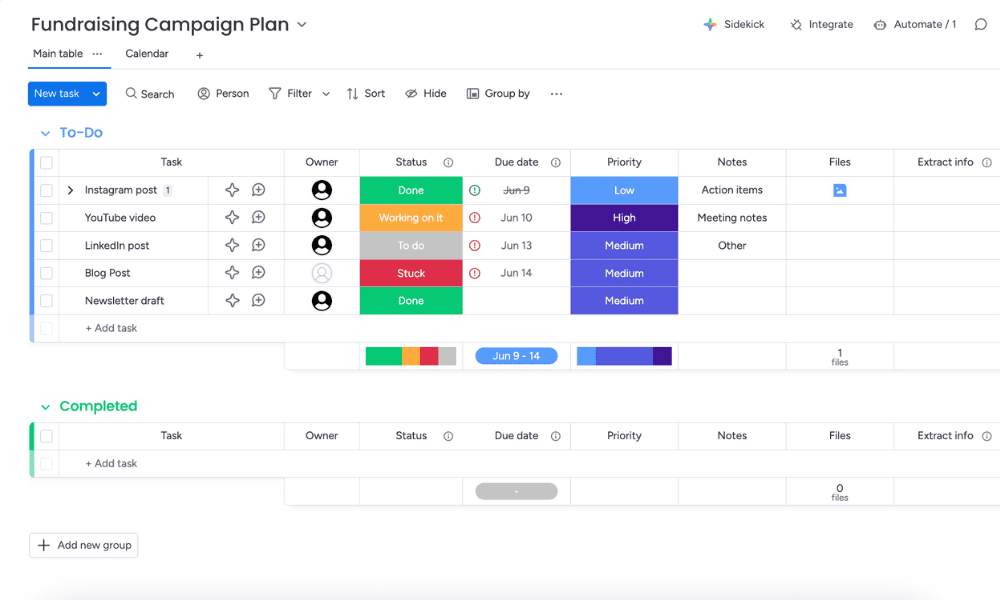
monday.com is a flexible project management tool for nonprofits. It adapts easily to varied needs, such as event planning, peer-to-peer fundraising or even tracking social media posts. monday.com also streamlines collaboration and helps teams improve productivity.
What Makes monday.com Special
This service has an intuitive, color-coded default table view, as well as powerful features such as workflow automations and project templates. Read our monday.com review to learn more.
When to Choose monday.com
monday.com is my top recommendation for smaller nonprofits because it offers eligible organizations a free package for up to 10 seats, plus 70% off additional seats. Larger nonprofits can get a 33% discount per seat on the Enterprise package.
To be eligible for a discount, you must provide legal documentation showing that you’re a recognized charity, nonprofit, nongovernmental or social change organization in the country where you are located. Hospitals, schools, sports organizations, economic development organizations and government-run nonprofits are not eligible.
- Maximum users: 2
- Minimum users: 3; All prices per user
- Minimum users: 3; All prices per user
More plans
- Minimum users: 3; All prices per user
- Enterprise-level features.
2. Asana — Best Project Management Software for Nonprofits Running Events
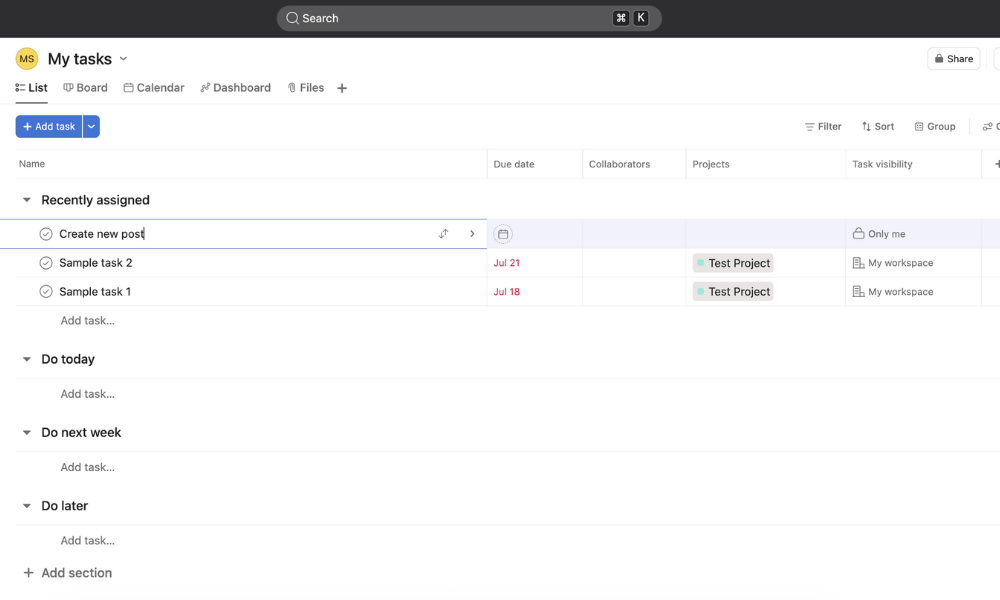
Asana offers a reliable way to manage workflows. You can stay on schedule with the timeline and Gantt views, create forms, receive notifications and automated reminders, share files and collaborate with guest users.
What Makes Asana Special
Asana provides a structured way to get work done. For instance, task dependencies ensure that different aspects of an event can be tracked cohesively, while goals and milestones effectively measure progress. For more details, read our Asana review.
When to Choose Asana
I recommend Asana for any nonprofit that runs recurring or large-scale events. It brings clarity and accountability to every stage of planning. Nonprofits can apply for a 50% discount on Asana.
Asana’s nonprofit discount is available to nonprofits with 501(c)(3) designation in the U.S. or an equivalent international designation, as well as public libraries with valid nonprofit status. Schools and higher education institutions can apply for the separate Asana for Education discount program.
- Up to 10 users
- Price is per user. unlimited users, expanded features
- Price is per user. unlimited users, even more features
- Custom pricing, advanced security features
3. ClickUp — Donor Management Software for Nonprofits
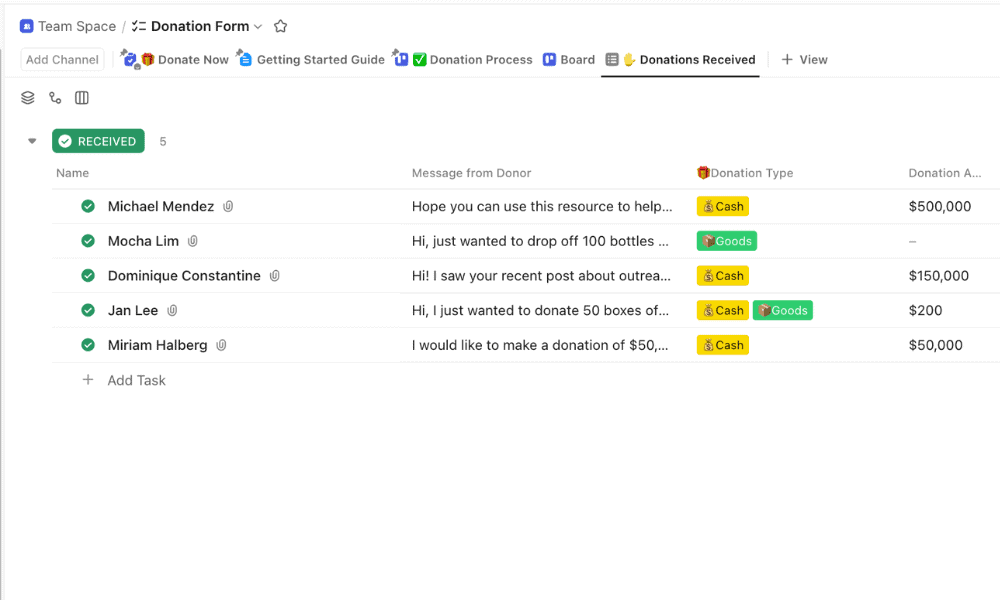
ClickUp is an all-in-one productivity platform that excels in managing details and subtasks, which would allow nonprofits to centralize donor information, communications and tasks in a single workspace.
What Makes ClickUp Special
ClickUp’s comprehensive features are ideal for both small and large nonprofits. For instance, custom fields make it easy to track donor records, while dashboards provide real-time visibility into campaign progress. Read our ClickUp review for more information.
When to Choose ClickUp
Choose ClickUp if you need a centralized and budget-friendly workspace to manage donor data and streamline important projects. The free version supports unlimited users, and paid packages start at just $7 per user per month. Nonprofits can get a custom discount matching their budget — usually around 35% off the Unlimited or Business plan.
To apply for a discount, you must fill out an online form, providing your work email, phone number and details about your organization. Nonprofits around the world are eligible.
- Basic functionality with some limitations
- All prices per user
- All prices per user
4. Trello — Fundraising Project Management Software for Nonprofits
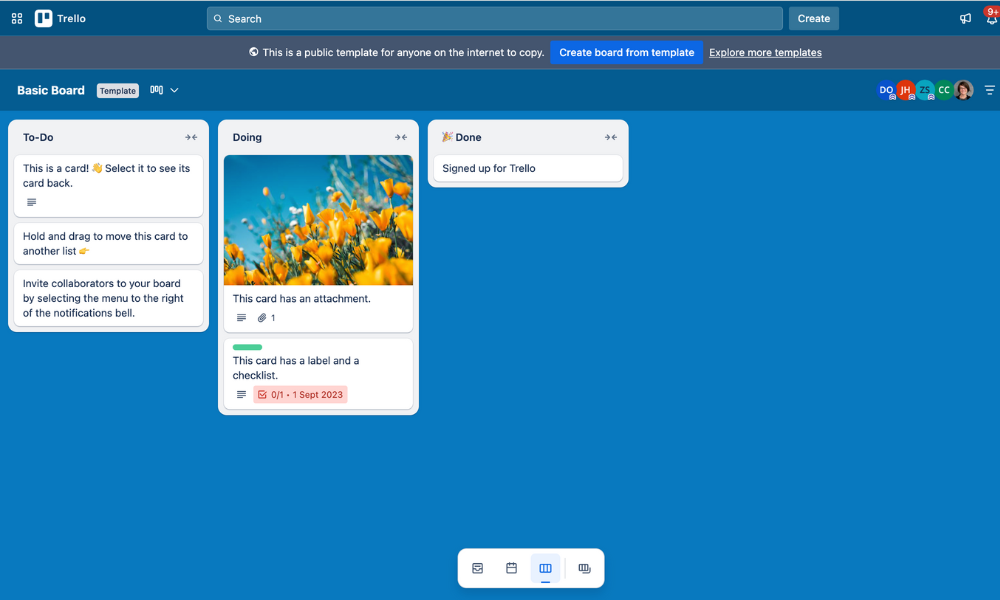
Trello is a highly visual and intuitive kanban board system. It works particularly well as a fundraising software solution because campaigns can be visually organized into separate stages.
What Makes Trello Special
Trello can simplify fundraising by allowing you to organize tasks across multiple boards and into distinct phases. For instance, you can add and move tasks across stages such as planning, outreach, live campaign and follow-up.
Trello is also one of the best free project management software options, as the free plan also allows for unlimited power-ups, which significantly expands the functionality of the tool. For more details, read our Trello review.
When to Choose Trello
I recommend Trello if your nonprofit needs a simple visual tool to manage fundraising events or community outreach. Try it for free and get a 75% discount if your organization is eligible.
To qualify for the discount, you must be a recognized nonprofit in the country where you’re located. You can apply by submitting an Atlassian Community license request online.
- Unlimited users, 10 boards, Unlimited power-ups, Unlimited storage
- Price is per user, Unlimited boards, Custom fields, Invite guests
- Price is per user, Several new views
- Price is per user, Advanced admin & security settings. Discounts for larger teams.
5. Zoho Projects — Nonprofit Accounting & Financial Management Software
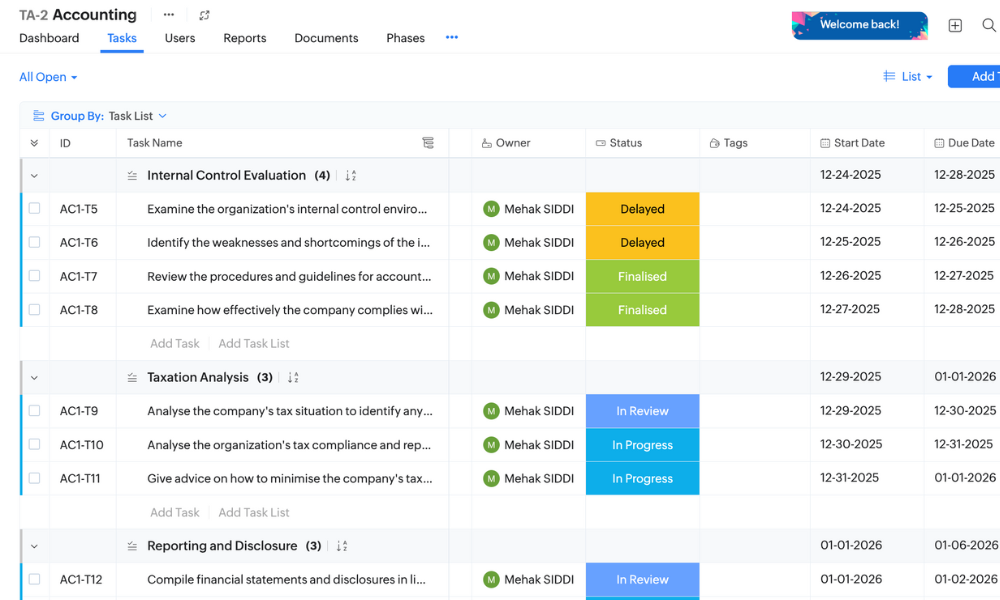
Zoho Projects is a robust project management platform that integrates time tracking, budgeting, expense logging and detailed reports directly within projects. This allows nonprofits to monitor financial performance and project progress in one connected system.
What Makes Zoho Projects Special
Zoho Projects allows nonprofits to track tasks, time, expenses and budgets in one place. Integration with Zoho Books enables detailed financial reporting, which makes it easier to manage data about grants, donations and other details. Read our Zoho Projects review for more details.
When to Choose Zoho Projects
I recommend Zoho Projects if you need cost-effective software to manage finances and inform data-driven decisions. Try the free plan for up to five users, or apply as a nonprofit to get a discount of up to 50% on multiple Zoho apps.
To apply, you must first sign up for a free Zoho account and then submit the online application form, along with legal proof of your nonprofit or charity status. If successful, you will receive Zoho Wallet credits to redeem against your chosen subscription.
Honorable Mentions
I’ve shortlisted two other platforms that offer great features and value for nonprofits.
Airtable
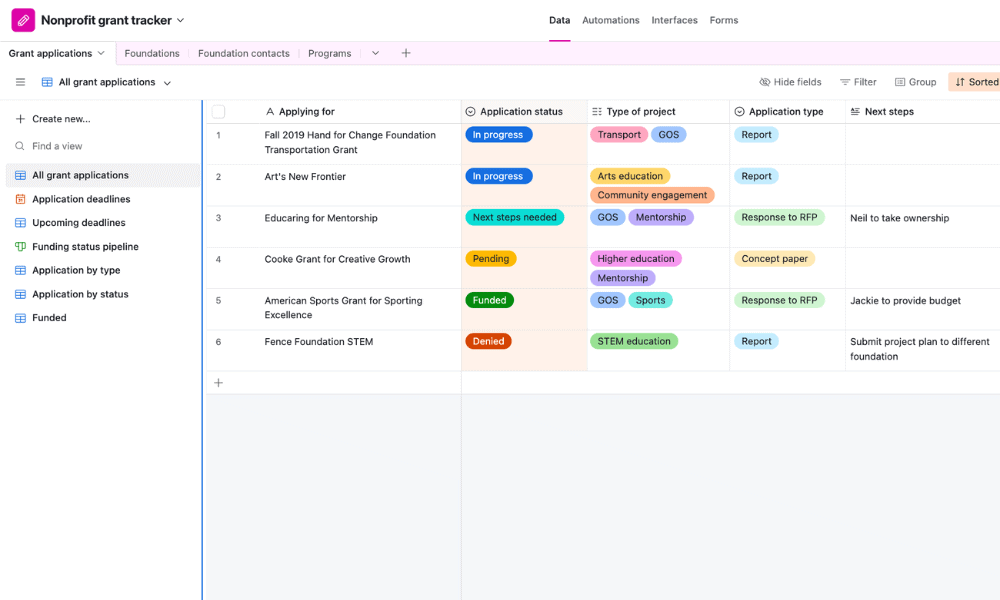
Airtable is structured like a spreadsheet or database, which makes it highly intuitive to use. You can manage multiple projects as well as data about donors, beneficiaries and grants. Nonprofits can apply for a 50% discount on the Team plan.
- Up to five users. Unlimited bases. 1,000 records, 1GB of storage per base. Revision and snapshot history for two weeks. Views: grid, calendar, form, Kanban board, gallery and list. 100 automations per month.
- Everything in free, plus unlimited users, 50,000 records and 20GB of storage space per base. Adds Gantt charts and timeline views. 25,000 automations per month.
- Everything in Team, plus 125,000 records, 100GB of storage per base, 100,000 automation per month. Admin controls, single sign-on (SSO) and premium integrations with third-party services.
- Everything in Business, plus 500,000 records, 1TB of storage per base, and 500,000 automation monthly.
Freedcamp
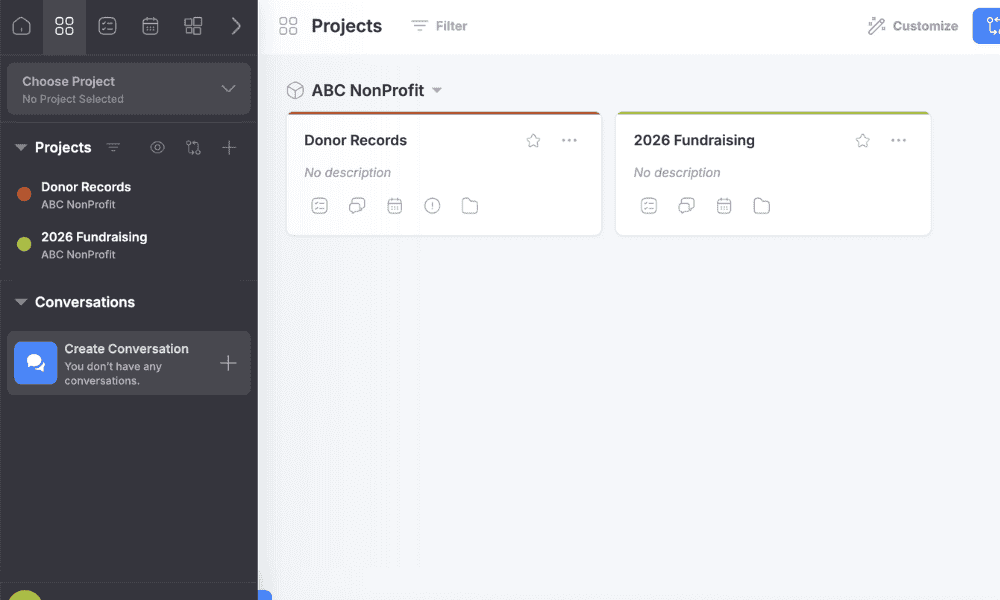
Freedcamp is a budget-friendly choice for small nonprofits and volunteer-led teams, providing essential task management, discussions and milestones. Nonprofits can apply to get the Pro plan completely free for up to 30 users.

- Unlimited users, Unlimited projects, Basic functions
- Price per user, Storage integration, Table view
- Price per user, Templates, Gantt charts, Custom fields
- Price per user, Security options, 14-day trial
Benefits of Project Management Software for Nonprofits
Project management software helps nonprofits stay organized and focus on their main goal. It centralizes tasks, documents and timelines in one place to ease communication between team members and other stakeholders. By improving visibility and reducing administrative overhead, these tools allow nonprofits to make the best use of all available resources.
Methodology: Our Testing Framework & How to Choose a Project Management Software for Nonprofits
To provide an accurate assessment, I tested all the software across some key criteria, as explained below.
Final Thoughts
monday.com is my top choice for nonprofits that want to streamline their day-to-day coordination, marketing and fundraising initiatives, as well as their long-term program management. Qualifying nonprofits can get monday.com Pro completely free for up to 10 users per month, or take advantage of the discounts for additional seats.
Which features are you looking for in a project management tool? Have you tried any other software that I haven’t mentioned? What is your nonprofit’s mission? Please share your thoughts in the comments below, and thank you for reading this article.
FAQ: Project Collaboration Tools for Nonprofits
monday.com is the best project management software for nonprofits because it offers flexible workflows and collaboration tools to track charitable initiatives, fundraising campaigns, donor lists and more.
Nonprofits should prioritize intuitive task management, team collaboration tools, reporting dashboards, integrations with other software they use and affordable pricing that includes nonprofit discounts.
Yes, there are many affordable project management tools that even offer special discounts for eligible nonprofits. Some of the best ones include monday.com, ClickUp, Asana, Trello and Zoho Projects.