How to Get an Acorn TV Free Trial in 2026: Acorn TV Roku Free Trial
If you’re into U.K. TV shows that aren’t popular on major streaming platforms, Acorn TV may have just what you need. We show you how to start an Acorn TV free trial and enjoy the content library for 14 days without spending a dime.



Written by Andrej Hadji-Vasilev (Writer)
Reviewed by Sandra Pattison (Editor, Writer)
Facts checked by Alison Spedale (Fact-checking editor)
Last Updated:
All our content is written fully by humans; we do not publish AI writing. Learn more here.
Key Takeaways: How to Get an Acorn TV Free Trial
- Sign up for a VPN with servers in a country where Acorn TV is available, such as NordVPN.
- Download the VPN client, install it, and log in with your account.
- Find a server in an Acorn TV-supported country, such as the Netherlands, and connect to it.
- Go to Acorn TV’s website and sign up for a free trial.
Best VPNs to Get an Acorn TV Free Trial:
- NordVPN — Best VPN to unblock streaming sites, with cutting-edge security and fast speeds. Get 76% off the first two years with NordVPN, covered by its 30-day money-back guarantee.
- Surfshark — Best budget-friendly streaming VPN, with unlimited simultaneous device connections. Surfshark’s best deal is available at an 87% discount.
- Proton VPN — A privacy-first VPN with stable speeds for streaming Acorn TV. Try the free plan or get 70% off paid plans.
- ExpressVPN — Most beginner-friendly streaming VPN, with unmatched unblocking ability. Sign up now to get 73% off the first two years.
Acorn TV Free Trials: Facts & Expert Analysis
- Acorn TV is a niche streaming service that offers mostly U.K.-made shows and movies.
- You can sign up for a 14-day Acorn TV free trial to check out the service and see whether you like it.
- If you don’t live in one of the supported regions, you can use a VPN to access the Acorn TV content library. We recommend using NordVPN.
If you’re looking for lesser-known U.K. TV shows, streaming services like Acorn TV should be on your shortlist. The service offers a solid variety of content and a free trial so you can try it out.
Launched in 2011, Acorn TV is a relatively small player in the streaming scene compared to household names in the industry. However, it has a solid selection of carefully curated content that resulted in a huge increase in paid subscribers several years ago.
-
10/01/2024 Facts checked
We revised the VPN rankings to account for new security measures and speed enhancements.
-
03/28/2026
I updated the article with a new VPN ranking section with four providers and an updated Key Takeaways section.
What Is Acorn TV?
Acorn TV is a niche streaming service that offers crime, drama, mysteries and comedy content primarily created in the U.K. A large selection of the content you can watch on Acorn TV is not available on other streaming services, making it an attractive choice for fans of that type of content.
The service comes at a monthly price of $6.99 or an annual price of $69.99 in the U.S., though pricing varies by region. If you aren’t sure whether the subscription is worth it, you can sign up for a free Acorn TV trial.
Where Is Acorn TV Available?
Acorn TV is not available everywhere — you can only access it in a handful of countries in Europe, North America, Latin America and Oceania. It is completely unavailable in Asia. If you live in or travel to a country where Acorn TV isn’t available, you can use a virtual private network (VPN) to watch content — we’ll show you how further down.
You can access Acorn TV in certain countries via third-party platforms such as Apple TV, iTunes, Android TV, Google Play, Amazon Fire TV and Roku. Below is a full list of countries where Acorn TV is currently available:
| Europe | Oceania | North America | Latin America |
|---|---|---|---|
| 🇩🇰 Denmark | 🇦🇺 Australia | 🇦🇸 American Samoa | 🇦🇷 Argentina |
| 🇳🇱 Netherlands | 🇳🇿 New Zealand | 🇨🇦 Canada | 🇨🇱 Chile |
| 🇳🇴 Norway | 🇬🇺 Guam | 🇨🇴 Colombia | |
| 🇸🇪 Sweden | 🇲🇭 Marshall Islands | 🇨🇷 Costa Rica | |
| 🇬🇧 United Kingdom | 🇵🇷 Puerto Rico | 🇸🇻 El Salvador | |
| 🇺🇸 United States | 🇬🇹 Guatemala | ||
| 🇺🇸 U.S. Military | 🇭🇳 Honduras | ||
| 🇺🇲 U.S. Minor Outlying Islands | 🇲🇽 Mexico | ||
| 🇻🇮 Virgin Islands | 🇳🇮 Nicaragua | ||
| 🇵🇦 Panama | |||
| 🇵🇾 Paraguay | |||
| 🇵🇪 Peru |
How Do I Get an Acorn TV Free Trial?
Starting a free trial of Acorn TV is very simple if you’re in a supported country — we’ll show you how to do so below. If you’re not in a region where Acorn TV is available, you can start a free trial using a VPN — just make sure you use a VPN with a money-back guarantee to receive a refund when you’re done with the trial.
- Sign up for a VPN
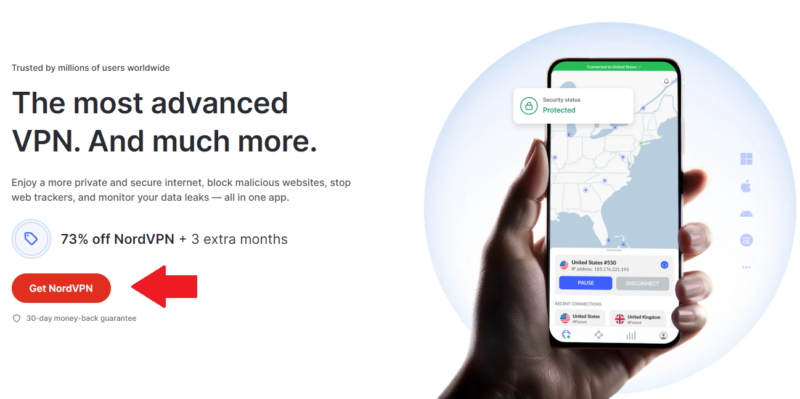
Sign up for NordVPN by going to its website and grabbing a 76% discounted plan risk-free with a 30-day money-back guarantee.
- Download and install the VPN client
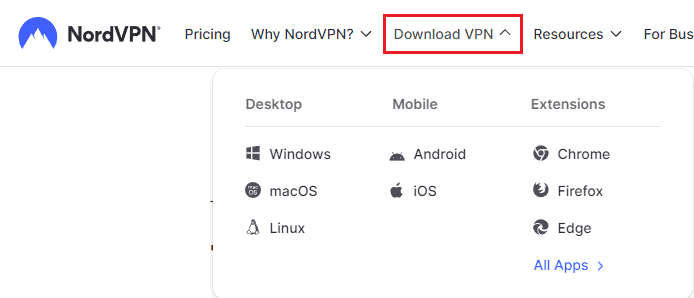
Head over to the VPN’s download area, find the client for your operating system and download it. Once the download finishes, run the file and follow the instructions to install.
- Connect to a VPN server
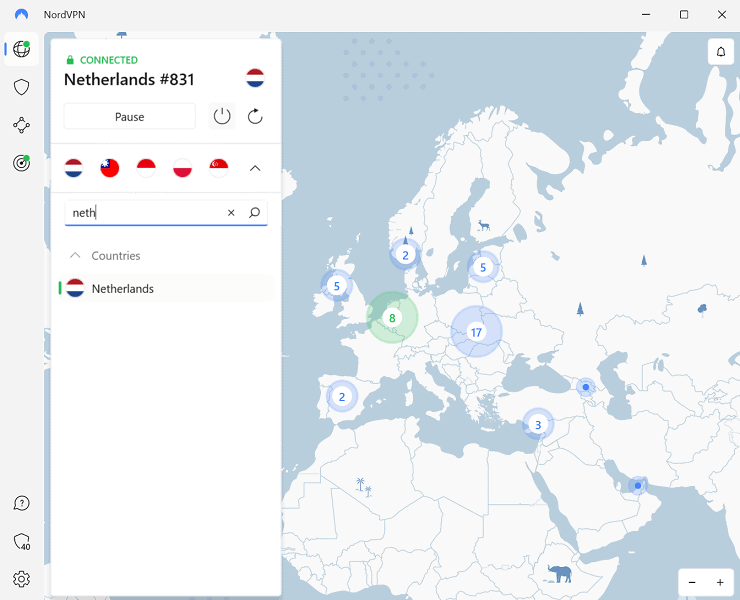
Launch the newly-installed VPN app and log in with your account. Find a server in a country where Acorn TV is available, for example the Netherlands, and connect to it.
- Go to the Acorn TV Website
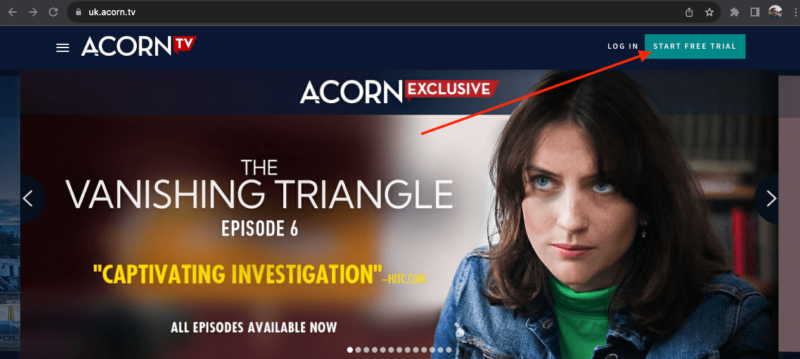
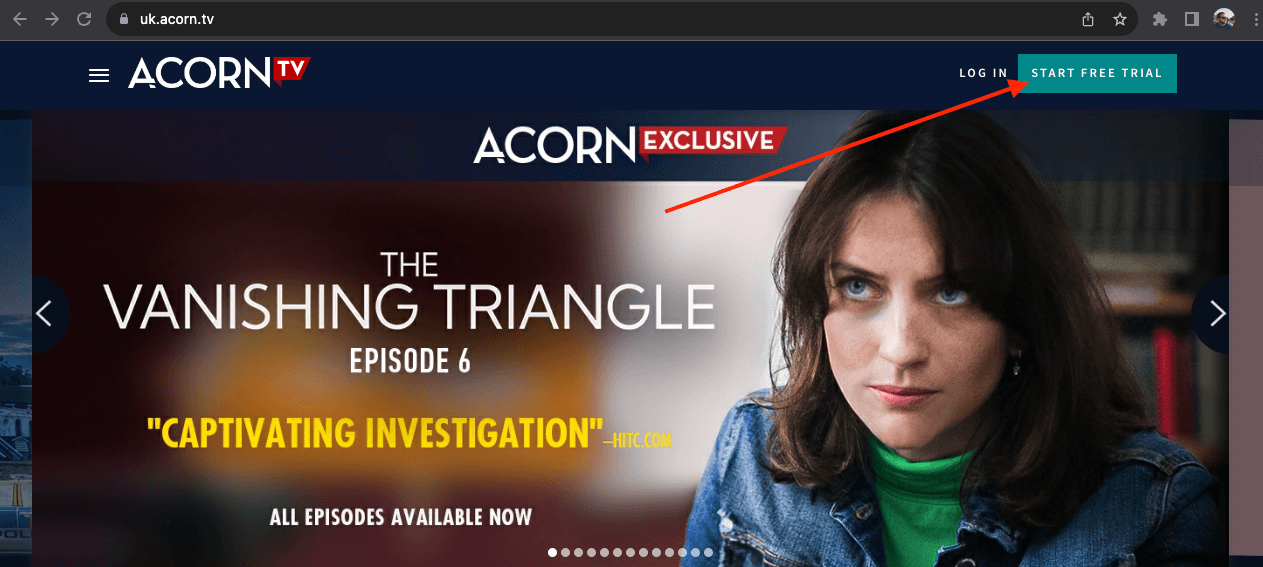
In your web browser, navigate to the Acorn TV website. In the upper right corner, click “start free trial.”
- Start the Registration Process
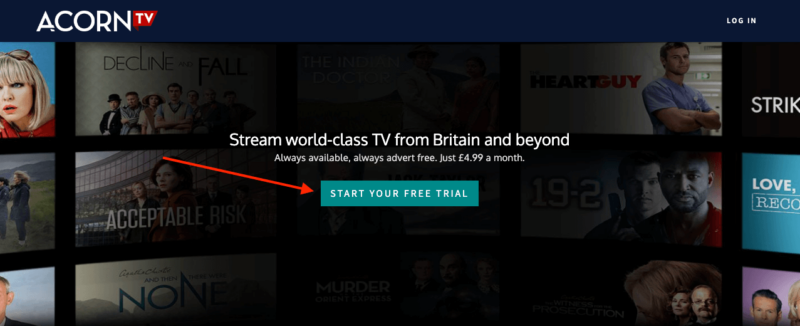
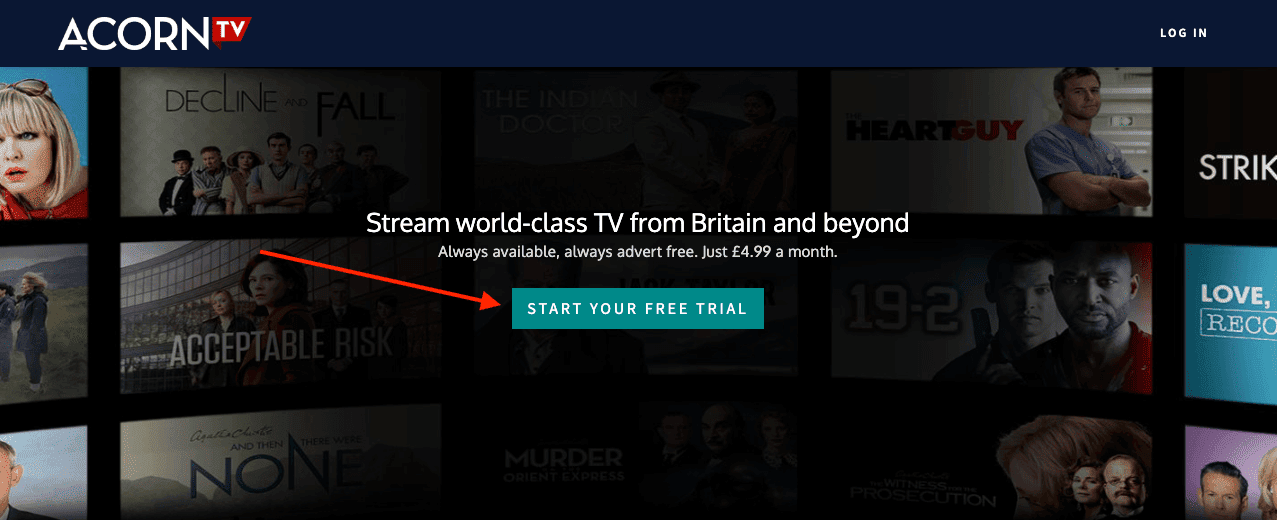
Once the page opens, click “start your free trial.”
- Register an Account
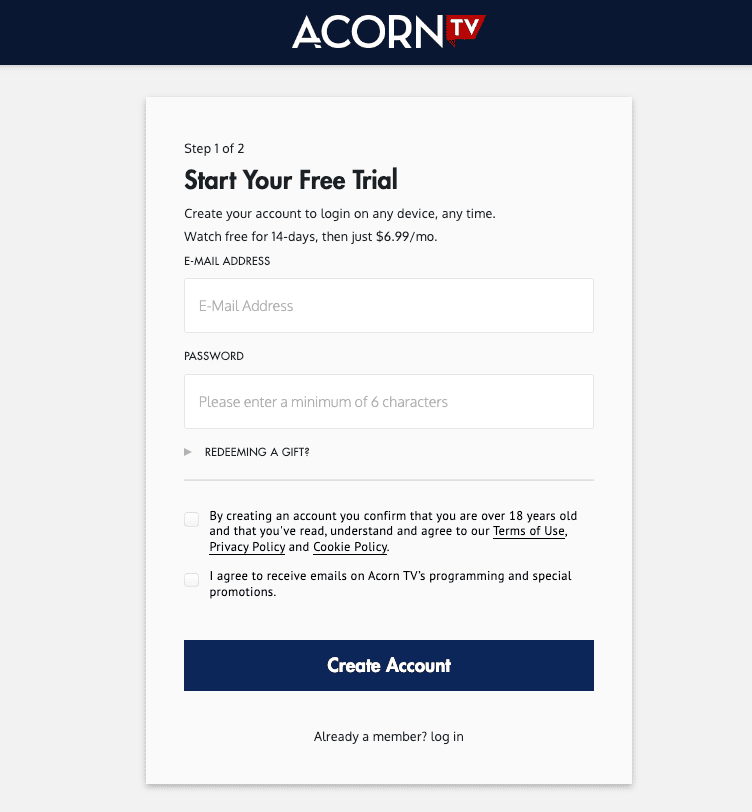
Enter your email address and password and click “create account.” On the next page, enter your payment information and choose a subscription. Once you’ve created your account, click the link to navigate to the Acorn TV login screen and log in.
- Log In and Watch Content
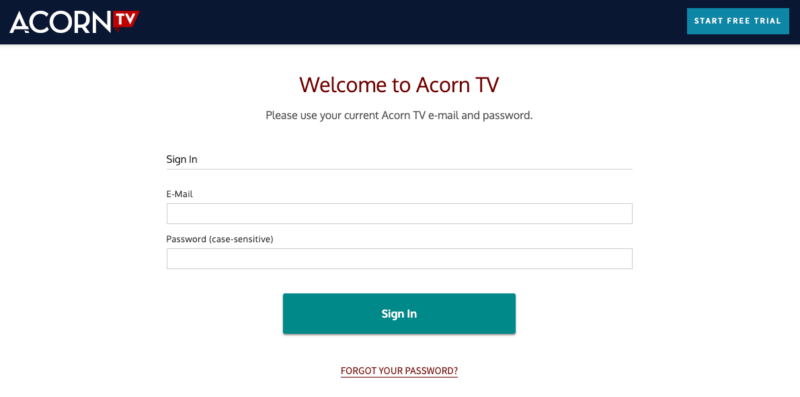
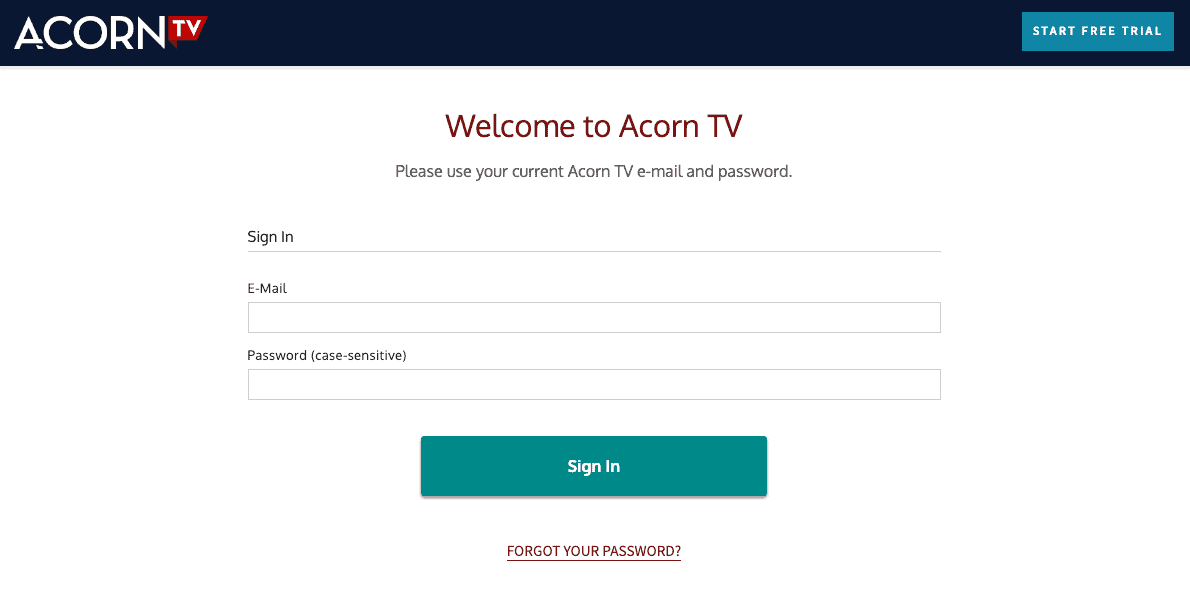
Enter the email address and password you just used to register, and log in. You should now be able to watch content on Acorn TV. Don’t forget to cancel your free trial after 14 days — otherwise, you’ll be charged.


Is There an Acorn TV App?
Yes — though you can access the content library in a browser, there is also an app for almost all devices. You can download the mobile app from your device’s app store, and you can get apps for smart TVs and streaming devices from their respective app stores.
MacOS users can install the Acorn TV app on a desktop device, but if you’re a Windows user, you’ll need to use a browser.
Can I Get Acorn TV on Roku?
Yes, you can get Acorn TV on Roku. All you need to do is add the Acorn TV channel and log in with your credentials. You can also create an account through Roku if needed once you’ve added the channel to your device, and you can even start an Acorn TV free trial via Roku.
Keep in mind that by using this method, your subscription will be added to your Roku account, so you’ll need to manage it from there.
How Do I Watch Acorn TV With a VPN?
If you don’t live in a supported country, you’ll need to use a VPN to take advantage of the free trial or to watch content if you’re paying for a subscription. We’ll explain how to do so using NordVPN as an example.
- Register for and Download a VPN
Go to the NordVPN website and click “get started” in the upper right corner or “get NordVPN” in the middle of the page. Follow the instructions to create an account and download NordVPN for your device.
- Log in to the VPN App
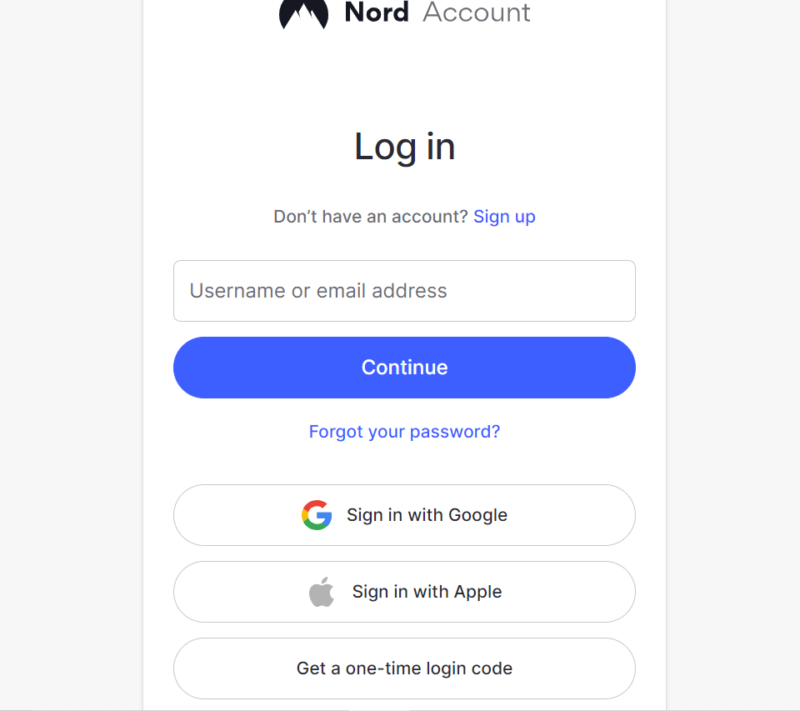
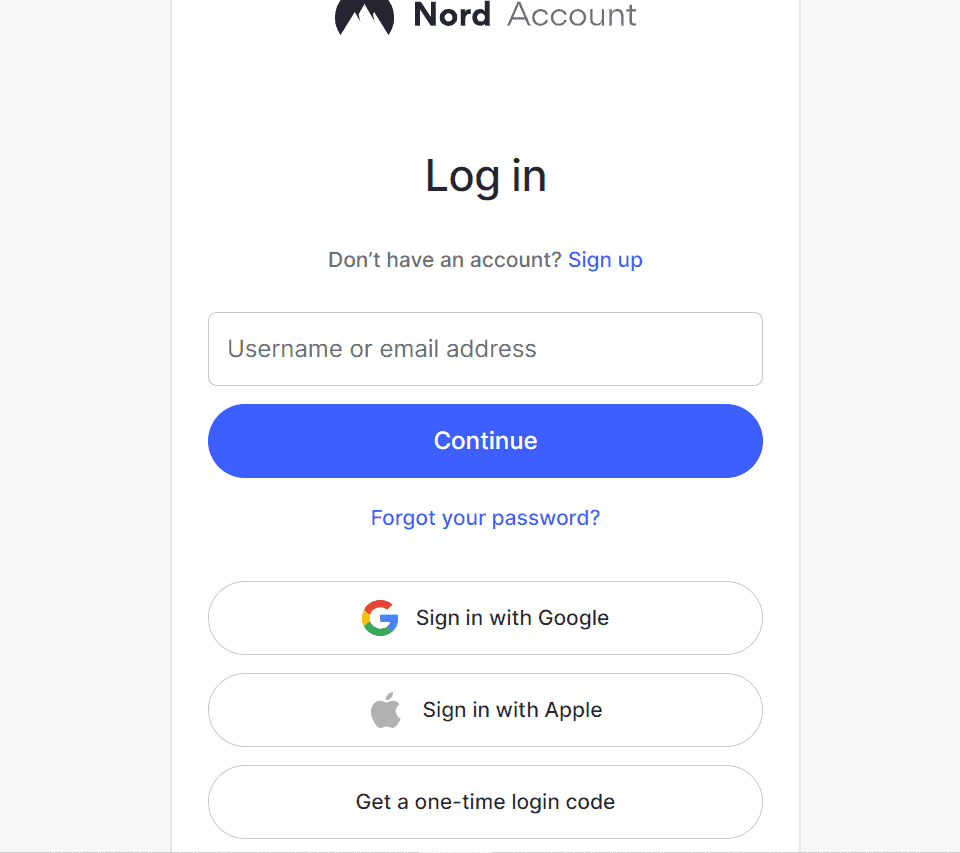
Open the NordVPN app on your device and log in.
- Connect to a VPN Server
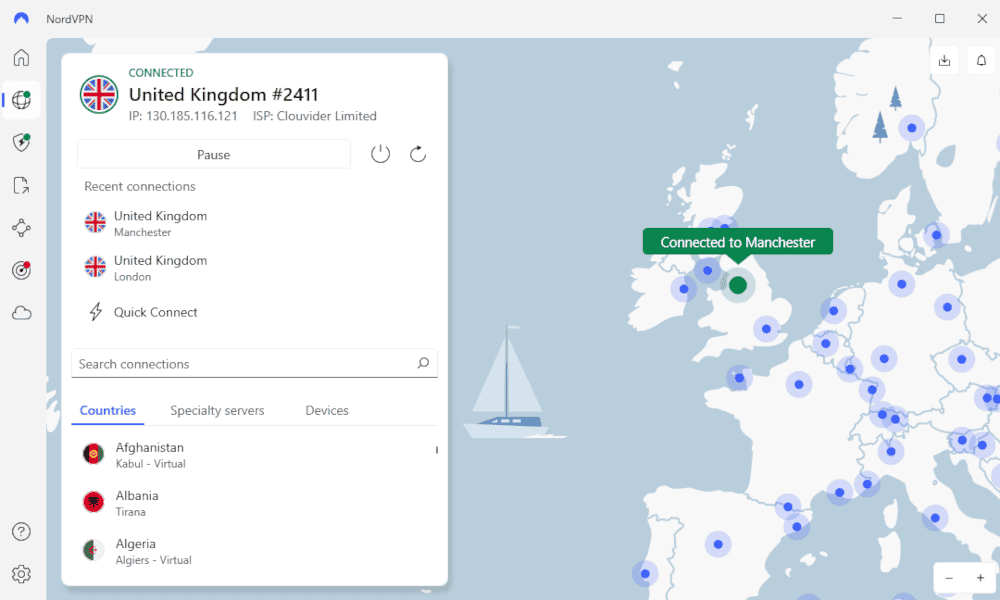
In the NordVPN app, open the list of available servers. Choose a location where AcornTV is supported and click the server.
- Log in to Acorn TV
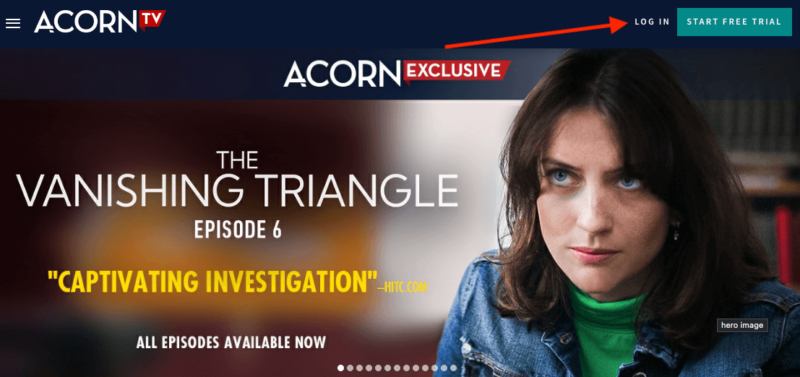
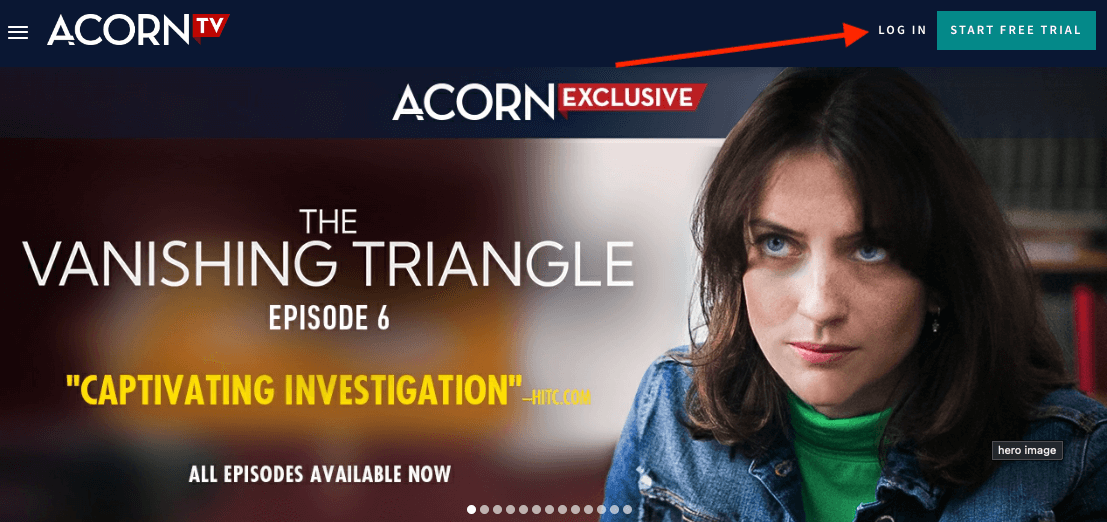
Go to the Acorn TV website and click “log in” in the upper right corner. Enter your login email and password. You should now be able to watch the available content.
What Are the Best VPNs for Watching Acorn TV?
The best VPNs for watching Acorn TV are NordVPN, Surfshark, Proton VPN and ExpressVPN, which can all handle streaming without interruptions. NordVPN is our top VPN for the task, but the others are all worth considering depending on your needs. Let’s take a look at each of them.
1. NordVPN — Best VPN for Watching Acorn TV




Very Fast
NordVPN is the top choice for a VPN and can effortlessly access Acorn TV. It’s quicker than most other VPNs. You’ll have access to thousands of servers, plus excellent security features. Acorn TV is accessible in the U.S., U.K., Netherlands, and a few other regions, so with NordVPN’s extensive network, you have many options to connect to a supported location.
NordVPN’s app comprises a nifty interactive map that you can use to select servers around the world. NordVPN has an affordable two-year plan available. Yes, it means signing up for two years from the get-go, but there is a 30-day money-back guarantee in place for peace of mind. You can read our NordVPN review for more details.
- **VAT may apply
- Unlimited GB
- 10
- Yes
- *The prices are charged in the first billing cycle only. Renewal prices vary.
- Unlimited GB
- 10
- Yes
- *The prices are shown only apply for the first 12 months.
- Unlimited GB
- 10
- Yes
- **The prices are applicable only for the first 24 months. Secure, high-speed VPN Threat Protection Pro™: Anti-malware and advanced browsing protection Threat Protection Pro™: Ad and tracker blocker Password manager with Data Breach Scanner 1 TB of encrypted cloud storage Identity and SSN monitoring and alerts Credit monitoring services Up to $1M in identity theft insurance Up to $100K in cyber extortion insurance
- 10
2. Surfshark — Best Budget VPN for Watching Acorn TV

Very Fast
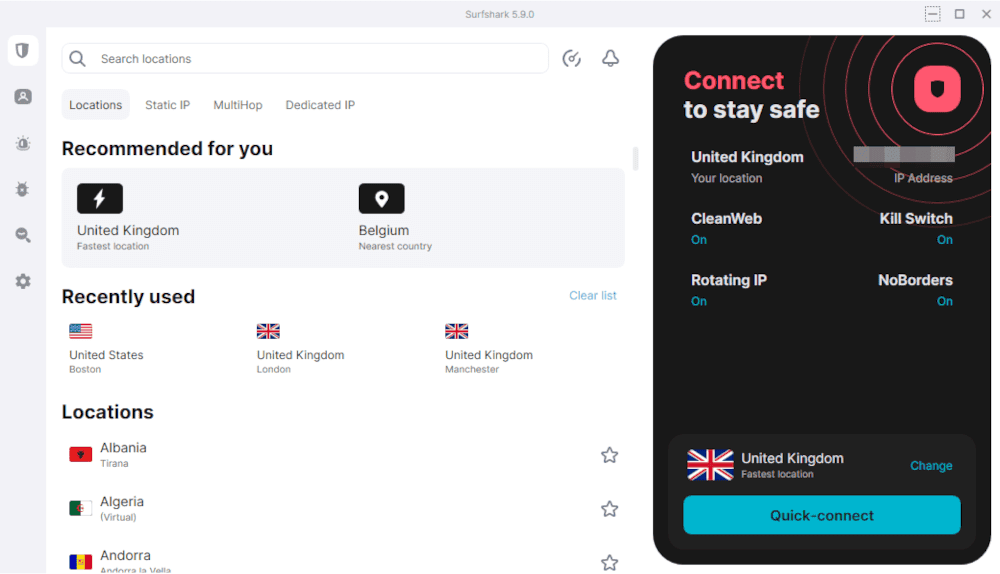
Surfshark is a solid VPN choice for streaming Acorn TV and more. You can connect to a wide range of locations, including the U.S. and U.K., where Acorn TV is available, thanks to its extensive server network. Your plan lets you connect unlimited devices at once, perfect for the whole family to stream British dramas together.
The best value Surfshark plans (30-day money-back guarantee included) are the 24-month subscriptions, as we explain in our Surfshark review. These long-term plans cut down costs drastically because paying month by month is very expensive. You can take advantage of Surfshark’s 30-day money-back guarantee.
- Unlimited GB bandwidth, Unlimited devices, Secure VPN, Ad blocker, Cookie pop-up blocker. Pricing for the annual and biennial plans only apply for the first payment. Renewal fees vary.
- Unlimited GB
- Unlimited
- Yes
- Everything in Starter, plus Antivirus protection, Identity protection, Email Breach and Credit Card Alerts, Online Alias Pricing for the annual and biennial plans only apply for the first payment. Renewal fees vary.
- Unlimited GB
- Unlimited
- Everything in One, plus Data removal Pricing for the annual and biennial plans only apply for the first payment. Renewal fees vary.
- Unlimited GB
- Unlimited
3. Proton VPN — Best Privacy-Focused VPN for Watching Acorn TV

Very Fast
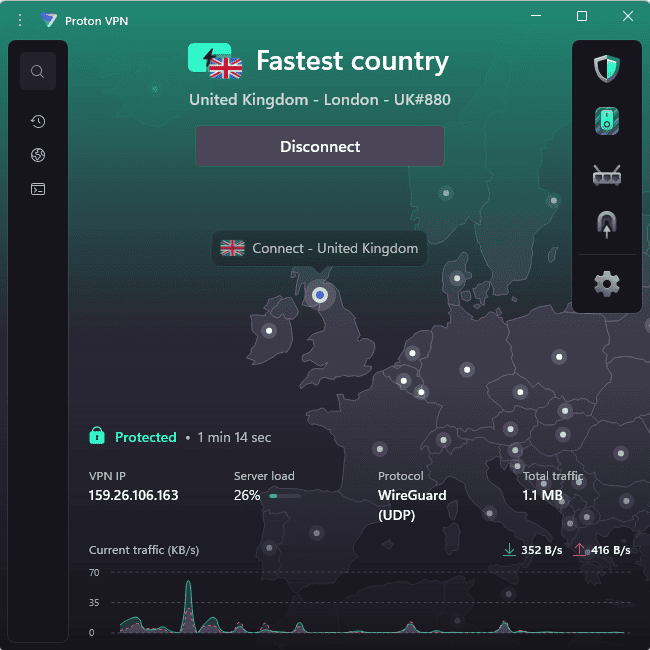
If you’re reading an article about getting a free trial, chances are you appreciate a good deal, and Proton VPN fits nicely into that equation. Its plans offer reliable access to international servers, which pair well with Acorn TV’s 14-day free trial for uninterrupted streaming.
In our recent tests, Proton VPN delivered impressively consistent download speeds. On the security front, Proton VPN is based in privacy-friendly Switzerland and backs up its strict no-logs policy with independent audits. You can read our Proton VPN review for more details or take advantage of its 30-day money-back guarantee.
- Unlimited GB
- 1
- Yes
- 500 GB storage 1 user 15 extra email addresses for you Support for 3 custom email domains Unlimited folders and labels Unlimited hide-my-email aliases Dedicated customer support Ultra fast and private VPN Encrypted password manager Encrypted cloud storage for photos and documents Advanced account protection
- Unlimited GB
- 10
- Yes
- **Renewal prices differ for the 1-year and the 2-year plans. Price includes all premium Proton services (Proton Mail, Calendar, Drive, VPN, Pass, & Wallet)
- Unlimited GB
- 10
4. ExpressVPN — Best User-Friendly VPN for Watching Acorn TV

Very Fast
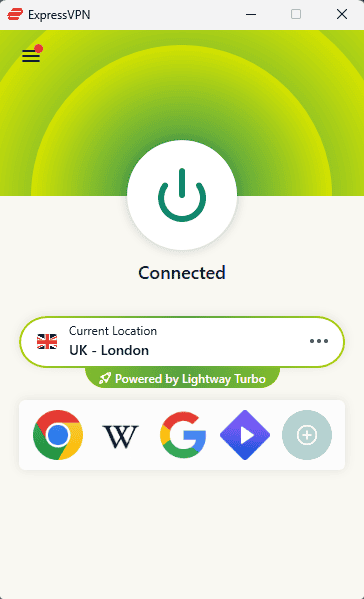
ExpressVPN is a great option for streaming Acorn TV. It’s quick and effortlessly unblocks streaming services, so you barely notice you’re using a VPN. It has a vast server network, allowing you to access content from various countries, including all the regions where Acorn TV is offered. With ExpressVPN’s robust security, you can feel safe while doing so.
There’s an app for almost every device, and they’re all user-friendly, even for newcomers. You can read our ExpressVPN review if you’re not quite convinced, or try it for yourself with the 30-day money-back guarantee.
- Pricing for the annual and biennial plans applies only on the first year.
- Unlimited GB
- 10
- Yes
- Advanced Protection, ExpressVPN Keys, 3 days unlimited eSIM data, Identity Monitoring, IDP Insurance, Credit Monitoring, 25-50% off on Aircove Router Pricing for the annual and biennial plans applies only on the first year.
- Unlimited GB
- 12
- Everything on the Advanced Plan, Credit Monthly Report, Data Removal, 50-75% off on Aircove Router Pricing for the annual and biennial plans applies only on the first year.
- Unlimited GB
- 14
What Can I Watch on Acorn TV?
Acorn TV has plenty of shows you can enjoy even if you’re only on the two-week free trial. Here is a short list of some of the most popular shows to watch:
- ‘The Clinick’
- ‘Darby and Joan’
- ‘The Chase’
- ‘My Life is Murder’
- ‘The Sounds’
- ‘The Great Train Robbery’
- ‘Cannes Confidential’
- ‘Winter Solstice’
- ‘The Other Wife’
- ‘Cardinal’
- ‘Deadline’
Final Thoughts
If you want to watch niche shows that aren’t available in most streaming services’ content libraries, Acorn TV might have just what you’re looking for. The service is an affordable way to access excellent content, and it offers a 14-day free trial that lets you check out everything that’s available.
If you’re not in one of the officially supported regions, using a VPN such as NordVPN is the best way to start the free trial and enjoy content. Skeptical? Put NordVPN to the test yourself — its 30-day money-back guarantee means you can try it without any financial commitment.
Have you subscribed to Acorn TV yet? What’s your favorite show so far? Let us know in the comments, and as always, thank you for reading.
FAQ: Get an Acorn TV Free Trial
Yes, you can get Acorn TV if you have a Prime Video subscription by clicking the “watch with Acorn TV” button on any of the shows you want to watch.
You can cancel the free trial by going into your account settings, clicking “membership” in the left side panel and clicking “cancel membership” at the bottom. The cancellation process will differ depending on how you signed up. For instance, if you signed up via an app store, you’ll need to cancel from there. Likewise, if you signed up on Roku, you’ll need to cancel from your Roku account.
The free trial period for Acorn TV is 14 days.