MEGA Review
MEGA is a well-known cloud storage service with an extremely generous free plan. However, I am less enthusiastic about the state of MEGA’s security. Read my full MEGA review for more details.

Key Takeaways: What Is MEGA & Is It Good to Use?
- MEGA has a strong focus on privacy, with client-side encryption across all plans, but it does have a concerning privacy history.
- MEGA offers a very generous 20GB free plan, which you can expand with referrals and by downloading the apps.
- You can preview documents with MEGA and share them with others; however, there’s a restrictive cap on data transfers, and real-time collaboration is limited.
Top Use Cases for MEGA:
- Privacy-oriented storage: All MEGA cloud storage plans include client-side encryption, which means only you can access your files.
- Generous free storage: Each free user gets a minimum of 20GB of storage, which can be upgraded through referrals.
- Additional features: MEGA plans come bundled with Pass, a VPN and a private chat tool, providing a single source for internet privacy apps.
MEGA is well known for its privacy-focused cloud storage service and generous free plan. Unfortunately, though, it has a concerning history regarding the privacy of its apps. I’ll go over all the good and bad points in this MEGA review.
To start on a positive note, all plans include client-side encryption. You also get a minimum of 20GB of free storage, which you can expand through referrals or by installing apps. These features landed MEGA a place on our list of the best cloud storage providers.
Overall, MEGA provides better value as a free cloud storage service. While it does bundle additional apps with its premium plans, they can be pricey for what they offer and don’t provide much benefit if you’re just looking for cloud storage. For alternative services with client-side encryption and affordable pricing, check out our reviews of Sync.com and Icedrive.
-
07/02/2021 Facts checked
We have updated our speed tests to reflect MEGA’s improvement in upload and download speeds as well as pricing details across all plans.
-
08/13/2022 Facts checked
Updated review with information about flaws in MEGA’s encryption process.
-
10/09/2023 Facts checked
Removed mention of the Pro Lite plan, which is no longer offered.
-
05/31/2024 Facts checked
Added new MEGA video review
-
12/12/2024 Facts checked
Added our MEGA alternatives video review.
-
03/26/2025 Facts checked
We updated this article to include updates to MEGA’s feature set and security.
-
08/18/2025 Facts checked
Added a fresh video review of MEGA Cloud Storage
-
09/30/2025 Facts checked
We expanded our coverage of MEGA’s security and privacy features, and covered recent software updates.
-
01/25/2026 Facts checked
We rewrote this review to cover new MEGA features and provide more detail on its downsides.
What Is MEGA & Who Is It For?
MEGA is a cloud storage service that makes online privacy accessible to everyone, as evidenced by its free account and bundled internet safety tools. These include a VPN, a password manager and a private chat service.
10,000+ Trust Our Free Cloud Storage Tips. Join Today!

- Demystify cloud storage terminology and key concepts in plain language
- Discover easy-to-implement techniques to securely backup and sync your data across devices
- Learn money-saving strategies to optimize your cloud storage costs and usage
MEGA’s biggest selling point is its free plan, which gives users at least 20GB of storage — more than many competitors. Unfortunately, MEGA has a worrying history that makes its privacy claims suspect. As such, MEGA is best suited for users who need a large amount of free storage for non-sensitive data and files.
- Release date: Jan. 19, 2013
- Developer: Kim Dotcom
- Platforms: PC, mobile, browsers
- Operating systems: Windows, macOS, Linux, iOS, Android, Chrome, Edge
- Notable features: Client-side encryption, free storage, MEGA chat
- Pricing: $9.70 per month for 3TB
The Cloudwards Expert Opinion
 The Cloudwards Expert Opinion
MEGA’s generous offering of 20GB of free storage grabbed my attention right away, as did the fact that client-side encryption is available on all plans. Plus, for a price similar to most other cloud storage services, paid users get a decent amount of storage with some extras.
Although MEGA claims to protect your privacy, it has a worrying history of security exploits in its encryption model. Even with client-side encryption, MEGA leaves uploaded data vulnerable to exposure. While it did make some changes, the response to these issues indicate the provider hasn’t met expectations.
MEGA is a good service if you need free storage for non-sensitive files. You’ll need a premium plan if you want improved file-sharing features, though. That said, better options are available elsewhere.
MEGA Pros & Cons
MEGA Video Review

MEGA Alternatives
- 1
- :
- :
- :
- :
- 2
- :
- :
- :
- :
- 3
- :
- :
- :
- :
- 4
- :
- :
- :
- :
- 5
- :
- :
- :
- :




Features: What Can MEGA Do?
MEGA bundles several features with its cloud storage plans, all of which are focused on internet security. MEGA comes with a VPN, a password manager and a messaging system.
However, I found its actual cloud storage service lacking. While MEGA does have strong file-sharing security, the restrictive transfer rates hinder sharing capabilities. It doesn’t have great collaboration features either, and document editing is not an option. I go into more detail about MEGA’s features below.
Productivity & Collaboration Features
MEGA has a few collaboration features that let team members share files with each other. However, they are more limited than similar collaboration features on cloud storage services like Google Drive.
For example, you can share any file, but there’s a monthly transfer limit, even on premium plans. On MEGA’s cheapest Pro I plan, you’re limited to sharing a maximum of 3TB per month. This may be too restrictive if you regularly deal with large files.
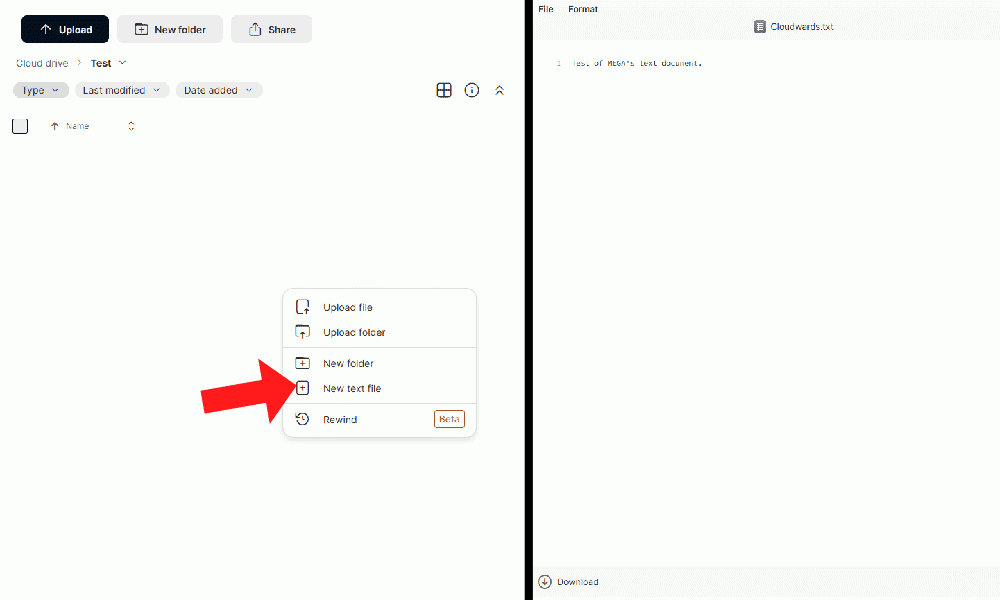
MEGA also has limited productivity features. For example, it doesn’t have any document-editing capabilities or integrations with third-party word-processing apps like Google Docs. Although you can create plain-text files and share them with others, they don’t update in real time. If you make any changes to your text document after sharing it, you’ll need to create a new sharing link.
Sharing Features
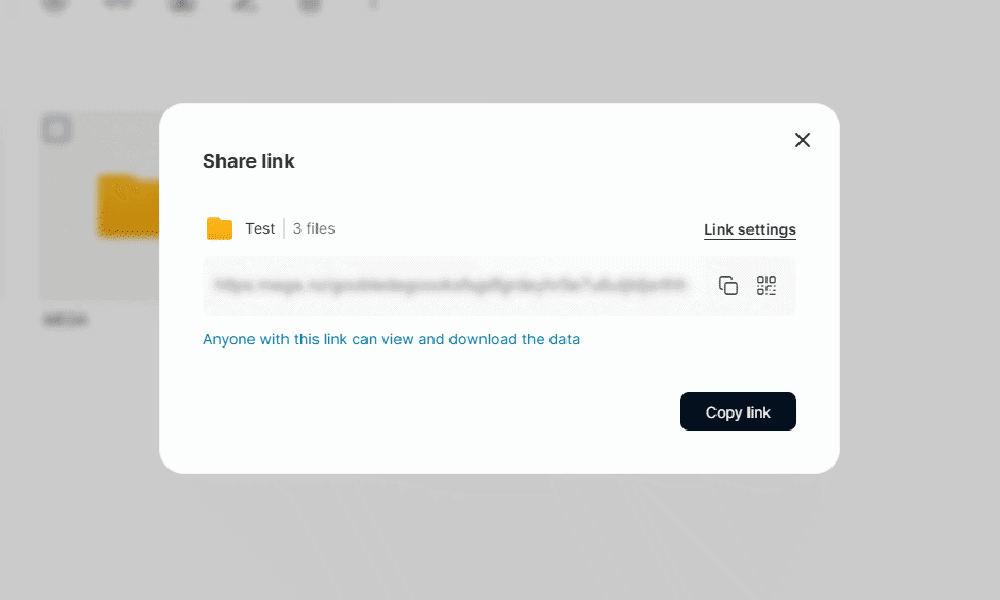
MEGA provides very secure file sharing, with the option to create client-side encrypted links so only you and the recipient can access the files.
Unfortunately, MEGA puts strict limits on how much you can share. While Business and Pro Flexi users have no set transfer quota — meaning they can share without restriction, even with free users or non-users — other premium users will need to allocate a percentage of their transfer quota to recipients who are on the free plan or don’t have a MEGA account.
Alternatively, if you don’t need encrypted links, you can use MEGA’s partner, Transfer.it, to share files. This service integrates seamlessly with MEGA and is intended for fast sharing of files in your cloud storage or on your local device. However, it has no end-to-end encryption, so your files aren’t protected.
MEGA VPN
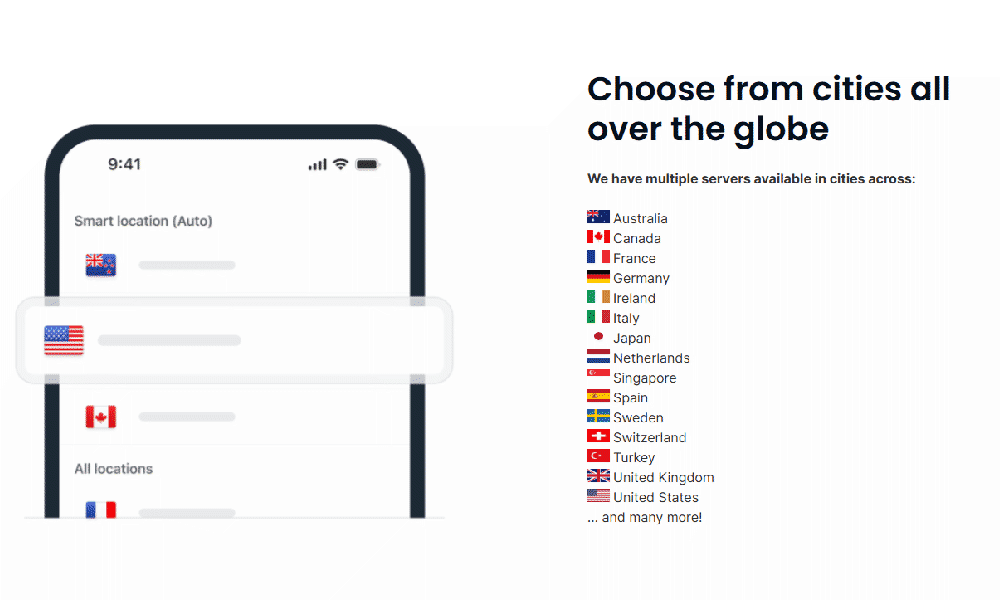
Premium MEGA users have access to MEGA’s VPN, but you can also purchase it separately for $5.75 per month. The VPN includes a built-in kill switch for leak prevention, an ad blocker to stop trackers and no data limits.
The VPN is fast enough for most browsing, and you can connect up to 10 devices. It has servers worldwide, and I found it fairly easy to look for local connections with fast speeds.
MEGA VPN uses ChaCha20 encryption, which is one of the best modern encryption methods. Read our breakdown of VPN protocols to see where it stands.
To see how the service performs in real-world testing and if it can unblock streaming platforms, you can check out our comprehensive MEGA VPN review.
MEGA Pass
MEGA Pass is included in all premium MEGA plans and is available as a standalone for $3.44 per month. It’s protected by client-side encryption, and it has two-factor authentication (2FA) and one-time password (OTP) support.
Pass allows you to generate strong passwords and add credit card details that autofill when making purchases. If you already have a password manager, you can import your passwords into MEGA Pass with a CSV file.
MEGA doesn’t mention the encryption method that Pass uses. However, if it’s similar to MEGA’s cloud storage service, it likely uses AES 128-bit encryption. Although currently unbreakable, AES 128-bit isn’t the strongest encryption available. I go over a possible security vulnerability with MEGA’s implementation of this encryption protocol later in this article.
MEGA Chat
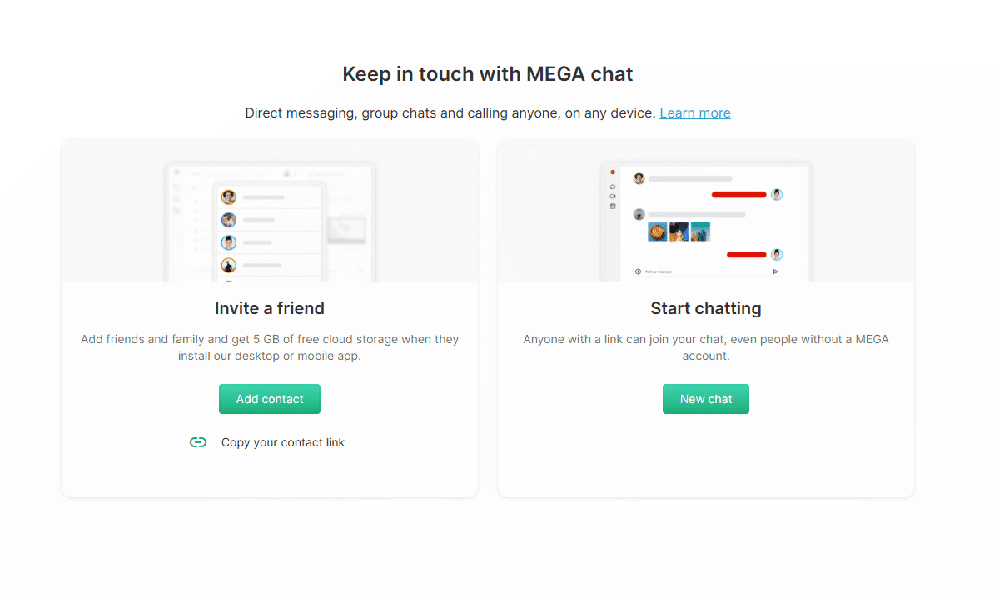
MEGA chat is a secure communication tool available to all users, free or premium. It has client-side encryption and allows you to send chat messages, make video or voice calls, and send files.
You can add people to your contacts by email or via a public chat link. While the provider claims to allow even non-MEGA users to join a chat, MEGA restricts non-users to group messages only, not one-on-one chats. I was unable to access the chat link without first logging in.
On the plus side, MEGA allows for slightly more collaborative file sharing. You can send files to a contact from your cloud storage or straight from your device. In addition, if you need to receive a file from a contact, you can create a file request that they can use to privately share files with you.
MEGA S4
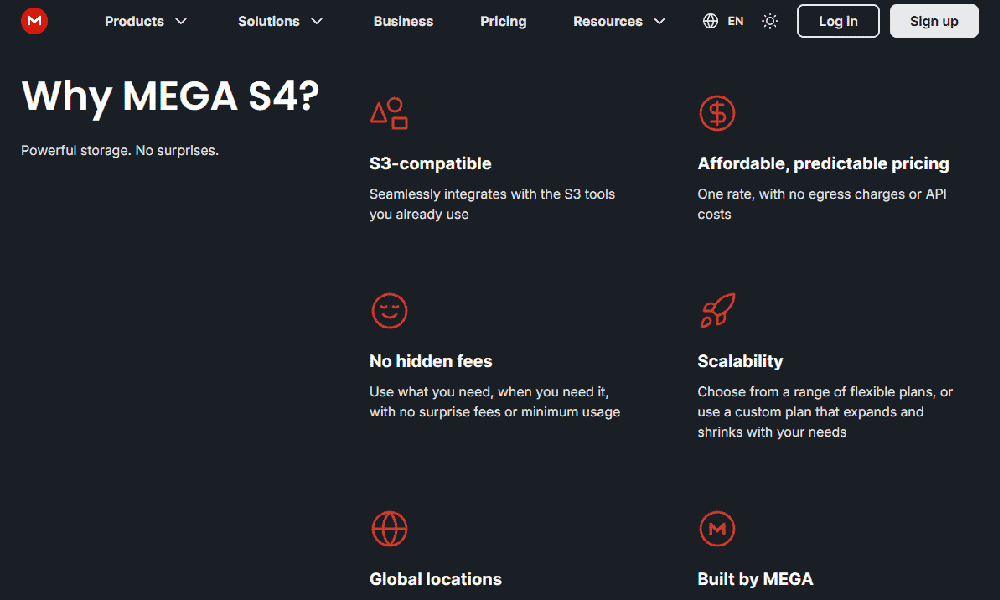
MEGA’s object storage is included with Pro cloud storage plans. However, it uses the same storage space as MEGA’s cloud storage, which users should bear in mind when creating backups.
The privacy policy for MEGA’s S4 service is concerning, and it’s encrypted server-side only. Check out the privacy section of this article for more details.
MEGA Features Overview
| Features |  |
|---|---|
| Sync Folder | |
| Block-Level Sync | |
| Selective Sync | |
| Bandwidth management | |
| Sync Any Folder | |
| File Link Sharing | |
| Link Passwords | |
| Link Expiry Dates | |
| Folder Sharing | |
| Folder Permissions | |
| Link Download Limits | |
| Upload Links | |
| File Previews | |
| Edit Files | |
| In-App Collaboration | |
| Office Online | |
| Google Docs | |
| Notes App | |
| Media Playback | |
| Mobile Apps | |
| Deleted File Retention | |
| Versioning | |
| WebDAV | |
| At-Rest Encryption | |
| In-Transit Encryption | |
| Encryption Protocol | 128-bit AES |
| Client-Side Encryption | |
| Two-Factor Authentication | |
| Server Location | EU |
| 24/7 Support | |
| Live Chat Support | |
| Telephone Support | |
| Email Support | |
| User Forum | |
| Knowledgebase | |
| Free Plan |
User-Friendliness & Hands-On Testing
MEGA’s web interface and mobile apps are easy to use. I appreciate that it cleanly separates cloud storage, chat, the VPN and Pass, making it simple for beginners or users who want to use just one of these features. To help you navigate the platform’s more advanced settings—such as configuring its various security layers or setting up file requests—we’ve put together a series of cloud storage guides that walk you through the process step-by-step.
How to Install MEGA
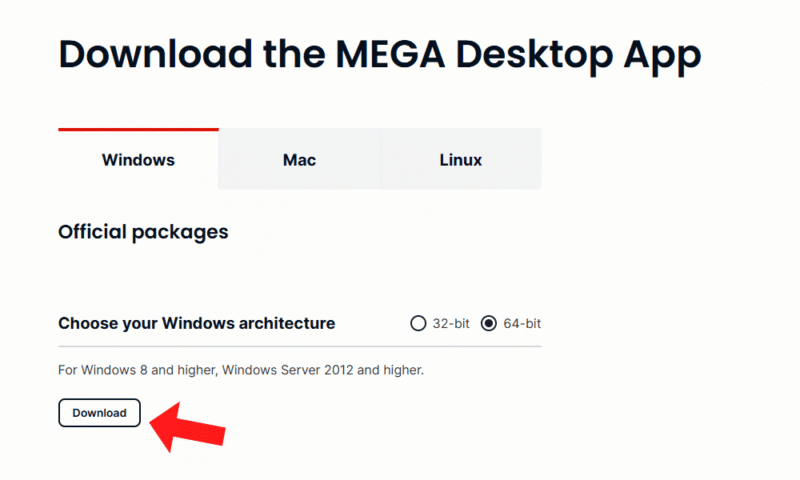
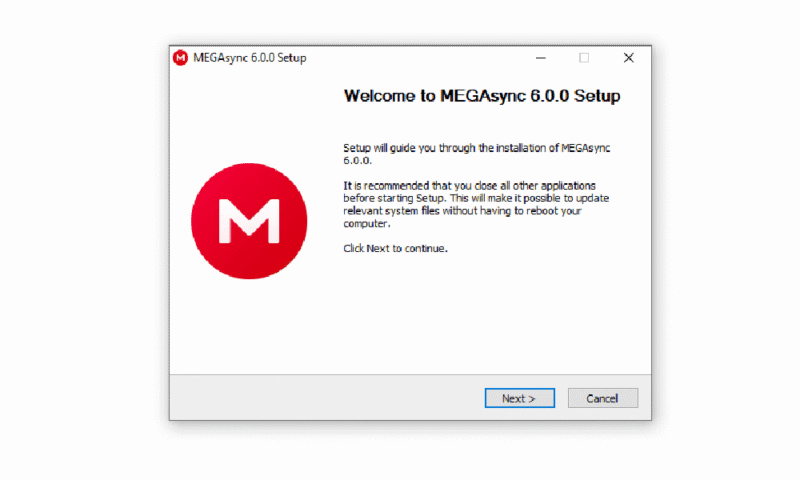
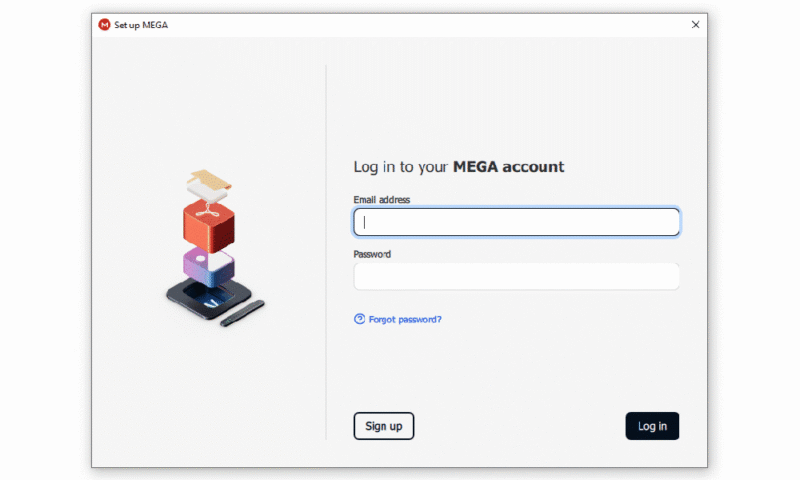
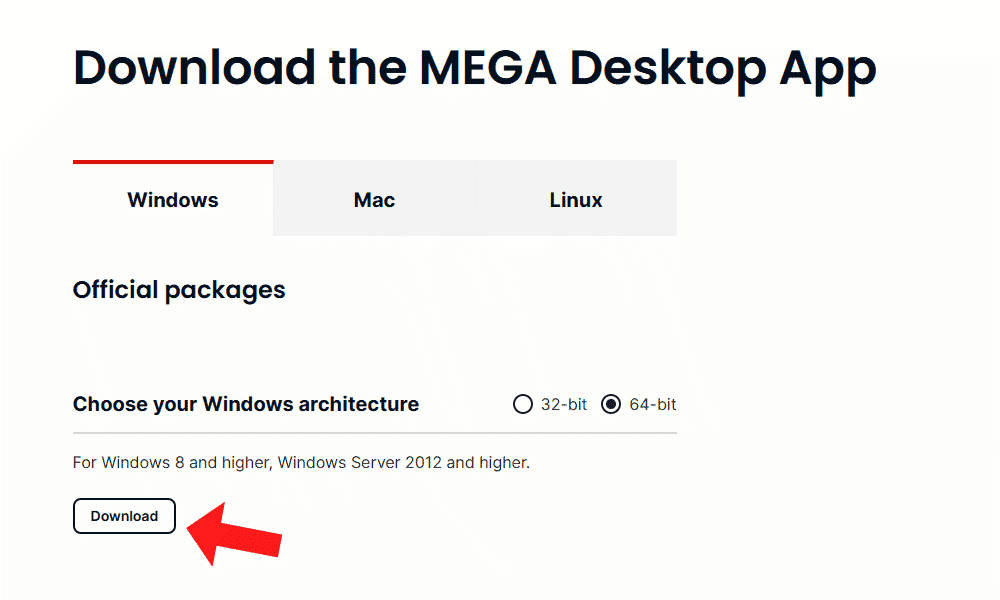
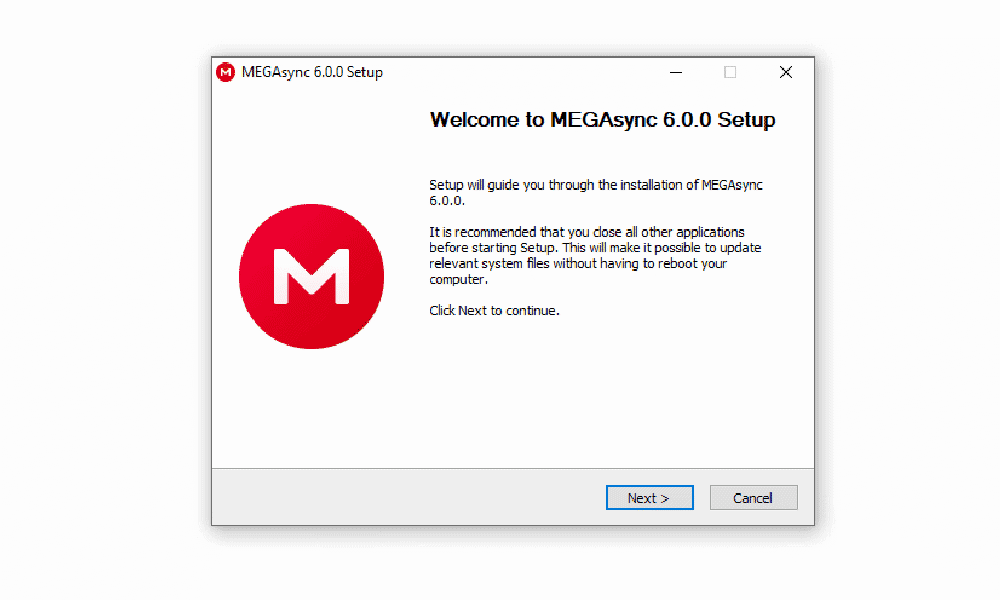
Installing MEGA is very simple. Windows and Mac users get executable files, and MEGA provides command-line interface (CLI) support for a number of Linux operating systems. The quick walkthrough below will help you set up MEGA on Windows.
- Download the App
Choose your operating system to download the app from MEGA’s website.
- Install the App
Run the executable file to begin the MEGA installation process. This process is automatic — you can leave it to install on its own.
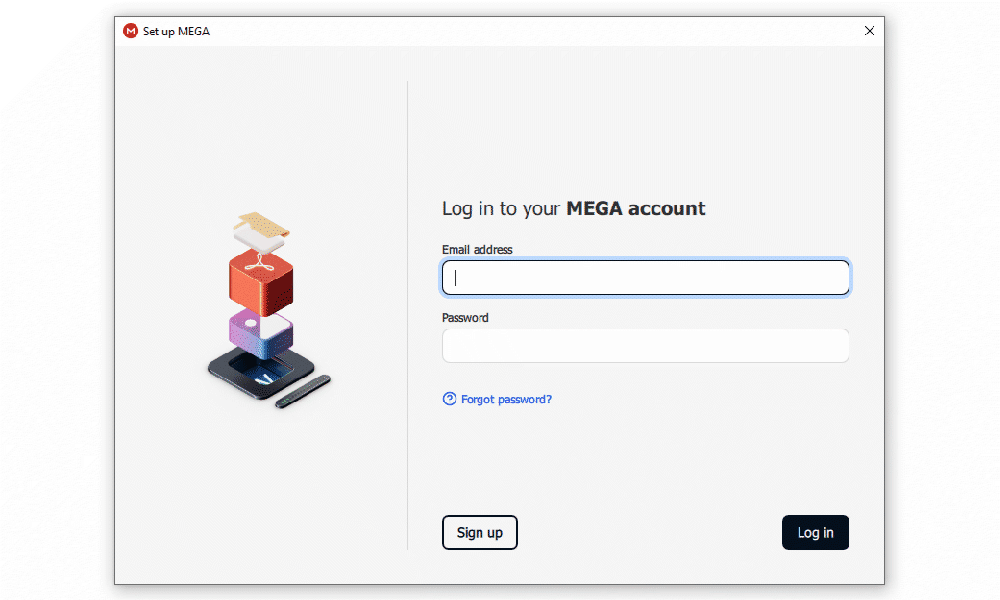
- Sign In
Once MEGA is installed, it will ask you to sign in to your account.
How to Set Up & Use MEGA
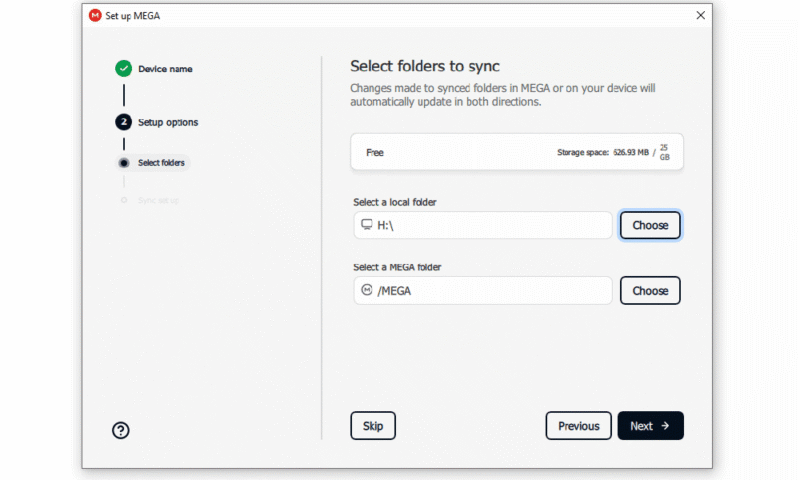
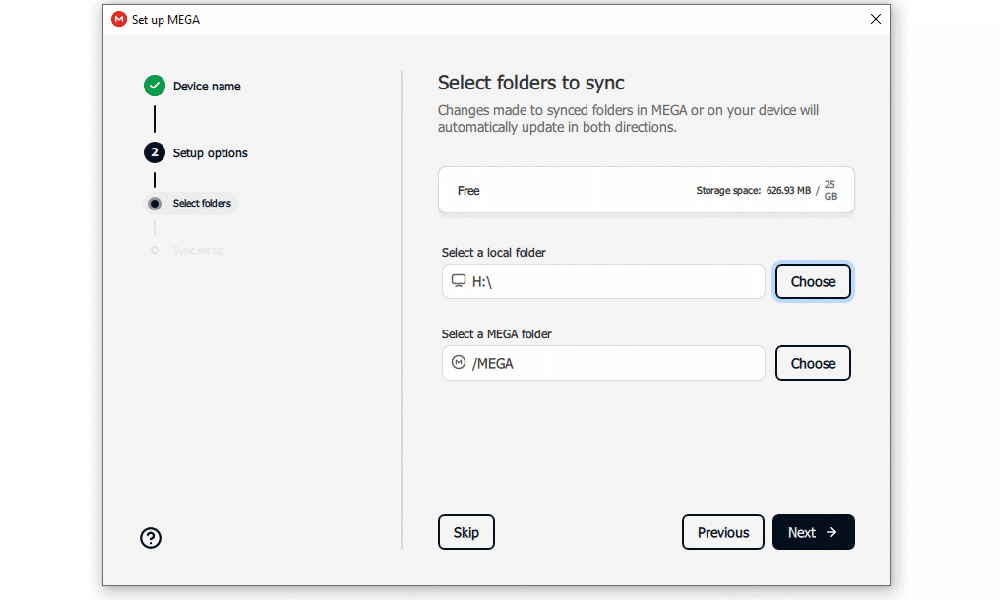
Once you’ve downloaded MEGA to your device, the software will guide you through setting up your first synced folder. Follow the steps below to get started.
- Set Up Syncing
After signing in to the MEGASync app, you can pick a folder to sync to your cloud storage.
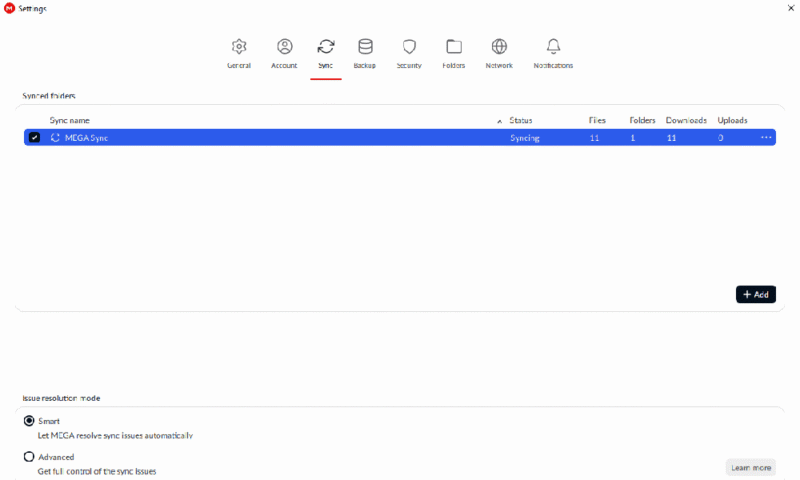
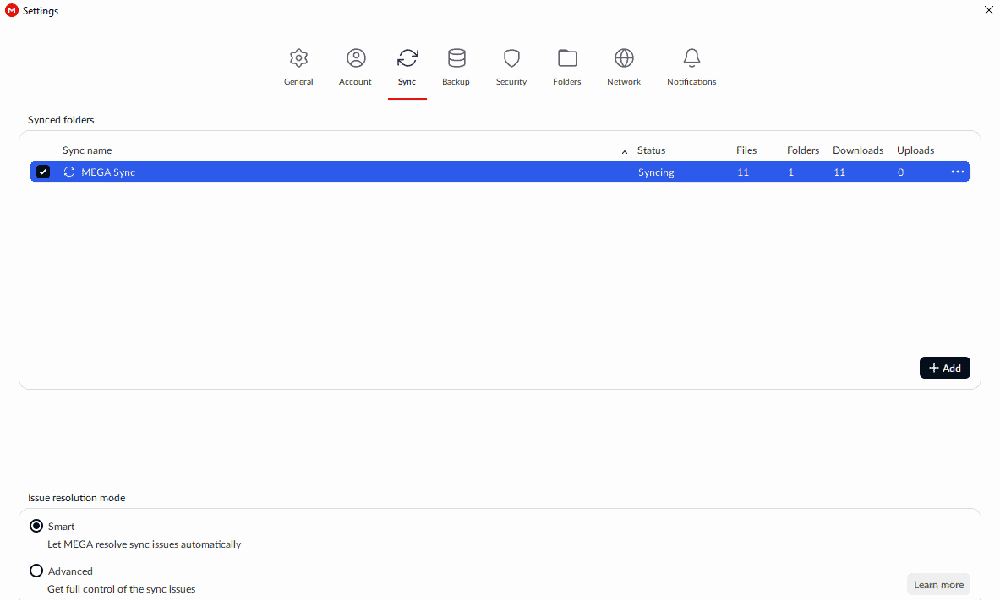
- Add Additional Folders
Under the sync tab in the MEGASync app, you can add or remove synced folders. The interface will show you how many files and folders are being synced.
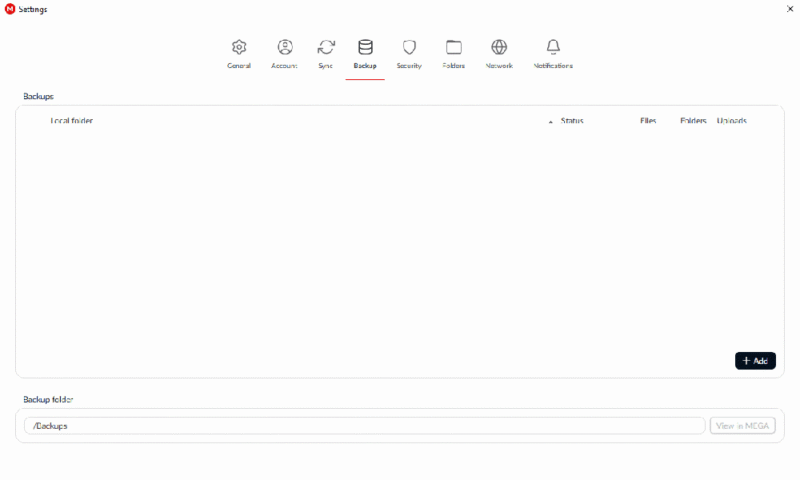
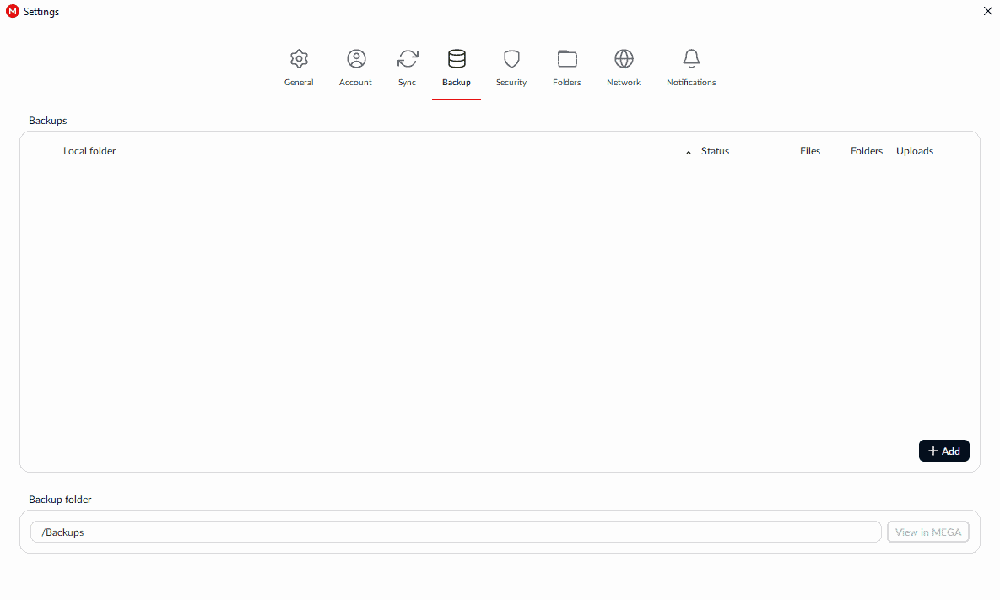
- Choose Backup Folders
In the backup tab, you can choose which files you want to add to MEGA’s object storage. Bear in mind that files uploaded to the backup are protected by server-side encryption only.
MEGASync App on Desktop: macOS & Windows Apps
Some cloud storage apps serve only as a shortcut to the web client. However, the MEGASync desktop application allows you to upload, download and view shared files, so it’s a good alternative to the web client.
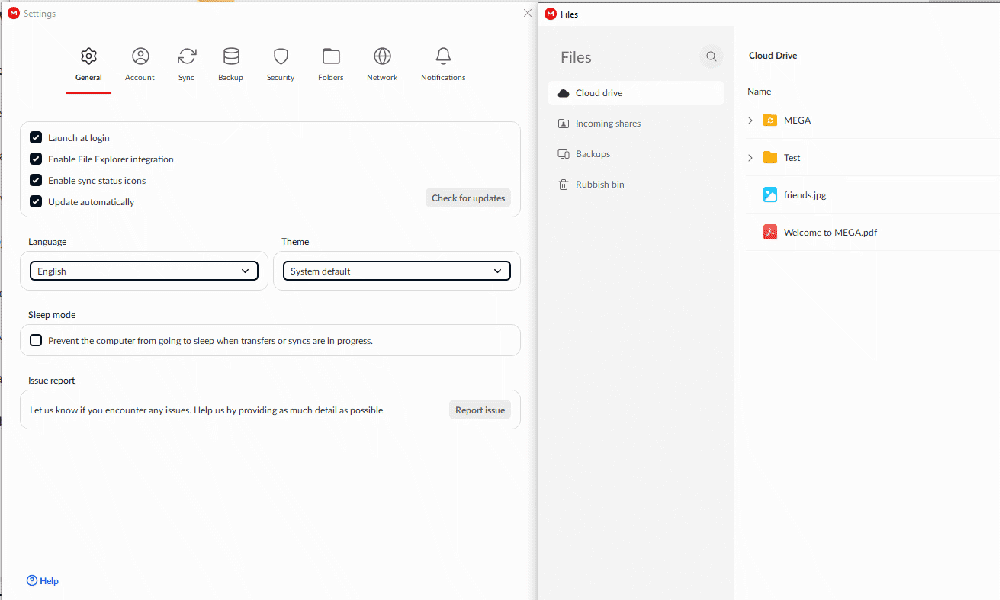
browse uploaded files with the MEGA app.
That said, the MEGA’s desktop app includes cloud storage only. You won’t be able to access the chat tool, the VPN or Pass from the same app.
I found the interface to be user-friendly overall. MEGA also integrates with your device’s file explorer, so you can set folders or files to sync without going through the app.
MEGA App on Mobile: Android & iOS Apps
Just like the desktop app, MEGA’s mobile app functions as a complete alternative to its web app. You can upload and download files, set folders to sync and view shared files. The mobile app also lets you directly take photos using your device’s camera and upload them straight to your MEGA cloud storage.
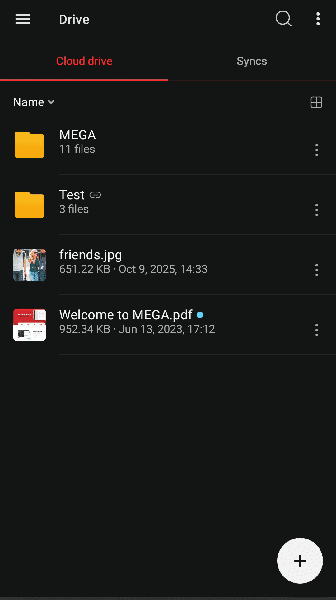
Unlike the desktop app, you can access MEGA chat and your contacts from the mobile app. You can also send messages and request or send files even when you can’t access the web app. I appreciate this flexibility and would like to see the same functionality on the MEGA desktop app.
MEGA Pricing: How Much Does MEGA Cost?
MEGA’s pricing is very generous compared to similar competitors. All of MEGA’s premium plans include the chat tool, the VPN, Pass and S4, making them a good value.
MEGA Free Storage Limit
MEGA’s free plan offers a minimum of 20GB of storage, which is one of its best deals. You can increase this capacity by completing tasks like installing the mobile or desktop app, using referral bonuses or starting a free trial of the VPN or password manager.
Each of these bonuses unlocks an extra 5GB of storage. However, this storage space is temporary, lasting only 365 days. I still find this to be very generous on top of the already impressive free plan, though.
MEGA is a more secure option than other free cloud storage plans, as it uses client-side encryption. As with all free plans, though, it does have limitations. If you’re sharing files, you’ll be restricted based on how much your recipient can download at a time.
MEGA Cloud Storage Plans
MEGA offers six plans: one free option, three fixed-storage Pro plans, a flexible storage Pro plan and a Business plan. The Business plan is nearly identical to the Pro Flexi option, but it’s designed for a minimum of three users and has additional user management features.
- 20GB
- File transfer: 3TB (Monthly plan) 36TB (yearly plan)
- 3TB
- File transfer: 10TB (monthly plan), 120TB (yearly plan)
- 10TB
More plans
- File transfer: 20TB (monthly plan) 240TB (yearly plan)
- 20TB
- Price per user (minimum 3) 3TB Transfer quota
- 100TB
For comparison, pCloud’s 2TB plan costs $8.33 per month for an annual subscription and doesn’t have any upload limits. Icedrive is priced similarly, at $9.92 per month for 3TB of annual storage.
MEGA’s Pro Flexi plan is a great option if you need to make more file transfers, as you can pay extra for a higher transfer quota. However, this can get expensive very quickly. For example, 3TB of storage with a 10TB transfer limit works out to about $37.65 per month. That’s a little steep, considering some cloud storage services support unlimited transfers.
MEGA Speed
MEGA’s speeds were impressive during our tests, and our results put it on par with cloud storage services such as Sync.com and pCloud. Download speeds with MEGA were slightly slower than upload speeds, but only by a minute.
MEGA Speed Test Results
File Sharing & Syncing
MEGA falls slightly short on file sharing, with a monthly limit for premium users unless they have a Pro Flexi plan. Even so, sharing works well — especially with the built-in chat, which lets you send, request and discuss files within MEGA’s ecosystem.
File-Sharing Options
MEGA offers three file-sharing methods: the default end-to-end encrypted sharing option, password-protected link sharing and MEGA’s non-encrypted service, Transfer.it. Transfer.it is MEGA’s answer to tight sharing restrictions, as the service doesn’t impose any transfer quotas.
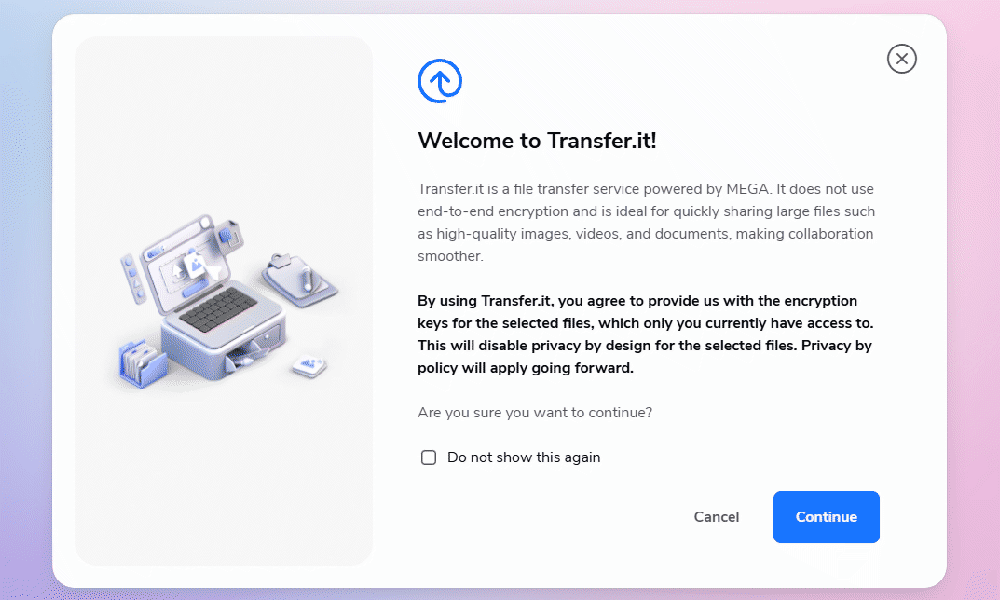
MEGA allows you to share links with your contacts via the contact tab or chat, or by link or QR code. You can send contact requests to non-MEGA users, which will invite them to sign up and become a contact. However, if you do need to send files to non-MEGA users, I recommend using the faster link or QR code method.
Pro users can set expiration dates and passwords on links. You can also customize permissions to view-only. Unfortunately, I couldn’t find a way to change link permissions on the free plan.
Transfer.it, an alternative file-sharing option, is a standalone link-transfer system that integrates with MEGA. You can use this service without signing in. However, signing in allows you to share straight from your cloud storage. Transfer.it is convenient, but I’m not confident about its safety, as it’s entirely unencrypted.
File-Syncing Options
MEGA supports file syncing on its desktop and mobile apps. You can pick any folder on your device, including external drives. Plus, you can set exclusions so MEGA doesn’t sync larger files, certain file types or even files with a specific name.
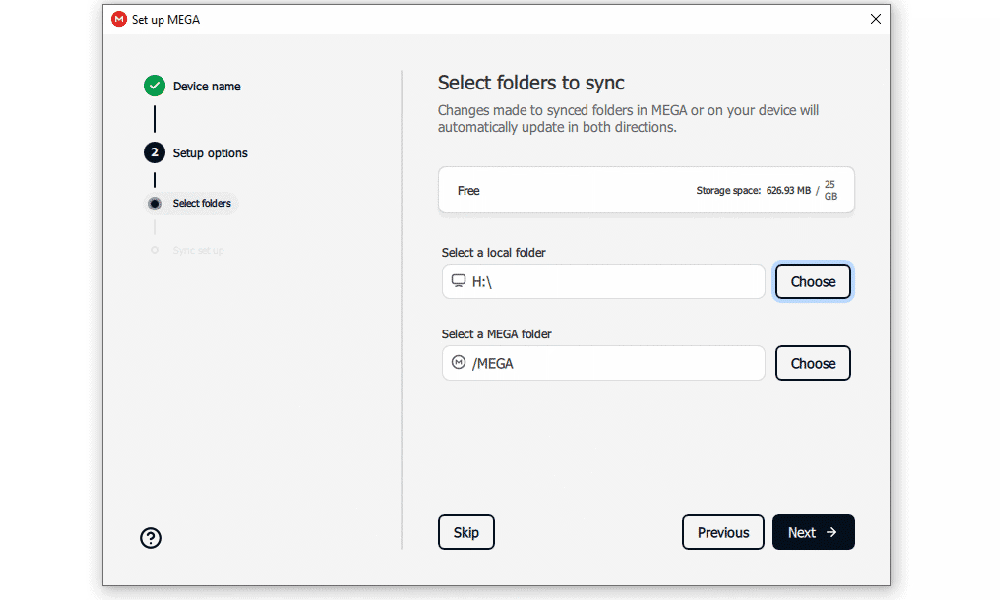
Currently, MEGA syncs only on a time-based system, so files might not sync immediately after you make a change. I’m happy to see that MEGA is making plans to shift to a more efficient change-based system, but there’s no clear timeline for when that will happen.
On top of this, MEGA doesn’t have block-level sync, which uploads only the changed “blocks” of a file. Not having block-level sync means the entire file is uploaded every time it syncs, which can slow down the time it takes to complete the sync process.
Security: Is MEGA Safe?
For a service focused on security, MEGA is disappointing. Unlike most other cloud storage providers, MEGA uses only AES 128-bit encryption. Although AES-128 is currently still unbreakable, there are concerns about the security of MEGA’s encryption model.
On a positive note, MEGA is one of the few cloud storage services that provide client-side encryption for its entire storage ecosystem, even on the free plan. Your files are encrypted before they are uploaded to storage. Theoretically, this means your files are only ever visible to you, but this isn’t a guarantee with MEGA’s security vulnerability.
MEGA Security Features
MEGA accounts offer the standard security features you would expect from a cloud service, such as 2FA and end-to-end encryption. I was pleased to see that it uses an authenticator app for 2FA, which is more secure than email or text.
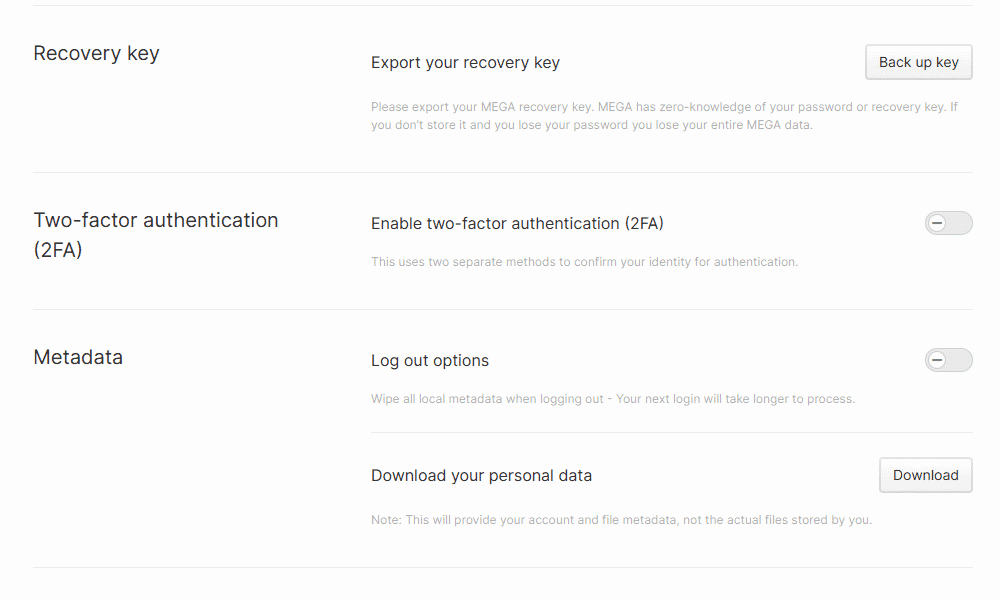
such as 2FA and a recovery key.
MEGA also provides a recovery key to help you get back into your account if you forget your password, which is essential for a client-side encrypted provider.
A welcome addition to MEGA’s security features is the option to download your account’s metadata and wipe any locally saved metadata when you log out. While this comes at the expense of a quick sign-in process, it’s a reassuring privacy feature to have.
Privacy: Is MEGA Private?
MEGA’s cloud storage, Pass feature and VPN have good privacy, with client-side encryption applied to all three. However, the Transfer.it sharing tool and S4 object storage do raise privacy concerns. MEGA’s privacy policy is straightforward, but some parts are worrisome.
MEGA End-to-End Encryption
MEGA protects files uploaded to its cloud storage with client-side AES 128-bit encryption. As only you have control over the encryption key, MEGA can’t read your files.
MEGA’s file-sharing methods implement the same level of security. If you use the default sharing feature, your files will be protected by 128-bit end-to-end encryption. MEGA users with paid accounts can choose to add a password for additional protection.
However, MEGA’s alternative sharing option, Transfer.it, doesn’t have end-to-end encryption. This introduces a risk of unauthorized access. While this method may be faster, I recommend using it as a last resort and only for non-sensitive files.
MEGA Privacy Policy
MEGA’s privacy policy states that the company cannot access the data you upload to its cloud storage or any messages you send.
However, MEGA does store personal data, including the following:
- Timestamps of any account activity
- Takedowns and account suspensions
- Browser type and/or operating system
- Any communications you have with MEGA
- The country from which you’re accessing MEGA
- An assigned ID for each device you use to log in
- Customized account settings, such as avatar pictures
- Connection and usage metadata (IP address, login port, API usage, file uploads, chat usage, VPN usage)
GDPR standards protect this metadata, even for users outside of the European Union. MEGA also strives to store your data only on servers in Japan, Canada or the EU.
The concerning part of MEGA’s privacy policy relates to its S4 object storage, which is bundled with MEGA’s Pro plans. Only server-side encryption protects this feature, which means MEGA can access everything you upload. In the event that your account is suspended, MEGA may keep your uploaded S4 files if it suspects any third parties will request them.
MEGA Customer Support
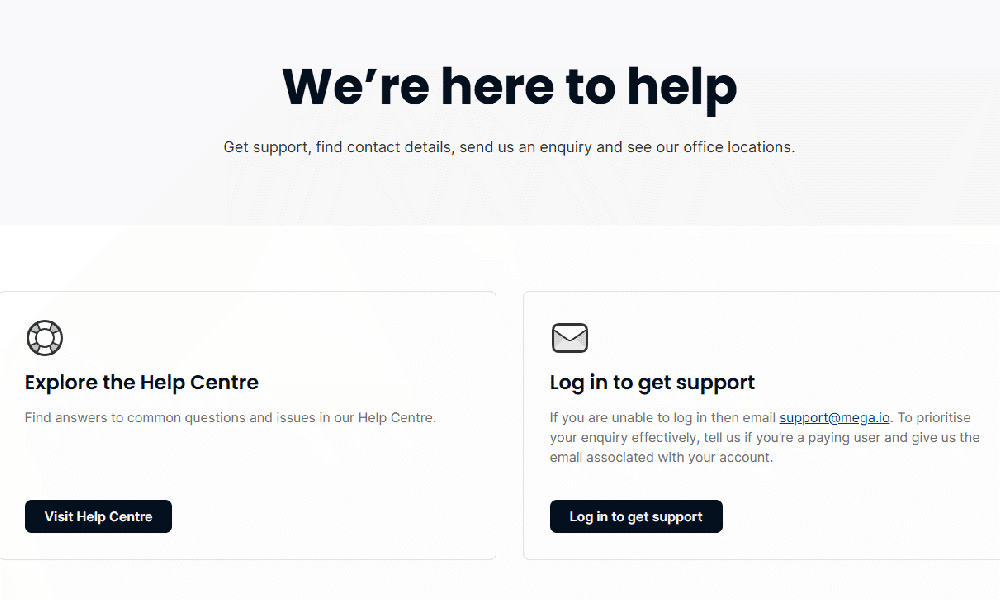
MEGA’s customer support service is lacking, providing only a help center with articles, email and a ticketing support system. Ticketing is available only if you sign in. However, the help center does have a range of articles that go over common issues such as account limits and transfer quotas.
Email Support Speed & Quality
MEGA’s email support has a response time of 24 hours or less, but this may be too slow if you have an urgent request. While I had no issue with the quality of the support, other users have claimed that it’s unhelpful or too slow.
A 24/7 live chat option or even phone support would be a beneficial addition, as most other cloud services provide these options.
MEGA vs Other Cloud Storage Services
If you’re concerned about the state of MEGA’s security or just want to see how it compares to the competition, take a look at these alternative cloud storage options.
MEGA vs Sync.com
Both MEGA and Sync.com are focused on security, with client-side encryption applied to the entire storage ecosystem. In my opinion, Sync.com is slightly better from a security perspective. It uses AES 256-bit encryption, which is slightly stronger than MEGA’s AES 128-bit encryption. Sync.com provides only 5GB of free storage, though. Check out our full Sync.com review for all the details.
MEGA vs Dropbox
MEGA and Dropbox both have a reputation for offering generous free plans. MEGA takes the lead with its 20GB offering, while Dropbox has reduced its free storage to only 2GB. However, Dropbox offers better productivity and useful tools such as DocSend, a document-signing feature. Read our full Dropbox review to learn more.
MEGA vs Google Drive

Google Drive also offers generous free cloud storage, with 15GB for anyone with a Google account. No referrals are available for storage expansions, though, so you’ll have access to more storage with MEGA. However, Google Drive’s collaboration and integrated document-editing tools make it better for productivity. Read our full Google Drive review for more.
Community Feedback: MEGA Reviews on Reddit & Social Media
The community feedback for MEGA on Reddit is quite poor, especially since its security flaws were revealed. Many users are also concerned about founder Kim Dotcom’s comments about a Chinese investor taking over MEGA. While Dotcom’s claims are unfounded, it’s a frequent point of contention for many users.
The Verdict: Is MEGA Worth It?
If you need a free cloud storage service and aren’t too concerned about the security of your files, MEGA can definitely be worth it. Its free 20GB plan is incredibly generous, especially considering the available storage expansions. The only downside is the limited sharing, which restricts how much data your file recipients can download within a certain time frame.
MEGA doesn’t stand out as a paid service, though. You’ll still have transfer limits unless you opt for the Flexi Pro plan and pay per TB of transfer, which can quickly get expensive. In addition, while MEGA does have client-side encryption, there have been concerning findings about the quality of its security.
For the same price as MEGA, consider opting for Sync.com, a solid cloud storage service that offers unlimited sharing and provides strong client-side encryption.
FAQ: MEGA Cloud Storage Review
Yes, MEGA is very trustworthy (at least in theory), as it places an emphasis on internet privacy and client-side encryption across all storage plans. However, there have been concerns about the security of MEGA’s encryption architecture.
MEGA’s major disadvantage is its sharing policies, which put a strict limit on how much data you can share in a short amount of time with non-MEGA users. Even paid plans face these limits, which makes its high price hard to justify.
Yes, MEGA is safe from the police, as it uses client-side encryption. This means that not even MEGA can access your files.