Best Project Management Tools That Integrate With Salesforce
In this article, I recommend the best project management tools that integrate with Salesforce. If you’re looking to automatically connect sales activity with project tasks and execution, read on. These tools help reduce manual effort and improve operational efficiency.



Written by Mehak Siddiqui (Writer)
Reviewed by Kate Hawkins (Editor, Writer)
Facts checked by Simona Ivanovski (Fact-Checker, Formatter)
Last Updated:
All our content is written fully by humans; we do not publish AI writing. Learn more here.
Key Takeaways: These Are the Best Project Management Tools for Salesforce
- ClickUp — Customizable all-in-one workspace that connects to Salesforce. Try the Business plan with a 30-day money-back guarantee.
- Asana — Structured tool to streamline tasks and Salesforce data. Get a 14-day free trial of the Advanced plan.
- Wrike — Enterprise-grade Salesforce project management software. Try the Business plan free for 14 days.
- monday.com — Highly visual project management software with Salesforce integration. Start a 14-day free trial of the Pro plan.
- Trello — Easy-to-use kanban board tool for organizing tasks, with a handy Salesforce add-on. Try the Premium plan free for 14 days.
Facts & Expert Analysis About Salesforce Project Management Apps
- Salesforce isn’t a full project management platform: While Salesforce excels as a customer relationship management (CRM) tool, you need an external project management platform to handle task planning, workflows and timelines.
- Workflow automation: Integrating project management tools with Salesforce means CRM updates automatically convert to tasks, significantly reducing repetitive data entry and project setup.
- Integration depth: Top tools like monday.com and ClickUp offer native integration with Salesforce, providing better data security and real-time sync.
Salesforce is a powerful platform for managing leads and customer data, but it lacks the features of dedicated project management tools. This article recommends the best project management tools that integrate with Salesforce to turn CRM activity like new deals or customer requests into actionable tasks and project plans.
Cloudwards’ Choice: ClickUp
 Cloudwards' Choice: ClickUp
ClickUp is my top recommendation because it’s extremely customizable and connects CRM activity directly to project execution. It works seamlessly with Salesforce while remaining easy for teams to adopt. Sign up and enjoy a 30-day money-back guarantee to try it risk-free.
The Best Salesforce Project Management Apps Compared
| PM Tool | Free Plan | Price* | Best For | Unique Selling Point | Limitations |
|---|---|---|---|---|---|
 | Yes, unlimited users | $7 | Flexible, all-in-one work management | Extremely customizable | Overwhelming for new users |
 | Yes, up to 2 users | $10.99 | Structured task & project tracking | Clear task hierarchies & organized workflows | Less customizable than other options |
 | Yes, unlimited users | $10 | Large organizations | Comprehensive enterprise-grade software | Steep learning curve |
 | Yes, up to 2 members | $9 | Cross-team workflows | Intuitive visual interface | Expensive for large teams |
 | Yes, up to 10 users | $5 | Simple projects & small teams | Intuitive kanban boards & ease of use | Lacks native support for advanced features like dashboards |
Methodology: Lab Data & Hands-On Testing Results
I conducted a rigorous comparative analysis of different project management tools, testing their Salesforce integrations and admin configurations to shortlist the best options.
Feature Comparison Overview
I assessed all the tools and found that ClickUp and Asana lead the way with comprehensive project management features and efficient Salesforce integration.
| Tool | View Types | Time Tracking | Custom Fields | Dashboards | Real-Time Collab |
|---|---|---|---|---|---|
| 16: board, timeline, Gantt, map, etc. | Yes (limited on lower tiers) | | | |
| 5: board, list, calendar, etc. | Yes (Advanced plan) | | | |
| 9: table, board, calendar, Gantt, chart, etc. | Yes (Business plan) | | | |
| 12: list, board, timeline, calendar, etc. | Yes (Pro plan) | | | |
| 7: board, timeline, table, calendar, dashboard, etc. | No | | Limited | |
Platform & Administration
Some tools offer centralized controls and enterprise-ready governance, while others prioritize simplicity and fast setup. The table below breaks down the key differences to help you understand which tools are easiest to configure and maintain.
Avoid Costly Project Management Mistakes – Get Free Tips Today!

- Discover 10 fundamentals of project management
- Understand step-by-step plans for PM execution
- Learn tips to avoid 5 common mistakes by beginners
| Tool | Apps | Storage | File Management | Permissions |
|---|---|---|---|---|
| , , , , web | 60MB-unlimited | File attachments on tasks, integrates with cloud drives, built-in collaborative docs | Custom roles and permissions across spaces, folders, lists & tasks |
| , , , , web | Unlimited (100MB max per file) | Attach/upload files to tasks & comments, integrates with cloud drives | User permissions, app controls |
| , , , , web | 2GB-50GB per user | Attach files, solid file collaboration features, proofing tools | Advanced permissions & access controls |
| , , , , web | 500MB-1000GB | Attach files, integrates with cloud storage (Google Drive, Dropbox) | Extensive permission controls (private boards, roles, enterprise-level advanced permissions) |
| , , , , web | Unlimited (10MB -250MB per file) | Attach files to cards, integrates with cloud storage | Simple board-level permissions |
Integration & Automations
I included only tools that offer native integration with Salesforce. They also integrate with other work tools to streamline different business processes. Additionally, all the tools have project management automation features to reduce manual effort.
| Tool | Integration Count | Top Integrations | Native vs Third-Party | Automation Features |
|---|---|---|---|---|
| 1,000+ | Salesforce, Slack, Outlook, GitHub, Google Drive, Notion, Zapier | Native & third-party | Automation builder for conditional workflows, triggers and actions |
| 200+ | Salesforce, Slack, Microsoft Teams, Figma, Zoom, Canva | Native & third-party | Automation rules |
| 1,000+ | Slack, Dropbox, Google, Salesforce, Adobe Creative Cloud | Mostly third-party | Powerful workflow automation, AI assistance, status-based triggers and approvals |
| 200+ | Salesforce, Slack, Google Workspace, QuickBooks, Jira | Native & third-party | Workflow builder with triggers and actions (e.g., auto-notify, auto-create items) |
| 100+ | Salesforce, Confluence, Google Calendar, Microsoft Teams | Native & third-party (via power-ups) | Built-in automation (Butler) with triggers and actions, quota limits |
Usability & Performance Assessment
Some platforms stand out for their intuitive interfaces and quick onboarding, while others offer powerful capabilities that require more setup or system resources. In the table below, I compare project management tools based on these factors to help you choose an option that fits your team’s skill level and workflow needs.
| Tool | Learning Curve | Interface Design | Mobile Experience | Customer Support |
|---|---|---|---|---|
| Intermediate | Highly customizable | Good | Chat, email support |
| Easy | Clean and structured | Good | Help center, chatbot |
| Difficult | Feature-rich, complex | Good | Email, community forum |
| Easy | Visual and color-coded | Very good | 24/7 chat, extensive docs |
| Easy | Drag-and-drop, card-based | Very good | Email support, help docs |
The Top 5 Salesforce Project Management Tools Reviewed
From my testing, the top project management tools with Salesforce integration are ClickUp, Asana, Wrike, monday.com and Trello.
1. ClickUp — Customizable Project Management Platform With Salesforce Integration
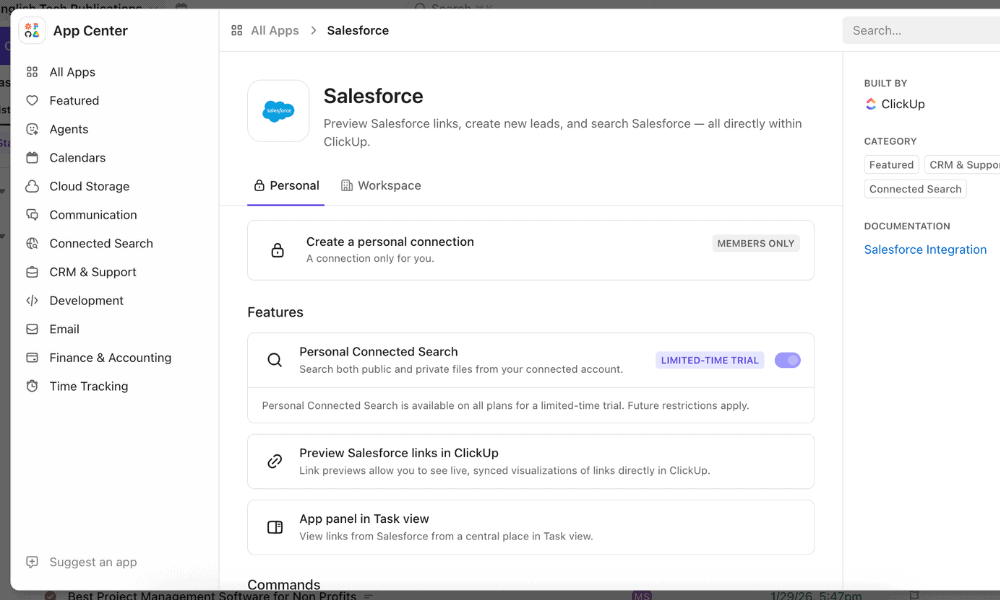
ClickUp is an all-in-one project management platform that offers extensive customization for any kind of team. Its Salesforce integration allows organizations to connect CRM data with operational workflows to automatically create tasks, update project progress or trigger actions when sales events occur. Read our ClickUp review to learn more about it.
What Makes ClickUp Special
ClickUp stands out for its deep customization. Teams can tailor almost every aspect of the platform, from task structures and statuses to dashboards and automations. Combined with its Salesforce integration, ClickUp helps teams turn CRM updates into actionable workflows, ensuring that project work stays aligned with sales activity.
When to Choose ClickUp
Opt for ClickUp if your team needs a flexible project management platform that can adapt to complex or evolving workflows. It’s a great choice for organizations that manage diverse projects across departments and want to stay connected to Salesforce data. You can try the Business plan with a 30-day money-back guarantee.
- Basic functionality with some limitations
- All prices per user
- All prices per user
2. Asana — Structured Work Management Platform With Salesforce Integration
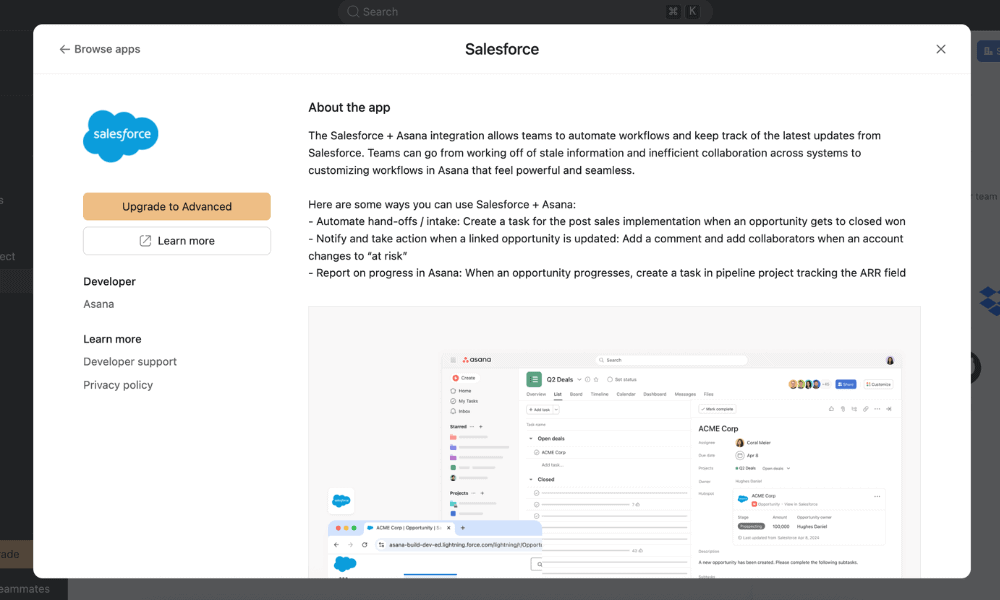
Asana is a versatile tool for varied project management needs. It can help teams organize tasks and coordinate workflows in a clean and structured interface, as we discuss in our full Asana review. By integrating with Salesforce, teams can automatically translate CRM activities such as new deals or customer records into tasks and projects.
What Makes Asana Special
I appreciate Asana’s structured and organized approach to work management. Projects are built around clear task hierarchies, milestones and dependencies that help teams stay on top of their work. When connected to Salesforce, Asana enables teams to convert sales activity into clear workflows that can be tracked and managed from a single platform.
When to Choose Asana
I recommend Asana for any team that wants a straightforward system for tracking tasks, deadlines and team communication in one place. Salesforce integration is available on the Advanced plan and automatically turns customer data into actionable tasks and projects. Start a 14-day free trial of the Advanced plan to see if it fits your needs.
- Up to 10 users
- Price is per user. unlimited users, expanded features
- Price is per user. unlimited users, even more features
- Custom pricing, advanced security features
3. Wrike — Best Enterprise-Grade Salesforce Project Management App
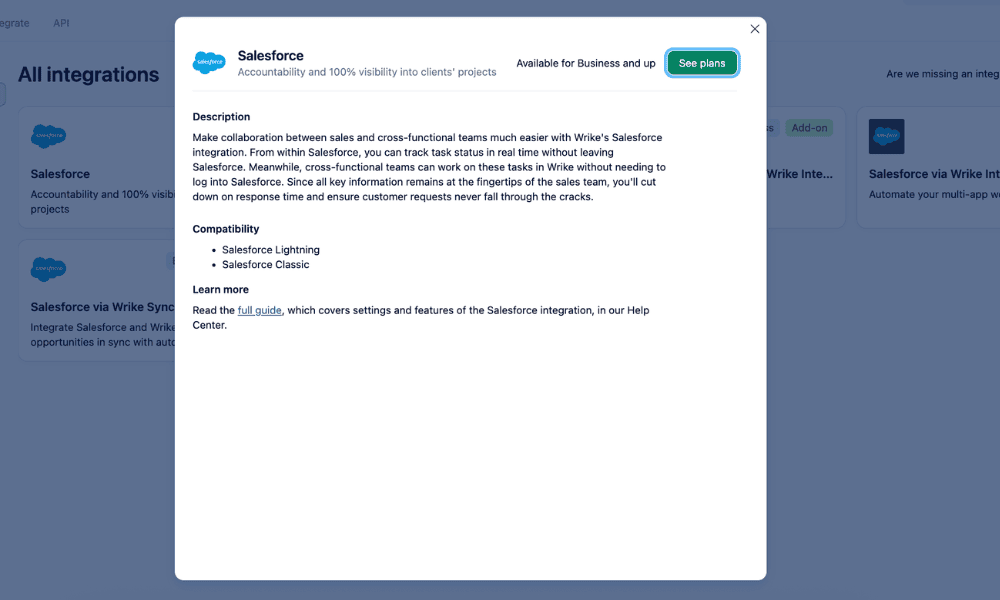
Wrike offers advanced tools for resource planning, workload balancing, custom workflows and reporting. Its integration with Salesforce helps organizations streamline the transition from sales to delivery by automatically creating and tracking projects based on Salesforce activity. Read our Wrike review to learn more about its features.
What Makes Wrike Special
Wrike makes it easier for large organizations to manage complex project portfolios across multiple teams. When combined with its Salesforce integration, Wrike helps enterprises maintain strong alignment between sales operations and project execution while providing deep visibility into project performance.
When to Choose Wrike
Choose Wrike if you need a powerful project management system for complex or large-scale projects. The Salesforce integration is especially valuable for facilitating smooth handoffs from sales to project teams while maintaining visibility across the entire client lifecycle. Take advantage of the 14-day free trial of Wrike’s Business plan to try it for yourself.
- Unlimited users. Basic features.
- Price is per user. Plans for 5, 10 and 15 users.
- Price is per user. No monthly option. Plans for 5 to 200 users.
More plans
- For large teams; Enterprise-grade security and scalability; Plans for 5 to an unlimited number of users.
- For teams with complex work needs; Advanced tools and analytics for complex work; 5 to unlimited users
4. monday.com — Highly Visual Project Management Software With Salesforce Integration
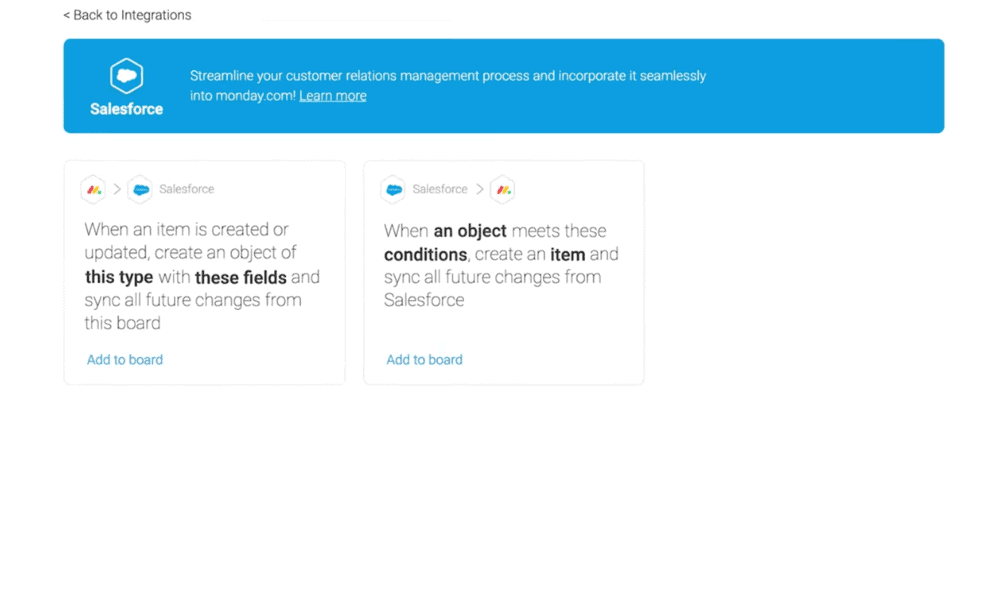
rules for how project data flows between the two platforms.
monday.com is an intuitive project management tool with visual boards and customizable workflows for easy project planning. It offers native Salesforce integration with two-way sync, which can be configured with rules for importing CRM data such as opportunities, accounts or contacts into project boards.
What Makes monday.com Special
As detailed in our monday.com review, this tool stands out for its intuitive interface that allows teams to build custom workflows using drag-and-drop boards and automation rules. The Salesforce integration syncs CRM records directly into project pipelines, but it’s available only with monday.com’s Enterprise plan.
When to Choose monday.com
I recommend monday.com if you prioritize visual clarity and close alignment with Salesforce data. It works especially well for organizations where sales, operations and project teams need to collaborate frequently, such as agencies, Software-as-a-Service (SaaS) companies or client service teams. Get in touch with monday.com sales for Enterprise pricing.
- Maximum users: 2
- Minimum users: 3; All prices per user
- Minimum users: 3; All prices per user
More plans
- Minimum users: 3; All prices per user
- Enterprise-level features.
5. Trello — Simple Kanban-Style Project Management Tool With Salesforce Integration
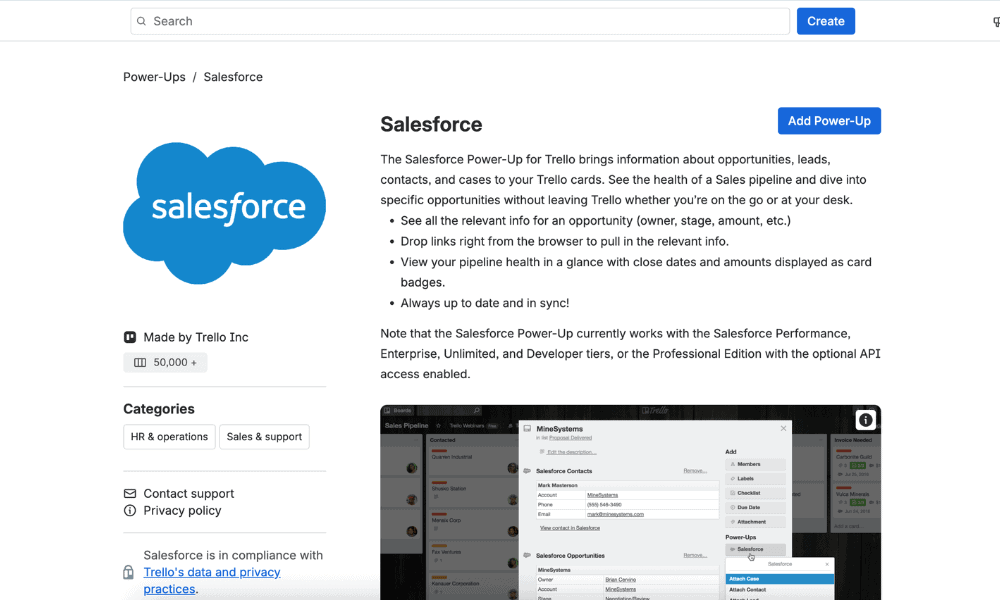
Trello is a lightweight project management tool that uses kanban boards to organize tasks and track progress. Teams can create boards, lists and cards to represent projects and workflows in a clear and intuitive format. It integrates with Salesforce through a simple add-on or power-up to create task cards from CRM activities.
What Makes Trello Special
Trello’s standout features incorporate its characteristic simplicity and visual workflow design. The kanban-style board layout means teams can quickly track work without getting overwhelmed with complex features, as explained in our Trello review. When connected to Salesforce, it turns CRM updates into actionable tasks that teams can manage visually.
When to Choose Trello
Trello works best for small teams, startups or organizations that want an easy way to track workflows and collaborate on tasks without relying on a feature-heavy platform. The Salesforce power-up quickly converts CRM activity into task cards without complex configuration. Start a 14-day free trial of Trello’s Premium plan to see if it’s right for you.
- Unlimited users, 10 boards, Unlimited power-ups, Unlimited storage
- Price is per user, Unlimited boards, Custom fields, Invite guests
- Price is per user, Several new views
- Price is per user, Advanced admin & security settings. Discounts for larger teams.
What to Look For in a Salesforce Project Management Tool
The right tool should integrate smoothly with Salesforce while providing strong project-planning and execution capabilities.
Maximizing ROI: Implementation Best Practices
Successful implementation of any Salesforce project management app depends on clear rules regarding data ownership to ensure teams know which system controls specific information. You should always start by cleaning up outdated or incomplete records in Salesforce to prevent poor-quality data from flowing into the new platform.
Native Apps vs API Connectors
Several native Salesforce apps run entirely within Salesforce, inheriting Salesforce’s security permissions and data governance rules. On the other hand, API-based integrations link Salesforce to external project management tools using connectors such as Zapier or built-in native integrations, as I discuss in this article.
Strategies for Data Consistency
Apart from cleaning up data before connecting Salesforce to a project management tool, it’s vital to avoid sync loops wherein both platforms update the same fields and overwrite each other’s data. You can define one-way or two-way sync rules for different data points.
For instance, Salesforce may remain the master record for client contact details, while the project management platform controls fields such as task status or due date. This structured approach ensures data accuracy across both systems.
Final Thoughts
The best project management tool for Salesforce depends on your team’s specific needs. However, ClickUp stands out as a top choice thanks to its high customizability and seamless integration with Salesforce for all kinds of teams. Start a 14-day free trial of ClickUp’s Pro plan to try it for yourself.
Which features matter most to your team when choosing a Salesforce project management tool? Do you prefer highly visual dashboards, deep customization or enterprise-level reporting? Which tools have you already tried integrating with Salesforce? Share your thoughts in the comments below. Thank you for reading.
FAQ: Project Management & Salesforce Integration
Salesforce supports project management through apps available on Salesforce AppExchange (such as TaskRay and Inspire Planner) and integrations with popular tools like ClickUp, Asana and Wrike.
For most organizations, ClickUp stands out as a top choice due to its customizable workflows and strong Salesforce integration that turns CRM data into project work.
Yes, Jira can integrate with Salesforce using third-party connectors and integration tools. This allows Agile or software development teams to sync issues, support tickets and development tasks between the two platforms.

