I Investigated the Best Cloud Storage & Backups for Photographers: Here Is What I Found



Written by Jason Stagnitto (Writer, Script Writer, Course Writer)
Reviewed by Valentina Bravo (Managing Editor)
Facts checked by Simona Ivanovski (Fact-Checker, Formatter)
Last Updated:
All our content is written fully by humans; we do not publish AI writing. Learn more here.
My friend Dave took up professional photography as a second career, and he built up quite the loyal clientele. He knew the value of backing up his photos and swore by external hard drives. Well, when his failed, as all external hard drives do, he lost nearly 10,000 photos. I decided to talk to him about cloud storage, and let’s just say it didn’t take much to convert him.
Dave’s story and others like his are why I’ve spent the last several weeks trying to find the best cloud storage for photographers. I don’t want anyone else to suffer the gut-wrenching, panic-inducing feeling of losing something as irreplaceable as photos.
I Know, You’re in a Rush: Here’s the Shortcut With All Results
If you’re like me and just want the high-level details, look no further. Below is my ranking of the best cloud storage services. My top choice is pCloud, but don’t let number 10 on the list fool you into thinking it’s no good.
If you have a few minutes to spare, read on to learn the reasons behind my ranking. I’ll try to make it worth your while.
10,000+ Trust Our Free Cloud Storage Tips. Join Today!

- Demystify cloud storage terminology and key concepts in plain language
- Discover easy-to-implement techniques to securely backup and sync your data across devices
- Learn money-saving strategies to optimize your cloud storage costs and usage
Top 10 Ranking
| Cloud Service: | Best Price | Best For | Best Feature | Limitation | Free Storage |
|---|---|---|---|---|---|
 | $4.99/month 500GB | Best overall choice; great combo of features, security and price | Solid photo editing | Client-side encryption costs extra | 10GB |
 | $1.67/month 100GB | Photographers who need a dedicated photo app | Google Photos | Poor privacy | 15GB |
 | $20/month 1TB | For those who need affordable and secure storage | Client-side encryption | Limited features | 1GB |
 | $2.65/month 200GB | Great for anyone who values privacy | Unlimited Pro Solo plan | Not really designed for photos | 5GB |
 | $9.99/month Unlimited storage | Photographers who need unlimited storage space | Excellent mobile app for photos & videos | Speeds capped starting at 5TB | 10GB |
 | $59/year 1TB | Secure cloud storage with great image preview | Beautifully designed interface | Client-side encryption for a fee | 10GB |
 | $9.99/month 2TB | Great for those who need fast syncing | Google & Microsoft integration | Can get expensive | 2GB |
 | $19.99/year 100GB | Ideal for anyone using Microsoft products | Smooth Microsoft ecosystem integration | Not great for non-Microsoft users | 5GB |
 | $10/month 100GB | Best for professionals or photography studios | Excellent productivity app integration | Better for businesses than for personal use | 10GB |
 | $3.99/month 200GB | Amateur or pro photographers who value privacy | Comprehensive, secure ecosystem | Nothing special for photos | 5GB |
Cloud storage has been around long enough that it’s easy to think there’s nothing new to learn. What I found surprised me, though, despite writing about these services on the regular. The “popular” names everyone knows weren’t always the best, and a few lesser-known options turned out to be more solid than I expected.
In this review, I’m breaking down my findings. Think real, hands-on experience; issues that annoyed me; up-front and long-term costs; and features for photos. Whether you’re a serious photographer or a more casual photo-taker, what I found applies to you. I’ll cut out the flashy marketing and get straight to the details of what it was like to use each service.
To keep this article from turning into a novel, I’ll do a deep dive into only my top three cloud storage picks. Each one offers something a little different, depending on what you’re looking for.
I Put the Top Cloud Storage Services Under the Microscope
Here’s a quick breakdown of my top three cloud storage choices.
- pCloud — Best overall, with a great combination of features, affordability and photo-editing tools.
- Google Drive — Perfect for photos with the Google Photos integration, but not great for privacy.
- Internxt — Affordable client-side encryption for all your photos.
1. pCloud: The Lifetime Deal That Actually Delivers
I’m no stranger to pCloud, but its photo capabilities surprised me. While it’s not a replacement for a dedicated photo-editing app, it comes pretty close.
Any Cloudwards regular knows we’re high on pCloud. However, what surprised me in this specific scenario is how cost-effective pCloud is. Protecting my photos is a long-term commitment, and pCloud’s lifetime plan seemed like the perfect choice, at least on paper. Before crunching the numbers, though, I had to see if pCloud is worth the investment.
I started like anyone else would — by uploading my photo library. It took just over 10 minutes to upload 30GB of photos going back years. Not bad. Even better, I barely noticed the drain on my CPU. Don’t overlook this detail — nothing is more frustrating than being stuck staring at an upload because your cloud storage is hogging system resources.

pCloud has plenty of features, but I cared only about photos for this review. I had access to a solid number of editing tools and features right in my account. To be fair, they’re similar to what I have on my iPhone: touch-ups, color correction, light editing, you name it. I could even set up a slideshow with my library. This is a nice feature, but not essential.
The mobile app’s automatic photo upload, on the other hand, is a must-have. It takes the worry out of the equation. Any photos I take with my iPhone — which is all of them — go directly to my pCloud account. Easy peasy. I can also quickly set up a shared folder from any device for any batch of photos. This is great for professional photographers sharing work with clients.
No cloud storage is perfect, though, and pCloud is no exception. For instance, if I want zero-knowledge encryption, I can pay an extra $5 per month for the client-side encrypted “crypto” folder. The extra fee has always been a sticking point for me. It’s easy to justify, though, since I know photos in the crypto folder would stay safe even if my account were hacked.
What really sold me on pCloud was the lifetime plan. I’ll be keeping my photos in the cloud forever, so paying one up-front cost and never having to worry about a subscription is music to my ears. pCloud offers 2TB for just $399. It’s even cheaper with promotional pricing.
I’d break even with pCloud’s lifetime plan over an annual subscription in just about three years. Take Dropbox for comparison. In three years, I’d pay around $360 for the same amount of storage, and I’d still have a subscription fee. With pCloud, I get free storage for life after breaking even.
My Verdict:
Professional photographers and weekend warriors will benefit from using pCloud. It has excellent multimedia features and is great for photos. If you go with pCloud, consider a lifetime plan, swallow the additional cost for encryption and never worry again about the safety of your photos.
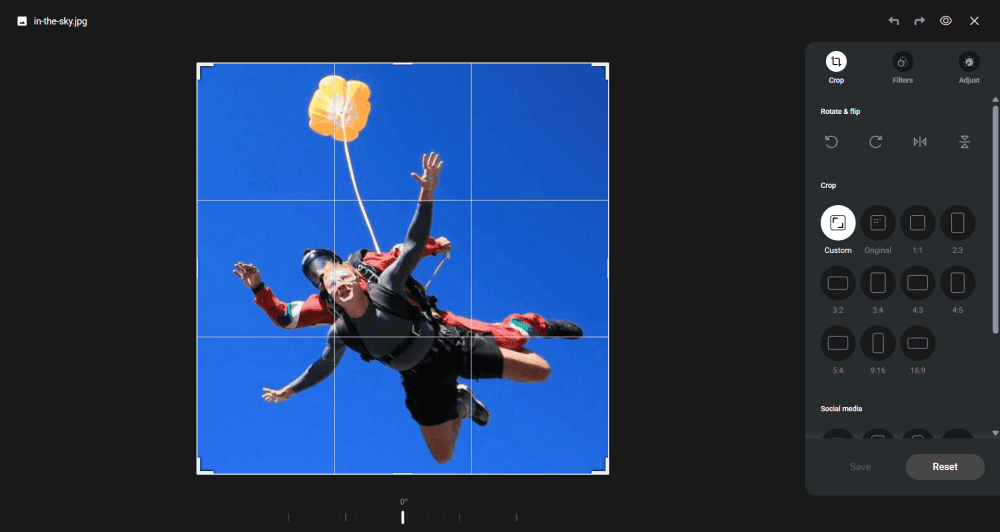
photos due to its built-in editing tools.
2. Google Drive: Still One of the Best, Mostly
I hate to admit it, but Google Drive is still one of the best apps around because it integrates so well with Google Photos. I’ll go over a few examples to illustrate this.
Google Photos can compress uploads to Google Drive. This is a great feature for anyone looking to save space, but true photo professionals may want to avoid it. It’s permanent, and sometimes the difference is noticeable.
That’s not all, of course. Google Photos has all the editing tools I’d expect to see in a photo-based app, and the organization is on another level. It automatically creates collections based on the type of photo, and I can create albums.
I should also mention the search capabilities. I can search for a keyword, and Google will find photos of it — even if it’s handwritten. However, Google relies on AI to search, which some may find off-putting.

I dropped 30GB of photos and videos into Google Drive all at once to see how fast it was. The results were pretty darn quick. It was nearly as fast when I downloaded a batch, too. Plus, like pCloud, I didn’t notice much drain on my CPU. So far, so good.
I then decided to give the editing tools a spin. Honestly, it was like using a dedicated editing app. There were sliders for all kinds of options, like warmth, contrast or saturation. I added a filter and changed the aspect ratio, and my photo came to life. I also had the option to keep the RAW file or edit in Google Photos. Let’s not forget the search feature, either. Powered by AI, it can find words on a handwritten grocery list — it’s that good.
One of the best parts of using Google Drive is the breadth of control at my fingertips. The other is the automatic photo uploads. Once I enabled this feature, uploads were instant from the mobile and desktop apps.
Another feather in Google’s cap is the cost. With 2TB going for $9.99 per month, storing photos is pretty affordable. It’s no lifetime plan, but I’ve seen pricier 2TB plans.
Google gives you the middle finger when it comes to privacy, though. It’s no secret that Google collects data on anyone who uses its products. Google Photos is no different. Yes, I can change some settings to keep my account private, but there’s nothing even close to zero-knowledge encryption. Reading the privacy policy will make you feel unclean.
If you have any concerns about privacy, Google and its Photos app might not be for you.
My Verdict:
If you’re okay with being part of Google’s ad machine and kicking your privacy in the shins, you’ll be hard-pressed to find a better app for your photos.
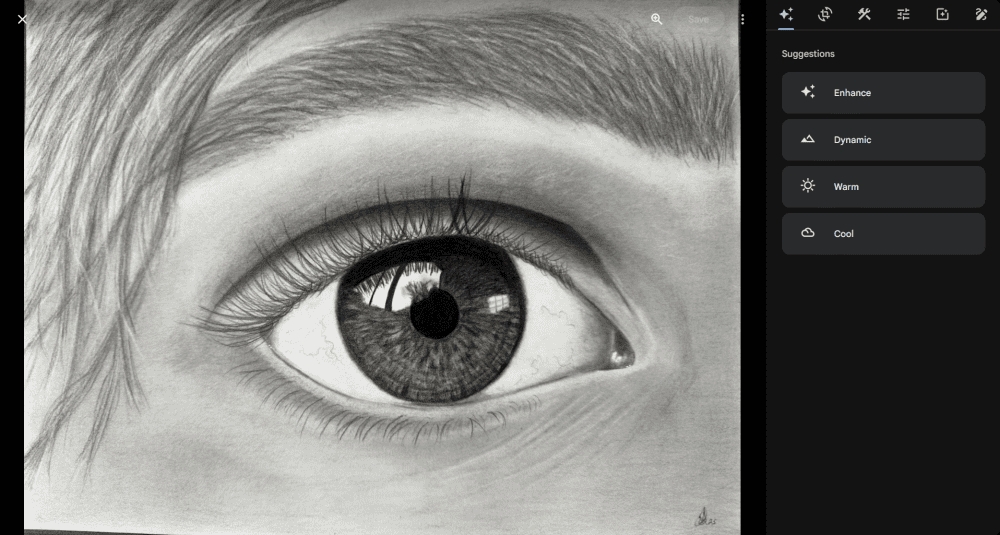
because it works seamlessly with Google Photos.
3. Internxt — Secure and Affordable
Hear me out. I’m aware that Internxt isn’t the first name that comes to mind when considering where to store your photos. Internxt does have one major advantage, though.
When I started researching cloud storage services, one factor kept popping up: cost. Paying for cloud storage with enough space for a large photo collection can add up quickly. That’s where Internxt comes in and says, “Check me out.”
I’ll get right to it. If you’re looking for a cloud storage solution with a great photo editor, look elsewhere. However, if you’re looking for secure, affordable storage, you might want to consider Internxt.

First things first, let’s talk about how little Internxt costs. For 1TB of storage, you’ll shell out just $20 for the entire first year. Crazy, right? Granted, that’s a sale price and is valid only for the first year. However, Internxt offers a lifetime plan that provides even better value. Similar to pCloud’s lifetime plan, you pay once and never have to worry about a subscription again.
An amazing price is worthless if the service doesn’t work, though. Once again, I took my 30GB of photos and dropped them into Internxt. I must admit, the results were less than impressive.
The speeds were noticeably slower, but Internxt handled them with few issues. That is, until it came across my larger video files. Just one of those files took about the same amount of time to upload as an entire batch of photos. It’s safe to say Internxt is not great with larger files.
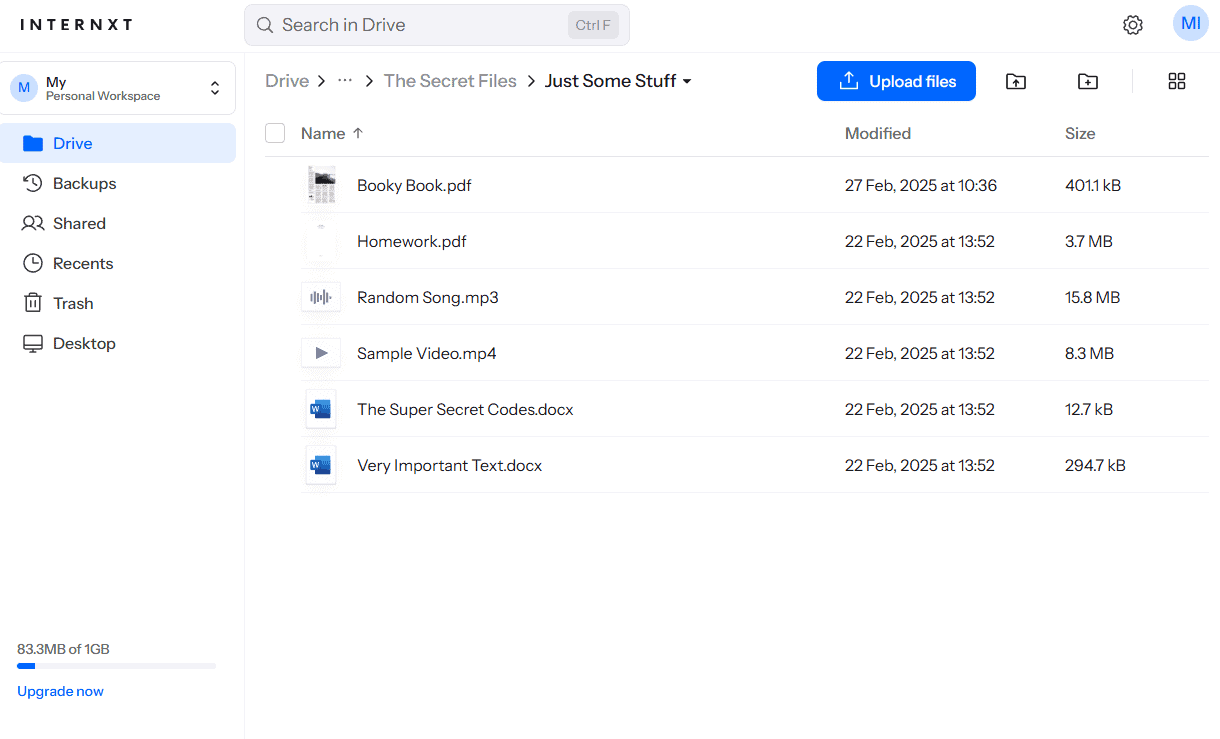
Once those files made it to my account, I couldn’t do much more than preview them — there were no editing tools or slideshow capabilities. Sharing files with others was straightforward, but it’s clear there’s not much to Internxt aside from its exceptionally affordable storage.
That’s not exactly a ringing endorsement, is it? You may be wondering why, in an article about cloud storage services for photos, I’m including a provider that kind of sucks with photos. I included Internxt for one simple reason: privacy. Google doesn’t do well with privacy, and pCloud makes you pay extra for it.
Internxt, on the other hand, has client-side encryption, which means not even the provider can access your data. The encryption applies to your entire account, not just a single folder. This keeps your photos secure. All files are encrypted on your device before you upload a single one.
Additionally, Internxt uses post-quantum encryption. This is a techy way of saying that Internxt will protect your data from more advanced threats in the future. Combine this level of security and privacy with affordability, and Internxt offers value you won’t find with most other cloud storage services.
My Verdict:
Internxt is a great option if all you need is affordable and secure storage. Photo power users will probably find Internxt lacking, though.
I Pulled Out the Stopwatch: My Speed Test Data
When I’m at home, files upload easily to my cloud storage. However, when I’m out and about and snap the perfect picture, with the sunlight gleaming as my subject gazes out over the tranquil sea, I need to make sure it’s still uploaded safely to my cloud storage. With pCloud and Google, that’ll happen before you know it. With Internxt, not so much.
I wanted to test each service properly, so I gathered about 5GB of data, including RAW files and large videos. This is the kind of data a professional photographer might handle while on the job.
Look, no speed test is perfect. You can’t anticipate everything, such as time of day or server load. It is what it is. However, these results should give you a good sense of what to expect from my top three cloud storage providers.
My Must-Haves: Features Overview
Below are the most important features for photographers or anyone who wants to keep their photos in a cloud backup system.
Collaboration & Features Overview
| Provider: | Photo-Editing Tools | Version History | Selective Sync | Mobile Apps | Auto-Photo Upload | Lifetime Plans |
|---|---|---|---|---|---|---|
| 14 days (free), 30 days (paid) | | ||||
| * | 30 days or 100 versions | ** | | *** | |
| None | | ||||
| 30 days (free) | | ||||
| 5 | |
**In the desktop app
***With the Google Photos app
Security & Privacy: How I Switched Sides and Challenged the Providers
There are plenty of marketing terms and jargon related to security and privacy for cloud storage and other digital services. I’ll cut through the noise and focus on what you really need to know.
| Provider: | Encryption Type | Client Encryption | 2FA Options | Server Locations | Compliance |
|---|---|---|---|---|---|
| AES-256 | * | SMS, app-based | U.S., EU | SOC 2, GDPR, ISO 27001 |
| AES-256 | SMS, app-based | U.S., Asia, Europe, South America | HIPAA, GDPR, CJIS | |
| AES-256 | App-based | EU | ISO 27001, GDPR, HIPAA, SOC 2 | |
| AES-256 | Email app-based | Canada | GDPR, PIPEDA, HIPAA, SOC 1-2-3 | |
| AES-256 | SMS, app-based | Norway | GDPR, Norwegian privacy laws |
I Did the Math: Pricing & Long-Term Calculation
First things first, don’t bother with a month-to-month subscription unless you really need to or don’t mind paying more over time. They are designed to be more expensive over the long term. A month-to-month plan may look cheaper up front, but it’s always more cost-effective to opt for an annual plan. Even a lifetime plan can be better in the long run.
Let’s Do the Math
Once I started adding up the cost of a monthly subscription instead of an annual one, it shifted how I thought about cloud storage and almost changed my recommendations. Brace yourself; this could be an eye-opener.
The Three-Year Reality Check:
- pCloud (2TB): $399 (at $9.99 per month)
- Google Drive (2TB): $99.99 ($2.49 per month for three months, then $9.99 per month)
- Internxt (1TB): $300 ($20 per month for the first year, then $131.88 upon renewal; annual billing only)
Ironically, Internxt costs slightly more per month than Google or pCloud ($12.50 vs $9.99), but it’s the cheaper option over three years. However, after three years, you’ll still be paying hundreds of dollars for cloud storage.
The Lifetime Comparison (After Five Years):
- pCloud (2TB): $399
- Google Drive (2TB): $99.99 per year
- Internxt (3TB): $450
pCloud and Internxt offer lifetime plans, but Google Drive does not. This is where the savings can really add up. Even opting for Google’s annual pricing instead of the monthly fee, pCloud and Internxt would still save you money before the five-year mark. After that, you have free cloud storage for life. With Google Drive, you’ll continue to add to the total cost every year.
Why I Don’t Trust Free Storage (And You Shouldn’t Either)
I tried all kinds of free plans offering varying amounts of storage, such as 10GB, 15GB and 20GB. These amounts, especially for photos and videos, are a joke. I hit the cap every time, and that was with what I already had in my library. Forget about any new photos, and don’t even get me started on Dropbox’s 2GB free plan.
Of course, Google offers more storage for a price. However, if you surpass the storage limit for two years or longer, Google could delete the entire contents of your account — not just what’s over the cap. Don’t make the mistake of thinking that paid accounts are safe, either.
The real problem: You become dependent on that free storage and feel like you need to upgrade to avoid losing your data. Here’s an insider secret: That’s the point of a free plan.
You see, a free plan is meant to get you used to a service so you don’t want to leave. Once you hit the storage limit, your only options are to upgrade or move. I don’t know about you, but constantly moving between cloud storage services or even juggling multiple free accounts isn’t my idea of fun.
Let’s not forget about the main focus of this article: photographers, both pro and amateur. You don’t want to worry constantly about limited storage space for your photos; it’s not worth the headache.
I Analyzed User Types & Scenarios: Which Photographer Persona Are You?
Choosing a cloud storage solution depends on what you need and the type of photographer you are. I spent some time considering the most common types of photographers and figuring out what they need from a cloud storage service. See if you identify with any of these personas.
My Verdict: Who Wins and Why
Remember my friend Dave, whose experience with massive data loss got me started on this journey of researching cloud backup services? Well, I’m happy to report that since he made the switch to cloud storage, he hasn’t had any repeat incidents. All his photos have stayed safe in the cloud.
After my testing, these are the top choices I’d trust with my photos, both personal and professional.

The main takeaway from this deep dive is that there’s no one-size-fits-all solution. The best cloud storage for photographers depends on individual needs.
After weeks of testing and learning painful life lessons, I’m happy knowing that my precious digital memories are safe with a cloud backup service. I may have to shell out a few hundred dollars over the course of the year or even up front, but that’s nothing compared to the thought of permanently losing precious photos.
Cloud storage, particularly for photographers, is no longer a nice-to-have. It’s a requirement and an insurance policy that provides tangible value.
FAQ
The best cloud storage for photos depends on what you need. My top choice overall is pCloud.
Cloud storage is the best place to store photos long term.
Google Photos is the better option, since it was designed specifically for photos. iCloud is the easy choice for Apple, and you get 5GB free with your device.
Yes, Google Drive is good for storing photos because it integrates with Google Photos.