Bitwarden Review
I put the popular password manager Bitwarden through the wringer to test its features and performance. Read this Bitwarden review to discover my findings and determine whether it’s a good fit for your needs.

Key Takeaways: What Is Bitwarden & Is It Good to Use?
- Bitwarden is a secure, open-source password manager with strong encryption and a generous free plan.
- This password manager offers excellent value for money, especially compared to premium competitors like Dashlane or 1Password.
- Bitwarden’s interface and usability can feel slightly less polished for beginners.
Top Use Cases for Bitwarden:
- Secure personal password storage: Ideal for individuals who want a free, secure way to manage logins across devices.
- Team and business credential sharing: Great for small teams managing shared logins and sensitive data.
- Privacy-focused users: This is a good option for those who prefer open-source tools with client-side encryption and self-hosting options.
Bitwarden has built a reputation as one of the most trusted password managers, largely due to its open-source nature and transparent security practices. In this review, I break down its features, pricing, usability and security to help you decide if it’s the right fit for your needs.
Bitwarden also stands out for its genuinely useful free plan, but it comes with some trade-offs. For a broader comparison to other providers, check out our guide to the best password managers to see how Bitwarden stacks up against top competitors.
-
05/20/2022 Facts checked
Rewrote this review with new information about pricing and features.
-
05/10/2026 Facts checked
We rewrote this article to highlight Bitwarden’s latest features and recent test results.
-
10/14/2026 Facts checked
Based on recent tests, we’ve updated our Bitwarden alternatives list to include NordPass.
What Is Bitwarden & Who Is It For?
Bitwarden is an open-source password management platform that securely stores, generates and autofills credentials across devices. It’s designed for individuals, families and businesses that want strong security without paying premium prices.
- Release date: 2016
- Owner: Bitwarden Inc.
- Operating systems: Windows, macOS, Linux, Android, iOS
- Platforms: Web vault, desktop and mobile apps, browser extension
- Notable features: Client-side encryption, password generator, secure sharing, passkey support, self-hosting
- Pricing: Free plan available; paid plans starting at $19.80 per year
The Cloudwards Expert Opinion: Bitwarden
 The Cloudwards Expert Opinion: Bitwarden
I’ve tested Bitwarden extensively, and it remains one of the best-value password managers available. It nails the fundamentals: strong encryption, reliable syncing and a feature-rich free tier. That said, its interface can be a bit clunky, and some workflows take getting used to. Still, for the price, it consistently performs better than expected and continues to improve with each update.
Bitwarden Pros & Cons
What Are Bitwarden’s Authentication and Autofill Features?
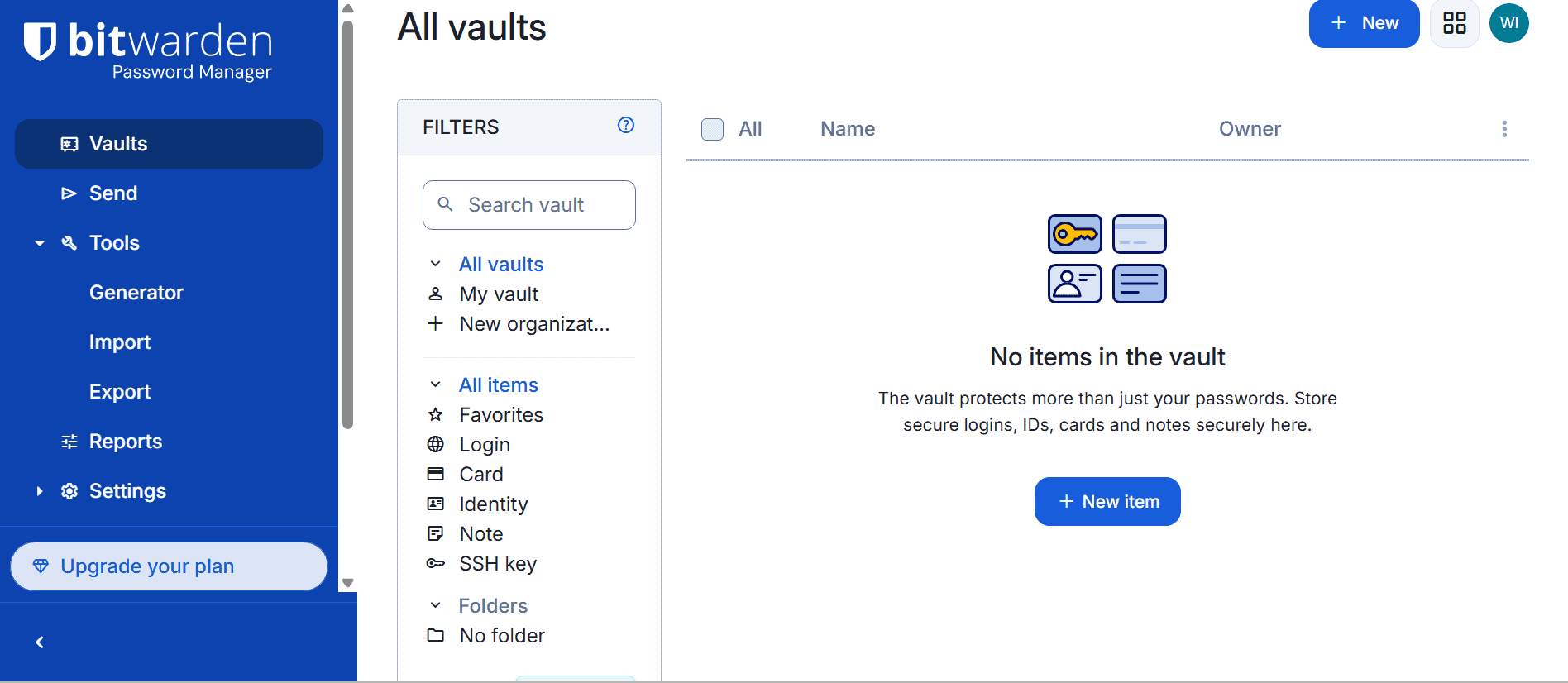
Bitwarden offers a comprehensive suite of authentication and autofill features designed to balance convenience and security. From basic password storage to advanced two-factor authentication (2FA), it covers all the essentials, including newer technologies like passkeys.
Password Vaults
The password vault acts as the central hub for all your stored data, including logins, notes and payment details. It’s fast and dependable in day-to-day use, with near-instant syncing across devices. This makes it easy to access your credentials from anywhere without worrying about outdated information.
Bitwarden Features Overview
| Features |  |
|---|---|
| 2FA | |
| Encryption | AES-256 |
| Zero-knowledge | |
| 2FA keys | |
| Security analysis | |
| Multi-device sync | |
| Backup and recovery | |
| Mobile apps | Android, iOS |
| Password changer | |
| Password generator | |
| Browser extension | |
| Autofill | |
| Form auto-fill | |
| Browser UI | |
| Desktop UI | |
| Live chat | |
| Phone | |
| Help center | |
| Forums | |
| 24/7 support | |
| Free plan |
Hands-On Testing: How User-Friendly Is Bitwarden?
Bitwarden is functional and efficient, but it doesn’t prioritize aesthetics or simplicity to the same extent as some competitors. Those who are new to password managers may experience a slight learning curve while navigating the interface and discovering how the features work together. That said, using Bitwarden becomes second nature once you’re familiar with the layout.
How to Use Bitwarden
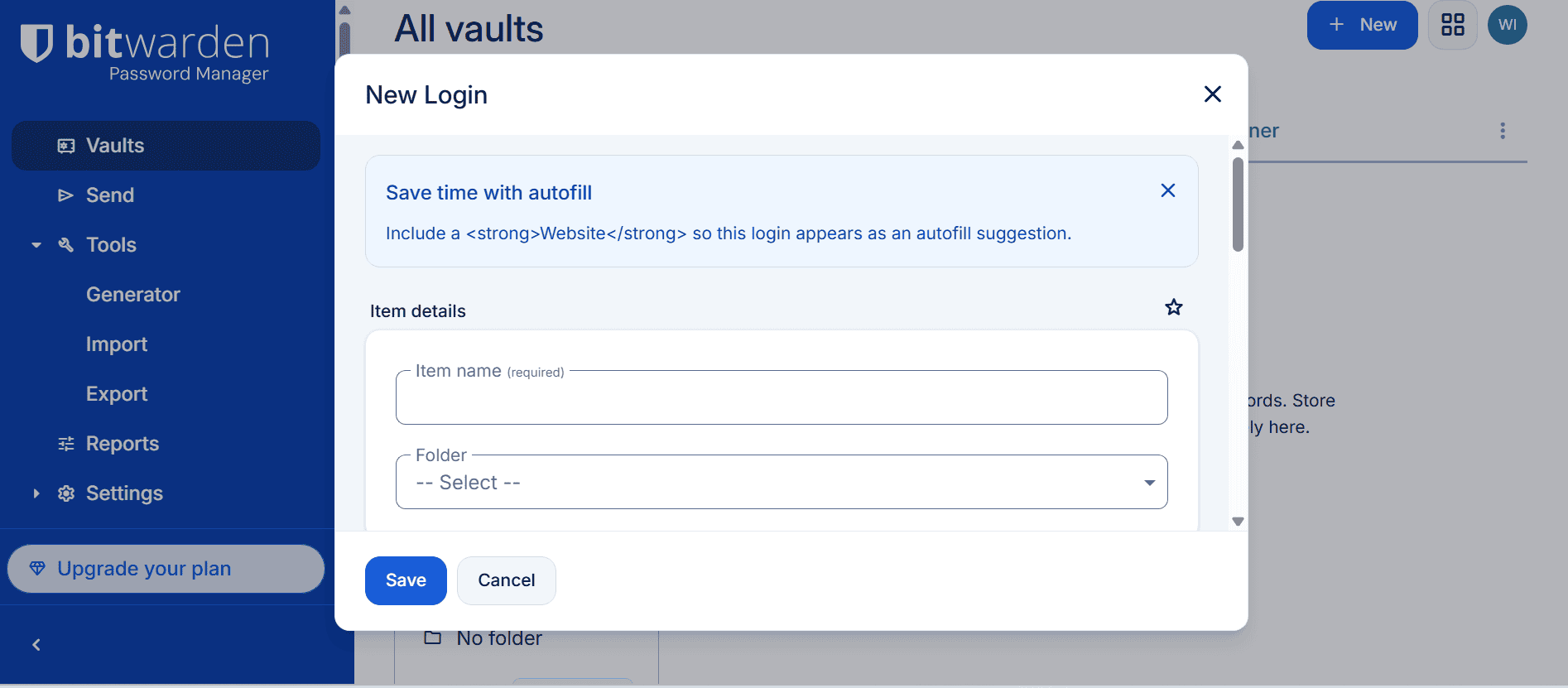
Bitwarden is easy to use once you bypass the learning curve. Follow these simple steps to get started.
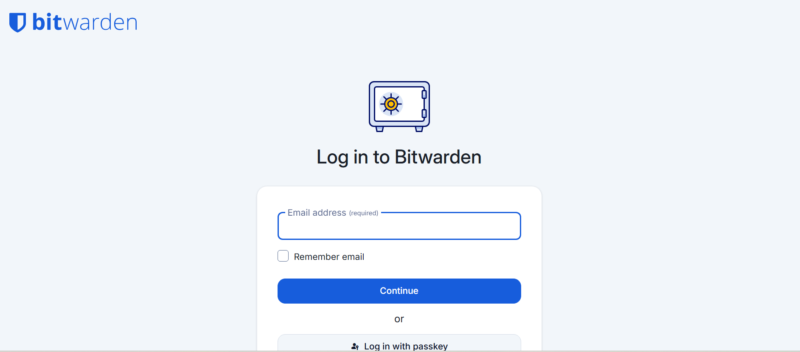
- Log In to Bitwarden
Open your Bitwarden app and enter your login details. Store your master password safely; Bitwarden can’t help you recover it if you lose it.
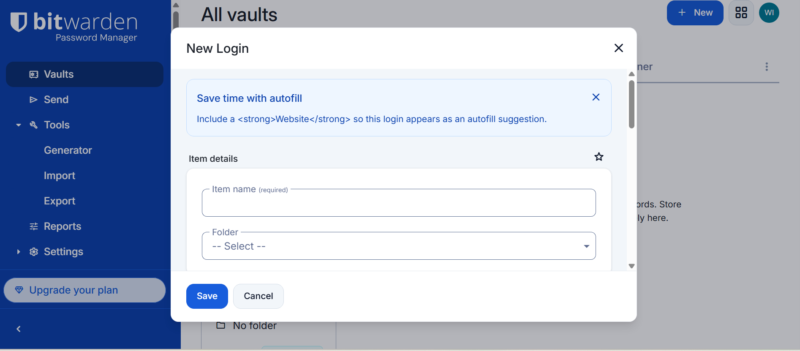
- Add New Logins
Add new passwords to your Bitwarden vault by clicking the “+ new” button. You can also import passwords from another password manager.
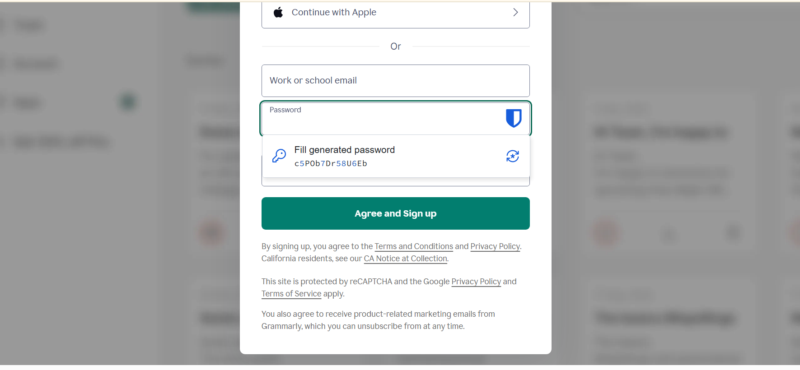
- Autofill Passwords
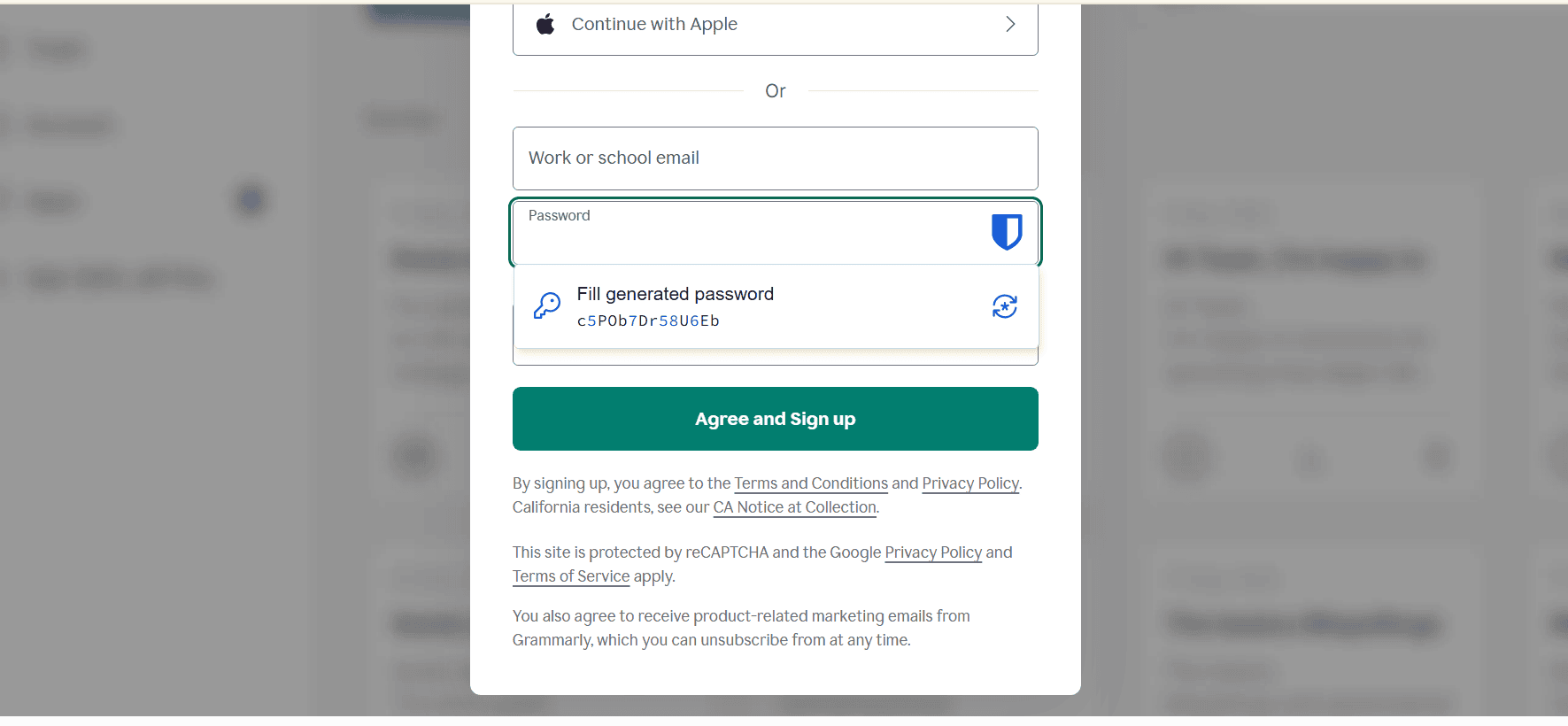
Download the Bitwarden extension and use it to generate or autofill passwords.

Security: Is Bitwarden Safe?
Bitwarden is one of the most secure password managers available, thanks to its AES-256 encryption and strict zero-knowledge architecture. This ensures your data is encrypted locally before being transmitted, meaning no one can access the contents of your vault.
Bitwarden also supports advanced security features such as two-factor authentication, hardware security keys and passkeys. These layers of protection make it significantly harder for attackers to gain unauthorized access, even if your master password is compromised.
Third-Party Audits
Bitwarden undergoes regular third-party security audits conducted by reputable firms like Cure53 and Insight Risk Consulting. These audits evaluate the codebase and infrastructure for vulnerabilities. They often reaffirm Bitwarden’s commitment to privacy and security, and the provider resolves any vulnerabilities right away.
Privacy: Can You Trust Bitwarden?
Bitwarden takes a privacy-first approach, collecting minimal user data to operate the service and using client-side encryption to protect user data from the company itself. It does not track the contents of your vault or sell your data, which is a significant advantage over some competitors. The open-source model also allows for independent verification of its security claims.
Who Owns Bitwarden?
Bitwarden Inc., a privately held company based in the United States, owns Bitwarden. The company maintains a strong focus on transparency, with its open-source codebase serving as a key differentiator in the market.
Pricing: How Much Does Bitwarden Cost?
Bitwarden’s Premium plan for individuals costs $1.65 per month, which is more affordable than many other password managers. It also has a Families plan, priced at $3.99 per month for up to six users. Bitwarden’s Teams plan costs $4 per user per month, while the Enterprise plan bumps up the price to $6 per user per month.
- Unlimited storage, Multi-device sync, 2FA
- 1GB of encrypted file storage, Additional 2FA options, Password health reports, Priority customer service
- Billed annually, Six accounts
More plans
- Billed annually,Per user, includes all premium features
- Per user, includes all premium features and families plan for all users,
Is There a Bitwarden Free Plan?
Yes, Bitwarden has a great free plan – one of the most generous free password management plans available – offering unlimited password storage, device syncing and core features. However, advanced options like vault health alerts, password coaching and emergency access are reserved for paid users.
Customer Support: What Support Does Bitwarden Offer?
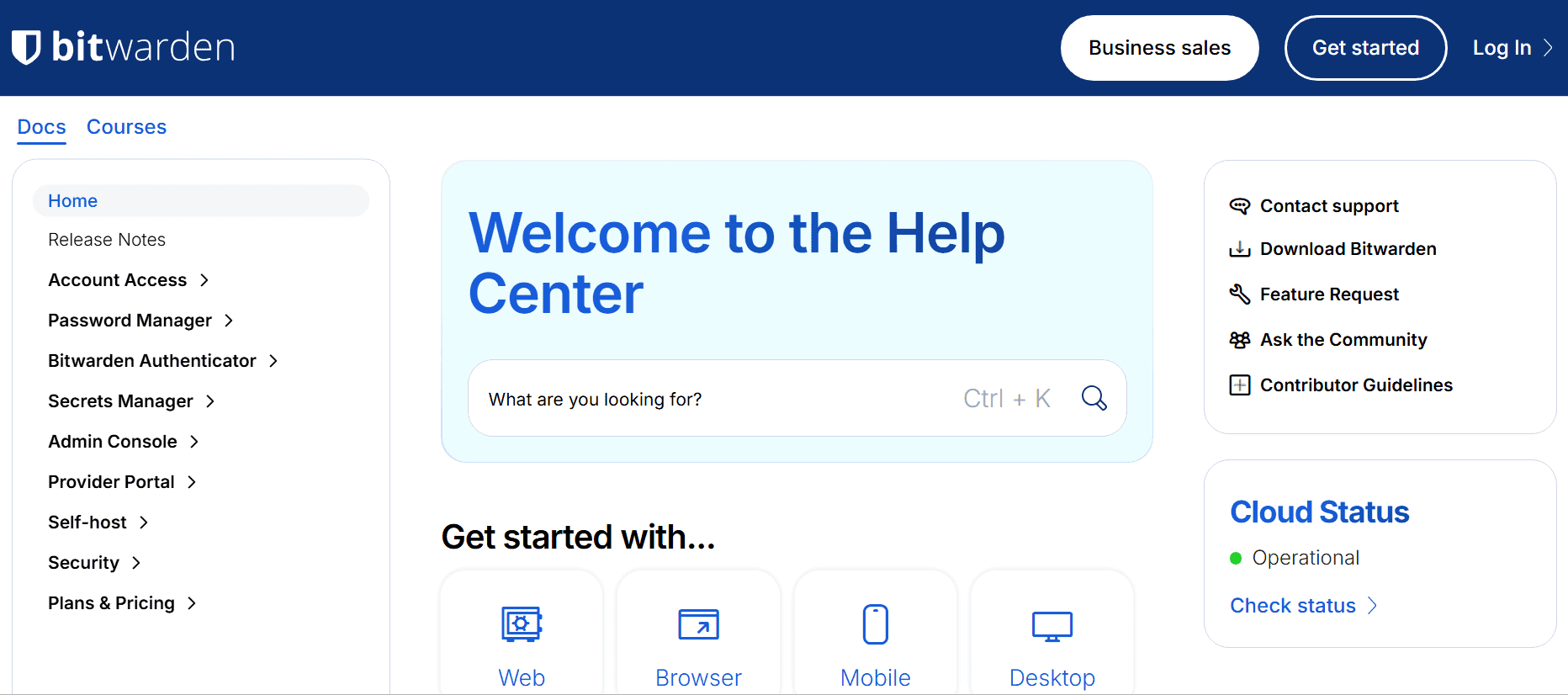
Bitwarden has a help center with guides, tutorials and FAQs. There’s also an active community forum where you can post questions and receive answers. Unfortunately, Bitwarden doesn’t offer live chat, which is vital for real-time assistance.
My Methodology: How Did I Test Bitwarden?
I tested Bitwarden across multiple devices and operating systems to evaluate its performance in real-world scenarios. Here are the key criteria I examined:
- Features: I explored Bitwarden’s core functionality, including password storage, generator tools, secure sharing and vault reports, to see how useful they are in everyday use. I also tested newer capabilities like passkey support and multi-factor authentication to evaluate how well they integrate into typical workflows.
- Security: I reviewed Bitwarden’s encryption model, zero-knowledge architecture and authentication options to assess how effectively it protects user data. I also examined its track record with third-party audits and how quickly it responds to identified vulnerabilities.
- Privacy: I analyzed Bitwarden’s data collection practices and privacy policy to understand the types of user information it stores and how it handles that information. I also considered the benefits of Bitwarden’s open-source model and optional self-hosting for users who want maximum control.
- Usability: I tested the mobile app, desktop app and browser extension to see how easy they are to navigate and use. This included evaluating the onboarding process, tracking autofill behavior and assessing how intuitive the overall experience feels for both beginners and experienced users.
- Customer support: I assessed the availability and quality of support resources, including the knowledgebase, email support and community forums. I also looked at how quickly issues can be resolved and whether the documentation is detailed enough for troubleshooting.
Bitwarden Alternatives
If Bitwarden doesn’t meet your needs, there are several other password managers you can consider. Take a look at how Bitwarden stacks up against popular options like Proton Pass, NordPass and 1Password.
Bitwarden vs Proton Pass
Proton Pass offers a more modern, simplified interface with smoother autofill and strong integration with the Proton ecosystem. It’s ideal for those already using Proton services like Mail or Drive. Read our Proton Pass review for more information.
However, Bitwarden provides a more advanced feature set with stronger vault management and broader customization. It’s better suited for users who want depth, control and long-term flexibility.
Bitwarden vs NordPass

NordPass offers a more polished, beginner-friendly experience than Bitwarden, with a clean interface and straightforward tools. Its XChaCha20 encryption, autofill and password health monitoring make it a strong choice if you prioritize simplicity. Read our NordPass review for more.
However, Bitwarden has the advantage of being open source and offering unlimited simultaneous devices on its free plan. NordPass is better for beginners, while Bitwarden appeals to users who want greater transparency and customization.
Bitwarden vs 1Password

1Password offers a highly polished experience with excellent design, intuitive navigation and advanced features like travel mode. It’s built for those who value convenience and premium usability. Explore our 1Password review to learn more.
Bitwarden, on the other hand, focuses on affordability and transparency while still delivering strong core features. Bitwarden is the better option for users who want powerful security at a lower cost.
Community Feedback: Bitwarden Reviews on Reddit & Social Media
Community feedback for Bitwarden is largely positive, with many users praising its affordability and transparency. It’s often described as the best free password manager available, especially for those who value open-source software.
That said, some users point out occasional autofill issues and the less polished interface. These criticisms are consistent, but they rarely outweigh the overall benefits, especially considering the price.
The Verdict: Is Bitwarden Good?
Bitwarden remains one of the best password managers, particularly for users who value security, transparency and affordability. It delivers a strong core experience backed by robust encryption and a generous free plan.
While it may not match the polish of some premium competitors, Bitwarden’s overall value is difficult to beat. For most users, especially those on a budget, Bitwarden is an easy recommendation.
FAQ: Bitwarden Password Manager Review
Yes, Bitwarden is secure. It uses end-to-end AES-256 encryption and zero-knowledge architecture to keep your data private. It also supports 2FA, offers hardware keys and undergoes regular third-party security audits.
The disadvantages of Bitwarden are the less polished interface and the navigational learning curve for beginners. In addition, autofill can be inconsistent, and advanced features may be tricky to learn.
NASA systems engineer Mark Miller reported that NASA considers Bitwarden a good option for its needs.