SecureSafe Review
In this SecureSafe review, I explore its strengths and weaknesses to help you decide whether the password manager/encrypted cloud storage service is worth purchasing a subscription.

Key Takeaways: What Is SecureSafe & Is It Good to Use?
- SecureSafe combines password management with encrypted cloud storage in a single platform.
- This service delivers excellent privacy protections under Swiss law, with strong encryption and zero-knowledge architecture.
- SecureSafe’s autofill and usability lag behind leading password managers, making it better suited for users who prioritize security over functionality.
Top Use Cases for SecureSafe:
- Storing highly sensitive documents: SecureSafe excels as a digital vault for confidential files — such as legal contracts, IDs, financial records and backups — thanks to its client-side encryption and Swiss privacy protections.
- For combined password management and secure cloud storage: SecureSafe allows you to manage logins and files in one place, making it useful for users handling credentials and sensitive documents.
- Long-term data protection and digital inheritance planning: SecureSafe’s data inheritance feature makes it particularly valuable if you want to ensure your data can be securely passed on to trusted individuals.
SecureSafe is a Switzerland-based security platform that combines password management and encrypted cloud storage. In this SecureSafe review, I examine its features, security, privacy, pricing and customer support to help you decide whether it’s worth your money.
To cut to the chase, SecureSafe shines in data protection and secure file handling. However, it doesn’t quite match the polish or automation of the best password managers.
-
04/15/2024 Facts checked
Updated to reflect pricing plans of SecureSafe.
-
05/11/2026 Facts checked
This article was rewritten after conducting fresh testing of SecureSafe.
What Is SecureSafe & Who Is It For?
SecureSafe is a hybrid password manager and secure cloud storage service designed to protect sensitive data under strict Swiss privacy laws. It’s particularly well suited for individuals and businesses that want to store passwords, documents and confidential files in a single encrypted vault.
- Release date: 2009
- Owner: DSwiss AG
- Operating systems: Windows, macOS, iOS, Android
- Platforms: Web, desktop apps, mobile apps, browser extensions
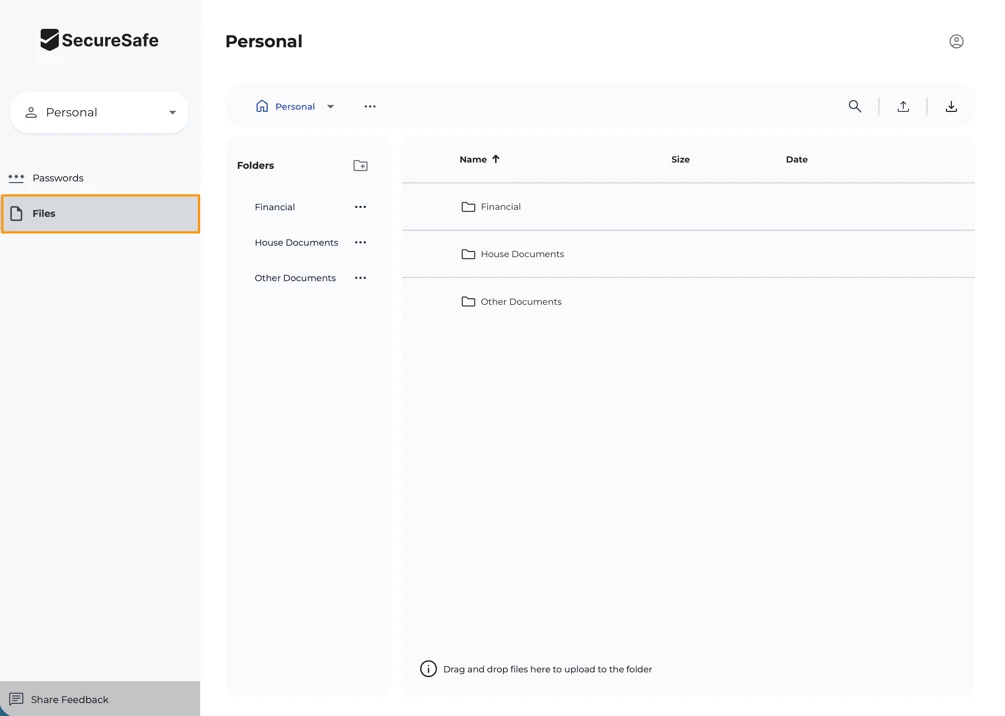
- Notable features: Data inheritance, secure file storage, password vault
- Pricing: starts at $1.80 per month with Personal Solo Pass; no free plan
The Cloudwards Expert Opinion: SecureSafe Review
 The Cloudwards Expert Opinion: SecureSafe Review
SecureSafe stood out to me for its secure document storage and data inheritance feature, which allows the secure transfer of digital documents and login information of deceased individuals. I appreciate having the ability to store sensitive files alongside my credentials and set up controlled access for trusted individuals. Most password managers don’t offer these capabilities, and they add real value if you’re thinking beyond just logins.
However, SecureSafe’s password management felt functional but fairly basic. It could handle simple tasks, but it didn’t deliver the smooth autofill or intuitive workflows I’ve come to expect from tools like Proton Pass. Try SecureSafe for yourself with a 14-day free trial of any plan.
SecureSafe Pros & Cons
Authentication and Autofill Features
SecureSafe covers the basics of authentication and autofill, but it doesn’t feel as refined as leading password managers. I noticed that the autofill feature works reliably on simple login pages but tends to struggle with more complex forms, such as multistep logins.
Credential capture is also somewhat inconsistent, occasionally missing opportunities to save new logins unless prompted manually. Overall, it gets the job done for everyday use, but power users may find it limiting.
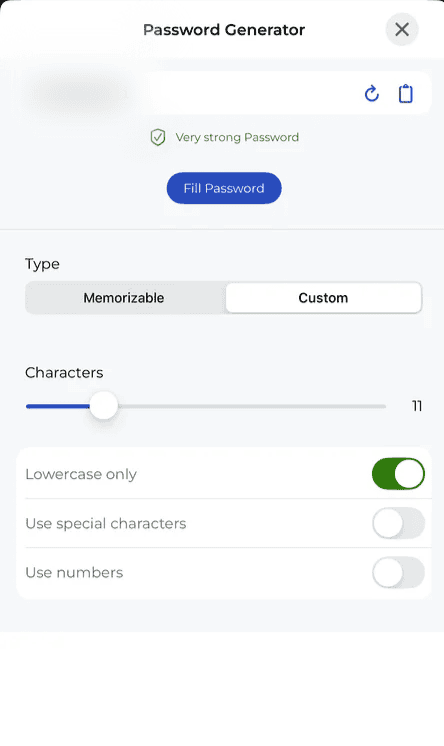
Password Generator
SecureSafe includes a built-in password generator that allows you to create strong, random passwords with adjustable lengths and character types. However, it lacks some of the advanced customization options found with competitors like Dashlane, such as passphrase generation or more granular control over character sets.
SecureSafe Features Overview
| Features |  |
|---|---|
| 2FA | |
| Encryption | AES-256 |
| Zero-knowledge | |
| 2FA keys | |
| Security analysis | |
| Multi-device sync | |
| Backup and recovery | |
| Mobile apps | |
| Password changer | |
| Password generator | |
| Browser extension | |
| Autofill | |
| Form auto-fill | |
| Browser UI | |
| Desktop UI | |
| Live chat | |
| Phone | |
| Help center | |
| Forums | |
| 24/7 support | |
| Free plan |
User-Friendliness & Hands-On Testing
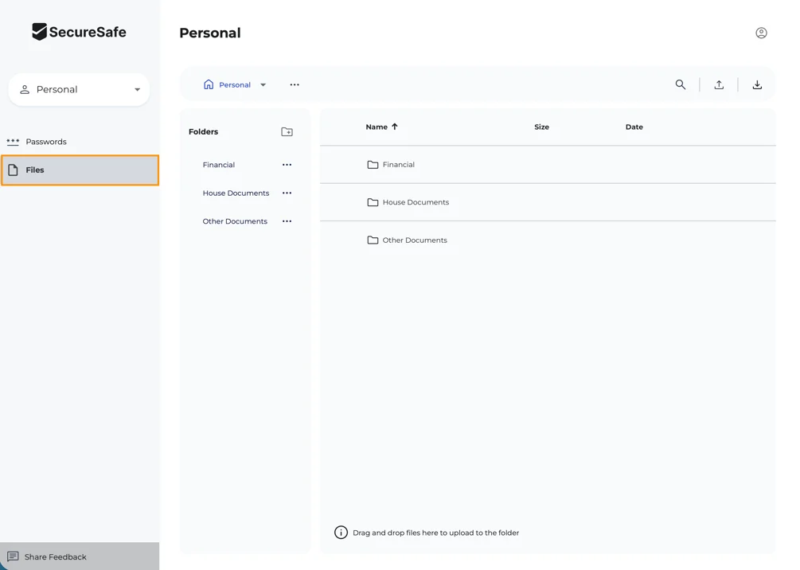
SecureSafe features a clean and straightforward interface. Switching between password vaults and file storage is intuitive, though the dual-purpose design might take some getting used to.
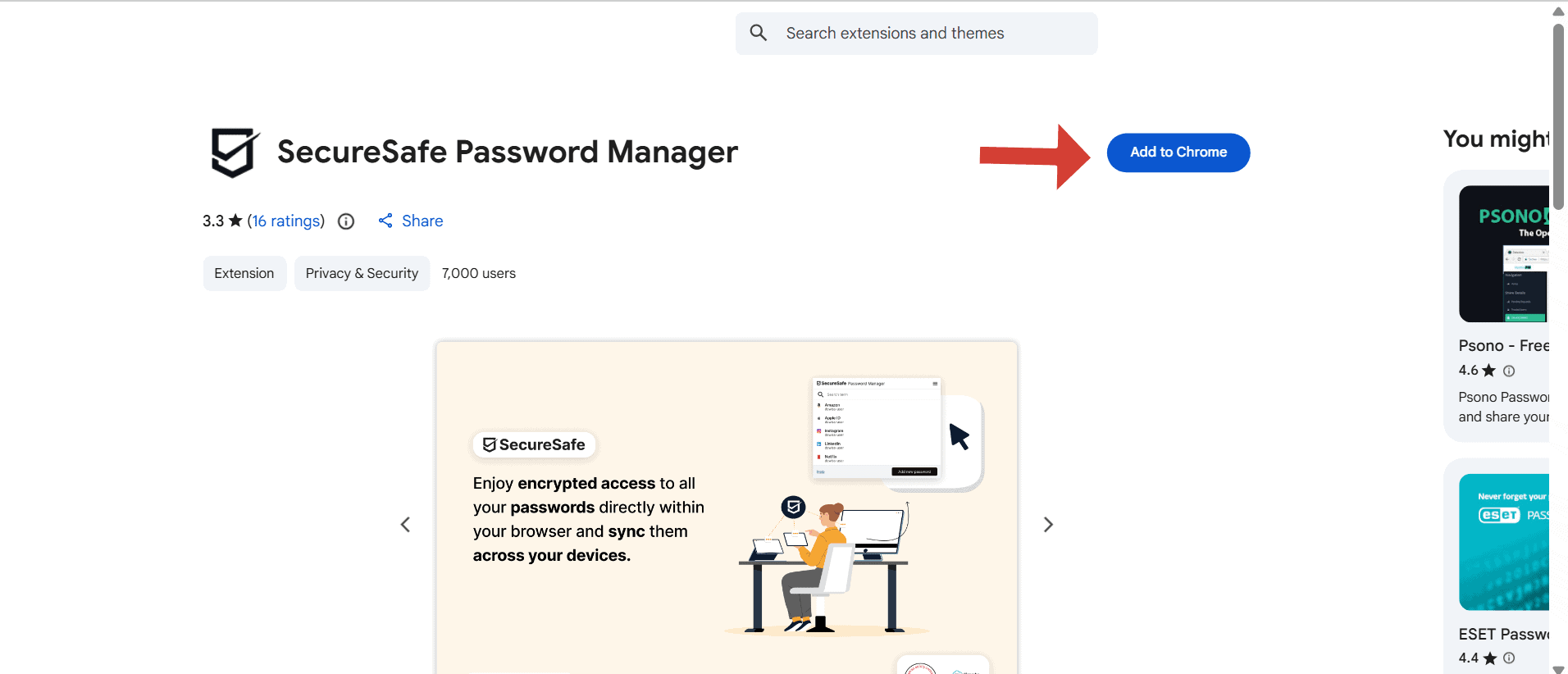
How to Use SecureSafe
Follow the steps below to set up SecureSafe on your device.
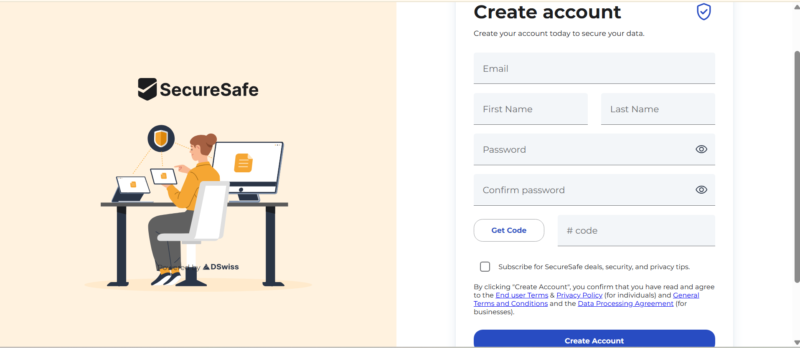
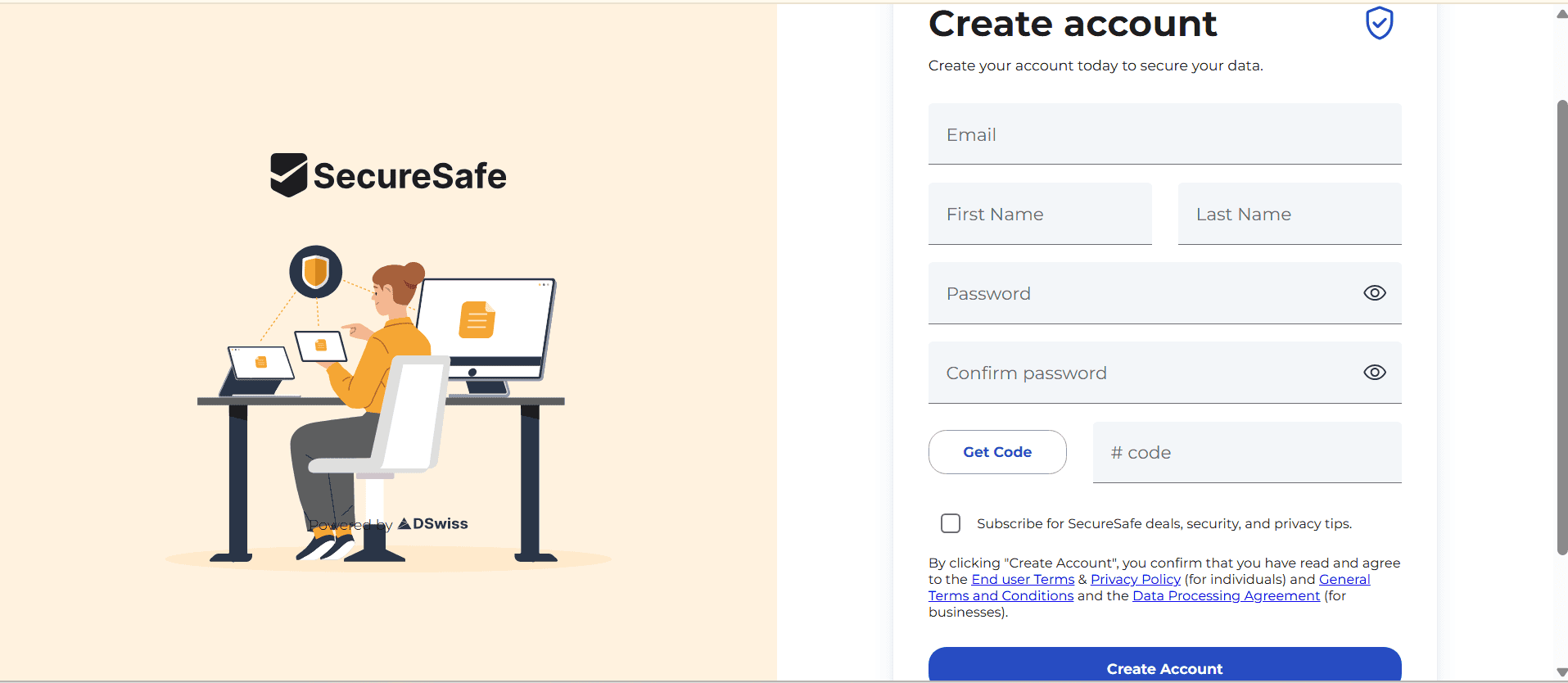
- Create an Account
Go to SecureSafe’s pricing page and click on your preferred plan. Create an account using your email address.
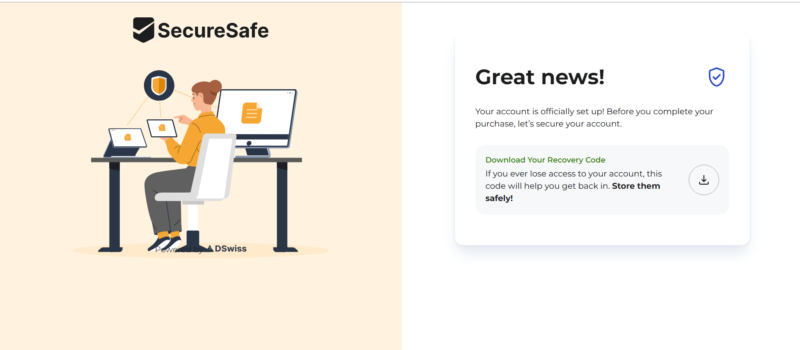
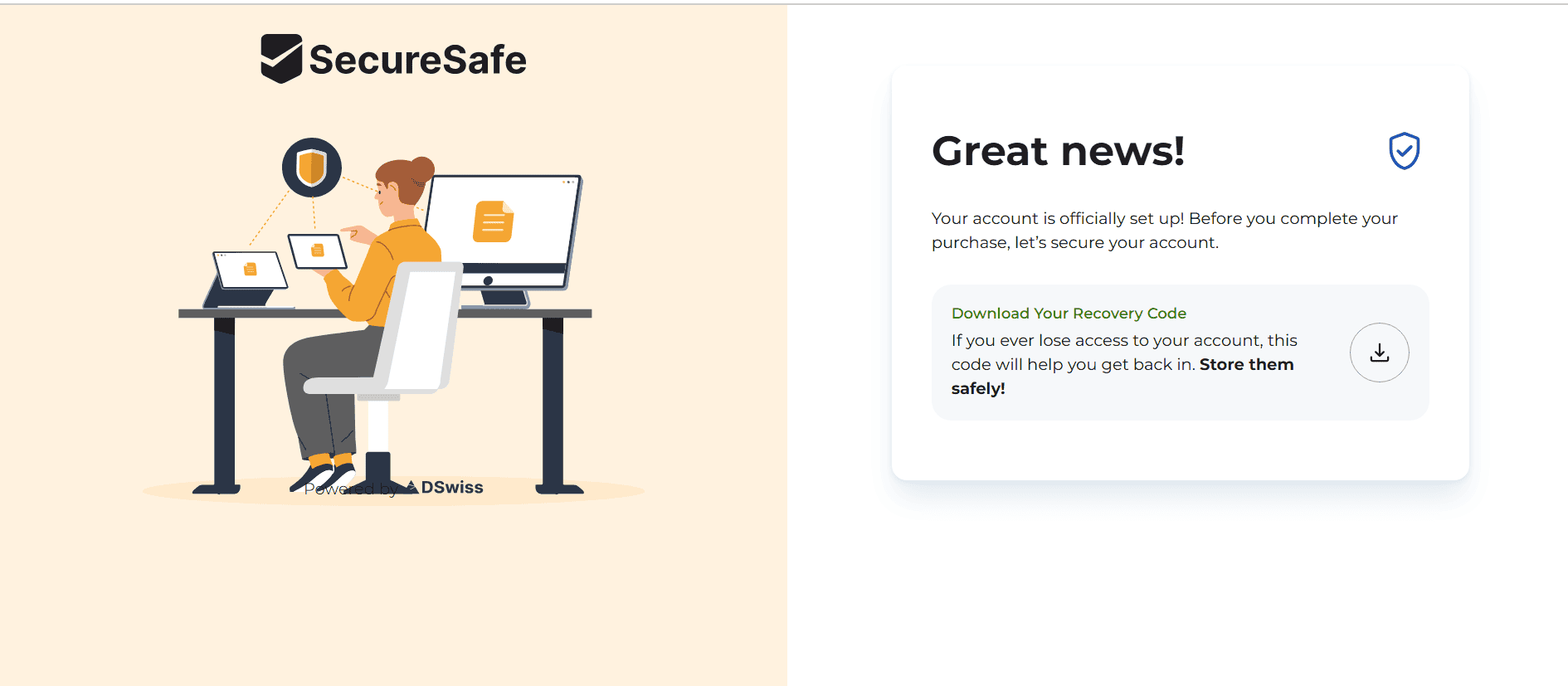
- Download Your Recovery Code
Download your recovery code after creating your account and save it somewhere safe.
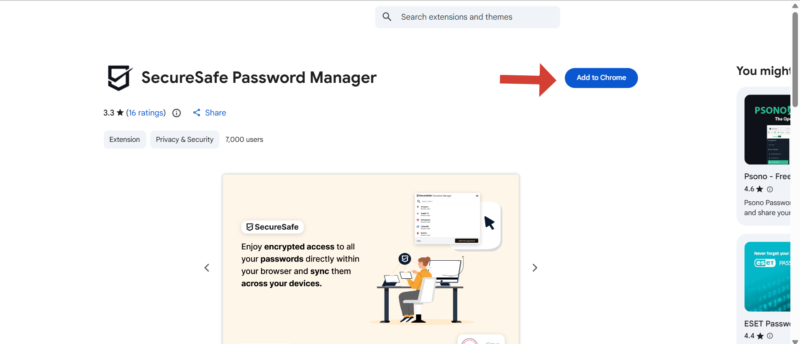
- Download and Install SecureSafe
Select the SecureSafe app for your device and follow the installation prompts.
- Start Using SecureSafe
Enjoy your new SecureSafe account.
Security: Is SecureSafe Safe?
Yes, SecureSafe is highly secure, combining strong encryption standards with a privacy-first architecture. It uses AES-256 encryption, the same standard trusted by governments and financial institutions worldwide. This is paired with PBKDF2 key derivation, which strengthens your master password by making brute-force attacks more time-consuming.
SecureSafe also offers client-side encryption, which encrypts data locally on your device before uploading it to SecureSafe’s servers, so the company never sees your unencrypted information. This also means hackers won’t be able to access your passwords or sensitive files even if there’s a breach.
Does SecureSafe Undergo Third-Party Audits?
SecureSafe states that its infrastructure and data centers are subject to regular security audits. However, at the time of writing, there are only vague references to audits on its website, and it doesn’t list any audit reports, timelines or the names of the independent firms that conducted them.
In an industry where leading providers publish audit results to prove their security posture, this lack of transparency raises questions about accountability. For example, 1Password’s website includes detailed third-party audit reports, penetration test summaries and compliance certifications.
Privacy: Can You Trust SecureSafe?
SecureSafe operates under Switzerland’s strict data protection framework, widely regarded as one of the most privacy-friendly jurisdictions globally. Swiss laws place strong limitations on data access and sharing.
In addition to its jurisdictional advantage, SecureSafe enforces a strict no-logs policy. Combined with its client-side encryption, this means the company cannot access, track or share your stored data, even if compelled. All data is encrypted both in transit and at rest, ensuring protection against interception and unauthorized access.
Who Owns SecureSafe?
DSwiss AG, a Swiss company specializing in secure digital storage solutions, owns and operates SecureSafe. DSwiss AG has a strong reputation in the financial sector, where it develops secure digital vault systems for banks and enterprises.
Pricing: How Much Does SecureSafe Cost?
SecureSafe’s yearly password plan starts at $1.80 per month, which is cheaper than most password managers. In a similar vein, its Family plan starts at an affordable $4.30 per month (for up to six users). SecureSafe’s Business plan starts at $1.80 per user per month.
SecureSafe has a separate cloud storage plan (Files) that costs $3 per month and provides 5GB of storage. The Family plan covers up to six users and costs $7 per month.
If you prefer to combine the password manager and cloud storage, you can opt for the Bundle plan. The Solo Bundle plan costs $3.40 per month and includes a personal password safe and 5GB of personal storage. The Family Bundle plan bumps up the price to $7.90 per month and includes storage safes as well as personal and shared passwords.
Is There a SecureSafe Free Plan?
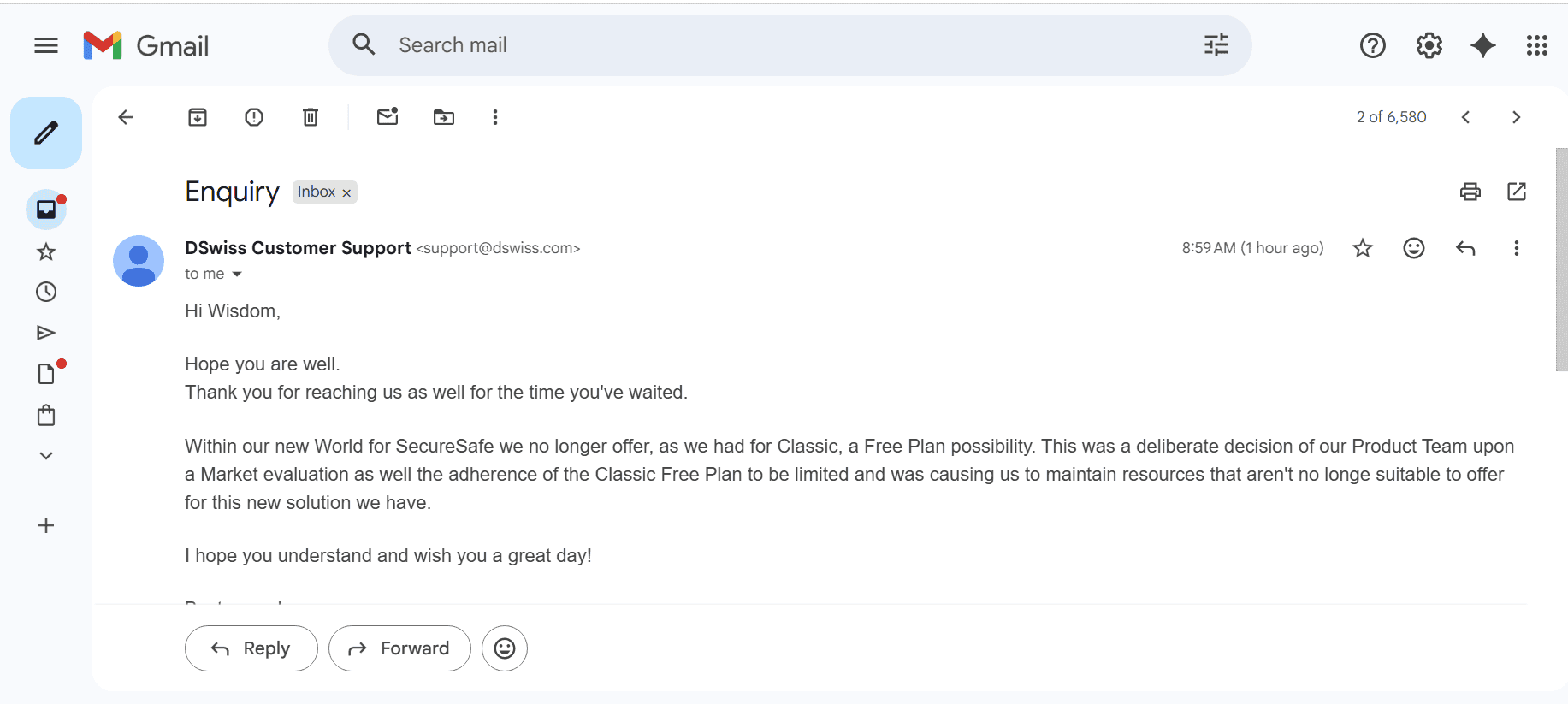
No, SecureSafe doesn’t have a free plan. It used to offer one, but it’s no longer available. However, the 14-day free trial can help you test the service risk-free.
Customer Support
SecureSafe’s customer support is reliable but limited. A comprehensive knowledgebase covers the most common questions, and email-based support can help with more specific issues.
I emailed the support team for clarification about conflicting information on the website regarding the free plan. They replied within 15 hours, apologized for the delayed response and provided a clear and helpful answer.
However, the lack of live chat or real-time support is noticeable, especially compared to competitors that offer 24/7 assistance. This can be a drawback for urgent issues.
Our Methodology: How I Tested SecureSafe
I evaluated SecureSafe through hands-on expert testing and technical analysis, focusing on the areas that matter most for both everyday users and security-conscious professionals.
- Features: I tested how effectively SecureSafe detects, saves and autofills login credentials. I also evaluated the cloud storage feature to see what it offers.
- Security architecture and encryption: I confirmed which encryption standards SecureSafe uses; it relies on AES-256 encryption, PBKDF2 key derivation and a zero-knowledge model.
- Privacy: I examined SecureSafe’s data-handling practices, including its no-logs policy, compliance with Swiss privacy laws and third-party audits.
- Usability: I evaluated the overall user experience across the desktop and mobile apps and the browser extension. I examined the interface design, ease of navigation between password and file storage, and onboarding experience for new users.
- Pricing: I compared SecureSafe’s pricing tiers against competing password managers and cloud storage services, focusing on value for money.
- Customer support: I assessed the availability and quality of support channels, including the knowledgebase and email support.
SecureSafe Alternatives
Take a look at the comparison below to learn how SecureSafe compares to other providers, including Proton Pass, LastPass and 1Password.
SecureSafe vs Proton Pass
Proton Pass delivers a more modern password management experience, with smoother autofill and a cleaner interface. Both providers offer encrypted file storage, but they handle it differently. Proton Pass connects to the broader Proton ecosystem that includes Proton Drive, while SecureSafe directly integrates secure file storage. Read our Proton Pass review.
SecureSafe vs LastPass

LastPass offers stronger autofill, better browser integration and a more intuitive overall experience, but no storage features. SecureSafe provides superior privacy protections and secure storage features, making it a better choice for security-focused users. Read our LastPass review.
SecureSafe vs 1Password

1Password is one of the most polished password managers available, with excellent usability and advanced features. SecureSafe can’t match 1Password’s convenience, but it offers unique advantages for secure file storage and data inheritance. Read our 1Password review.
Community Feedback: SecureSafe Reviews on Reddit & Social Media
User feedback regarding SecureSafe is generally consistent: Users rank it highly for security but have mixed reviews for usability.
Many users praise its privacy-first approach and Swiss jurisdiction, often highlighting the peace of mind that comes with strong encryption and zero-knowledge architecture. However, criticism tends to focus on the limitations of the autofill feature and occasional friction in daily use. Some users describe it as “secure but clunky.”
The Verdict: Is SecureSafe Good?
SecureSafe is a powerful, security-first platform with a unique hybrid approach, but it’s not designed for everyone. Its strengths lie in privacy, encryption and secure document storage, making it an decent choice for users who prioritize data protection or need a digital vault for sensitive files.
However, its password management capabilities lag behind industry leaders, particularly in terms of autofill performance and user experience. If you prioritize convenience, speed and seamless integration, you’ll find better options elsewhere. However, you can take advantage of SecureSafe’s 14-day free trial to see if it works for you.
Would you want to use SecureSafe after reading this review? Which other providers would you like me to review? Share your thoughts in the comments below. As always, thanks for reading.
FAQ: SecureSafe Password Manager Review
SecureSafe is more secure than cloud storage services like Google Drive and Dropbox, though those platforms offer better collaboration tools.
If you forget your master password, you may permanently lose access to your vault. Because SecureSafe uses a zero-knowledge architecture, it cannot reset or retrieve your password unless you set up recovery options.
Yes, SecureSafe offers two-factor authentication (2FA), adding an extra layer of protection beyond your master password.