6 Best Capacity-Planning Software in 2026
With the best capacity-planning software, you can forecast your future capacity needs and ensure company growth. In this article, I lay out my ranking of the top six software solutions to help your company reach its goals.


Written by Sofia Oliber (Writer)
Reviewed by Kate Hawkins (Editor, Writer)
Facts checked by Eugenie Tiu (Editorial Assistant)
Last Updated:
All our content is written fully by humans; we do not publish AI writing. Learn more here.
Key Takeaways: This Is the Best Capacity-Planning Software
- Smartsheet — Best software for capacity planning and project management, with flexible resource-planning tools. Try any Smartsheet paid plan free for 30 days.
- Scoro — Integrated software with precise resource allocation and predictive analytics tools. Get started today with Scoro’s 14-day free trial.
- ClickUp — Great enterprise capacity-planning tool with strong integration capabilities. Test ClickUp with a 14-day free trial.
- monday.com — All-in-one platform for visual and growing teams. Try any paid plan for free for 14 days.
- Wrike — Strong customizable dashboard for deep insights. Get started with Wrike’s two-week free trial.
- Resource Guru — A precise tool for capacity planning and resource management. Try it free for 30 days.
Facts & Expert Analysis About Capacity-Planning Software
- Over-allocation causes burnout: More than 25% of agency staff members express that over-allocation is a major cause of burnout and that they would quit due to excessive workload, demonstrating the importance of accurate workload capacity planning.1
- Capability gaps are a priority: Tools that align skills, availability and forecasting are now essential, with 90% of respondents saying that their organization needs a stronger capability-building tool. 2
- Capacity planning should be a top concern: Two-thirds of organizations say that their primary resource management objective is matching capability with demand.3
To accomplish optimal resource allocation and planning, your business needs the best capacity-planning software to adjust to your workflows. Many modern project management platforms include features to manage resources and make data-driven decisions. Dive into my six top suggestions below; for a broader comparison, check our guide to the best project management software.
Cloudwards’ Choice: Smartsheet
 Cloudwards' Choice: Smartsheet
Smartsheet is my top choice because it combines strong spreadsheet power with a comprehensive resource management add-on. This tool is specifically designed to manage teamwork capacity and budgets. You can test any Smartsheet paid plan free for 30 days.
Why You Need Software for Capacity Planning
Workflows can get messy when you manually handle capacity planning; it’s easier to overload people, approve work without available resources or miss bottlenecks. Dedicated capacity-planning software helps teams forecast workload, balance resources and identify issues easily with features like automatic forecasting and advanced reporting.
The Best 6 Capacity Planning Tools Compared
The table below provides a quick comparison of the six best software solutions for capacity planning.
| Tool: | Free Plan | Starting Price* | Best For | USP | Limitations |
|---|---|---|---|---|---|
 | No, free trial available | $9 per month (one-year plan) | Extensive teams | Resource management add-on | No free plan |
 | No, free trial available | $19.90 per month (one-year plan) | Agencies or consultancies | Client resource management & financial forecasting | Higher prices |
 | Yes, unlimited members | $7 per month (one-year plan) | Customized & flexible workflows | Advanced functionalities & money-back guarantee | Crowded interface |
 | Yes, 2 users | $12 per month (one-year plan) | Growing teams | Advanced reporting & functionalities | Steep learning curve |
 | Yes, unlimited members | $10 per month (one-month plan) | Agile teams | Customizable reports | Time-consuming setup |
| Resource Guru | No, free trial available | $4.16 per month (one-year plan) | Small businesses | Resource-specific | No project management features |
Hands-On Testing
I created different projects with collaborators and resources to test how well each tool performs.
Avoid Costly Project Management Mistakes – Get Free Tips Today!

- Discover 10 fundamentals of project management
- Understand step-by-step plans for PM execution
- Learn tips to avoid 5 common mistakes by beginners
Feature Comparison Overview
Every tool on this list supports capacity planning, but each one implements it in a different way.
| Tool: | View Types | Time Tracking | Custom Fields | Dashboards | Real-Time Collab |
|---|---|---|---|---|---|
| 6: table, timeline, board and more | | Yes | Yes, unlimited | |
| 11: pipelines, projects, planners, tasks & more | | Advanced | Yes, including financial forecasting | |
| 16: list, board, Gantt & more | | Unlimited | Customizable with cards or widgets | |
| 7: kanban, timeline, calendar & more | | Yes | Yes, customizable | |
| 9: Gantt, list, custom views & more | | Yes | Yes, personalized options | |
| Resource Guru | 4: schedule, project, heatmap & timesheet | | Yes | Yes, personalized options | |
Platform & Administration
Smartsheet and monday.com offer broad storage capabilities, but take a look at the features that all of these tools offer to determine which one is right for you.
| Tool: | Apps | Storage | File Management | Permissions |
|---|---|---|---|---|
| Web App | 20GB-unlimited | File library | Admin center for permissions |
| | 1GB-10GB | Upload files to projects & tasks | Granular permissions management |
| | 60MB-unlimited | Embedded files, AI assistant & more | Custom permissions settings |
| | 500MB-100GB | “Files” column & tabs | Multi-level & advanced permissions |
| | 2GB-50GB per user | Proofings & approvals | Controlled admin permissions |
| Resource Guru | Web App | N/A | N/A | Flexible user permissions |
Integration & Automations
ClickUp and Wrike take the lead when it comes to integrations, but the other software solutions also offer a wide set of useful integrations.
| Tool: | Integration Count | Top Integrations | Native vs 3rd-Party | Automation Features |
|---|---|---|---|---|
| 100+ | Microsoft Office, Slack, DocuSign | Hybrid | Yes, advanced options |
| 60+ | Hubspot, BambooHR, Xero | Mostly third-party | Yes, via triggers & actions |
| 1,000+ | Zoom, GitHub, HubSpot | Hybrid | Advanced automations & apps |
| 200+ | Slack, Google Sheets, Adobe | Hybrid | Advanced automations |
| 400+ | Microsoft Teams, Zoom, Miro | Hybrid | Advanced options |
| Resource Guru | 18 | Google Calendar, Jira, Zapier | Mostly third-party | None |
Usability & Performance Assessment
Resource Guru is the easiest platform to use, while others, such as Wrike and Smartsheet, feature more challenging interfaces.
| Tool: | Learning Curve | Interface Design | Mobile Experience | Customer Support |
|---|---|---|---|---|
| Intermediate | Spreadsheet-like | Good (80% parity) | Help center, phone, community |
| Intermediate | Clean but not very intuitive | Intermediate (60% parity) | Help center, phone, email |
| Intermediate | Intuitive & modern | Excellent (90% parity) | Chat, email |
| Easy-Intermediate | Intuitive & modern | Good (80% parity) | 24/7 chat, live webinars |
| Intermediate | Customizable but cluttered | Good (70% parity) | Phone, chat, help center |
| Resource Guru | Easy | Minimalist | Not available | Chat, email, phone |
Best Capacity Planning Software
Let’s get into the nitty-gritty of each tool to give you a clear understanding of which one could be the best fit for your business.
1. Smartsheet — Overall Best Capacity Planning Software
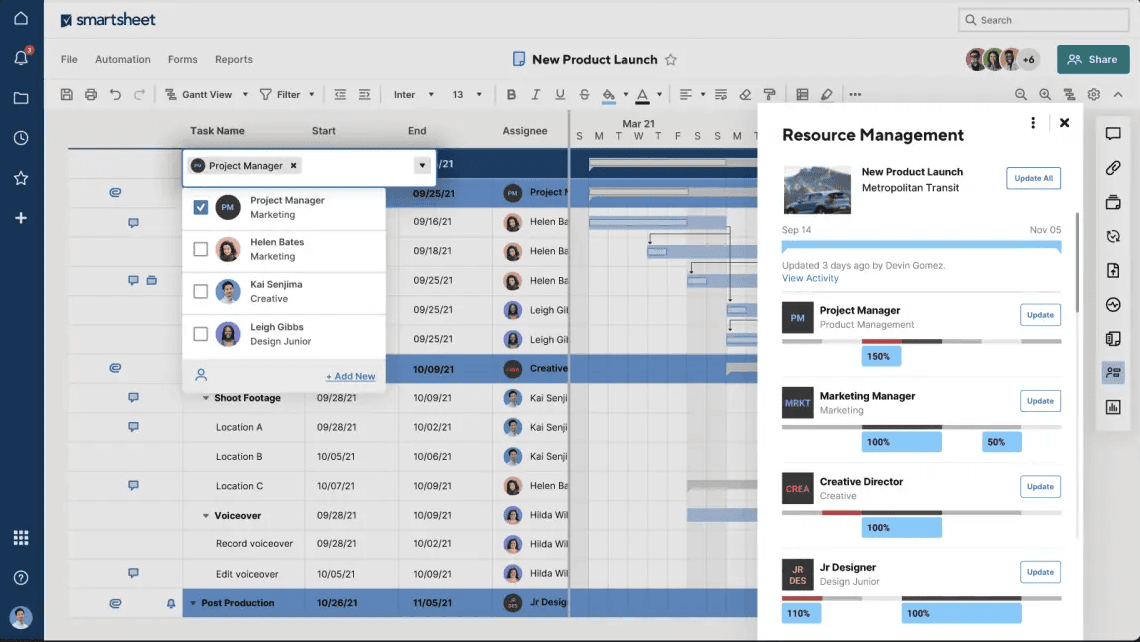
Smartsheet’s resource management tools — including time tracking and workload analysis to help assess team availability — are available to users via an add-on with the Business plan and higher.
What Makes Smartsheet Special
Smartsheet combines traditional project management tools with resource views and allocation options that support capacity planning by making availability and workload distribution easier to evaluate.
When to Choose Smartsheet
Smartsheet’s spreadsheet-like interface makes it a great choice for data-centered teams that prefer structured, table-based planning. Try the software free for 30 days, or learn more about it in our Smartsheet review.
- Prices per user, Max 10 users Basic features, 20GB file storage
- Prices per user, Three user minimum, Unlimited free users, Expanded features, 300GB file storage
- Advanced features
2. Scoro — Best CRM Software for Capacity Planning
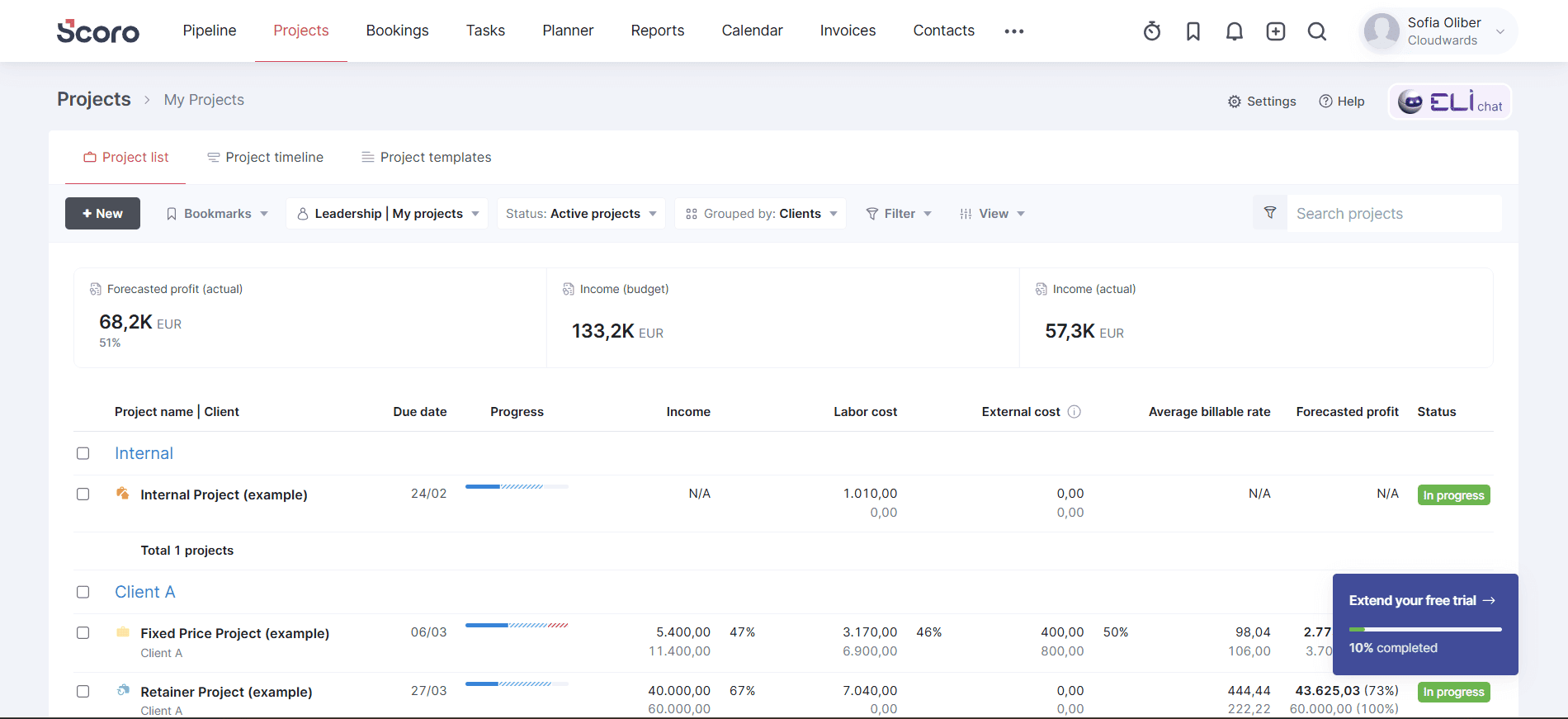
Thanks to features like sales pipelines and team performance reports, Scoro is a strong solution for teams that need reliable capacity-planning tools. With it, you can forecast workload and balance resource allocation.
What Makes Scoro Special
Scoro connects sales pipelines, projects and capacity-planning solutions in a single platform, allowing teams to align sales forecasts with delivery capacity and avoid overcommitment.
When to Choose Scoro
Opt for this software if you need a specific solution for client and project management and want to align your tasks and projects with resource management. You can test Scoro yourself with the 14-day free trial or check out our Scoro review for more details.
- Price per user/month; Projects, Calendars, Task list & task board, Gantt chart & dependencies, Contacts & customers, Quotes, Bills, invoices & receipts, Dashboards, Default labor cost, Detailed work reports
- Price per user/month; Everything in Core, plus: Project budgets & templates, Quoted vs Actual table, Retainer management, Recurring tasks, Billable time, Role-based labor cost, Time off, Multiple currencies, Triggers & actions, Detailed financial reports
- Price per user/month; Everything in Growth, plus: Planner, Timesheet, Task matrix, Price lists, Cost and profit forecast, Revenue recognition & forecast, Sales pipeline & report, Team performance report, Individual time allocation, Supplier management
- Everything in Performance, plus: Company budgets & forecasts, Time locking, Approval flows, WIP report, Multi-account reporting, Periodization of invoice lines, Single sign-on, User provisioning, FTP integration
3. ClickUp — Best Enterprise Capacity Planning Software
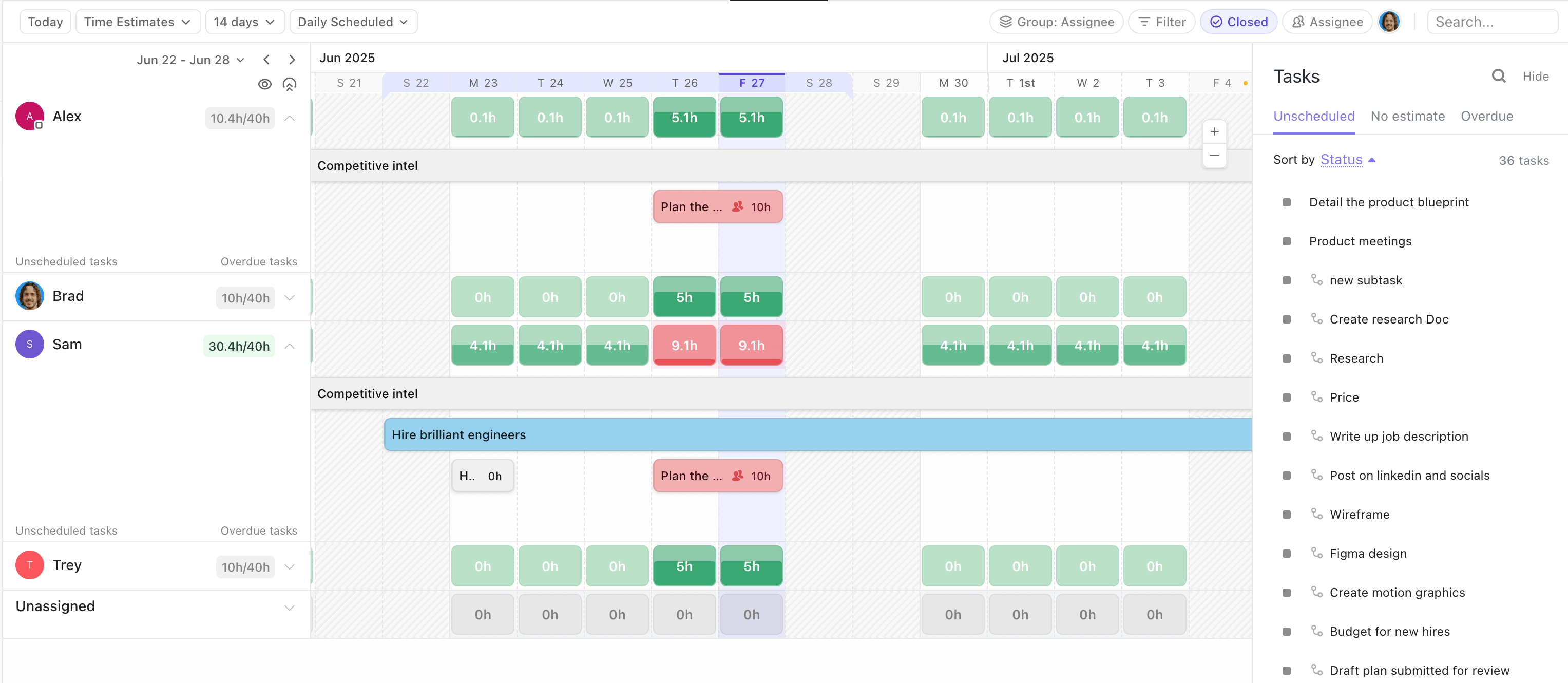
ClickUp offers a comprehensive set of project management features and has built-in capacity-planning functionality. Its workload view and advanced reporting help teams manage resources more effectively.
What Makes ClickUp Special
ClickUp’s workload view makes it easier to identify when teams or individuals are reaching capacity, while advanced reporting helps managers adjust resources quickly to avoid burnout and missed deadlines. Although ClickUp is one of the best free project management tools, the free plan does not include these features.
When to Choose ClickUp
Choose ClickUp if you need a flexible system that can grow alongside your teams and provides a wider set of tools for a fair price. It has a 100% money-back guarantee for new users. Read more about the platform in our ClickUp review.
- Basic functionality with some limitations
- All prices per user
- All prices per user
4. monday.com — Best Software for Team Capacity Planning
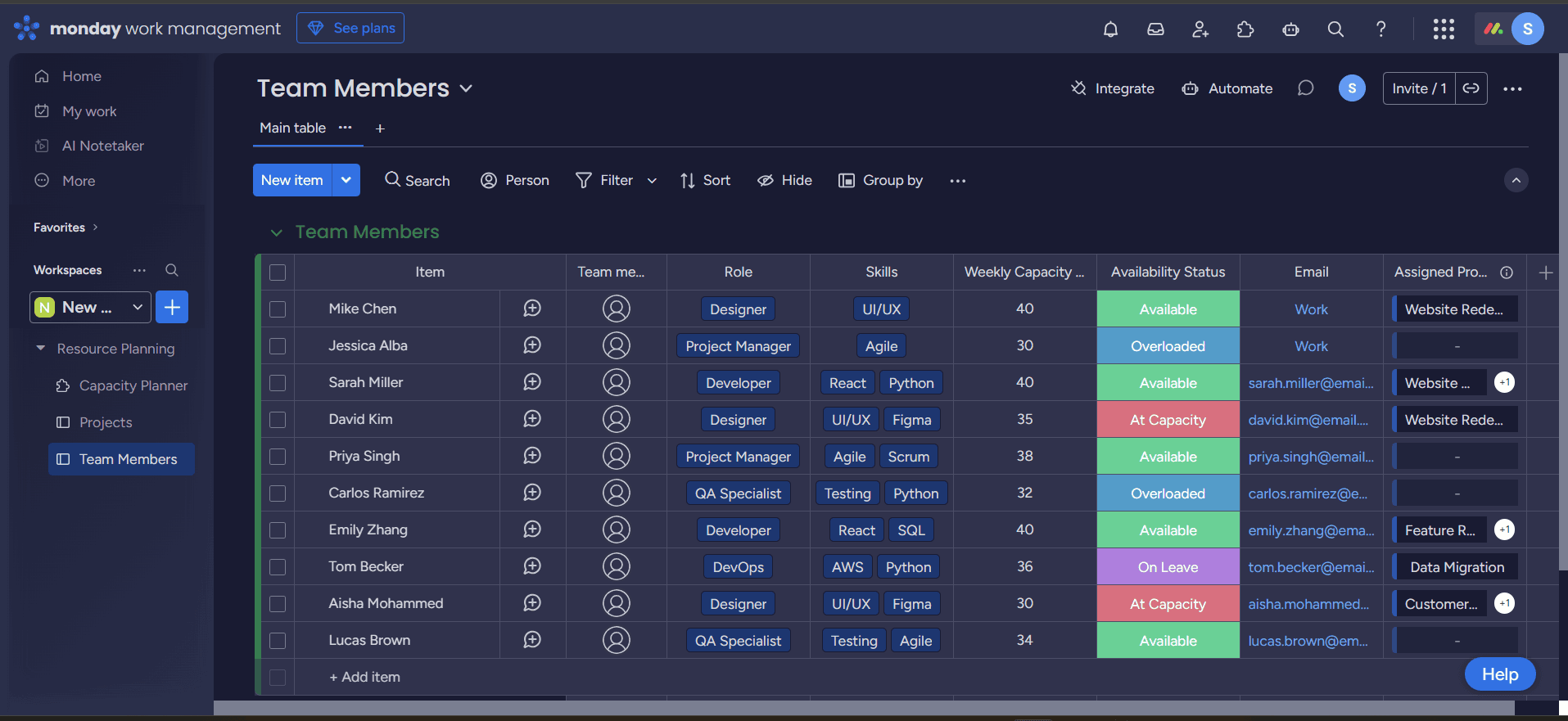
monday.com’s visual boards and customizable workflows make it easier for growing teams to see if anyone is overloaded and rebalance work as priorities change.
What Makes monday.com Special
monday.com’s intuitive interface and customizable options help teams adapt workflows while maintaining clear visibility into workload and resource allocation.
When to Choose monday.com
If your team needs a flexible tool, monday.com adapts well to different needs. Read more about it in our monday.com review, or test the 14-day free trial of the Pro plan today.
- Maximum users: 2
- Minimum users: 3; All prices per user
- Minimum users: 3; All prices per user
More plans
- Minimum users: 3; All prices per user
- Enterprise-level features.
5. Wrike — Best for Agile Capacity Planning
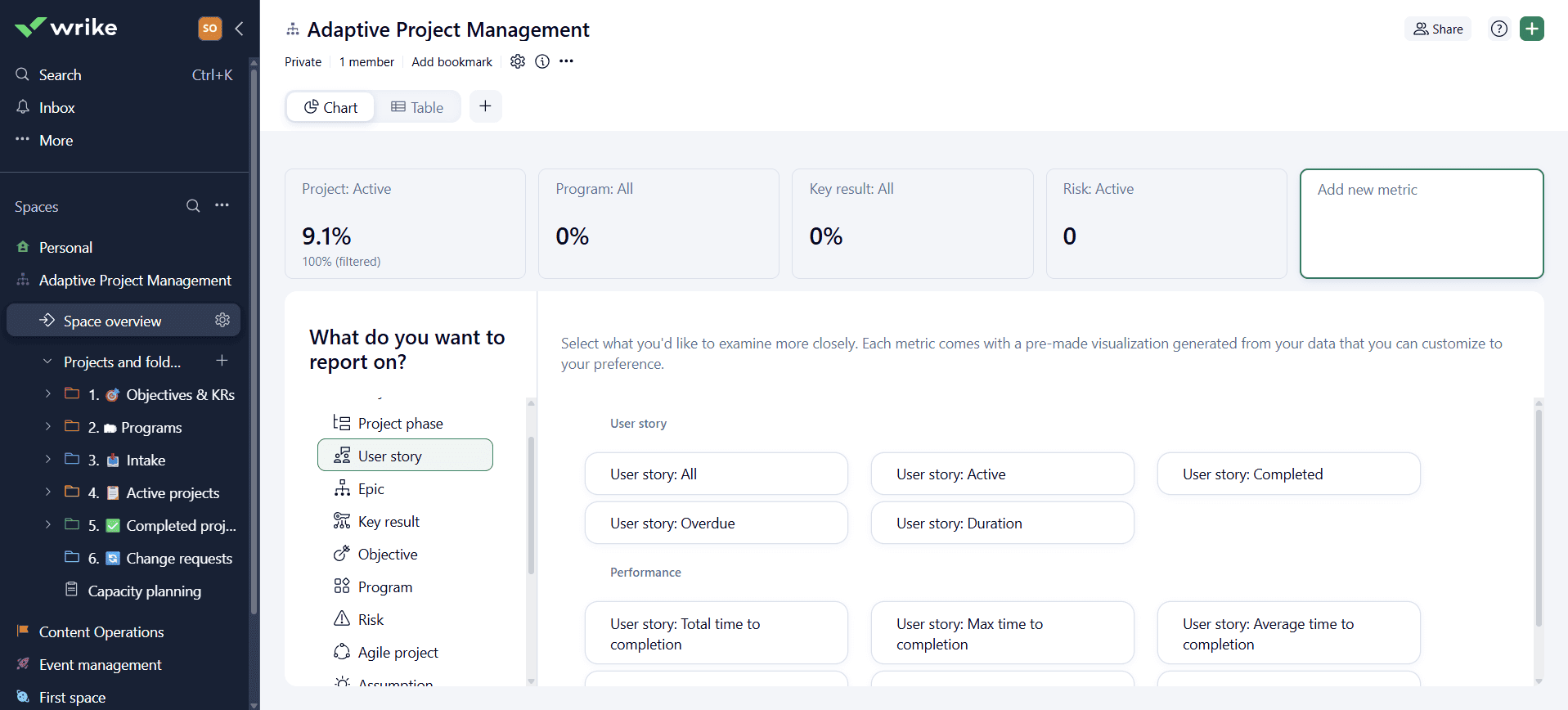
Wrike is a strong project management platform that includes capacity-planning tools like teamwork charts, shared team calendars and time-tracking features.
What Makes Wrike Special
Wrike’s customizable reports let fast-paced businesses model future workload based on project timelines and resource availability, making it easier to adjust capacity when priorities shift.
When to Choose Wrike
Choose Wrike if you manage complex Agile projects and want to avoid bottlenecks. Try Wrike with a two-week free trial, or discover more about the platform in our Wrike review.
- Unlimited users. Basic features.
- Price is per user. Plans for 5, 10 and 15 users.
- Price is per user. No monthly option. Plans for 5 to 200 users.
More plans
- For large teams; Enterprise-grade security and scalability; Plans for 5 to an unlimited number of users.
- For teams with complex work needs; Advanced tools and analytics for complex work; 5 to unlimited users
6. Resource Guru — Best for Visual Capacity Planning
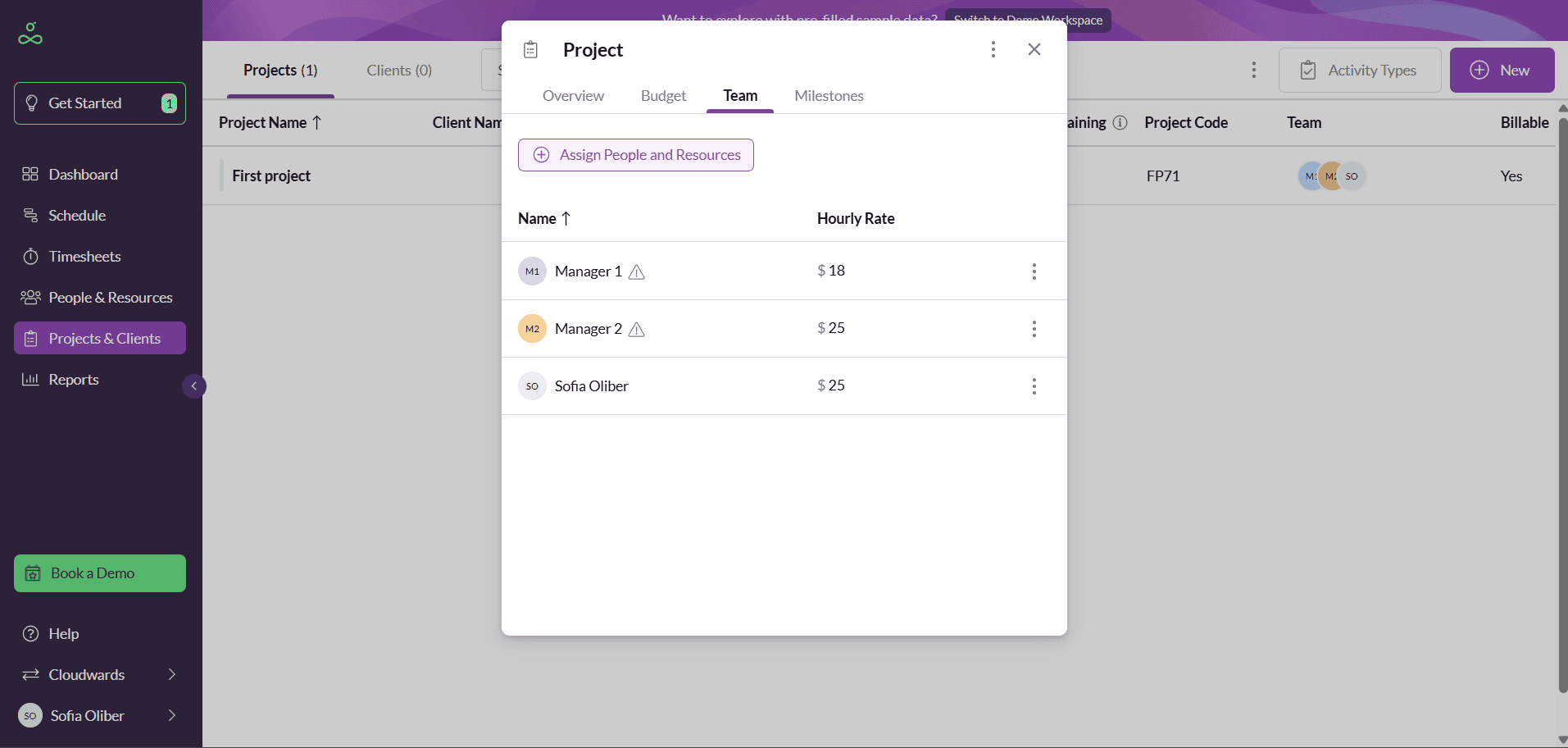
Resource Guru helps managers compare availability against workload using clear visualizations, making it easier to allocate resources and plan team capacity.
What Makes Resource Guru Special
Resource Guru is a planning software solution specifically designed to manage capacity and resources by giving managers real-time visibility into capacity limits. This allows them to identify resource gaps and reorganize priorities as needed.
When to Choose Resource Guru
Give Resource Guru a try if you need a simple visual tool made specifically for business growth without heavy project management features. You can test Resource Guru free for 14 days.
| Grasshopper plan | Blackbelt plan | Master Plan |
|---|---|---|
| $5 per user per month | $8 per user per month | $12 per user per month |
| $49.92 per user per year | $79.80 per user per year | $120 per user per year |
Methodology: Our Testing Framework & How to Choose the Best Capacity Planning Tools
I tested these tools with real case scenarios in mind and set up small projects to evaluate performance.
Final Thoughts
Resource planning can be hard without the best capacity-planning software. Some tools, like Smartsheet, Scoro and ClickUp, can help you align your team to deliver results efficiently. Start testing out any Smartsheet paid plan today.
Could you benefit from improving your operations? Do you think any of these tools would help your business? Let us know in the comments, and thanks for reading.
FAQ: Best Software for Capacity Planning
Smartsheet is the best tool for capacity planning thanks to its customizable and strategic tools, such as resource forecasting and the capacity view.
Yes, you can do capacity planning in Excel, but it doesn’t include key features like real-time insights or strategic goals.
Yes, Jira includes basic capacity-planning tools, such as reports and some add-ons.

