Kanary Review
If you want to take some basic steps to limit the use of your private information online, Kanary Copilot is a good option. In this Kanary review, I help you decide whether it’s the right data removal service for you.

— Last Updated: 2026-02-03T11:18:54+00:00 Facts checked by Eugenie Tiu
Key Takeaways: What Is Kanary & Is It Good to Use?
- Kanary is a data removal service. Its free option, Copilot, is available only on iOS and Android.
- The free account shows you any potential data exposures and the steps required to take self-guided action.
- Kanary Copilot is great for anyone who wants to test out data removal services or those who are looking for a free option.
Top Use Cases for Kanary :
- Exposure information: If you use a free account, you’ll have a good idea of which data brokers have your data and how it’s being used.
- On the go: Since Kanary Copilot is a mobile app, it’s great for those who use their phones as their primary devices.
- Hands-off approach: Opting for the paid version means Kanary handles the online data removal process for you. There’s very little action you need to take.
If you’re looking for a good entry point for the best data removal services for personal use, Kanary Copilot is an excellent, truly free option. It’s a newer addition to the market and faces some stiff competition.
In this Kanary review, I take a look at what it has to offer and reveal whether it’s worth your time and potentially your money.
Kanary at a Glance
Kanary is a free data removal service with an optional paid version. It finds your personal data on data broker sites and on the internet by searching Google and people-search sites.
| Features |  |
|---|---|
| Number of Data Brokers Covered | 325 |
| Types of Brokers Covered | People Search, Marketing, Health, Recruitment |
| Geographic Coverage | USA |
| Automated Removal Requests | |
| Ongoing Monitoring & Re-removal | |
| Official Data Broker List Published | |
| Dark Web Monitoring | |
| Custom Removal Requests | |
| Removes Data from Google Searches | |
| Personal Information Dashboard | |
| Provides Regular Progress Reports | |
| Time for Initial Scan Completion | A few minutes |
| Average Time for First Removals | About two weeks |
| Estimated Full Removal Cycle Time | 30-90 days |
| Clarity of Removal Evidence | 4 |
| Process Type | Automated (premium) and Manual |
| Onboarding Process Simplicity | 4 |
| Dashboard Intuitiveness | 3 |
| Mobile App Availability | Android & iOS |
| Account Cancellation Process | Easy |
| Free Trial Offered | |
| Money-Back Guarantee | 30 days |
| Couples / Family Plan Available | |
| Accepted Payment Methods | Credit Card, Google Pay, Cash App |
| Two-Factor Authentication (2FA) | Authenticator App |
| Data Encryption Standard | AWS servers, AES 256-bit |
| PII Required for Signup | Full Name, DOB |
| Privacy Policy Transparency | 3 |
| Sells User Data | |
| Company Jurisdiction | U.S. |
| CCPA/CPRA Compliant | |
| GDPR Compliant | |
| Clear Explanation of Methods | |
| 24/7 Support | |
| Dedicated Support Agent | |
| Help Center / Knowledge Base Quality | 3 |
| Support Tickets | |
| Email Support | |
| Chat Support | |
| Phone Support |
What Is Kanary & Who Is It Best For?
Kanary was founded in 2020, and Copilot was released in 2025. Kanary is a mobile-only data removal app whose main purpose is to help remove your personal data from data brokers, people-search sites and social media accounts. It is best for anyone who wants a free tool to find out which sites have, use and likely sell their personal information.
The Cloudwards Expert Opinion
 The Cloudwards Expert Opinion
Kanary is a solid option, especially for anyone who’s unsure about data removal services and wants to see what they’re all about. While I wouldn’t say it directly replaces competing data removal services like DeleteMe or Incogni, it’s certainly a better option than doing nothing at all and letting data brokers use your personal information.
Kanary Pros & Cons
Features: How Does Kanary Work?
Kanary works by searching thousands of sites for your personal information. It targets Google, data brokers and social media to find potential data exposure. With a free plan, Kanary simply shows you where data are coming from. With a premium plan, it submits removal requests automatically.
What Types of Data Can Kanary Remove?
Kanary focuses on removing your personal data from different data broker websites and people finder sites. It also removes your profile from data sites and helps control what Google displays about you. Kanary works to minimize data used for cyberattacks such as doxing or spam.
The paid service can remove the following information:
- Name
- Address
- Phone number
- Usernames
- Family information
Key Kanary Features
The main Kanary features include dashboards and reports.
Dashboard
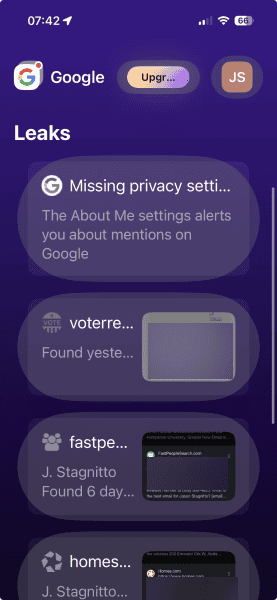
The dashboard is the main feature of Kanary Copilot, especially on mobile. This is where you’ll see the results of scans. Clicking on any of the items shows the steps to take to remove your data yourself.

On a paid plan, you’ll see whether Kanary has requested the removal automatically. There’s not much difference between the mobile and web dashboards.
Reports
If you use the web interface, you’ll see two reports: exposure over time and removal over time. These graphs show you exactly what you’d expect: how often your data has been exposed and how often Kanary has successfully removed that data. Without a premium plan, though, the report showing removal over time won’t update.
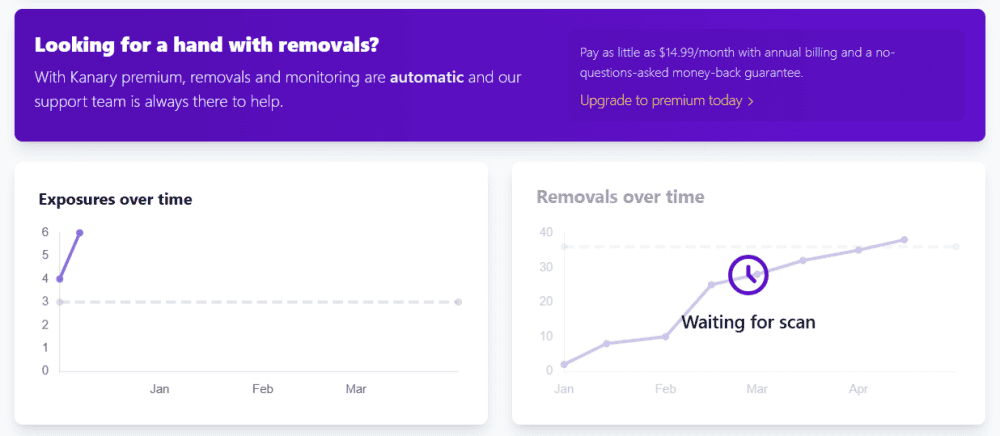
the data that has automatically been removed.
Cost: How Much Is Kanary?
Kanary Copilot is a free app. However, if you want deeper coverage, automated removal and additional account members, a premium account will cost $9.99 per month. The $9.99 plan is the only one on offer for personal use. With it, you can add family members for half the price, and you get what Kanary calls “deeper coverage.”
Deeper coverage doesn’t mean you get access to more data brokers or people-search sites. Instead, you can enter more information than the free plan allows, which enables Kanary to search for additional data.
Hands-On Testing & Performance: What Is Kanary Like to Use?
Overall, Kanary is pretty hands-off. Like many of the best data removal services, once you get your account set up, you just wait until it populates with results. My first scan was pretty quick, and I could see that some of my personal data was exposed on Google and other sites. I didn’t have to wait long for even more data to populate.
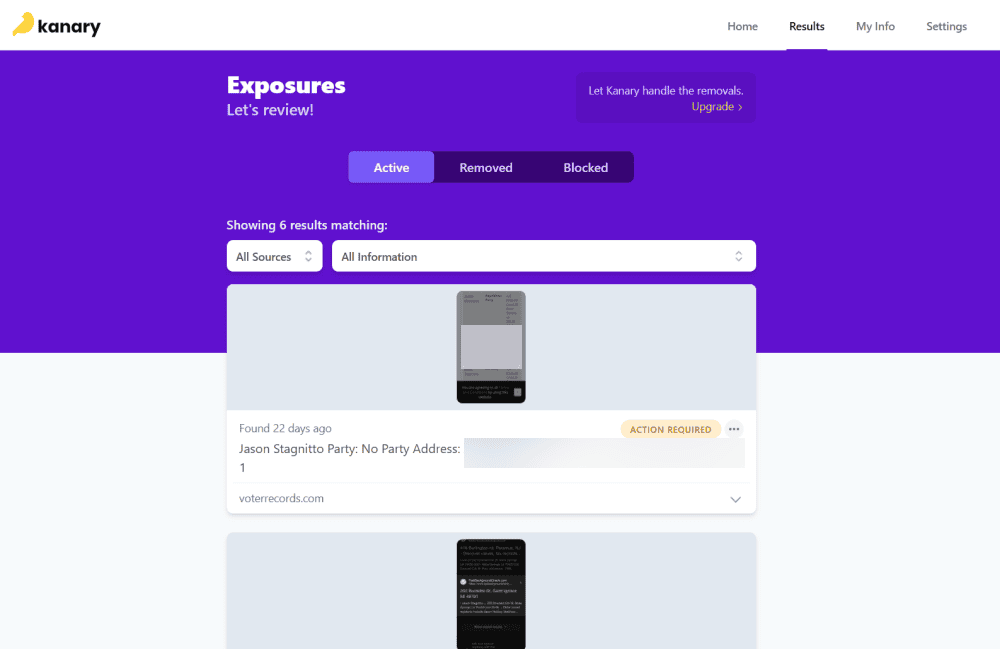
I tested the free plan extensively since most users will start with that version. The main difference between the free and paid plans is automated removal.
The mobile interface didn’t wow me at first, and that feeling did not change the longer I tested it. It’s not intuitive and feels too cluttered for my liking. However, if you want to run scans, you must use the mobile app. The web interface acts as a companion to the data on the mobile app. It simply shows you the scan results, but in a cleaner, more user-friendly way.
- Day one: The first scan took only a couple of minutes, and I saw the results populate in my account.
- First week: Not much else happened in the first week since routine scans take place monthly. On a paid plan, though, you’d see progress with automated removal requests.
- Second week: I initiated another scan, which you can do at any time, and I saw different data exposures than with the first scan.
How to Get Set Up With Kanary
Getting set up with Kanary is quick and easy, requiring just a couple of steps. You’ll have a better idea of how much of your data is exposed in a matter of minutes.
- Download the App
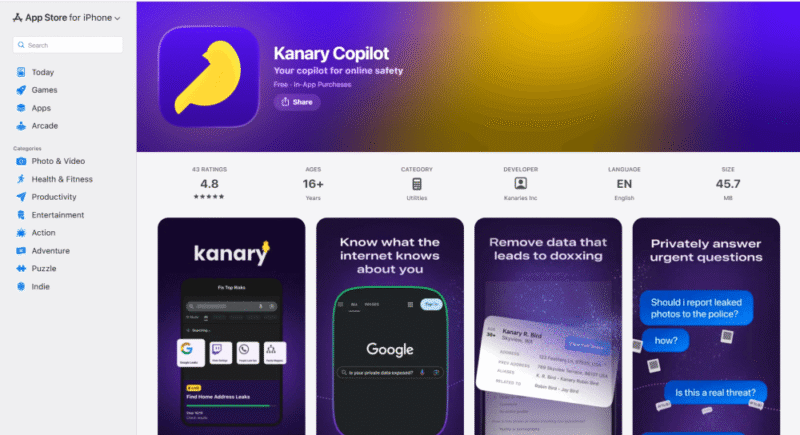
Go to the iOS or Android app store, or click the link on the Kanary website to download the Kanary Copilot app.
- Create an Account
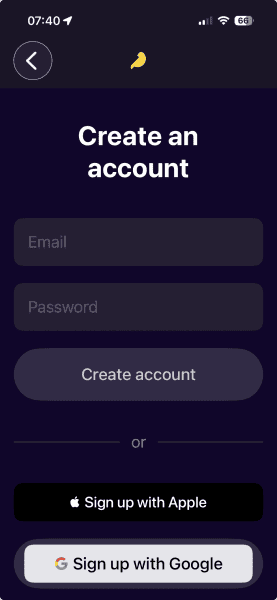
Follow the steps to create a free account. You’ll need to include your name, email and date of birth at a minimum.
- Initial Scan
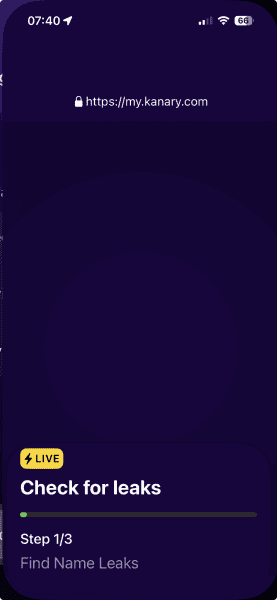
Once your account is set up, you will see the initial scan begin. All you have to do is wait for it to finish.
- Review the Results
Review the results of the scan on your phone or on the web interface. You’ll see the different types of information Kanary found and on which sites.
Kanary Customer Support
If you need help or support while using Kanary Copilot, your best bet is to start with the FAQs on the website. They cover a lot of information, but they don’t answer everything.
If you need direct help, you’re limited to Kanary’s social media presence, primarily Discord. You may be out of luck, though, if you don’t use Discord or sites like Reddit, LinkedIn, YouTube or TikTok.
However, the website lists an email address that you can use to contact Kanary’s support team. I found the same email on the dedicated privacy page and the FAQ page. The response time was quick — within a business day. Other than that, Kanary doesn’t offer much in the way of direct customer support.
Security: Is Kanary Safe & Private?
As you might expect from a personal data protection service, Kanary’s security is good. It protects your data at rest with AES 256-bit encryption, and it protects data in transit with SSL. Most importantly, Kanary does not track your data, nor does it sell it to third parties. You can protect your account with multi-factor authentication as well.
It is important to note that Kanary is not zero-knowledge. While it does encrypt your password, employees could technically gain access to it. Plus, Kanary needs to use your data to search the internet for leaks and exposures.
Kanary’s Privacy Policy
Privacy is where Kanary really gave me pause. No full privacy policy is available anywhere on its website. All you’ll find is a privacy page with the promise that Kanary is acting as a good steward of your data. When I reached out to the Kanary team, they confirmed that there are no additional details on its website.
My Methodology
As I mentioned, I spent most of my time with the free version of Kanary, which will be the point of entry for nearly all users. Once the first scan finished, I spent some time clicking around the results and noticed that the app is similar to Aura. For example, like Aura, the Kanary app provides information on how and where to submit removal requests.
Monitoring and scanning take place on a monthly interval. When I wanted updated information before the following month’s scan, I was able to initiate one manually. With a premium plan, I would also have been able to see the progress of any automated requests Kanary had submitted on my behalf.
Other Data Removal Services: Kanary Competitors
Kanary isn’t the only app to offer data removal services. If you’re not sold on Kanary but are interested in such services, a few alternatives are worth checking out:



The Verdict: Is Kanary Worth It?
Kanary Copilot is a good way to dip your toes into the personal data industry. It offers one of the only truly free data removal plans available, and it will certainly help you discover who has your data and how to remove it. However, if you’re not convinced that Kanary Copilot is the best option for you, check out the other services I recommend before committing.
Do you use a data removal service? Have you tried Kanary Copilot? If so, what has your experience with it been like? Let me know in the comments below. Thanks for reading.
FAQ: Kanary Data Removal Service
Yes, Kanary is legit. The Copilot version is designed to be an easy-to-use, free option to help anyone protect themselves online and regain some control over their digital footprint.
Kanary starts working pretty much immediately. You’ll see results within 24 hours after the initial scan. Automated removal from data brokers and people finder sites, available on the premium plan, could take several days or weeks.
Yes, Kanary appears to be trustworthy. However, the lack of a proper, fleshed-out privacy policy brings its trustworthiness into question.