Best Event Project Management Software: Top 9 in 2026
If you’re looking for the best event project management software, my ranking of the top tools will help you compare features, pricing and more.



Written by Sofia Oliber (Writer)
Reviewed by Kate Hawkins (Editor, Writer)
Facts checked by Simona Ivanovski (Fact-Checker, Formatter)
Last Updated:
All our content is written fully by humans; we do not publish AI writing. Learn more here.
Event planning can be complicated, and it demands more than simple task tracking. The right event project management software tool helps teams enhance their workflows by centralizing planning, improving collaboration and measuring event performance. If you’re comparing options, check out our ranking of the best project management tools.
Cloudwards’ Choice: Airmeet
 Cloudwards' Choice: Airmeet
Airmeet is my favorite choice for event management, as it features tools specific to event branding and event engagement measurement. Additionally, it includes solutions for hybrid and online events for a modern approach to event management.
The Best Event Management Software Compared
Before diving deeper into the comparison section, I provide a quick overview of the top providers below:
| Tool: | Free Plan | Price* | Best For | USP | Limitations |
|---|---|---|---|---|---|
| Airmeet | Yes, for up to 100 attendees | $167 per month for 2 members & up to 10,000 attendees | Teams with specific event-planning processes | Options for hybrid & virtual events | Limited features for project management |
 | Yes, unlimited members | $7 per month (one-year plan) | Customized & flexible workflows | Comprehensive functionalities & money-back guarantee | Crowded interface for beginners |
 | Yes, unlimited members | $10 per month (one-month plan) | Large to small event managers | Specific event-planning tools | Time-consuming setup |
 | Yes, <2 collaborators | $10.99 per month (one-year plan) | Straightforward team collaboration | Collaboration features | More limitations on lower-tier plans |
 | Yes, <10 collaborators | $5 per month (one-year plan) | Teams looking for simplicity | Visual workflows & kanban boards | Limited advanced functionalities |
Hands-On Testing
I created accounts on each platform and tested them to evaluate the key features.
Feature Comparison Overview
Airmeet does not have views like other tools, as it’s designed to help you organize events directly rather than visualize event data. ClickUp, on the other hand, has the highest number of view types.
| Tool: | View Types | Time Tracking | Custom Fields | Dashboards | Real-Time Collab |
|---|---|---|---|---|---|
| Airmeet | No views, only sections like sessions, integrations & analytics | Yes | |||
| 16: list, board, Gantt, etc. | Unlimited | Customizable with cards or widgets | ||
| 9: Gantt, list & custom views | Yes, personalized options | |||
| 9: project overview, Gantt & more | Yes, for boards & portfolios | |||
| 7: kanban, dashboard, timeline & more | Not included | Basic features |
Platform & Administration
ClickUp is the only tool to offer unlimited storage space, but the other options still deliver decent storage capacities.
| Tool: | Mobile App | Storage | File Manager | Permissions |
|---|---|---|---|---|
| Airmeet | | 2GB per file/resource, up to 500 resources per event | File uploads on events | Role permissions & Q/A moderation |
| | 60MB to unlimited | Embedded files, AI assistant & more | Custom permissions settings |
| | 2GB-15GB per user | Proofings & approvals | Controlled admin permissions |
| | Unlimited, max 100MB per file | File attachments & sharing | Advanced permissions management |
| | Unlimited projects but up to 10MB per file | Roles & approvals | Organization-wide permissions |
Integration & Automations
All of these event management tools feature a solid set of integration options. However, ClickUp stands out for the sheer volume of integrations, while Airmeet’s are more niche.
| Tool: | Integration Count | Top Integrations | Native vs 3rd-Party | Automation Features |
|---|---|---|---|---|
| Airmeet | More than 500 | Salesforce, Eventbrite, HubSpot | Mostly third-party integrations | Automated sessions & invitations |
| More than 1,000 | Zoom, GitHub, HubSpot | Hybrid | Advanced automations & apps |
| More than 400 | Microsoft Teams, Zoom, Miro | Hybrid | Advanced options |
| More than 100 | Dropbox, Google Drive | Mostly third-party integrations | Advanced automations |
| More than 200 | Confluence, Clockify, Firefox | Hybrid | Built-in automations |
Usability & Performance Assessment
None of these platforms are difficult to use; however, ClickUp, Asana and Trello stand out for their user experience.
| Tool: | Learning Curve | Interface Design | Mobile Experience | Support |
|---|---|---|---|---|
| Airmeet | Intermediate-difficult | Standard | Good (70% feature parity) | 24/7 support |
| Intermediate-difficult | Intuitive & modern | Excellent (90% parity) | Phone, chat & email |
| Intermediate | Customizable but cluttered | Good (70% parity) | Phone, chat & help center |
| Easy-intermediate | Polished & structured | Excellent (90% parity) | 24/7 support |
| Easy | Minimalist | Excellent (90% parity) | Knowledgebase for 24/7 self-service guides & help articles |
The 5 Best Project and Event Management Software
After extensive testing, I think the top five software options for event project management include Airmeet, ClickUp, Wrike, Asana and Trello.
Avoid Costly Project Management Mistakes – Get Free Tips Today!

- Discover 10 fundamentals of project management
- Understand step-by-step plans for PM execution
- Learn tips to avoid 5 common mistakes by beginners
1. Airmeet — Best Project Event Management Platform
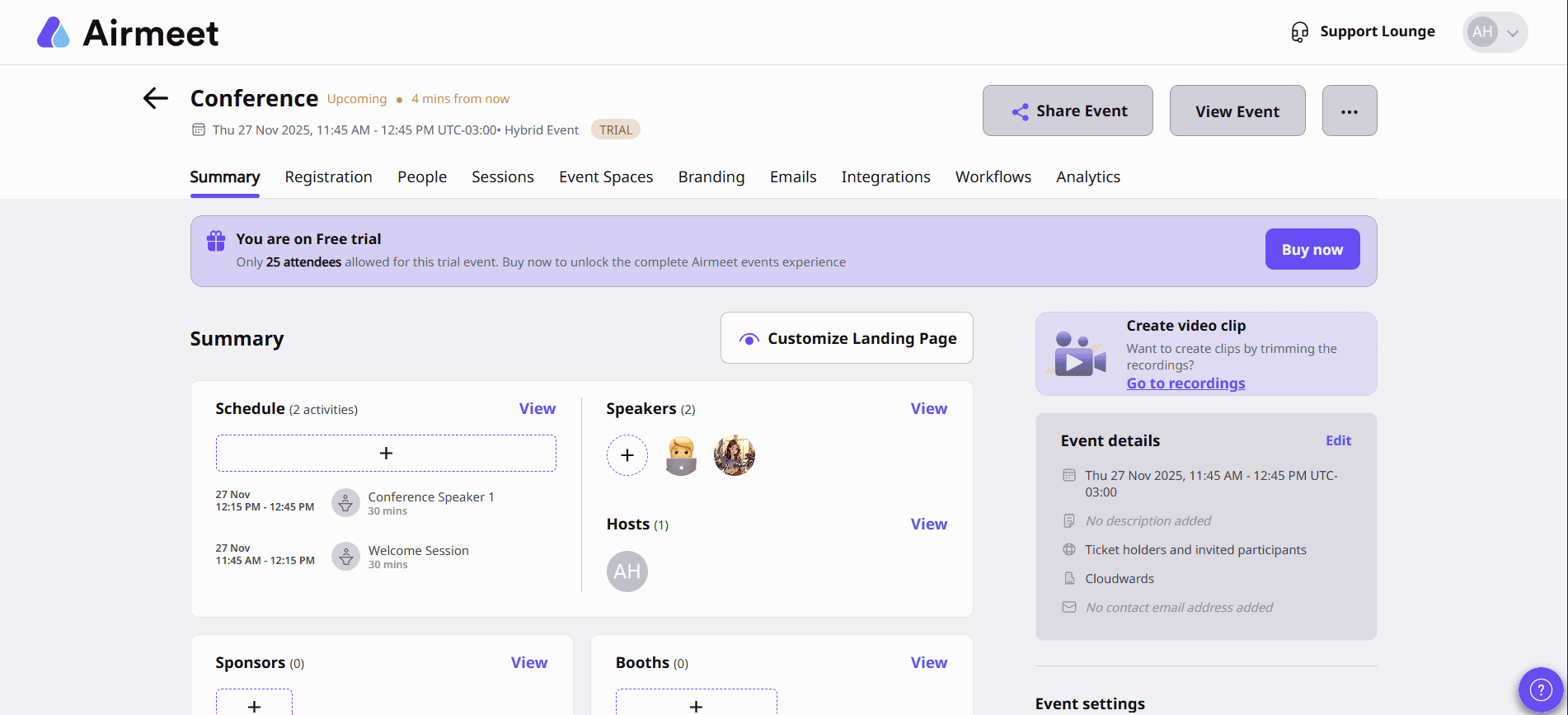
Airmeet is a strong contender, as it provides precise event management solutions. It combines and centralizes customizable event pages, online registration workflows and post-event analytics.
What Makes Airmeet Special
The platform blends internal organization features with extra tools for event registration, attendee engagement and ticket sales. It’s well suited for running virtual or hybrid events from planning to follow-up.
When to Choose Airmeet
Try Airmeet if you’re organizing virtual or hybrid events and want a platform built specifically for that purpose. The free plan is great for new users to get a hang of the platform’s functionality.
2. ClickUp — Project Management Tool for Workflow Customization
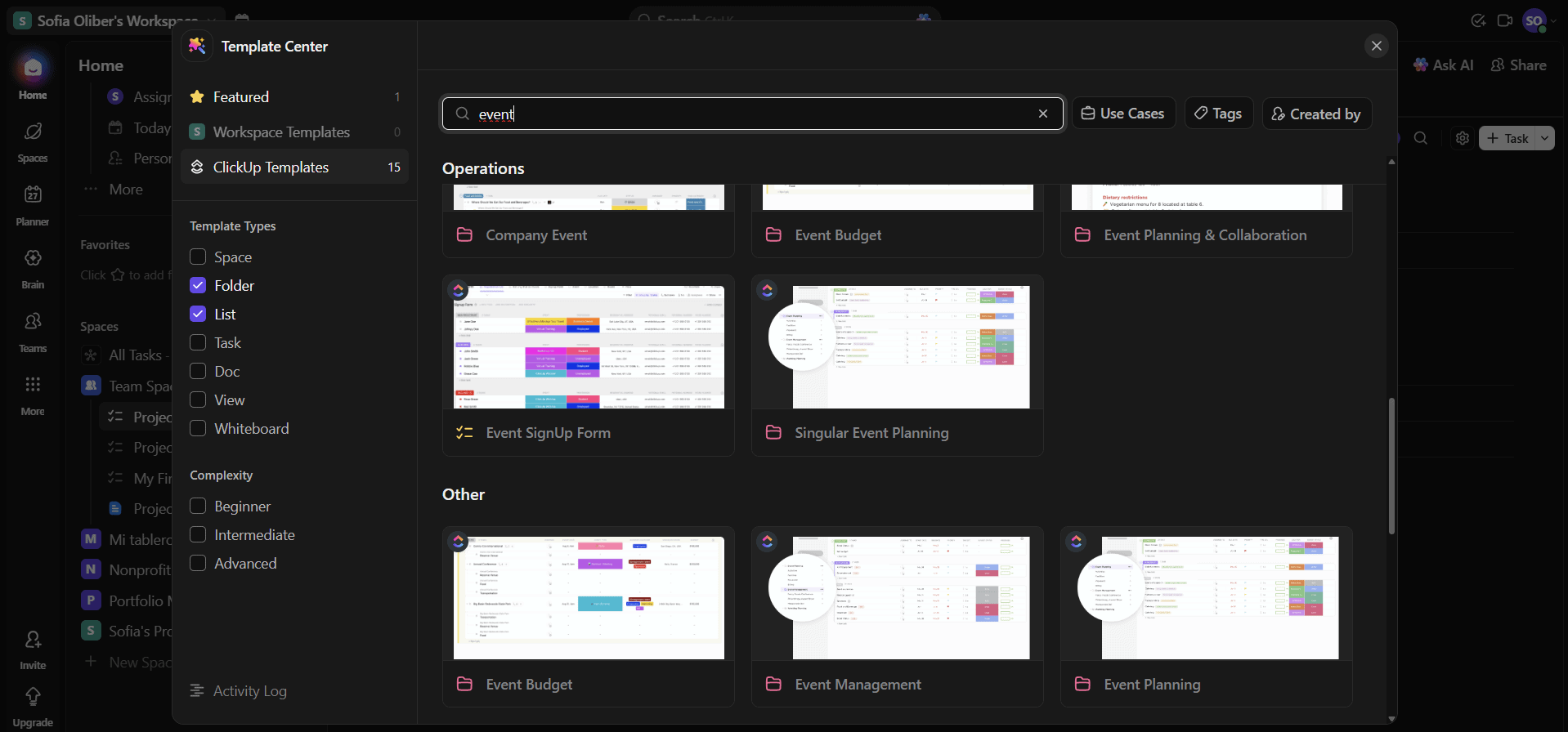
ClickUp features solutions for budget management, marketing and task management that translate well to event planning. Its main strength is its flexibility: Teams can customize views, automations and dashboards to match how they plan and run events, rather than adapting workflows to a fixed structure.
What Makes ClickUp Special
ClickUp’s event-focused templates and customizable workflows make it easier to manage vendor coordination, marketing tasks and project data on one centralized platform. It’s a good fit for teams that want a single tool that’s adaptable to complex event workflows. It’s also one of the best free project management tools capable of managing detailed events.
When to Choose ClickUp
Choose ClickUp if you need a highly customizable tool that supports complex workflows across multiple teams and external partners. ClickUp offers a 100% money-back guarantee. Start testing ClickUp today with the free plan, or read more about it in our ClickUp review.
- Basic functionality with some limitations
- All prices per user
- All prices per user
3. Wrike — Event-Planning Project Management Software for Medium-Sized Teams
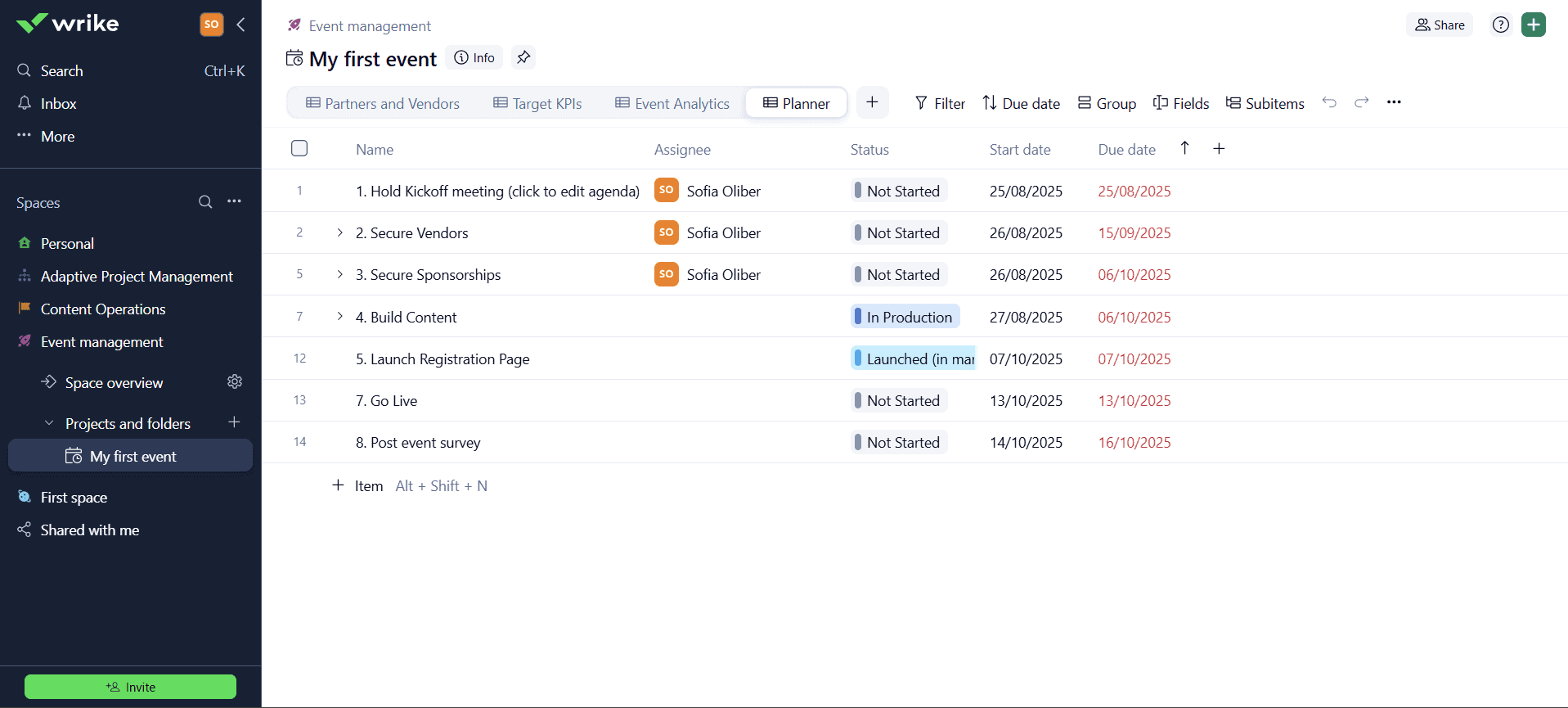
Wrike takes a structured approach to event project management, featuring event checklists, a synced calendar, and custom reporting tools. These functions make it easier to track timelines and budgets without overcomplicating the workflow.
What Makes Wrike Special
You’ll find ready-made event templates, including for attendance tracking, that can help solopreneurs and smaller teams get started faster. In addition, Wrike’s more rigid structure may appeal if you prefer clearly defined processes over deep customization.
When to Choose Wrike
Wrike is a solid option for successful event planning. It features event management-specific tools, even on the free plan, making it a great fit for beginners and small teams. Try its Business plan free for 14 days, or learn more about it in our Wrike review.
- Unlimited users. Basic features.
- Price is per user. Plans for 5, 10 and 15 users.
- Price is per user. No monthly option. Plans for 5 to 200 users.
More plans
- For large teams; Enterprise-grade security and scalability; Plans for 5 to an unlimited number of users.
- For teams with complex work needs; Advanced tools and analytics for complex work; 5 to unlimited users
4. Asana — Project Management Software for Structured Events
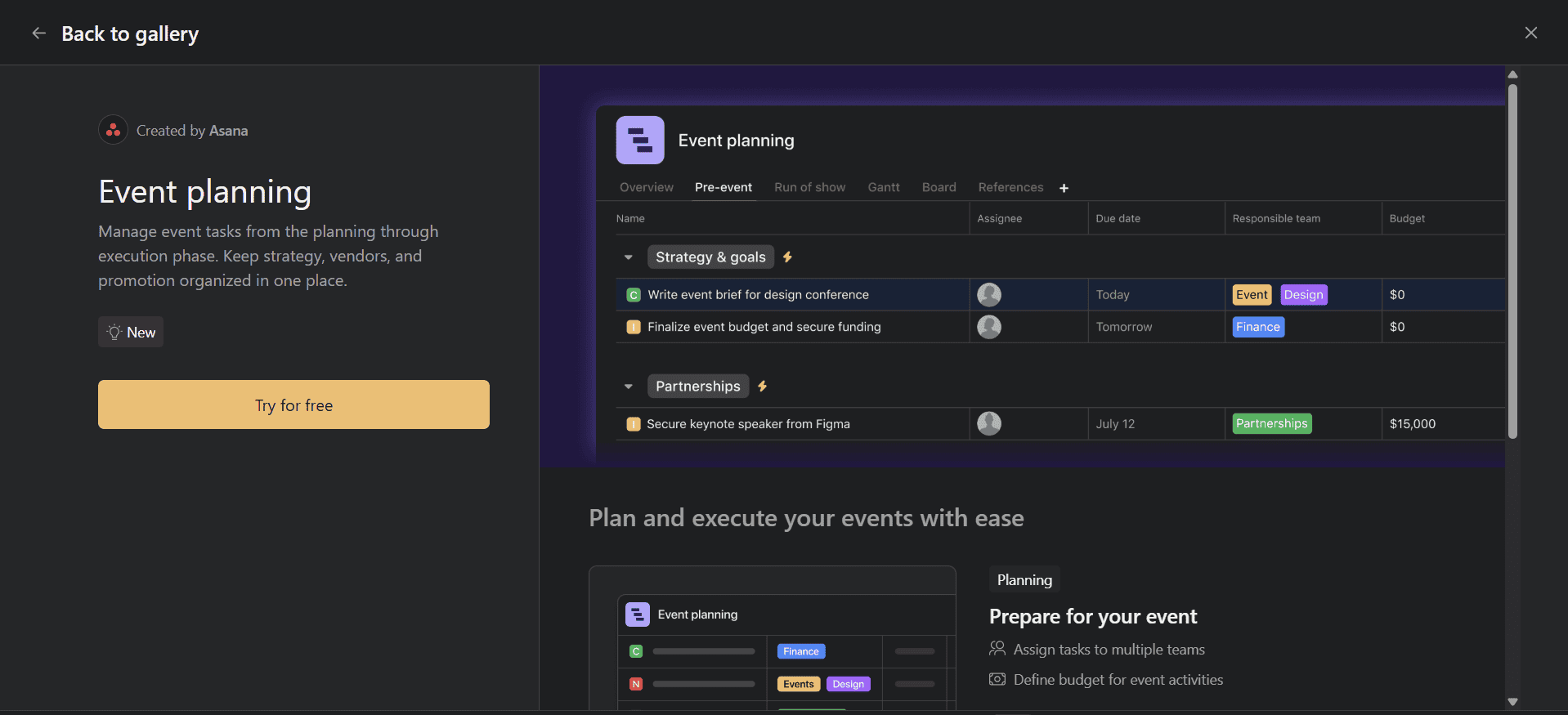
Asana is a good choice for teams that prioritize structure over deep customization. Features like milestones and dependencies help with planning timelines and tracking progress across complex or multi-stage events.
What Makes Asana Special
While Asana doesn’t offer event-specific tools, its integrations and automations help manage event registrations, communications and follow-ups. Asana is a good choice for cross-functional event teams with predictable workflows who want to avoid a platform with time-consuming setup or customization.
When to Choose Asana
Choose Asana if you need a tool to build workflows from scratch as you start managing events. Although you can test Asana free, event planners should try paid plans with the free 30 day trial for more effective management; discover more in our Asana review.
- Up to 10 users
- Price is per user. unlimited users, expanded features
- Price is per user. unlimited users, even more features
- Custom pricing, advanced security features
5. Trello — Project Management Software for Simple and Quick Events
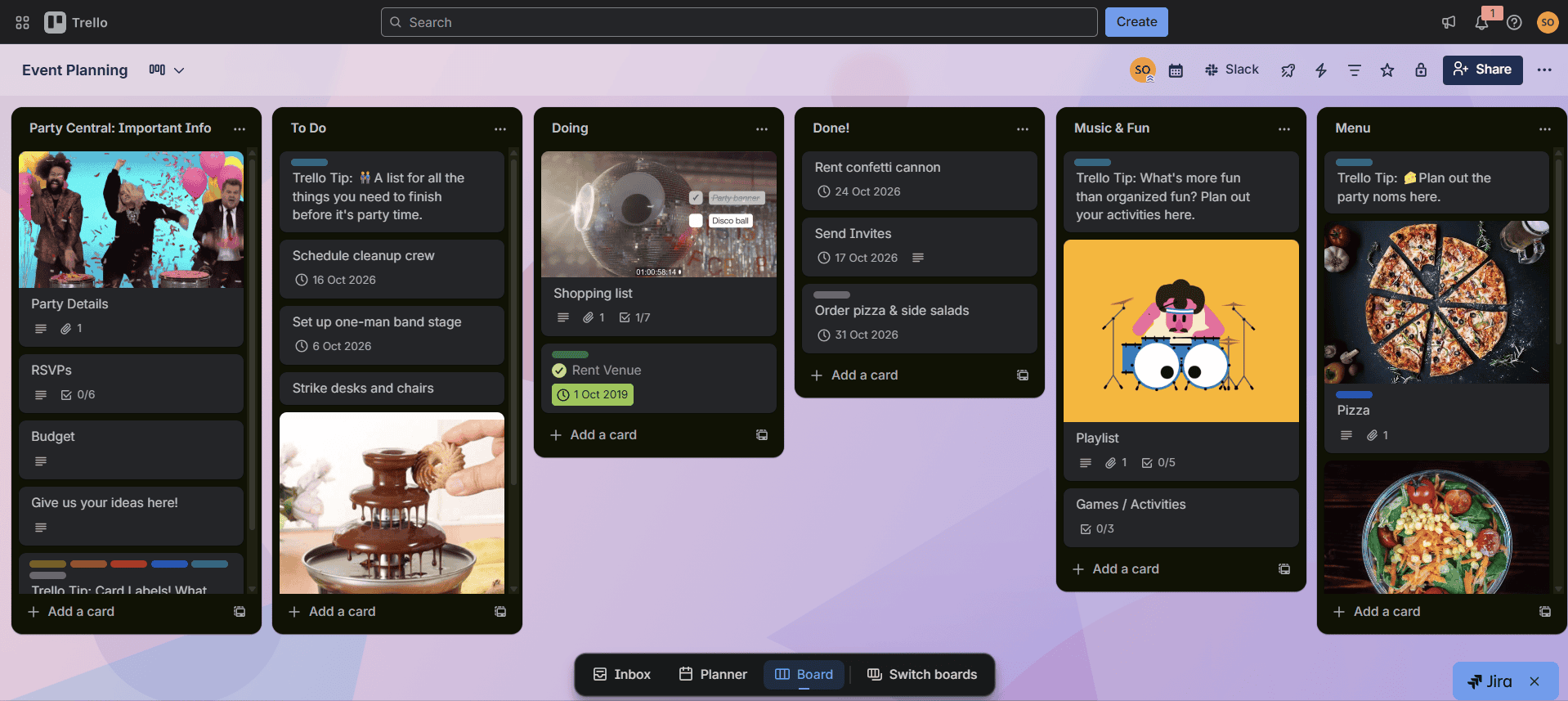
Trello excels at simplicity, which makes it ideal for managing straightforward events like workshops, parties or small conferences. Learn more about it in our ranking of tools for small businesses.
What Makes Trello Special
Trello uses a kanban-style layout to help teams visualize and manage basic event workflows. It’s easy to set up and works well for small events, but it lacks the depth needed for more complex event planning, such as tracking virtual attendees or event logistics.
When to Choose Trello
Trello is excellent for light event planning or for small teams that need a quick, visual way to organize tasks without advanced project management features. Try Trello’s excellent free plan or try any paid tier free for 14 days, or learn more in our Trello review.
- Unlimited users, 10 boards, Unlimited power-ups, Unlimited storage
- Price is per user, Unlimited boards, Custom fields, Invite guests
- Price is per user, Several new views
- Price is per user, Advanced admin & security settings. Discounts for larger teams.
Honorable Mentions
A few additional event management tools are worth taking a look at:
| Provider: | Standout Feature | Price | Free Option? | Who It’s For |
|---|---|---|---|---|
| Bizzabo | All-in-one event management | From $499 | Corporations, institutions & larger agencies | |
| Slack | Real-time communication | From $8.75 | Small teams to larger businesses | |
| Whova | All-in-one event management | Custom quote | Small to mid-sized event organizers | |
| EventMobi | Simple & comprehensive | From $3,000 per event | Small to large event organizers |
The right event-planning software will vary based on the type and scale of your event. However, most platforms should cover these core features:
- Collaborative tools — Your team, vendors and speakers can communicate, share files and stay aligned.
- Budget features — Track and report expenses.
- Attendee management — Track registrations, attendance and engagement before, during and after the event.
- Integrations — Strong integrations are essential because they help fill in any gaps in a platform’s features.
- Project management features — Keep your team aligned and on track.
Methodology: Our Testing Framework & How to Choose the Best Event Software
I adhered to parameters similar to those we use for project management testing while keeping in mind needs specific to event management.
Final Thoughts: Event Management System
To find the right event tool from my ranking, consider your team size, the type of event you’re planning and your workflow style. Airmeet is the best dedicated software for complex events, while solutions like ClickUp or Trello can work for small to medium-sized events.
Have you ever used any of these tools? What did you think of my top pick, Airmeet? Would you ever try it? Please leave your thoughts and comments below. Thanks for reading.
FAQ: PM Software for Event Planners
For event planning, use software like Airmeet, Wrike or Asana.
The essential features of event management tools are task tracking, collaboration, reporting, integration and automation.
Yes, event project management software such as Airmeet, Wrike and Asana can support events of all sizes.

