Best Visual Project Management Software: Top 7 in 2026
This practical guide will help you choose the best visual project management software to simplify your workflows. I’ll analyze key functionalities, including boards, views, dashboards and customization options.



Written by Sofia Oliber (Writer)
Reviewed by Kate Hawkins (Editor, Writer)
Facts checked by Simona Ivanovski (Fact-Checker, Formatter)
Last Updated:
All our content is written fully by humans; we do not publish AI writing. Learn more here.
Key Takeaways: This Is the Best Visual Project Management Software
- monday.com — Best visual project management software because of its intuitive interface and dashboards. Try the Pro plan free for 14 days.
- Notion — Highly customizable projects and workspaces to support your brand’s style and workflows. Sign up for a 30-day free trial of the Business plan.
- Wrike — Comprehensive project tool with a visually structured design for professional teams. Test the Business plan free for two weeks.
- Nutcache — User-friendly platform including boards and views to manage team budgets and projects. Try Nutcache out with its free plan.
- Miro — Infinite and flexible canvas for design teams. Explore its Business plan with a 14-day free trial.
Honorable Mentions:
- ClickUp — Complete platform including 16 views and personalized dashboards and projects. Test ClickUp with its excellent free plan.
- Trello — Easy and accessible platform. Try the free plan to get a feel for the service.
Facts & Expert Analysis About Visual Project Planning & Management:
- Most people process information visually: Around 65% of people are visual learners, meaning they understand and retain information best when it’s presented visually.1
- Digital work leans on visual software: More than 80% of teams rely on project-planning software to boost efficiency, as these platforms help turn complex workflows into clear, easy-to-follow plans. 2
- It’s easier to remember visual information: People remember visual information up to 10 times more easily than text because it activates areas of the brain linked to memory. 3
Even the strongest software falls short if it’s visually complicated. The best visual project management software can turn complex processes into flowing projects with tools like multiple views, personalization options and intuitive UX designs. Strong dashboards with graphics and charts, combined with user-friendly interfaces, create clean workflows.
I tested different platforms and their services to create this ranking of the top visual options. However, if you want to compare more options, check our full roundup of the best project management software.
Cloudwards’ Choice: monday.com
 Cloudwards' Choice: monday.com
I like the way monday.com combines a visually appealing interface with robust features like integrations and dashboards. Additionally, the platform is intuitive and flexible, making it a good fit for a wide range of businesses. You can test its functionalities with a 14-day free trial of the Pro plan.
Why You Need a Visual Project Management Tool
It’s easier to manage a project with a visually balanced tool, as they support overall goals by presenting work in clean and specific formats. For example, kanban boards are for tracking progress, Gantt charts map timelines and dependencies, and dashboards display real-time project data in charts and widgets.
The 5 Best Visual Project Management Tools Compared
To decide which tools are the strongest for visual project management, I compared and manually tested different options on the market. The table below provides a quick overview of my findings:
Avoid Costly Project Management Mistakes – Get Free Tips Today!

- Discover 10 fundamentals of project management
- Understand step-by-step plans for PM execution
- Learn tips to avoid 5 common mistakes by beginners
| PM Tool: | Free Plan | Starting Price* | Best For | Visual USP | Limitations |
|---|---|---|---|---|---|
 | $12 per month (one-year plan) | Mid-sized to large teams | Color-coded boards & customizable dashboards | Steeper learning curve | |
 | $10 per month (one-year plan) | Creative teams or startups | Customizable visual workspaces with multiple view layouts | Lacks advanced insights | |
 | $10 per month (one-month plan) | Collaborative teams | Advanced Gantt charts & real-time visual dashboards | Time-consuming setup | |
| Nutcache | $15.95 per month (one-year plan) | Data-centered teams | Financial dashboards & milestone-based visual tracking | Few templates & automations | |
| Miro | $8 per month (one-year plan) | Remote & design teams | Infinite drag-and-drop canvas for visual collaboration | Few advanced options |
Hands-On Testing
I used templates to create project details from scratch and test tools such as boards, reports and task hierarchies.
Feature Comparison Overview
On paper, Wrike offers the most views. However, tools like Notion and Miro provide greater flexibility, so they feel less limiting.
| Tool: | View Types | Time Tracking | Custom Fields | Dashboards | Real-Time Collab |
|---|---|---|---|---|---|
| 7: kanban, timeline, calendar & more | Yes, for boards & portfolios | |||
| 6: table, board, list, timeline, calendar, gallery | * | ** | Yes, through templates | |
| 9: Gantt chart, list & custom views | Yes, personalized options | |||
| Nutcache | 6: board, list, Gantt chart, workload calendar & more | Yes, customizable | |||
| Miro | Flexible boards encompassing docs, tables, project & diagrams | Yes, customizable |
**From premade options
Platform & Administration
monday.com offers scalable storage and data options across tiers to support teams as they grow.
| Tool: | Mobile App | Storage | File Management | Permissions |
|---|---|---|---|---|
| | From 500MB to 100GB | “Files” column & tabs | Multilevel & advanced permissions |
| | Unlimited, up to 5GB per file | Embedded files & databases | Granular database permissions |
| | 2GB-50GB per user | Proofings & approvals | Controlled admin permissions |
| Nutcache | | From 1GB | Basic | Project-level |
| Miro | | Unlimited, up to 30MB per file | Drag-and-drop on boards | Board-level |
Integration & Automations
Platforms like Nutcache and Notion provide fewer integrations, so it’s important to confirm that they have what you need.
| Tool: | Integration Count | Top Integrations | Native vs 3rd-Party | Automation Features |
|---|---|---|---|---|
| 200+ | Slack, Google Sheets, Adobe | Hybrid | Advanced automations |
| 50+ | Slack, Google, Figma | Hybrid | Custom automations |
| 400+ | Microsoft Teams, Zoom, Miro | Hybrid | Advanced options |
| Nutcache | 12, plus thousands via Zapier | GitHub, Slack, Zapier | Mostly third-party | Yes, through rules |
| Miro | 250+ | Confluence, Jira, Google Workspace | Hybrid | Yes, through triggers |
Usability & Performance Assessment
None of these platforms are truly hard to use, but monday.com is the easiest. It’s intuitive and flexible enough to adapt to any project’s lifecycle.
| Tool: | Learning Curve | Interface Design | Mobile Experience | Customer Support |
|---|---|---|---|---|
| Easy-intermediate | Intuitive & customizable | Excellent (95% parity) | 24/7 chat, live webinars |
| Intermediate | Extra personalizable | Good (75% parity) | Premium for paid plans |
| Intermediate | Customizable but cluttered | Good (70% parity) | Phone, chat, help center |
| Nutcache | Intermediate | Clean & friendly | Intermediate (65% parity) | Support center, email |
| Miro | Easy* | Interactive canvas | Excellent (95% parity) | Email, help center |
The Best Visual Project Management Software
From my testing experience, I found monday.com, Notion, Wrike, Nutcache and Miro to be the best visual tools for project management.
1. monday.com — Best Visual Project Management Software
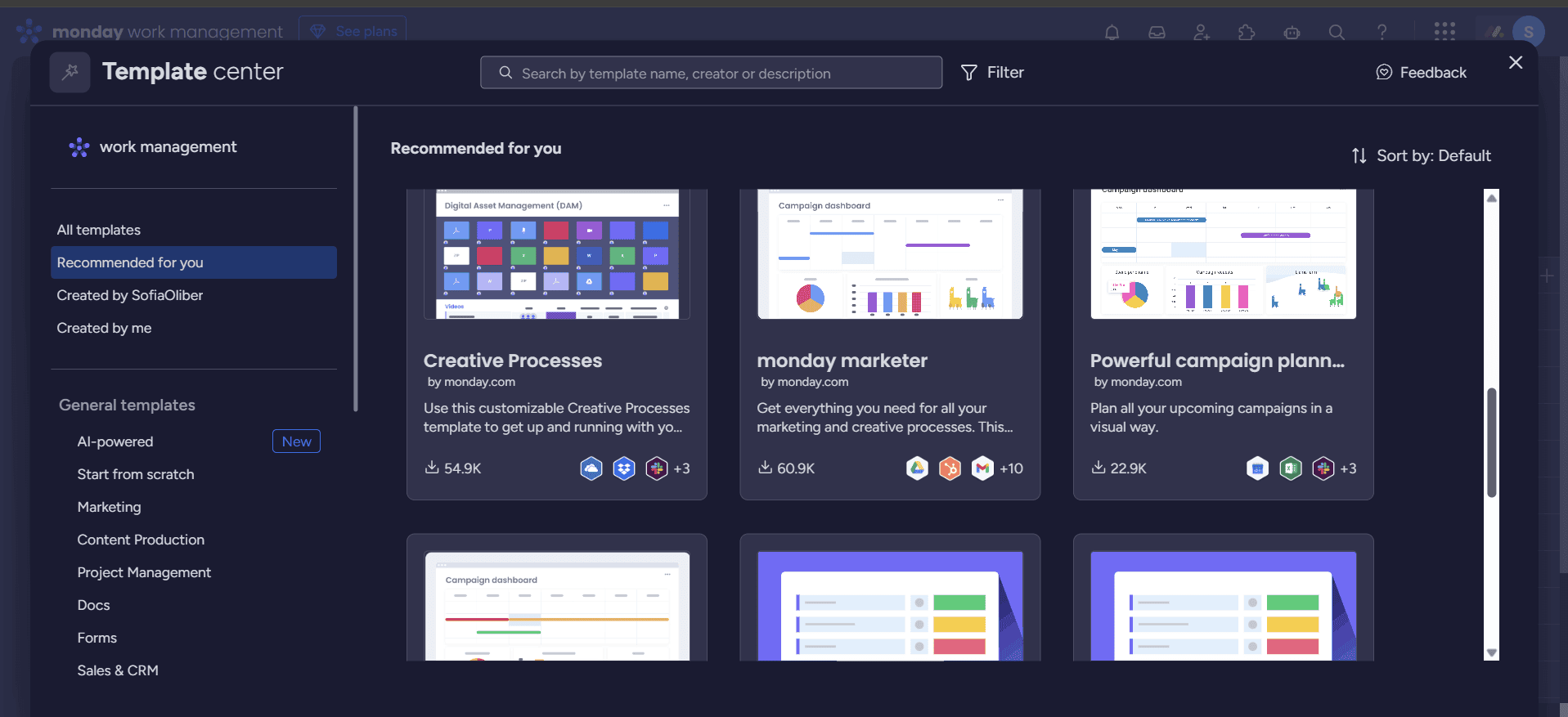
monday.com combines powerful project management features with highly visual, customizable project boards. Its color-coded views and responsive interface make it ideal for project teams to track progress and priorities at a glance.
What Makes monday.com Special
Users can shape monday.com to fit their workflow using customizable kanban, timeline and calendar views, along with drag-and-drop boards and real-time dashboards filled with charts and widgets. These visual tools are backed by practical extras, including an AI assistant, automation tools and in-depth reports.
When to Choose monday.com
Choose this software if you need a highly customizable visual platform to manage your projects. Learn more about it in our monday.com review, or try the Pro plan free for 14 days.
- Maximum users: 2
- Minimum users: 3; All prices per user
- Minimum users: 3; All prices per user
More plans
- Minimum users: 3; All prices per user
- Enterprise-level features.
2. Notion — Best for Startups
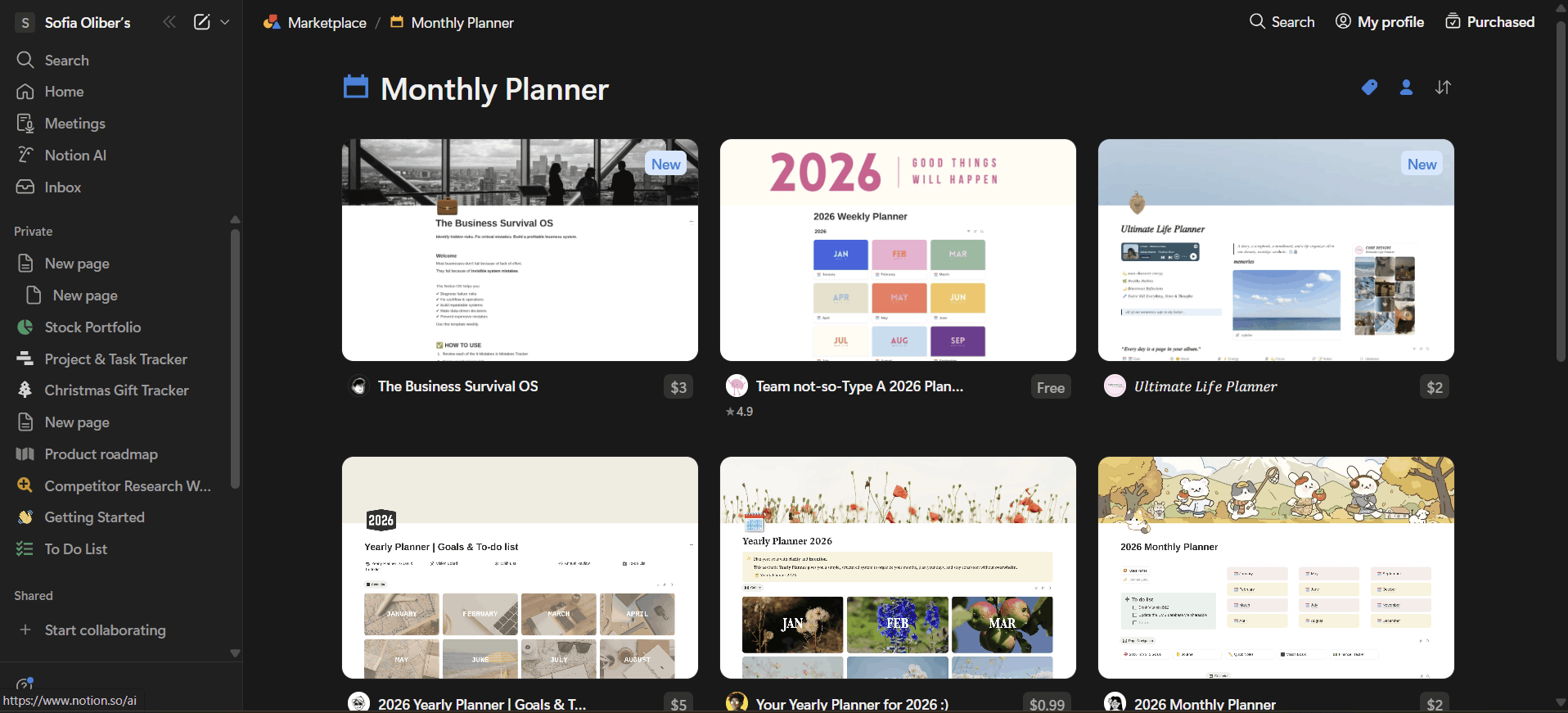
Notion excels at visual project planning, letting you choose from a wide set of templates and customizable dashboards and views. Start with a blank page and add visual elements like tasks and databases as your project takes shape. Notion doesn’t have the strongest automation or integration options, but it’s great for teams that prioritize visual structure.
What Makes Notion Special
What sets Notion apart is how visually open-ended it is. You can build a project from scratch and include databases, kanban boards, calendars and dashboards in a single, customizable workspace.
When to Choose Notion
Pick Notion if your processes are highly creative or demand full control over how you manage and view them. Learn more about the platform in our Notion review, or try Notion’s paid plans free for 30 days.
- 1 user only, Up to five guests, 5MB file upload limit
- 1 user only, Unlimited guests, Unlimited file uploads, Version history
- Unlimited users, Unlocks workspace, User permission settings
- Advanced security features
3. Wrike — Best for Structured Workflows
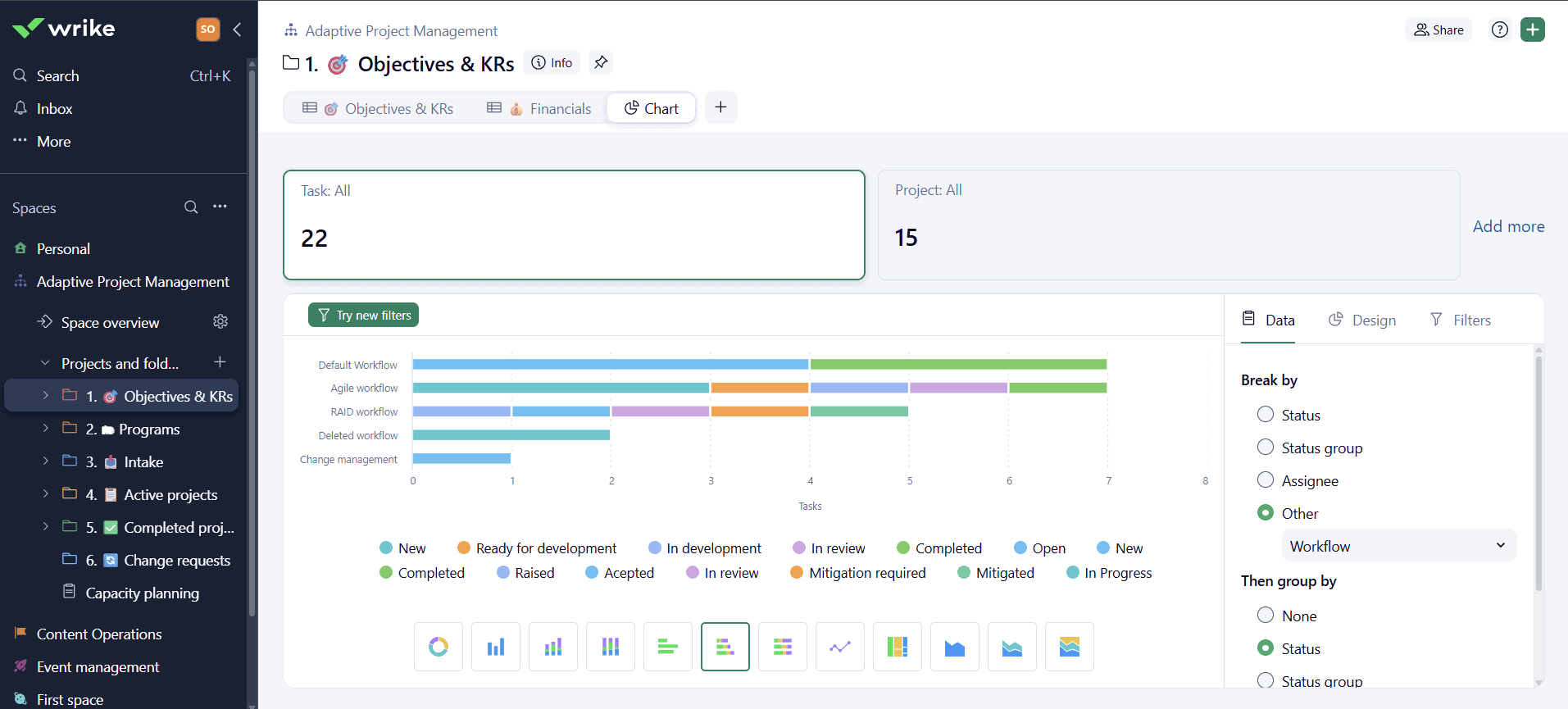
Wrike is a great choice for visually structuring projects, as it integrates Gantt charts, kanban boards and workload views with collaboration, automation and task dependencies.
What Makes Wrike Special
Wrike stands out for its large project scopes and communication tools supported by interactive timelines and real-time dashboards. The interface can feel crowded for beginners, but seasoned users appreciate the wide range of options.
When to Choose Wrike
Opt for Wrike if you or your team already has experience with project management and need a professional platform. Learn more about it in our Wrike review, or test its Business plan free for two weeks.
- Unlimited users. Basic features.
- Price is per user. Plans for 5, 10 and 15 users.
- Price is per user. No monthly option. Plans for 5 to 200 users.
More plans
- For large teams; Enterprise-grade security and scalability; Plans for 5 to an unlimited number of users.
- For teams with complex work needs; Advanced tools and analytics for complex work; 5 to unlimited users
3. Nutcache — Best for Budgeting & Resource Allocation
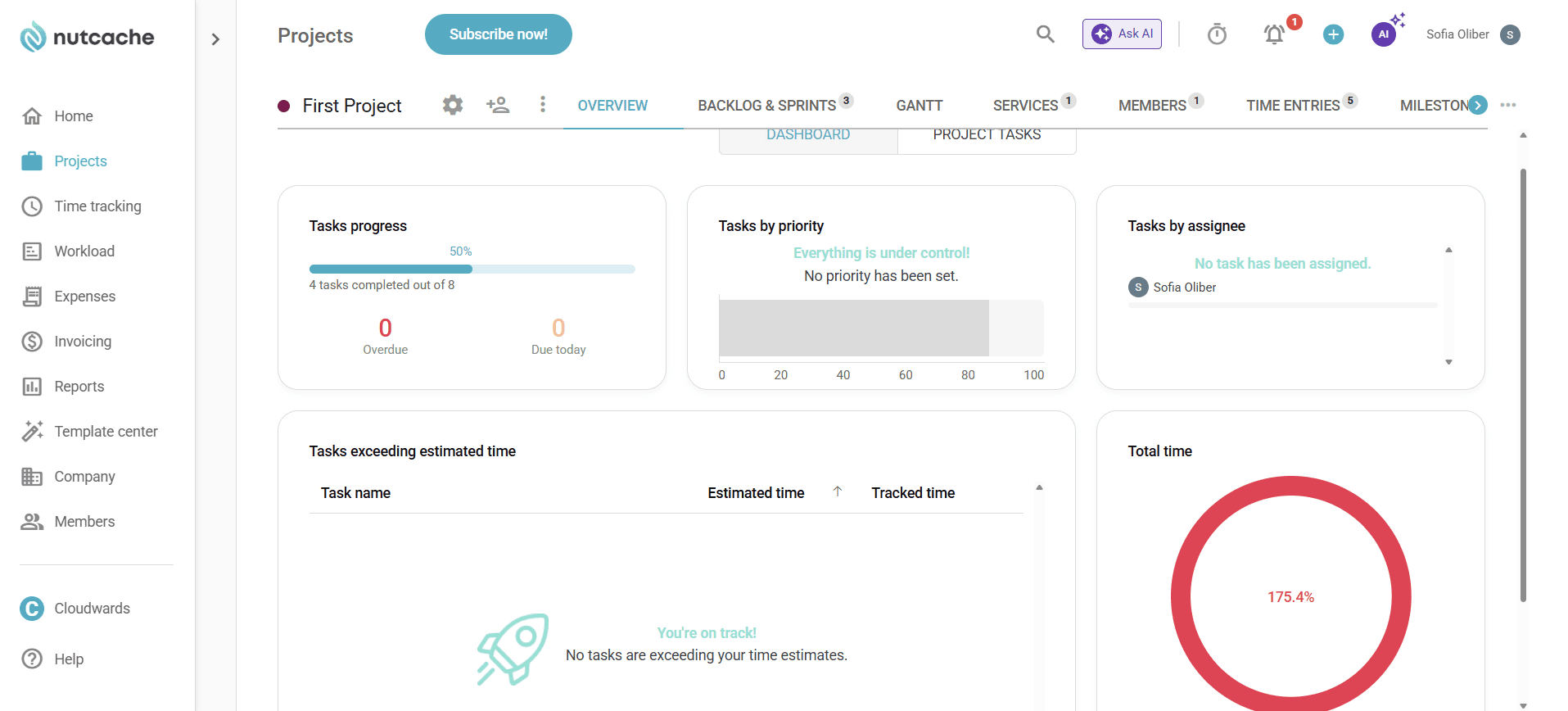
Nutcache combines visual graphics with useful features like project budgeting for resource allocation and invoicing options. These features are presented via visual boards and six views, such as the milestones and “backlog & sprints” views, that make financial data easy to track.
What Makes Nutcache Special
Nutcache presents detailed reports and financial insights through dashboards that display key data at a glance. It’s less customizable than Notion or Miro because it prioritizes visualizing budgets and commercial data over operational or creative flows.
When to Choose Nutcache
Try Nutcache if your team needs to closely track budgets or invoices. The software offers comprehensive project management tools and a clear interface. You can test the software using its free plan.
| Plan: | Price |
|---|---|
| Free | $0 |
| Pro | $15.95 |
| Enterprise | $25.95 |
| Corporate | Custom |
5. Miro — Visual Project Management Software for Design Teams
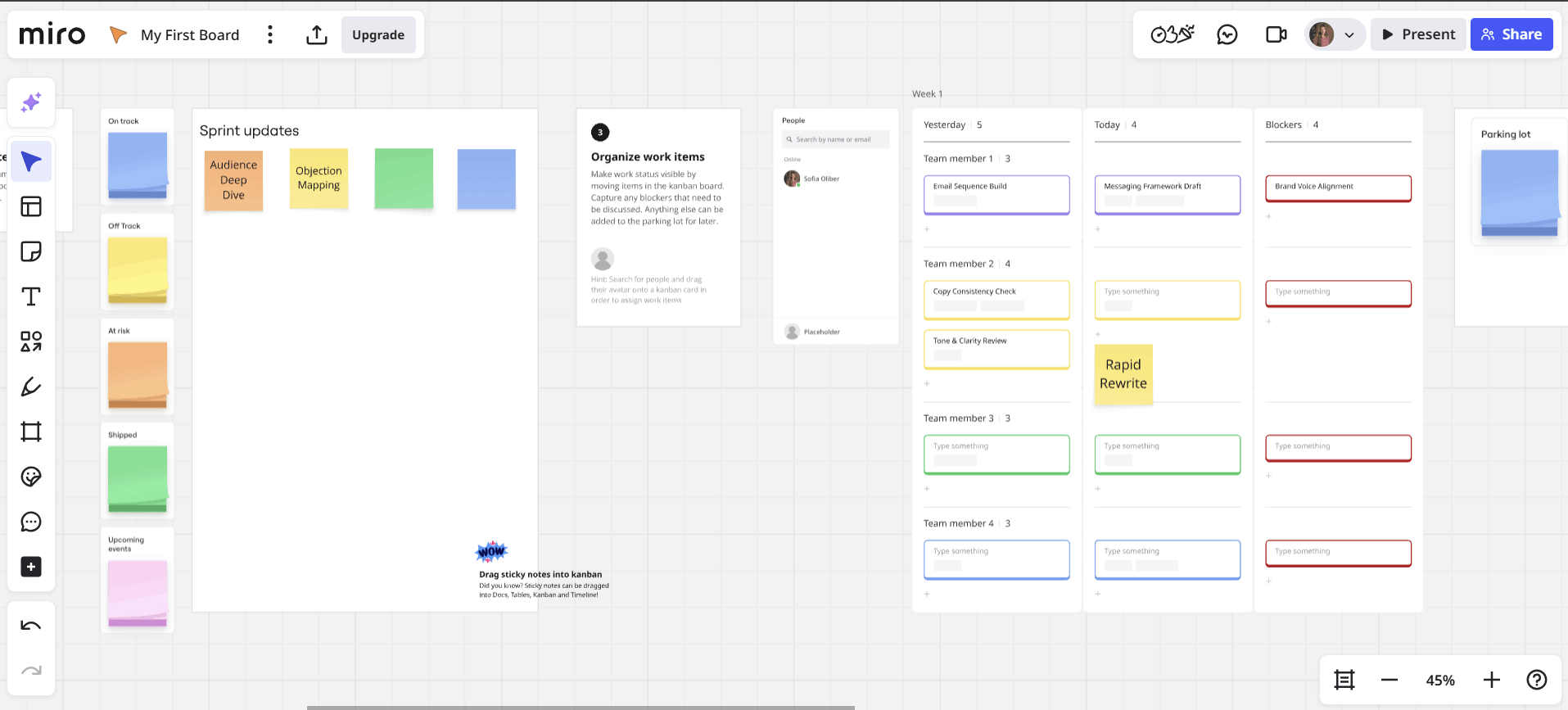
Miro shines for its sticky notes and mind-mapping tools. It’s especially well suited for visual ideation. Unlike traditional project management tools, Miro offers an infinite canvas where teams can zoom in and out, rearrange elements freely and visually map workflows in one space.
What Makes Miro Special
Miro is user-friendly and made for product and professional design teams. You can drag and drop sticky notes, stickers and more to build shared boards, discuss tasks and communicate ideas clearly with collaborators.
When to Choose Miro
If your team relies on visual workflows, Miro is a great fit. It’s also a good choice for product teams and design agencies as it features tools to create mind maps and map customer journeys. You can discover more about Miro with its 14-day free trial.
| Plan: | Price |
|---|---|
| Free | $0 |
| Starter | $8 |
| Business | $16 |
| Enterprise | Custom |
Honorable Mentions
I couldn’t finish this ranking without two special mentions, which also offer robust visual solutions.
ClickUp
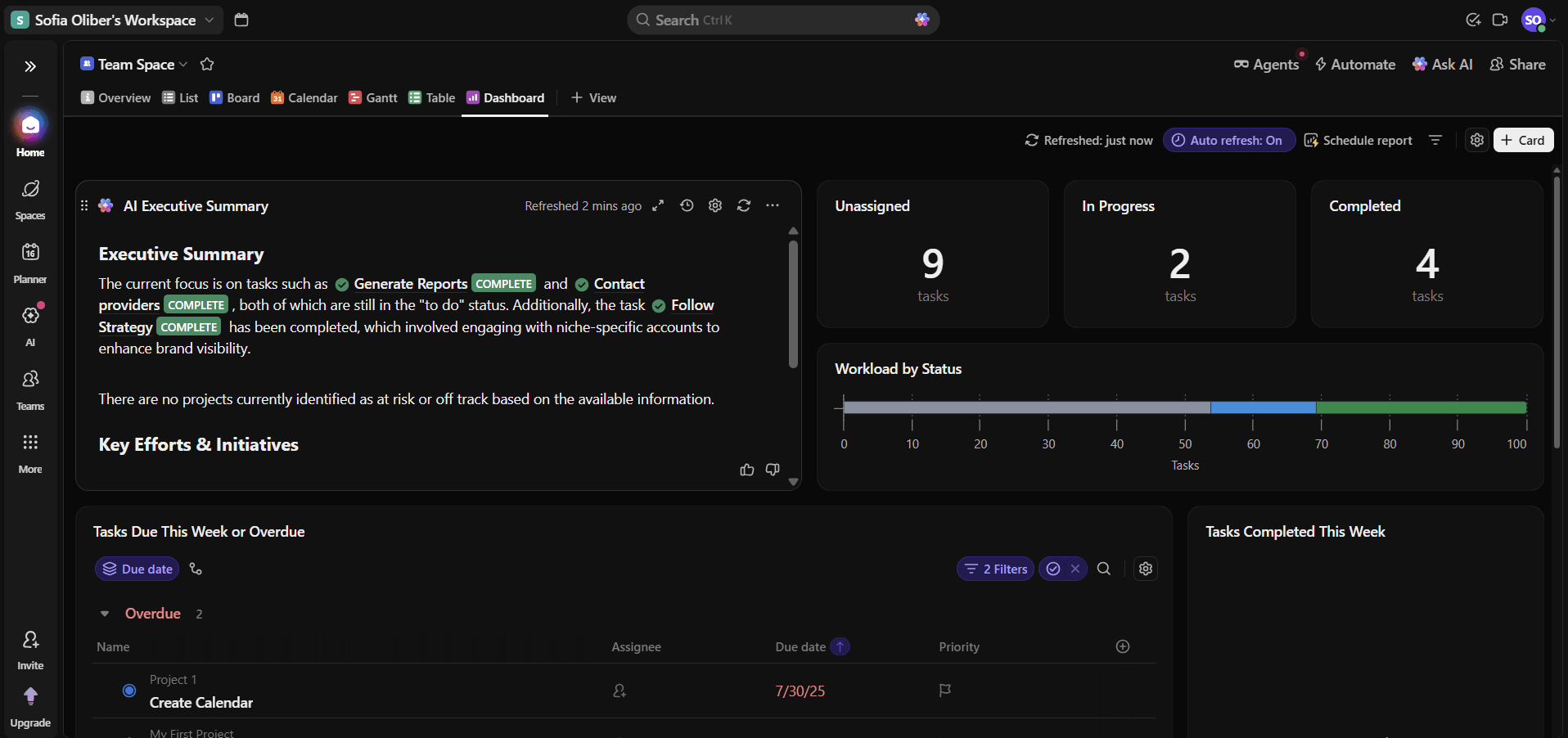
ClickUp is a platform with 16 view options, including list, boards, Gantt, calendar and workload, plus customizable dashboards with drag-and-drop widgets. However, the sheer number of features and configuration options creates a steep learning curve, which can make the interface feel cluttered and overwhelming.
Read more in our ClickUp review, or try ClickUp’s excellent free plan today.

- Basic functionality with some limitations
- All prices per user
- All prices per user
Trello
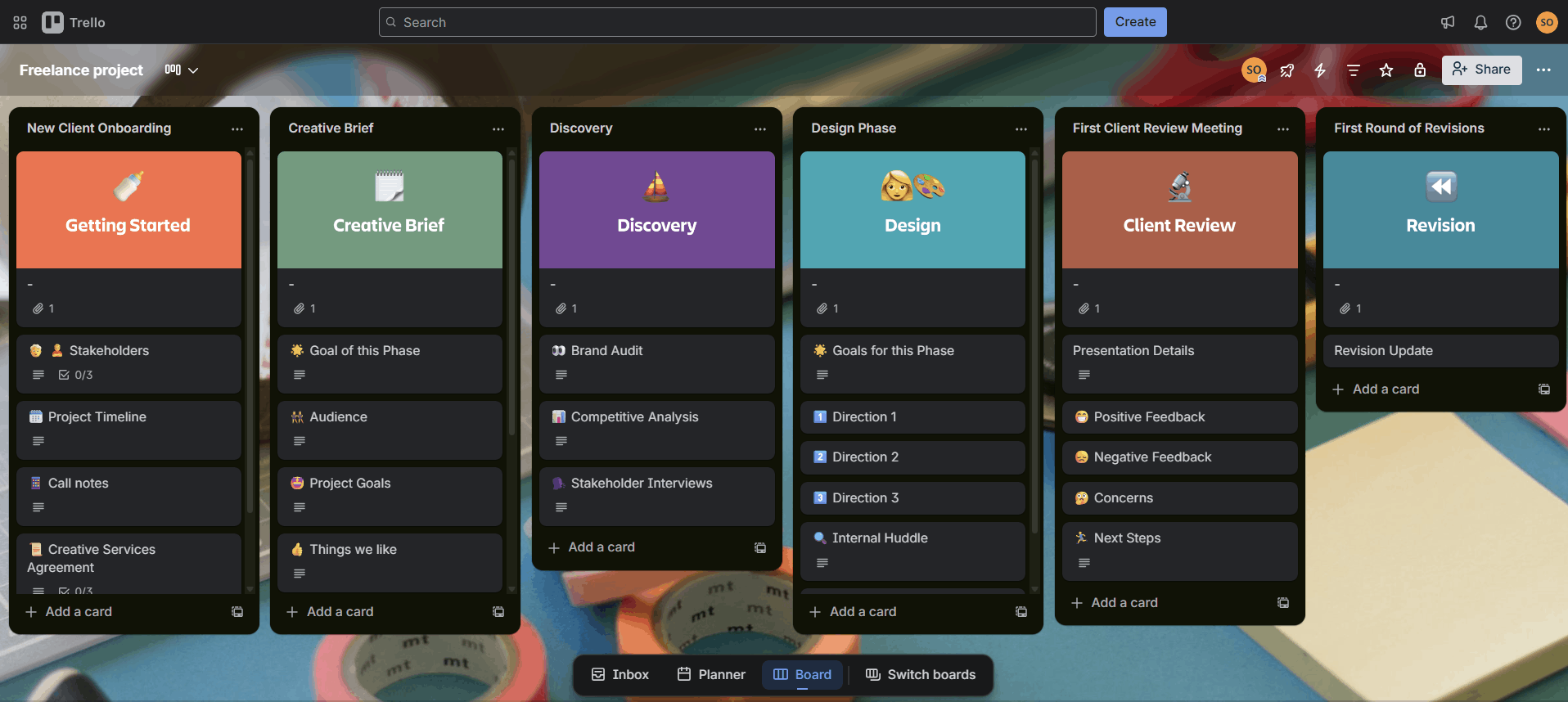
This kanban board-based software is designed for simple, visual project management and is great for small projects. Trello users can improve their boards with calendar, timeline and dashboard features through free add-ons. However, many advanced views rely on power-ups rather than built-in features, so Trello isn’t as robust as the top five tools.
Read more in our Trello review, or try its free plan.
Methodology: Our Testing Framework & How to Choose
I used the following criteria to create this ranking:
Final Thoughts
Some visual project management tools are better suited to IT teams, while others are geared toward designers and creative workflows. Regardless of your industry, there’s a tool to fit your needs. Luckily monday.com makes it simple to get started with a free trial.
Have you tried any of these platforms? What do you think is the best visual software? I’d love to hear your thoughts. Thanks for reading.
FAQ: Best Visual Project Management Software
Visual project management is a method used to organize and run projects using boards, graphics and visual features.
Yes, most visual project management tools are designed for creative and non-technical teams.
The benefits of visual project management software are clarity, clear collaboration and ease of use.